
A simple and easy-to-use Python benchmarking library
Verified details
These details have been verified by PyPIProject links
GitHub Statistics
Maintainers

Project description
EasyBench







A simple and easy-to-use Python benchmarking library.
Features
- Three flexible benchmarking styles (decorator, class-based, and command-line)
- Measure both execution time and estimated memory usage (see limitations)
- Visualization of benchmark results as boxplots for analyzing distribution and outliers
- Parametrized benchmarks to compare the same function with different input sizes
- A pytest-like fixture system for easy test data setup
- Complete lifecycle hooks (setup/teardown) for fine-grained benchmark control
- Switch between normal function execution and benchmarked execution on demand
- Customizable benchmark configuration with sorting and formatting options
- Command-line tool to run multiple benchmarks at once
- Multiple output formats (text tables, CSV, JSON, pandas.DataFrame)
- Extensible reporting system for custom output destinations
Installation
pip install easybench
Optional Dependencies
EasyBench supports optional dependencies for additional features:
# Install with visualization support
pip install easybench[all]
The all option includes:
matplotlib: For visualization and plotting benchmark resultsseaborn: For enhanced statistical visualizationspandas: For outputting benchmark results as DataFramestqdm: For progress tracking during benchmark execution
Quick Start

There are 3 ways to benchmark with easybench:
-
@benchdecoratorfrom easybench import bench # Add @bench with function parameters @bench(item=123, big_list=lambda: list(range(1_000_000))) def insert_first(item, big_list): big_list.insert(0, item)
- When you need fresh data for each trial, use a function or lambda to generate new data on demand.
(likelambda: list(range(1_000_000))in the above)
- When you need fresh data for each trial, use a function or lambda to generate new data on demand.
-
EasyBenchclassfrom easybench import EasyBench, BenchConfig class BenchListOperation(EasyBench): # Benchmark configuration bench_config = BenchConfig( trials=10, memory=True, sort_by="avg" ) # Setup for each trial def setup_trial(self): self.big_list = list(range(1_000_000)) # Benchmark methods (must start with bench_) def bench_insert_first(self): self.big_list.insert(0, 123) # You can define multiple benchmark methods def bench_pop_first(self): self.big_list.pop(0) if __name__ == "__main__": # Run benchmark BenchListOperation().bench()
-
easybenchcommand-
Create a
benchmarksdirectory -
Put
bench_*.pyscripts in the directory:from easybench import fixture # Fixture for each trial @fixture(scope="trial") def big_list(): return list(range(1_000_000)) # Benchmark functions (must start with bench_) def bench_insert_first(big_list): big_list.insert(0, 123) # You can define multiple benchmark functions def bench_pop_first(big_list): big_list.pop(0)
-
Run
easybenchcommandeasybench --trials 10 --memory --sort-by avg
-
Example of benchmark results:
-
Single benchmark
Benchmark Results (5 trials): Function Avg Time (s) Min Time (s) Max Time (s) -------------------------------------------------------- insert_first 0.001568 0.001071 0.003265 -
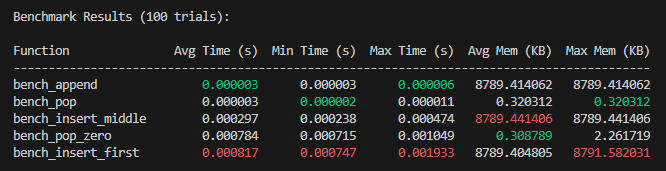
Multiple benchmarks
-
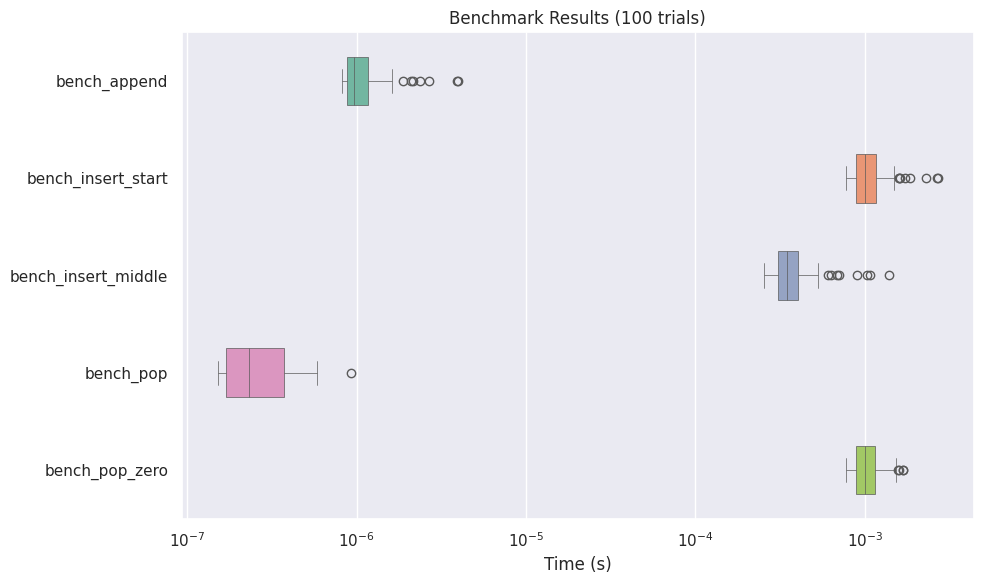
Boxplot Visualization
-
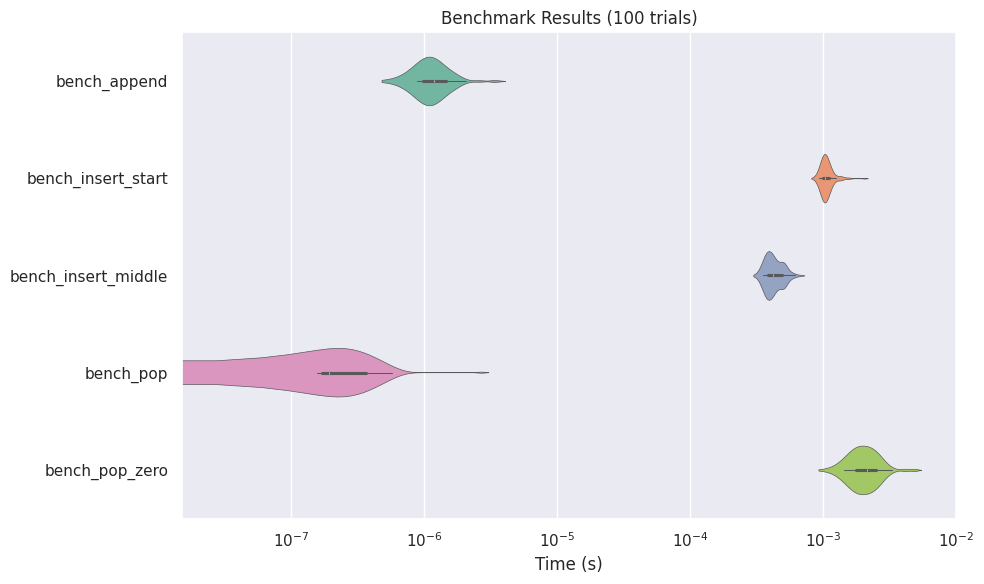
Violinplot Visualization
-
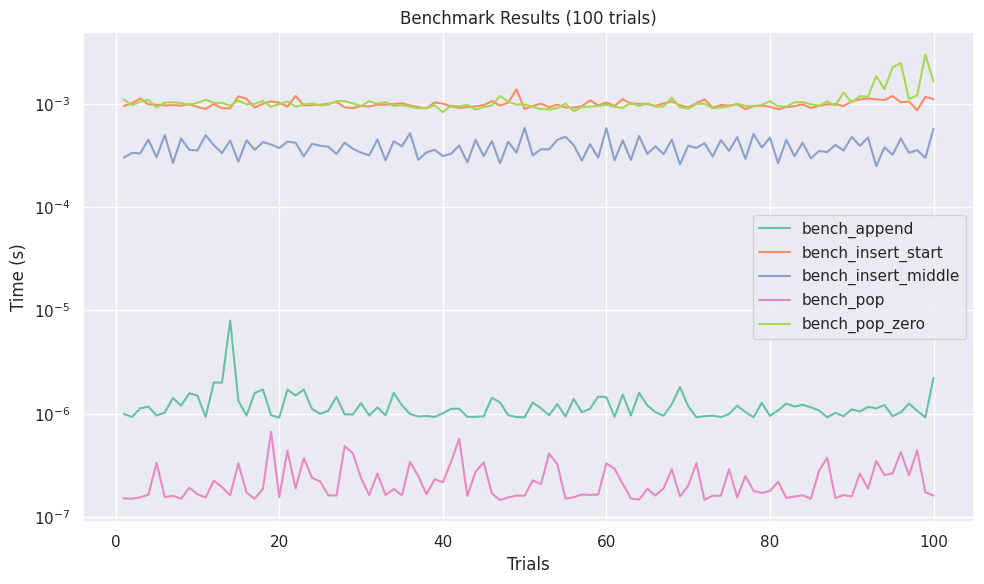
Lineplot Visualization
-
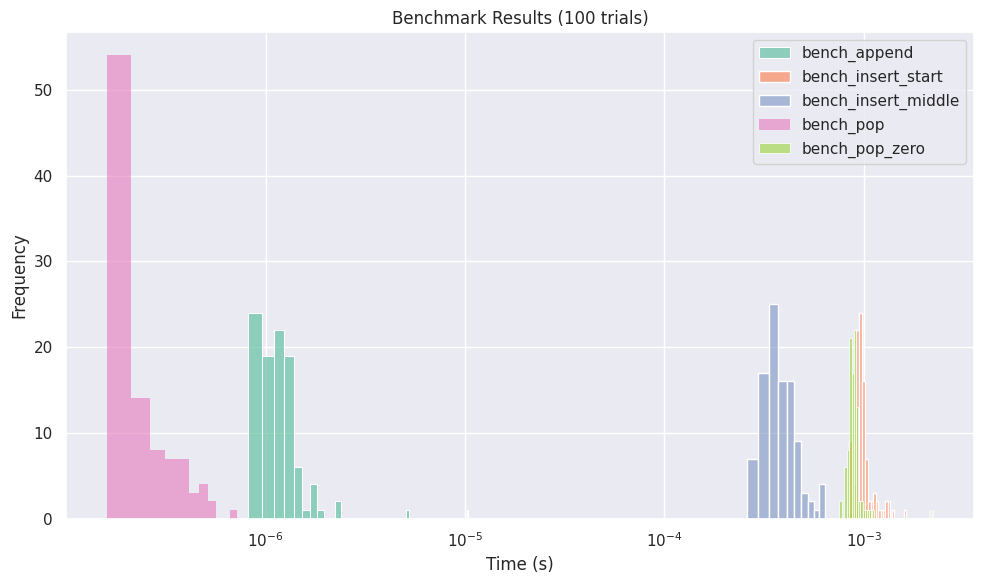
Histogram Visualization
-
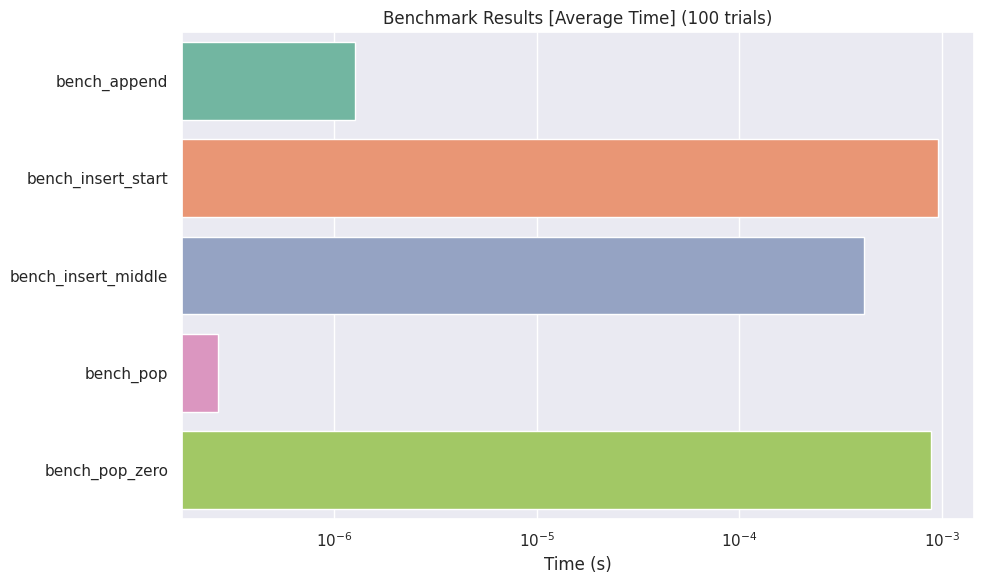
Barplot Visualization
Usage
For detailed usage instructions, please refer to the documentation.
Memory Measurement Limitations
EasyBench uses Python's built-in tracemalloc module to measure memory usage.
This has some important limitations:
tracemalloconly tracks memory allocations made through Python's memory manager- Memory allocated by C extensions (like NumPy, Pandas, or other native libraries) often bypasses Python's memory manager and won't be accurately measured
- The reported memory usage reflects Python objects only, not the total process memory consumption
For applications heavily using C extensions, consider using external profilers like
memory_profileror system monitoring tools for more accurate measurements.
License
Project details
Verified details
These details have been verified by PyPIProject links
GitHub Statistics
Maintainers
Release history Release notifications | RSS feed


Download files
Download the file for your platform. If you're not sure which to choose, learn more about installing packages.
Source Distribution
Built Distribution
Filter files by name, interpreter, ABI, and platform.
If you're not sure about the file name format, learn more about wheel file names.
Copy a direct link to the current filters
File details
Details for the file easybench-0.1.29.tar.gz.
File metadata
- Download URL: easybench-0.1.29.tar.gz
- Upload date:
- Size: 441.3 kB
- Tags: Source
- Uploaded using Trusted Publishing? Yes
- Uploaded via: twine/6.1.0 CPython/3.10.18
File hashes
| Algorithm | Hash digest | |
|---|---|---|
| SHA256 |
f26532113bf584d4b486746ff560acf717f8955dfab08c06d5d9e1c251f9aec2
|
|
| MD5 |
7515b020ccd66ed7adf850a7d5d46e5d
|
|
| BLAKE2b-256 |
4f8c3431248b569ee00da62ced8b488ee295cedd2d783faeaf6385bca1825f5a
|
File details
Details for the file easybench-0.1.29-py3-none-any.whl.
File metadata
- Download URL: easybench-0.1.29-py3-none-any.whl
- Upload date:
- Size: 40.9 kB
- Tags: Python 3
- Uploaded using Trusted Publishing? Yes
- Uploaded via: twine/6.1.0 CPython/3.10.18
File hashes
| Algorithm | Hash digest | |
|---|---|---|
| SHA256 |
982a548513e028ed53c39d0011759eec1a0984151f753cc485dcec8c6a608987
|
|
| MD5 |
9b0fa6d9214358aff7d5ee3cfb469a2f
|
|
| BLAKE2b-256 |
abfa867a84e037446408bcfe91ad67c9bef490a89f311c5a0dae934d3422c776
|






