
Engram
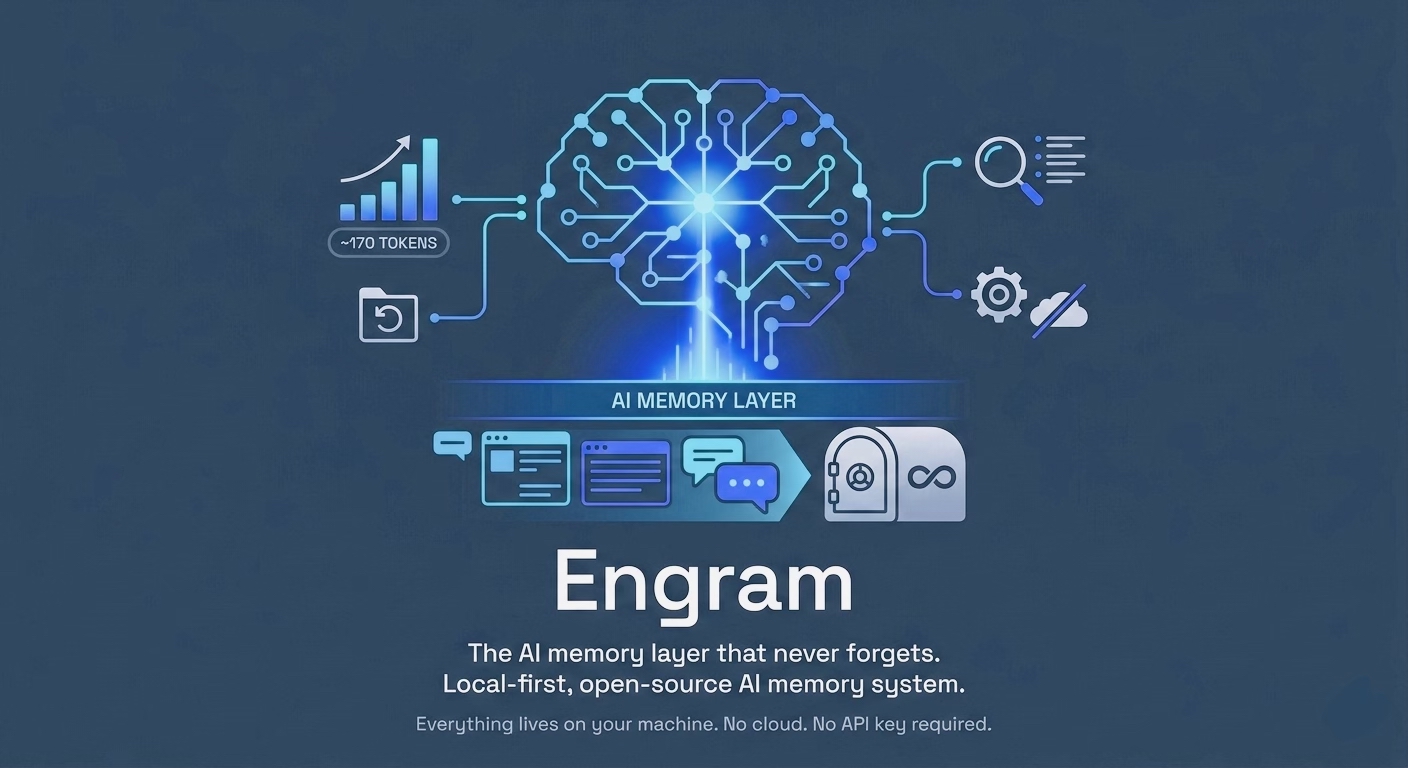
Long-term memory for your AI that stays on your computer. Free, private, word-for-word, and small enough to read in an afternoon.


98.8% on LongMemEval (the right conversation in the top 5 for 494 of 500 questions) and 92.1% on LoCoMo, with no LLM, no API key and nothing leaving your machine. Both are ahead of MemPalace's best no-LLM scores (98.4% and 88.9%). These are Engram's optional modes (local reranker, keyword index); out of the box it scores 98.2% and 90.1%. See the numbers
What is Engram?
AI assistants forget everything when a chat ends. Engram gives them a memory that lasts.
- It saves your notes, files and conversations, word for word.
- It organises them by project and topic.
- When you (or Claude) ask a question later, it finds the right memory, even if you use different words than the original.
Everything lives in a folder on your computer (~/.engram/). There is no account, no cloud and no API key. It works with Claude Code, Claude Desktop and any app that speaks MCP, and it is a plain Python library you can build on.
Should you use Engram?
There are several good memory tools. Here is an honest guide to picking one.
| If you want… | Use | Why |
|---|---|---|
| Memory for Claude Code / Claude Desktop that just works, stays private and costs nothing | Engram | Two commands to set up; hooks save your work automatically; nothing leaves your machine |
| A memory library for your own AI app or companion (an agent, a chatbot, a personal assistant) | Engram | Small, readable Python API; runs offline; no per-call costs |
| To read and trust every line of code that touches your data | Engram | About 6,900 lines of Python; MIT licensed |
| The largest, most feature-rich local memory system: LLM reranking, a memory hub shared across machines, Docker, more published benchmarks | MemPalace | The project Engram's design is based on; bigger and more mature |
| Memory for a multi-user product hosted in the cloud, with a dashboard and an API | A hosted memory service (for example Mem0, Zep or Supermemory) | Built for teams and production apps; they usually need an account, an API key and an LLM to decide what to remember |
| Just a few standing rules or facts ("use tabs", "my name is…") | Claude's built-in memory or a CLAUDE.md file |
No install needed for small, fixed notes |
Pick Engram when you want strong recall, privacy, zero running cost and code you can understand. Look elsewhere when you need a hosted multi-user service, or MemPalace's extra features such as LLM reranking or a shared hub.
Three ways people use it
- A developer using Claude Code. Engram saves every file Claude edits and every conversation before it is compacted. Next week, "why did we switch the auth library?" gets the actual discussion back.
- Someone building an AI companion. The companion stores what it learns about you, keeps a diary and a knowledge graph of people and facts, and recalls them later, all offline. (Engram started as the memory layer for exactly this kind of app.)
- A researcher or writer. Point Engram at a folder of notes, an Obsidian vault, or Notion or Linear exports, then ask questions across everything.
Set up in 2 minutes
1. Install (Python 3.9 or newer):
pip install engram-chateau # or, with uv: uv tool install engram-chateau
The package is called
engram-chateauon PyPI, but the command andimportare justengram. The package namedengramon PyPI is an unrelated project.
2. Create your memory and connect Claude:
engram init ~/myproject                                # set up your memory and add a project
claude mcp add engram -- python -m engram.mcp_server   # give Claude the engram_* tools
engram install-hooks                                   # optional: auto-save from Claude Code
engram install-hooks prints a short snippet to paste into ~/.claude/settings.json.
3. Optional: switch on the best-accuracy modes:
engram setup-reranker # downloads a 90 MB model once; everything still runs locally
and add "keyword_search": true to ~/.engram/config.json for the full-text keyword index (no download; built from your existing memories on first use).
That's it. Ask Claude to remember or look something up, or use the command line:
engram mine ~/myproject --wing myapp          # save a project's files
engram search "why did we change the auth library"
How it works
1. Everything is saved word for word. Each note, file or message becomes a drawer: your original text, never summarised.
2. Drawers are organised like a building. You don't need to manage this; Engram sorts things automatically.
Wing   – a person or project        (e.g. "myapp")
└── Room  – a topic                 (e.g. "auth-migration")
    └── Hall – the kind of memory   (facts, events, discoveries, preferences, advice)
        └── Drawer – the original text
3. Search finds the right drawer. When you ask a question, Engram combines several signals:
| Signal | What it does | On by default? |
|---|---|---|
| Meaning | Finds text that means the same thing, even with different words | Yes |
| Keyword boost | Gives extra weight to results that share your exact words, names or numbers | Yes |
| Keyword index | A second, full-text search (BM25) that finds memories the meaning search missed, merged with it by rank | Optional ("keyword_search": true) |
| Time | "What did I buy two weeks ago?" or "what happened in June?" favours memories from around that date | Yes |
| Preferences | Notices things you mentioned in passing ("I've been struggling with my sleep") so later questions find them | Yes |
| Recency | Slightly favours newer memories; pinned memories are never pushed down | Yes |
| Reranker | A small local model re-reads the top 20 results and puts the best first | Optional (engram setup-reranker) |
4. Short "wake-up" context. At the start of a session Engram can hand the AI a short summary (who it is, plus key facts), designed to fit in about 170 tokens, so it doesn't start from zero.
How well does it work?
Two public benchmarks measure whether a memory system can find the right past conversation for a question. Both are reproducible from this repo (how).
LongMemEval: 500 questions over long chat histories. The score is how often the right conversation is in the top 5 results.
| Engram | MemPalace | |
|---|---|---|
| Meaning-only search | 96.8% | 96.6% |
| Default search (no AI model) | 98.2% | 98.4% |
| With local reranker (no LLM, no API) | 98.8% | — |
| With an LLM reranker (needs an API key) | not offered | 99%+ |
LoCoMo: 1,986 questions over 10 very long conversations. The score is how many of the answer's sessions are in the top 10 results.
| Engram | MemPalace | |
|---|---|---|
| Meaning-only search | 84.4% | 60.3% |
| Default search (no AI model) | 90.1% | 88.9% |
| With keyword index (no AI model) | 92.1% | — |
| R@5: default / with keyword index | 82.1% / 84.9% | 83.7% |
In short: Engram's plain search is as good as or better than MemPalace's, and its best no-LLM modes are ahead on both benchmarks. Engram never needs an LLM or an API to get there.
Things to know when comparing:
- Model: all numbers use the same small local embedding model (all-MiniLM-L6-v2).
- What gets indexed: Engram indexes the assistant's messages as well as yours; MemPalace's raw mode indexes only yours.
- How the hybrids were tuned: MemPalace tuned its LongMemEval hybrid on 50 questions and scored the other 450. Engram's settings were written as general rules and scored on all 500, then used unchanged on LoCoMo.
- Scale: one LongMemEval question is worth 0.2 points.
- Versions: the LongMemEval numbers were measured with Engram 1.4.0, before date understanding and the keyword index were added; the LoCoMo numbers include them.
Per-question-type results are in benchmarks/BENCHMARKS.md.
Using Engram with Claude
Claude Code
claude mcp add engram -- python -m engram.mcp_server
engram install-hooks
- The MCP server gives Claude 22
engram_*tools: search, add a memory, wake-up context, a knowledge graph, replaying a topic's history and more. Seeexamples/mcp_setup.md. - The save hook stores every file Claude writes or edits. Saving the same file again replaces it rather than duplicating it.
- The pre-compact hook stores the conversation before Claude Code compacts it: your messages and Claude's replies, not tool output. Running it twice adds no duplicates.
Optional settings for the hooks: ENGRAM_WING (default default), ENGRAM_ROOM (default conversation) and ENGRAM_AGENT (default claude-code).
Claude Desktop
Add this to claude_desktop_config.json. On macOS it lives in ~/Library/Application Support/Claude/, on Windows in %APPDATA%\Claude\:
{
  "mcpServers": {
    "engram": { "command": "python", "args": ["-m", "engram.mcp_server"] }
  }
}
If python isn't the one with Engram installed, use its full path.
Using Engram in your own app (Python)
from engram.agents import AgentDiary
from engram.backends import get_backend
from engram.chateau import Chateau
from engram.knowledge_graph import KnowledgeGraph
from engram.searcher import Searcher

memory = Chateau()                                  # your memory folder (~/.engram/chateau)
searcher = Searcher(get_backend("chromadb"), memory)

for hit in searcher.search("what music does Brian like", n=5):
    print(hit["text"], hit["final_score"])

AgentDiary("my-assistant").write("Helped plan the week")              # an agent's diary
KnowledgeGraph().add(subject="Brian", predicate="likes", obj="jazz")  # facts about people and things
These calls are pinned by tests/test_public_api.py, so apps built on them keep working across releases.
Everyday commands
# Save things
engram mine ~/project --wing myapp                 # a project's files
engram mine ~/Downloads/claude-export --mode convos --wing myapp   # a conversation export
engram watch ~/project --wing myapp                # keep saving as files change

# Find things
engram search "auth decisions" --wing myapp
engram answer "What did we decide about the database?"   # an answer from memory (uses Ollama if installed)
engram replay --room auth-migration                # a topic's history, in order

# Context and upkeep
engram wake-up                                     # the short start-of-session context
engram status                                      # what's in your memory
engram audit --fix                                 # health check and safe fixes
Full command reference
Setup
engram init <dir>                              # guided setup
engram install-hooks                           # Claude Code hooks
engram setup-reranker                          # download the reranker model and turn it on
engram setup-reranker --disable                # turn the reranker off
Saving
engram mine <dir>                              # project files
engram mine <dir> --mode convos                # conversation exports (Claude, ChatGPT, Slack, Claude Code)
engram mine <dir> --wing myapp --room auth     # choose the wing and room
engram mine <dir> --since 2026-01-01           # skip older files
engram mine <dir> --plugin obsidian            # also: notion, linear
engram watch <dir> --wing myapp                # auto-save on change
engram split <dir> [--dry-run]                 # split concatenated transcripts
engram remember-type "Prefer SQLite for local dev" preference --wing myapp
engram remember-type --list                    # the 13 memory types
Searching
engram search "query" [--wing W] [--room R] [--results 20]
engram search "query" --no-decay               # ignore recency
engram search "query" --no-hybrid              # meaning only
engram search "query" --rerank / --no-rerank   # force the reranker on or off for one search
engram answer "question" [--wing W] [--model llama3.2] [--chunks 8]
Context, history and graph
engram wake-up [--wing W] [--rebuild]
engram replay --room R [--wing W] [--type decision] [--since 2026-06-01] [--min-confidence 0.8]
engram kg query "Kai" [--all]
engram kg add "Kai" works_on "Orion" --from 2025-06-01
engram kg invalidate "Kai" works_on "Orion" --ended 2026-03-01
engram kg timeline "auth-migration"
engram graph [--wing W] [--output file.png]   # needs: pip install "engram-chateau[viz]"
Maintenance
engram status
engram audit [--fix]
engram conflicts                               # resolve contradicting memories
engram compress [--wing W] [--room R]          # rebuild short summaries (ES)
engram provenance <drawer-id> [--history]
engram provenance --summary
engram ui                                      # local notes app at http://127.0.0.1:7741
Settings
Settings live in ~/.engram/config.json. Every key is optional, and the defaults are the benchmarked setup.
| Setting | Default | What it does |
|---|---|---|
vector_backend |
chromadb |
Search engine: chromadb, faiss or sqlitevec (no compiled parts) |
hybrid_weight |
0.3 |
Keyword boost; 0 turns it off |
temporal_weight |
0.4 |
Boost for memories near a time the question names; 0 turns it off |
preference_summaries |
true |
Index a short summary of preferences and concerns mentioned in your messages |
keyword_search |
false |
Full-text keyword index searched alongside meaning search (SQLite, no download). Built from your existing memories the first time it's on |
redact_secrets |
false |
Replace API keys, tokens and passwords with [REDACTED:…] before anything is saved. Off by default because Engram otherwise keeps text exactly as written |
reranker |
false |
Local reranker; switch on with engram setup-reranker. While off, Engram never downloads anything |
rerank_top |
20 |
How many top results the reranker reorders |
decay_factor / decay_max_days |
0.005 / 90 |
How much newer memories are favoured, and for how long |
chateau_path |
~/.engram/chateau |
Where memories are stored |
ENGRAM_VECTOR_BACKEND=sqlitevec engram … overrides the backend for one run. ~/.engram/identity.txt holds the short identity that starts each wake-up context.
Troubleshooting
pip: command not found. Inside auvvirtual environment, useuv pip install ….- "No such command" after updating from GitHub. Run
git pull origin main, thenuv pip install -e .(orpip install -e .) in your Engram folder. - "ChromaDB failed to load". ChromaDB's compiled parts don't match your Python. Try
pip install --force-reinstall --no-cache-dir chromadb, or set"vector_backend": "sqlitevec", which needs no compiled parts. Then re-runengram mine, because each backend keeps its own index. - Python 3.15 or newer. ChromaDB can't install yet (its onnxruntime dependency has no build for it), so Engram installs without it and uses
sqlitevec. That backend matches words rather than meaning. For meaning-based search, use Python 3.11–3.14. - The search Relevance column shows
<0.001. The reranker found nothing that really answers that question; try a more specific one.
More: shorthand compression, memory layers, web UI, code map
Engram Shorthand (ES)
A compact text form any LLM can read without a decoder. It's used only for the short context Engram loads into a model; your drawers always keep the original text. ES is lossy: it drops filler words. It saves about 1.6× on prose and 1.1× on code.
from engram.shorthand import compress
compress("The authentication module is a critical component that has a dependency on the database.")
# → "auth module=★★ component +dep on db."
Memory layers
| Layer | Content | Size | Loaded |
|---|---|---|---|
| L0 | Identity: who the AI is | ~50 tokens | Always |
| L1 | Key facts, in shorthand | ~120 tokens | Always |
| L2 | The current topic's memories | On demand | When the topic comes up |
| L3 | Full search | On demand | When asked |
Web UI
engram ui opens a local notes app at http://127.0.0.1:7741, with a graph of linked notes, tags, pinned notes, a daily journal and Markdown editing. It keeps its notes in your browser for now, and doesn't yet show the memories in ~/.engram/; use engram search or the MCP tools for those.
Code map
| File | What it does |
|---|---|
engram/chateau.py |
Wings, rooms, halls and drawers on disk |
engram/searcher.py |
Search: meaning, keywords, time, recency, reranking |
engram/indexing.py |
Splits long text into chunks for the index |
engram/temporal.py |
Understands "two weeks ago", "last month" |
engram/preferences.py |
Spots preferences and concerns in messages |
engram/reranker.py |
Optional local reranker (ONNX) |
engram/miner.py, engram/convo_miner.py |
Saving files and conversations |
engram/mcp_server.py |
MCP server (22 tools) |
engram/layers.py, engram/shorthand.py |
Wake-up context and ES shorthand |
engram/knowledge_graph.py, engram/agents.py |
Knowledge graph and agent diaries |
engram/backends/ |
ChromaDB (default), FAISS, sqlite-vec |
engram/plugins/ |
Obsidian, Notion, Linear importers |
engram/hooks/ |
Claude Code save and pre-compact hooks |
benchmarks/ |
LongMemEval and LoCoMo runners |
Requirements
- Python 3.9 or newer. Python 3.11–3.14 is recommended for meaning-based search.
- Installed automatically: ChromaDB, typer, rich, watchdog, questionary, pyyaml and requests.
- Optional extras:
engram-chateau[faiss],[sqlitevec],[viz](graph pictures) or[all]. - Optional services: Ollama for
engram answer.
No API key. After install, nothing needs the internet. The only exception is engram setup-reranker, which downloads its model once, when you choose to run it.
Contributing
- Fork the repo.
pip install -e ".[dev]"pytest- Open a pull request.
Releasing (maintainers)
Engram is published to PyPI as engram-chateau from .github/workflows/publish.yml, using PyPI trusted publishing (no stored token; owner TushaeBXN, repository engram, workflow publish.yml, environment pypi).
- Bump
versioninpyproject.tomland__version__inengram/__init__.py, and add aCHANGELOG.mdentry. - Merge to
main. - Create a new GitHub release after the merge, tagged
v<version>with the dots kept (for examplev1.4.0, notv1.40), targetingmain. The workflow checks the tag matches the version, runs the tests, builds and uploads.
Credits and license
Engram's design (wings, rooms, halls, drawers and a temporal knowledge graph) is inspired by MemPalace.
MIT © 2026 Tushae Thomas
1 maintainer

Metadata
1 maintainer
Release files for engram-chateau 1.5.0
For a detailed explanation of source distributions (sdists) and built distributions (wheels), please see the package formats documentation.
Source distribution (sdist)
| File | Size | Uploaded | Provenance | Actions |
|---|---|---|---|---|
| engram_chateau-1.5.0.tar.gz | 138.2 kB | With provenance | Details for engram_chateau-1.5.0.tar.gz |
Built distribution (wheel)
| File | Interpreter | ABI | Platform | Actions Reset |
|---|---|---|---|---|
| engram_chateau-1.5.0-py3-none-any.whl | Python 3 | none | any | Details for engram_chateau-1.5.0-py3-none-any.whl |
Total release size: 257.6 kB
Release files / engram_chateau-1.5.0.tar.gz
| Download URL | engram_chateau-1.5.0.tar.gz |
|---|---|
| Size | 138.2 kB |
| Tags | Source |
|
SHA-256 checksum How to use checksums |
ee53e7973a98f4aec356aef26c48cb4efec696e6c2a3bd69053122320eb3f630
|
|
BLAKE2b-256 checksum How to use checksums |
85b479cb073ac5eca7434aa52fc0346267d03c94a09d1f77c07ba5d69a13995e
|
| Upload date | |
|
Uploaded using Trusted Publishing? What is trusted publishing? |
Yes |
| Uploaded via |
twine/7.0.0 CPython/3.13.14
|
Provenance
Provenance describes where a file came from. On PyPI, provenance is shared via attestations, which provide a verifiable record of the build or publishing details. View details, limitations and caveats.


PyPI Publish Attestation
PyPI verified that this artifact, at this checksum, originated from the publisher listed below.
Signed by GitHub Actions, verified by PyPI on Oct 16, 2026.
Transparency logRelease files / engram_chateau-1.5.0-py3-none-any.whl
| Download URL | engram_chateau-1.5.0-py3-none-any.whl |
|---|---|
| Size | 119.3 kB |
| Tags | Python 3 |
|
SHA-256 checksum How to use checksums |
04c9e030d50d153f08aaab476f2f7e8e4dcbbece7cac0c9ca22b3d806210b84c
|
|
BLAKE2b-256 checksum How to use checksums |
5d7273492f1e92e6ebecf34ef3fe2b96ba06c0147182787d3701141f32959cee
|
| Upload date | |
|
Uploaded using Trusted Publishing? What is trusted publishing? |
Yes |
| Uploaded via |
twine/7.0.0 CPython/3.13.14
|
Provenance
Provenance describes where a file came from. On PyPI, provenance is shared via attestations, which provide a verifiable record of the build or publishing details. View details, limitations and caveats.
PyPI Publish Attestation
PyPI verified that this artifact, at this checksum, originated from the publisher listed below.
Signed by GitHub Actions, verified by PyPI on Oct 16, 2026.
Transparency logSecurity for engram-chateau 1.5.0
Provenance
Provenance describes where a file came from. On PyPI, provenance is shared via attestations, which provide a verifiable record of the build or publishing details. View details, limitations and caveats.
Full provenance
Both files in this release have been uploaded with provenance metadata.
Attestation for engram_chateau-1.5.0.tar.gz
PyPI Publish Attestation
PyPI verified that this artifact, at this checksum, originated from the publisher listed below.
Signed by GitHub Actions, verified by PyPI on Oct 16, 2026.
Transparency logA note on package security
PyPI is a repository for distributing packages, not a service for auditing them. While third-party security researchers and our staff do their best to detect and remove malicious packages, PyPI cannot guarantee the quality, security or suitability of any given package.
To learn more about protecting yourself from malicious actors, visit our package security documentation.














