
CLI tool to explain a GitHub repository in plain English

Project description
ExplainThisRepo
ExplainThisRepo is a CLI (Command Line Interface) tool that automatically generates plain-English explanations of GitHub repositories. It's designed to help developers quickly understand what any public GitHub repository does by analyzing its contents and creating an EXPLAIN.md file.




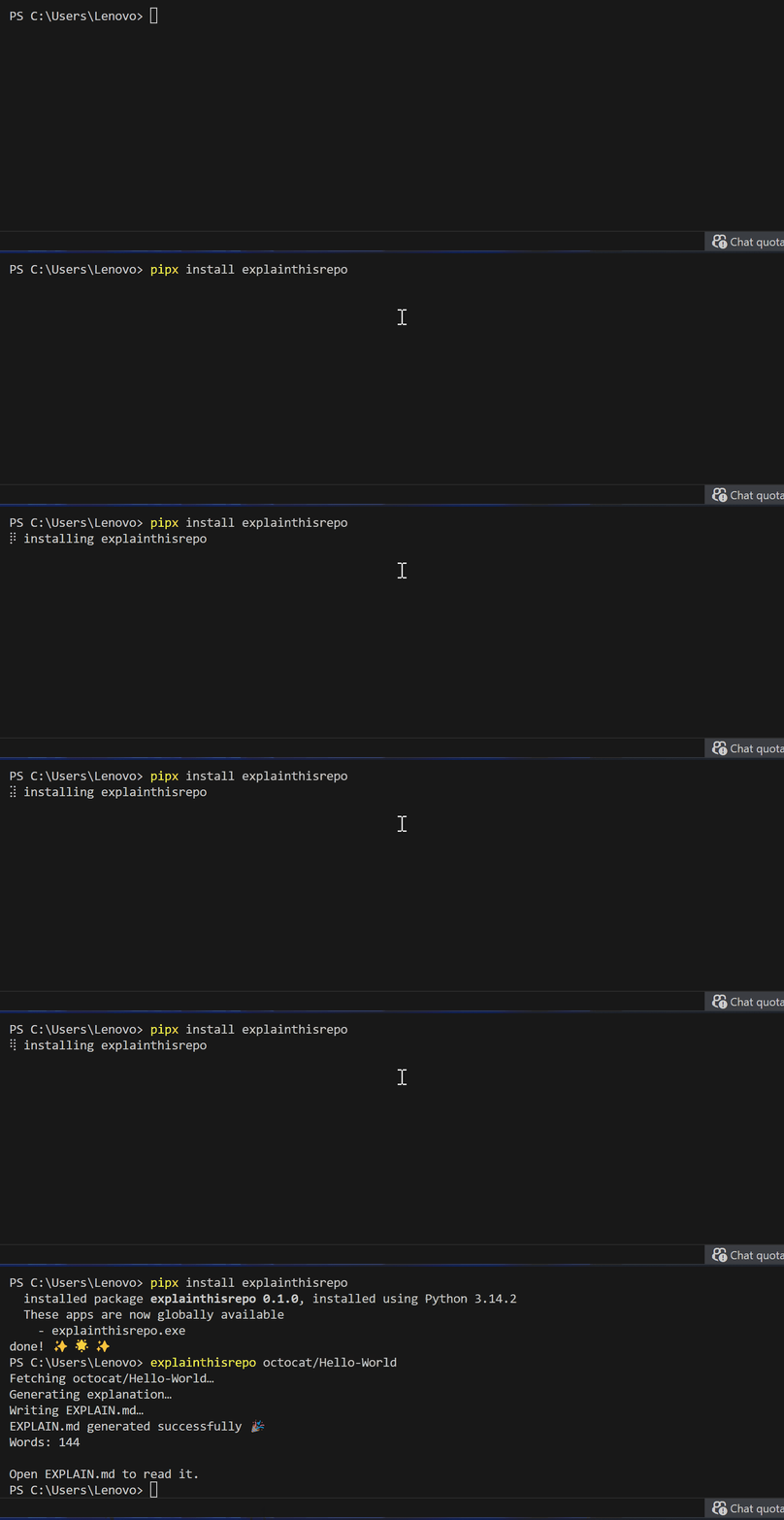
🎯 Purpose
This tool solves the problem of understanding unfamiliar codebases. Instead of manually reading through code and documentation, developers can use this CLI to generate a clear, readable explanation of any GitHub repository.
⚡ Key Features
-
Fetches public GitHub repositories automatically
-
Analyzes README and repository metadata to understand the project
-
Generates clear explanations in plain English
-
Outputs a EXPLAIN.md file in your current directory
-
Simple command-line interface for ease of use
📦 Installation
Requirements: Python 3.9+
Option 1: You can install via pip (recommended):
pip install explainthisrepo
Option 2: Install with pipx
pipx install explainthisrepo
🧪 Usage
explainthisrepo owner/repo
🧾 Example
explainthisrepo facebook/react
This generates:
EXPLAIN.md
Open the file in your editor to read the explanation
⚙️ Quickstart
pip install explainthisrepo
explainthisrepo owner/repo
🔑 Configuration
ExplainThisRepo uses Gemini.
Set your API key as an environment variable.
macOS / Linux
export GEMINI_API_KEY="your_api_key_here"
Windows (PowerShell)
setx GEMINI_API_KEY "your_api_key_here"
Restart your terminal after setting the key.
Termux (Android) install notes
Termux has some environment limitations that can make pip install explainthisrepo fail to create the explainthisrepo command in $PREFIX/bin.
Recommended install (Termux)
pip install --user -U explainthisrepo
Make sure your user bin directory is on your PATH:
export PATH="$HOME/.local/bin:$PATH"
Tip: Add the PATH export to your ~/.bashrc or ~/.zshrc so it persists.
Alternative (No PATH changes)
If you do not want to modify PATH, you can run ExplainThisRepo as a module:
python -m explain_this_repo owner/repo
Gemini support on Termux (Optional)
Installing Gemini support may require building Rust-based dependencies on Android, which can take time on first install:
pip install --user -U "explainthisrepo[gemini]"
Contributions
Contributions are welcome.
If you find a bug, have an idea, or want to improve the tool:
- Open an issue
- Or submit a pull request
License
This project is licensed under the MIT License. See the LICENSE file for details.
Author
Caleb Wodi
Release history Release notifications | RSS feed


Download files
Download the file for your platform. If you're not sure which to choose, learn more about installing packages.
Source Distribution
Built Distribution
Filter files by name, interpreter, ABI, and platform.
If you're not sure about the file name format, learn more about wheel file names.
Copy a direct link to the current filters
File details
Details for the file explainthisrepo-0.1.5.tar.gz.
File metadata
- Download URL: explainthisrepo-0.1.5.tar.gz
- Upload date:
- Size: 9.3 kB
- Tags: Source
- Uploaded using Trusted Publishing? No
- Uploaded via: twine/6.2.0 CPython/3.14.2
File hashes
| Algorithm | Hash digest | |
|---|---|---|
| SHA256 |
b5ee87d8de79ef6adeadc625faf58c8dc3ea03d6fa95182de5c2697b6d202608
|
|
| MD5 |
22bd66befe029566e4659f189a8e7fd5
|
|
| BLAKE2b-256 |
9dfc23fa6a5c2772081fd41553e8fd073de9a50b3c45d1371ca55e9c2c267f3d
|
File details
Details for the file explainthisrepo-0.1.5-py3-none-any.whl.
File metadata
- Download URL: explainthisrepo-0.1.5-py3-none-any.whl
- Upload date:
- Size: 9.5 kB
- Tags: Python 3
- Uploaded using Trusted Publishing? No
- Uploaded via: twine/6.2.0 CPython/3.14.2
File hashes
| Algorithm | Hash digest | |
|---|---|---|
| SHA256 |
559db7029c5e6ef2367a5545405efdbe8d3b8071d6ab2b714e76d11d1e50af15
|
|
| MD5 |
1a417f4f2ec7fdc31b38a1cf3788566c
|
|
| BLAKE2b-256 |
adfc1ed699fe4c9a12cb0cbafd4b58711886fb1b93355d712854e0e5c4989ab7
|






