
Turn FastAPI BackgroundTasks into a production-ready task system. Retries, control, resiliency and visibility without workers or brokers.
Verified details
These details have been verified by PyPIProject links
GitHub Statistics
Maintainers

Project description

Turn FastAPI BackgroundTasks into a production-ready task system.
Retries, control, resiliency and visibility without workers or brokers.
FastAPI's BackgroundTasks handles simple fire-and-forget work well. But in real applications you quickly hit the same gaps: tasks fail silently, you have no visibility into what ran, and nothing survives a restart.
fastapi-taskflow is a thin layer on top of what you already have. It does not compete with Celery, ARQ, Taskiq, or Dramatiq. It is built for teams who are already using FastAPI's native background tasks and want retries, resilience, status tracking, and a live dashboard without adding infrastructure.
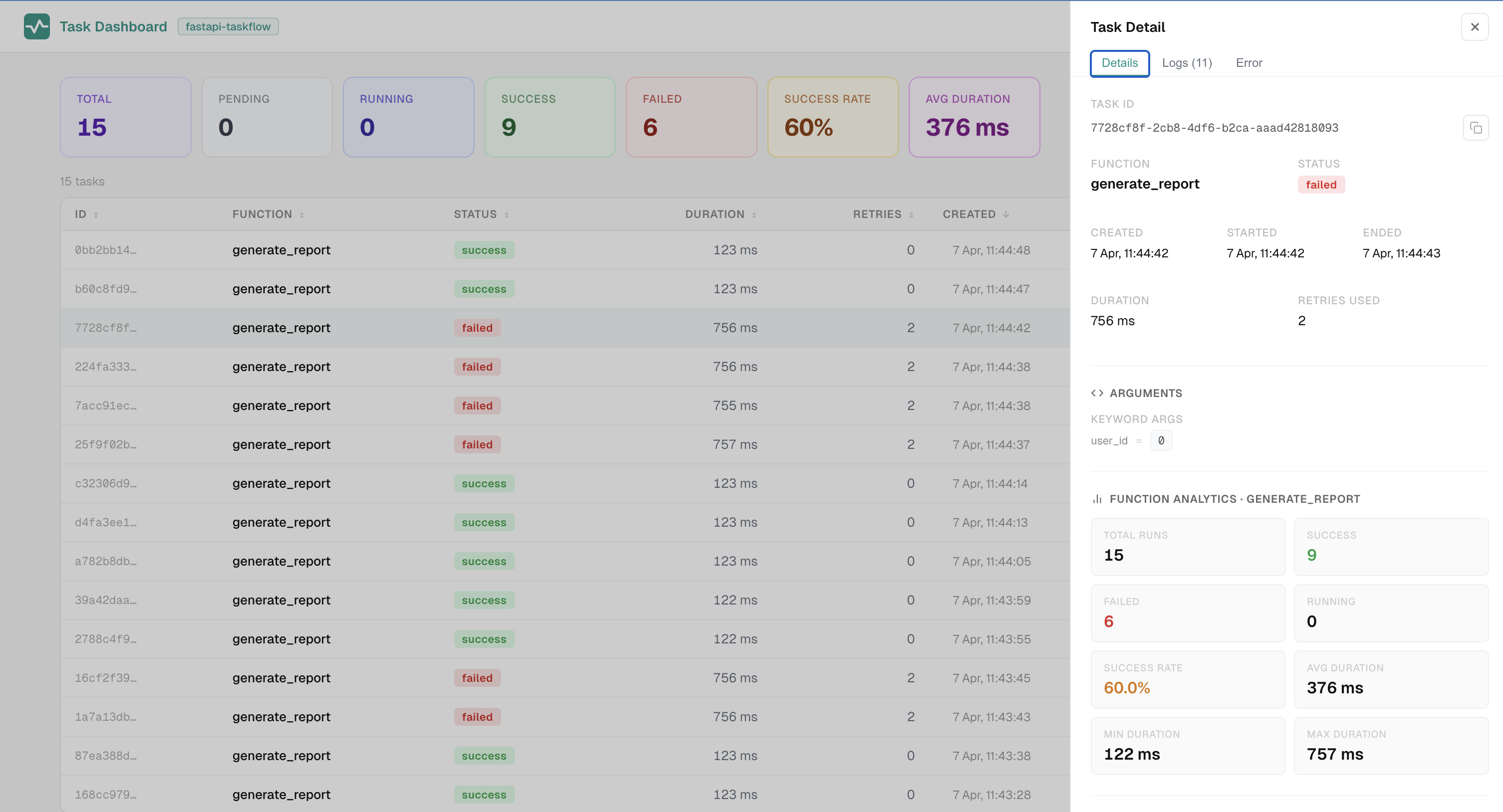
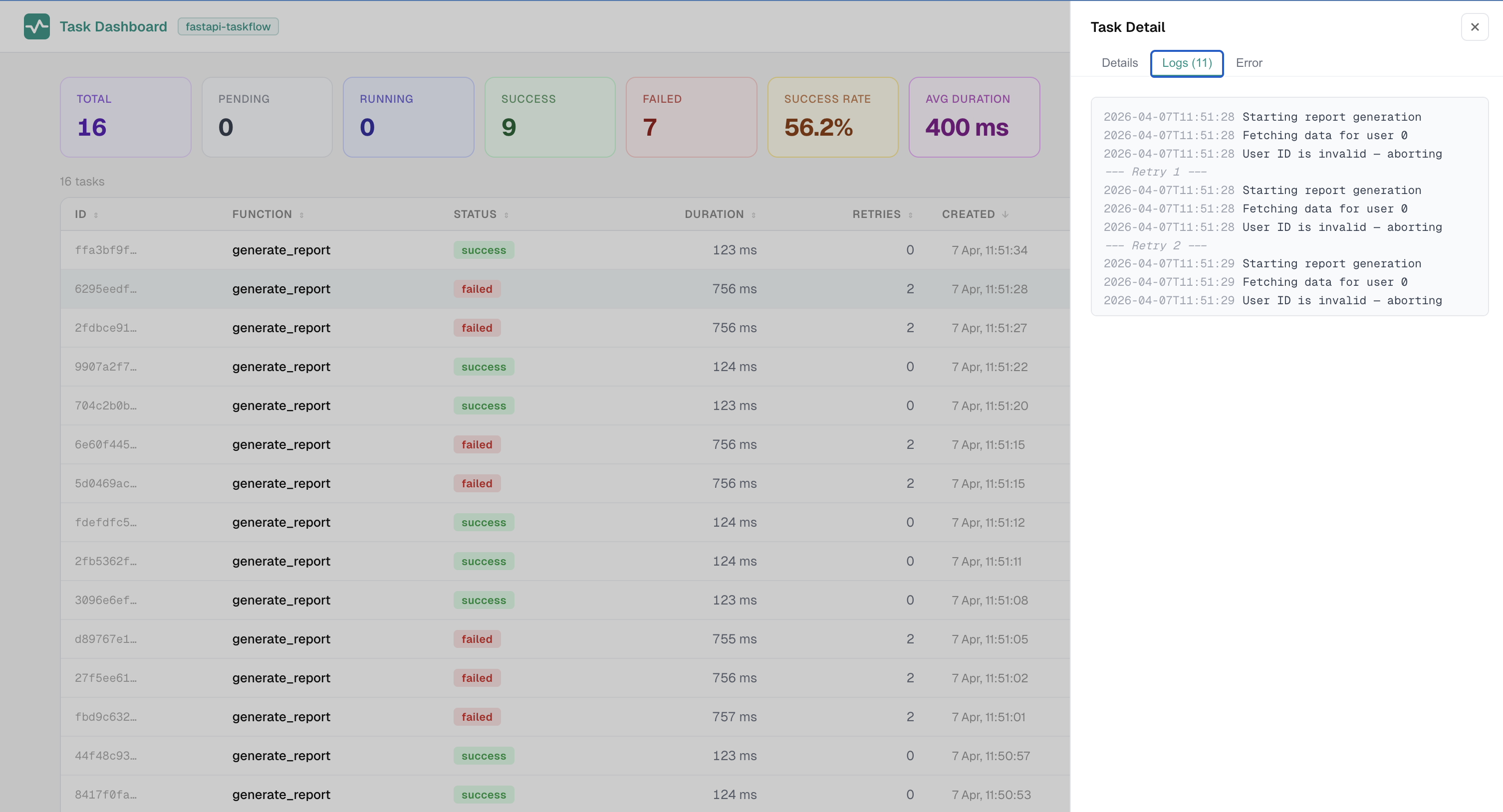
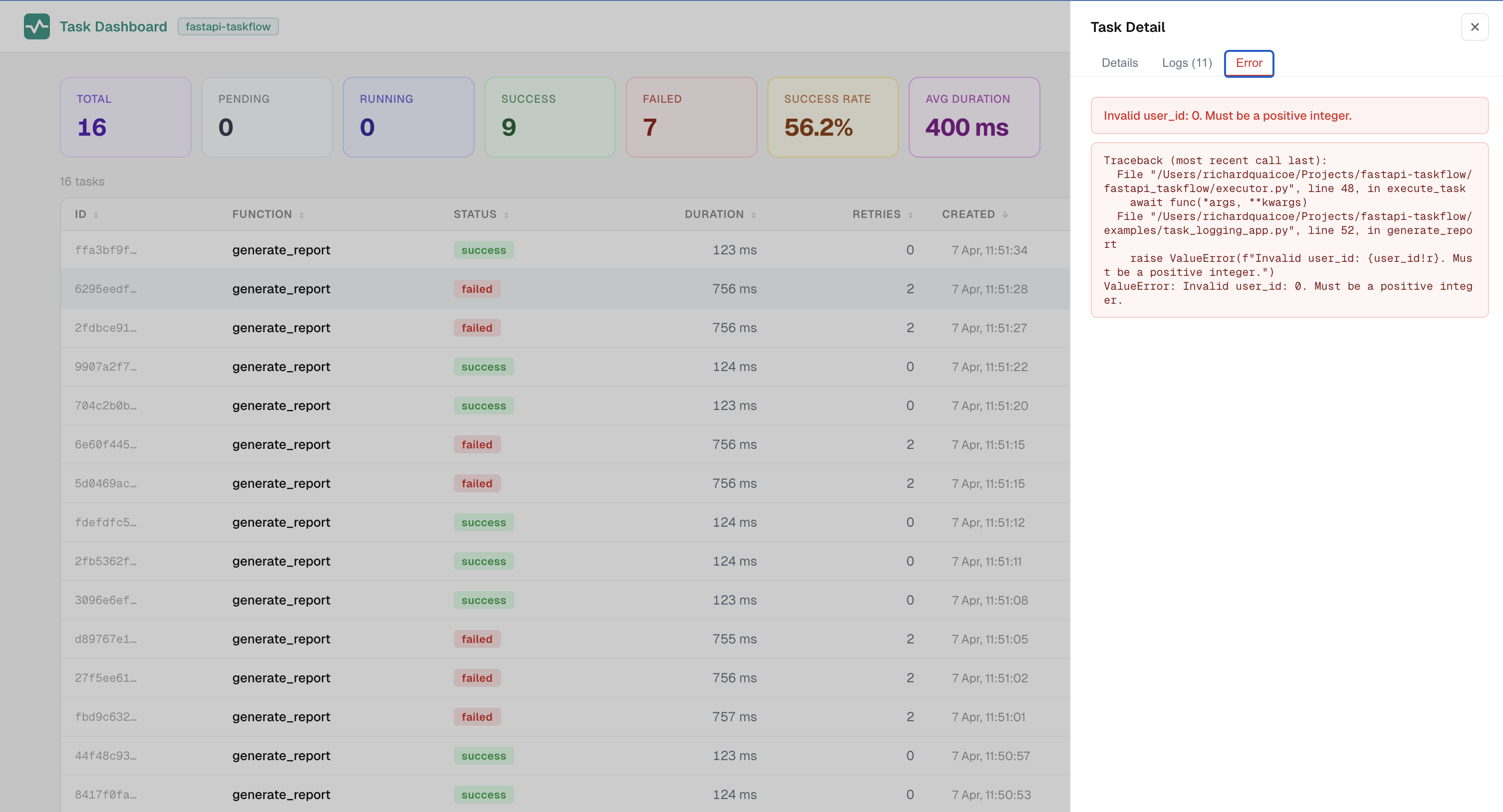
Features
- Automatic retries with configurable delay and exponential backoff
- Task IDs and full lifecycle tracking:
PENDING,RUNNING,SUCCESS,FAILED,INTERRUPTED - Live admin dashboard over SSE at
/tasks/dashboard - SQLite persistence out of the box, Redis as an optional extra
- Pending task requeue: unfinished tasks at shutdown are re-dispatched on startup
requeue_on_interrupt: opt-in requeue for idempotent tasks interrupted mid-execution- Idempotency keys: prevent duplicate execution of the same logical operation
- Multi-instance support: atomic requeue claiming, shared task history across instances
- File logging: write task logs to a plain text file for use with
tail -f,grep, and log shippers - Zero-migration injection: keep your existing
BackgroundTasksannotations - Both sync and async task functions supported
Installation
pip install fastapi-taskflow
With Redis backend:
pip install "fastapi-taskflow[redis]"
Quick start
from fastapi import BackgroundTasks, FastAPI
from fastapi_taskflow import TaskAdmin, TaskManager

task_manager = TaskManager(snapshot_db="tasks.db", snapshot_interval=30.0)
app = FastAPI()

# auto_install=True patches FastAPI's BackgroundTasks injection so existing
# route signatures work without any changes.
TaskAdmin(app, task_manager, auto_install=True)


@task_manager.task(retries=3, delay=1.0, backoff=2.0)
def send_email(address: str) -> None:
    ...


@app.post("/signup")
def signup(email: str, background_tasks: BackgroundTasks):
    task_id = background_tasks.add_task(send_email, address=email)
    return {"task_id": task_id}
uvicorn examples.basic_app:app --reload

curl -X POST "http://localhost:8000/signup?email=user@example.com"
curl "http://localhost:8000/tasks"
curl "http://localhost:8000/tasks/metrics"
open "http://localhost:8000/tasks/dashboard"
Injection patterns
Three ways to get a ManagedBackgroundTasks instance into your routes:
# Pattern 1: keep the native annotation (requires auto_install=True)
def route(background_tasks: BackgroundTasks):
    task_id = background_tasks.add_task(my_func, arg)

# Pattern 2: explicit managed type (also requires auto_install=True)
from fastapi_taskflow import ManagedBackgroundTasks

def route(background_tasks: ManagedBackgroundTasks):
    task_id = background_tasks.add_task(my_func, arg)

# Pattern 3: explicit Depends — no install() required
from fastapi import Depends

def route(tasks=Depends(task_manager.get_tasks)):
    task_id = tasks.add_task(my_func, arg)
Decorator options
| Parameter | Type | Default | Description |
|---|---|---|---|
retries |
int |
0 |
Additional attempts after the first failure |
delay |
float |
0.0 |
Seconds before the first retry |
backoff |
float |
1.0 |
Multiplier applied to delay on each retry |
persist |
bool |
False |
Save this task for requeue on restart |
name |
str |
function name | Override the name shown in the dashboard |
requeue_on_interrupt |
bool |
False |
Requeue this task if it was mid-execution at shutdown. Only set for idempotent tasks. |
Idempotency keys
Pass an idempotency_key to add_task() to prevent the same logical operation from running twice. If a non-failed task with the same key already exists, the original task_id is returned and the task is not enqueued again.
task_id = tasks.add_task(send_notification, order_id, idempotency_key="order-42-notified")
Useful for handling retried HTTP requests, duplicate webhook deliveries, or double-clicks.
API endpoints
| Method | Path | Description |
|---|---|---|
GET |
/tasks |
List all tasks |
GET |
/tasks/{task_id} |
Single task detail |
GET |
/tasks/metrics |
Aggregated stats |
GET |
/tasks/dashboard |
Live HTML dashboard |
POST |
/tasks/{task_id}/retry |
Retry a failed or interrupted task |
Multi-instance deployments
fastapi-taskflow supports running multiple instances behind a load balancer when a shared backend is configured.
Same host, multiple processes -- use SQLite. All instances share the same file. Requeue claiming is atomic so only one instance picks up each task on restart.
Multiple hosts -- use Redis. All instances share the same Redis instance. Idempotency keys, requeue claiming, and completed task history all work across hosts.
from fastapi_taskflow.backends import RedisBackend

task_manager = TaskManager(
    snapshot_backend=RedisBackend("redis://localhost:6379/0"),
    requeue_pending=True,
)
Dashboard in multi-instance deployments -- the dashboard shows live tasks for the instance it is connected to. Completed tasks from all instances are visible via the shared backend (with a short cache window). For accurate live task visibility, route dashboard traffic to a single instance using sticky sessions at the load balancer. See the multi-instance guide for examples.
Known caveats:
- Live
PENDINGandRUNNINGtasks from other instances are not visible in real time. Each instance only holds its own in-memory state. - SQLite multi-instance only works when all processes share the same file path on the same host. It does not work across separate machines.
- Tasks in
RUNNINGstate at the time of a hard crash (SIGKILL, OOM) cannot be recovered. Only clean shutdowns trigger the pending store write.
File logging
In addition to the dashboard, log entries can be written to a plain text file. This makes it easy to use standard tools like tail -f, grep, and log shippers (Loki, Datadog, Fluentd, CloudWatch) alongside the dashboard.
task_manager = TaskManager(
    snapshot_db="tasks.db",
    log_file="tasks.log",
    log_lifecycle=True,
)
Each line has the format [task_id] [func_name] 2024-01-01T12:00:00 message. With log_lifecycle=True, status transitions (RUNNING, SUCCESS, FAILED, INTERRUPTED) are also written.
| Parameter | Type | Default | Description |
|---|---|---|---|
log_file |
str |
None |
Path to the log file. File logging is disabled when not set. |
log_file_max_bytes |
int |
10485760 |
Maximum file size before rotating. Ignored in watched mode. |
log_file_backup_count |
int |
5 |
Number of rotated backup files to keep. Ignored in watched mode. |
log_file_mode |
str |
"rotate" |
"rotate" for automatic rotation; "watched" for external rotation via logrotate. |
log_lifecycle |
bool |
False |
Write a line on each task status transition. |
For multi-process or multi-host deployments see the file logging guide.
What this is not
fastapi-taskflow does not compete with Celery, ARQ, Taskiq, or Dramatiq. Those tools are built for distributed workers, message brokers, and high-throughput task routing. This library is for teams using FastAPI's native BackgroundTasks who want retries, visibility, and resilience without adding worker infrastructure.
License
MIT
Project details
Verified details
These details have been verified by PyPIProject links
GitHub Statistics
Maintainers
Release history Release notifications | RSS feed


Download files
Download the file for your platform. If you're not sure which to choose, learn more about installing packages.
Source Distribution
Built Distribution
Filter files by name, interpreter, ABI, and platform.
If you're not sure about the file name format, learn more about wheel file names.
Copy a direct link to the current filters
File details
Details for the file fastapi_taskflow-0.4.1.tar.gz.
File metadata
- Download URL: fastapi_taskflow-0.4.1.tar.gz
- Upload date:
- Size: 1.5 MB
- Tags: Source
- Uploaded using Trusted Publishing? Yes
- Uploaded via: twine/6.1.0 CPython/3.13.12
File hashes
| Algorithm | Hash digest | |
|---|---|---|
| SHA256 |
9c539fa3a358ef15d1fb1a0fa1f8ead4885191a51fc9ceae3a1492394e423f06
|
|
| MD5 |
5f25d7ec3954ba0df18e92f5a0890a42
|
|
| BLAKE2b-256 |
98e62bbed3dda44fadd2bd662cda6dc521d0ec3ce1ff7b7e3317245d8b1df601
|
Provenance
The following attestation bundles were made for fastapi_taskflow-0.4.1.tar.gz:
Publisher:
release.yml on Attakay78/fastapi-taskflow
-
Statement:
-
Statement type:
https://in-toto.io/Statement/v1 -
Predicate type:
https://docs.pypi.org/attestations/publish/v1 -
Subject name:
fastapi_taskflow-0.4.1.tar.gz -
Subject digest:
9c539fa3a358ef15d1fb1a0fa1f8ead4885191a51fc9ceae3a1492394e423f06 - Sigstore transparency entry: 1282381236
- Sigstore integration time:
-
Permalink:
Attakay78/fastapi-taskflow@ff5579f1009843a506389deb606aa1ea48503f51 -
Branch / Tag:
refs/heads/main - Owner: https://github.com/Attakay78
-
Access:
public
-
Token Issuer:
https://token.actions.githubusercontent.com -
Runner Environment:
github-hosted -
Publication workflow:
release.yml@ff5579f1009843a506389deb606aa1ea48503f51 -
Trigger Event:
push
-
Statement type:
File details
Details for the file fastapi_taskflow-0.4.1-py3-none-any.whl.
File metadata
- Download URL: fastapi_taskflow-0.4.1-py3-none-any.whl
- Upload date:
- Size: 61.1 kB
- Tags: Python 3
- Uploaded using Trusted Publishing? Yes
- Uploaded via: twine/6.1.0 CPython/3.13.12
File hashes
| Algorithm | Hash digest | |
|---|---|---|
| SHA256 |
99a4f82180910d2ba518103feef8ea191bc1eef2494b544a61c99e2e30cb1d2e
|
|
| MD5 |
88c6037d03b497243b05087fc55381f9
|
|
| BLAKE2b-256 |
78b53c5bb9f19f1a4d8bdee5090c56d0431970e830f4f0623611305b283641fc
|
Provenance
The following attestation bundles were made for fastapi_taskflow-0.4.1-py3-none-any.whl:
Publisher:
release.yml on Attakay78/fastapi-taskflow
-
Statement:
-
Statement type:
https://in-toto.io/Statement/v1 -
Predicate type:
https://docs.pypi.org/attestations/publish/v1 -
Subject name:
fastapi_taskflow-0.4.1-py3-none-any.whl -
Subject digest:
99a4f82180910d2ba518103feef8ea191bc1eef2494b544a61c99e2e30cb1d2e - Sigstore transparency entry: 1282381291
- Sigstore integration time:
-
Permalink:
Attakay78/fastapi-taskflow@ff5579f1009843a506389deb606aa1ea48503f51 -
Branch / Tag:
refs/heads/main - Owner: https://github.com/Attakay78
-
Access:
public
-
Token Issuer:
https://token.actions.githubusercontent.com -
Runner Environment:
github-hosted -
Publication workflow:
release.yml@ff5579f1009843a506389deb606aa1ea48503f51 -
Trigger Event:
push
-
Statement type:






