
This release is a pre-release and may not be stable for production use.

Build cross-platform apps in Python. No frontend experience required.






Flet is a Python framework for building web, desktop, and mobile apps without prior experience in frontend development.
Try Flet online in Flet Studio
Create, run, and share Python apps in your browser. Start from an example, write your own code, or get help from the AI agent. No installation required.
 Single code base for any device
Your app will equally look great on iOS, Android, Windows, Linux, macOS and web.
 Build an entire app in Python
Build a cross-platform app without knowledge of Dart, Swift, Kotlin, HTML or JavaScript - only Python!
 150+ built-in controls and services
Beautiful UI widgets with Material and Cupertino design: layout, navigation, dialogs, charts - Flet uses Flutter to render UI.
 50+ Python packages for iOS and Android
Numpy, pandas, pydantic, cryptography, opencv, pillow and other popular libraries.
 Full web support
Flet apps run natively in modern browsers using WebAssembly and Pyodide, with no server required. Prefer server-side? Deploy as a Python web app with real-time UI updates.
 Built-in packaging
Build standalone executables or bundles for iOS, Android, Windows, Linux, macOS and web. Instantly deploy to App Store and Google Play.
 Test on iOS and Android
Test your project on your own mobile device with Flet App. See your app updates as you make changes.
 Extensible
Easily wrap any of thousands of Flutter packages to use with Flet or build new controls in pure Python using built-in UI primitives.
 Accessible
Flet is built with Flutter which has solid accessibility foundations on Android, iOS, web, and desktop.
Flet app example
Below is a simple "Counter" app, with a text field and two buttons to increment and decrement the counter value:
import flet as ft

def main(page: ft.Page):
    page.title = "Flet counter example"
    page.vertical_alignment = ft.MainAxisAlignment.CENTER

    input = ft.TextField(value="0", text_align=ft.TextAlign.RIGHT, width=100)

    def minus_click(e):
        input.value = str(int(input.value) - 1)

    def plus_click(e):
        input.value = str(int(input.value) + 1)

    page.add(
        ft.Row(
            alignment=ft.MainAxisAlignment.CENTER,
            controls=[
                ft.IconButton(ft.Icons.REMOVE, on_click=minus_click),
                input,
                ft.IconButton(ft.Icons.ADD, on_click=plus_click),
            ],
        )
    )

ft.run(main)
To run the app, install flet:
pip install 'flet[all]'
then launch the app:
flet run counter.py
This will open the app in a native OS window - what a nice alternative to Electron! 🙂
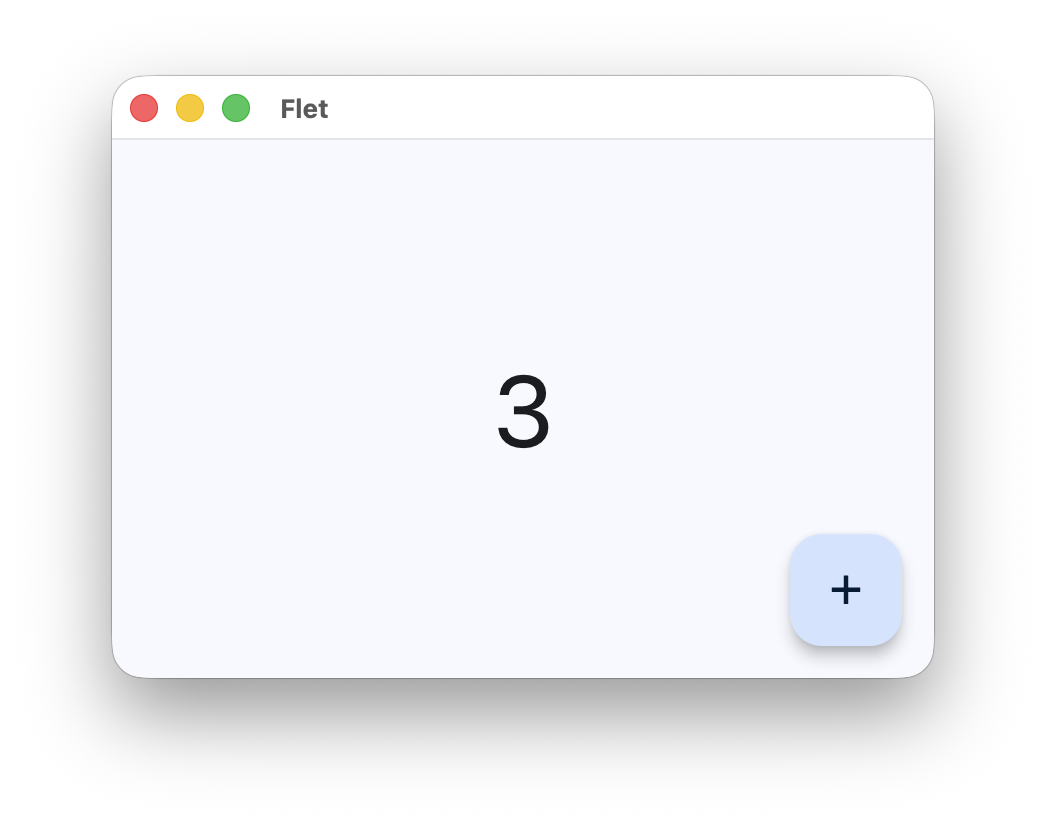
To run the same app as a web app use --web option with flet run command:
flet run --web counter.py
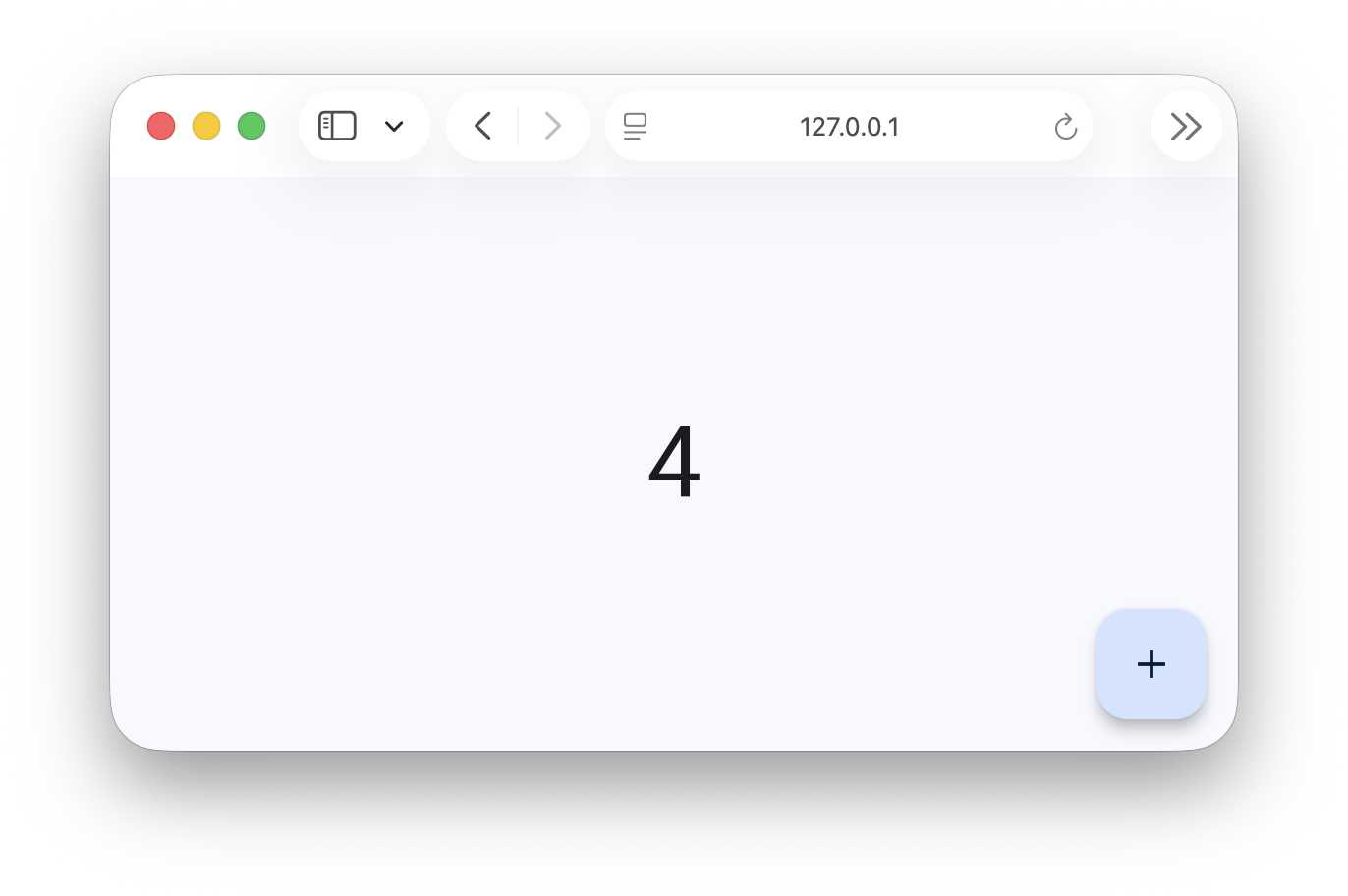
Learn more
Community
Contributing
Want to help improve Flet? Check out the contribution guide.
1 maintainer

Metadata
1 maintainer
Release files for flet 1.1.0.dev1
For a detailed explanation of source distributions (sdists) and built distributions (wheels), please see the package formats documentation.
Source distribution (sdist)
| File | Size | Uploaded | Provenance | |
|---|---|---|---|---|
| flet-1.1.0.dev1.tar.gz | 594.6 kB | Without provenance | Details |
Built distribution (wheel)
| File | Interpreter | ABI | Platform | Reset |
|---|---|---|---|---|
| flet-1.1.0.dev1-py3-none-any.whl | Python 3 | none | any | Details |
Total release size: 1.2 MB
Release files / flet-1.1.0.dev1.tar.gz
| Download URL | flet-1.1.0.dev1.tar.gz |
|---|---|
| Size | 594.6 kB |
| Tags | Source |
|
SHA-256 checksum How to use checksums |
9a3fabcda02c56fc18a52676244bb26094a4c8547e7c4e9b5da4efb286453854
|
|
BLAKE2b-256 checksum How to use checksums |
50e9dc8756babda1e394ebcb3acb4ccaa7c29af4b07b72f4079832c9453cffa6
|
| Upload date | |
|
Uploaded using Trusted Publishing? What is trusted publishing? |
Yes |
| Uploaded via |
uv/0.13.1 {"installer":{"name":"uv","version":"0.13.1","subcommand":["publish"]},"python":null,"implementation":{"name":null,"version":null},"distro":{"name":"Ubuntu","version":"24.04","id":"noble","libc":null},"system":{"name":null,"release":null},"cpu":null,"openssl_version":null,"setuptools_version":null,"rustc_version":null,"ci":true}
|
Release files / flet-1.1.0.dev1-py3-none-any.whl
| Download URL | flet-1.1.0.dev1-py3-none-any.whl |
|---|---|
| Size | 647.8 kB |
| Tags | Python 3 |
|
SHA-256 checksum How to use checksums |
ecd87d836e08bf7ef8c1afb85dff7135ca526c767fb43dbe1576d2bb294544fa
|
|
BLAKE2b-256 checksum How to use checksums |
c84edc278cd2ccdf70990111d01f23967ea294257da3bf42ca866ac1bc3eb368
|
| Upload date | |
|
Uploaded using Trusted Publishing? What is trusted publishing? |
Yes |
| Uploaded via |
uv/0.13.1 {"installer":{"name":"uv","version":"0.13.1","subcommand":["publish"]},"python":null,"implementation":{"name":null,"version":null},"distro":{"name":"Ubuntu","version":"24.04","id":"noble","libc":null},"system":{"name":null,"release":null},"cpu":null,"openssl_version":null,"setuptools_version":null,"rustc_version":null,"ci":true}
|
Security for flet 1.1.0.dev1
Provenance
Provenance describes where a file came from. On PyPI, provenance is shared via attestations, which provide a verifiable record of the build or publishing details. View details, limitations and caveats.
No provenance found
None of the files in this release were uploaded with provenance metadata.
A note on package security
PyPI is a repository for distributing packages, not a service for auditing them. While third-party security researchers and our staff do their best to detect and remove malicious packages, PyPI cannot guarantee the quality, security or suitability of any given package.
To learn more about protecting yourself from malicious actors, visit our package security documentation.














