
A package based on traditional segmentation algorithms used to segment a fly retina images.

Project description
CS410_FlyEM
This repository hosts the segmentation pipeline to segment fly retina images using traditional segmentation algorithms.
Authors
- Prof. Daniel Haehn
- Sai Harshavardhan Reddy Kona
- Nikhila Yadav Lankela
- Varshitha Hantur Dinakar
- Varuni Manjunath
- Kiran Sandilya
- Kunal Jain
Package Installation
Install this python package by executing the following command.
pip install flyem_segmentation_pipeline
If the above command throws any error, please run the following command and install the dependency packages individually.
pip install flyem_segmentation_pipeling --no-deps
Required Python packages
All the above-mentioned packages are required to use this package, but due to the version issues with numpy and mahotas, during installation only matplotlib and scikit-image are installed; numpy and mahotas has to be installed separately.
Package Description
Anyone can use this package to perform various computer vision algorithms to segment the fly retina images.
The package followed MVC(Model-View-Controller) design pattern.
All the functionalities can be used by importing them using the following command.
from segmentationMVC.controller import ImageController
Functions
ImageController.read(): reads an image from the given path.
ImageController.normalize(): returns an normalized image of the input image to [0, 255].
ImageController.center_crop(): crops an image to a default size of (512, 512).
ImageController.smooth(): smoothens the image using Gaussian filter.
ImageController.threshold(): applies thresholding of an input image.
ImageController.binary_mask(): creates an binary mask of the image.
ImageController.display(): display the image.
Sample Usage
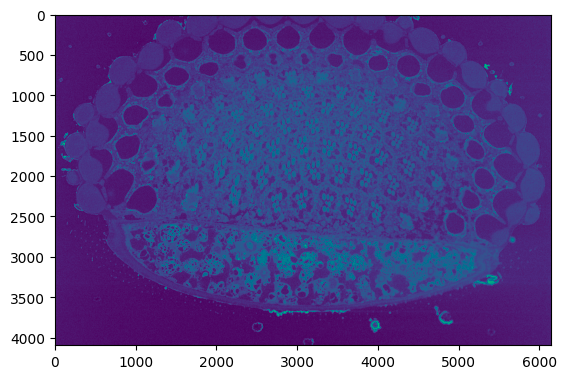
The below sample code reads an image from the input path.
from segmentationMVC.controller import ImageController
image_data = ImageController.read("..")
Output:
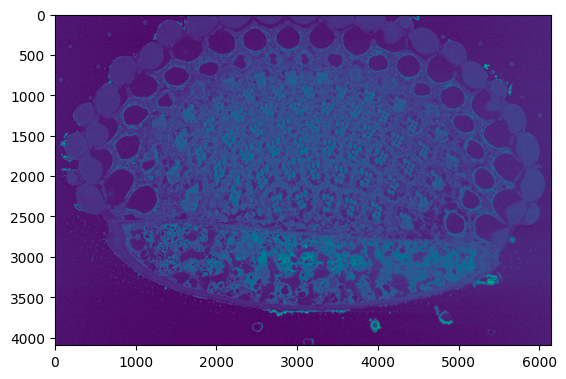
The below sample code normalized the input image.
from segmentationMVC.controller import ImageController
normalized_data = ImageController.normalize(image_data)
Output:
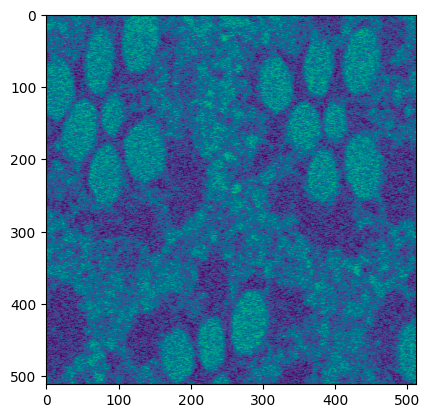
The below sample code crops the input image.
from segmentationMVC.controller import ImageController
crop_data = ImageController.normalize(normalized_data)
Output:
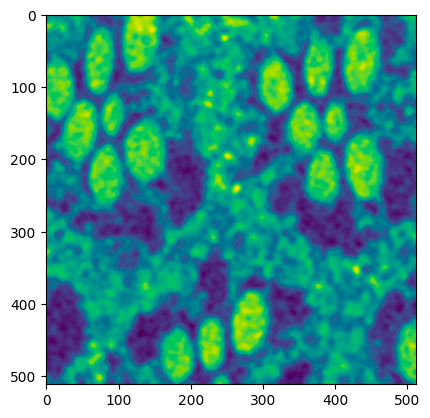
The below sample code smoothens the input image.
from segmentationMVC.controller import ImageController
smoothed_data = ImageController.smooth(crop_data)
Output:
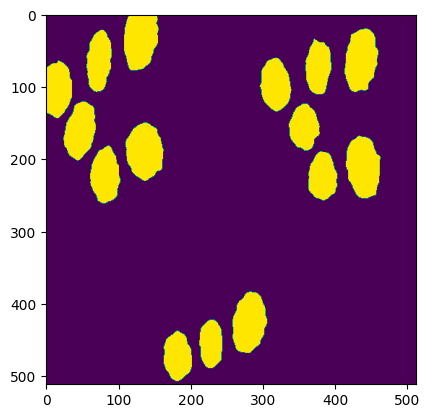
To get the complete segmented image, the following will serve as an example.
from segmentationMVC.controller import ImageController

image_data = ImageController.read("..")

normalized_data = ImageController.normalize(image_data)

crop_data = ImageController.normalize(normalized_data)

smoothed_data = ImageController.smooth(crop_data)

threshold_data = ImageController.threshold(smoothed_data, threshold_value=73)
labeled_data, nr_count = ImageController.label(threshold_data)
selected_labeled_data = ImageController.select_regions(labeled_data, region_size=1500)
binary_mask_data = ImageController.binary_mask(selected_labeled_data)
closed_binary_mask_data = ImageController.close_binary_mask(binary_mask_data)
segmented_image = ImageController.binary_image(closed_binary_mask_data)
The variable segmented_image in the above sample code stores the result of the segmented image.
Output:


Download files
Download the file for your platform. If you're not sure which to choose, learn more about installing packages.
Source Distribution
File details
Details for the file flyem_segmentation_pipeline-1.3.2.tar.gz.
File metadata
- Download URL: flyem_segmentation_pipeline-1.3.2.tar.gz
- Upload date:
- Size: 4.8 kB
- Tags: Source
- Uploaded using Trusted Publishing? No
- Uploaded via: twine/4.0.2 CPython/3.9.6
File hashes
| Algorithm | Hash digest | |
|---|---|---|
| SHA256 |
c945500d411be6e062c664a4176fd9a2607005950ac8cc87ab5810f268a3f96a
|
|
| MD5 |
c2de98a3a4882818d5910f55567e3a0e
|
|
| BLAKE2b-256 |
0dd0e2b8edfc024b82815e62d98883c0cc47318707c169dea418c3f85a96f7b5
|






