
Intelligent Market Monitoring


Project description
fraudcrawler


Fraudcrawler is an intelligent market monitoring tool that searches the web for products, extracts product details, and classifies them using LLMs. It combines search APIs, web scraping, and AI to automate product discovery and relevance assessment.
Features
- Asynchronous pipeline - Products move through search, extraction, and classification stages independently
- Multiple search engines - Google Search, Google Shopping, and more...
- Search term enrichment - Automatically find related terms and expand your search
- Product extraction - Get structured product data via Zyte API
- LLM classification - Assess product relevance using OpenAI API with custom prompts
- Marketplace filtering - Focus searches on specific domains
- Deduplication - Avoid reprocessing previously collected URLs
- CSV export - Results saved with timestamps for easy tracking
Prerequisites
- Python 3.11 or higher
- API keys for:
- SerpAPI - Google search results
- Zyte API - Product data extraction
- OpenAI API - Product classification
- DataForSEO (optional) - Search term enrichment
Installation
python3.11 -m venv .venv
source .venv/bin/activate
pip install fraudcrawler
Using Poetry:
poetry install
Configuration
Create a .env file with your API credentials (see .env.example for template):
SERPAPI_KEY=your_serpapi_key
ZYTEAPI_KEY=your_zyte_key
OPENAIAPI_KEY=your_openai_key
DATAFORSEO_USER=your_user  # optional
DATAFORSEO_PWD=your_pwd    # optional
Usage
Basic Configuration
For a complete working example, see fraudcrawler/launch_demo_pipeline.py. After setting up the necessary parameters you can launch and analyse the results with:
# Run pipeline
await client.run(
    search_term=search_term,
    search_engines=search_engines,
    language=language,
    location=location,
    deepness=deepness,
    excluded_urls=excluded_urls,
)

# Load results
df = client.load_results()
print(df.head())
Advanced Configuration
Search term enrichment - Find and search related terms:
from fraudcrawler import Enrichment

deepness.enrichment = Enrichment(
    additional_terms=5,
    additional_urls_per_term=10
)
Marketplace filtering - Focus on specific domains:
from fraudcrawler import Host

marketplaces = [
    Host(name="International", domains="zavamed.com,apomeds.com"),
    Host(name="National", domains="netdoktor.ch,nobelpharma.ch"),
]

await client.run(..., marketplaces=marketplaces)
Exclude domains - Exclude specific domains from your results:
excluded_urls = [
    Host(name="Compendium", domains="compendium.ch"),
]

await client.run(..., excluded_urls=excluded_urls)
Skip previously collected URLs:
previously_collected_urls = [
    "https://example.com/product1",
    "https://example.com/product2",
]

await client.run(..., previously_collected_urls=previously_collected_urls)
View all results from a client instance:
client.print_available_results()
Output
Results are saved as CSV files in data/results/ with the naming pattern:
<search_term>_<language_code>_<location_code>_<timestamp>.csv
Example: sildenafil_de_ch_20250115143022.csv
The CSV includes product details, URLs, and classification scores from your workflows.
Development
For detailed contribution guidelines, see CONTRIBUTING.md.
License
This project is licensed under the MIT License - see the LICENSE file for details.
Architecture
Fraudcrawler uses an asynchronous pipeline where products can be at different processing stages simultaneously. Product A might be in classification while Product B is still being scraped. This is enabled by async workers for each stage (Search, Context Extraction, Processing) using httpx.AsyncClient.
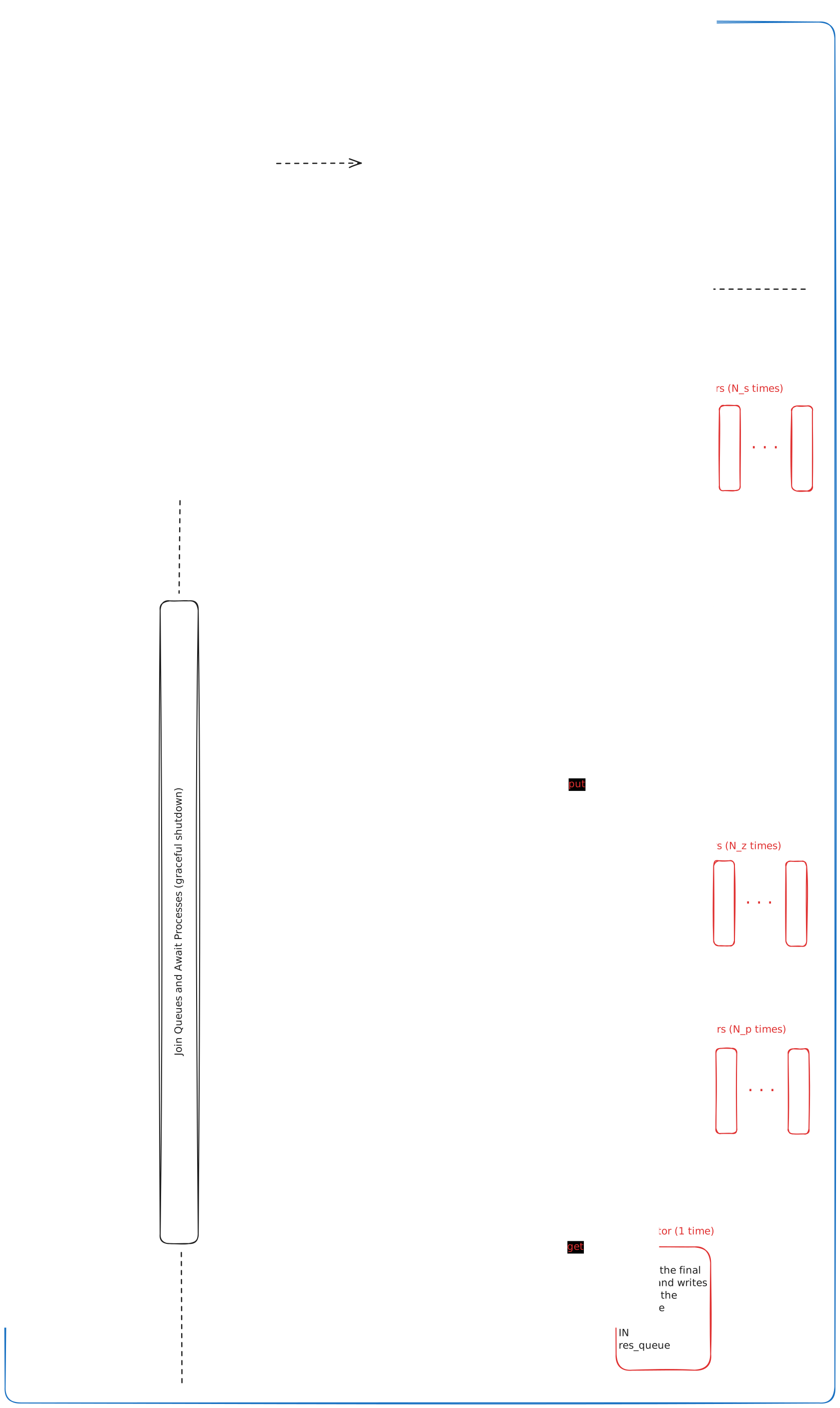
For more details on the async design, see the httpx documentation.
Release history Release notifications | RSS feed


Download files
Download the file for your platform. If you're not sure which to choose, learn more about installing packages.
Source Distribution
Built Distribution
Filter files by name, interpreter, ABI, and platform.
If you're not sure about the file name format, learn more about wheel file names.
Copy a direct link to the current filters
File details
Details for the file fraudcrawler-0.7.28.tar.gz.
File metadata
- Download URL: fraudcrawler-0.7.28.tar.gz
- Upload date:
- Size: 991.5 kB
- Tags: Source
- Uploaded using Trusted Publishing? No
- Uploaded via: twine/6.1.0 CPython/3.13.5
File hashes
| Algorithm | Hash digest | |
|---|---|---|
| SHA256 |
eec437d76944a302c01426da2e8d4c0ae5e948fabf828aa83beeafded01626bc
|
|
| MD5 |
134241259a76ce6e73a021477c0f4236
|
|
| BLAKE2b-256 |
c9ea8e1914e781b19739b5c11149a069f31da30fab6c07175a006e3e7d2a8ba6
|
File details
Details for the file fraudcrawler-0.7.28-py3-none-any.whl.
File metadata
- Download URL: fraudcrawler-0.7.28-py3-none-any.whl
- Upload date:
- Size: 1.0 MB
- Tags: Python 3
- Uploaded using Trusted Publishing? No
- Uploaded via: twine/6.1.0 CPython/3.13.5
File hashes
| Algorithm | Hash digest | |
|---|---|---|
| SHA256 |
3dab96cd38755bc1c263ac6d0e87aa6997e37bf270240249652054f92568d3e6
|
|
| MD5 |
8af01c4e824cb46c15851f8156739190
|
|
| BLAKE2b-256 |
66f044d468724c013f7480356e56adbb264405423b7c32b9f9e1fad8bfc8a02f
|






