

Gitlytics v0.6.1
GitHub Traffic Analytics, Dynamic Widgets & Automation










Please consider giving this project a ⭐ if you find it helpful!
Beautiful GitHub traffic analytics for all your repositories — public and private.
Track views, clones, referrers, popular paths, stargazer trajectories, and health metrics indefinitely.
✨ Try the live dashboard at dashboard.gitlytics.dev ✨
📝 Read engineering deep-dives at blog.gitlytics.dev ✨
📚 Read the documentation at docs.gitlytics.dev
🎨 Interactive Profile Widgets, Cards & Badges
Elevate your GitHub profile README and developer portfolios with Gitlytics' native, dynamic widget rendering suite. Serve real-time stats cards, commit-level language breakdowns, repository health scorecards, concept tags, and tech badges.
📇 Profile & Repository Cards
Showcase your global activity or project metrics with gorgeous, theme-customizable cards:
👤 User Profile Details Card (Tokyo Night + Coral Title)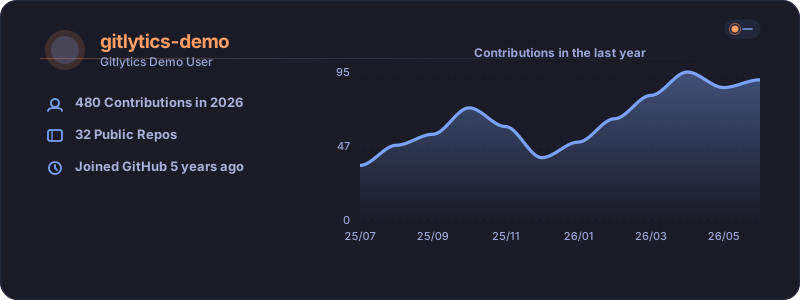
|
📈 Repository Metrics Card (Nord + Dark Steel Slate)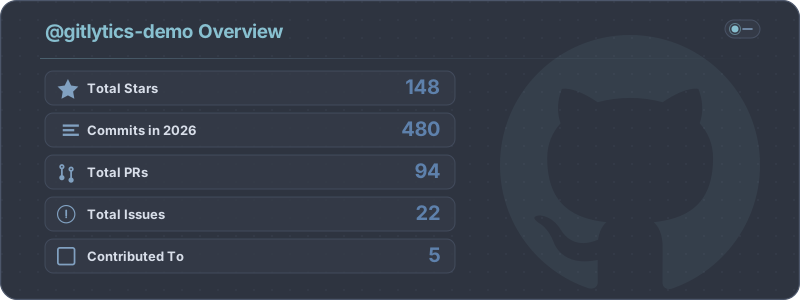
|
📊 Language Distribution Chart (Radical + Pink Accents)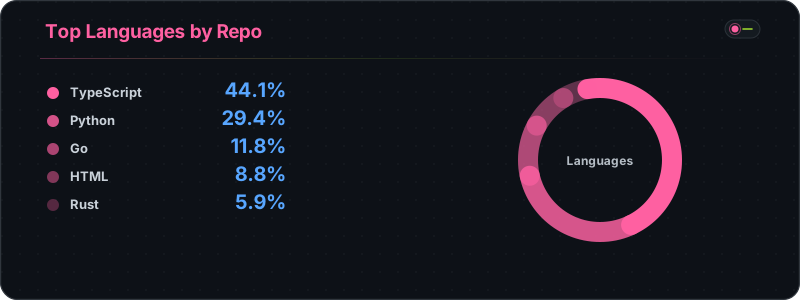
|
🔥 Contribution Streak Tracker (Solarized Dark + Olive green)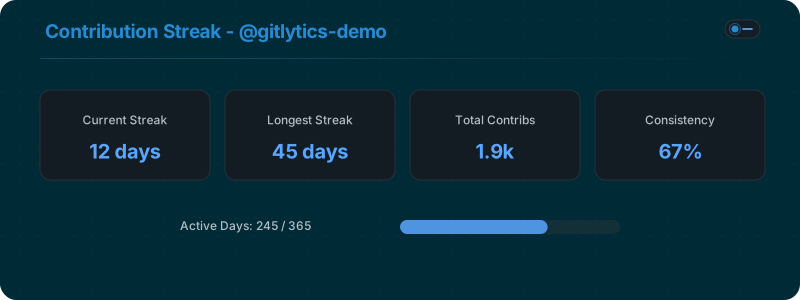
|
🏷️ Multi-Source Tech Badges & Concept Capsules
Generate beautifully styled capsule badges for your tech stack. Support for 200+ technology logos from official libraries, plus custom text-only capsule badges for concepts without brand icons (e.g. AI/ML methods, SRE, RAG):
🛠️ Languages & Frameworks (Multi-color & Flat Brand Colors)



🧠 AI/ML & Engineering Concepts (Text-Only Capsules)




🔗 Contact & Platform Connectors


📌 Table of Contents
- 🔗 The Gitlytics Ecosystem
- 🤖 Cloud AI Analysis & Automated Insights
- 📝 Blog & Engineering Space
- 🔑 Flexible Authentication Modes
- 🚨 Defeating GitHub's 14-Day Traffic Limit
- 🛠️ Installation
- ⌨️ Core CLI Commands
- 🐍 Native Python API
- 📊 CSV Database Schema
- 🌟 Show Your Support
- 📄 License
🔗 The Gitlytics Ecosystem
The full Gitlytics platform consists of modular open-source components:
- 📊 Gitlytics Live Dashboard: Production web interface to visualize repository traffic, trends, and historical charts.
- 📝 Gitlytics Blog: Engineering deep-dives, comparison guides, and open-source analytics tutorials.
- 📚 Gitlytics Metadata Pages & Docs: Technical reference, badge explorer, and CLI documentation.
- ⚙️ Gitlytics Automation: GitHub Action companion tool that fetches and backs up traffic data automatically.
🤖 Cloud AI Analysis & Automated Insights
Gitlytics Cloud includes an automated AI intelligence engine powered by LLMs (Groq API) and cloud database synchronization (Supabase):
- Automated AI Repository Health Checks: Analyzes repository traffic trends, CI stability, PR cycle times, and contributor activity to produce automated health scorecards.
- Anomaly & Spike Detection: Identifies traffic surges, viral referrer shifts, and clone spikes, surfacing actionable insights.
- Cloud Persistence & Multi-Repo Aggregation: Synchronizes historical snapshots to cloud storage, enabling seamless multi-repository comparison and organization-wide analytics.
- Weekly Email Digest Reports: Delivers automated weekly summaries (via Resend API) summarizing top referral channels, view growth, and stargazer milestones directly to your inbox.
📝 Blog & Engineering Space
Explore our official engineering publication at blog.gitlytics.dev:
- Engineering Deep-Dives: Learn how Gitlytics solves GitHub's 14-day traffic retention cap, renders high-performance SVG badges, and handles multi-repository data pipelines.
- Comparison Guides: Detailed breakdowns comparing Gitlytics with native GitHub Insights, Shields.io, and third-party analytics platforms.
- AI Agent Context: The blog provides a dedicated structured text endpoint (
https://blog.gitlytics.dev/llms-full.txt) formatted specifically for consumption by AI agents and LLM tools.
🔑 Flexible Authentication Modes
Gitlytics v0.6.1 supports 3 authentication modes:
- Token Authentication (PAT): Pass your GitHub Personal Access Token (Classic or Fine-Grained) with
reposcope to fetch private & public repository metrics. - Demo Mode (Instant Exploration): Explore the web dashboard and CLI immediately using curated sample data without entering any credentials.
- Headless TV & Kiosk Mode: Pre-authenticate sessions for office monitors or team dashboards:
gitlytics dashboard --token "ghp_xxxx" --data-dir "./data"
🚨 Defeating GitHub's 14-Day Traffic Limit
⚠️ Did you know? GitHub normally only saves your repository traffic data for 14 days. After two weeks, your valuable views and clones data is permanently deleted.
We built a companion automation tool that runs silently every 13 days using GitHub Actions to snapshot and preserve your traffic data.
👉 Set up GitHub Traffic Automation here (Takes under 2 minutes to set up!)
Once your traffic snapshots are saved, Gitlytics automatically merges overlaps to build continuous historical analytics over months or years.
🛠️ Installation
Install via PyPI:
# Basic CLI and Python Core Module
pip install gitlytics

# Full installation (includes React Dashboard web engine)
pip install "gitlytics[dashboard]"
⌨️ Core CLI Commands
Gitlytics provides 4 primary command-line utilities:
1️⃣ gitlytics fetch (Live Terminal Data)
Fetch your live 14-day traffic and print ASCII tables directly in your console.
gitlytics fetch --token ghp_your_token_here --print-table

# Fetch specific metrics only (e.g., views and clones)
gitlytics fetch --token ghp_your_token_here --print-table --metrics views clones
2️⃣ gitlytics sync (Background Database Cron)
Append traffic snapshots to local CSV databases. Can run as a background cron job:
# Sync once
gitlytics sync --token ghp_your_token --data-dir ./data

# Run as a background cron job (runs daily at 11:00 PM)
gitlytics sync --token ghp_your_token --data-dir ./data --schedule-cron "0 23 * * *"
3️⃣ gitlytics dashboard (React Web UI)
Launch the React + FastAPI web dashboard.
gitlytics dashboard
4️⃣ gitlytics stars (Stargazer History)
Fetch the historical cumulative stargazer growth trajectory for a repository.
gitlytics stars owner/repo --token ghp_your_token
🐍 Native Python API
Import Gitlytics into Python applications to build custom analytics pipelines or host the web engine programmatically.
1️⃣ gitlytics.fetch_traffic()
import gitlytics

# Fetch traffic for all accessible repositories
df = gitlytics.fetch_traffic(
    token="ghp_your_token",
    return_format="dataframe"  # Options: "dataframe", "timeseries", or "summary"
)
2️⃣ gitlytics.sync()
import gitlytics

# Sync snapshots and export consolidated JSON for the dashboard
gitlytics.sync(
    token="ghp_your_token",
    data_dir="./data",
    export_json="./data/export.json"
)
3️⃣ gitlytics.serve_dashboard()
import gitlytics

# Serve the dashboard programmatically on a custom port
gitlytics.serve_dashboard(
    host="0.0.0.0",
    port=8080,
    token="ghp_your_token",
    data_dir="./data"
)
4️⃣ gitlytics.fetch_star_history()
import gitlytics

points = gitlytics.fetch_star_history(
    owner="ameyac11",
    repo="gitlytics",
    token="ghp_your_token"
)
📊 CSV Database Schema
Local CSV databases track up to 23 metrics per snapshot:
| Column | Type | Description |
|---|---|---|
date |
str |
ISO date (YYYY-MM-DD) for this day's traffic snapshot. |
repository |
str |
Full GitHub repository name (owner/repo). |
is_private |
bool |
True if repository is private, False otherwise. |
views |
int |
Total page views on this day. |
unique_visitors |
int |
Unique visitors on this day. |
clones |
int |
Total git clone operations on this day. |
unique_cloners |
int |
Unique clone clients on this day. |
stars |
int |
Current total star count snapshot. |
forks |
int |
Current total fork count snapshot. |
language |
str |
Primary programming language of the repository. |
topics |
str |
JSON array containing repository tags/topics. |
watchers_count |
int |
Total watchers of the repository. |
pushed_at |
str |
Last push ISO timestamp. |
created_at |
str |
Repository creation ISO timestamp. |
open_issues_count |
int |
Total number of open issues. |
top_referrer |
str |
Top external traffic referral source. |
top_referrer_views |
int |
Views sent by the top referrer. |
top_referrer_uniques |
int |
Uniques sent by the top referrer. |
_raw_referrers |
str |
Raw JSON array of all referral sources. |
top_path |
str |
Most visited repository file path. |
top_path_views |
int |
Views for the top path. |
top_path_uniques |
int |
Uniques for the top path. |
_raw_paths |
str |
Raw JSON array of all popular paths. |
🌟 Show Your Support
If you find this project useful, please consider giving it a ⭐ on GitHub!
📄 License
Licensed under the Apache License 2.0.
1 maintainer

Download files
Download the file for your platform. If you're not sure which to choose, learn more about installing packages.
Source Distribution
Built Distribution
Filter files by name, interpreter, ABI, and platform.
If you're not sure about the file name format, learn more about wheel file names.
Copy a direct link to the current filters
File details
Details for the file gitlytics-0.6.1.tar.gz.
File metadata
- Download URL: gitlytics-0.6.1.tar.gz
- Upload date:
- Size: 1.1 MB
- Tags: Source
- Uploaded using Trusted Publishing? Yes
- Uploaded via: twine/6.1.0 CPython/3.13.7
File hashes
| Algorithm | Hash digest | |
|---|---|---|
| SHA256 |
87537a542a7274104a4fb70c0978cea8a257df83d2fb493668079eaa8c1ba2fc
|
|
| MD5 |
307ddaa8bd5b68d2d5b2d2cb88d0550f
|
|
| BLAKE2b-256 |
27914170029a8710eadd46c364abf80a302d8e2ba56c791fa96a55005a230c22
|
File details
Details for the file gitlytics-0.6.1-py3-none-any.whl.
File metadata
- Download URL: gitlytics-0.6.1-py3-none-any.whl
- Upload date:
- Size: 1.1 MB
- Tags: Python 3
- Uploaded using Trusted Publishing? Yes
- Uploaded via: twine/6.1.0 CPython/3.13.7
File hashes
| Algorithm | Hash digest | |
|---|---|---|
| SHA256 |
4c6b46e613ce819b79acb8c7aeeb4e5ad1552a582be0fddb3ad60281455bc395
|
|
| MD5 |
b6bc67de50dadb390288b3b59cd714c0
|
|
| BLAKE2b-256 |
78f47799fc9b041d30814fbd9ccd28ec49d45bc8062c94e1c1abdd48477ca185
|







