

Gitlytics v0.6.3
GitHub Traffic Analytics, Dynamic Widgets & Automation










Please consider giving this project a ⭐ if you find it helpful!
Beautiful GitHub traffic analytics for all your repositories — public and private.
Track views, clones, referrers, popular paths, stargazer trajectories, and health metrics indefinitely.
✨ Try the live dashboard at dashboard.gitlytics.dev ✨
📝 Read engineering deep-dives at blog.gitlytics.dev ✨
📚 Read the documentation at docs.gitlytics.dev
🎨 Interactive Profile Widgets, Cards & Badges
Elevate your GitHub profile README and developer portfolios with Gitlytics' native, dynamic widget rendering suite. Serve real-time stats cards, commit-level language breakdowns, repository health scorecards, concept tags, and tech badges.
📇 Profile & Repository Cards
Showcase your global activity or project metrics with gorgeous, theme-customizable cards:
👤 User Profile Details Card (Tokyo Night + Coral Title)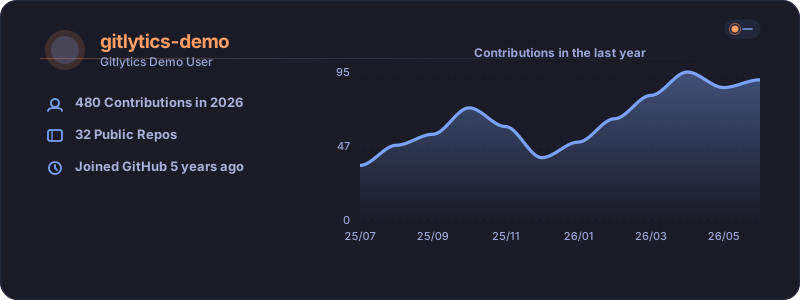
|
📈 Repository Metrics Card (Nord + Dark Steel Slate)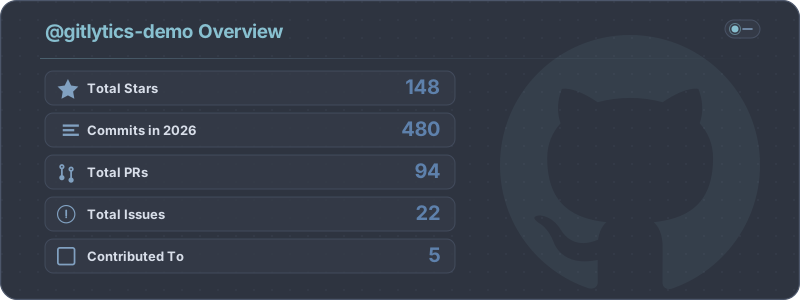
|
📊 Language Distribution Chart (Radical + Pink Accents)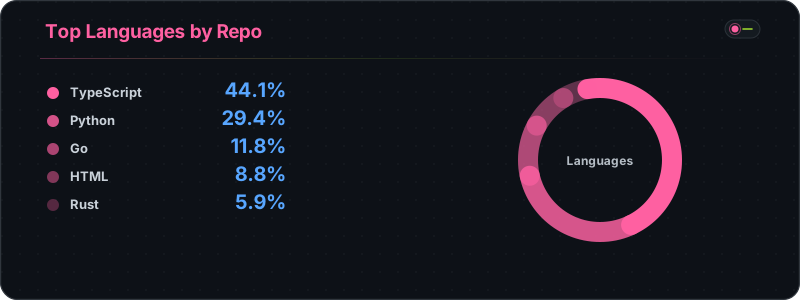
|
🔥 Contribution Streak Tracker (Solarized Dark + Olive green)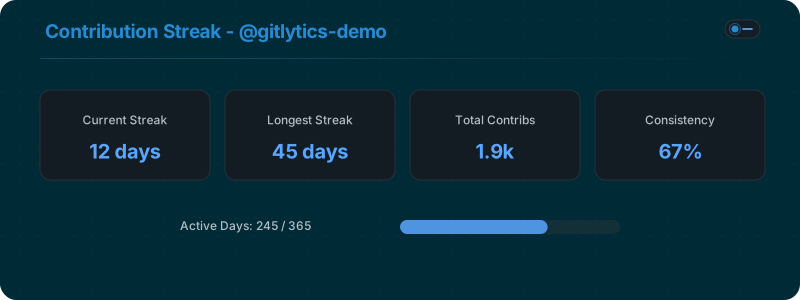
|
🏷️ Multi-Source Tech Badges & Concept Capsules
Generate beautifully styled capsule badges for your tech stack. Support for 200+ technology logos from official libraries, plus custom text-only capsule badges for concepts without brand icons (e.g. AI/ML methods, SRE, RAG):
🛠️ Languages & Frameworks (Multi-color & Flat Brand Colors)



🧠 AI/ML & Engineering Concepts (Text-Only Capsules)




🔗 Contact & Platform Connectors


📌 Table of Contents
- 🔗 The Gitlytics Ecosystem
- 🤖 Cloud AI Analysis & Automated Insights
- 📝 Blog & Engineering Space
- 🔑 Flexible Authentication Modes
- 🚨 Defeating GitHub's 14-Day Traffic Limit
- 🛠️ Installation
- ⌨️ Core CLI Commands
- 🐍 Native Python API
- 📊 CSV Database Schema
- 🌟 Show Your Support
- 📄 License
🔗 The Gitlytics Ecosystem
The full Gitlytics platform consists of modular open-source components:
- 📊 Gitlytics Live Dashboard: Production web interface to visualize repository traffic, trends, and historical charts.
- 📝 Gitlytics Blog: Engineering deep-dives, comparison guides, and open-source analytics tutorials.
- 📚 Gitlytics Metadata Pages & Docs: Technical reference, badge explorer, and CLI documentation.
- ⚙️ Gitlytics Automation: GitHub Action companion tool that fetches and backs up traffic data automatically.
🤖 Cloud AI Analysis & Automated Insights
Gitlytics Cloud includes an automated AI intelligence engine powered by LLMs (Groq API) and cloud database synchronization (Supabase):
- Automated AI Repository Health Checks: Analyzes repository traffic trends, CI stability, PR cycle times, and contributor activity to produce automated health scorecards.
- Anomaly & Spike Detection: Identifies traffic surges, viral referrer shifts, and clone spikes, surfacing actionable insights.
- Cloud Persistence & Multi-Repo Aggregation: Synchronizes historical snapshots to cloud storage, enabling seamless multi-repository comparison and organization-wide analytics.
- Weekly Email Digest Reports: Delivers automated weekly summaries (via Resend API) summarizing top referral channels, view growth, and stargazer milestones directly to your inbox.
📝 Blog & Engineering Space
Explore our official engineering publication at blog.gitlytics.dev:
- Engineering Deep-Dives: Learn how Gitlytics solves GitHub's 14-day traffic retention cap, renders high-performance SVG badges, and handles multi-repository data pipelines.
- Comparison Guides: Detailed breakdowns comparing Gitlytics with native GitHub Insights, Shields.io, and third-party analytics platforms.
- AI Agent Context: The blog provides a dedicated structured text endpoint (
https://blog.gitlytics.dev/llms-full.txt) formatted specifically for consumption by AI agents and LLM tools.
🔑 Flexible Authentication Modes
Gitlytics v0.6.3 supports 3 authentication modes:
- Token Authentication (PAT): Pass your GitHub Personal Access Token (Classic or Fine-Grained) with
reposcope to fetch private & public repository metrics. - Demo Mode (Instant Exploration): Explore the web dashboard and CLI immediately using curated sample data without entering any credentials.
- Headless TV & Kiosk Mode: Pre-authenticate sessions for office monitors or team dashboards:
gitlytics dashboard --token "ghp_xxxx" --data-dir "./data"
🚨 Defeating GitHub's 14-Day Traffic Limit
⚠️ Did you know? GitHub normally only saves your repository traffic data for 14 days. After two weeks, your valuable views and clones data is permanently deleted.
We built a companion automation tool that runs silently every 13 days using GitHub Actions to snapshot and preserve your traffic data.
👉 Set up GitHub Traffic Automation here (Takes under 2 minutes to set up!)
Once your traffic snapshots are saved, Gitlytics automatically merges overlaps to build continuous historical analytics over months or years.
🛠️ Installation
Install via PyPI:
# Basic CLI and Python Core Module
pip install gitlytics

# Full installation (includes React Dashboard web engine)
pip install "gitlytics[dashboard]"
⌨️ Core CLI Commands
Gitlytics provides 4 primary command-line utilities:
1️⃣ gitlytics fetch (Live Terminal Data)
Fetch your live 14-day traffic and print ASCII tables directly in your console.
gitlytics fetch --token ghp_your_token_here --print-table

# Fetch specific metrics only (e.g., views and clones)
gitlytics fetch --token ghp_your_token_here --print-table --metrics views clones
2️⃣ gitlytics sync (Background Database Cron)
Append traffic snapshots to local CSV databases. Can run as a background cron job:
# Sync once
gitlytics sync --token ghp_your_token --data-dir ./data

# Run as a background cron job (runs daily at 11:00 PM)
gitlytics sync --token ghp_your_token --data-dir ./data --schedule-cron "0 23 * * *"
3️⃣ gitlytics dashboard (React Web UI)
Launch the React + FastAPI web dashboard.
gitlytics dashboard
4️⃣ gitlytics stars (Stargazer History)
Fetch the historical cumulative stargazer growth trajectory for a repository.
gitlytics stars owner/repo --token ghp_your_token
🐍 Native Python API
Import Gitlytics into Python applications to build custom analytics pipelines or host the web engine programmatically.
1️⃣ gitlytics.fetch_traffic()
import gitlytics

# Fetch traffic for all accessible repositories
df = gitlytics.fetch_traffic(
    token="ghp_your_token",
    return_format="dataframe"  # Options: "dataframe", "timeseries", or "summary"
)
2️⃣ gitlytics.sync()
import gitlytics

# Sync snapshots and export consolidated JSON for the dashboard
gitlytics.sync(
    token="ghp_your_token",
    data_dir="./data",
    export_json="./data/export.json"
)
3️⃣ gitlytics.serve_dashboard()
import gitlytics

# Serve the dashboard programmatically on a custom port
gitlytics.serve_dashboard(
    host="0.0.0.0",
    port=8080,
    token="ghp_your_token",
    data_dir="./data"
)
4️⃣ gitlytics.fetch_star_history()
import gitlytics

points = gitlytics.fetch_star_history(
    owner="ameyac11",
    repo="gitlytics",
    token="ghp_your_token"
)
📊 CSV Database Schema
Local CSV databases track up to 23 metrics per snapshot:
| Column | Type | Description |
|---|---|---|
date |
str |
ISO date (YYYY-MM-DD) for this day's traffic snapshot. |
repository |
str |
Full GitHub repository name (owner/repo). |
is_private |
bool |
True if repository is private, False otherwise. |
views |
int |
Total page views on this day. |
unique_visitors |
int |
Unique visitors on this day. |
clones |
int |
Total git clone operations on this day. |
unique_cloners |
int |
Unique clone clients on this day. |
stars |
int |
Current total star count snapshot. |
forks |
int |
Current total fork count snapshot. |
language |
str |
Primary programming language of the repository. |
topics |
str |
JSON array containing repository tags/topics. |
watchers_count |
int |
Total watchers of the repository. |
pushed_at |
str |
Last push ISO timestamp. |
created_at |
str |
Repository creation ISO timestamp. |
open_issues_count |
int |
Total number of open issues. |
top_referrer |
str |
Top external traffic referral source. |
top_referrer_views |
int |
Views sent by the top referrer. |
top_referrer_uniques |
int |
Uniques sent by the top referrer. |
_raw_referrers |
str |
Raw JSON array of all referral sources. |
top_path |
str |
Most visited repository file path. |
top_path_views |
int |
Views for the top path. |
top_path_uniques |
int |
Uniques for the top path. |
_raw_paths |
str |
Raw JSON array of all popular paths. |
🌟 Show Your Support
If you find this project useful, please consider giving it a ⭐ on GitHub!
📄 License
Licensed under the Apache License 2.0.
1 maintainer

Release files for gitlytics 0.6.3
For a detailed explanation of source distributions (sdists) and built distributions (wheels), please see the package formats documentation.
Source distribution (sdist)
| File | Size | Uploaded | |
|---|---|---|---|
| gitlytics-0.6.3.tar.gz | 1.1 MB | Details |
Built distribution (wheel)
| File | Interpreter | ABI | Platform | Reset |
|---|---|---|---|---|
| gitlytics-0.6.3-py3-none-any.whl | Python 3 | none | any | Details |
Total release size: 2.3 MB
Release files / gitlytics-0.6.3.tar.gz
| Download URL | gitlytics-0.6.3.tar.gz |
|---|---|
| Size | 1.1 MB |
| Tags | Source |
|
SHA-256 checksum How to use checksums |
825abfa42711cf7738e5b993499de11c1904186af28bc7dce115471bf874accc
|
|
BLAKE2b-256 checksum How to use checksums |
c9b06b5e5294220f35f72819e94c4daaf1b65f1db1dd4c0f1d29abf21ab66eb6
|
| Upload date | |
|
Uploaded using Trusted Publishing? What is trusted publishing? |
Yes |
| Uploaded via |
twine/6.1.0 CPython/3.13.7
|
Release files / gitlytics-0.6.3-py3-none-any.whl
| Download URL | gitlytics-0.6.3-py3-none-any.whl |
|---|---|
| Size | 1.1 MB |
| Tags | Python 3 |
|
SHA-256 checksum How to use checksums |
0b4945b36c2ba2a16749fae5184fc8fc6f61f07bfcb2d9a79f695625bf99b50c
|
|
BLAKE2b-256 checksum How to use checksums |
1dcdc37e6b77e38fc472030491be51f3ca2d5a3deaa3b1cc632393922d672095
|
| Upload date | |
|
Uploaded using Trusted Publishing? What is trusted publishing? |
Yes |
| Uploaded via |
twine/6.1.0 CPython/3.13.7
|














