
A Python Textual app for monitoring VMs in the terminal
Verified details
These details have been verified by PyPIProject links
GitHub Statistics
Maintainers

Project description
🚀 Ground Control - The Ultimate Terminal System Monitor
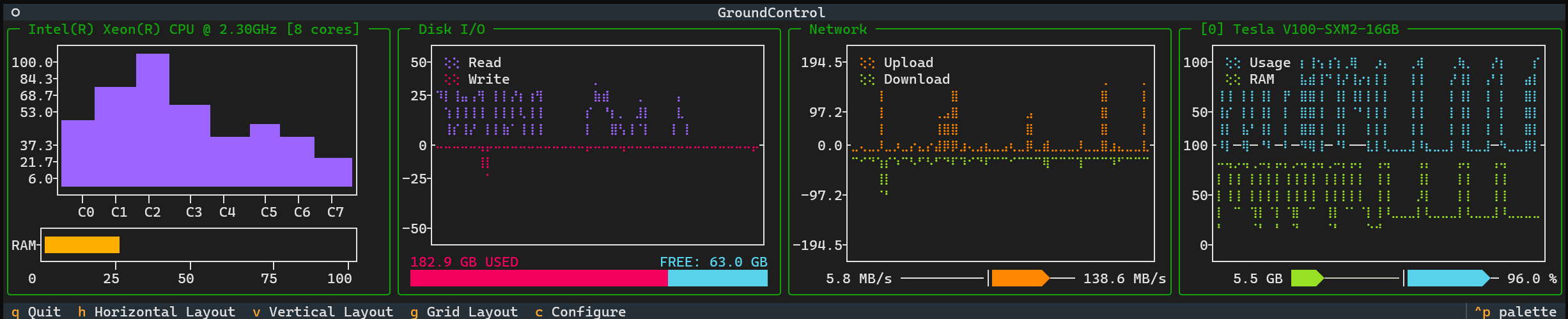



Ground Control is a sleek, real-time terminal-based system monitor built with Textual, Plotext and the nvitop API. It provides a powerful, aesthetic, customizable interface for tracking CPU, memory, disk, network, and GPU usage — all in a visually appealing and responsive TUI.
Ground Control works optimally with TMUX, install it here!
🌟 Features
📊 Real-Time System Monitoring
- CPU Usage: Per-core load tracking with frequency stats.
- Memory Utilization: RAM usage with dynamic visualization.
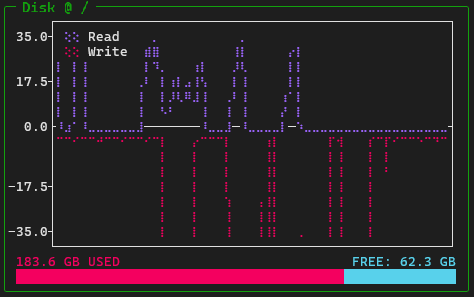
- Disk I/O: Monitor read/write speeds and disk usage.
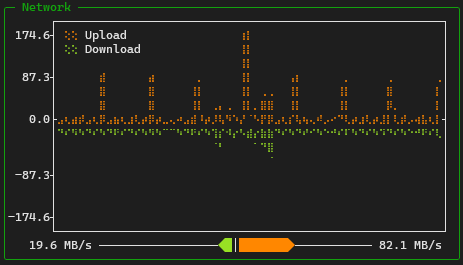
- Network Traffic: Live upload/download speeds.
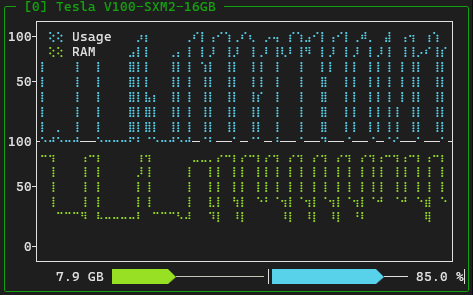
- GPU Metrics: Real-time NVIDIA GPU monitoring (if available).
🖥️ Responsive Layout
- Automatic resizing to fit your terminal window.
- Multiple layouts: Grid, Horizontal, and Vertical.
- Customizable widgets: Show only the metrics you need.
🎛️ Interactive Controls
- Keyboard shortcuts for quick navigation.
- Toggle between different layouts instantly.
- Customize displayed metrics via a built-in selection panel.
🛠️ Installation
🔹 Install via PyPI
pip install ground-control-tui
🔹 Install from Source
git clone https://github.com/alberto-rota/ground-control
cd ground-control
pip install -e .
🚀 Getting Started
🔹 Run Ground Control
Once installed, simply launch Ground Control with:
groundcontrol
Or run as a Python module:
python -m ground_control
🔹 Available Layouts
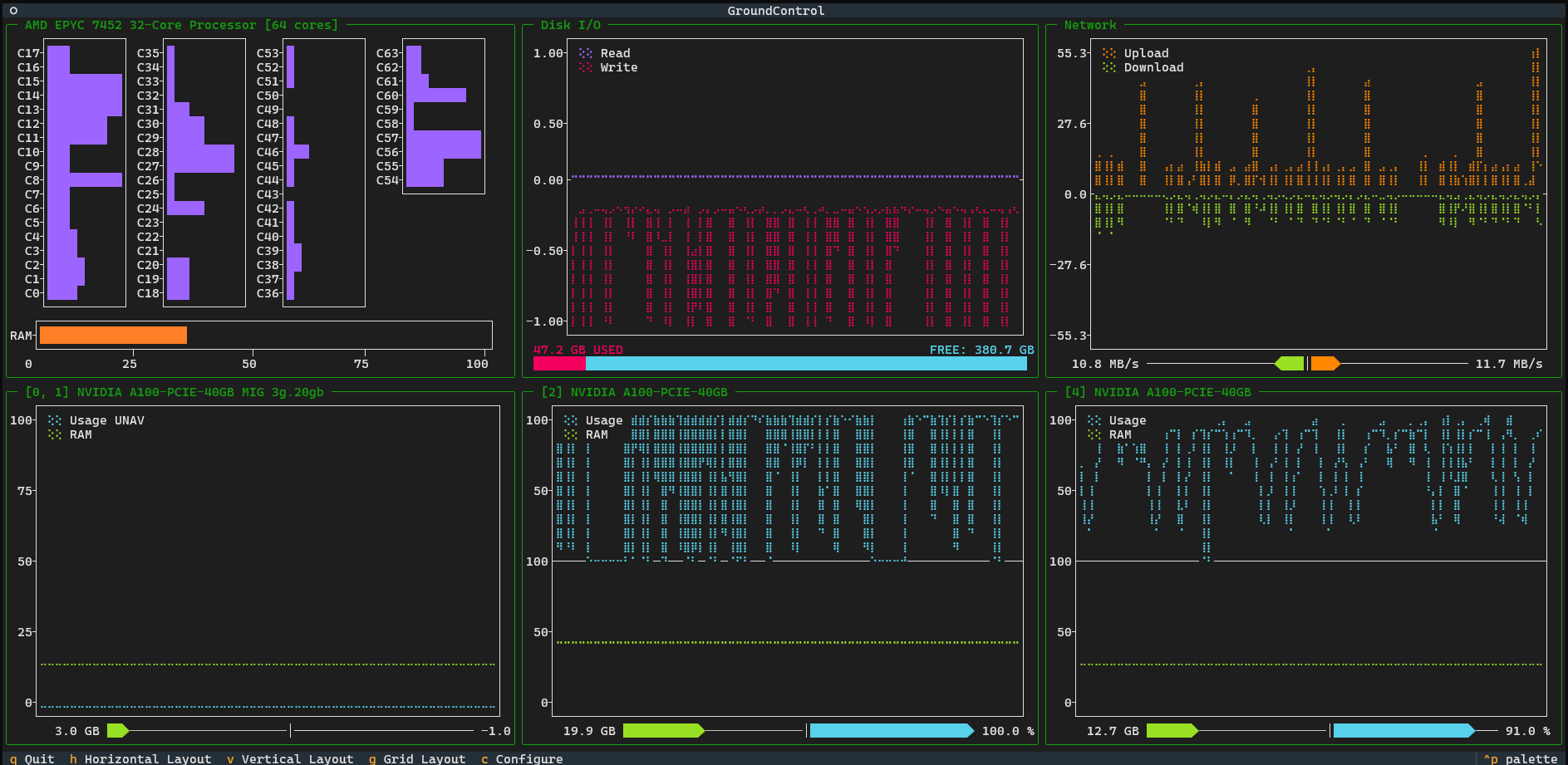
Grid Layout
A structured layout displaying all widgets neatly in a grid. When you first launch Ground Control, it will show this layout.
Horizontal Layout
All widgets aligned in a single row. If you like working with wide shell spaces, split a TMUX session horizontally and use this layout!
Vertical Layout
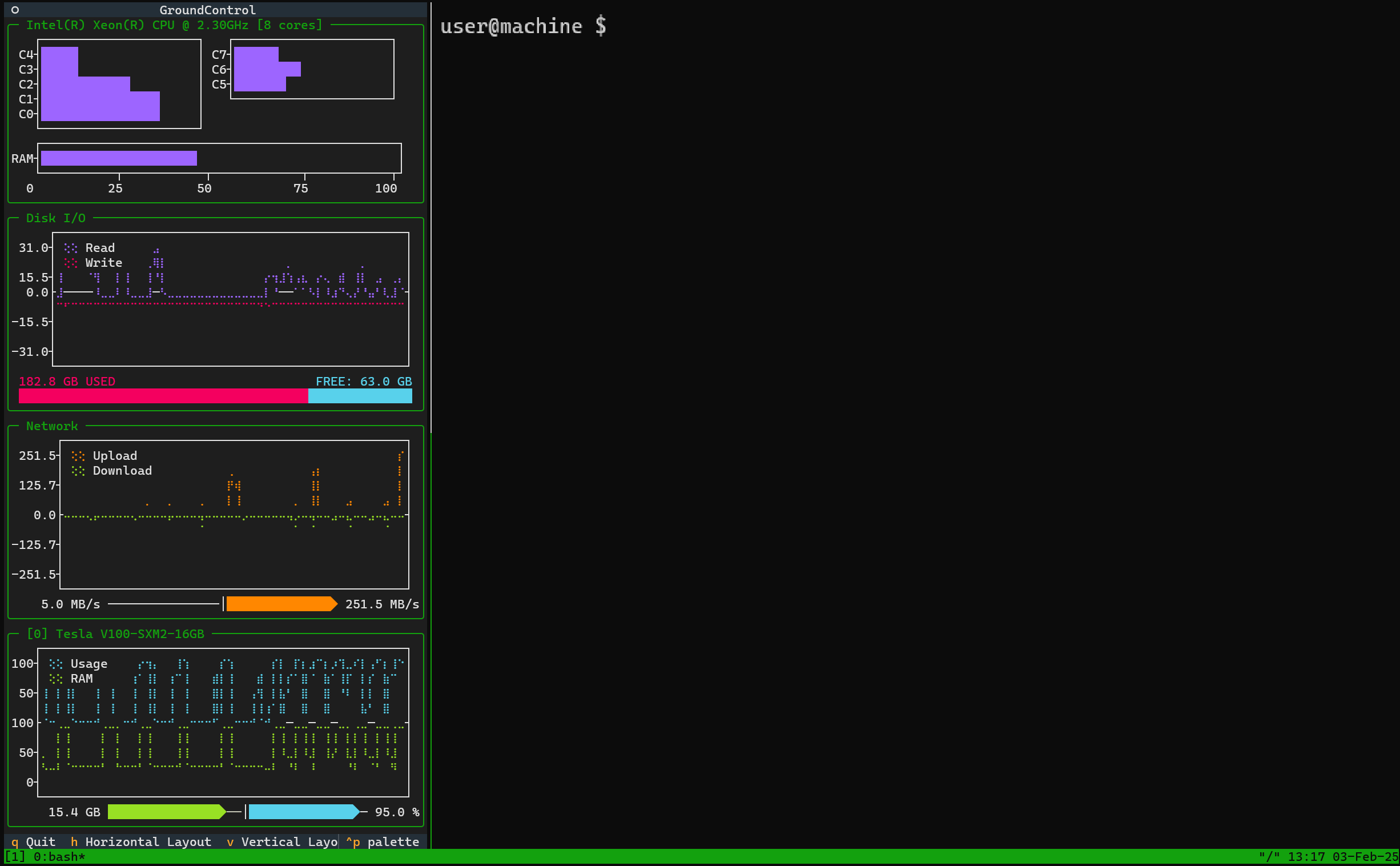
A column-based layout, ideal for narrow shell spaces. If you like working with tall shell spaces, split a TMUX session verticall and use this layout!
🖥️ Widget Breakdown
Each panel in Ground Control represents a different system metric:
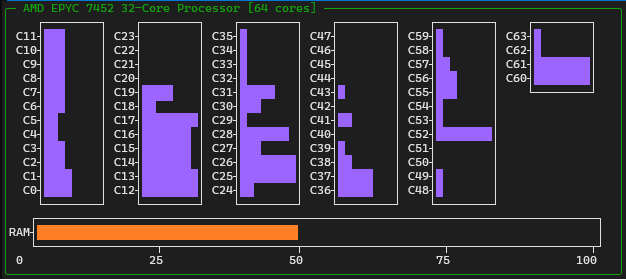
🔹 CPU & Memory
- Shows real-time per-core CPU usage.
- Displays RAM usage with a visual bar.
🔹 Disk I/O
- Monitors read/write speeds.
- Displays disk usage in an easy-to-read format.
🔹 Network Traffic
- Tracks real-time upload/download speeds.
- Visualizes network activity.
🔹 GPU Metrics (NVIDIA Only)
- Displays GPU utilization and memory usage.
- Supports multiple GPUs with live tracking.
🛠️ Configuring Ground Control
You might not want to see all the widgets all at once. To select which widgets you want Ground Control to show, press c or the Configure button. You'll see a selection panel that yuu can use to toggle the widgets shown.
Press c again to hide the configuration panel
You can switch to a grid, horizontal or verical layout with g, h or v or use the Grid Layout, Horizontal Layout or Vertical Layout buttons.
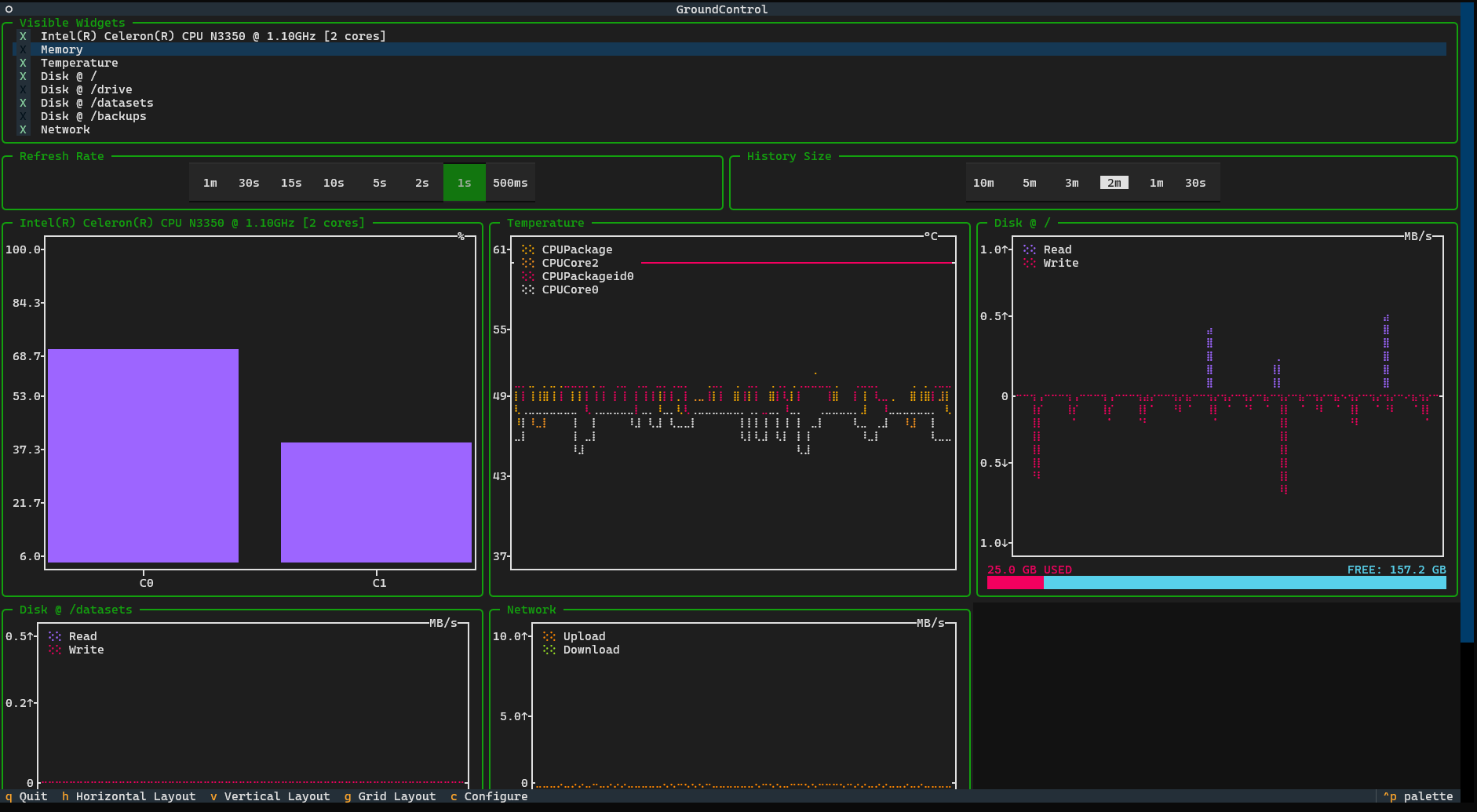
This configurations are saved when you quit Ground Control, so when you launch it again you will see the same layout!
All available keyboard shortcuts are listed here:
| Key | Action |
|---|---|
h |
Switch to Horizontal Layout |
v |
Switch to Vertical Layout |
g |
Switch to Grid Layout |
c |
Show/Hide the configuration panel |
q |
Quit Ground Control |
Ground Control saves user preferences in a configuration file located at:
~/.config/ground-control/config.json.
Modify this file in your default text editor with
groundcontrol config
👨💻 Contributing
Pull requests and contributions are welcome! To contribute:
- Fork the repo.
- Create a feature branch.
- Submit a PR with your changes.
Visit the Issue Section to start!
📜 License
This project is licensed under the GNU General Public License v3.0. See the LICENSE file for details.
📧 Author
Alberto Rota
📩 Email: alberto1.rota@polimi.it
🐙 GitHub: @alberto-rota
🚀 Stay Updated
For the latest features and updates, visit the GitHub repository.
Project details
Verified details
These details have been verified by PyPIProject links
GitHub Statistics
Maintainers
Release history Release notifications | RSS feed


Download files
Download the file for your platform. If you're not sure which to choose, learn more about installing packages.
Source Distribution
Built Distribution
Filter files by name, interpreter, ABI, and platform.
If you're not sure about the file name format, learn more about wheel file names.
Copy a direct link to the current filters
File details
Details for the file ground_control_tui-1.0.2.tar.gz.
File metadata
- Download URL: ground_control_tui-1.0.2.tar.gz
- Upload date:
- Size: 29.6 kB
- Tags: Source
- Uploaded using Trusted Publishing? Yes
- Uploaded via: twine/6.1.0 CPython/3.12.8
File hashes
| Algorithm | Hash digest | |
|---|---|---|
| SHA256 |
6e03b23b2a2c1e225ee3af7f7ede97e6839de3818af69003f9f69ee407633585
|
|
| MD5 |
34f55ffc7519a82afea68d3ee3b02af9
|
|
| BLAKE2b-256 |
6fc83094a7427eededed9f8676c9f1a31fcbf07c3e06736d04084c42d42a1d52
|
Provenance
The following attestation bundles were made for ground_control_tui-1.0.2.tar.gz:
Publisher:
python-publish.yml on alberto-rota/ground-control
-
Statement:
-
Statement type:
https://in-toto.io/Statement/v1 -
Predicate type:
https://docs.pypi.org/attestations/publish/v1 -
Subject name:
ground_control_tui-1.0.2.tar.gz -
Subject digest:
6e03b23b2a2c1e225ee3af7f7ede97e6839de3818af69003f9f69ee407633585 - Sigstore transparency entry: 168248787
- Sigstore integration time:
-
Permalink:
alberto-rota/ground-control@c8ee4c813776c5527f06f99162b62d595769184d -
Branch / Tag:
refs/tags/v1.0.3 - Owner: https://github.com/alberto-rota
-
Access:
public
-
Token Issuer:
https://token.actions.githubusercontent.com -
Runner Environment:
github-hosted -
Publication workflow:
python-publish.yml@c8ee4c813776c5527f06f99162b62d595769184d -
Trigger Event:
release
-
Statement type:
File details
Details for the file ground_control_tui-1.0.2-py3-none-any.whl.
File metadata
- Download URL: ground_control_tui-1.0.2-py3-none-any.whl
- Upload date:
- Size: 32.0 kB
- Tags: Python 3
- Uploaded using Trusted Publishing? Yes
- Uploaded via: twine/6.1.0 CPython/3.12.8
File hashes
| Algorithm | Hash digest | |
|---|---|---|
| SHA256 |
cfa3941c32d1514573b36110be6897942a621eaf3adc4d695b744cb15efb95b3
|
|
| MD5 |
5f5663ada83f3104da2b1502e679d6b5
|
|
| BLAKE2b-256 |
f64b12129ce28a86cf7f71b9388bf7a8dcb0a1209cdaca27306192fec248d678
|
Provenance
The following attestation bundles were made for ground_control_tui-1.0.2-py3-none-any.whl:
Publisher:
python-publish.yml on alberto-rota/ground-control
-
Statement:
-
Statement type:
https://in-toto.io/Statement/v1 -
Predicate type:
https://docs.pypi.org/attestations/publish/v1 -
Subject name:
ground_control_tui-1.0.2-py3-none-any.whl -
Subject digest:
cfa3941c32d1514573b36110be6897942a621eaf3adc4d695b744cb15efb95b3 - Sigstore transparency entry: 168248790
- Sigstore integration time:
-
Permalink:
alberto-rota/ground-control@c8ee4c813776c5527f06f99162b62d595769184d -
Branch / Tag:
refs/tags/v1.0.3 - Owner: https://github.com/alberto-rota
-
Access:
public
-
Token Issuer:
https://token.actions.githubusercontent.com -
Runner Environment:
github-hosted -
Publication workflow:
python-publish.yml@c8ee4c813776c5527f06f99162b62d595769184d -
Trigger Event:
release
-
Statement type:






