
Play any video as colorful ASCII art in your terminal
Verified details
These details have been verified by PyPIProject links
GitHub Statistics
Maintainers

Project description
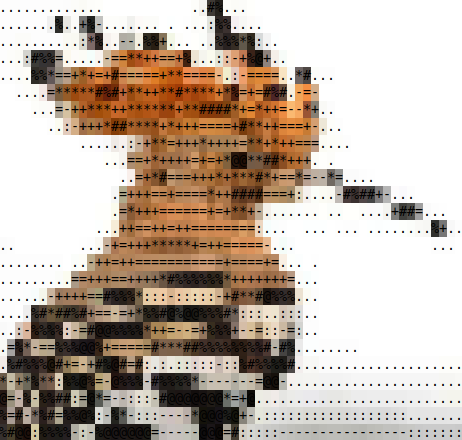
hoopoe-player
Play videos, images, and webcam as colorful ASCII art directly in your terminal.




Table of contents
- Installation
- Quick usage (CLI)
- TUI (Terminal UI)
- Features
- Controls
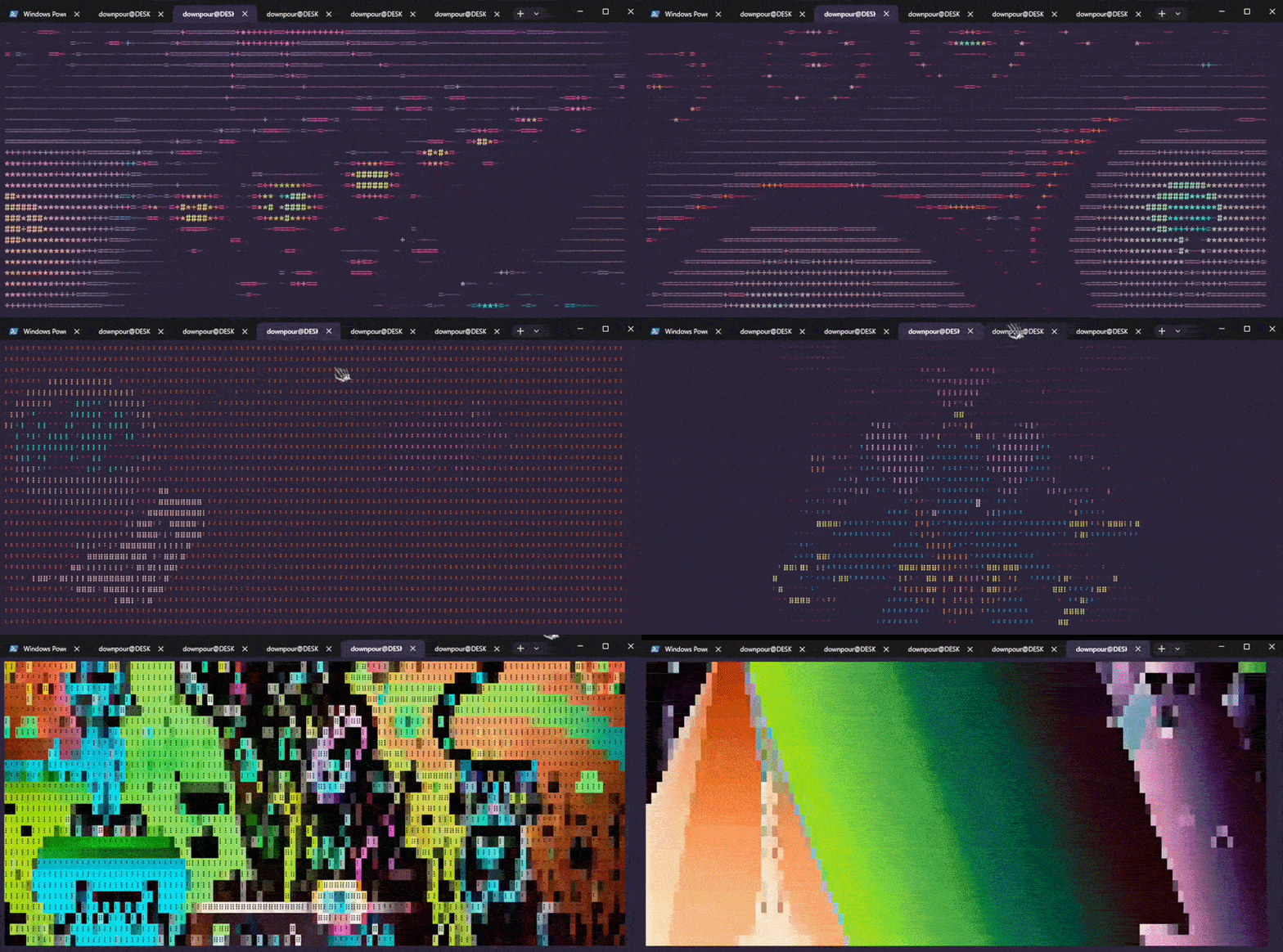
- Character modes
- Viewing ANSI outputs
- Requirements
- Roadmap
- Star History
- Support the creator
- License
Installation
# Most systems
pip install hoopoe-player

# Ubuntu/Debian
pipx install hoopoe-player
You also need ffmpeg for audio:
sudo apt install ffmpeg   # Ubuntu/Debian
sudo pacman -S ffmpeg     # Arch
Quick usage (CLI)
# Play a YouTube, Twitch, Vimeo, or any yt-dlp supported site
hoopoe https://www.youtube.com/watch?v=xxxxx
hoopoe https://www.twitch.tv/videos/xxxxxxxxx
hoopoe https://vimeo.com/xxxxxxxxx

# Play a local file
hoopoe -l video.mp4
hoopoe -l video.gif

# Enable audio
hoopoe -s https://www.youtube.com/watch?v=xxxxx

# Render a local image
hoopoe -i image.jpg

# Change character mode
hoopoe -m braille https://www.youtube.com/watch?v=xxxxx

# Show status bar (time, volume, controls)
hoopoe --hud https://www.youtube.com/watch?v=xxxxx

# Loop video automatically
hoopoe --loop https://www.youtube.com/watch?v=xxxxx

# Sync video to audio clock (recommended with -s)
hoopoe -s --sync https://www.youtube.com/watch?v=xxxxx

# Limit rendering FPS
hoopoe --fps 15 https://www.youtube.com/watch?v=xxxxx
hoopoe --webcam --fps 10

# Use 16-color ANSI palette (terminals without true color support)
hoopoe --legacy-color https://www.youtube.com/watch?v=xxxxx        # rgb or lab, rgb by default

# Disable all color output (terminals with no color support)
hoopoe --no-color -m braille https://www.youtube.com/watch?v=xxxxx

# Save render to an ANSI file
hoopoe --output render.ans https://www.youtube.com/watch?v=xxxxx
hoopoe --output ~/recordings/ https://www.youtube.com/watch?v=xxxxx
hoopoe --webcam --output webcam.ans
hoopoe -i --output render.ans photo.jpg

# Stream webcam as ASCII art
hoopoe --webcam
hoopoe --webcam -m solid --hud
hoopoe --webcam --flip h --invert

# Highlight mode (color as background) with any character mode
hoopoe -m braille --highlight https://www.youtube.com/watch?v=xxxxx

# Combine options
hoopoe -l -s --sync -m classic --highlight --hud --loop video.mp4

# Replay a recorded .ans file
hoopoe --play render.ans
hoopoe --play --fps 5 render.ans
TUI (Terminal UI)
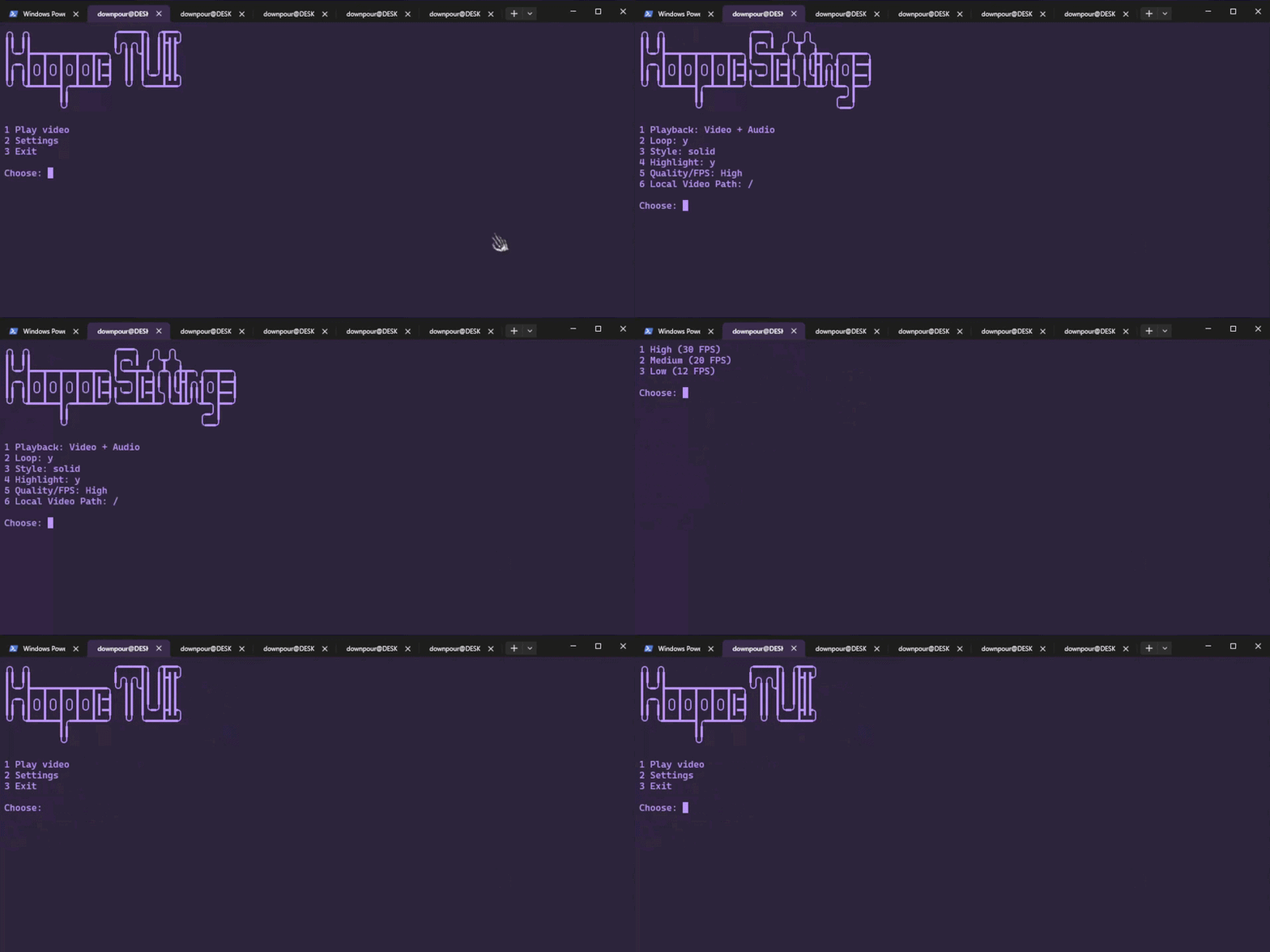
This repository includes a dedicated TUI launcher (tui/hoopoe-tui) to avoid typing full CLI flags every time.
What it does
- Provides an interactive menu for playback and settings
- Stores your defaults in
~/.config/hoopoe-launcher.conf - Lets you run videos from URL or local filenames quickly
TUI requirements
- Bash
- Linux or WSL
hoopoeavailable in yourPATH(pip install hoopoe-player)
Run the TUI
From a clone of this repository:
chmod +x tui/hoopoe-tui
./tui/hoopoe-tui
Optional (run it globally):
sudo ln -s "$(pwd)/tui/hoopoe-tui" /usr/local/bin/hoopoe-tui
hoopoe-tui
TUI configurable settings
The TUI persists these options:
- Playback mode (video+audio or video only)
- Loop mode
- Character style
- Highlight mode
- FPS quality profile
- Local video directory
Features
- 🎬 YouTube, Twitch, Vimeo & more — stream from YouTube, Twitch, Vimeo, direct video URLs (
.mp4,.webm,.m3u8), or any platform supported by yt-dlp (1800+ sites); also plays local files - 🎨 6 character modes — classic, blocks, braille, minimal, nocolor, solid
- 🌈 True color — full 24-bit RGB color per character for supported terminals
- 🔊 Audio playback (
-s) — synced audio via ffmpeg/ffplay - 📺 Live stream support — plays YouTube live streams with low-latency audio mode
- 🔗 A/V sync mode (
--sync) — recommended with-s; drops frames to stay locked to the audio clock when rendering is slow, recovers automatically - 🖥️ HUD (
--hud) — status bar with timestamp, real-time FPS, mode and controls - 🔁 Loop mode (
--loop) — automatically restarts video and audio at the end - 📸 Screenshot (
P) — saves the current frame as a timestamped ANSI color file (.ans) - 🖼️ Image rendering (
-i) — displays a single local image - 📐 Dynamic resize — terminal resize is applied immediately, even while paused
- 🖥️ Alternate screen — runs in a separate buffer like vim/htop; your terminal history is preserved on exit
- 📷 Webcam support (
--webcam) — stream your webcam live as ASCII art; select camera index with--camera - 🔀 Flip (
--flip h/v/hv) — flip the webcam feed horizontally, vertically, or both - 🌗 Invert (
--invert) — invert brightness mapping for any character mode - 🎨 Highlight (
--highlight) — render color as background for any character mode - 🎞️ FPS limit (
--fps) — cap the rendering framerate to reduce CPU usage - 💾 Output to file (
--output) — save the full render as an ANSI file; works with video, webcam, and image modes - ▶️ ANSI playback (
--play) — replay a recorded.ansfile at the original framerate; supports pause and FPS override - 🎨 Legacy color (
--legacy-color) — render using the 16-color ANSI palette for terminals without true color support;rgbmode uses fast Euclidean RGB distance,labmode uses perceptual CIE LAB distance - ⬜ No color (
--no-color) — disable all color output for terminals with no color support; works with any character mode
Controls
| Key | Action |
|---|---|
Space |
Pause / Play |
P |
Screenshot — save current frame as .ans ANSI file |
Q or Ctrl+C |
Quit |
Controls are the same for video and webcam modes.
Character modes
| Mode | Style |
|---|---|
classic |
. : - = + * # % @ — default, coloured |
blocks |
░ ▒ ▓ █ — bold blocks, coloured |
braille |
⠁ ⠃ ⠇ ⠿ ⣿ — dense dots, coloured |
minimal |
· • ● ■ — clean and minimal, coloured |
solid |
pure color blocks — no characters, most accurate color reproduction |
Use --highlight with any mode to render color as background instead of foreground.
Use --invert with any mode to invert the brightness mapping.
Use --legacy-color (or --legacy-color lab for perceptual matching) with any mode to use the 16-color ANSI palette instead of 24-bit RGB.
Use --no-color with any mode to disable color entirely.
Viewing ANSI outputs
Screenshots saved with P and output files saved with --output are .ans files containing raw ANSI escape codes.
Replay them with:
hoopoe --play render.ans
cat hoopoe_screenshot_20260317_142301.ans

# Override playback speed
hoopoe --play --fps 5 render.ans
To dump the raw content to the terminal (no timing):
cat render.ans
Requirements
- Python 3.10+
- ffmpeg (optional, needed for
-saudio) - A terminal with true color support (use
--legacy-coloror--no-colorfor terminals without it)
Roadmap
Features
- Webcam support — stream your webcam live as ASCII art in the terminal (
--webcam,--camera,--flip) -
--fpsflag — cap the rendering framerate to reduce CPU usage - Image display — render local images and online images as ASCII art in the terminal
-
--outputto file — save the full video render as an ANSI file instead of single screenshots - Broader URL support — Twitch, Vimeo, direct video URLs, and any of the 1800+ sites supported by yt-dlp work out of the box
- 16-color mode —
--legacy-colorflag; uses the 16-color ANSI palette for terminals without true color support - Shell autocompletion — tab-complete flags and paths for
hoopoe - TUI in pip package —
tui/hoopoe-tuiis not bundled in the PyPI release yet; must be run manually from a clone of this repository
Performance
- Numpy vectorisation — reduced CPU usage per frame by replacing Python loops with matrix operations
- String join optimisation — replaced
+=string concatenation with list accumulation and"".join() - Dirty rendering — only redraw lines that changed between frames; reduces terminal I/O for low-motion content
Platform support
- macOS — minor adjustments needed (
ffmpegvia Homebrew, no code changes expected) - Windows native — replace
tty/termioswithmsvcrtfor key input, replaceSIGSTOP/SIGCONTwith Windows-compatible pause logic; WSL already works
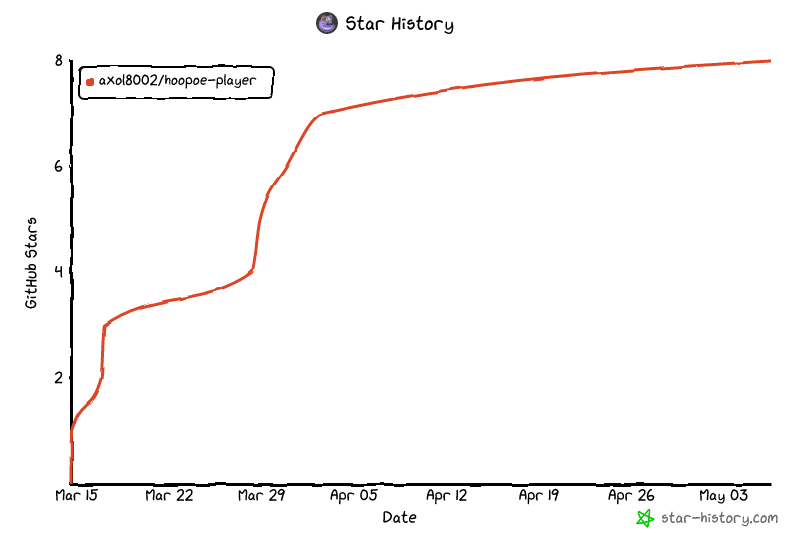
Star History
Support the creator

License
MIT
Project details
Verified details
These details have been verified by PyPIProject links
GitHub Statistics
Maintainers


Download files
Download the file for your platform. If you're not sure which to choose, learn more about installing packages.
Source Distribution
Built Distribution
Filter files by name, interpreter, ABI, and platform.
If you're not sure about the file name format, learn more about wheel file names.
Copy a direct link to the current filters
File details
Details for the file hoopoe_player-0.1.5.tar.gz.
File metadata
- Download URL: hoopoe_player-0.1.5.tar.gz
- Upload date:
- Size: 18.8 kB
- Tags: Source
- Uploaded using Trusted Publishing? Yes
- Uploaded via: twine/6.1.0 CPython/3.13.12
File hashes
| Algorithm | Hash digest | |
|---|---|---|
| SHA256 |
1973630c8eda495fe2581834e946ee36f8f9e010ff6cefd8b3108ec16e0bd64c
|
|
| MD5 |
f7191f0ee7cac50a538a8ec874c4680e
|
|
| BLAKE2b-256 |
174e8923e329b0ce8e1b13beb9b0c84cbe6e33bb153db69605eced60df5e4bba
|
Provenance
The following attestation bundles were made for hoopoe_player-0.1.5.tar.gz:
Publisher:
python-publish.yml on axol8002/hoopoe-player
-
Statement:
-
Statement type:
https://in-toto.io/Statement/v1 -
Predicate type:
https://docs.pypi.org/attestations/publish/v1 -
Subject name:
hoopoe_player-0.1.5.tar.gz -
Subject digest:
1973630c8eda495fe2581834e946ee36f8f9e010ff6cefd8b3108ec16e0bd64c - Sigstore transparency entry: 1487133407
- Sigstore integration time:
-
Permalink:
axol8002/hoopoe-player@158a6994f7f88124bcd3d1ca0ff6af6f2ed7fb85 -
Branch / Tag:
refs/tags/v0.1.5 - Owner: https://github.com/axol8002
-
Access:
public
-
Token Issuer:
https://token.actions.githubusercontent.com -
Runner Environment:
github-hosted -
Publication workflow:
python-publish.yml@158a6994f7f88124bcd3d1ca0ff6af6f2ed7fb85 -
Trigger Event:
release
-
Statement type:
File details
Details for the file hoopoe_player-0.1.5-py3-none-any.whl.
File metadata
- Download URL: hoopoe_player-0.1.5-py3-none-any.whl
- Upload date:
- Size: 15.2 kB
- Tags: Python 3
- Uploaded using Trusted Publishing? Yes
- Uploaded via: twine/6.1.0 CPython/3.13.12
File hashes
| Algorithm | Hash digest | |
|---|---|---|
| SHA256 |
848e6b9224b451bedec7826a449f0e447c70ac38417adb6dc2c15cd7917bac1c
|
|
| MD5 |
afc7a9e74f9aac67fd3559c094733d38
|
|
| BLAKE2b-256 |
ea9610b5e09ab91b01e64d54dcaef16a875eb8a3fcc0ed6f2704eb4142e578e7
|
Provenance
The following attestation bundles were made for hoopoe_player-0.1.5-py3-none-any.whl:
Publisher:
python-publish.yml on axol8002/hoopoe-player
-
Statement:
-
Statement type:
https://in-toto.io/Statement/v1 -
Predicate type:
https://docs.pypi.org/attestations/publish/v1 -
Subject name:
hoopoe_player-0.1.5-py3-none-any.whl -
Subject digest:
848e6b9224b451bedec7826a449f0e447c70ac38417adb6dc2c15cd7917bac1c - Sigstore transparency entry: 1487133413
- Sigstore integration time:
-
Permalink:
axol8002/hoopoe-player@158a6994f7f88124bcd3d1ca0ff6af6f2ed7fb85 -
Branch / Tag:
refs/tags/v0.1.5 - Owner: https://github.com/axol8002
-
Access:
public
-
Token Issuer:
https://token.actions.githubusercontent.com -
Runner Environment:
github-hosted -
Publication workflow:
python-publish.yml@158a6994f7f88124bcd3d1ca0ff6af6f2ed7fb85 -
Trigger Event:
release
-
Statement type:






