
InkSim
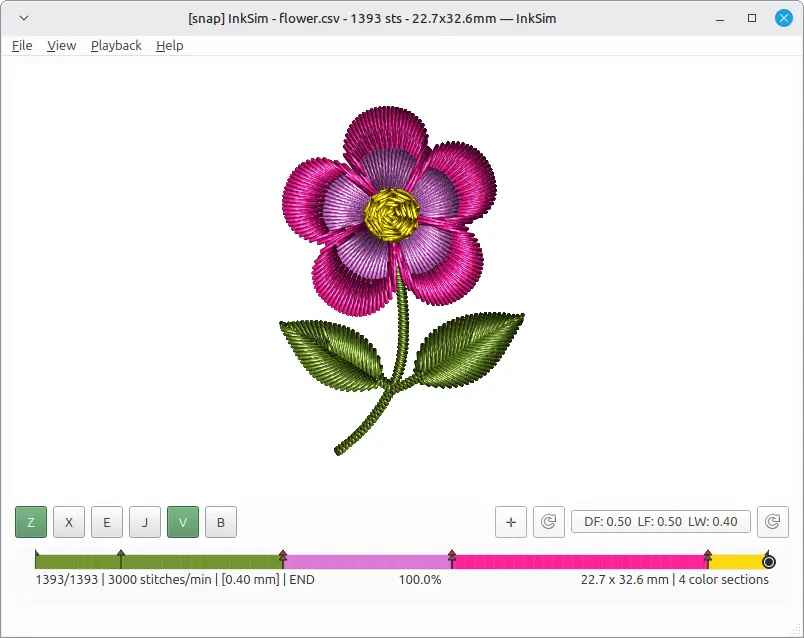
InkSim is a standalone embroidery simulator and preview renderer. It opens embroidery files, shows the stitch sequence, and lets you inspect or replay a design before production.
It is a normal Python desktop application installed from PyPI — not an Inkscape extension.

The viewer includes an OpenGL textured renderer that draws stitches as
realistic ribbon quads with normal-mapped thread and Blinn-Phong lighting. Press
Z in the viewer to toggle between the CPU and GPU renderers. The GPU renderer
requires OpenGL 3.3; older systems fall back to the
CPU raster renderer automatically.
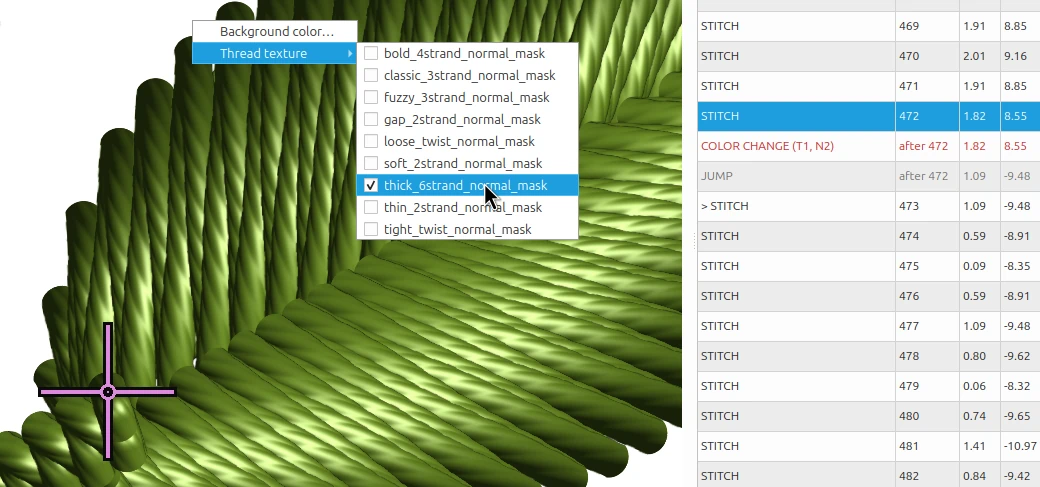
Detail of the normal-mapped thread texture used by the OpenGL renderer.
Install
uv tool install inksim
Requires Python 3.11+. See the installation guide for
uv setup and alternative installers.
Run
inksim
inksim design.pes
inksim design.pes --play
On Windows, inksim-gui design.pes starts without a console window.
Documentation
- Documentation index
- Installation and running
- User guide
- Rendering modes and overlays
- Inkscape / Ink/Stitch workflow
- Application interconnect
- Developer guide
- Contributing
Background
The idea behind this tool dates back to 2013 with an experimental C++/Qt project called Orca, which originally explored graph algorithms for Inkscape on Linux before turning into a digitizer and stitch viewer. Here is an old recording of that early prototype in action:
InkSim is a fresh, standalone rewrite of that viewer concept -- built from scratch using Python, PySide6, and Numba. The main goal is to provide a fast, lightweight way to preview embroidery files without heavy overhead.
It was built to fill a small workflow gap, and it's shared with the hope that others in the Inkscape and Ink/Stitch community might find it helpful as well.
Special thanks to the Ink/Stitch team and community for keeping open-source embroidery alive and inspiring.
License
InkSim is released under the GNU General Public License v3 or later.
1 maintainer

Metadata
1 maintainer
Release files for inksim 0.5.0
For a detailed explanation of source distributions (sdists) and built distributions (wheels), please see the package formats documentation.
Source distribution (sdist)
| File | Size | Uploaded | |
|---|---|---|---|
| inksim-0.5.0.tar.gz | 594.5 kB | Details |
Built distribution (wheel)
| File | Interpreter | ABI | Platform | Reset |
|---|---|---|---|---|
| inksim-0.5.0-py3-none-any.whl | Python 3 | none | any | Details |
Total release size: 1.3 MB
Release files / inksim-0.5.0.tar.gz
| Download URL | inksim-0.5.0.tar.gz |
|---|---|
| Size | 594.5 kB |
| Tags | Source |
|
SHA-256 checksum How to use checksums |
897083dd1f086b099fa247253bc58d0cb905fa57ece3df5d9cb40a9525c08235
|
|
BLAKE2b-256 checksum How to use checksums |
25b7670168911a731b8b239e654f3fd7df98e189459a557fbd85cbc02e18403a
|
| Upload date | |
|
Uploaded using Trusted Publishing? What is trusted publishing? |
No |
| Uploaded via |
twine/7.0.0 CPython/3.14.5
|
Release files / inksim-0.5.0-py3-none-any.whl
| Download URL | inksim-0.5.0-py3-none-any.whl |
|---|---|
| Size | 718.5 kB |
| Tags | Python 3 |
|
SHA-256 checksum How to use checksums |
64e968427c8986110d72d6033d6783ae50aad6fc0980b953de27182d229548f8
|
|
BLAKE2b-256 checksum How to use checksums |
9a4efb0e80ac98b782d90bf7aeb25ae15aa1d39b025623f3b9d56f949a48d4d6
|
| Upload date | |
|
Uploaded using Trusted Publishing? What is trusted publishing? |
No |
| Uploaded via |
twine/7.0.0 CPython/3.14.5
|














