
LANscape
A local network scanner with a built-in web UI. Discover devices, open ports, and running services on your network.
The UI was recently converted into react, stored in a separate repo: mdennis281/lanscape-ui
pip install lanscape
python -m lanscape
Stats:


Latest release:



Docker:


Health:




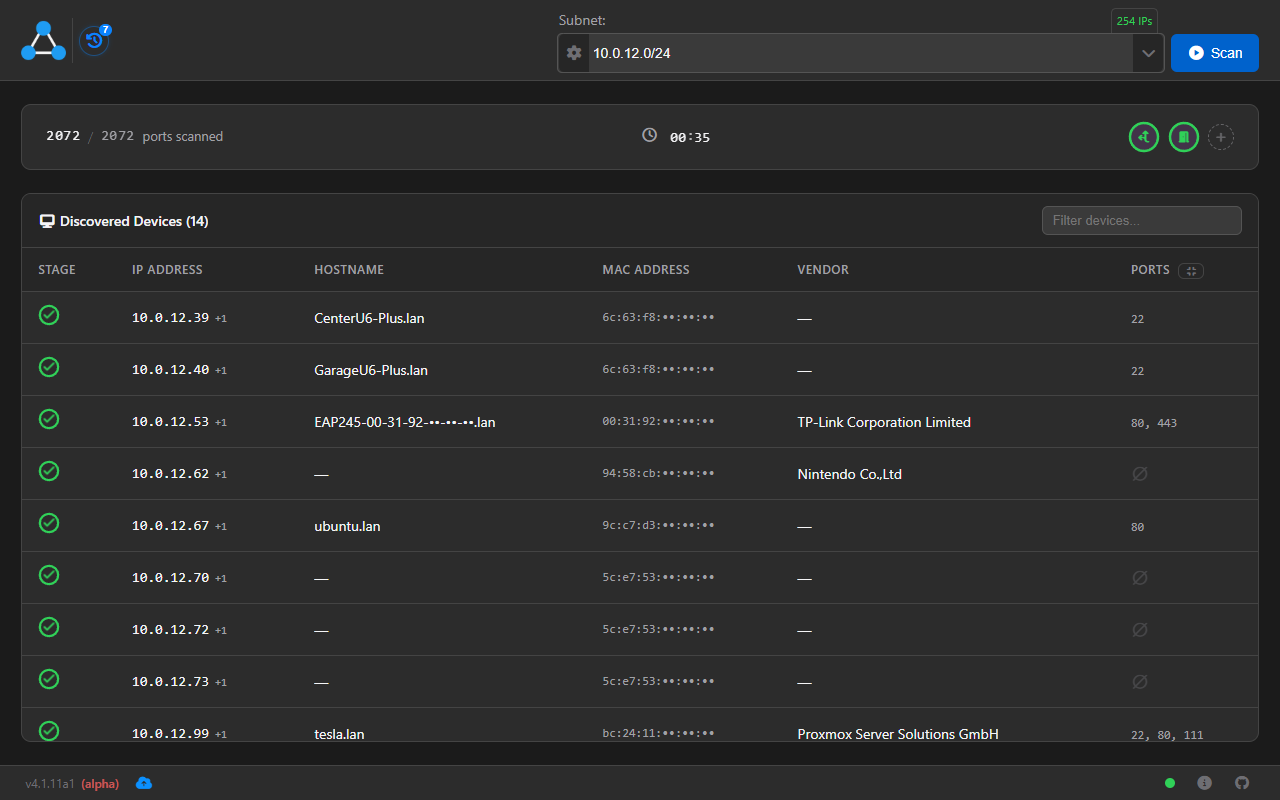
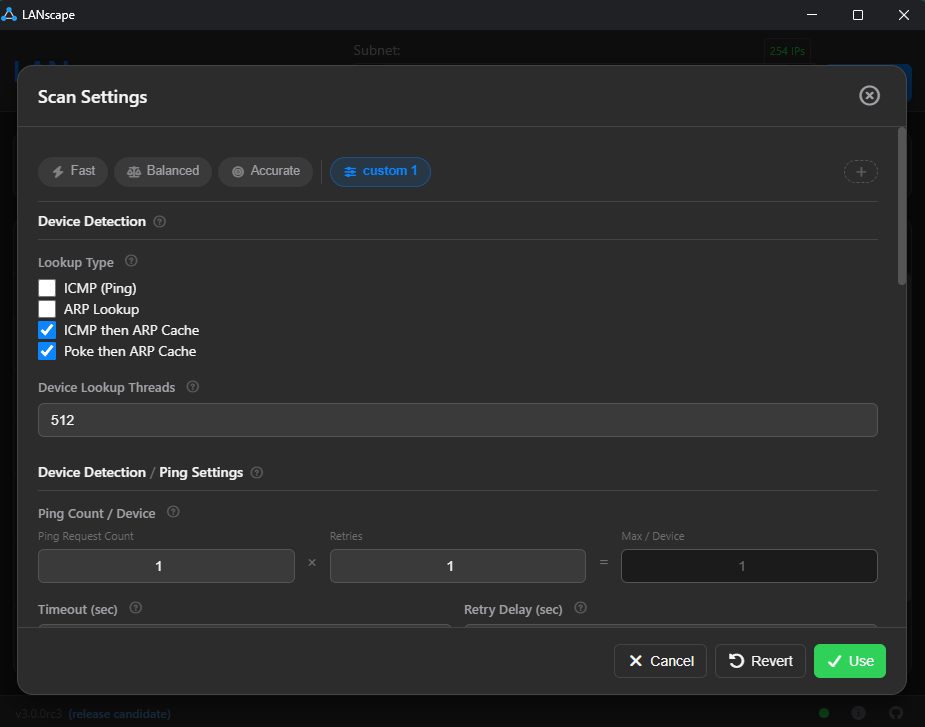
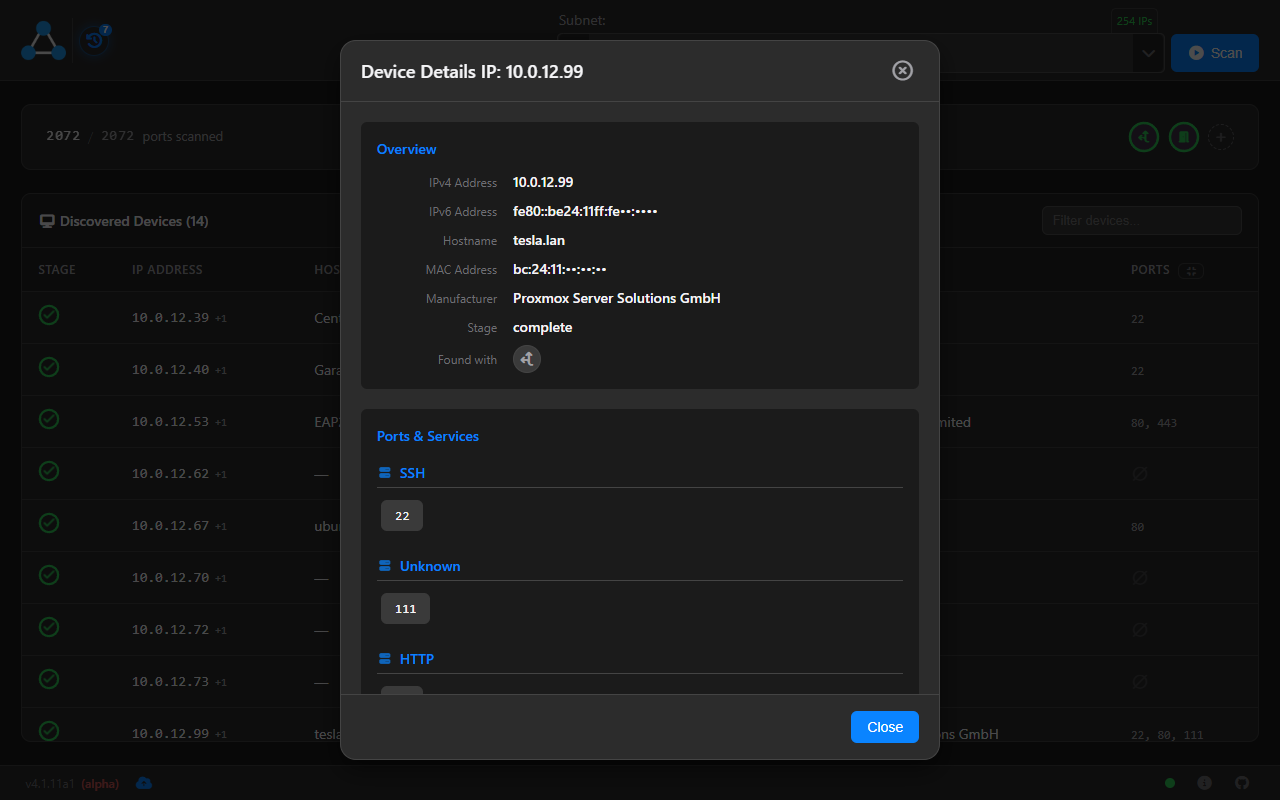
More screenshots
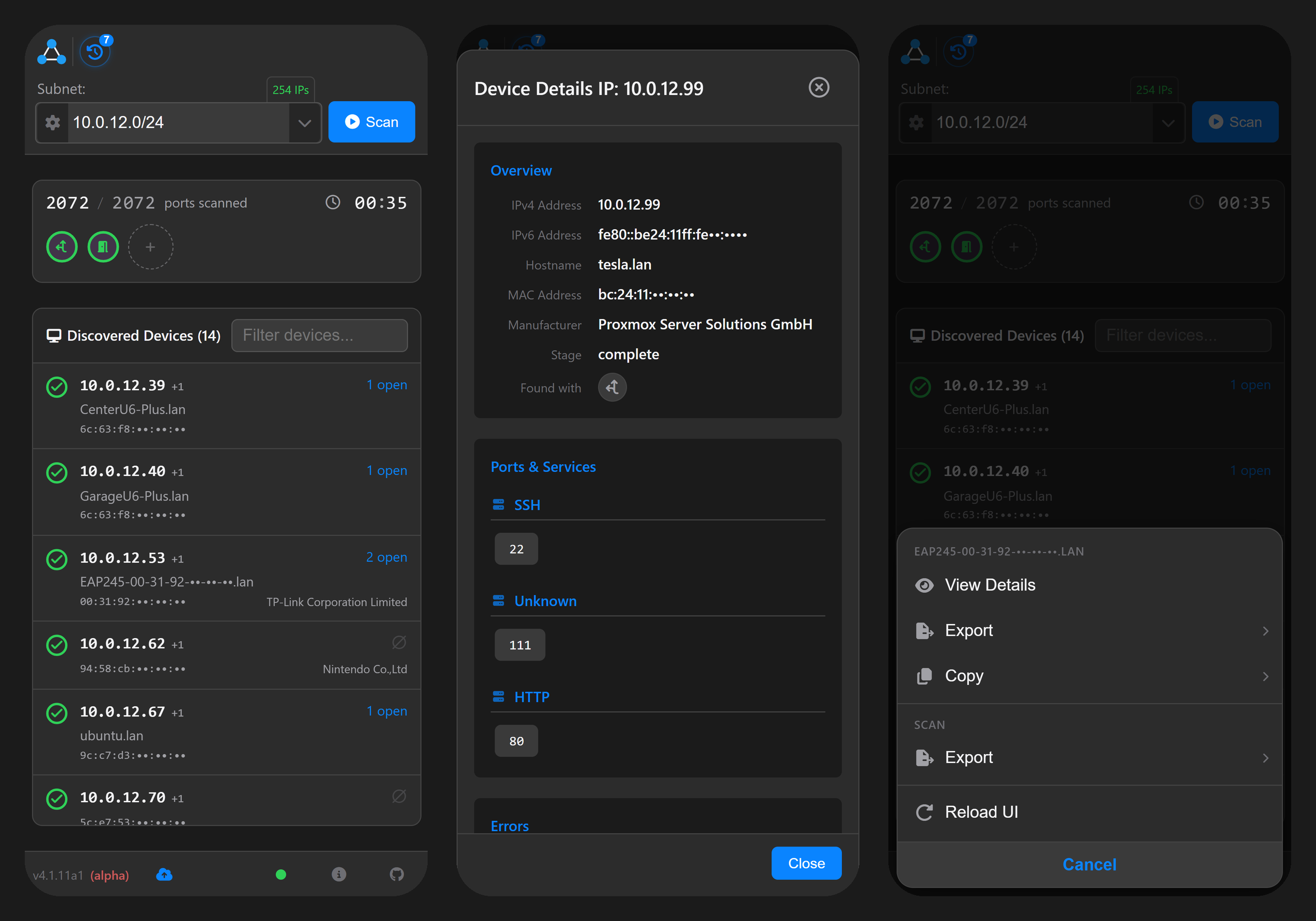
Fully responsive: device cards, bottom sheets, and long-press menus on smaller screens.
Flags
| Flag | Description |
|---|---|
--version |
Show the installed version and exit |
--ui-port <number> |
Port for the web UI (default: auto) |
--ws-port <number> |
Port for the WebSocket server (default: 8766) |
--ws-server |
Start WebSocket server only (no UI) |
--persistent |
Don't auto-shutdown when the browser tab closes |
--mdns-off |
Disable mDNS service discovery |
--logfile <path> |
Write log output to a file |
--loglevel <level> |
Set log level: DEBUG, INFO, WARNING, ERROR, CRITICAL (default: INFO) |
--debug |
Shorthand for --loglevel DEBUG |
python -m lanscape
python -m lanscape --version
python -m lanscape --ui-port 8080
python -m lanscape --debug --persistent
python -m lanscape --logfile /tmp/lanscape.log --loglevel WARNING
python -m lanscape --ws-server --ws-port 9000
Docker (Linux Only)
Not recommended for most users. Network scanning requires direct LAN access (ARP, ICMP, broadcasts), which conflicts with Docker's network isolation. The Docker image requires
--network hostmode, which only works on Linux — on Windows and macOS, Docker Desktop runs inside a VM so--network hostexposes the VM's network, not your physical LAN.For most users,
pip install lanscapeis the better option.
If you're running on a Linux host and still want to use Docker, see the full setup guide: Docker Setup Instructions
Troubleshooting
MAC Address / Manufacturer is inaccurate or unknown
LANscape does an ARP lookup to determine MAC addresses. This can require elevated permissions to get accurate results — try running your shell as admin.
Scan accuracy seems low
The scanner uses a combination of ARP, ICMP, and port probing to find devices. If results aren't great out of the box:
- Tweak the scan configuration preset (accessible from the gear icon)
- Set up ARP lookup properly — see ARP issues
- Open an issue if something still seems off
Something else
Feel free to submit an issue with details about what you're seeing.
1 maintainer

Metadata
1 maintainer
Release files for lanscape 4.2.0
For a detailed explanation of source distributions (sdists) and built distributions (wheels), please see the package formats documentation.
Source distribution (sdist)
| File | Size | Uploaded | Provenance | Actions |
|---|---|---|---|---|
| lanscape-4.2.0.tar.gz | 2.2 MB | Without provenance | Details for lanscape-4.2.0.tar.gz |
Built distribution (wheel)
| File | Interpreter | ABI | Platform | Actions Reset |
|---|---|---|---|---|
| lanscape-4.2.0-py3-none-any.whl | Python 3 | none | any | Details for lanscape-4.2.0-py3-none-any.whl |
Total release size: 4.5 MB
Release files / lanscape-4.2.0.tar.gz
| Download URL | lanscape-4.2.0.tar.gz |
|---|---|
| Size | 2.2 MB |
| Tags | Source |
|
SHA-256 checksum How to use checksums |
c05b393f946e3c15f83f09d15a4cf51f14bbe910fcdf743732f0d614814a82ed
|
|
BLAKE2b-256 checksum How to use checksums |
7ce46aaa2f0fc669b3398b5ae32337c3ce824bc16ee36bbb9462159a40551430
|
| Upload date | |
|
Uploaded using Trusted Publishing? What is trusted publishing? |
No |
| Uploaded via |
twine/7.0.0 CPython/3.14.10
|
Release files / lanscape-4.2.0-py3-none-any.whl
| Download URL | lanscape-4.2.0-py3-none-any.whl |
|---|---|
| Size | 2.3 MB |
| Tags | Python 3 |
|
SHA-256 checksum How to use checksums |
504ab60c2a420392258091e56db5cd31244d5d836a137da040f1def0360c14cc
|
|
BLAKE2b-256 checksum How to use checksums |
58330525aab99a0fb23f3f7df07674f2cc5a613954dd98fecd24bc96cf954eb2
|
| Upload date | |
|
Uploaded using Trusted Publishing? What is trusted publishing? |
No |
| Uploaded via |
twine/7.0.0 CPython/3.14.10
|
Security for lanscape 4.2.0
Provenance
Provenance describes where a file came from. On PyPI, provenance is shared via attestations, which provide a verifiable record of the build or publishing details. View details, limitations and caveats.
No provenance found
None of the files in this release were uploaded with provenance metadata.
A note on package security
PyPI is a repository for distributing packages, not a service for auditing them. While third-party security researchers and our staff do their best to detect and remove malicious packages, PyPI cannot guarantee the quality, security or suitability of any given package.
To learn more about protecting yourself from malicious actors, visit our package security documentation.














