
mapnetwork-mcp
MCP server for MapNetwork — turn places in Japan into styled, illustration-like map images (PNG / SVG), directly from Claude or any MCP-compatible AI assistant.
Maps are built from detailed OpenStreetMap data served by MapNetwork's own Overpass API for Japan, so coverage is currently limited to Japan (country code JP) — requests for places outside Japan return an error.
Features
- Generate a map from a place name or a list of markers
- Overlay a walking / driving route between two places
- 11 color themes (white, darkBlue, darkGreen, popArt, lightBlue, lightGreen, beige, magenta, gray, black, brown)
- PNG or SVG output, saved to your Downloads folder
- Slow-to-generate maps are handled automatically —
generate_*tools poll internally, anddownload_mapcan pick up a job later if needed - Re-download a previously generated map in a different theme or format without regenerating
- Open any generated map in the MapNetwork web editor for manual customization
Example Usage
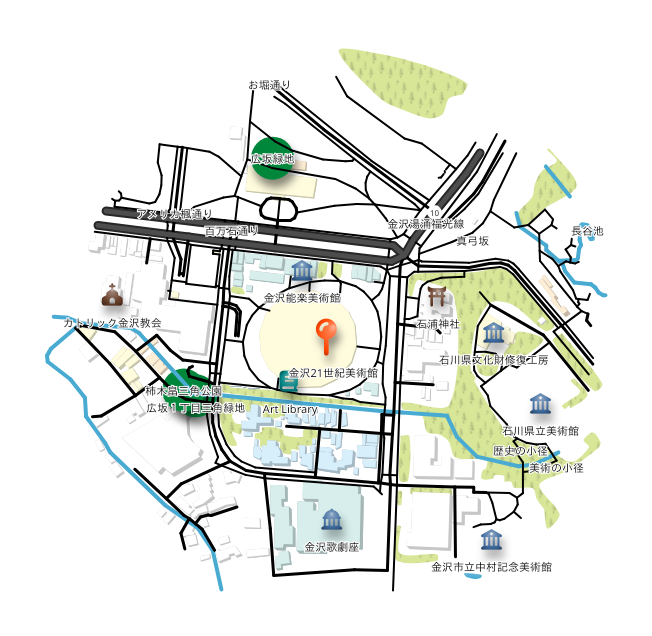
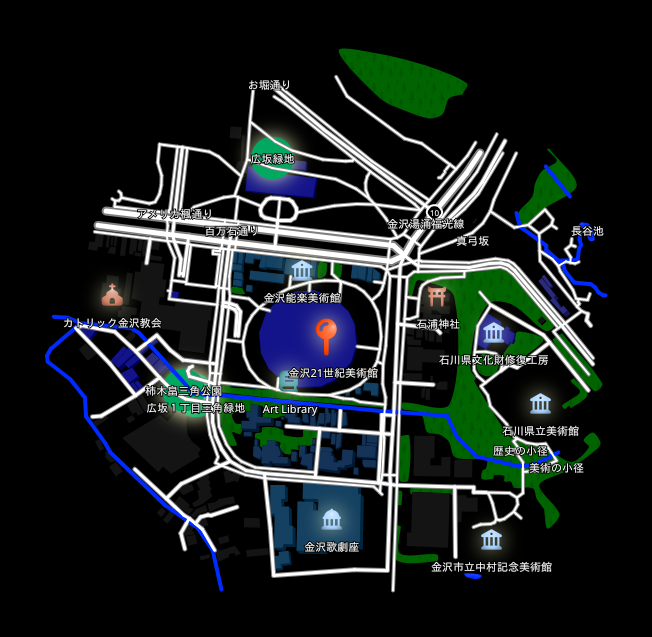
Prompt: "Generate a map around the 21st Century Museum of Contemporary Art, Kanazawa."
Here is the map it generated:
Prompt: "Redownload that map in a few different color themes."
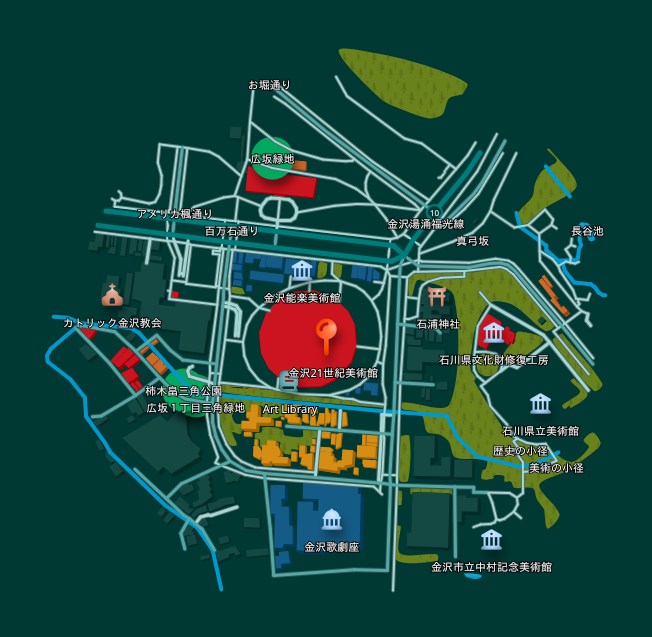
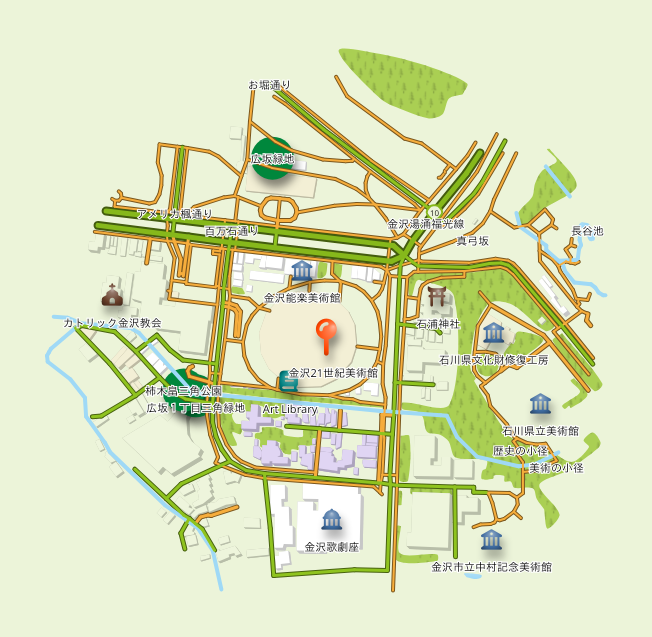
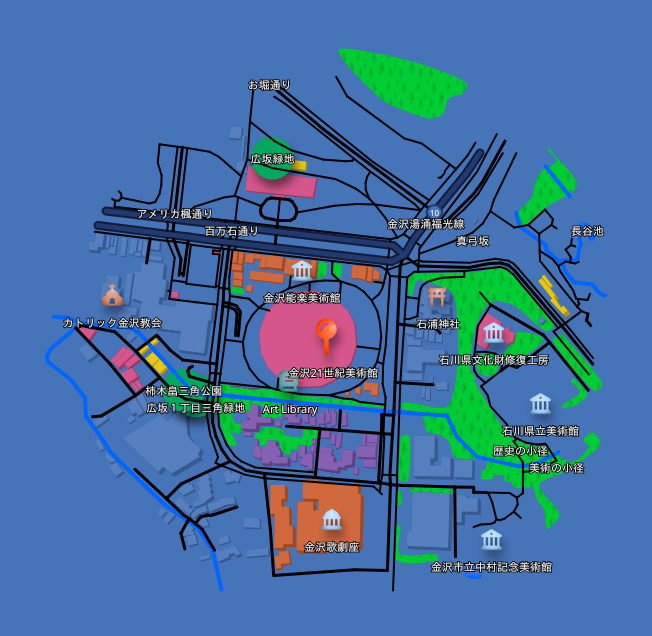
The same map, redownloaded in different color themes:
| Dark Green Style | Light Green Style | Pop Art Style | Black Style |
|---|---|---|---|
 |
 |
 |
 |
Installation
Claude Desktop
Using the .mcpb extension file (recommended)
The easiest way to install is via the .mcpb extension file available on the Releases page.
- Download the latest
.mcpbfile from the Releases page. - Open Claude Desktop and go to Settings → Extensions.
- Drag the downloaded
.mcpbfile onto the Extensions panel to install.
Manual configuration
Add the following to your claude_desktop_config.json:
{
  "mcpServers": {
    "mapnetwork": {
      "command": "uvx",
      "args": ["mapnetwork-mcp"],
      "alwaysAllow": ["generate_map", "generate_markers_map", "generate_route_map", "download_map", "redownload_map"]
    }
  }
}
If you use pip instead of uvx:
pip install mapnetwork-mcp
{
  "mcpServers": {
    "mapnetwork": {
      "command": "mapnetwork-mcp"
    }
  }
}
Remote MCP Server
You can also use MapNetwork through MCP without installing anything, via the remote MCP server:
https://mapnetwork.app/mcp
In Claude, go to Settings → Connectors → Add custom connector and register the URL above.
The key difference from this local server is how you receive the generated map image. Since mapnetwork-mcp runs on your PC, it can save the generated image directly to your Downloads folder. The remote server can't do this — most AI assistants are unable to properly display or save tool-result images within the chat — so instead of image data, it returns a text response with a download link and a link to edit the map at mapnetwork.app. Open the links in a browser to view or save the image, or to edit the map.
Tools
| Tool | Description |
|---|---|
generate_map |
Generate a styled map image centered on a single place and save it to Downloads |
generate_markers_map |
Generate a map with multiple pinned locations |
generate_route_map |
Compute a walking or driving route between two places and generate a map with it overlaid |
download_map |
Check a pending generate_* job and download it once ready |
redownload_map |
Re-download a previously generated map in a different color theme or format — instant, no regeneration |
Example prompts
Japanese
- "東京タワー周辺の地図を作って"
- "上野駅が最寄りの美術館・博物館を地図にして"
- "赤坂駅から赤坂氷川神社までの徒歩ルートを地図にして"
- "その地図を darkBlue テーマでSVG画像で出し直して"
- "生成した地図の編集用リンクをください"
English
- "Generate a map around Tokyo Tower"
- "Show a map of the museums near Ueno Station"
- "Show a walking route from Akasaka Station to Akasaka Hikawa Shrine on a map"
- "Redownload that map as an SVG in the darkBlue theme"
- "Give me a link to edit the generated map"
Links
- Web UI: https://mapnetwork.app
- Web UI Manual: https://mapnetwork.app/manual
- API docs: https://mapnetwork.app/openapi.json
mcp-name: io.github.toruproject/mapnetwork-mcp
1 maintainer

Metadata
1 maintainer
Release files for mapnetwork-mcp 6.1.1
For a detailed explanation of source distributions (sdists) and built distributions (wheels), please see the package formats documentation.
Source distribution (sdist)
| File | Size | Uploaded | Provenance | Actions |
|---|---|---|---|---|
| mapnetwork_mcp-6.1.1.tar.gz | 1.6 MB | With provenance | Details for mapnetwork_mcp-6.1.1.tar.gz |
Built distribution (wheel)
| File | Interpreter | ABI | Platform | Actions Reset |
|---|---|---|---|---|
| mapnetwork_mcp-6.1.1-py3-none-any.whl | Python 3 | none | any | Details for mapnetwork_mcp-6.1.1-py3-none-any.whl |
Total release size: 1.6 MB
Release files / mapnetwork_mcp-6.1.1.tar.gz
| Download URL | mapnetwork_mcp-6.1.1.tar.gz |
|---|---|
| Size | 1.6 MB |
| Tags | Source |
|
SHA-256 checksum How to use checksums |
18da547e5510068c05934172c83a0ee2bdb17c1e6f116853221c5f5650140481
|
|
BLAKE2b-256 checksum How to use checksums |
23e604faa584e203d50e03de28d1882b032ef951893eb937efba2f712963c07c
|
| Upload date | |
|
Uploaded using Trusted Publishing? What is trusted publishing? |
Yes |
| Uploaded via |
twine/7.0.0 CPython/3.13.16
|
Provenance
Provenance describes where a file came from. On PyPI, provenance is shared via attestations, which provide a verifiable record of the build or publishing details. View details, limitations and caveats.


PyPI Publish Attestation
PyPI verified that this artifact, at this checksum, originated from the publisher listed below.
Signed by GitHub Actions, verified by PyPI on Oct 25, 2026.
Transparency logRelease files / mapnetwork_mcp-6.1.1-py3-none-any.whl
| Download URL | mapnetwork_mcp-6.1.1-py3-none-any.whl |
|---|---|
| Size | 12.9 kB |
| Tags | Python 3 |
|
SHA-256 checksum How to use checksums |
2745d16e180073569f1e08035059b07369714b8225635183c70eb0255a1a65b8
|
|
BLAKE2b-256 checksum How to use checksums |
bd0e0a6f6277db56d21d71392d47e9d568a4b72c8c1ee9577b3e72a977db9f58
|
| Upload date | |
|
Uploaded using Trusted Publishing? What is trusted publishing? |
Yes |
| Uploaded via |
twine/7.0.0 CPython/3.13.16
|
Provenance
Provenance describes where a file came from. On PyPI, provenance is shared via attestations, which provide a verifiable record of the build or publishing details. View details, limitations and caveats.
PyPI Publish Attestation
PyPI verified that this artifact, at this checksum, originated from the publisher listed below.
Signed by GitHub Actions, verified by PyPI on Oct 25, 2026.
Transparency logSecurity for mapnetwork-mcp 6.1.1
Provenance
Provenance describes where a file came from. On PyPI, provenance is shared via attestations, which provide a verifiable record of the build or publishing details. View details, limitations and caveats.
Full provenance
All 2 files in this release have been uploaded with provenance metadata.
Attestation for mapnetwork_mcp-6.1.1.tar.gz
PyPI Publish Attestation
PyPI verified that this artifact, at this checksum, originated from the publisher listed below.
Signed by GitHub Actions, verified by PyPI on Oct 25, 2026.
Transparency logA note on package security
PyPI is a repository for distributing packages, not a service for auditing them. While third-party security researchers and our staff do their best to detect and remove malicious packages, PyPI cannot guarantee the quality, security or suitability of any given package.
To learn more about protecting yourself from malicious actors, visit our package security documentation.














