
Local-first 3-in-1 AI memory layer & MCP server for Claude Code, Codex, Grok, Gemini, VS Code and Cursor. Fuses session history, codebase indices & concept graphs in SQLite. Enables zero-cloud, privacy-first context & instant recall also works with multi-agent swarms.
Verified details
These details have been verified by PyPIProject links
GitHub Statistics
Maintainers

Project description
mcp-name: io.github.Lyellr88/marm-mcp-server

MARM: Local-First Persistent Multi-Agent Memory Layer for MCP Clients v2.29.0











Contributions welcome! Browse open issues to contribute, or join the MARM Discord to share workflows, get setup help, and connect with other builders.
Important Messages
- Embedding upgrade: v2.24 switches MARM to Jina v2 Small. Existing MiniLM data must be migrated before restart: stop MARM, run
marm-mcp-server --migrate-embeddings, then restart. See Upgrade Existing Embeddings. - Concept graph rebuild: the platform-aware graph schema requires one full rebuild. After upgrading, run
marm_concept_build(search_all=True)once. MARM backs up and rebuilds only the derived concept database; memories are not modified. - MARM Console: now ships as the local web app for memory, knowledge, projects, and MCP-backed memory mutation actions. Start it with
marm-memory console - PyPI publishing: account access and trusted publishing are restored. Pip releases are current again.
Table of Contents
- Why MARM Memory
- Performance & Scaling Benchmarks
- Quick Start
- Runtime CLI Commands
- Complete MCP Tool Suite
- Using MARM: Talk, Don't Call Tools
- Understanding MARM Memory
- Knowledge Graphs: Code & Concepts
- Architecture & Internals
- Troubleshooting
- Contributing
- Project Documentation
Why MARM Memory
Your AI forgets everything. MARM Memory doesn't.
marm-memory is a high-performance 3-in-1 AI Memory Framework that solves conversational drift, context pollution, and agent amnesia. Instead of juggling fragmented tools, it natively fuses three context layers into a single local runtime:
- 🧠 Core Memory (7 Tools) — long-term episodic memory, session logs, notebooks, and intelligent summaries via local vector embeddings and deterministic exact matching
- 💻 Code Graph (5 Tools) — instant repo indexing, symbol lookup, and tree-sitter syntax analysis, powered by the codebase-memory-mcp static binary wrapper
- 🧩 Concept Graph (2 Tools) — extracts entities and typed relationships from stored history, linking developer decisions straight back to source code symbols
One query resolves what was decided, why, and where it lives — no traffic-cop routing across isolated tools. Claude Code, Codex, Gemini, Qwen, Cursor, and VS Code agents share the same persistent memory server across sessions and long-running multi-agent projects, with all 14 tools bundled over both HTTP and STDIO.
Under the hood: a serialized SQLite WAL write queue kills multi-agent swarm contention, write-time consolidation merges duplicates, and hybrid semantic + full-text retrieval keeps recall sharp as memory grows. Agent-assisted compaction keeps context windows clean without losing traceability, and the local marm-console web app gives you real-time visual telemetry to browse and debug your entire memory layout.
How It Works
| Layer | What it does | Why it matters |
|---|---|---|
| Memory model | Sessions, structured logs, notebooks, summaries, and semantic memories | Keeps project history searchable instead of trapped in one chat |
| Scale layer | SQLite WAL mode, connection pooling, serialized write queue, and HTTP rate-limit presets | Lets one server support solo use, multi-agent work, and swarm-style bursts |
| Intelligence layer | FTS filter, semantic re-rank, bounded semantic fallback, auto-classification, write-time consolidation, and compaction candidates | Keeps recall useful as memory grows instead of letting duplicates pile up |
| Code graph layer | Repo indexing, symbol lookup, call tracing, architecture overview, and change-impact analysis | Gives agents project structure without rereading the whole codebase |
| Concept graph layer | Entity and relationship extraction from stored memories, with links back into the code graph | Connects decisions, errors, tools, and people across sessions instead of leaving them as flat text |
| Token layer | Lightweight 7-tool core surface (14 total with bundled graph tools), semantic re-rank before retrieval, and write-time deduplication | Reduces tokens sent to the model on every recall and cost stays predictable as memory scales |
| Deployment layer | Pip, Docker, STDIO, HTTP, and managed swarm, swarm-max, and trusted profiles |
Lets you run private local memory or shared multi-agent memory with the same MCP surface |
See Performance & Scaling Benchmarks for retrieval latency, concurrency, and write-cost numbers, and Architecture & Internals for the mechanisms behind each layer.
Start Now
Recommended: guided setup with marm-init
The easiest way to install MARM is to let your agent do the setup with you. marm-init turns the usual MCP setup mess into one guided conversation: Python or Docker, HTTP or STDIO, local or remote server, API keys, config paths, server startup, and multi-agent linking for Claude, Codex, Gemini, Qwen, Cursor, VS Code, and other MCP clients. No hunting through install docs, no guessing which config file your client uses, and no rewriting the same connection by hand for every agent.
npx degit Lyellr88/marm-memory/skills
Then tell your agent: "Use the marm-init skill to set up MARM."
Manual pip install
pip install marm-mcp-server
| If you are... | Start the server | Connect your MCP client |
|---|---|---|
| Solo developer / researcher | marm-memory start |
"agent" mcp add --transport http marm-memory http://localhost:8001/mcp |
| Private local STDIO user | marm-mcp-stdio |
"agent" mcp add --transport stdio marm-memory-stdio marm-mcp-stdio |
| Multiple agents sharing memory | marm-memory start --profile swarm |
"agent" mcp add --transport http marm-memory http://localhost:8001/mcp |
| Private high-throughput swarm | marm-memory start --profile swarm-max |
"agent" mcp add --transport http marm-memory http://localhost:8001/mcp |
| Trusted private lab/server | marm-memory start --profile trusted |
"agent" mcp add --transport http marm-memory http://localhost:8001/mcp |
The managed runtime runs in the background by default. Use marm-memory status, marm-memory logs --follow, marm-memory restart, and marm-memory stop for normal lifecycle work. marm-memory console starts or reuses that runtime and opens the bundled local web app without requiring Node.js.
For the shortest native HTTP workflow, run marm-memory fast-start-http. It starts or reuses the local runtime, starts Console, opens it in the browser, and ends with the active URLs and a recovery command. Use --no-console or --no-browser when you only want the server. --client <name> is reserved for verified client adapters; MARM does not claim to configure a client it has not validated yet.
marm-memory http is the foreground HTTP alias, while marm-memory stdio runs the same strict MCP STDIO transport as marm-mcp-stdio. Use marm-memory --help for grouped command help, marm-memory help <command> for command-specific help, and marm-memory --version for the installed version.
Runtime CLI Commands
marm-memory is the local runtime manager installed with the Python package. These are the normal operational commands; use marm-memory <command> --help for flags and command-specific examples.
Daily runtime work
marm-memory fast-start-http          # start HTTP, Console, and open the browser
marm-memory start                    # start or reuse the managed HTTP runtime
marm-memory start --profile swarm    # shared multi-agent preset
marm-memory stop                     # stop the managed runtime safely
marm-memory restart                  # restart the managed runtime
marm-memory status                   # inspect runtime, database, queue, and graph status
marm-memory logs --follow            # follow bounded runtime logs
marm-memory console                  # start or reuse the bundled local Console
Transports and setup
marm-memory http                     # run HTTP in the foreground
marm-memory stdio                    # run the strict local MCP STDIO transport
marm-memory doctor                   # diagnose the local install
marm-memory key init                 # create or reuse ~/.marm/.env without displaying the key
marm-memory key path                 # print the managed key-file path
marm-memory key reveal               # explicitly display the managed key
marm-memory console --import-key     # open an authenticated local Console session
marm-memory upgrade --check          # compare the installed package with PyPI
marm-memory uninstall                # preview package removal; always preserves ~/.marm
Knowledge, projects, and maintenance
marm-memory knowledge status
marm-memory knowledge build --all
marm-memory projects list
marm-memory projects index /absolute/path/to/repository
marm-memory projects status
marm-memory maintenance status
marm-memory maintenance embeddings migrate
Docker commands are documented separately below because they require explicit data mounts, network exposure, and key-handling choices.
Local Keys And Package Lifecycle
Normal localhost HTTP remains keyless and loopback-only. For an exposed runtime or a Docker deployment, use marm-memory key init to create or reuse the managed ~/.marm/.env key file. marm-memory key path prints only its path; marm-memory key reveal intentionally prints the key with a terminal-capture warning. marm-memory key generate remains the non-persistent compatibility command.
When a managed key is active, marm-memory console --import-key opens a local Console session without placing the API key in browser storage, frontend state, logs, or a URL query string. Manual bearer-key entry remains available for a separately managed or remote runtime.
Use marm-memory upgrade --check to compare the installed package with PyPI. marm-memory upgrade previews a safe native upgrade; --yes performs it only where the active installer can be replaced safely. marm-memory uninstall similarly previews package removal and always preserves ~/.marm, including memory databases, graph indexes, keys, logs, and configuration. On Windows, editable installs, or pipx installs, MARM prints the exact manual command rather than attempting to replace an active launcher.
Upgrade Existing Embeddings
The Jina v2 Small default uses 512-dimensional embeddings; older all-MiniLM-L6-v2 data is 384-dimensional and must be re-embedded after upgrading. Stop every MARM HTTP and STDIO process, then run:
marm-memory maintenance embeddings migrate
The command refuses to continue when it detects a live HTTP server, but STDIO processes cannot be detected reliably and must be stopped manually. It re-embeds memory, chunk, and any existing concept-graph embeddings (notebook scratch entries no longer carry embeddings), reports batch progress, verifies both databases, and exits. It is resumable: rerun the same command after an interruption. Do not run it against a live server.
Performance & Scaling Benchmarks
MARM is tuned for fast recall first, even as memory grows and long memories are chunked behind the scenes.
These measurements use the fastembed-backed jinaai/jina-embeddings-v2-small-en encoder and a throwaway local SQLite database. Every timed path calls the shipped MARMMemory code, not a benchmark-local reimplementation. All numbers below come from a single run of scripts/benchmarking/performance/bench_hotpath.py on local hardware; absolute milliseconds vary by machine, so treat the scaling shape as the signal.
1. Retrieval Latency Scaling
End-to-end recall_similar latency (includes query encoding).
| Session Size ($N$) | Min Latency | Median Latency | p95 Latency |
|---|---|---|---|
| N = 100 | 6.3 ms | 6.5 ms | 8.1 ms |
| N = 500 | 7.2 ms | 7.4 ms | 8.0 ms |
| N = 1,000 | 8.0 ms | 8.2 ms | 9.9 ms |
| N = 2,000 | 9.2 ms | 9.7 ms | 10.8 ms |
| N = 4,000 | 11.4 ms | 12.0 ms | 14.8 ms |
2. Encoder + Concurrency
- Cold model load:
934ms - Warm encode: median
4.2ms, p954.8ms - Concurrent recall: 10 gathered recalls completed in
609.5msvs411.3msserial. The current path is intentionally serialized around shared encoder/SQLite work, so gathering calls does not create parallel speedup.
3. Write-Time Ingestion Cost
- Consolidation off: median
5.9ms, p957.5ms - Consolidation on: median
61.2ms, p95105.3ms - Tradeoff: write-time dedupe/clustering adds
10.3xmedian cost so recall stays fast and cleaner over time.
4. Recall Scaling: Full Scan vs Production Hybrid
Why recall stays roughly flat as memory grows: instead of scoring every stored vector, production recall uses an FTS keyword pre-filter to a bounded candidate set, then re-ranks that set by semantic + BM25 + temporal score. Both columns are real code paths (_fetch_and_score_embedding_rows for the full scan, recall_similar for hybrid), dispatched through the same async path and timed with the query vector precomputed so the constant encode cost from section 1 is excluded from both. Each iteration alternates which path runs first so neither one consistently benefits from the other's warmed cache.
| Session Size ($N$) | Full Semantic Scan | Production Hybrid | Speedup |
|---|---|---|---|
| N = 100 | 3.5 ms | 3.8 ms | 0.9x |
| N = 500 | 15.9 ms | 4.2 ms | 3.8x |
| N = 1,000 | 34.4 ms | 4.9 ms | 7.0x |
| N = 2,000 | 67.6 ms | 5.7 ms | 11.9x |
| N = 4,000 | 132.5 ms | 7.3 ms | 18.0x |
| N = 10,000 | 330.4 ms | 8.4 ms | 39.4x |
The full scan grows roughly linearly with $N$ while hybrid recall stays near-flat, so the advantage widens with session size. At very small $N$ the pre-filter overhead is not yet worth it (hybrid is marginally slower at N = 100); the win appears once there is enough to skip. Reproduce with scripts/benchmarking/performance/bench_hotpath.py.
5. LoCoMo Retrieval Accuracy
A fresh Jina v2 Small run ingested all 10 LoCoMo conversations through marm_log_entry, then scored top-5 marm_smart_recall results against 1,977 evidence-annotated questions. No answer-generation model or LLM judge was used.
| Encoder | Any evidence hit | All evidence hit | Mean evidence recall |
|---|---|---|---|
| MiniLM baseline | 37.5% | 29.5% | not previously published |
| Jina v2 Small | 53.0% | 43.4% | 47.6% |
The Jina run improved both hit metrics in this benchmark. This comparison does not isolate context length as the sole cause; model quality, 512-dimensional vectors, and reranking behavior changed together. Reproduce it with scripts/benchmarking/accuracy/locomo/run_eval.py.
6. vs Competitors: Architecture
MARM targets a specific niche: local-first memory for MCP-connected coding agents, not general personalization memory or a full agent runtime. Here's how it differs architecturally from established names in AI agent memory:
| MARM | Mem0 | Letta (MemGPT) | Zep / Graphiti | agentmemory | |
|---|---|---|---|---|---|
| Type | Memory engine, MCP-native | Memory layer API | Full agent runtime | Temporal knowledge graph | Memory engine, MCP-native |
| Required infrastructure | No separate data service (embedded SQLite) | Vector DB (Qdrant/pgvector) | Postgres + vector DB | Neo4j | Separate iii-engine runtime |
| Deployment | Local-first by default; Docker for shared/remote | Cloud API or self-hosted | Self-hosted or cloud | Cloud or self-hosted | Local-first |
| Retrieval model | Hybrid: FTS5 BM25 exact lane + semantic rerank | Vector + graph + key-value | Vector archival store + agent-managed core memory | Temporal knowledge graph (fact validity windows) | BM25 + vector + graph (RRF fusion) |
| Write capture | Explicit tool calls from the connected agent | Explicit add() calls (some integrations auto-extract) |
Agent self-edits its own memory | Explicit API calls | Hook-based, automatic (no explicit calls needed) |
| Code structure awareness | Bundled code graph + concept graph, fused with memory | Not built in | Not built in | Not built in | Not built in (pairs with a separate project) |
| Framework lock-in | None (any MCP client) | None | High (must run within Letta) | None | None (any MCP client) |
Disclaimers & Accuracy: Competitor landscapes evolve rapidly. The matrix above reflects core architectural traits as of Q3 2026, based on public documentation and READMEs, not internal testing of each system. If any data point regarding an alternative framework has changed or is misrepresented, please open an issue or submit a Pull Request to update the table. We actively welcome corrections from peer maintainers.
🚀 Quick Start for MCP (HTTP & STDIO)
Manual pip install
pip install marm-mcp-server
Use this quick rule of thumb to choose your setup
- Local HTTP/STDIO = fastest single-machine setup.
- Docker HTTP = shared/always-on server (key required).
- Docker STDIO = private containerized local use (no HTTP key).
Swarm / multi-agent note: The write queue is enabled by default to serialize memory writes through one worker. For shared HTTP deployments, use marm-memory start --profile swarm (200 RPM) or --profile swarm-max (600 RPM). --profile trusted disables rate limiting entirely for private deployments. STDIO is still best for private single-agent/local use. See Swarm & multi-agent presets for the full table.
Local pip HTTP
"agent" refers to claude, gemini, grok, qwen, or any MCP client. Codex uses --url instead of --transport to add MCP tools.
pip install marm-mcp-server
marm-memory start
# Stuck on client setup? Open a Q&A thread: https://github.com/Lyellr88/marm-memory/discussions
# most agents use this --transport command
"agent" mcp add --transport http marm-memory http://localhost:8001/mcp
codex mcp add marm-memory --url http://localhost:8001/mcp
Default pip/local startup is zero-config: MARM binds to localhost and does not require a key unless you expose it with SERVER_HOST=0.0.0.0.
Local pip STDIO
pip install marm-mcp-server
python -m marm_mcp_server.server_stdio
# most agents use this --transport command
"agent" mcp add --transport stdio marm-memory-stdio marm-mcp-stdio
codex mcp add marm-memory-stdio -- marm-mcp-stdio
Replace marm-mcp-stdio with python -m marm_mcp_server.server_stdio if using a virtualenv or a path-based setup. Works with Claude Code, Cursor, VS Code, Qwen, and Gemini CLI. STDIO stays a single local process with no port and no API key, and exposes the same 14 tools as HTTP.
Local Python swarm modes (HTTP & STDIO)
Use HTTP when multiple agents need to share one live MARM server. STDIO is still best for private single-agent use because each client owns its own local process.
# HTTP shared server, normal multi-agent use
marm-memory start --profile swarm

# HTTP shared server, heavier private swarm
marm-memory start --profile swarm-max

# HTTP trusted private lab/server, rate limiting disabled
marm-memory start --profile trusted

# STDIO remains keyless/private and does not use swarm flags
marm-mcp-stdio
Docker HTTP (key required)
Docker HTTP requires an API key because it exposes MARM as a network server; STDIO stays local to the client process and does not need one.
If you installed MARM through pip, the product CLI can safely preview or run the same setup. It uses a loopback port by default, preserves ~/.marm, stores the generated key in ~/.marm/.env rather than shell history, and refuses to replace an existing container.
marm-memory docker command                 # preview the exact HTTP command
marm-memory docker run                     # create the managed HTTP container
marm-memory docker stdio-command           # print a Docker STDIO client command
marm-memory docker status
marm-memory docker logs --follow
marm-memory docker stop

# Optional: mount repositories read-only for code indexing.
marm-memory docker run --repo /absolute/path/to/repository

# Optional: preview or explicitly write a Compose configuration.
marm-memory docker compose
marm-memory docker compose --yes
The HTTP run, command, and compose commands accept the same operational flags:
| Flag | Purpose |
|---|---|
--data-dir <absolute path> |
Persistent host directory mounted at /home/marm/.marm. Defaults to ~/.marm; this holds memory, indexes, logs, and the managed key file. |
--env-file <path> |
Explicit Docker env file. It must already contain MARM_API_KEY; without this flag, MARM uses ~/.marm/.env and creates a key there only when docker run or docker compose --yes needs one. |
--port <number> |
Host HTTP port. Default: 8001. |
--expose-network |
Bind the host port to 0.0.0.0 instead of loopback. This is deliberate network exposure; configure a firewall and TLS proxy. |
--profile standard|swarm|swarm-max|trusted |
Select the same write-queue and rate-limit preset as native HTTP startup. |
--rate-limit-rpm <number> |
Override the selected profile's HTTP rate limit. 0 disables rate limiting. |
--repo <absolute path> |
Repeatable read-only repository mount for code indexing. MARM reports each corresponding /workspace/repo-N path to index inside the container. |
--tag <tag> |
Official image tag. Default: latest. |
--pull |
Pull the selected image before creating a new HTTP container. |
--name <name> |
Managed container name. MARM refuses to replace an existing container with that name. |
--memory <limit> / --cpus <limit> |
Optional Docker resource limits. |
--dry-run |
docker run only: print the planned command without creating a container or key file. docker command is always a preview. |
For example:
# Shared local server with a custom data path and two repositories for indexing.
marm-memory docker command \
  --profile swarm \
  --data-dir /srv/marm-data \
  --repo /srv/projects/api \
  --repo /srv/projects/web

# Execute the reviewed command, pulling the image first.
marm-memory docker run --profile swarm --data-dir /srv/marm-data --pull
Docker STDIO is separate from Docker HTTP: marm-memory docker stdio-command uses docker run -i --rm, has no port and no bearer key, but still mounts the data directory so SQLite memory persists after the short-lived container exits. Use --data-dir and --tag with that command when needed. There are no separate docker key or docker mount commands; --env-file and --data-dir make those choices explicit in the generated HTTP command.
marm-memory docker pull only downloads an image. marm-memory docker maintenance embeddings migrate runs against the same data mount and refuses while the managed HTTP container is running. The helper is available only with the pip-installed marm-memory command; Docker-only users can use the raw commands below.
# Step 1: generate key (do not add < > around the key)
docker run --rm lyellr88/marm-mcp-server:latest --generate-key

# Step 2: run server
docker pull lyellr88/marm-mcp-server:latest
docker run -d --name marm-mcp-server \
  -p 127.0.0.1:8001:8001 \
  -e SERVER_HOST=0.0.0.0 \
  -e MARM_API_KEY=your-generated-key \
  -v ~/.marm:/home/marm/.marm \
  lyellr88/marm-mcp-server:latest

# Step 3: connect client
"agent" mcp add --transport http marm-memory http://localhost:8001/mcp --header "Authorization: Bearer your-generated-key"

# PowerShell: set this before starting/restarting Codex
$env:MARM_API_KEY="your-generated-key"
codex mcp add marm-memory --url http://localhost:8001/mcp --bearer-token-env-var MARM_API_KEY

# Quick auth smoke test
curl -i -H "Authorization: Bearer $env:MARM_API_KEY" http://127.0.0.1:8001/mcp
--bearer-token-env-var takes the environment variable name, not the raw key. Start or restart Codex from the same shell after setting $env:MARM_API_KEY. For local Docker smoke tests, MARM_API_KEY=test is fine and avoids shell escaping problems; use a generated key for real deployments. A 406 Not Acceptable from the smoke-test GET /mcp means auth reached the MCP endpoint; 401 Unauthorized means the key is missing or mismatched.
Docker HTTP swarm mode
# --swarm: write queue on, 200 RPM - recommended for multi-agent shared servers
docker run -d --name marm-mcp-server \
  -p 127.0.0.1:8001:8001 \
  -e SERVER_HOST=0.0.0.0 \
  -e MARM_API_KEY=your-generated-key \
  -v ~/.marm:/home/marm/.marm \
  lyellr88/marm-mcp-server:latest --swarm
Docker graph indexing: mount the repo
Docker graph tools run inside the container, so they cannot see host paths unless you mount them at docker run.
$env:MARM_API_KEY="test"

# The second -v line mounts your repo; adjust the host path to your project
docker run -d --name marm-mcp-server `
  -p 127.0.0.1:8001:8001 `
  -e SERVER_HOST=0.0.0.0 `
  -e MARM_API_KEY=$env:MARM_API_KEY `
  -v ~/.marm:/home/marm/.marm `
  -v C:\Users\lyell\Desktop\marm-memory:/workspace/marm-memory `
  lyellr88/marm-mcp-server:latest
Then index the container path, not the Windows host path:
marm_graph_index(repo_path="/workspace/marm-memory")
Graph tools must use the container path. Mounts cannot be added to an already-running container; stop and restart the container with the repo mount when you want Docker graph indexing.
Docker STDIO (no HTTP key)
Docker STDIO includes the same built-in marm-graph tools; no extra image or install step is required.
docker run --rm -i \
  -v ~/.marm:/home/marm/.marm \
  --entrypoint python \
  lyellr88/marm-mcp-server:latest \
  -m marm_mcp_server.server_stdio
Support notes
- Docker HTTP requires a key; Docker STDIO does not.
- If you get
401, verify key match and client restart after env var changes. - For full key setup, rotation, and troubleshooting: INSTALL-DOCKER.md
Connect your client
Start the server (python -m marm_mcp_server), then wire up your client below. Every block assumes the default local install (no key). For Docker or exposed servers, add the Authorization: Bearer header shown in each client's collapsible.
Claude Code
claude mcp add --transport http marm-memory http://localhost:8001/mcp
Claude Code supports HTTP, SSE, and STDIO through claude mcp add; use HTTP for MARM. For STDIO: claude mcp add --transport stdio marm-memory-stdio marm-mcp-stdio.
VS Code / GitHub Copilot Agent
Add to .vscode/mcp.json in your workspace. Use marm-memory-local for direct Python installs; marm-memory-docker for Docker or exposed/key mode.
{
  "inputs": [
    {
      "type": "promptString",
      "id": "marm-api-key",
      "description": "MARM API Key for Docker or exposed server mode",
      "password": true
    }
  ],
  "servers": {
    "marm-memory-local": {
      "type": "http",
      "url": "http://localhost:8001/mcp"
    },
    "marm-memory-docker": {
      "type": "http",
      "url": "http://localhost:8001/mcp",
      "headers": {
        "Authorization": "Bearer ${input:marm-api-key}"
      }
    }
  }
}
Open .vscode/mcp.json, click Start above the server you want, then use Copilot Agent or any extension that consumes VS Code's native MCP registry.
Cursor
Add to .cursor/mcp.json in your workspace. Cursor uses mcpServers, not VS Code's servers root.
{
  "mcpServers": {
    "marm-memory-local": {
      "type": "http",
      "url": "http://localhost:8001/mcp"
    },
    "marm-memory-docker": {
      "type": "http",
      "url": "http://localhost:8001/mcp",
      "headers": {
        "Authorization": "Bearer ${env:MARM_API_KEY}"
      }
    }
  }
}
For Docker/key mode, launch Cursor with MARM_API_KEY set in the environment.
Codex CLI
Codex uses codex mcp add or TOML config at ~/.codex/config.toml (%USERPROFILE%\.codex\config.toml on Windows).
# Direct Python install - no key needed
codex mcp add marm-memory --url http://localhost:8001/mcp

# Docker or SERVER_HOST=0.0.0.0 - key required (set MARM_API_KEY in your shell first)
codex mcp add marm-memory --url http://localhost:8001/mcp --bearer-token-env-var MARM_API_KEY
[mcp_servers."marm-memory"]
url = "http://localhost:8001/mcp"
enabled = true
bearer_token_env_var = "MARM_API_KEY"
Gemini CLI
# Direct Python install - no key needed
gemini mcp add --transport http marm-memory http://localhost:8001/mcp

# Docker or SERVER_HOST=0.0.0.0 - key required
gemini mcp add --transport http marm-memory http://localhost:8001/mcp --header "Authorization: Bearer your-generated-key"
Equivalent ~/.gemini/settings.json (user scope) or project .gemini/settings.json:
{
  "mcpServers": {
    "marm-memory": {
      "httpUrl": "http://localhost:8001/mcp",
      "headers": {
        "Authorization": "Bearer your-generated-key"
      }
    }
  }
}
Qwen Code
# Direct Python install - no key needed
qwen mcp add --transport http marm-memory http://localhost:8001/mcp

# Docker or SERVER_HOST=0.0.0.0 - key required
qwen mcp add --transport http marm-memory http://localhost:8001/mcp --header "Authorization: Bearer your-generated-key"
Equivalent .qwen/settings.json (project) or ~/.qwen/settings.json (user):
{
  "mcpServers": {
    "marm-memory": {
      "httpUrl": "http://localhost:8001/mcp",
      "headers": {
        "Authorization": "Bearer your-generated-key"
      }
    }
  }
}
xAI / Grok Remote MCP
xAI connects from its own infrastructure, so localhost will not work. Expose MARM behind HTTPS and set MARM_API_KEY.
{
  "type": "mcp",
  "server_url": "https://your-marm-domain.example.com/mcp",
  "server_label": "marm-memory",
  "authorization": "Bearer your-generated-key"
}
Full platform walkthroughs, key setup, and OS-specific notes: Windows · Linux · Docker/key mode · Other platforms
Using a client that isn't listed? Open an issue and let us know; client adapters are a first-class feature request.
System requirements, data location & backup
Requirements
- Python: 3.10 or higher
- SQLite3: Included with Python (no separate install needed)
- Storage: ~100MB minimum for initial setup, scales with memory database size
- RAM: 512MB minimum (varies by concurrent clients and database size)
- OS: Windows, macOS, Linux
Data location
- Location:
~/.marm/(Linux/macOS) or%USERPROFILE%\.marm\(Windows) - Contents: SQLite database with all memories, sessions, and notebooks; the concept graph lives in its own
~/.marm/index/database - Backup: Copy the entire
~/.marm/directory to preserve all data - Privacy: Everything stays on your machine, no cloud sync or external storage
Verify installation
Use the MCP server health endpoint for the fastest live check:
curl http://localhost:8001/health
Expected output includes server version, feature availability (semantic search status), database connection status, and service health status.
MARM Demo
https://github.com/user-attachments/assets/dabfe44f-689d-404f-a2c7-dcf8fa4ef0c1
MARM gives AI agents persistent long-term memory, shared cross-session context, write-queue safety, swarm presets, and hybrid semantic + exact recall so commands, config keys, and project meaning all stay reachable.
Complete MCP Tool Suite (14 Tools)
💡 Pro Tip: You don't need to manually call these tools! Just tell your AI agent what you want in natural language:
- "Claude, log this session as 'Project Alpha' and add this conversation as 'database design discussion'"
- "Remember this code snippet in your notebook for later"
- "Search for what we discussed about authentication yesterday"
The AI agent will automatically use the appropriate tools. Manual tool access is available for power users who want direct control.
🧠 Core Memory (7 tools)
| Tool | What it does | Key parameters |
|---|---|---|
marm_smart_recall |
Hybrid memory recall with an additive, bounded concept/code graph sidecar when a compatible graph exists | query, limit, session_name, search_all, detail=1/2/3, project, platform, exact_mode |
marm_log_entry |
Add structured session log entries; each entry is also embedded into semantic memory so marm_smart_recall can find it |
entry, session_name |
marm_log_show |
Display all entries and sessions, with filtering | session_name |
marm_delete |
Delete a log session, log entry, or notebook entry | type, target, session_name, project, platform |
marm_summary |
Cached, paste-ready session summaries with intelligent truncation | session_name |
marm_notebook |
Session-scoped scratch pad plus promotion to a permanent, graph-linked doc | action="add"|"use"|"show"|"status"|"clear"|"save", name, data, session_name, project, platform |
marm_compaction |
Agent-assisted memory cleanup with a reviewable audit trail | action="status"|"candidates"|"review"|"stage"|"apply"|"discard" |
🕸️ Code Graph (5 tools)
| Tool | What it does | Key parameters |
|---|---|---|
marm_graph_index |
Index a repo into the code-structure graph, check status, or list projects | repo_path, project |
marm_code_lookup |
Find symbols, text patterns, or a symbol's source; use instead of grep/glob | kind="auto"|"symbol"|"text"|"snippet" |
marm_graph_trace |
Trace call paths and data flow from a function | direction, mode |
marm_graph_architecture |
Architecture overview: modules, node/edge breakdown, schema | project |
marm_graph_impact |
Blast radius of code changes: git diff → affected symbols + risk | since, base_branch, depth |
🧩 Concept Graph (2 tools)
| Tool | What it does | Key parameters |
|---|---|---|
marm_concept_build |
Extract entities and typed relationships from stored memories | session_name, project, or search_all=True (one required) |
marm_concept_recall |
Explicitly query entities, relationships, and linked code symbols | query, depth (1-5), direction, project, platform |
All 14 tools are available on both HTTP and STDIO. Behind the tool surface, the server handles lifecycle setup, protocol refresh, docs indexing, date context, summary-cache maintenance, write queue handling, project/platform attribution, and health checks automatically; none of those consume the agent's attention or tokens. The two graph engines start lazily on first use and never block the 7 core memory tools if they fail to start. See Architecture & Internals for the mechanisms.
Using MARM: Talk, Don't Call Tools
MARM handles lifecycle work internally. Docs and session state initialize on the first real tool call, and packaged docs are indexed into the marm_system memory namespace with source-file hash tracking, so your agent can answer MARM usage questions from memory itself.
Example Workflow: Cross-AI Research Project
A realistic workflow showing MARM in action. Scenario: you're researching authentication patterns for a new project using multiple AI clients.
Phase 1: Route Session (Claude)
You: "Claude, create a MARM session called 'auth-research-2025-01'"
Claude calls: marm_log_entry(entry="Session: auth-research")
Result: Session routed to auth-research-[today]. MARM lifecycle/docs initialize automatically.
Phase 2: Capture Research (Claude)
You: "Summarize OAuth2 vs JWT for API authentication and save it"
Claude calls: marm_log_entry(entry="Research: OAuth2 is token-based with refresh cycles, better for delegated access. JWT is stateless, good for microservices...", session_name="auth-research-2025-01")
Result: Research captured in the active session log and marked for summary-cache refresh
Phase 3: Add Reusable Reference (Claude)
You: "Save a JWT validation code snippet to my notebooks as 'jwt-validation-pattern'"
Claude calls: marm_notebook(action="add", name="jwt-validation-pattern", data="def verify_jwt(token):\n  # validation logic...")
Result: Reusable snippet stored for future projects
Phase 4: Recall Context (Gemini)
You: "Gemini, what authentication approaches did we research? Activate the JWT pattern."
Gemini calls: marm_smart_recall("authentication patterns", search_all=True)
Gemini calls: marm_notebook(action="use", names="jwt-validation-pattern")
Result: Gemini sees previous research + has JWT code available as context
Phase 5: Synthesis & Summary (Qwen)
You: "Qwen, pull everything from the auth research and create a summary"
Qwen calls: marm_smart_recall("authentication", session_name="auth-research-2025-01", limit=20)
Qwen calls: marm_summary(session_name="auth-research-2025-01")
Result: Qwen generates implementation guide from all captured research
Phase 6: End Session (Claude)
You: "Log final decision - we're using JWT for APIs and OAuth2 for user auth"
Claude calls: marm_log_entry(entry="DECISION: JWT for API auth, OAuth2 for user flows. Rationale: stateless APIs + delegated user access", session_name="auth-research-2025-01")
Result: Decision logged and searchable by all future AI clients
Result: Three different AI clients collaboratively researched a topic, shared insights, and documented decisions. All without re-explaining the project to each new AI.
Advanced patterns
Project memory architecture & knowledge base development
Project Structure:
├── project-name-planning/          # Initial design and requirements
├── project-name-development/       # Implementation details
├── project-name-testing/           # QA and debugging notes
├── project-name-deployment/        # Production deployment
└── project-name-retrospective/     # Lessons learned
Knowledge base loop:
- Capture: Use
marm_log_entryfor structured session learnings - Organize: Create themed sessions for knowledge areas
- Synthesize: Regular
marm_summaryfor knowledge consolidation - Apply: Convert summaries to
marm_notebook(action="add", ...)entries
Multi-AI collaboration: each AI works in dedicated sessions on its strengths, uses marm_smart_recall to build on the others' work, then a collaborative session combines the insights.
Pro tips & best practices
- Session naming: Include the LLM name for cross-referencing
- Strategic logging: Focus on key decisions, solutions, discoveries, configurations
- Global search: Use
search_all=Trueto search across all sessions - Natural language search: "authentication problems with JWT tokens" beats "auth error"
- Layered recall depth:
detail=1returns a short summary view (~200 chars),detail=2a larger context view (~500 chars),detail=3full memory content - Notebook stacking: Combine multiple entries for complex workflows
- Compaction: Let MARM surface compaction candidates, then use
marm_compactionto stage, review, apply, or discard summaries - Session lifecycle: Start → Work → Reference → Review staged compaction when MARM asks
Understanding MARM Memory
Two searches, two very different problems, one tool:
User: "I discussed machine learning algorithms yesterday"
MARM Search: Finds related memories about "ML models", "neural networks", "AI training"

User: "What was the COMPACTION_TRIGGER_COUNT setting?"
MARM Search: Finds the exact config memory even if the rest of the text differs
The first query is about meaning, so MARM reranks candidates with local vector embeddings — RAG-style semantic search without a hosted vector database. The second is syntax-shaped (a config key), so MARM detects that automatically and routes it through deterministic exact matching instead. This exact-retrieval lane is the difference between a memory system that works in demos and one that answers the questions developers actually ask: config keys, CLI flags, file paths, API names, error strings. Pure-semantic memory systems fail at exactly those queries.
How the recall pipeline works under the hood
MARM uses filter→rerank hybrid recall plus an exact retrieval lane:
- Exact lane (
exact_mode="auto", the default): config keys, CLI flags, file paths, API/tool names, dotted namespaces, HTTP routes, URLs, and quoted command strings are detected and routed through deterministic FTS5 BM25 with a LIKE fallback. No embeddings involved, so results are stable and literal. - Filter→rerank lane: natural-language queries first pull a bounded candidate set from the FTS index (
FTS_CANDIDATE_LIMIT, default 50), then semantic embeddings rerank those candidates by meaning. Conservative temporal weighting gives fresher memories a modest boost when matches are otherwise close. - Bounded semantic fallback: when FTS coverage is weak or unusable, MARM falls back to a bounded semantic scan (
RECALL_SCAN_LIMIT). If the response includesrecall_scan_truncated=true, the fallback hit its cap; narrow the session/query or raise the env var for larger stores. - Chunk-aware scoring: long memories (roughly 180+ words) are embedded as overlapping chunk rows internally, and recall collapses chunk scores back to one parent memory using the best-matching chunk. Both the rerank lane and the fallback lane are chunk-aware.
This is why recall latency stays nearly flat as the store grows (see benchmarks): the semantic rerank always scores a bounded set instead of scanning every embedding.
Exact recall control: exact_mode="auto" is usually right. Use exact_mode="exact" when a query must match literal text such as RECALL_SCAN_LIMIT, --generate-key, or settings.py. Use exact_mode="semantic" when a syntax-looking query should still be treated as meaning-based recall.
Memory types & classification
- Context Logs - Auto-classified conversation memories
- Manual Entries - Explicitly saved important information
- Notebook Entries - Reusable instructions and knowledge
- Session Summaries - Compressed conversation history
MARM automatically categorizes content on write: Code (programming snippets and technical discussions), Project (work conversations and planning), Book (literature, learning materials, research), and General (everything else).
Project & platform attribution
MARM stores nullable project and platform columns on memories, log entries, and notebook entries. The project is detected from the working directory and the platform from the connecting client (Claude Code, VS Code, Cursor, ...); MARM_PROJECT and MARM_PLATFORM override detection. marm_smart_recall(project=..., platform=...) scopes recall without changing the default unfiltered behavior, so one shared server can hold several projects without cross-contamination.
Knowledge Graphs: Code & Concepts
MARM ships two graph systems that complement the memory store: a code graph that understands your repository's structure, and a concept graph that understands what your stored memories are about. When both are indexed for the same project, concept entities cross-link to code symbols.
Code Graph: repo indexing and code lookup
marm-graph is bundled into both transports. It indexes a repository once, then lets agents ask code-structure questions without repeatedly scanning files:
Use marm_graph_index to index this repository.
Then use marm_code_lookup when you need symbols, files, or source snippets.
Use marm_graph_trace for call paths, marm_graph_architecture for an overview, and marm_graph_impact for change-risk checks.
The recommended agent workflow: index once, then marm_code_lookup before broad file reads, marm_graph_trace when callers/callees or data-flow context matters, marm_graph_architecture for orientation, and marm_graph_impact before risky refactors. Re-index after meaningful code changes. One graph query replaces dozens of grep/read cycles, which is where the token savings come from.
Under the hood, the engine is codebase-memory-mcp (MIT), a zero-dependency static binary that parses 158 languages through tree-sitter with Hybrid LSP type resolution for the major ones, indexes an average repository in seconds, and answers structural queries in under a millisecond. MARM pins a specific release, verifies its tool schema on startup, and routes its 14 upstream tools through 5 focused MCP tools so the model surface stays small. The graph backend starts lazily on first graph-tool use, so memory, logging, notebook, and summary tools still start fast. In Docker, the engine binary is baked into the image; local pip installs fetch it on first graph use (~269MB, one time).
Degraded mode: if the graph engine fails to start (no network for the first-run download, disk full, schema drift) or GRAPH_ENABLED=false is set, graph tools return {"status": "error", "message": "graph backend unavailable"} while the other 9 tools keep working normally. Graph failures can never take down memory.
Concept Graph: what your memories are about
MARM can extract a knowledge graph from the memories you've already stored. marm_concept_build runs entity and relationship extraction over stored memory content, producing typed entities (concepts, decisions, patterns, errors, tools, people, organizations) connected by typed relationships (fixes, implements, depends_on, uses, causes, replaces, extends). Once built, marm_smart_recall automatically adds bounded related entities, relationships, and linked code as a graph_context sidecar without changing primary memory ranking. marm_concept_recall remains available for explicit graph exploration:
marm_concept_recall(query="write queue")            → the entity, its relationships, linked code symbols
marm_concept_recall(query="related to SQLite", depth=3) → multi-hop traversal of everything connected
How to use it:
- Build first: call
marm_concept_buildscoped to asession_name,project, orsearch_all=True. There is no data until a build has run at least once. Builds are explicit and on-demand, not a live hook into the write path; re-run after logging significant new memories. - Upgrade once: graphs built before platform attribution require
marm_concept_build(search_all=True). A full build backs up and resets only the derived concept database; targeted builds refuse to guess platform ownership. - Bounded by design: each build is row-capped (
CONCEPT_BUILD_ROW_CAP, default 500) so a huge store can't turn one tool call into a runaway job. - Recall fails open: a missing, empty, incompatible, or unavailable concept graph never blocks normal memory recall. The response reports graph status separately.
- Code cross-linking: when the code graph has indexed the same project, concept entities that match code symbols get linked, connecting "what we decided" to "where it lives in the code."
- Bundled extraction runtime: the spaCy runtime and English extraction model ship with MARM but load only on the first concept build. If a damaged or partial installation makes them unavailable, both concept tools degrade cleanly while core memory remains available; run
marm-memory knowledge status, then reinstall MARM if needed. - Isolated storage: the concept graph lives in its own SQLite database (
~/.marm/index/marm_index.db) with its own connection pool, so concept-graph writes can never block or corrupt the production memory database. - Console atlas: MARM Console renders the complete atlas up to 750 entities and 6,000 stored relationships. Larger graphs use a deterministic connected sample of up to 600 entities and 4,000 aggregated visual edges, clearly labelled as sampled.
This fills the cross-session structure gap that flat memory search leaves open: sessions organize memories, but the concept graph connects them, so "what depends on the write queue?" is answerable even when the answer spans five sessions from three different agents.
Architecture & Internals
Everything above runs on a small number of deliberate mechanisms. This section is the full map, so you (or your agent) never have to guess what the server is doing.
Storage engine
- SQLite in WAL mode at
~/.marm/marm_memory.dbwith a connection pool (5 connections). WAL keeps readers unblocked during writes, which matters when several agents recall while one writes. - FTS5 full-text index (
memories_fts) is maintained as an external-content table over the memories table and powers both the exact lane (BM25) and the filter stage of hybrid recall. - Chunk storage: memories past ~180 words are split into overlapping 150-token chunks (50-token overlap) in a
memory_chunkstable, each with its own embedding. Recall scores chunks and collapses to the parent memory. - Embeddings come from the fastembed-backed
jinaai/jina-embeddings-v2-small-enencoder: 33M parameters, 512 dimensions, an 8,192-token context window, and an Apache-2.0 license. It does not require separate query/document text prefixes. The encoder is lazily loaded on first semantic use and serialized behind a lock so concurrent encodes can't corrupt each other. If it is unavailable, writes still succeed; memories are stored without embeddings until it loads. Semantic scoring runs as a single NumPy batch (matrix cosine) rather than a Python loop. - The concept graph gets its own database (
~/.marm/index/marm_index.db) and its own pool, reusing the same pool implementation but never sharing connections with the memory store. Deliberate isolation: an experimental graph build must not be able to stall the production WAL.
Write path
- Serialized write queue (enabled by default): all memory writes flow through one internal async worker, eliminating SQLite writer contention under multi-agent load. The queue is generic; compaction applies go through the same worker, so there is exactly one writer no matter which subsystem is writing.
MAX_QUEUE_SIZEbounds it. - Write-time consolidation (opt-in,
CONSOLIDATION_ENABLED=1) runs two layers before a memory lands:- Layer 1, exact dedup: a SHA-256 hash of normalized content is checked within the session; hash hits are verified against the actual content before deduplicating, so a hash collision stores a new row instead of silently merging different content.
- Layer 2, semantic merge: near-duplicates above
CONSOLIDATION_THRESHOLDcosine similarity are merged rather than accumulated. This never blocks a write; if the encoder isn't available, the write proceeds unconsolidated. - The tradeoff is measured and published: roughly 4x median write cost (still ~42ms) in exchange for a store that stays clean, because reads dominate memory workloads.
- Compaction (opt-in,
COMPACTION_ENABLED=1) is Layer 3: after enough writes in a session, a background pass detects clusters of related memories using cosine similarity plus union-find connected components, gated by minimum cluster size, minimum age, and an active-session grace period so it never compacts work in flight. MARM then injects a bounded request asking the connected agent to summarize each cluster:candidates→stage→review→applyordiscard. Source memory IDs are preserved on apply, so compacted summaries stay traceable to their originals. Staged summaries expire (COMPACTION_STAGING_TTL_HOURS), nudges are capped and cooldown-limited, and the injection has a byte budget. The design is honest about what LLMs are for: MARM detects, the agent summarizes, and a human-reviewable stage/apply/discard loop gates the destructive step.
Recall path
Covered in Understanding MARM Memory: exact lane (FTS5 BM25 + LIKE fallback), filter→rerank (bounded FTS candidates → batch semantic rerank → temporal blend), bounded semantic fallback with an explicit truncation flag, and chunk-collapse scoring. Recall depth (detail=1/2/3) controls how much of each memory is returned, and every MCP response passes through a 1MB response limiter that truncates content intelligently instead of breaking the protocol.
Code graph subprocess protocol
The bundled graph engine runs as a supervised child process, not an import:
- Transport: newline-delimited JSON-RPC 2.0 over the child's stdio, with a verified handshake (initialize → capture server version → initialized notification).
- Envelope care: responses are scanned for the first JSON-parseable content item rather than assuming index 0, because the upstream binary can prepend an update notice. Tool errors arrive as
result.isError, not JSON-RPC errors, and are converted to clean{"status": "error"}dicts with the upstream's own remediation hint attached. - Serialization: one lock guards each write+read round trip on the single stdin pipe; async callers go through
asyncio.to_threadso the event loop never blocks on subprocess IO. - Crash recovery: stderr is drained on a background thread, child EOF/crash is detected, and the process is transparently respawned on the next call. Timeouts are deliberately not treated as crashes; a long index run may still be working, and killing it would destroy in-flight work.
- Supervision: a lazy singleton supervisor owns the client for the process lifetime. Startup is triggered by the first graph-tool call, never raises into the MCP layer, and verifies the pinned binary's tool schema so upstream drift is caught at startup instead of mid-call.
Security & rate limiting
- Two-mode auth gate: keyless on loopback (
127.0.0.1),MARM_API_KEY(Bearer) mandatory the moment the server is network-exposed (SERVER_HOST=0.0.0.0, Docker).--generate-keyproduces one. Safe by default, zero setup friction locally. - IP-based rate limiting with sliding windows and temporary blocks, tuned through CLI presets rather than a config maze (table below).
- Local-first: everything lives under
~/.marm/; no cloud sync, no telemetry, no external storage. - Graceful shutdown: SIGTERM/SIGINT handlers drain and close the connection pool cleanly, and an internal event system runs automation callbacks with per-callback error isolation and timeouts so one bad hook can't wedge the server.
Swarm & multi-agent presets
| Flag | Rate Limit | Write Queue | Use When |
|---|---|---|---|
| (none) | 80 RPM | enabled | Normal local use and small 3-5 agent setups |
--swarm |
200 RPM | enabled | Shared HTTP server, roughly 15-30 agents depending on write style |
--swarm-max |
600 RPM | enabled | Heavier local/private swarm, roughly 50-100 agents depending on write style |
--trusted |
disabled | enabled | Private/trusted deployments only |
--rate-limit-rpm N |
N RPM | unchanged | Custom override; 0 disables limiting |
The write queue serializes memory writes regardless of preset; swarm flags tune the HTTP rate limit on top of that. The queue controls write ordering; consolidation and compaction are separate memory-maintenance layers. This stack (WAL + pooling + one serialized writer + RPM presets) is intentionally scoped to "SQLite, many agents, one machine"; distributed multi-node memory is out of scope for the current design.
Self-maintaining documentation
Packaged docs are indexed into the marm_system memory namespace on startup and refreshed every 50 tool calls, with source-file hash tracking so unchanged docs are skipped and changed or deleted rows are re-indexed. Connected agents can answer MARM usage questions with marm_smart_recall instead of you pasting docs at them.
Configuration reference
Environment variables (defaults in parentheses)
| Variable | Default | What it controls |
|---|---|---|
SERVER_HOST |
127.0.0.1 |
Bind address; 0.0.0.0 exposes the server and makes MARM_API_KEY mandatory |
SERVER_PORT |
8001 |
HTTP port |
MARM_API_KEY |
(empty) | Bearer key for network-exposed deployments |
MARM_DB_PATH |
~/.marm/marm_memory.db |
Memory database location |
MARM_CONCEPT_DB_PATH |
~/.marm/index/marm_index.db |
Concept graph database location |
MARM_PROJECT / MARM_PLATFORM |
(auto-detected) | Override project/platform attribution |
MARM_RATE_LIMIT_RPM |
80 |
Requests per minute per IP (presets override) |
WRITE_QUEUE_ENABLED |
1 |
Serialize writes through one worker |
FTS_CANDIDATE_LIMIT |
50 |
BM25 candidates fetched before semantic reranking; raise for stores with weak keyword overlap |
RECALL_SCAN_LIMIT |
10000 |
Cap on the semantic fallback scan; recall_scan_truncated=true in responses means it was hit |
HYBRID_SEARCH_TEXT_WEIGHT |
0.35 |
Text-vs-semantic blend in hybrid scoring |
TEMPORAL_WEIGHT / TEMPORAL_HALF_LIFE_DAYS |
0.1 / 30 |
Strength and decay of the recency boost |
CONSOLIDATION_ENABLED |
0 |
Write-time dedup + semantic merge |
CONSOLIDATION_THRESHOLD |
0.92 |
Similarity needed to merge near-duplicates |
COMPACTION_ENABLED |
0 |
Background cluster detection + agent-assisted compaction |
COMPACTION_TRIGGER_COUNT |
5 |
Writes per session before a compaction pass |
COMPACTION_SIMILARITY_THRESHOLD / COMPACTION_MIN_CLUSTER_SIZE / COMPACTION_MIN_AGE_HOURS |
0.88 / 3 / 24 |
Cluster detection gates |
COMPACTION_STAGING_TTL_HOURS |
168 |
How long staged summaries wait before expiring |
GRAPH_ENABLED |
true |
Kill switch for the 5 code-graph tools |
CONCEPT_BUILD_ROW_CAP |
500 |
Max memory rows per concept-graph build |
Troubleshooting
Server issues
Server won't start
- Check Python version:
python --version(must be 3.10+) - Verify port 8001 isn't in use:
lsof -i :8001(macOS/Linux) ornetstat -ano | findstr :8001(Windows) - Check for permission errors in home directory (
~/.marm/must be readable/writable) - See platform-specific troubleshooting: INSTALL-DOCKER.md, INSTALL-WINDOWS.md, INSTALL-LINUX.md
STDIO connection fails
- Verify
marm-mcp-stdiois on your PATH after pip install:marm-mcp-stdio --help - Alternatively use:
python -m marm_mcp_server.server_stdio - Check AI client documentation for STDIO transport requirements
- Try direct execution to see error messages:
python -m marm_mcp_server.server_stdio
Connection & integration
AI client can't connect to MARM
- Verify the server is running with
curl http://localhost:8001/health - Check firewall isn't blocking port 8001
- For STDIO: use
marm-mcp-stdio(console script) orpython -m marm_mcp_server.server_stdio - Restart both server and AI client
Tools not appearing in AI client
- Verify HTTP mode with
curl http://localhost:8001/health - Check server logs for initialization errors
- Disconnect and reconnect AI client to refresh tool list
- Both HTTP and STDIO expose 14 tools: 7 core memory/logging/notebook/compaction tools, 5 bundled code-graph tools, and 2 concept-graph tools
Graph tools return graph backend unavailable
- Confirm
GRAPH_ENABLEDis not set tofalse(affects both HTTP and STDIO; graph tools have full parity across both transports) - First graph use may take longer while the pinned codebase-memory engine starts or downloads locally
- In Docker, the graph engine binary is baked into the image; local pip installs may fetch it on first graph use
- Core memory tools continue working even when graph startup fails
Concept tools return entities_extracted: 0
- First confirm that a scoped concept build actually includes memories with extractable entities.
- Run
marm-memory knowledge status; if it reports a missing runtime or model, repair the install withpython -m pip install -U --force-reinstall marm-mcp-server.
Memory & data issues
Memories not saving
- Verify
~/.marm/directory exists and has write permissions - Check available disk space
- Test with simple memory: ask AI to save a single line and check with
marm_log_show - For HTTP mode, verify server health with
curl http://localhost:8001/health
Search returns no results
- Verify memories exist: use
marm_log_showto list entries - Use
search_all=Trueto search across all sessions - Try simpler, more general search queries
- Wait a few seconds; first semantic search loads the ML model
Memories appear then disappear
- Check if MARM was restarted or crashed (data persists in
~/.marm/) - Verify disk space didn't fill up
- Check system logs for database errors
Lost or corrupted data
- Stop the server immediately
- Check
~/.marm/directory for backup copies (if you created them) - Restore from backup: copy your backup
~/.marm/back to home directory - Restart server
Database locked error
- Close all AI client connections
- Stop the server:
Ctrl+C - Back up the entire database directory:
cp -r ~/.marm ~/.marm.backup - Check for processes holding the database:
lsof ~/.marm/marm_memory.db(macOS/Linux) or check Task Manager (Windows) - If a process is holding the lock, terminate it
- Verify database integrity:
sqlite3 ~/.marm/marm_memory.db "PRAGMA integrity_check;" - If integrity check fails, restore from your backup
- If integrity check passes, the lock should be released; restart server
Performance
Slow search results
- First search is slower (model loads from disk); subsequent searches are faster
- Large databases (1000+ memories) may take a few seconds
- Limit searches: use
limit=10instead of unlimited results - Use
marm_summaryto compress old sessions
Server using too much memory
- Notebooks with many entries can accumulate; use
marm_notebook(action="clear")to prune active entries - Close unused AI client connections
- Use
marm_compaction(action="review")to inspect staged compaction summaries when compaction is enabled
Common error messages
| Error | Cause | Solution |
|---|---|---|
address already in use |
Port 8001 occupied | Kill process on 8001 or use different port |
permission denied: ~/.marm/ |
Database directory not writable | chmod 755 ~/.marm/ or check ownership |
module not found: core.memory |
Missing dependencies | Reinstall from marm-mcp-server/: pip install -e ".[dev]" |
database is locked |
Multiple processes accessing DB | Close other connections, restart server |
embedding model not found |
Semantic search model didn't download | First run takes time; be patient, check internet connection |
For memory behavior, transports, supported clients, compaction, and backup questions, see the FAQ.
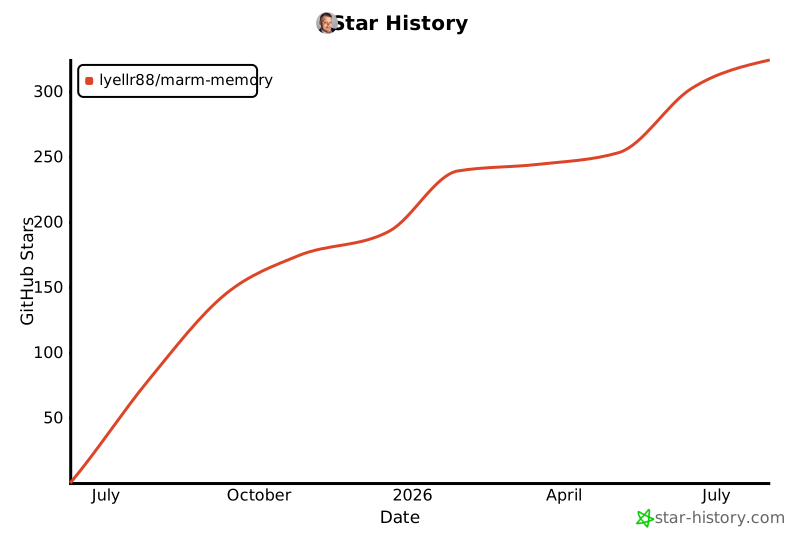
⭐ Star the Project
If MARM helps with your AI memory needs, please star the repository to support development!
Contributing
MARM welcomes contributors at every level. Code helps, but so do docs, setup notes, client testing, bug reports, benchmarks, and real workflow feedback from people using AI tools every day.
Good places to help:
- Test MARM with more MCP clients, IDE agents, and operating systems
- Improve docs, screenshots, examples, and platform-specific setup notes
- Report bugs or confusing install steps with clear reproduction details
- Share memory workflows, agent habits, and tool ideas from real use
- Check out open issues
💡 Want to get your name on this list? Check out our CONTRIBUTING.md guide to get started!
Join the MARM Community
Help build the future of AI memory - no coding required!
Connect: MARM Discord | GitHub Discussions
License & Usage Notice
Copyright © 2026 Ryan A. Lyell. MARM is released under the Apache 2.0 License (see NOTICE for the copyright statement), and forks, experiments, and integrations are welcome. MARM also wraps third-party open-source components such as codebase-memory-mcp under MIT; see THIRD_PARTY_NOTICES.md for attribution. If you build on it, please make unofficial versions easy to distinguish from releases published by the official MARM repository so users know what they are installing.
Project Documentation
Usage Guides
- README.md - This file: complete usage guide, tool reference, workflows, and architecture
- PROTOCOL.md - MCP operating protocol
- FAQ.md - Answers to common questions about using MARM
MCP Server Installation
- INSTALL-DOCKER.md - Docker deployment (recommended)
- INSTALL-WINDOWS.md - Windows installation guide
- INSTALL-LINUX.md - Linux installation guide
- INSTALL-PLATFORMS.md - Platform installation guide
Project Information
- CONTRIBUTING.md - How to contribute to MARM
- CHANGELOG.md - Version history and updates
- ACKNOWLEDGMENTS.md - Contributors and acknowledgments
- ROADMAP.md - Planned features and development roadmap
- LICENSE - Apache 2.0 license terms
Project details
Verified details
These details have been verified by PyPIProject links
GitHub Statistics
Maintainers
Release history Release notifications | RSS feed


Download files
Download the file for your platform. If you're not sure which to choose, learn more about installing packages.
Source Distribution
Built Distribution
Filter files by name, interpreter, ABI, and platform.
If you're not sure about the file name format, learn more about wheel file names.
Copy a direct link to the current filters
File details
Details for the file marm_mcp_server-2.29.0.tar.gz.
File metadata
- Download URL: marm_mcp_server-2.29.0.tar.gz
- Upload date:
- Size: 13.4 MB
- Tags: Source
- Uploaded using Trusted Publishing? Yes
- Uploaded via: twine/6.1.0 CPython/3.13.14
File hashes
| Algorithm | Hash digest | |
|---|---|---|
| SHA256 |
bbb9224b038c0c61d00edea346250c46fbd29aacdfd31ff148c83458bf8f7685
|
|
| MD5 |
42673bb57c0402bd5950bece5858d31d
|
|
| BLAKE2b-256 |
bf935e09f6e8d89531801f1ef92efb946ba8da7934629592cb759034e548cfb9
|
Provenance
The following attestation bundles were made for marm_mcp_server-2.29.0.tar.gz:
Publisher:
publish-mcp.yml on Lyellr88/marm-memory
-
Statement:
-
Statement type:
https://in-toto.io/Statement/v1 -
Predicate type:
https://docs.pypi.org/attestations/publish/v1 -
Subject name:
marm_mcp_server-2.29.0.tar.gz -
Subject digest:
bbb9224b038c0c61d00edea346250c46fbd29aacdfd31ff148c83458bf8f7685 - Sigstore transparency entry: 2233217113
- Sigstore integration time:
-
Permalink:
Lyellr88/marm-memory@c0ee7776673b23588ac13c44c7bd67544b4703b8 -
Branch / Tag:
refs/tags/v2.29.0 - Owner: https://github.com/Lyellr88
-
Access:
public
-
Token Issuer:
https://token.actions.githubusercontent.com -
Runner Environment:
github-hosted -
Publication workflow:
publish-mcp.yml@c0ee7776673b23588ac13c44c7bd67544b4703b8 -
Trigger Event:
push
-
Statement type:
File details
Details for the file marm_mcp_server-2.29.0-py3-none-any.whl.
File metadata
- Download URL: marm_mcp_server-2.29.0-py3-none-any.whl
- Upload date:
- Size: 13.3 MB
- Tags: Python 3
- Uploaded using Trusted Publishing? Yes
- Uploaded via: twine/6.1.0 CPython/3.13.14
File hashes
| Algorithm | Hash digest | |
|---|---|---|
| SHA256 |
10845e8b607f4149276f7dae1cb241179a87800162d2b2c8eb57e840d61ccc44
|
|
| MD5 |
c42df76bded3d5d86f788f72473e997c
|
|
| BLAKE2b-256 |
486bf297d4dd63f84f0899b9f3b9eda4bc02b358ffe32eb79bb097d3212fea0c
|
Provenance
The following attestation bundles were made for marm_mcp_server-2.29.0-py3-none-any.whl:
Publisher:
publish-mcp.yml on Lyellr88/marm-memory
-
Statement:
-
Statement type:
https://in-toto.io/Statement/v1 -
Predicate type:
https://docs.pypi.org/attestations/publish/v1 -
Subject name:
marm_mcp_server-2.29.0-py3-none-any.whl -
Subject digest:
10845e8b607f4149276f7dae1cb241179a87800162d2b2c8eb57e840d61ccc44 - Sigstore transparency entry: 2233217691
- Sigstore integration time:
-
Permalink:
Lyellr88/marm-memory@c0ee7776673b23588ac13c44c7bd67544b4703b8 -
Branch / Tag:
refs/tags/v2.29.0 - Owner: https://github.com/Lyellr88
-
Access:
public
-
Token Issuer:
https://token.actions.githubusercontent.com -
Runner Environment:
github-hosted -
Publication workflow:
publish-mcp.yml@c0ee7776673b23588ac13c44c7bd67544b4703b8 -
Trigger Event:
push
-
Statement type:






