
This release is a pre-release and may not be stable for production use.

MirrorDash



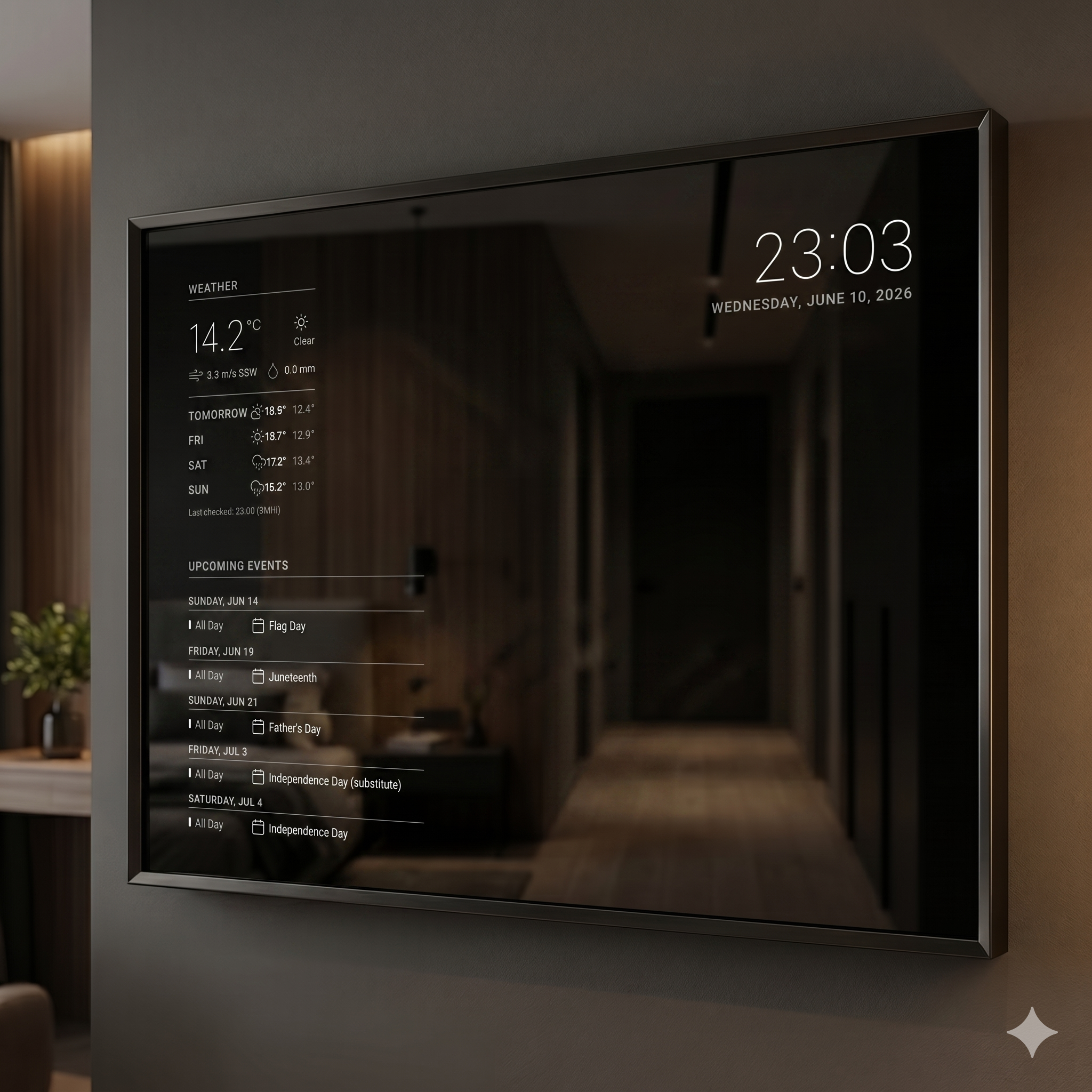
A calm display for your hallway mirror: the time, the weather and your day, glowing through the glass. No touchscreen, no voice assistant, no notifications.
Website: mirrordash.net
From SD card to mirror in three steps
- Flash the MirrorDash image onto an SD card and put it in the Pi.
- Join the mirror's own Wi-Fi with your phone (scan the QR code on the screen) and pick your home network.
- Done. Open
mirrordash.localon your phone to choose what the mirror shows.
No keyboard, no terminal, no config files, now or later.
Status: beta. Developed and tested on a Raspberry Pi 3 B, Matter with Apple Home and Google Home included. The image carries what a Pi 4 and a Pi 5 need, but hasn't been tried on them yet: tell us how it goes.
Why it's different from the smart mirror you built last time
| A typical DIY smart mirror | MirrorDash | |
|---|---|---|
| Setting it up | Keyboard, terminal, config files | Join its Wi-Fi from your phone, pick your network |
| Changing things | Edit a file over SSH | Your phone, in the admin page |
| An update goes wrong | A black screen, and an evening of debugging | It goes back to the last version by itself |
| The SD card | Wears out from constant writing | The system part is read-only |
| The screen | On all night | On when someone's there, on a schedule, or from Apple Home, Google Home and Home Assistant (Matter) |
| New widgets | Copy code into the project | Tap Install in the admin page |
Coming from MagicMirror²? Same idea, a glance at the mirror on your way out. What's different is everything around it: the setup, the phone instead of a config file, the updates that undo themselves. MagicMirror² modules (JavaScript) don't run here; a MirrorDash module is a small Python package, and the SDK makes one with example data in a minute.
Get started
You need (rough prices in 2026)
| Part | About | Notes |
|---|---|---|
| Raspberry Pi 3 B or newer | €35–60 | Developed on a Pi 3 B; a Pi 4 or 5 should work too. |
| SD card, 8 GB or more | €8 | |
| The official power supply | €10 | 5.1 V, 2.5 A for a Pi 3. A weaker one makes the mirror slow, and it warns you. |
| A screen with HDMI | €0–100 | An old computer monitor is ideal: most of them let the mirror set their brightness (DDC/CI), most TVs don't. Take it out of its case for a slim build. |
| A two-way mirror | €30–150 | Glass is the clearest; acrylic is cheaper and lighter but can warp; mirror film on plain glass is the cheapest. A bit larger than the screen. |
| A frame | €0–30 | Wood from the hardware store, or an old picture frame. |
| Optional: a motion sensor | €3–6 | A PIR sensor (HC-SR501) or an mmWave sensor (LD2410, which also notices someone standing still), so the screen is on only when someone's there. Buttons, a light sensor and a fan can be added too. |
All in, about €90–350, depending mostly on the screen and the mirror.
Then
- Download the newest image at mirrordash.net/download.
- Flash it with Raspberry Pi Imager (Choose OS → Use custom).
- Start the mirror. On its first start it restarts once by itself, then shows the Wi-Fi setup. The user guide takes it from there, and its quick start has every step on one screen.
Modules
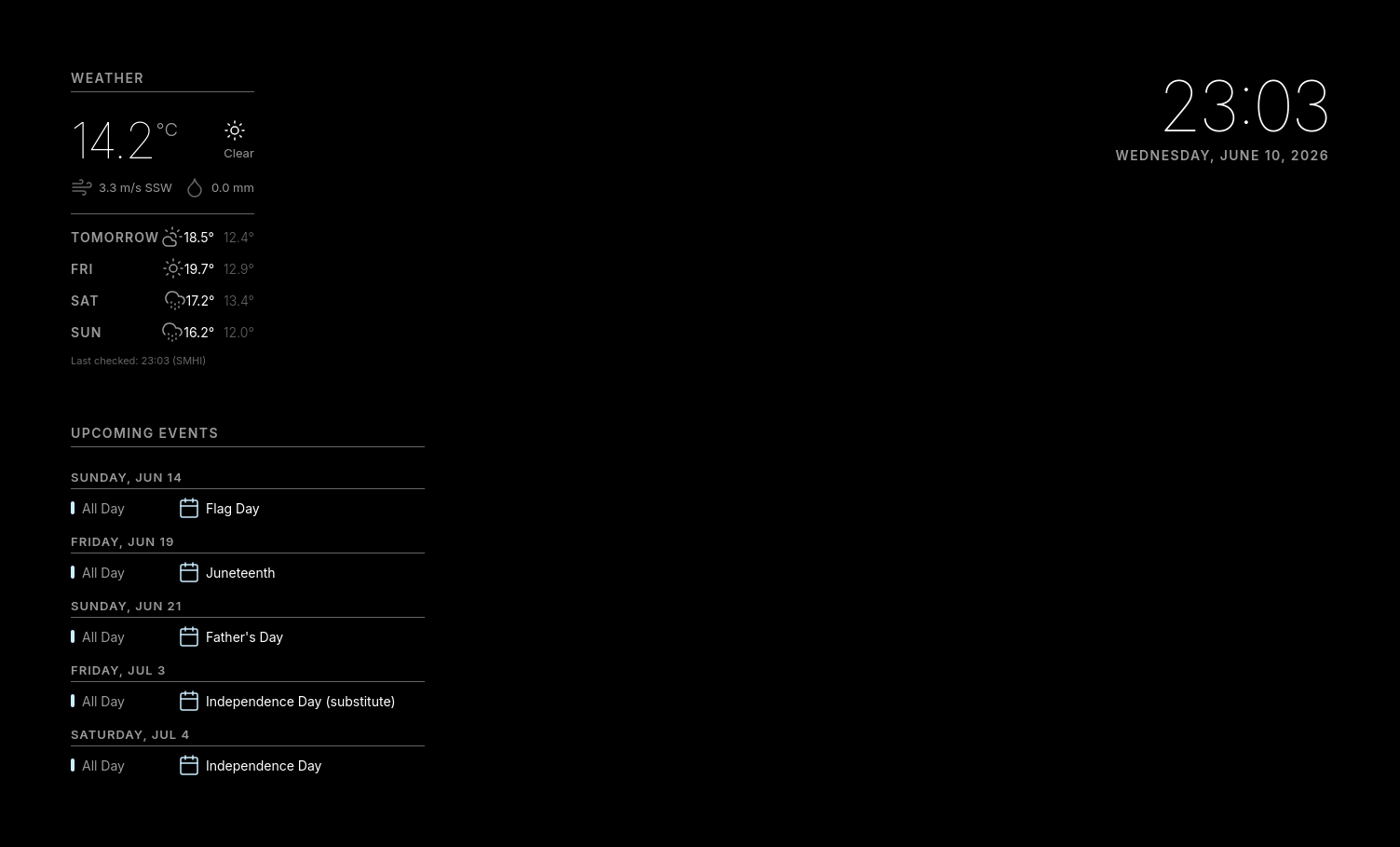
The clock comes with the mirror. Install the others in the admin page under Modules → Add modules.
| Module | Shows |
|---|---|
| Clock | The time and date |
| Weather | The weather now and the forecast |
| Calendar | Your upcoming events |
| News | The latest headlines from built-in or your own sources |
| Home Assistant | Sensors from Home Assistant |
| Krisinformation | Swedish crisis information from Krisinformation.se |
| Namnsdag | The Swedish name day |
Make your own
uvx mirrordash-sdk quickstart mirrordash-my-widget
This creates a module with example data and starts a mirror on your computer that shows every change as you save. Put the module on GitHub as mirrordash-<something> and publish a GitHub Release: it then shows up under Modules → Add modules on every mirror. The SDK and its module guide have the details.
Help and ideas
- Questions, ideas, or a photo of your mirror: Discussions.
- Something wrong: an issue. Logs → Diagnostics in the admin page gathers what helps find the fault.
Under the hood
- Server: FastAPI (Python 3.14). Modules push their content to the screen over a WebSocket, and a page that reconnects gets everything again right away.
- Screen: plain HTML, CSS and JavaScript without a build step, shown full screen by Cog (WPE WebKit) on labwc. Every mirror has its component library at
/design. - Modules: each is its own Python package, found through entry points, and runs in a sandboxed process as a user of its own. A module that crashes is restarted on its own.
- System: Raspberry Pi OS (Debian 13) with a read-only root (overlayroot). Settings, modules and Wi-Fi live on a separate partition. Updates go into a second environment, and the mirror switches back if the new one doesn't start.
Documentation
- User guide (also on the website): setting up, wiring, the screen's rules, recovery, Matter, the API and Home Assistant.
- The website is
docs/(GitHub Pages from master, no build step):index.html, andguide.html, which renders USER_GUIDE.md in the browser. - Changelog: what's new in each release.
- Contributing: run and change the core on your computer.
- Architecture and Design system: why it's built and looks the way it does.
- Releasing: how the app and the OS image are released.
License
Copyright (C) 2026 Jonas Öhlander. MirrorDash is dual-licensed:
- GNU AGPL 3.0: free to use, change and share. If you share it, or let others use a changed version over the network, you share your source under the AGPL too.
- A commercial license for products that can't share their source: ask Menturan on GitHub.
Modules are separate projects with their own licenses; the SDK is MIT.
1 maintainer

Metadata
1 maintainer
Release files for mirrordash 0.10.1rc2
For a detailed explanation of source distributions (sdists) and built distributions (wheels), please see the package formats documentation.
Source distribution (sdist)
| File | Size | Uploaded | Provenance | Actions |
|---|---|---|---|---|
| mirrordash-0.10.1rc2.tar.gz | 8.8 MB | With provenance | Details for mirrordash-0.10.1rc2.tar.gz |
Built distribution (wheel)
| File | Interpreter | ABI | Platform | Actions Reset |
|---|---|---|---|---|
| mirrordash-0.10.1rc2-py3-none-any.whl | Python 3 | none | any | Details for mirrordash-0.10.1rc2-py3-none-any.whl |
Total release size: 10.5 MB
Release files / mirrordash-0.10.1rc2.tar.gz
| Download URL | mirrordash-0.10.1rc2.tar.gz |
|---|---|
| Size | 8.8 MB |
| Tags | Source |
|
SHA-256 checksum How to use checksums |
fe2a7d863c161bb2c2d3e2e2a76efa7ba8adc22bb56d791b837f909a5617cfd6
|
|
BLAKE2b-256 checksum How to use checksums |
e0033fab420166eea766c4f53d6e3c651142b10660973fc231651879e2e6dba9
|
| Upload date | |
|
Uploaded using Trusted Publishing? What is trusted publishing? |
Yes |
| Uploaded via |
twine/7.0.0 CPython/3.13.14
|
Provenance
Provenance describes where a file came from. On PyPI, provenance is shared via attestations, which provide a verifiable record of the build or publishing details. View details, limitations and caveats.


PyPI Publish Attestation
PyPI verified that this artifact, at this checksum, originated from the publisher listed below.
Signed by GitHub Actions, verified by PyPI on Nov 1, 2026.
Transparency logRelease files / mirrordash-0.10.1rc2-py3-none-any.whl
| Download URL | mirrordash-0.10.1rc2-py3-none-any.whl |
|---|---|
| Size | 1.7 MB |
| Tags | Python 3 |
|
SHA-256 checksum How to use checksums |
ce832402f20ca1f437b470fe4fb72f5ff4870dc4274d1b253e72aaf75c559726
|
|
BLAKE2b-256 checksum How to use checksums |
7584a8160dd06113555324a4fb130af140a79efb7d8d6fb5b84069f96e34f3fa
|
| Upload date | |
|
Uploaded using Trusted Publishing? What is trusted publishing? |
Yes |
| Uploaded via |
twine/7.0.0 CPython/3.13.14
|
Provenance
Provenance describes where a file came from. On PyPI, provenance is shared via attestations, which provide a verifiable record of the build or publishing details. View details, limitations and caveats.
PyPI Publish Attestation
PyPI verified that this artifact, at this checksum, originated from the publisher listed below.
Signed by GitHub Actions, verified by PyPI on Nov 1, 2026.
Transparency logSecurity for mirrordash 0.10.1rc2
Provenance
Provenance describes where a file came from. On PyPI, provenance is shared via attestations, which provide a verifiable record of the build or publishing details. View details, limitations and caveats.
Full provenance
Both files in this release have been uploaded with provenance metadata.
Attestation for mirrordash-0.10.1rc2.tar.gz
PyPI Publish Attestation
PyPI verified that this artifact, at this checksum, originated from the publisher listed below.
Signed by GitHub Actions, verified by PyPI on Nov 1, 2026.
Transparency logA note on package security
PyPI is a repository for distributing packages, not a service for auditing them. While third-party security researchers and our staff do their best to detect and remove malicious packages, PyPI cannot guarantee the quality, security or suitability of any given package.
To learn more about protecting yourself from malicious actors, visit our package security documentation.














