
MKTXP







MKTXP is an extensible toolkit for MikroTik RouterOS network engineering. It provides interactive terminal diagnostics, deterministic GitOps configuration management, and a Prometheus metrics exporter within a lightweight command-line tool.
Choose Your Workflow
| I need to … | Start with | Full Guide |
|---|---|---|
| Troubleshoot a router now | mktxp diag … |
CLI Diagnostics Guide |
| Clean up / version RouterOS configs | mktxp rsc … |
GitOps RSC Guide |
| Monitor routers continuously | mktxp export |
Prometheus Exporter Guide |
Install
Standalone CLI & Exporter
# Recommended for local CLI usage
❯ pipx install mktxp

# Or via standard pip
❯ pip install mktxp

# Via Homebrew
❯ brew install mktxp

# Via Docker
❯ docker pull ghcr.io/akpw/mktxp:latest
Requirements: Python >= 3.9. Supported on Linux, macOS, and FreeBSD.
Ready-to-Run Monitoring & Logging Stack
If you need a turnkey environment without manually wiring services, MKTXP Stack is an out-of-the-box Docker Compose deployment that packages MKTXP alongside Prometheus / Grafana stack with pre-configured dashboards, and adds centralized MikroTik syslog processing via Loki and Promtail.
Quick Start: GitOps Configuration (mktxp rsc)
For local .rsc files, mktxp rsc works with zero configuration or router setup required:
# Deterministic formatting: single-line commands, standardized headers, and clean Git diffs
❯ mktxp rsc format -i backup.rsc -o clean_backup.rsc

# Modular domain splitting: break a monolithic export into numbered component files and extracted scripts
❯ mktxp rsc split -i backup.rsc -o ./config-repo/ --extract-scripts
📖 For AST architecture, custom domain handlers, live backups over SSH, and CI/CD automation, see the GitOps RSC Guide.
Connect to a Router
Both Live Diagnostics and the Prometheus Exporter connect to your routers via the standard RouterOS API.
MKTXP uses two configuration files:
mktxp.conf: Router connection profiles, credentials, custom labels, and metrics switches. Edit withmktxp edit._mktxp.conf: Daemon listen sockets, timeouts, parallel scraping, GitOps rules, and CLI diagnostic thresholds. Edit withmktxp edit -i.
Files are resolved automatically from ~/.config/mktxp/ (XDG standard) or /etc/mktxp/ (system/Docker), or explicitly overridden for any command with --cfg-dir <path>. Check active paths anytime with mktxp show -cfg.
1. Minimal Configuration (mktxp.conf)
Add your router entry to mktxp.conf:
[My-Router]
    hostname = 192.168.88.1
    username = mktxp_user
    password = secret_password
(For Docker, simply mount your config directory: -v "$(pwd)/mktxp-config:/etc/mktxp")
2. Router User Setup
Create a dedicated monitoring user on your MikroTik router:
/user group add name=mktxp_group policy=api,read
/user add name=mktxp_user group=mktxp_group password=secret_password
📖 For complete parameter references,
[default]section inheritance, custom labels, parallel fetching, and diagnostic tuning, see the Configuration Guide.
Quick Start: Live Diagnostics (mktxp diag)
Run targeted, domain-specific diagnostic one-liners directly in your terminal:
# Find sticky wireless clients clinging to distant APs with poor signal or low rates
❯ mktxp diag -en My-Router -cc --low-signal --low-rate 1M

# Surface top bandwidth consumers across the network
❯ mktxp diag -en My-Router -kc --top 5

# Audit mystery DHCP devices with no hostname
❯ mktxp diag -en My-Router -dc --unidentified

# Check active dynamic firewall threat bans
❯ mktxp diag -en My-Router -al blacklist --dynamic-only

# Pinpoint degraded cables or ports negotiating down (< 100 Mbps or half-duplex)
❯ mktxp diag -en My-Router -im --degraded
Sample output:
+----------------------+--------------+-------------------+-----------+------------------+--------+---------+---------+---------+
|      dhcp_name       | dhcp_address |    mac_address    | rx_signal |    interface     |  ssid  | tx_rate | rx_rate | uptime  |
+======================+==============+===================+===========+==================+========+=========+=========+=========+
| wlan0 (Conf Printer) | 10.20.10.49  | D8:1F:12:AD:3C:55 |    -87    | AP-Breakroom-2G  | Office | 36 Mbps | 1 Mbps  | 6 hours |
| wlan0 (Boardroom Tab)| 10.20.10.97  | 10:5A:17:0C:B9:C8 |    -84    | AP-Reception-2G  | Office | 24 Mbps | 1 Mbps  |  a day  |
+----------------------+--------------+-------------------+-----------+------------------+--------+---------+---------+---------+
Matching CAPsMAN clients: 2 (Total connected: 127)
📖 For more diagnostic domains, table schemas, and recipes, see the Diagnostics Guide.
Quick Start: Prometheus Exporter (mktxp export)
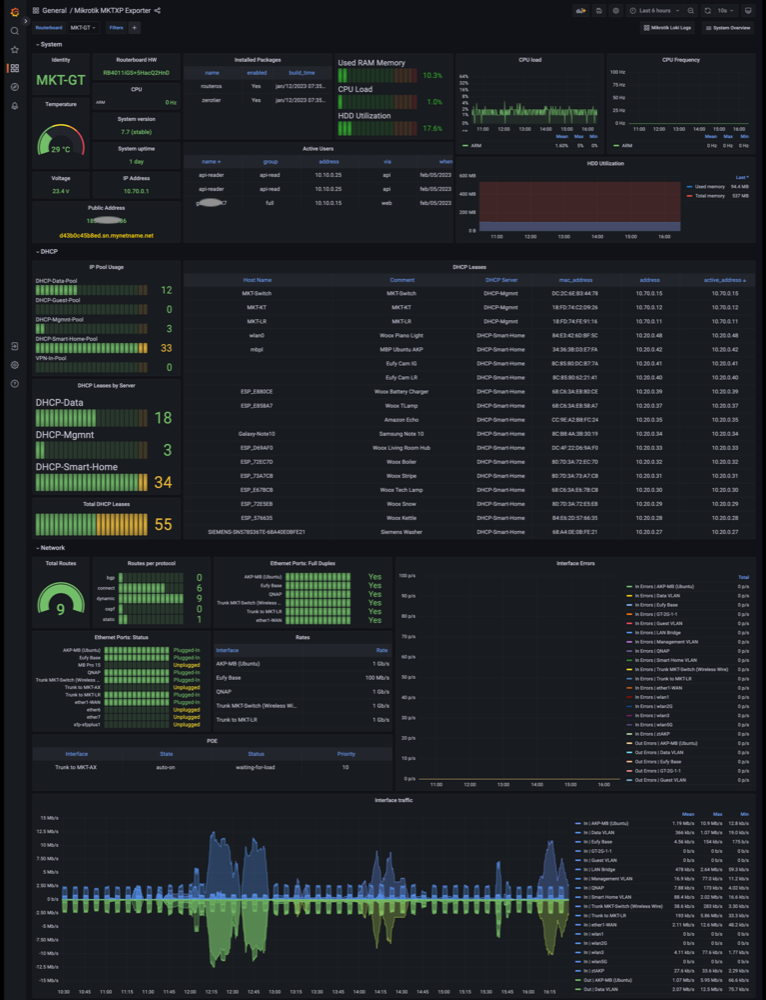
Start the exporter daemon to scrape configured routers and serve metrics to Prometheus:
❯ mktxp export
# Serving Prometheus metrics at http://localhost:49090/metrics
Add the scrape target to /etc/prometheus/prometheus.yml:
scrape_configs:
  - job_name: 'mktxp'
    static_configs:
      - targets: ['localhost:49090']
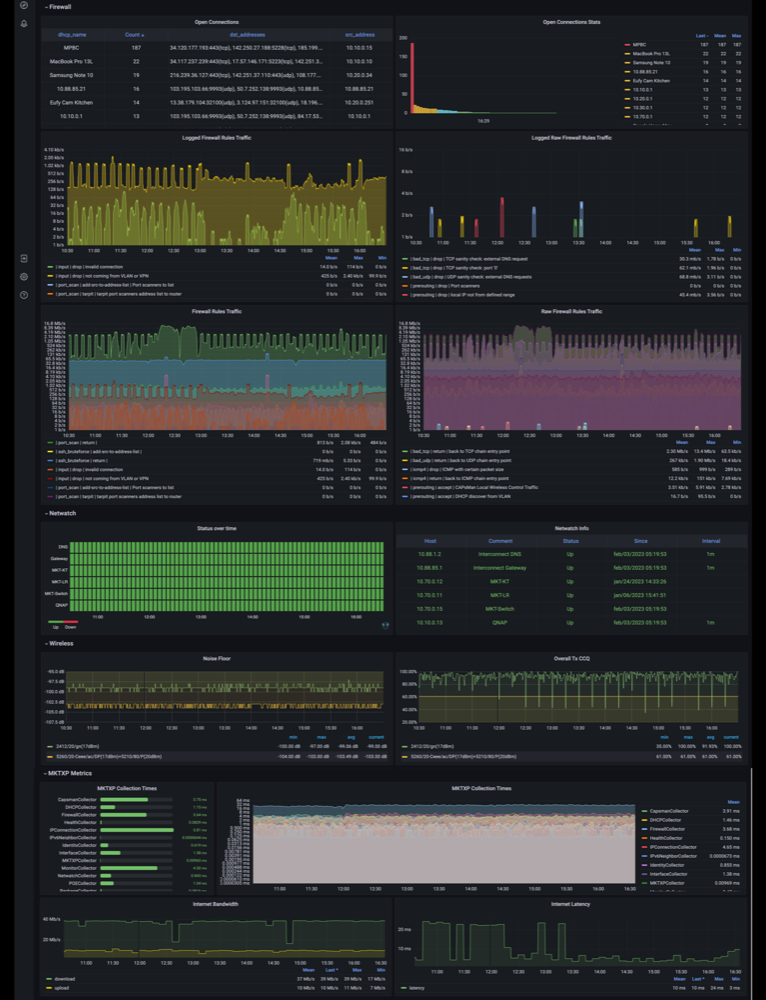
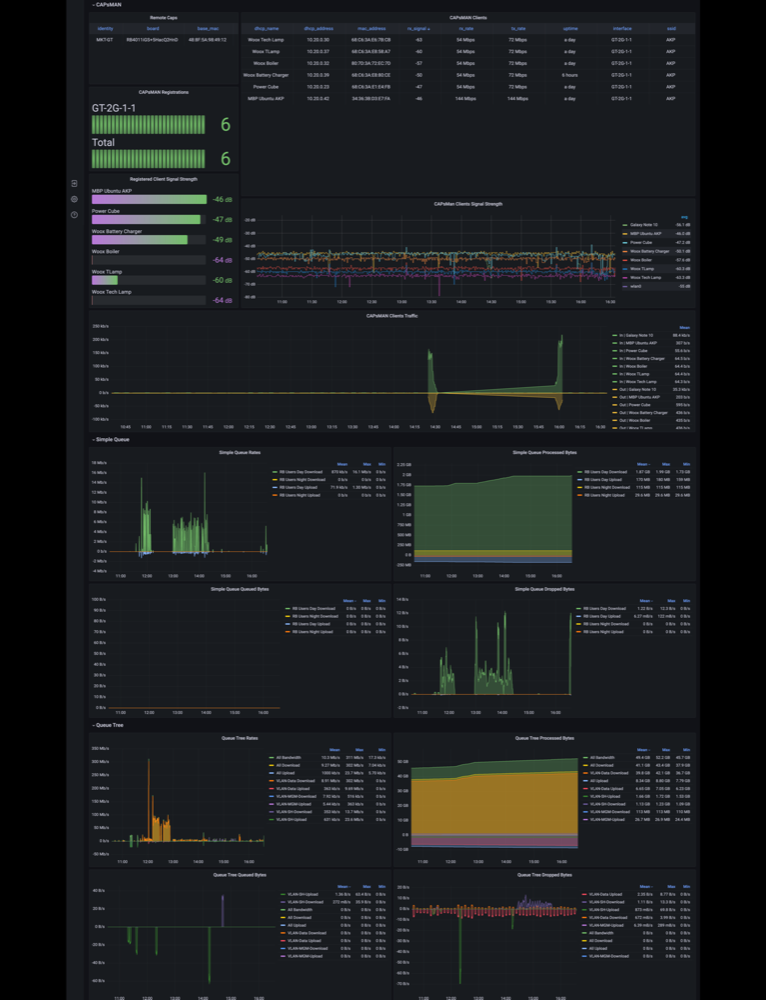
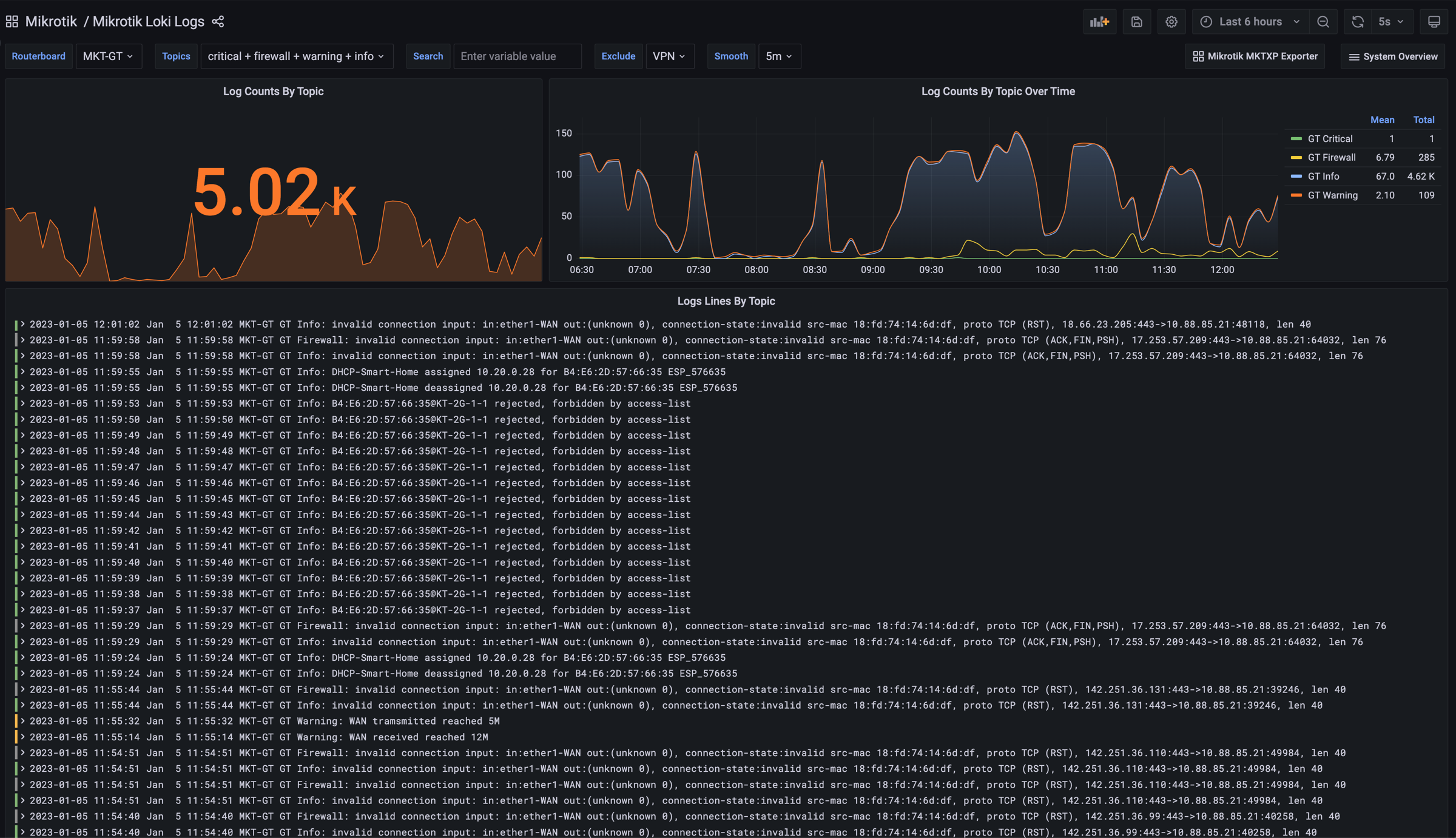
Import the official Grafana Dashboard (ID: 13679):
Detailed Documentation
- Live CLI Diagnostics Guide: Detailed filter reference, table schemas, and recipes for multiple diagnostic domains.
- RouterOS GitOps RSC Guide: AST formatting, modular domain splitting, script extraction, and CI/CD pipelines.
- Prometheus Exporter Guide: Metrics catalog,
/probemulti-target pattern, container manifests, and service files. - Configuration Reference Guide: Complete anatomy of
mktxp.confand_mktxp.conf, multi-router inheritance, tuning, and Docker mounts.
Blogs
- Beyond Metrics: Instant RouterOS Diagnostics with MKTXP 2.0
- Under the Hood: Refactoring MKTXP for 2.0
- Wrangling RouterOS Configs: Introducing GitOps for MikroTik with MKTXP
License & Contributing
- Distributed under the GNU General Public License v2.
- Local development:
- Create a virtual environment:
python3 -m venv .venv && source .venv/bin/activate - Install editable with test dependencies:
pip install -e ".[test]" - Run test suite:
pytest - Install latest development build directly:
pip install git+https://github.com/akpw/mktxp
- Create a virtual environment:
1 maintainer

Metadata
1 maintainer
Release files for mktxp 2.1.0
For a detailed explanation of source distributions (sdists) and built distributions (wheels), please see the package formats documentation.
Source distribution (sdist)
| File | Size | Uploaded | |
|---|---|---|---|
| mktxp-2.1.0.tar.gz | 113.2 kB | Details |
Built distribution (wheel)
| File | Interpreter | ABI | Platform | Reset |
|---|---|---|---|---|
| mktxp-2.1.0-py3-none-any.whl | Python 3 | none | any | Details |
Total release size: 316.4 kB
Release files / mktxp-2.1.0.tar.gz
| Download URL | mktxp-2.1.0.tar.gz |
|---|---|
| Size | 113.2 kB |
| Tags | Source |
|
SHA-256 checksum How to use checksums |
243c791a1d376613e00dc794cf5d2208f4b189c36dce5a71bf4597d120ea2045
|
|
BLAKE2b-256 checksum How to use checksums |
c9acf2dbad0af8d668efa862e9d0af153b43c2a0a6ffa94c47c736d2da737934
|
| Upload date | |
|
Uploaded using Trusted Publishing? What is trusted publishing? |
No |
| Uploaded via |
twine/6.2.0 CPython/3.14.7
|
Release files / mktxp-2.1.0-py3-none-any.whl
| Download URL | mktxp-2.1.0-py3-none-any.whl |
|---|---|
| Size | 203.2 kB |
| Tags | Python 3 |
|
SHA-256 checksum How to use checksums |
90e3de06edef11f6d1ce7fad59f92191272e07f5ee1336d21ecd9791625883d3
|
|
BLAKE2b-256 checksum How to use checksums |
26fcb870a035f9f28bb35f5ef48b48cd197d208e2eb00624d4e6608a270dca20
|
| Upload date | |
|
Uploaded using Trusted Publishing? What is trusted publishing? |
No |
| Uploaded via |
twine/6.2.0 CPython/3.14.7
|














