
Terminal-based 3D molecular viewer
Verified details
These details have been verified by PyPIProject links
GitHub Statistics
Maintainers

Project description
MolTUI
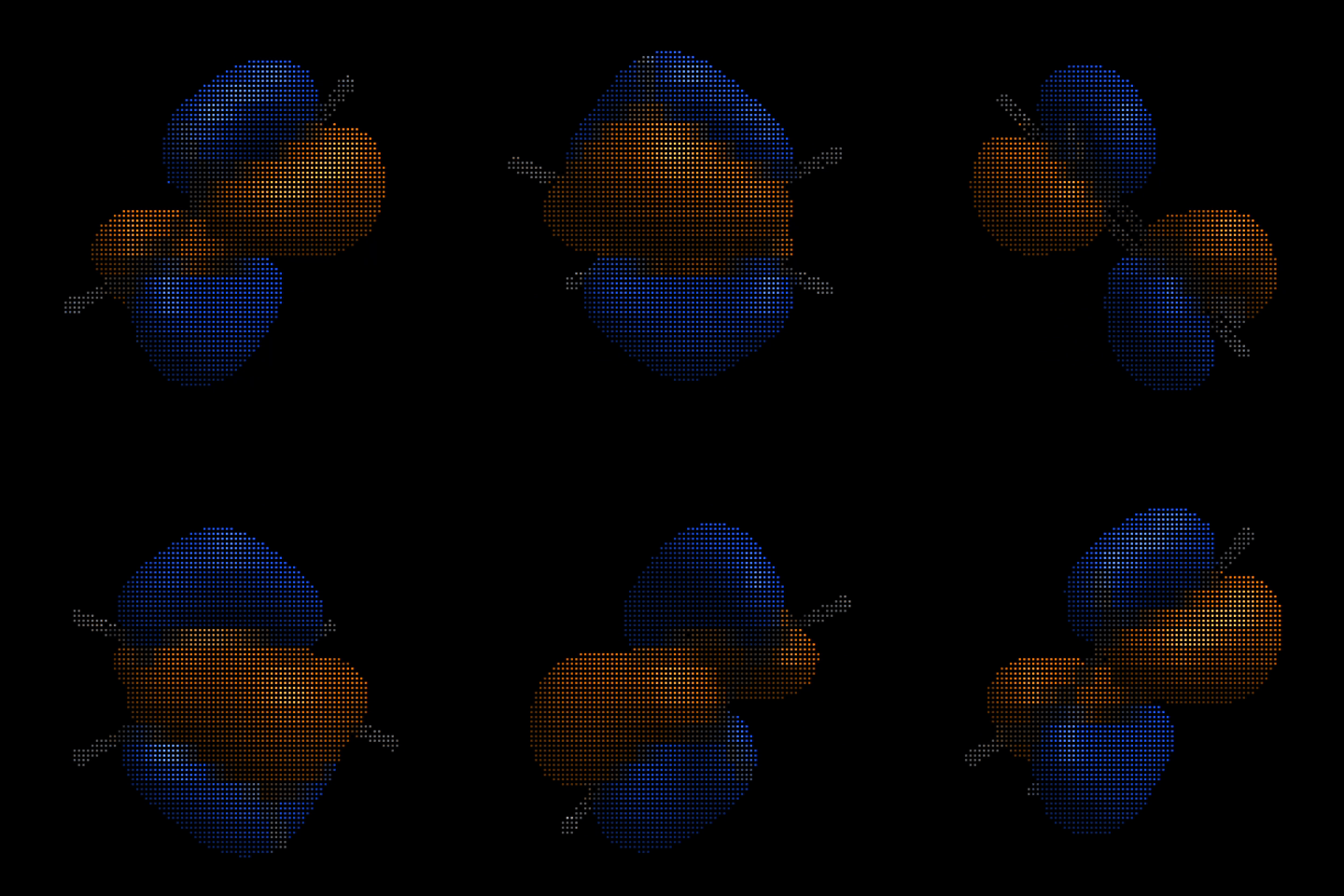
MolTUI is a terminal molecular viewer for the XYZ, Zmat, Molden, Gaussian Cube, Orca GBW and HESS file format designed for quick inspection of geometries, trajectories, orbitals and normal modes directly in the terminal using Unicode characters. Ideal for remote SSH sessions and lightweight analyses.
Installation
pip install moltui
# or
uv tool install moltui
Usage
moltui <file>
Features
MolTUI is organized in a series of modes that can be cycled using the m (forward) and M (backward) keys.
Each mode opens a respective sidebar which can be toggled on and off with S.
The modes consist of molecular orbitals, normal modes and geometry and availability depends on the file format that was opened.
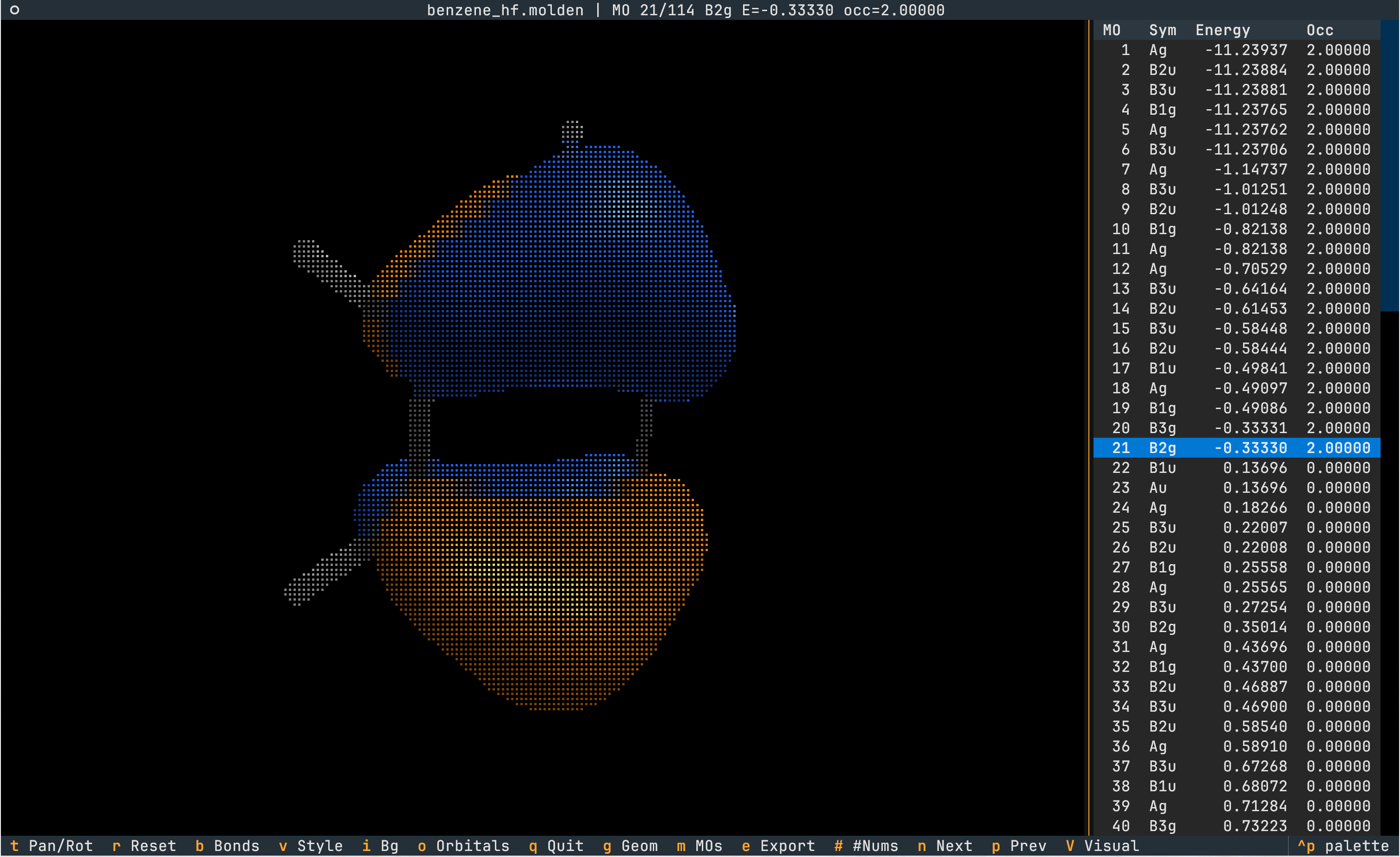
Visualize Orbitals
- The rendering of orbitals can be toggled via
o. - Molden and GBW files can contain multiple molecular orbitals. Cycle through MOs with
next andprev.
Analyze Geometry
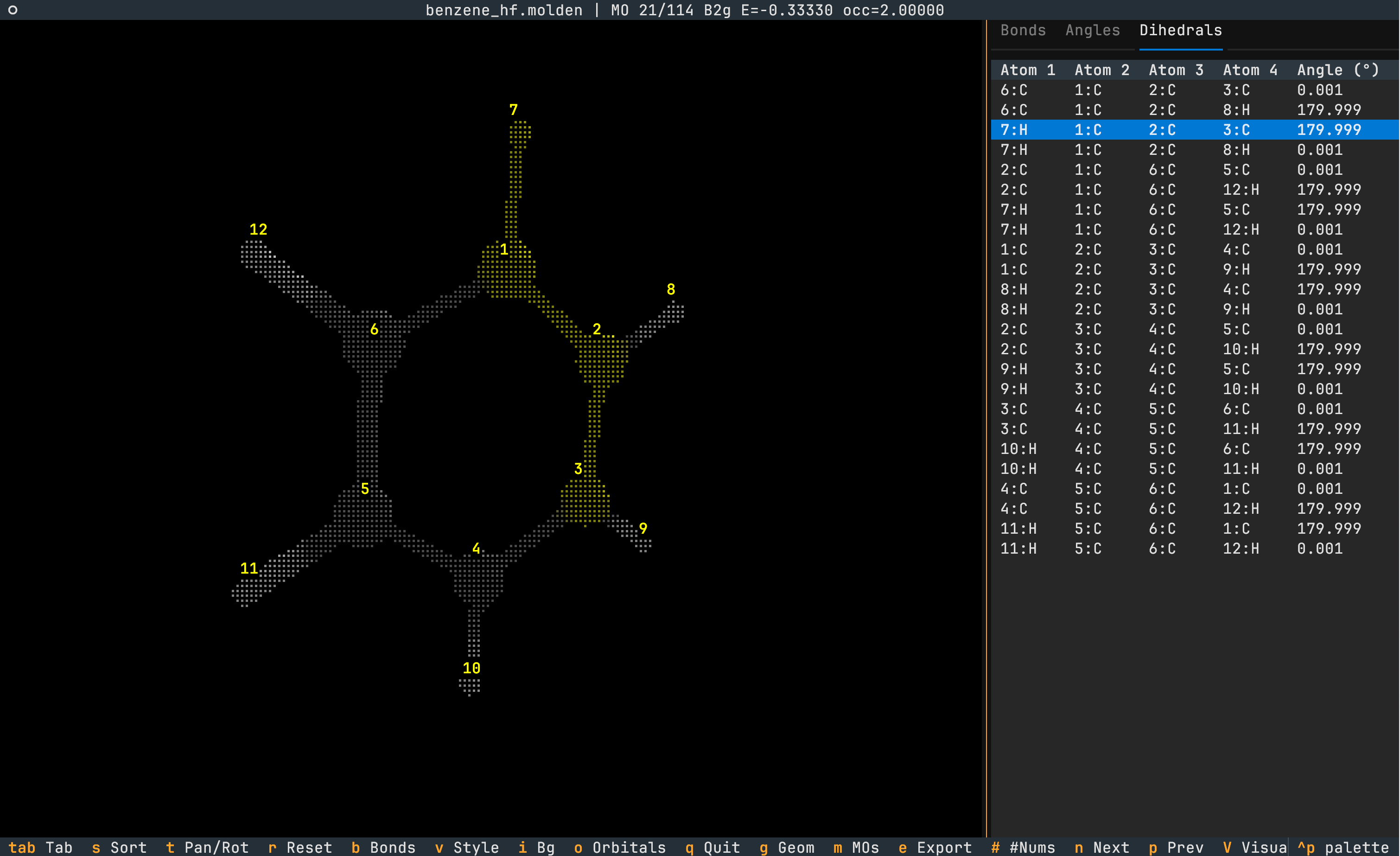
- Bond lengths, angles and dihedrals can be viewed using the
geometry key which opens a sidebar. Navigate between tabs via<tab>. - The quantity is highlighted in yellow on the molecule.
- Sort the quantity in increasing magnitude via
s. - Atom indices can be toggled via
#.
Animations
Trajectories
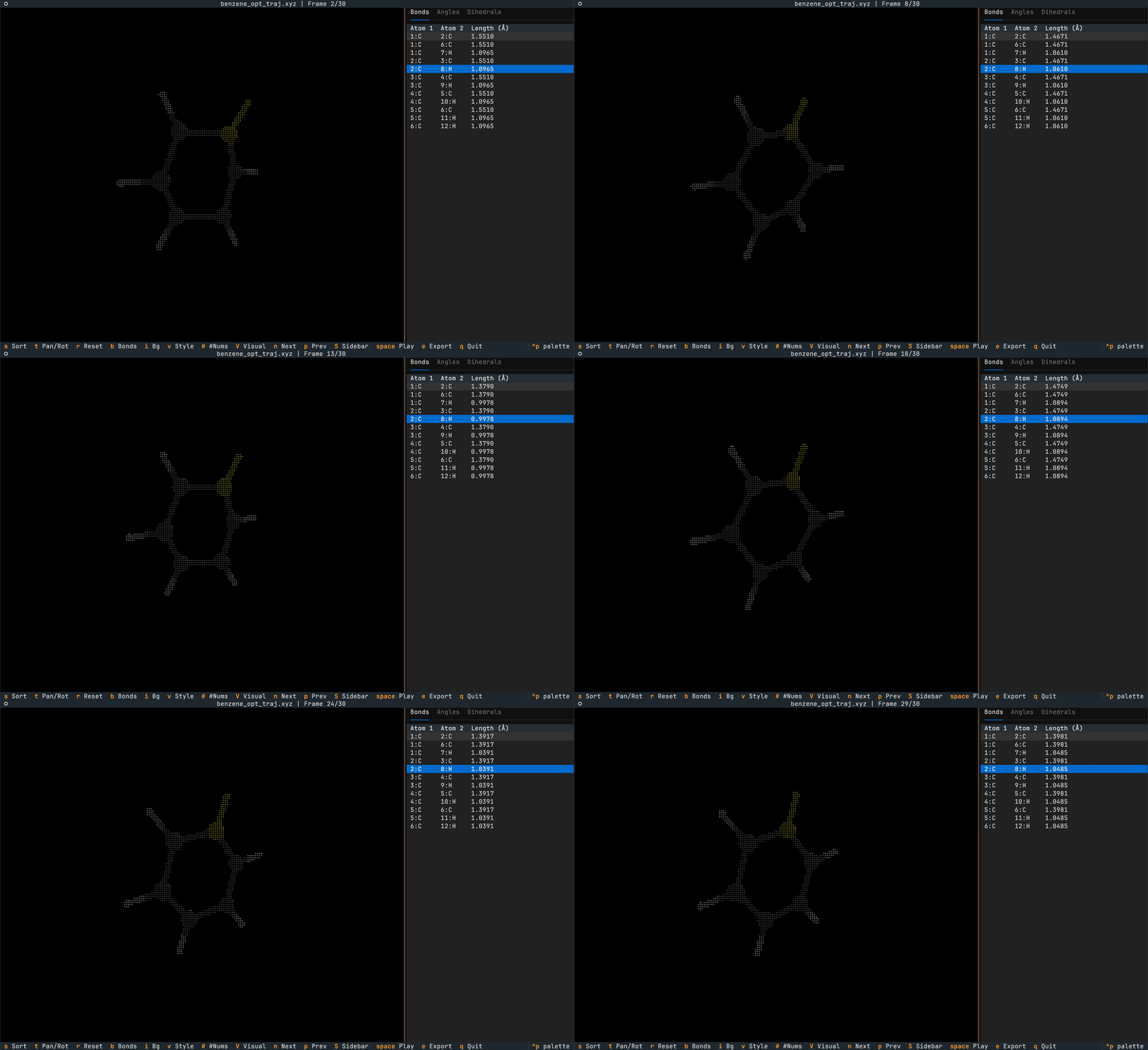
Trajectories can be provided in the multi-XYZ file format (essentially multiple XYZ files concatenated together).
Toggle a looping animation of the trajectory using <space> and cycle individual frames using [ and ].
The geometry sidebar values updates live with the current frame's geometry.
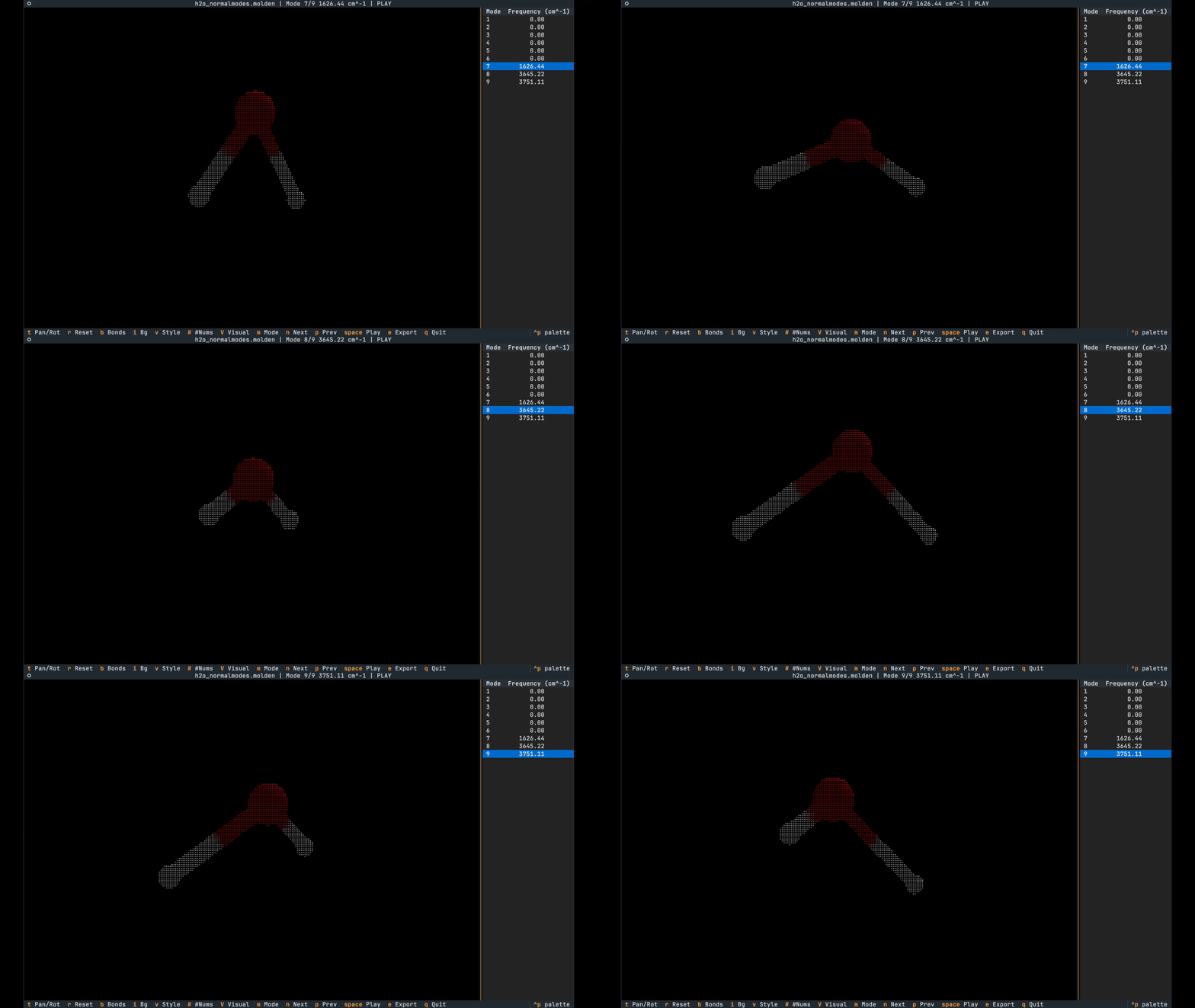
Normal Modes
Normal modes can be provided either via the Molden or Orca .hess file formats.
Animation playing can be toggled with <space>.
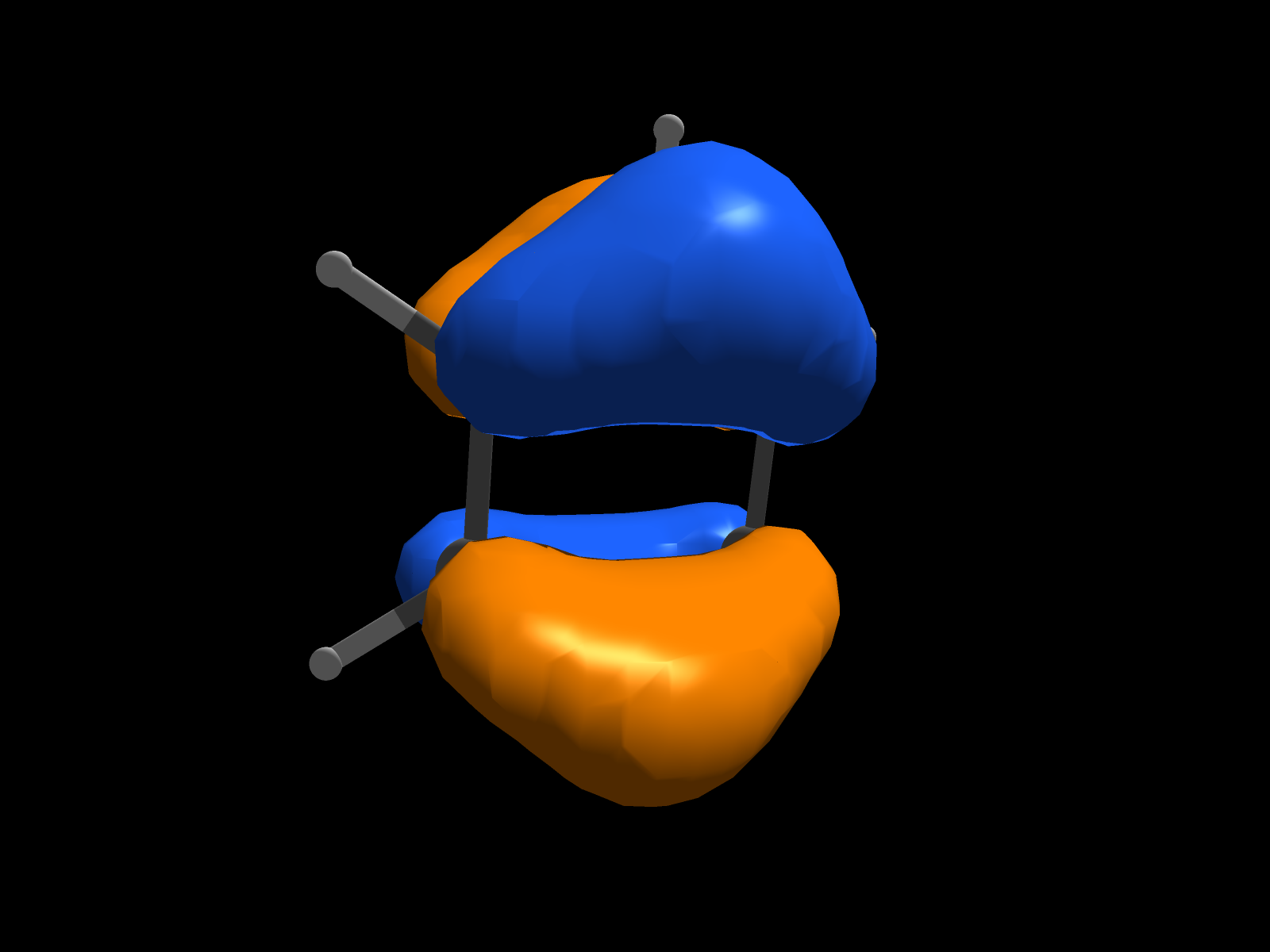
Export to PNG Format
The e key exports the current scene to a PNG.
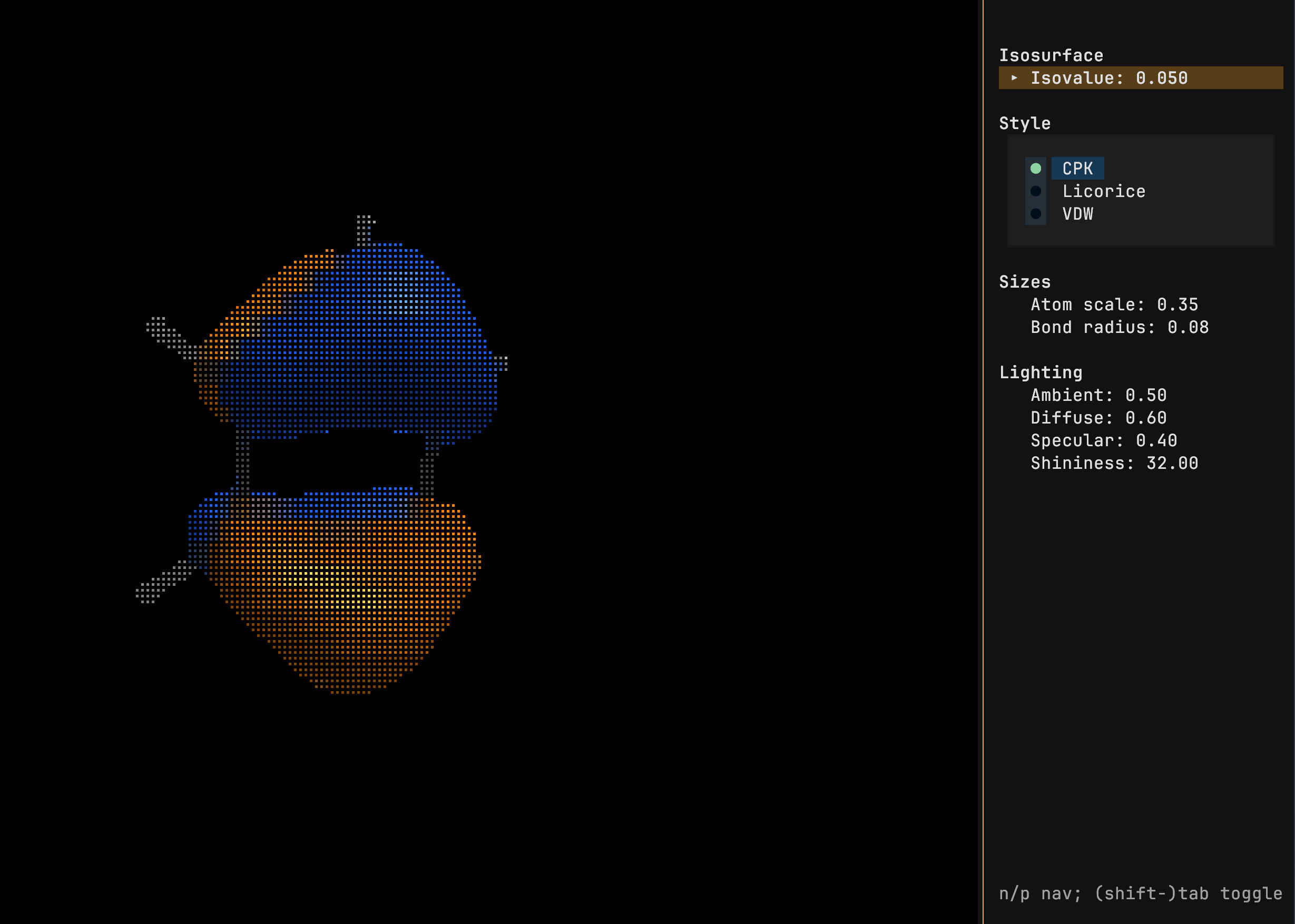
Tune Visuals
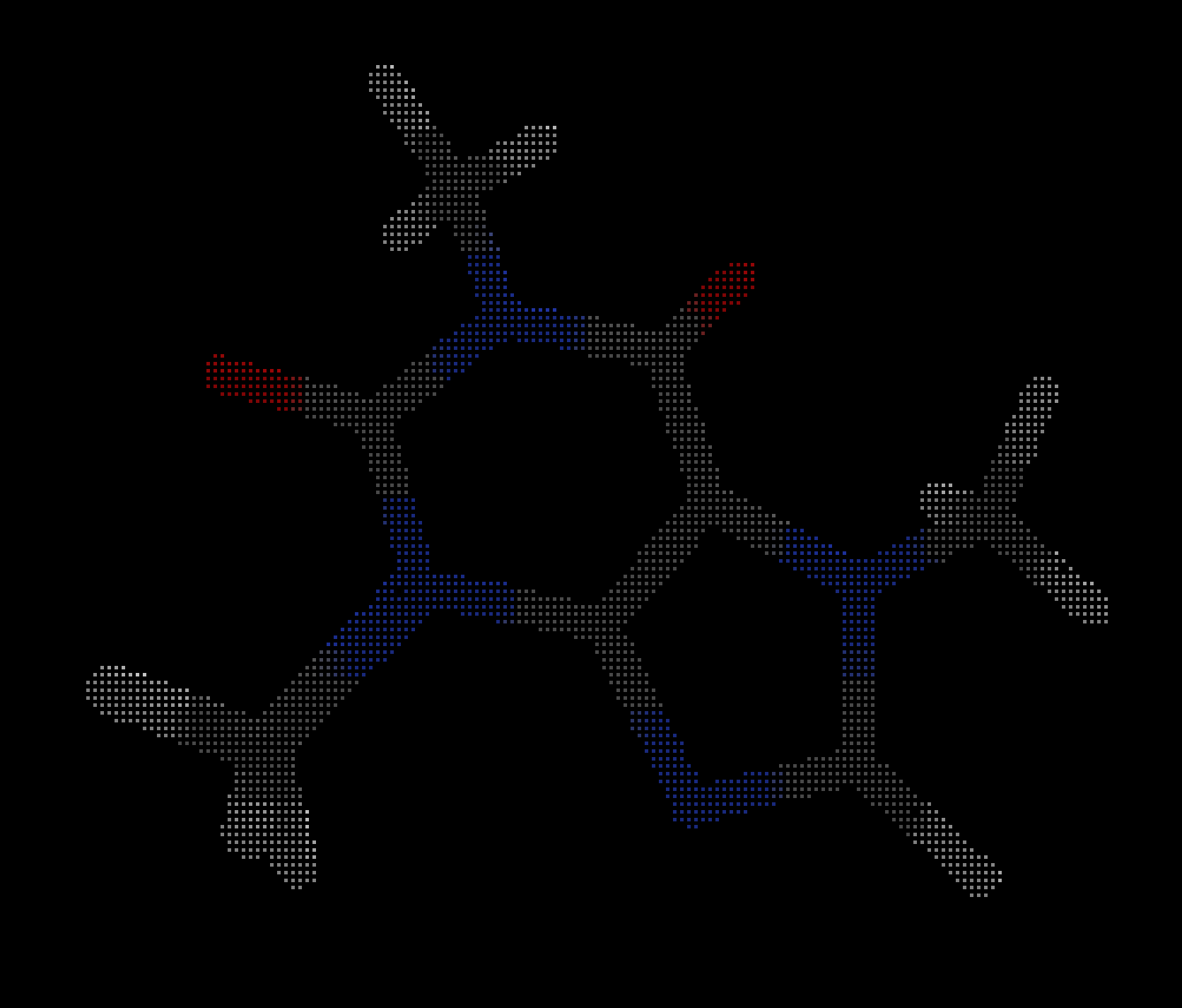
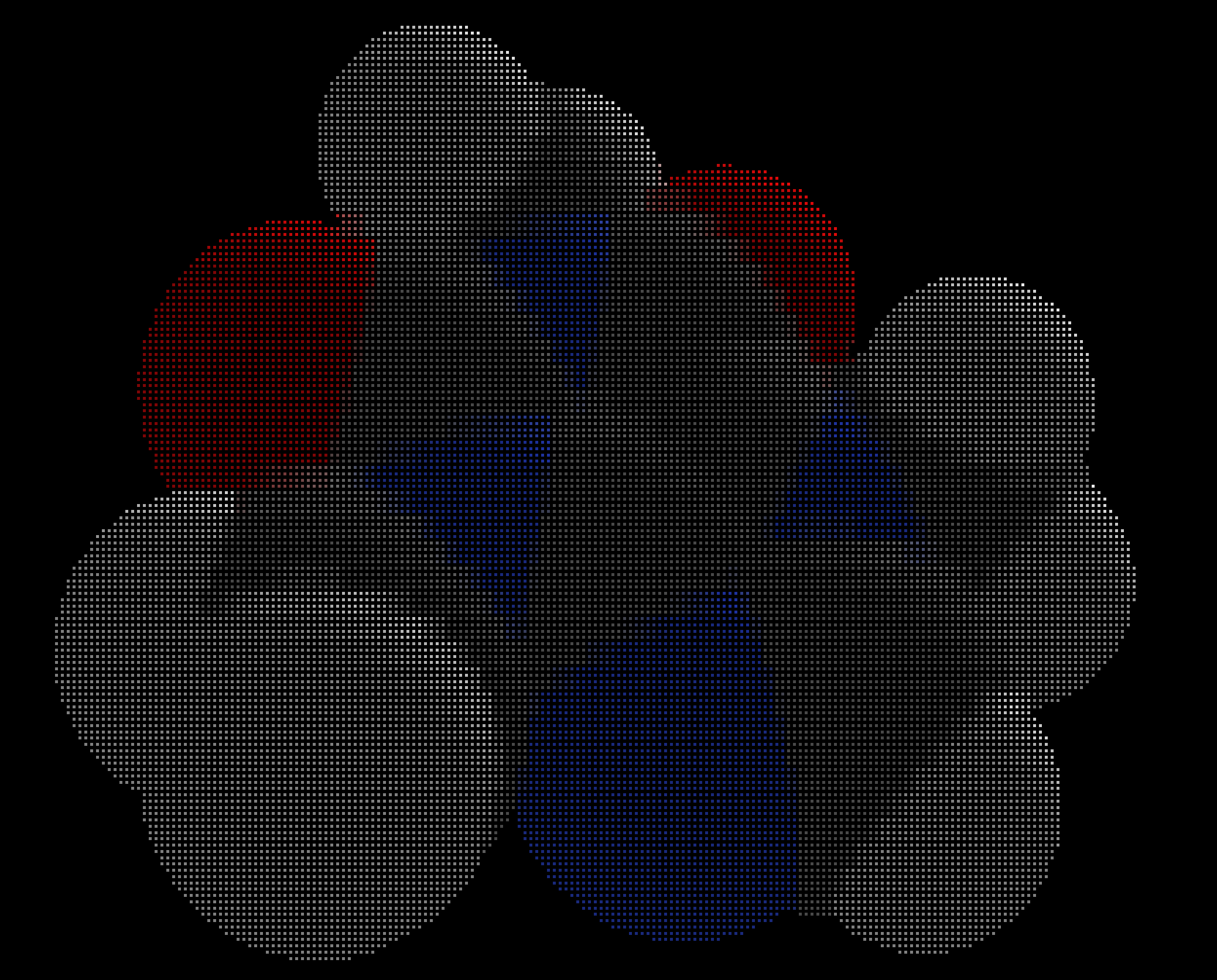
The V key opens a sidebar where the isovalue, molecule style and lighting can be modified.
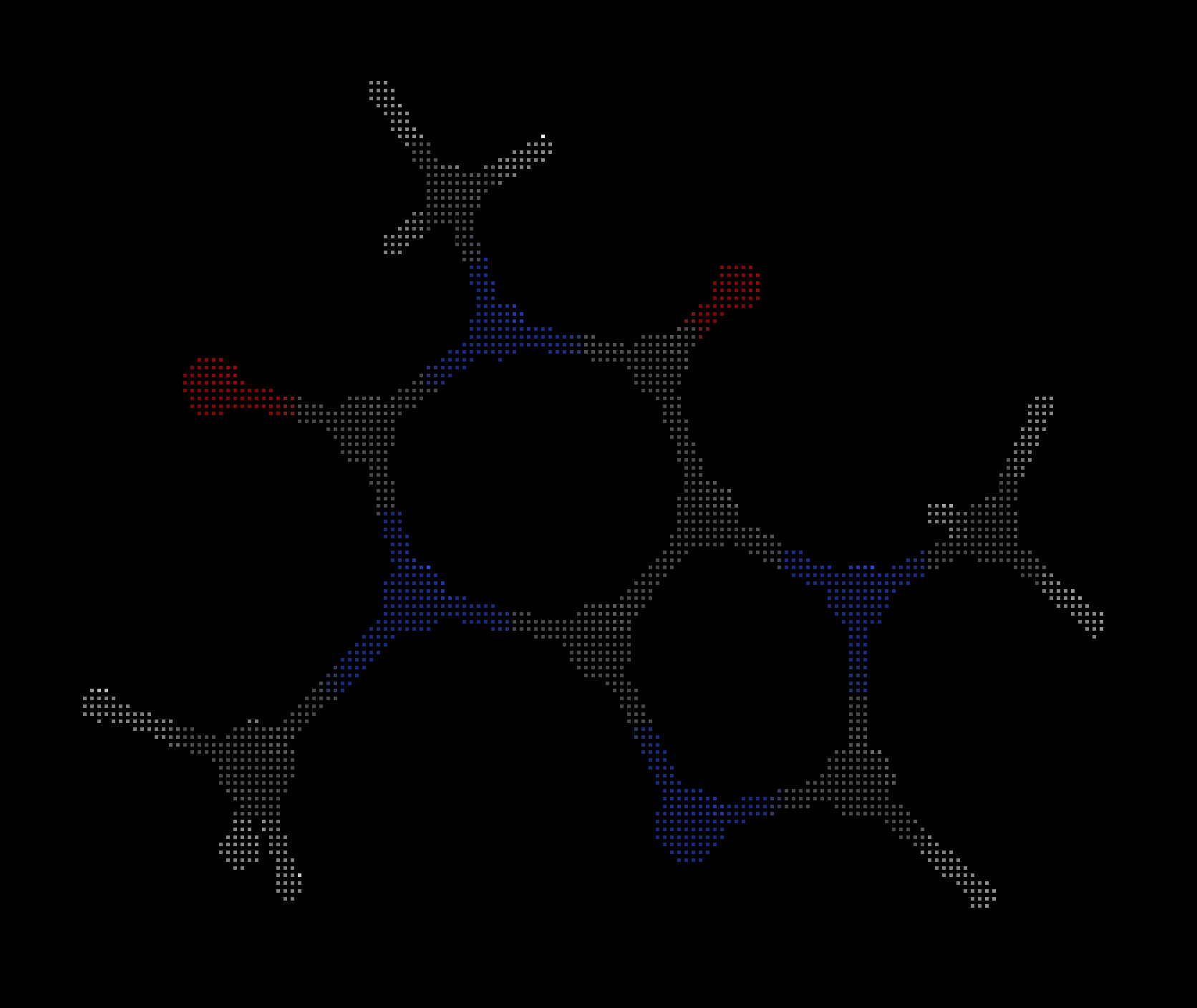
The lower case v cycles between the styles.
| CPK | Licorice | VDW |
|---|---|---|
 |
 |
 |
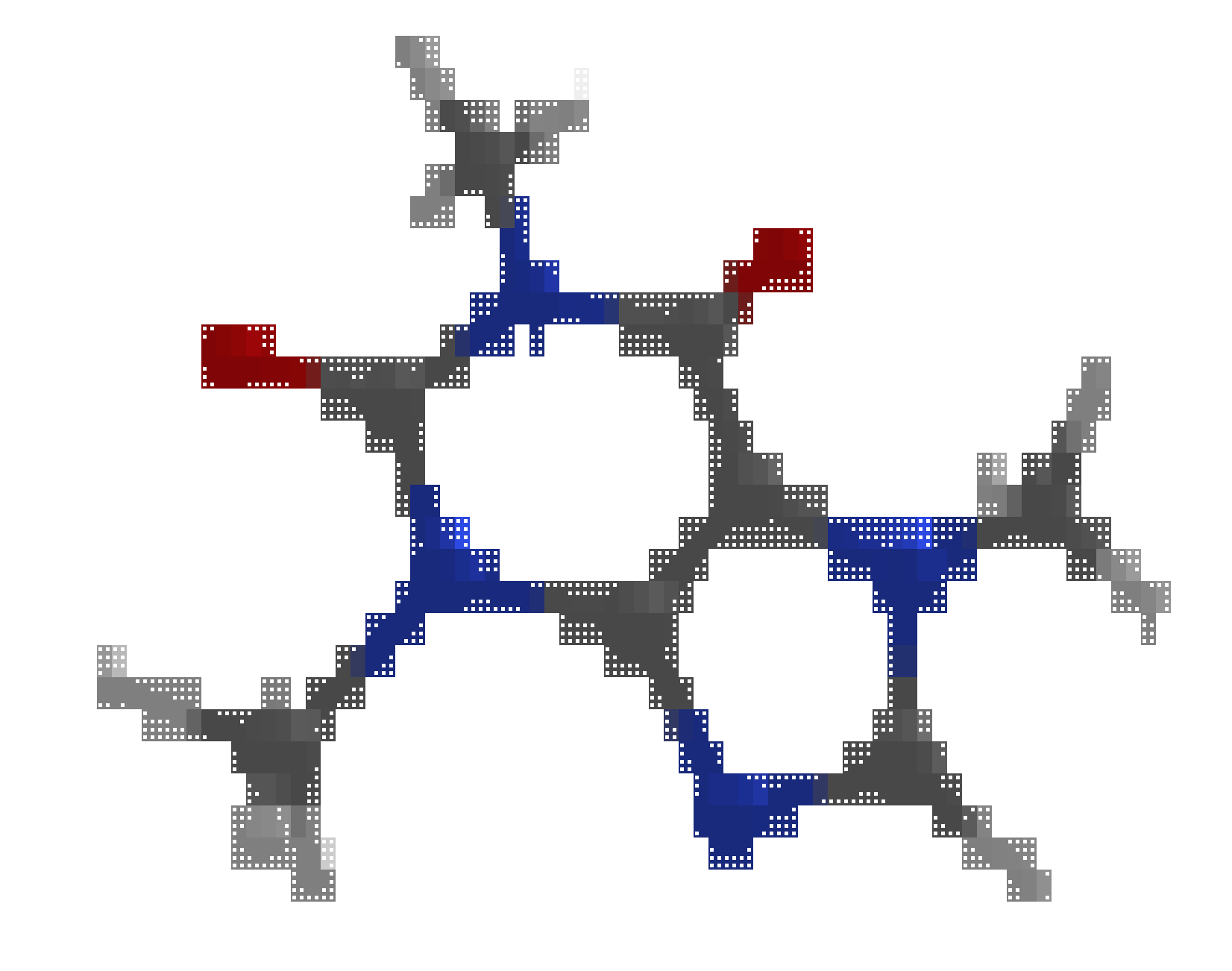
Toggle between light and dark mode with i.
| Light | Dark |
|---|---|
 |
|
Supported formats
- Structures: XYZ, Gaussian ZMAT.
- Orbitals: Molden, Gaussian Cube, Orca GBW¹.
- Normal Modes: Molden, Orca HESS.
¹ Requires orca_2mkl in PATH
Keybindings
Navigation
| Key | Action |
|---|---|
h/j/k/l or arrows |
Rotate left/down/up/right |
,/. |
Roll clockwise/counter-clockwise |
J/K or +/- |
Zoom out/in |
t |
Toggle pan/rotation mode |
c |
Center view |
r |
Reset view |
Display
| Key | Action |
|---|---|
o |
Toggle orbital isosurfaces |
i |
Toggle dark/light theme |
b |
Toggle bonds |
e |
Export PNG |
v |
Toggle style (CPK, Licorice, VDW) |
# |
Toggle atom numbers |
Panels
| Key | Action |
|---|---|
m / M |
Cycle sidebar mode forward/backward (Geometry, MO, Normal Modes) |
S |
Toggle current sidebar (hide/show) |
V |
Toggle Visual settings panel |
n/p |
Next/previous row in the active sidebar table |
d/u |
Half page down/up in datatable |
g/G |
Top/bottom of the datatable |
Geometry panel
| Key | Action |
|---|---|
Tab/Shift+Tab |
Switch Bonds/Angles/Dihedrals tab |
s |
Toggle sort by value for active tab |
Visual panel
| Key | Action |
|---|---|
n/p |
Move focus to next/previous control |
Tab/Shift+Tab |
Increase/decrease focused slider, or cycle style option |
Animation and modes
| Key | Action |
|---|---|
Space |
Toggle play/pause trajectory or normal mode animation |
[ / ] |
Previous/next animation step (frame/phase) |
General
| Key | Action |
|---|---|
q |
Quit |
Limitations
- The content is rendered using braille Unicode characters and, therefore, the quality of rendering can depend on the font and terminal emulator. All figures in the repository have been generated using the JetBrains Mono Nerd Font in the Kitty terminal.
- The Orca GBW file format is typically incompatible between versions. Therefore, the
orca_2mklshould ideally be of the same version as the Orca version used to produce the GBW file. Newer version of Orca can try to recover earlier GBW files using the rescue feature.
Project details
Verified details
These details have been verified by PyPIProject links
GitHub Statistics
Maintainers
Release history Release notifications | RSS feed


Download files
Download the file for your platform. If you're not sure which to choose, learn more about installing packages.
Source Distribution
Built Distribution
Filter files by name, interpreter, ABI, and platform.
If you're not sure about the file name format, learn more about wheel file names.
Copy a direct link to the current filters
File details
Details for the file moltui-0.3.7.tar.gz.
File metadata
- Download URL: moltui-0.3.7.tar.gz
- Upload date:
- Size: 119.2 kB
- Tags: Source
- Uploaded using Trusted Publishing? Yes
- Uploaded via: twine/6.1.0 CPython/3.13.12
File hashes
| Algorithm | Hash digest | |
|---|---|---|
| SHA256 |
834b9f316f015ccbc6f6919949f17fd2100dc572e69e3958e4d9b1671f4c50e1
|
|
| MD5 |
468cff1657cdf287db49dacd11aca15d
|
|
| BLAKE2b-256 |
55d59fd52389c030a522faaaf64bb1a9a6363b1f539afb3059d125c1517f0bd5
|
Provenance
The following attestation bundles were made for moltui-0.3.7.tar.gz:
Publisher:
release.yml on kszenes/moltui
-
Statement:
-
Statement type:
https://in-toto.io/Statement/v1 -
Predicate type:
https://docs.pypi.org/attestations/publish/v1 -
Subject name:
moltui-0.3.7.tar.gz -
Subject digest:
834b9f316f015ccbc6f6919949f17fd2100dc572e69e3958e4d9b1671f4c50e1 - Sigstore transparency entry: 1365529525
- Sigstore integration time:
-
Permalink:
kszenes/moltui@b8fcd5315c8d28e3e7105204100f2df454deb5ec -
Branch / Tag:
refs/tags/v0.3.7 - Owner: https://github.com/kszenes
-
Access:
public
-
Token Issuer:
https://token.actions.githubusercontent.com -
Runner Environment:
github-hosted -
Publication workflow:
release.yml@b8fcd5315c8d28e3e7105204100f2df454deb5ec -
Trigger Event:
push
-
Statement type:
File details
Details for the file moltui-0.3.7-py3-none-any.whl.
File metadata
- Download URL: moltui-0.3.7-py3-none-any.whl
- Upload date:
- Size: 47.2 kB
- Tags: Python 3
- Uploaded using Trusted Publishing? Yes
- Uploaded via: twine/6.1.0 CPython/3.13.12
File hashes
| Algorithm | Hash digest | |
|---|---|---|
| SHA256 |
2c03b17adac2a94e97c02f5b10dd288c73da79bcbfd0326fb188308ee3576fe5
|
|
| MD5 |
e84fbe3d0d5108e0d897b15ca5d09b7c
|
|
| BLAKE2b-256 |
c9d8933c6987fec94e2255bc513a24f2488c2d78283c3a26764edcd74efec617
|
Provenance
The following attestation bundles were made for moltui-0.3.7-py3-none-any.whl:
Publisher:
release.yml on kszenes/moltui
-
Statement:
-
Statement type:
https://in-toto.io/Statement/v1 -
Predicate type:
https://docs.pypi.org/attestations/publish/v1 -
Subject name:
moltui-0.3.7-py3-none-any.whl -
Subject digest:
2c03b17adac2a94e97c02f5b10dd288c73da79bcbfd0326fb188308ee3576fe5 - Sigstore transparency entry: 1365529603
- Sigstore integration time:
-
Permalink:
kszenes/moltui@b8fcd5315c8d28e3e7105204100f2df454deb5ec -
Branch / Tag:
refs/tags/v0.3.7 - Owner: https://github.com/kszenes
-
Access:
public
-
Token Issuer:
https://token.actions.githubusercontent.com -
Runner Environment:
github-hosted -
Publication workflow:
release.yml@b8fcd5315c8d28e3e7105204100f2df454deb5ec -
Trigger Event:
push
-
Statement type:






