
Simple and interactive plots using d3js


Project description

Moonframe
Moonframe is an open-source Python library that helps you create interactive graphs using D3.js without writing a single line of JavaScript.
It’s built for quick data exploration and aims to be as simple and accessible as possible.
Main features
Customizable charts without coding
Moonframe provides a clear interface that handles all customization. You can easily navigate between graph views to explore your dataset.


Interact with the data
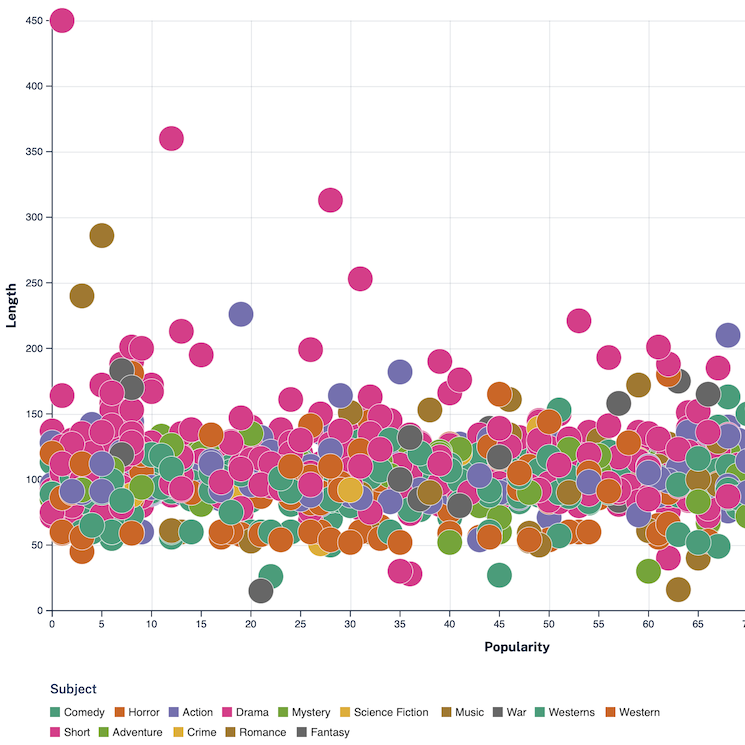
Tooltips are available on all charts. They show details from your data when you hover over a point, and you can fully customize what they display. This can be helpful for getting quick insights. You can also highlight color groups on hover to spot trends more easily in your dataset.


Easy to setup
Moonframe comes with a minimalist CLI: one command, one graph. Your data just needs to be in CSV format; a widely used and simple standard in the data visualization community. You can also include Moonframe directly in any of your Python project!
Getting started
If you’re completely new to Python, the easiest way to begin is by following the getting started tutorial. This guide walks you through installing Moonframe and introduces a few essential basics. Give it a try!
Requirements
- Web browser
- Python >= 3.7
- An internet connexion (just during graph generation)
Installation
Install it from PyPI with :
pip install moonframe
Available charts
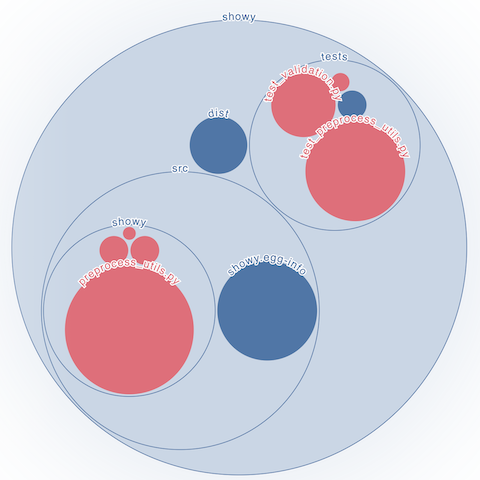
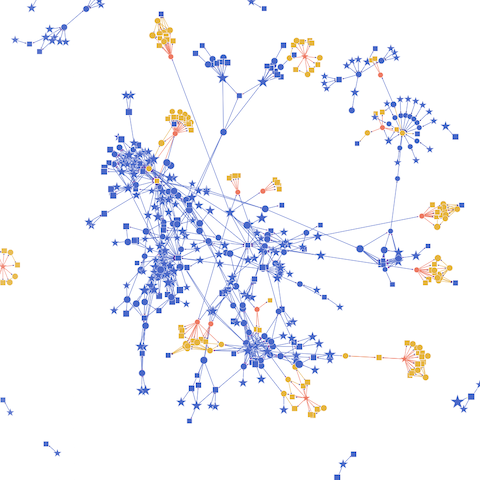
Click on any graph to get started!
In Moonframe :
 Scatter |
|---|
In Marauder's map :
Marauder's map is an open-source Python helper tool to create visual representations of the internal structure of Python, C and Fortran packages.
 Circular packing |
 Network |
|---|


Download files
Download the file for your platform. If you're not sure which to choose, learn more about installing packages.
Source Distribution
Built Distribution
Filter files by name, interpreter, ABI, and platform.
If you're not sure about the file name format, learn more about wheel file names.
Copy a direct link to the current filters
File details
Details for the file moonframe-0.7.0.tar.gz.
File metadata
- Download URL: moonframe-0.7.0.tar.gz
- Upload date:
- Size: 53.4 kB
- Tags: Source
- Uploaded using Trusted Publishing? No
- Uploaded via: twine/6.1.0 CPython/3.13.9
File hashes
| Algorithm | Hash digest | |
|---|---|---|
| SHA256 |
a2369e87dc3815c3c8d0f433324414fcff65994c8d264bcc505275f68f28ec6d
|
|
| MD5 |
f47ab579d4633f459ac63a29a869e432
|
|
| BLAKE2b-256 |
2818bd1ea47ed55745289c53da20cb901635bcf02b3061be697c2811234262cb
|
File details
Details for the file moonframe-0.7.0-py3-none-any.whl.
File metadata
- Download URL: moonframe-0.7.0-py3-none-any.whl
- Upload date:
- Size: 68.1 kB
- Tags: Python 3
- Uploaded using Trusted Publishing? No
- Uploaded via: twine/6.1.0 CPython/3.13.9
File hashes
| Algorithm | Hash digest | |
|---|---|---|
| SHA256 |
8f677925c5395d9de6d850eb703450030a17db92099d672c8d77b7cedaf5152b
|
|
| MD5 |
d3a3fed685e65347a95937b4f1a1ab97
|
|
| BLAKE2b-256 |
fc9c440ddb5c3c9ed1f1908f7c713f80bc2292257ded56a6ca96ad89444ca6b9
|






