
NanoPyx












Nanoscopy Python library (NanoPyx, the successor to NanoJ) - focused on light microscopy and super-resolution imaging
⚠️ Python 3.10+ Required: NanoPyx v2.0+ supports Python 3.10-3.13 with NumPy 2.x compatibility.
What is the NanoPyx 🔬 Library?
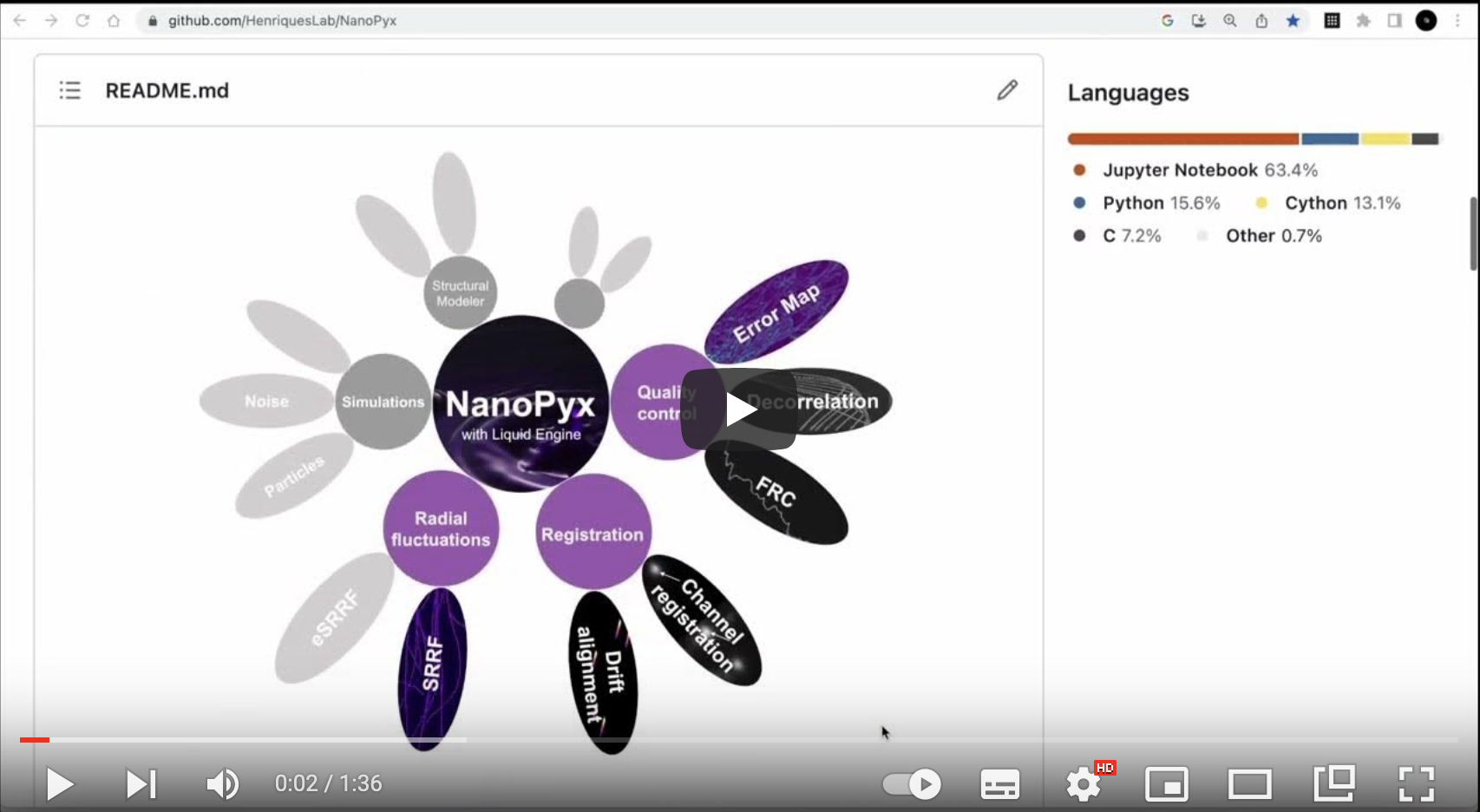
NanoPyx is a library specialized in the analysis of light microscopy and super-resolution data. It is a successor to NanoJ, which is a Java library for the analysis of super-resolution microscopy data.
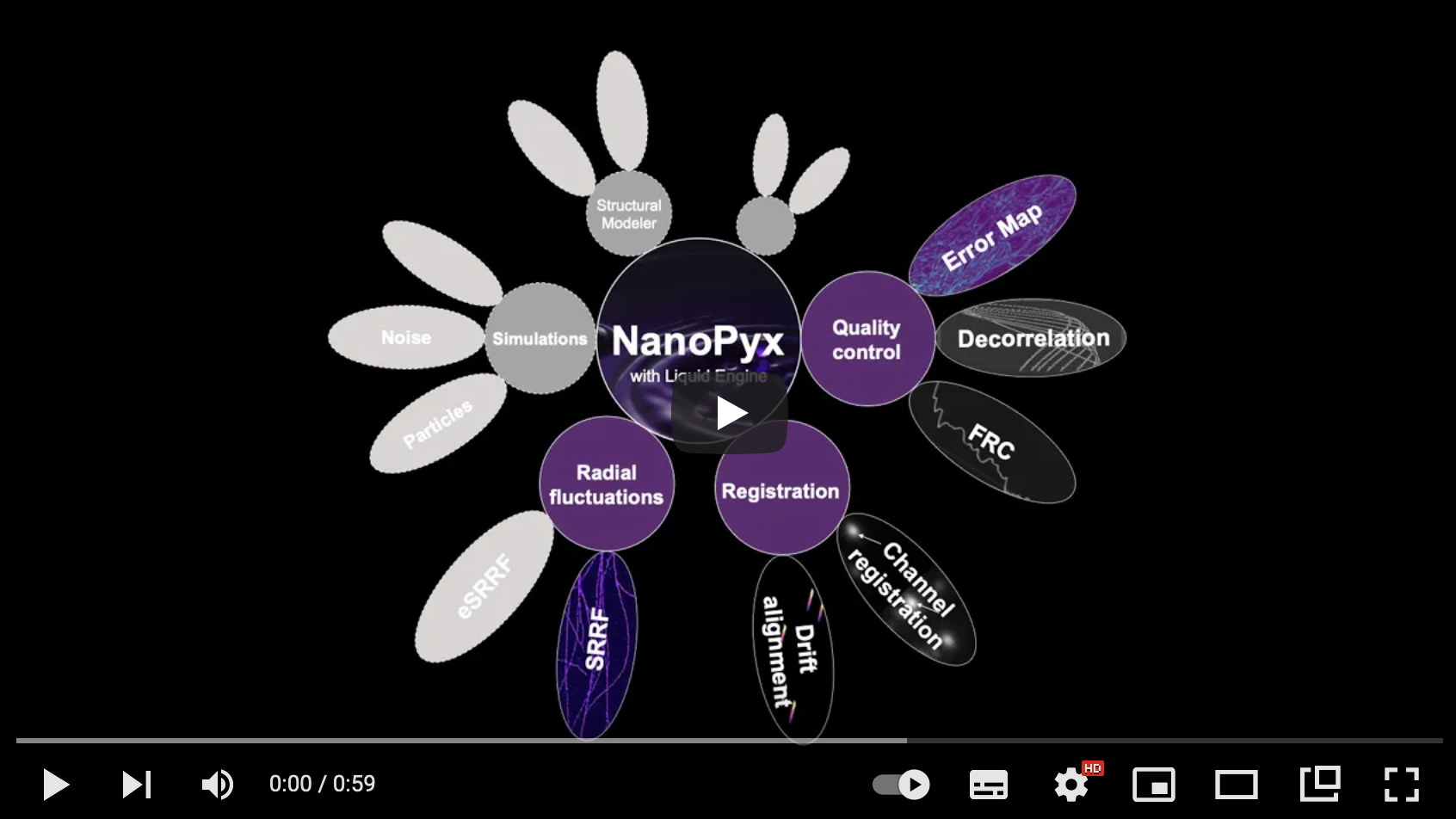
NanoPyx focuses on performance, by using the Liquid Engine at its core. It implements methods for the bioimage analysis field, with a special emphasis on those developed by the Henriques Laboratory. It will be distributed as a Python Library and also as Codeless Jupyter Notebooks, that can be run locally or on Google Colab, and as a napari plugin.
You can read more about NanoPyx in our publication.
Currently it implements the following approaches:
- A reimplementation of the NanoJ image registration, SRRF and Super Resolution metrics
- eSRRF
- Non-local means denoising
- More to come soon™
if you found this work useful, please cite: publication
Short Video Tutorials
| What is NanoPyx? | How to use NanoPyx in Google Colab? |
|---|---|
 |
 |
| How to use NanoPyx locally? | How to implement your own Liquid Engine? |
|---|---|
 |
 |
| How to Create a Python Package with the Liquid Engine? | How to Build your Liquid Engine Class in 1 minute |
|---|---|
 |
 |
| How to Benchmark your Implementations with the Liquid Engine in 1 minute | |
|---|---|
 |
Codeless jupyter notebooks available:
| Category | Method | Last test | Notebook | Colab Link |
|---|---|---|---|---|
| Denoising | Non-local Means | ✅ by ADB (25/01/24) |  |
 |
| Registration | Channel Registration | ✅ by BMS (18/04/24) | |
|
| Registration | Drift Correction | ✅ by BMS (18/04/24) | |
|
| Quality Control | Image fidelity and resolution metrics | ✅ by ADB (25/01/24) | |
|
| Super-resolution | SRRF | ✅ by ADB (25/01/24) | |
|
| Super-resolution | eSRRF | ✅ by BMS (25/01/24) | |
|
| Tutorial | Notebook with Example Dataset | ✅ by ADB (25/01/24) |  |
|
Workshop Notebooks
| Event | Contents | Notebook | Colab Link | Solutions |
|---|---|---|---|---|
| I2K 2024 | NanoPyx and Liquid Engine basic usage | |
|
|
napari plugin
NanoPyx is also available as a napari plugin, which can be installed via pip:
pip install napari-nanopyx
Installation
NanoPyx is compatible and tested with Python 3.10, 3.11, 3.12, and 3.13 in macOS, Windows and Linux. Installation time depends on your hardware and internet connection, but should take around 5 minutes.
You can install NanoPyx via pip:
pip install nanopyx
If you want to install with support for Jupyter notebooks:
pip install nanopyx[jupyter]
or if you want to install with all optional dependencies:
pip install nanopyx[all]
if you want access to the cupy implementation of 2D convolution you need to install the package version corresponding to your local CUDA installation. Please check the official documentation of cupy for further details. As an example if you wanted to install cupy for CUDA v12.X
pip install cupy-cuda12x
To install latest development version:
pip install git+https://github.com/HenriquesLab/NanoPyx.git
Notes for Mac users
If you wish to compile the NanoPyx library from source, you will need to install the following dependencies:
- Homebrew from https://brew.sh/
- gcc, llvm and libomp from Homebrew through the command:
brew install gcc llvm libomp
Run in jupyterlab within a docker container
docker run --name nanopyx1 -p 8888:8888 henriqueslab/nanopyx:latest
Usage
Depending on your preferences and coding proficiency you might be using NanoPyx differently.
- If you are using Jupyter Notebooks or Google Colab notebooks check out our video tutorial here and here
- If you are using our napari plugin check out the official napari tutorial and stay tuned for more!
- If you prefer to use the Python library and take full advantage of the Liquid Engine flexibility check out our wiki, our cookiecutter and our video tutorials here and here.
- Liquid engine template files for a simple example:
Wiki
If you want more in depth instructions on how to use nanopyx and its Liquid Engine please refer to our wiki. In the wiki you can find step by step tutorials describing how each methods works and how to implement your own Liquid Engine methods.
Contributing
Contributions are very welcome. Please read our Contribution Guidelines to know how to proceed.
License
Distributed under the terms of the CC-By v4.0 license, "NanoPyx" is free and open source software
Issues
If you encounter any problems, please file an issue along with a detailed description.
3 maintainers


Metadata
3 maintainers
Release files for nanopyx 2.1.5
For a detailed explanation of source distributions (sdists) and built distributions (wheels), please see the package formats documentation.
Source distribution (sdist)
| File | Size | Uploaded | |
|---|---|---|---|
| nanopyx-2.1.5.tar.gz | 9.8 MB | Details |
Built distributions (wheels)
Total release size: 187.2 MB
Release files / nanopyx-2.1.5.tar.gz
| Download URL | nanopyx-2.1.5.tar.gz |
|---|---|
| Size | 9.8 MB |
| Tags | Source |
|
SHA-256 checksum How to use checksums |
e0064f8d7e1c24c016493f697a590e4623eeb38ca263987cdcacf248bd6df4cf
|
|
BLAKE2b-256 checksum How to use checksums |
70ad5819658f2a681d2986665c33d50c188b126a975cafff195a123902308afb
|
| Upload date | |
|
Uploaded using Trusted Publishing? What is trusted publishing? |
No |
| Uploaded via |
twine/7.0.0 CPython/3.13.14
|
Release files / nanopyx-2.1.5-cp313-cp313-win_amd64.whl
| Download URL | nanopyx-2.1.5-cp313-cp313-win_amd64.whl |
|---|---|
| Size | 14.0 MB |
| Tags | CPython 3.13 Windows x86-64 |
|
SHA-256 checksum How to use checksums |
2dba696c6c6b02a844db60c292bb7a600786806a965cbdfd6878650132069a9e
|
|
BLAKE2b-256 checksum How to use checksums |
6582ab20a06cb1cb69083cced50e20d17ef0b88bc30c823c0010dd755c14d0fd
|
| Upload date | |
|
Uploaded using Trusted Publishing? What is trusted publishing? |
No |
| Uploaded via |
twine/7.0.0 CPython/3.13.14
|
Release files / nanopyx-2.1.5-cp313-cp313-manylinux_2_28_x86_64.whl
| Download URL | nanopyx-2.1.5-cp313-cp313-manylinux_2_28_x86_64.whl |
|---|---|
| Size | 15.9 MB |
| Tags | CPython 3.13 Linux glibc 2.28+ x86-64 |
|
SHA-256 checksum How to use checksums |
775814e9f76ac4138c14a3d1f42af860777b4ab9282e38564526ec4eb2da857a
|
|
BLAKE2b-256 checksum How to use checksums |
968d938601ebc2f423db51dc0e5119d35f3fc1d79642542e01426f0acf6f6582
|
| Upload date | |
|
Uploaded using Trusted Publishing? What is trusted publishing? |
No |
| Uploaded via |
twine/7.0.0 CPython/3.13.14
|
Release files / nanopyx-2.1.5-cp313-cp313-macosx_14_0_arm64.whl
| Download URL | nanopyx-2.1.5-cp313-cp313-macosx_14_0_arm64.whl |
|---|---|
| Size | 14.3 MB |
| Tags | CPython 3.13 macOS 14.0+ ARM64 |
|
SHA-256 checksum How to use checksums |
059d6bb416fec49fa6ccb55a7ccd2e76865889c942dc8aaec728361448d64577
|
|
BLAKE2b-256 checksum How to use checksums |
760a6716e730689f0f4ded7a77c99d028389e85cbc28943e30a9f664e14f43bd
|
| Upload date | |
|
Uploaded using Trusted Publishing? What is trusted publishing? |
No |
| Uploaded via |
twine/7.0.0 CPython/3.13.14
|
Release files / nanopyx-2.1.5-cp312-cp312-win_amd64.whl
| Download URL | nanopyx-2.1.5-cp312-cp312-win_amd64.whl |
|---|---|
| Size | 14.0 MB |
| Tags | CPython 3.12 Windows x86-64 |
|
SHA-256 checksum How to use checksums |
09f6f3c93d163eb4dcafa7861c156da188a7bfa5064d4388a4c41be361215e50
|
|
BLAKE2b-256 checksum How to use checksums |
99e46f0e5d2679ac6f66f9f2eaceb3e3fa1400a1fb593778dca330c57a8a7586
|
| Upload date | |
|
Uploaded using Trusted Publishing? What is trusted publishing? |
No |
| Uploaded via |
twine/7.0.0 CPython/3.13.14
|
Release files / nanopyx-2.1.5-cp312-cp312-manylinux_2_28_x86_64.whl
| Download URL | nanopyx-2.1.5-cp312-cp312-manylinux_2_28_x86_64.whl |
|---|---|
| Size | 15.9 MB |
| Tags | CPython 3.12 Linux glibc 2.28+ x86-64 |
|
SHA-256 checksum How to use checksums |
7a57b04473a38b882e823aeebc6e58fb7b357f4b87b6abf13035705c055e21e2
|
|
BLAKE2b-256 checksum How to use checksums |
7e925827f00a1f930a2a1905dc26a2b03721c5dc426ca5fef2bcdb74bc3c35e2
|
| Upload date | |
|
Uploaded using Trusted Publishing? What is trusted publishing? |
No |
| Uploaded via |
twine/7.0.0 CPython/3.13.14
|
Release files / nanopyx-2.1.5-cp312-cp312-macosx_14_0_arm64.whl
| Download URL | nanopyx-2.1.5-cp312-cp312-macosx_14_0_arm64.whl |
|---|---|
| Size | 14.3 MB |
| Tags | CPython 3.12 macOS 14.0+ ARM64 |
|
SHA-256 checksum How to use checksums |
cbd13ec3b83fae17148b48ef32070589770d383c899991d7c1b3c1e65fece069
|
|
BLAKE2b-256 checksum How to use checksums |
5415448acbec818743d50587ec9e8cdc36fb3788db1b0a0872421c2885f9c629
|
| Upload date | |
|
Uploaded using Trusted Publishing? What is trusted publishing? |
No |
| Uploaded via |
twine/7.0.0 CPython/3.13.14
|
Release files / nanopyx-2.1.5-cp311-cp311-win_amd64.whl
| Download URL | nanopyx-2.1.5-cp311-cp311-win_amd64.whl |
|---|---|
| Size | 14.1 MB |
| Tags | CPython 3.11 Windows x86-64 |
|
SHA-256 checksum How to use checksums |
109771c5564826a33eca36cc7523b7939b331cb012da42de45cfd7a642f0f561
|
|
BLAKE2b-256 checksum How to use checksums |
e36709933dac53d05b48fca0cb2ae3efddbe046dc303684a66149209db2897f5
|
| Upload date | |
|
Uploaded using Trusted Publishing? What is trusted publishing? |
No |
| Uploaded via |
twine/7.0.0 CPython/3.13.14
|
Release files / nanopyx-2.1.5-cp311-cp311-manylinux_2_28_x86_64.whl
| Download URL | nanopyx-2.1.5-cp311-cp311-manylinux_2_28_x86_64.whl |
|---|---|
| Size | 15.9 MB |
| Tags | CPython 3.11 Linux glibc 2.28+ x86-64 |
|
SHA-256 checksum How to use checksums |
5aecf61c44db10c3b6b467a6367769afe1ce83642196369ff04b24ee2e0fc76f
|
|
BLAKE2b-256 checksum How to use checksums |
ec4eeddf25ebc57982ff45e81e76d3ccedb2167e5beab4e20b13678fe23cb662
|
| Upload date | |
|
Uploaded using Trusted Publishing? What is trusted publishing? |
No |
| Uploaded via |
twine/7.0.0 CPython/3.13.14
|
Release files / nanopyx-2.1.5-cp311-cp311-macosx_14_0_arm64.whl
| Download URL | nanopyx-2.1.5-cp311-cp311-macosx_14_0_arm64.whl |
|---|---|
| Size | 14.3 MB |
| Tags | CPython 3.11 macOS 14.0+ ARM64 |
|
SHA-256 checksum How to use checksums |
05c9b1d9217f4cb02ff0fe0ff7c49b02b0a207c52d0b7706818000db736be40b
|
|
BLAKE2b-256 checksum How to use checksums |
d5148b284c16284c6a6f92bdfe32b8640fbbd4bb6cd6b14755f802df5a631909
|
| Upload date | |
|
Uploaded using Trusted Publishing? What is trusted publishing? |
No |
| Uploaded via |
twine/7.0.0 CPython/3.13.14
|
Release files / nanopyx-2.1.5-cp310-cp310-win_amd64.whl
| Download URL | nanopyx-2.1.5-cp310-cp310-win_amd64.whl |
|---|---|
| Size | 14.1 MB |
| Tags | CPython 3.10 Windows x86-64 |
|
SHA-256 checksum How to use checksums |
dffb67c52bd2c37e93d06d656de2109e9016a48057166162ab62872f41ea156c
|
|
BLAKE2b-256 checksum How to use checksums |
24b350babd8625a22f6386b2fe151f98bb5406452118824dfff07ea2e132bcb3
|
| Upload date | |
|
Uploaded using Trusted Publishing? What is trusted publishing? |
No |
| Uploaded via |
twine/7.0.0 CPython/3.13.14
|
Release files / nanopyx-2.1.5-cp310-cp310-manylinux_2_28_x86_64.whl
| Download URL | nanopyx-2.1.5-cp310-cp310-manylinux_2_28_x86_64.whl |
|---|---|
| Size | 16.2 MB |
| Tags | CPython 3.10 Linux glibc 2.28+ x86-64 |
|
SHA-256 checksum How to use checksums |
fa9127b98f6e1b9a6b83e465c58e61f3c0672147e380fc2f767bfe8f2df5c5ab
|
|
BLAKE2b-256 checksum How to use checksums |
1c22191f2aa04dafc98a65be549741971dcb4d9e1f44d8387af357809fc571c8
|
| Upload date | |
|
Uploaded using Trusted Publishing? What is trusted publishing? |
No |
| Uploaded via |
twine/7.0.0 CPython/3.13.14
|
Release files / nanopyx-2.1.5-cp310-cp310-macosx_14_0_arm64.whl
| Download URL | nanopyx-2.1.5-cp310-cp310-macosx_14_0_arm64.whl |
|---|---|
| Size | 14.4 MB |
| Tags | CPython 3.10 macOS 14.0+ ARM64 |
|
SHA-256 checksum How to use checksums |
3d99d1a93fe99e51f73d45925e0a80b27ed35b8ddd66167cdc91b911e4984e6a
|
|
BLAKE2b-256 checksum How to use checksums |
4bc278c75ad390b24643d60b7dc208ec9f67e8f915c906bc50b4cc840e7f372b
|
| Upload date | |
|
Uploaded using Trusted Publishing? What is trusted publishing? |
No |
| Uploaded via |
twine/7.0.0 CPython/3.13.14
|














