
napari-apr-viewer






A simple plugin to create and view APR images in napari
Usage
To get started, open an image of your choice (2D or 3D grayscale) in napari and open the convert_image_to_apr panel. Select the image layer to convert, an appropriate data type, and hit Run.
Note: choosing a data type smaller than the input type may lead to overflow and thus erroneous results.
Conversion parameters can often be left to their default values, thanks to the automatic parameter tuning. For very noisy images, it is sometimes useful to increase the smoothing parameter. In order to get a more (or less) aggressive adaptation, change the relative error parameter.
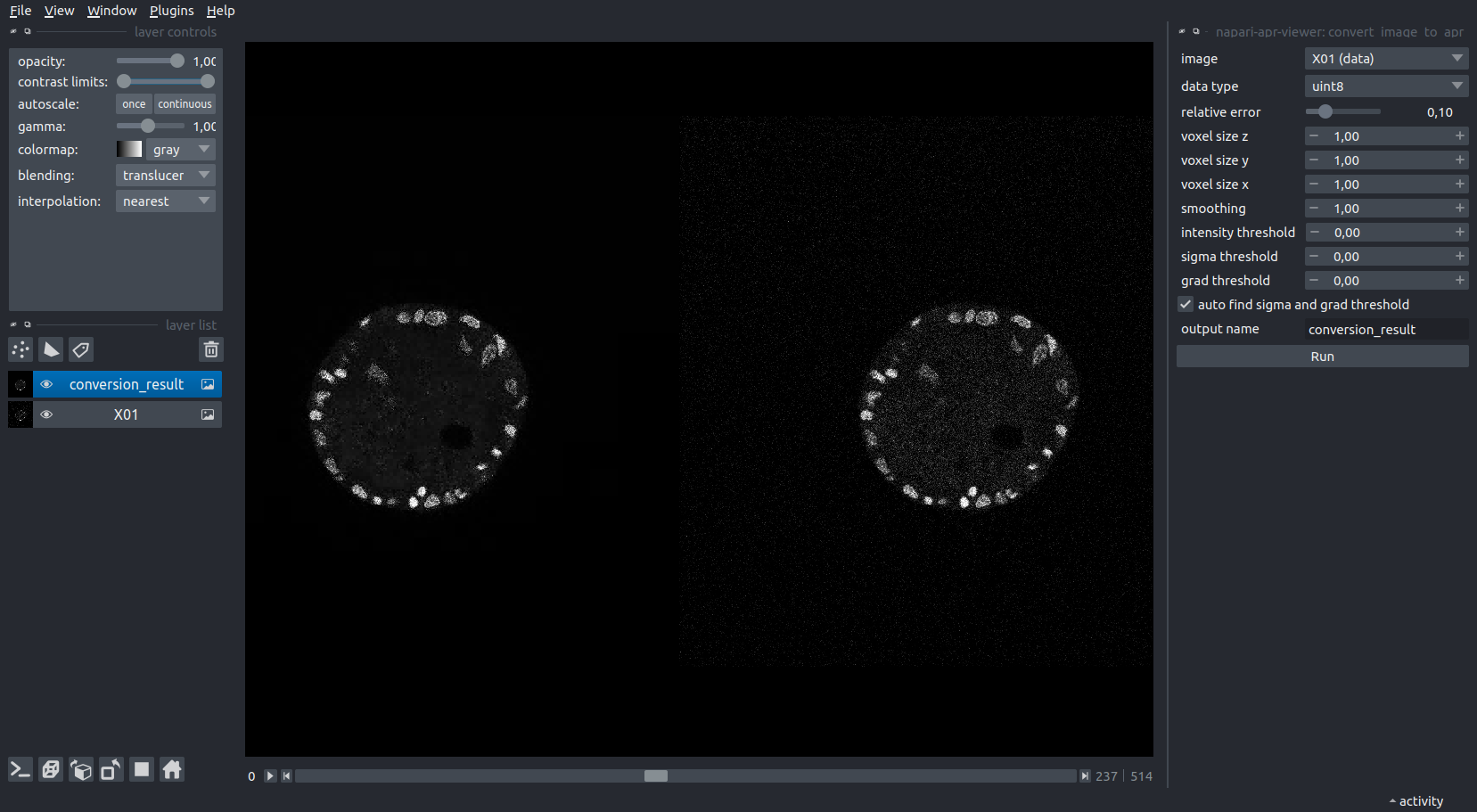
To save the result to file, simply save the newly created layer using the File menu. We use the extension .apr, although the file is actually written in hdf5 format (and can be opened/explored as such). In this example, the APR is roughly 80 times smaller than the original image on disk. APR files can be opened directly in napari, e.g. by drag and drop.

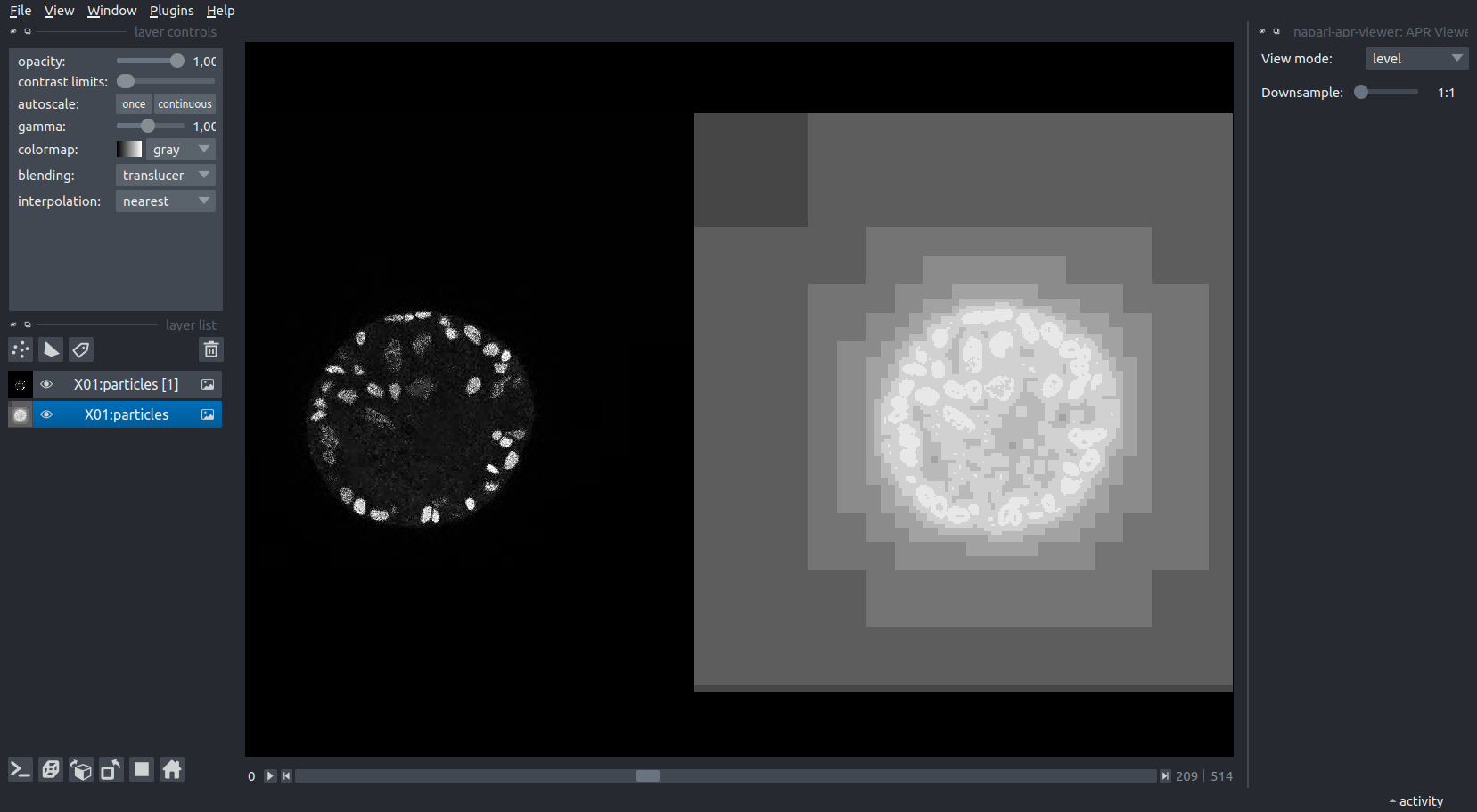
To better understand the workings of the APR on your data, you can use the APR Viewer panel to change the View mode for a selected APR layer to level. This shows you a visualization of the adaptive resolution. Particles in the brightest regions correspond exactly to pixels (lossless), while each shade darker corresponds to downsampling by a factor of 2 in each dimension.
The Downsample slider can be used to reduce the resolution of the displayed data for the selected layer. This can be used to explore large volumes in 3D, where rendering the full data requires too much memory.
Note: We do not offer APR-native rendering at this time, so this step will reconstruct the entire pixel volume (at the selected resolution). Thus, for large volumes, be sure to increase the downsampling before toggling the 3D viewer.
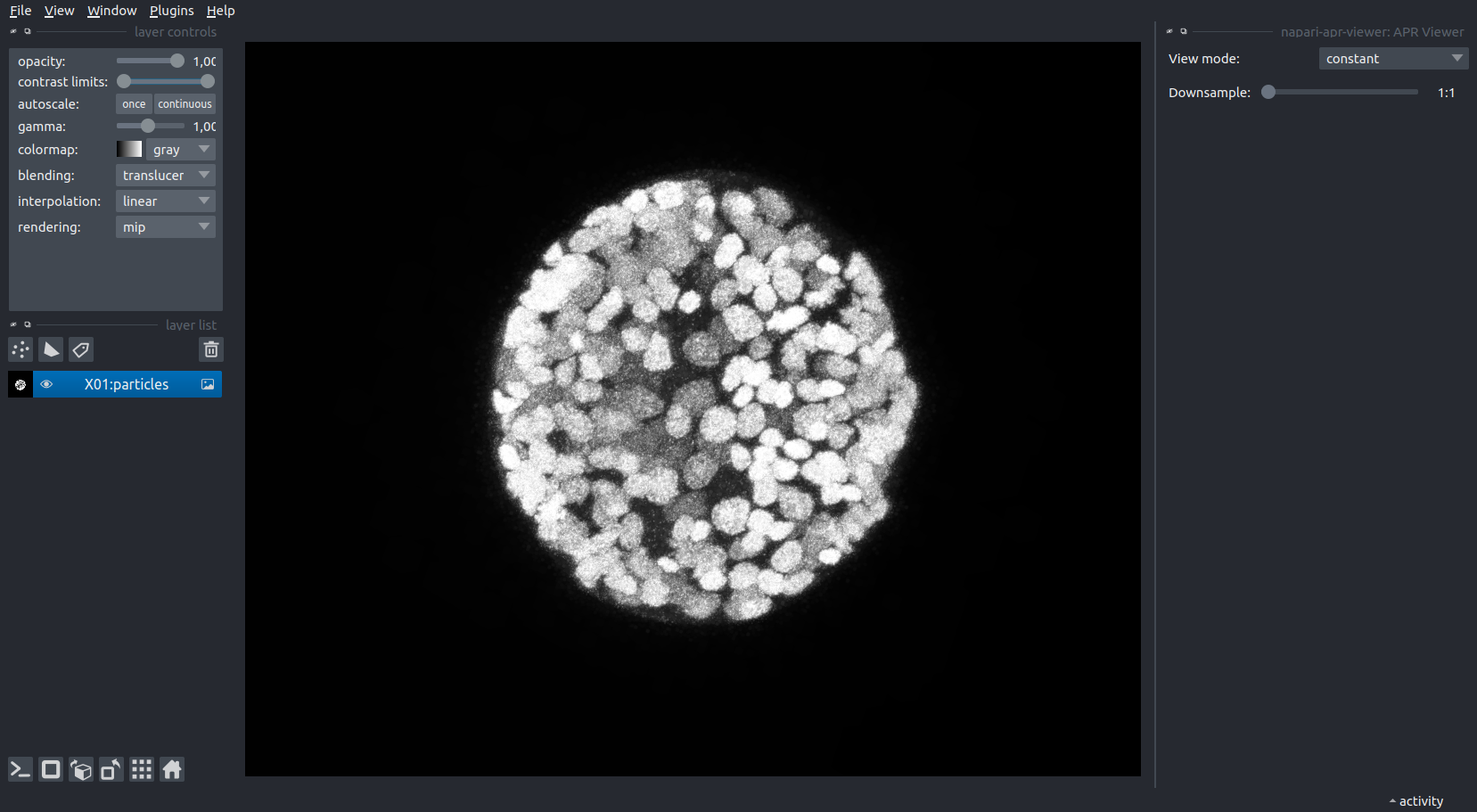
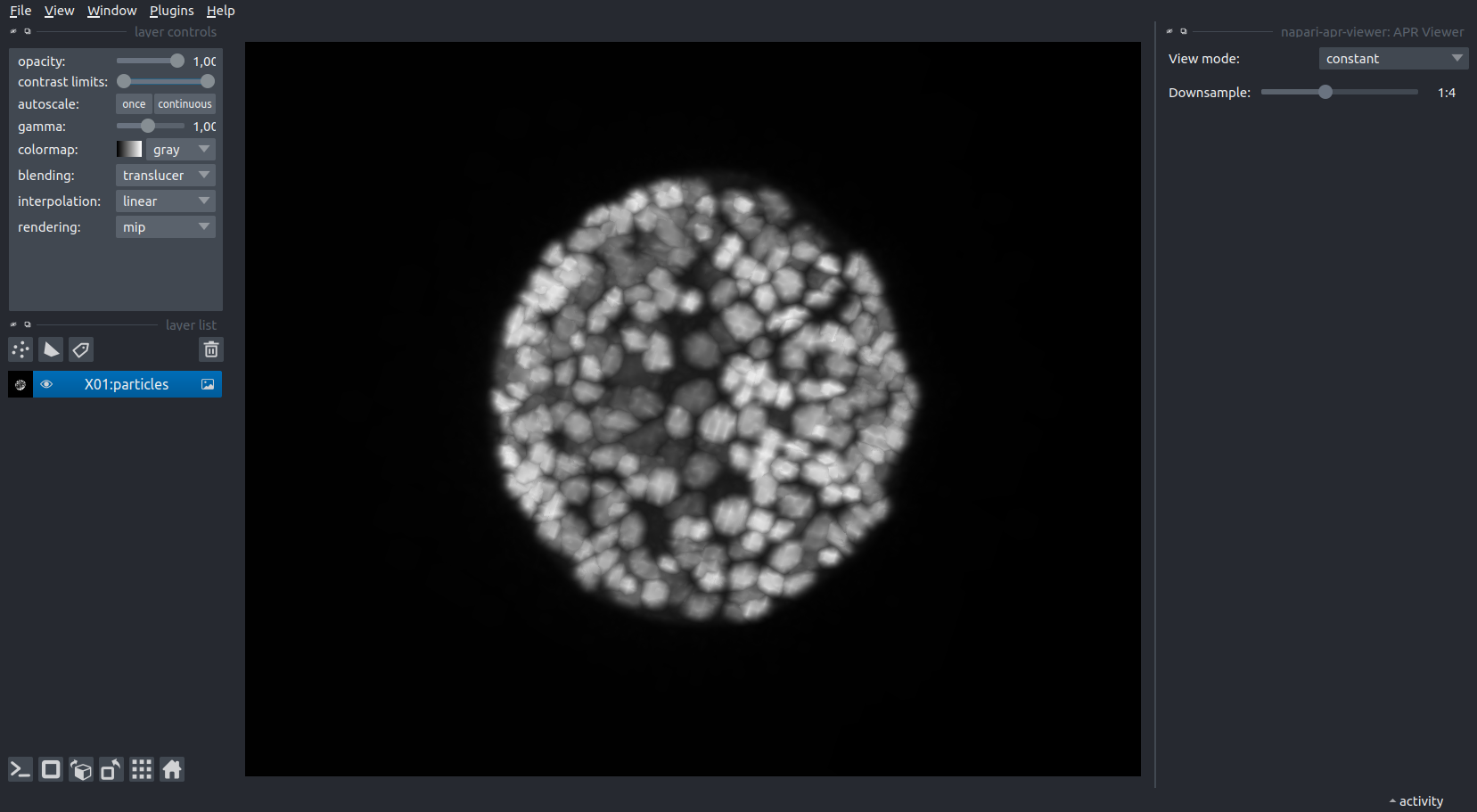
The data shown in these examples was taken from the Platynereis-ISH-Nuclei-CBG dataset available here.
This napari plugin was generated with Cookiecutter using @napari's cookiecutter-napari-plugin template.
Installation
You can install napari-apr-viewer via pip:
pip install napari-apr-viewer
Contributing
Contributions are very welcome. Tests can be run with tox, please ensure the coverage at least stays the same before you submit a pull request.
License
Distributed under the terms of the Apache Software License 2.0 license, "napari-apr-viewer" is free and open source software
Issues
If you encounter any problems, please file an issue along with a detailed description.
1 maintainer

Metadata
1 maintainer
Release files for napari-apr-viewer 1.0.1
For a detailed explanation of source distributions (sdists) and built distributions (wheels), please see the package formats documentation.
Source distribution (sdist)
| File | Size | Uploaded | Provenance | Actions |
|---|---|---|---|---|
| napari-apr-viewer-1.0.1.tar.gz | 1.3 MB | Without provenance | Details for napari-apr-viewer-1.0.1.tar.gz |
Built distribution (wheel)
| File | Interpreter | ABI | Platform | Actions Reset |
|---|---|---|---|---|
| napari_apr_viewer-1.0.1-py3-none-any.whl | Python 3 | none | any | Details for napari_apr_viewer-1.0.1-py3-none-any.whl |
Total release size: 1.3 MB
Release files / napari-apr-viewer-1.0.1.tar.gz
| Download URL | napari-apr-viewer-1.0.1.tar.gz |
|---|---|
| Size | 1.3 MB |
| Tags | Source |
|
SHA-256 checksum How to use checksums |
dd8afd5e783713ee8cafdec63bd1d45b0d89d152600a2b5bde4a65608f68fbc6
|
|
BLAKE2b-256 checksum How to use checksums |
d1f18a3be76de0654a907cdd5f44e4b87c0ef1b0942ad4f6c9b939c355911cf5
|
| Upload date | |
|
Uploaded using Trusted Publishing? What is trusted publishing? |
No |
| Uploaded via |
twine/4.0.2 CPython/3.12.0
|
Release files / napari_apr_viewer-1.0.1-py3-none-any.whl
| Download URL | napari_apr_viewer-1.0.1-py3-none-any.whl |
|---|---|
| Size | 18.1 kB |
| Tags | Python 3 |
|
SHA-256 checksum How to use checksums |
5162fa1af1a16d573ce9e042425b8cec9e23009e1b531d8121a6b992091e6fa4
|
|
BLAKE2b-256 checksum How to use checksums |
823076fbf94383287a3e01198cb714c870e20c50b5f8054b84f658c0ed2c0755
|
| Upload date | |
|
Uploaded using Trusted Publishing? What is trusted publishing? |
No |
| Uploaded via |
twine/4.0.2 CPython/3.12.0
|
Security for napari-apr-viewer 1.0.1
Provenance
Provenance describes where a file came from. On PyPI, provenance is shared via attestations, which provide a verifiable record of the build or publishing details. View details, limitations and caveats.
No provenance found
None of the files in this release were uploaded with provenance metadata.
A note on package security
PyPI is a repository for distributing packages, not a service for auditing them. While third-party security researchers and our staff do their best to detect and remove malicious packages, PyPI cannot guarantee the quality, security or suitability of any given package.
To learn more about protecting yourself from malicious actors, visit our package security documentation.














