
A simple plugin to view APR images in napari

Project description
napari-apr-viewer






A simple plugin to create and view APR images in napari
Usage
To get started, open an image of your choice (2D or 3D grayscale) in napari and open the convert_image_to_apr panel. Select the image layer to convert, an appropriate data type, and hit Run.
Note: choosing a data type smaller than the input type may lead to overflow and thus erroneous results.
Conversion parameters can often be left to their default values, thanks to the automatic parameter tuning. For very noisy images, it is sometimes useful to increase the smoothing parameter. In order to get a more (or less) aggressive adaptation, change the relative error parameter.
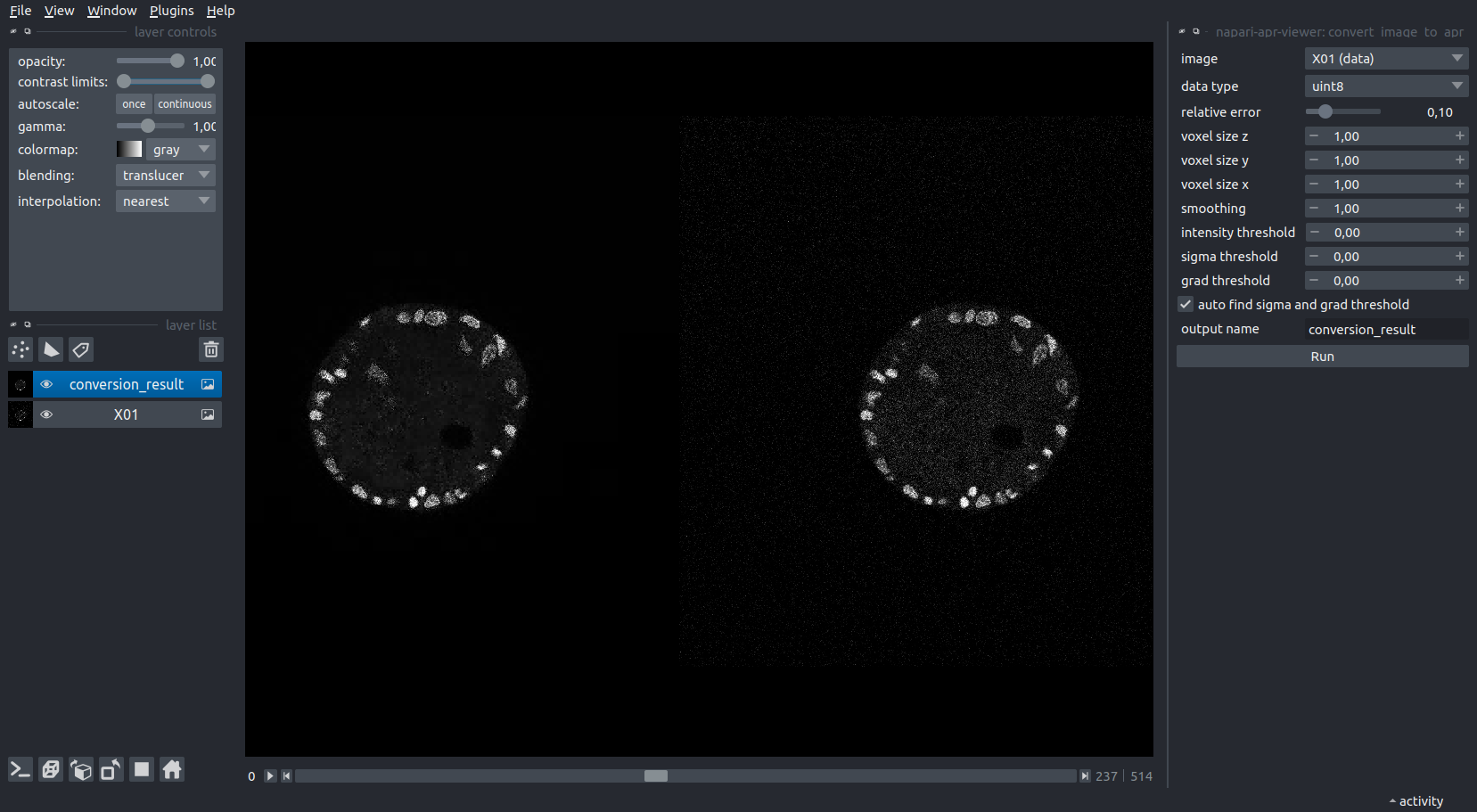
To save the result to file, simply save the newly created layer using the File menu. We use the extension .apr, although the file is actually written in hdf5 format (and can be opened/explored as such). In this example, the APR is roughly 80 times smaller than the original image on disk. APR files can be opened directly in napari, e.g. by drag and drop.

To better understand the workings of the APR on your data, you can use the APR Viewer panel to change the View mode for a selected APR layer to level. This shows you a visualization of the adaptive resolution. Particles in the brightest regions correspond exactly to pixels (lossless), while each shade darker corresponds to downsampling by a factor of 2 in each dimension.
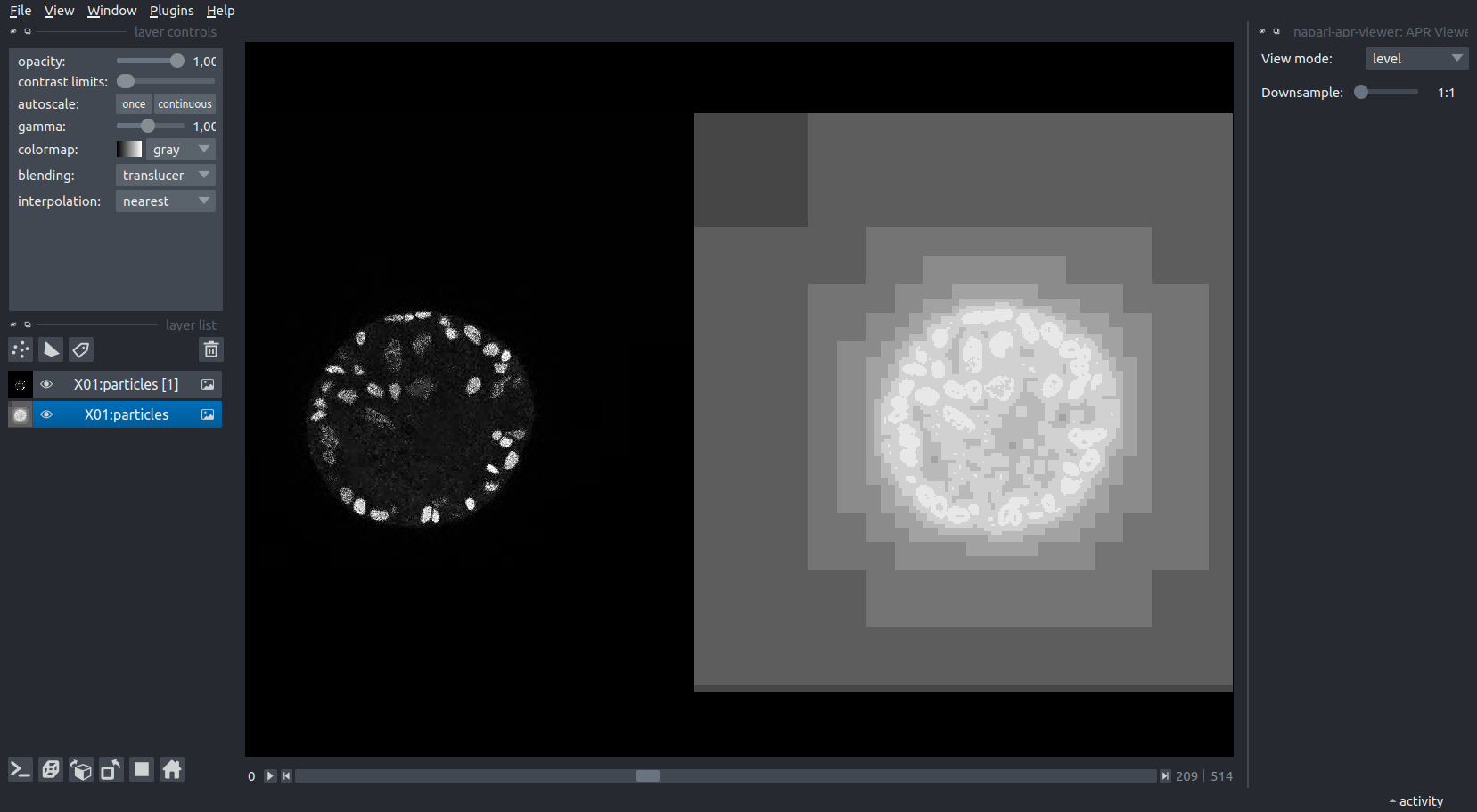
The Downsample slider can be used to reduce the resolution of the displayed data for the selected layer. This can be used to explore large volumes in 3D, where rendering the full data requires too much memory.
Note: We do not offer APR-native rendering at this time, so this step will reconstruct the entire pixel volume (at the selected resolution). Thus, for large volumes, be sure to increase the downsampling before toggling the 3D viewer.
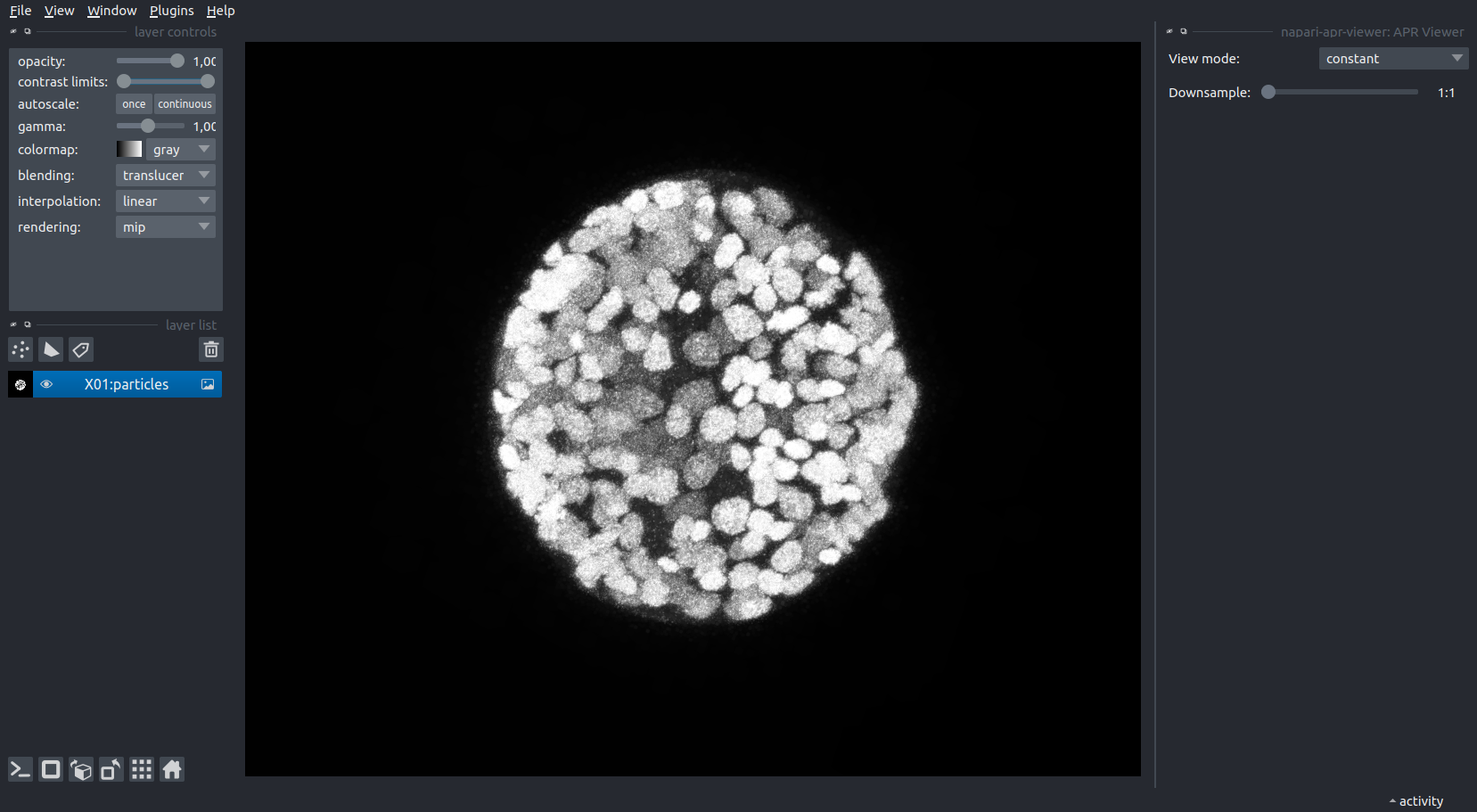
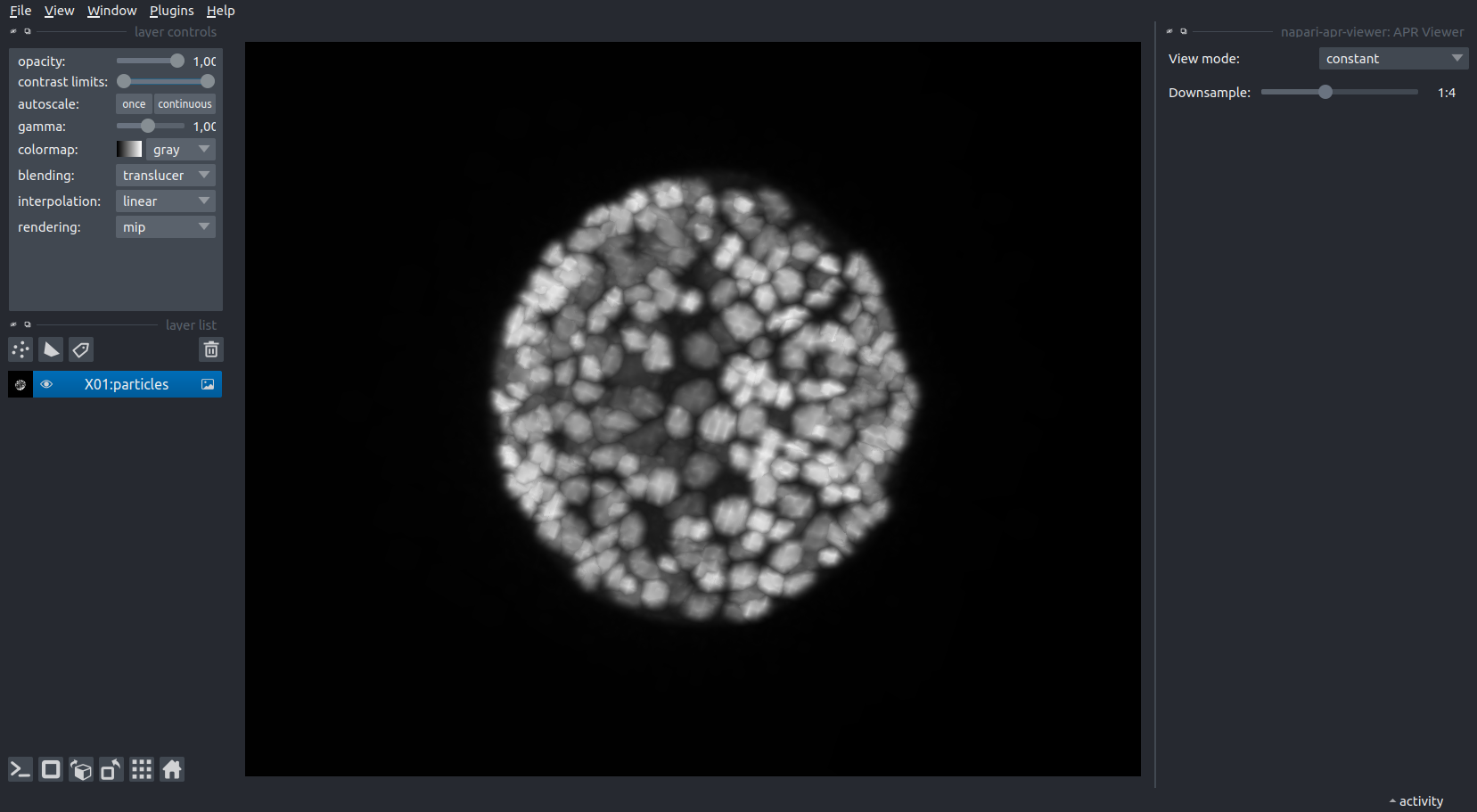
The data shown in these examples was taken from the Platynereis-ISH-Nuclei-CBG dataset available here.
This napari plugin was generated with Cookiecutter using @napari's cookiecutter-napari-plugin template.
Installation
You can install napari-apr-viewer via pip:
pip install napari-apr-viewer
Contributing
Contributions are very welcome. Tests can be run with tox, please ensure the coverage at least stays the same before you submit a pull request.
License
Distributed under the terms of the Apache Software License 2.0 license, "napari-apr-viewer" is free and open source software
Issues
If you encounter any problems, please file an issue along with a detailed description.


Download files
Download the file for your platform. If you're not sure which to choose, learn more about installing packages.
Source Distribution
Built Distribution
Filter files by name, interpreter, ABI, and platform.
If you're not sure about the file name format, learn more about wheel file names.
Copy a direct link to the current filters
File details
Details for the file napari-apr-viewer-1.0.1.tar.gz.
File metadata
- Download URL: napari-apr-viewer-1.0.1.tar.gz
- Upload date:
- Size: 1.3 MB
- Tags: Source
- Uploaded using Trusted Publishing? No
- Uploaded via: twine/4.0.2 CPython/3.12.0
File hashes
| Algorithm | Hash digest | |
|---|---|---|
| SHA256 |
dd8afd5e783713ee8cafdec63bd1d45b0d89d152600a2b5bde4a65608f68fbc6
|
|
| MD5 |
53a830e23c5eac280aedc99486e2e193
|
|
| BLAKE2b-256 |
d1f18a3be76de0654a907cdd5f44e4b87c0ef1b0942ad4f6c9b939c355911cf5
|
File details
Details for the file napari_apr_viewer-1.0.1-py3-none-any.whl.
File metadata
- Download URL: napari_apr_viewer-1.0.1-py3-none-any.whl
- Upload date:
- Size: 18.1 kB
- Tags: Python 3
- Uploaded using Trusted Publishing? No
- Uploaded via: twine/4.0.2 CPython/3.12.0
File hashes
| Algorithm | Hash digest | |
|---|---|---|
| SHA256 |
5162fa1af1a16d573ce9e042425b8cec9e23009e1b531d8121a6b992091e6fa4
|
|
| MD5 |
f30e4a489c67f7789fb6b1fa32ed27d7
|
|
| BLAKE2b-256 |
823076fbf94383287a3e01198cb714c870e20c50b5f8054b84f658c0ed2c0755
|






