
napari-czitools
- napari-czitools








napari plugin for reading CZI image data and metadata.
This napari plugin was generated with copier using the napari-plugin-template.
Installation
You can install napari-czitools via pip:
pip install napari-czitools
The current release requires Python 3.12 or 3.13 and czitools>=0.22.1.
To install latest development version :
pip install git+https://github.com/sebi06/napari-czitools.git
Supported Operating Systems
The test suite runs on Python 3.12 and 3.13 for:
- Linux
- Windows
- macOS
Usage - Core Functionalities
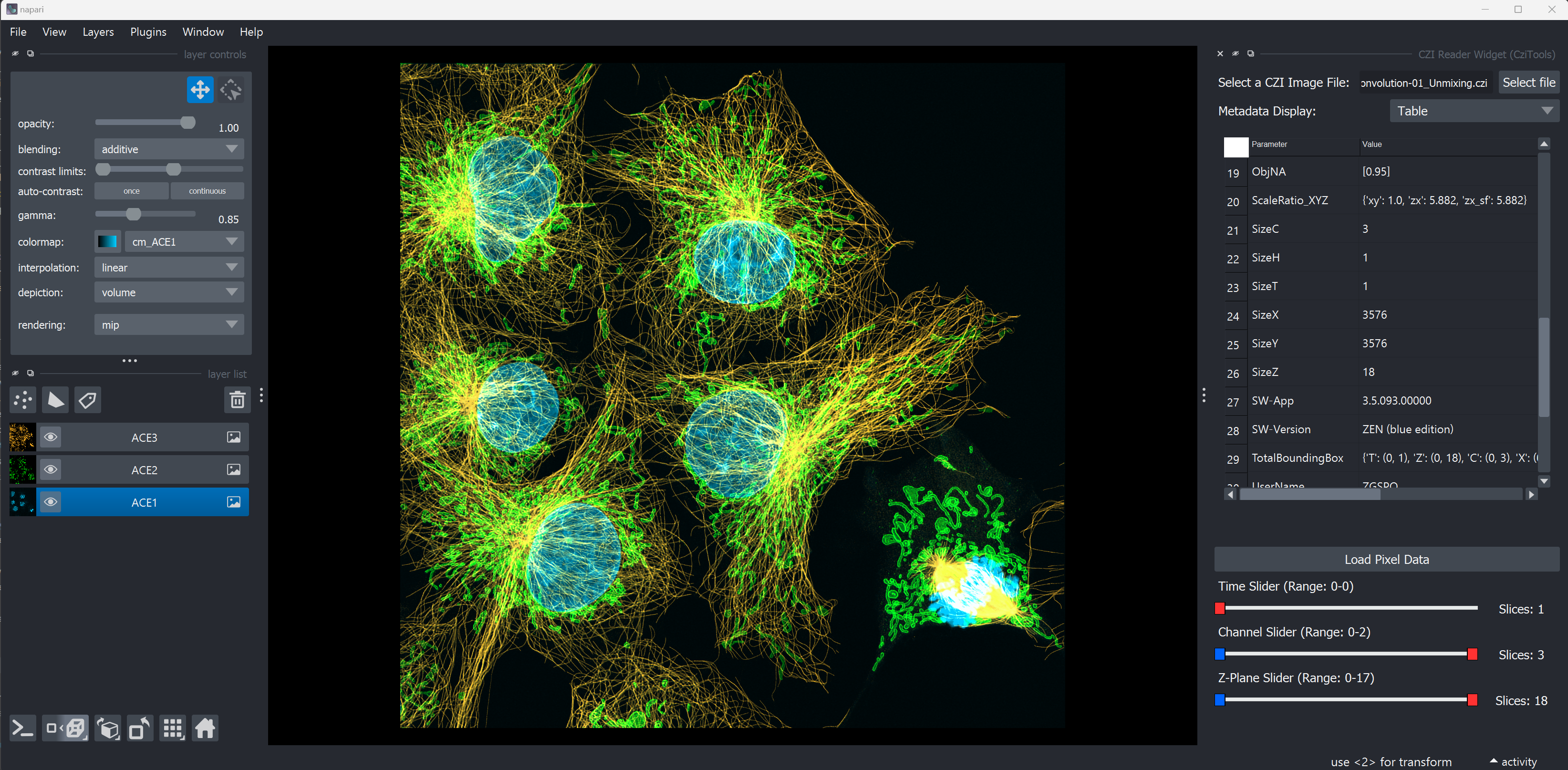
The plugin reads CZI image data into napari and displays the associated metadata in a table or tree.
Open Complete CZI Files
- Open complete CZI files and display their metadata in napari using czitools.
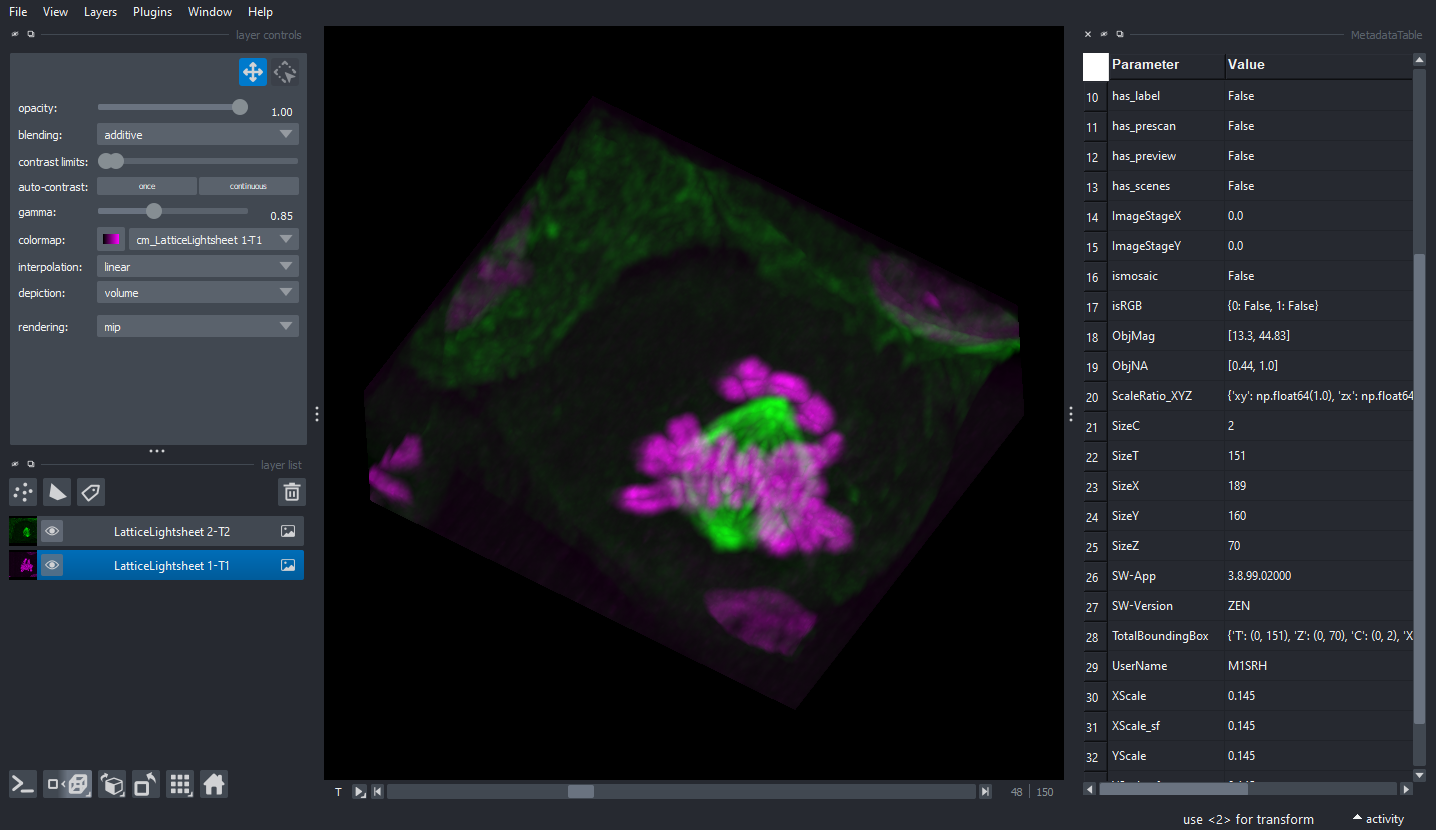
- Open different CZI sample datasets.
- If sample data are unavailable locally, they are downloaded from the remote repository, which may take some time.
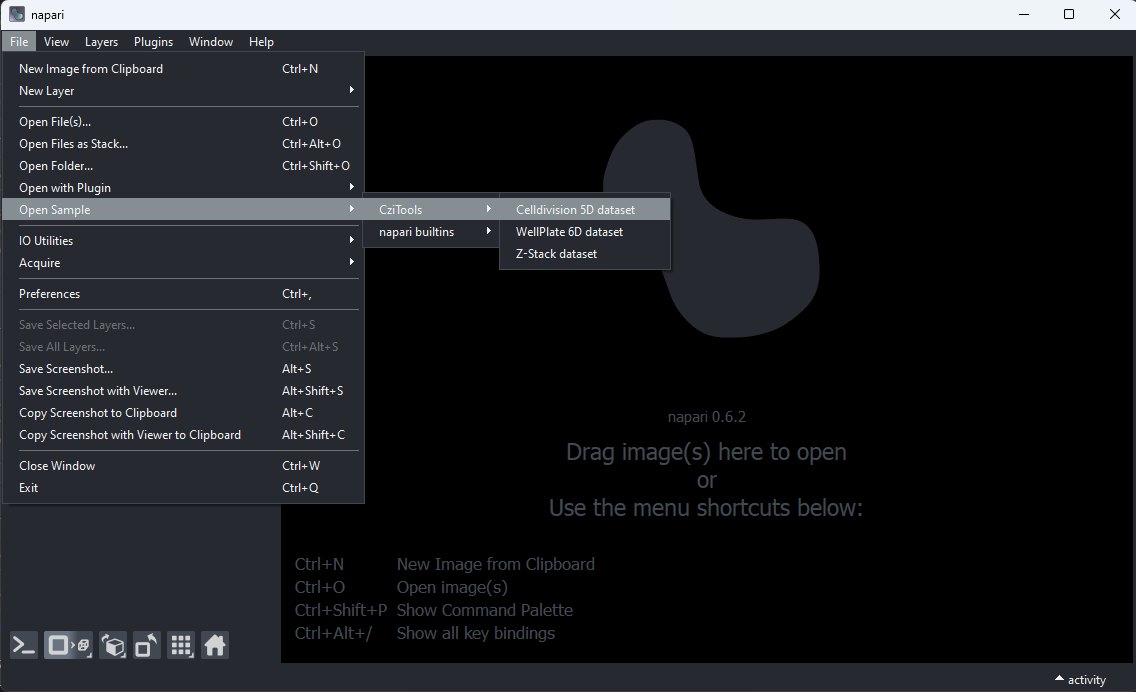
Open CZI Sample Data
CellDivision 5D Stack
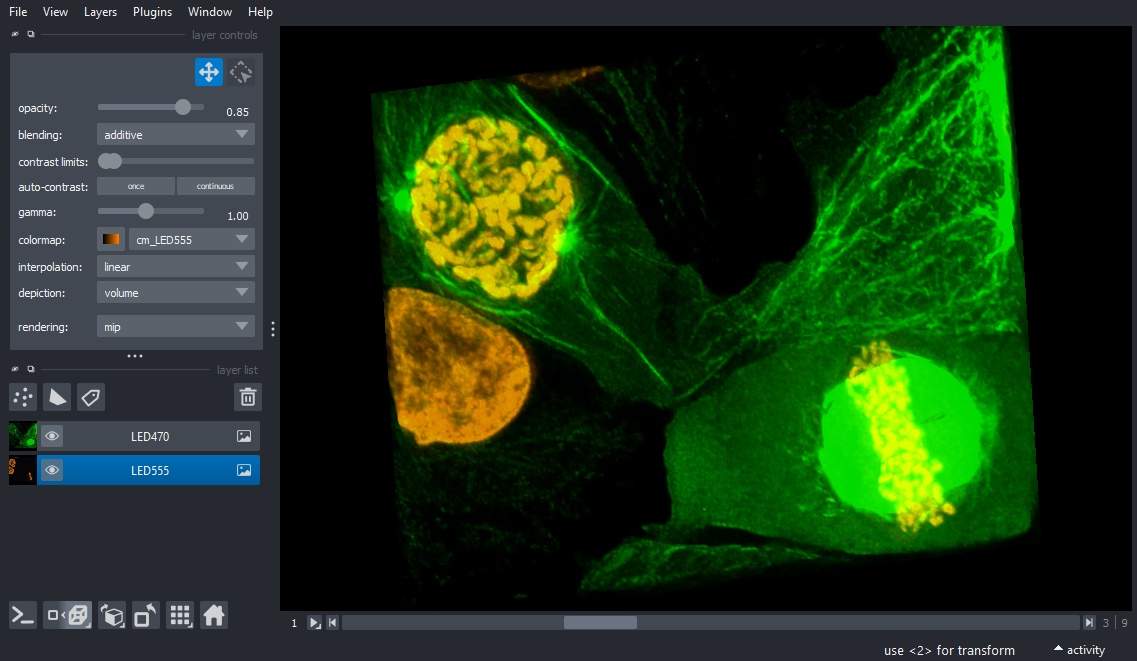
Neurons 3D Stack
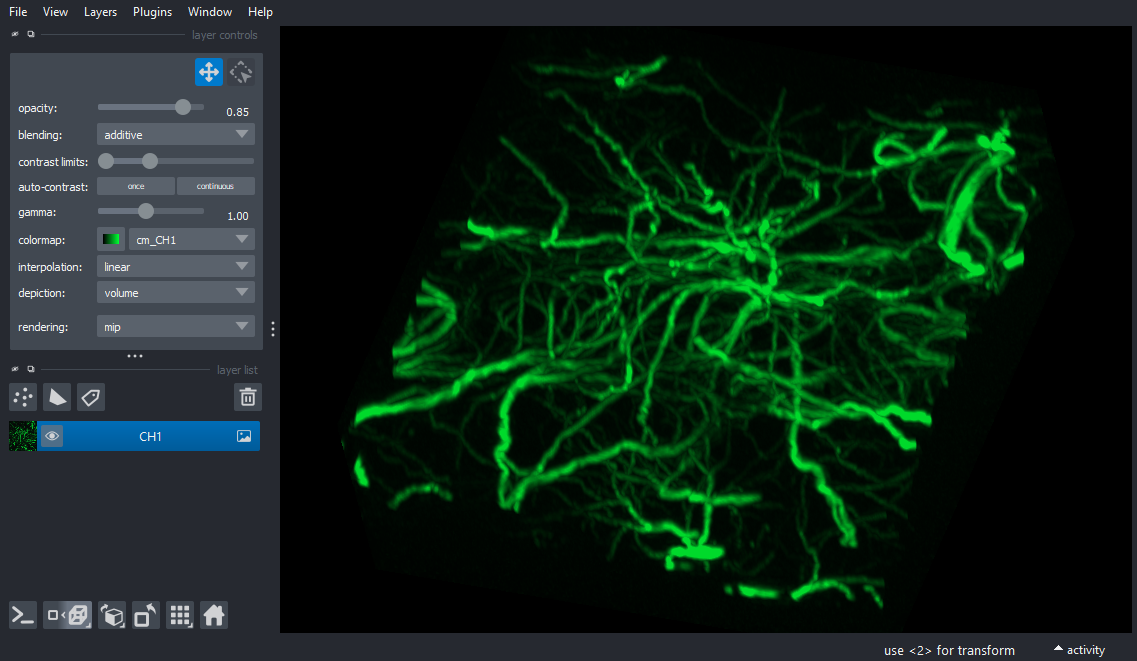
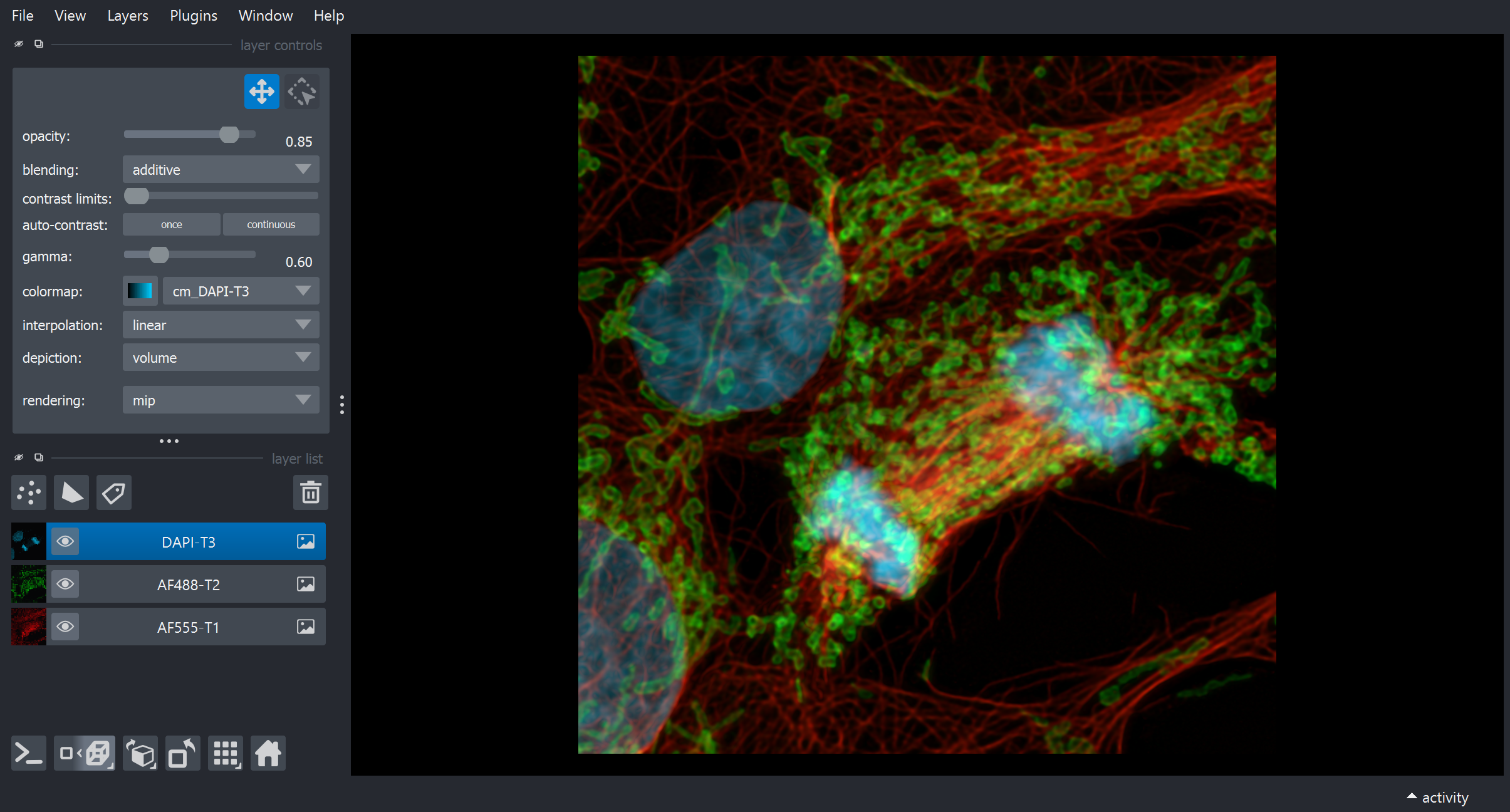
AiryScan 3D Stack
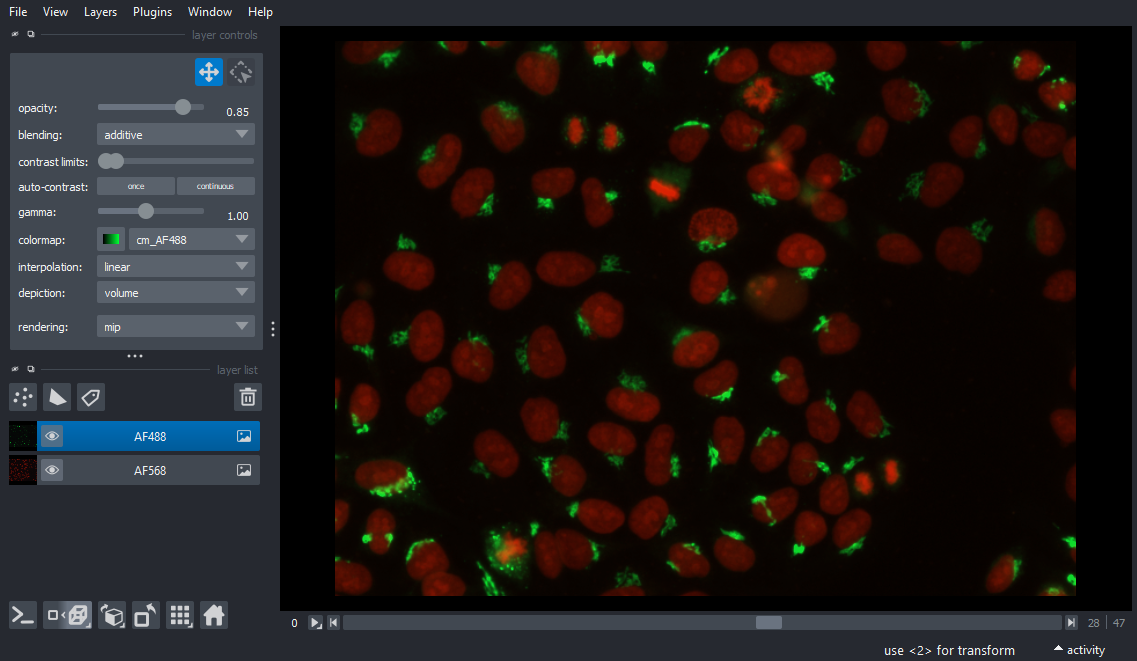
Wellplate Data
Advanced CZI Reader (CziReadTools) plugin
General Usage
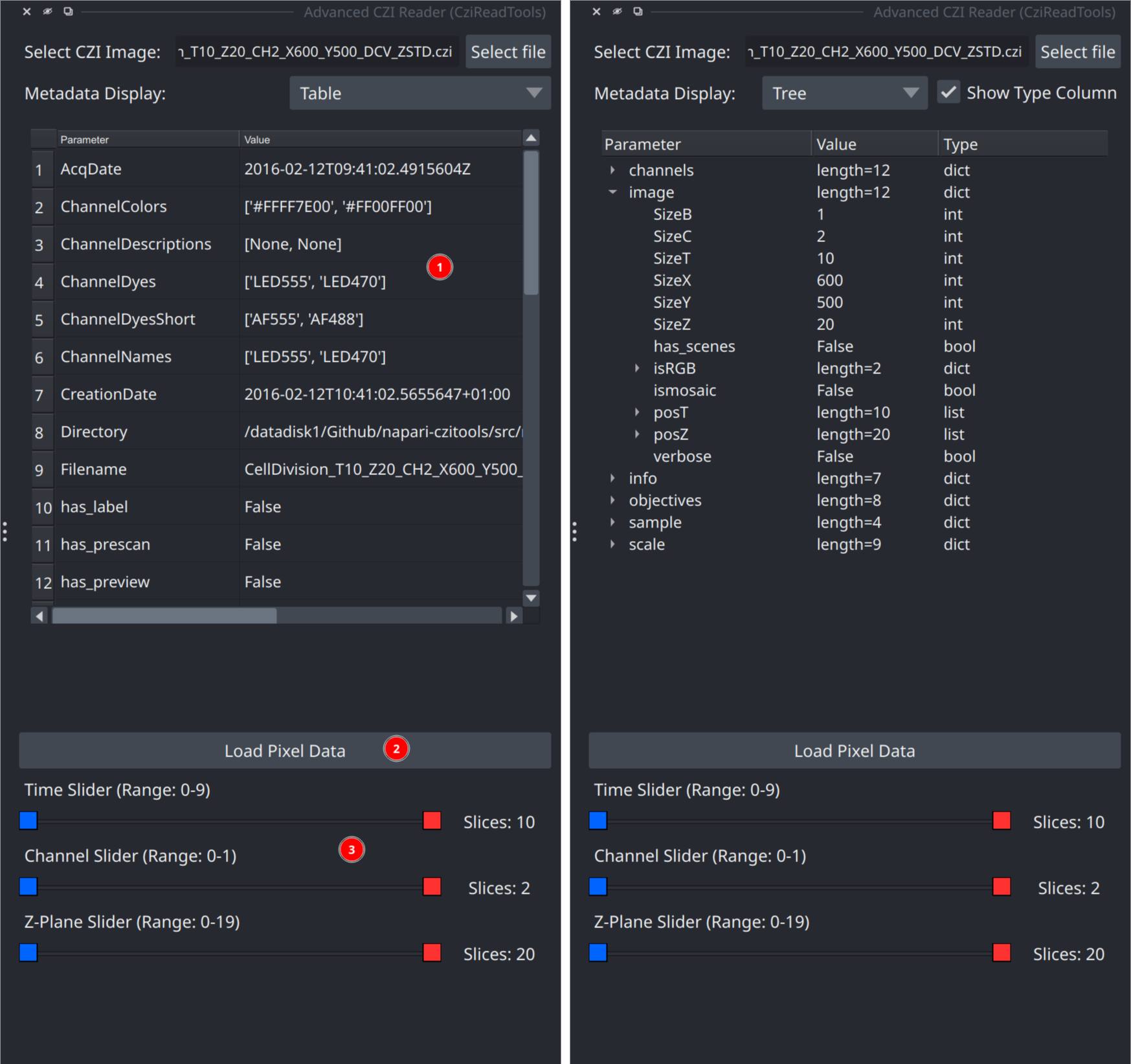
Open Plugins > Advanced CZI Reader (CziReadTools). The initial panel has four main areas:
- Select a local CZI file. Drag and drop onto the file field is also supported.
- Inspect metadata as a table or tree. Tree view can optionally show value types.
- Configure scene handling and the 3D preview, then load the selected pixels.
- Select scene, time, channel, and Z ranges. Dimensions with only one position are hidden after metadata loads.
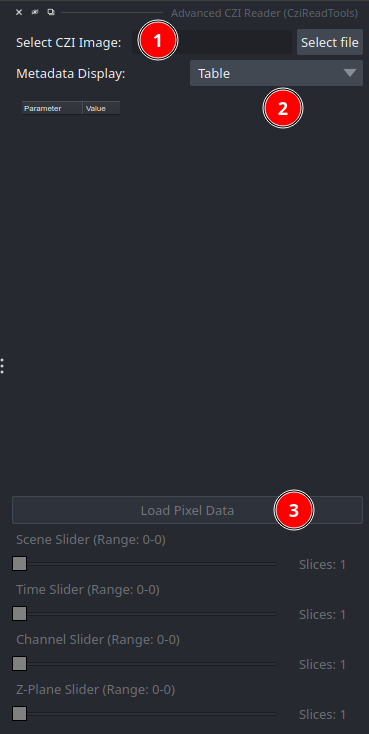
After Metadata Loads
Selecting a valid CZI file reads metadata but does not load its pixel data. The metadata view, Load Pixel Data, 3D preview size, and applicable dimension sliders then become available. Stack scenes remains disabled unless the CZI contains multiple scenes with different pixel dimensions.
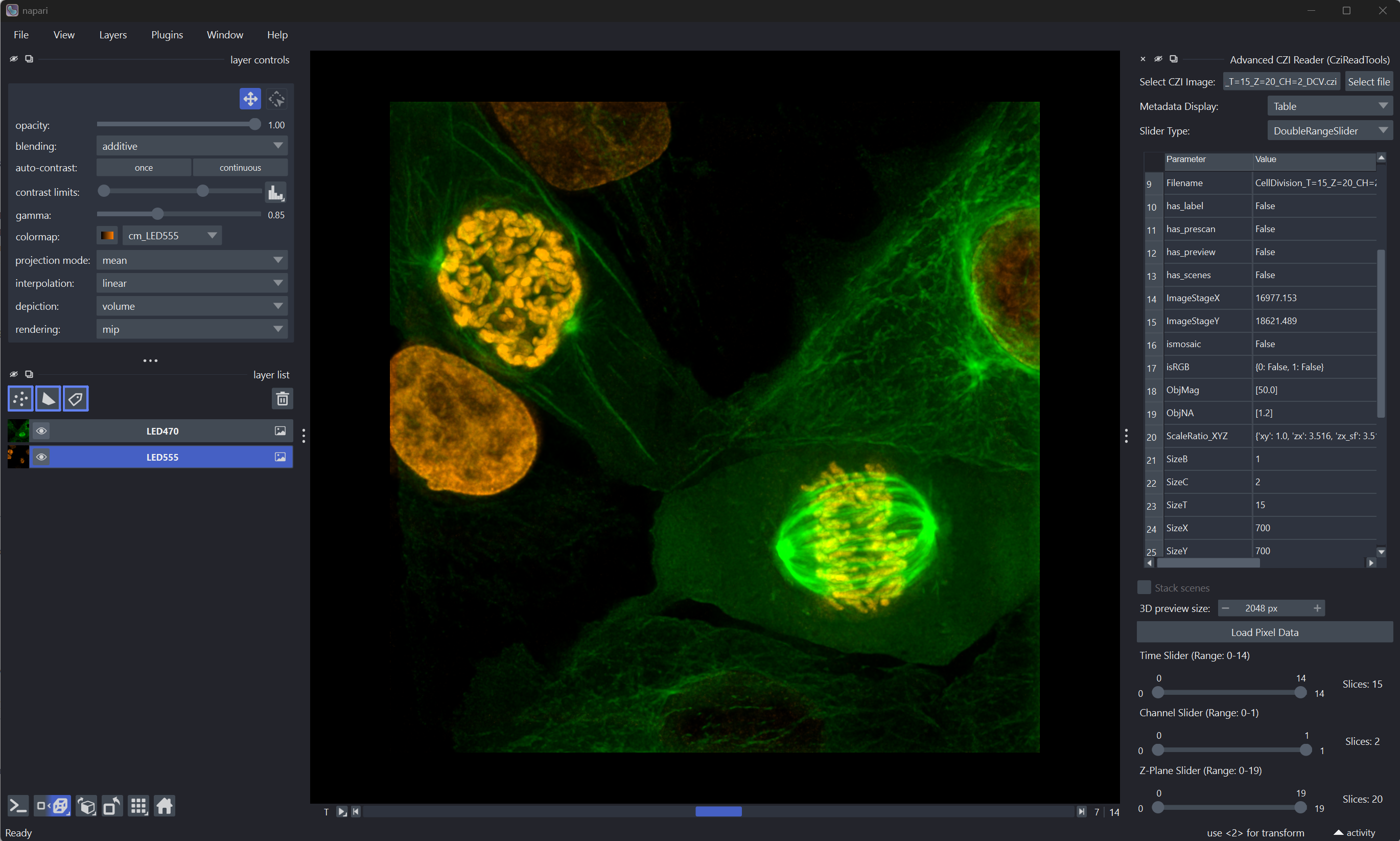
Use Slider Type to switch between a dual-handle range slider and separate
minimum/maximum sliders. Setting both endpoints to the same value selects one
position, for example T=3-3.
Reading a subset
- Use the dimension sliders to select the scene, time, channel, and Z positions to load.
- The displayed metadata continue to describe the complete CZI, not only the selected subset.
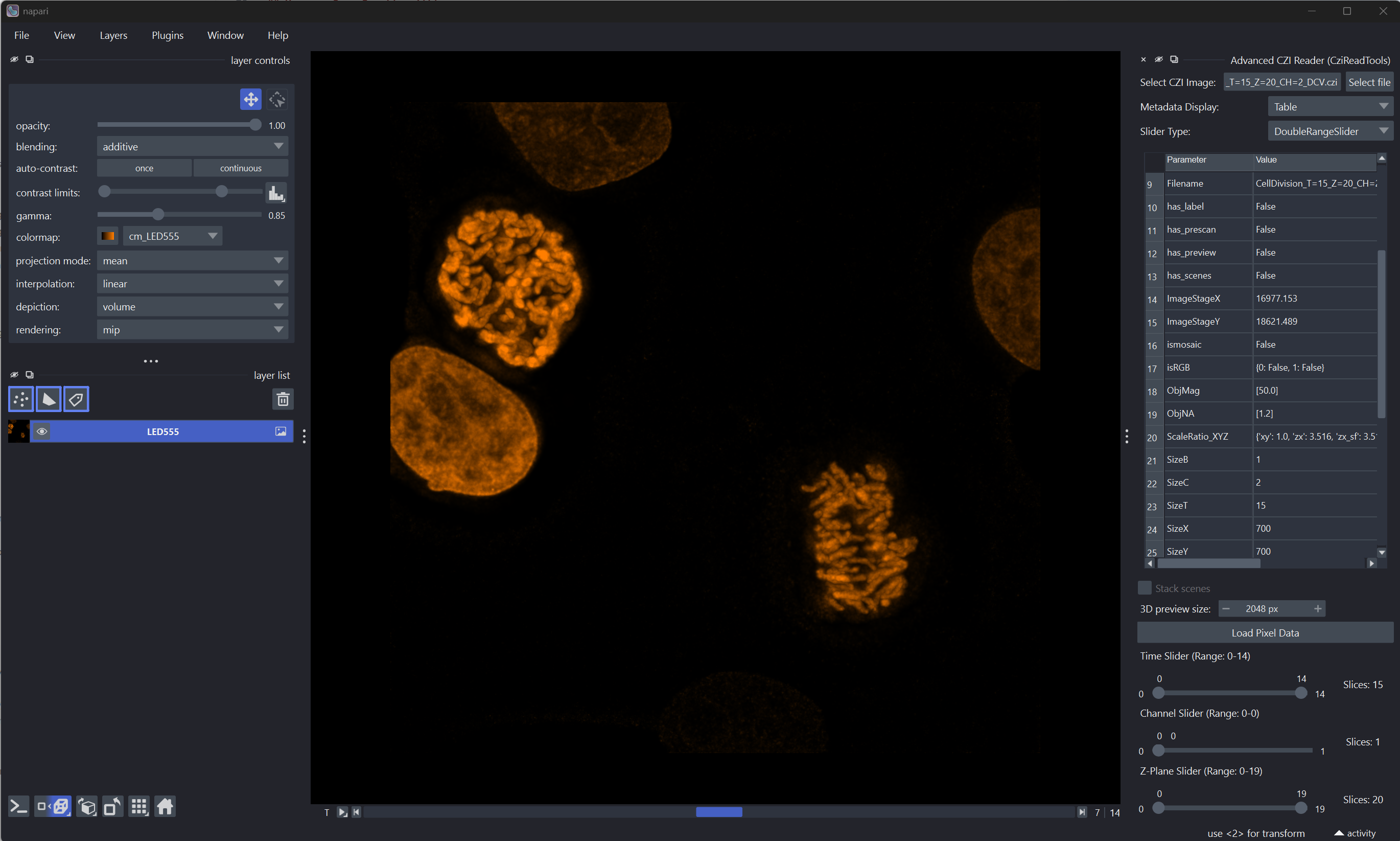
For example, selecting timepoints 4-7, channel 0-0, and Z-planes 7-10 loads four timepoints, one channel, and four Z-planes.
3D Preview Size
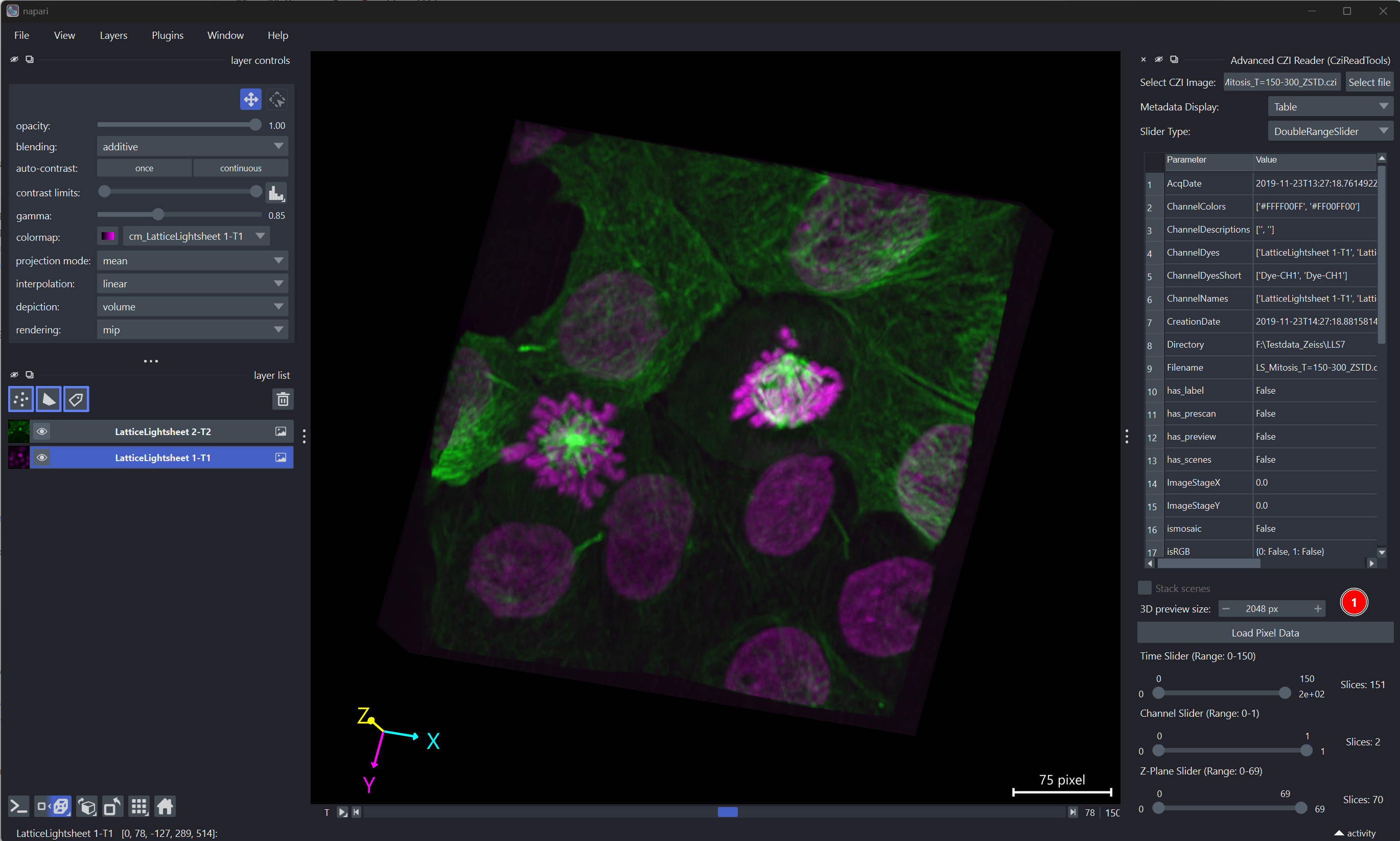
3D preview size sets the target maximum width or height, in pixels, of the coarsest pyramid level sent to napari. The default is 2048 px, a conservative size that fits the minimum broadly supported OpenGL 3D texture limit.
This setting does not crop the image, change the selected S/T/C/Z ranges, or
reduce the resolution of the finest source level. If the coarsest pyramid level
stored in the CZI is already at or below the selected size, nothing additional
is generated. If it is larger, czitools lazily adds half-resolution levels
until the longest Y/X edge fits the target.
- Use a lower value to reduce GPU memory use and improve compatibility with older GPUs. The first overview will contain less spatial detail.
- Keep 2048 px for portable 3D rendering in most cases.
- Use a higher value only when more preview detail is useful and the GPU supports larger textures. Higher values can use more GPU memory.
The value is saved between napari sessions and becomes editable after valid CZI metadata loads. For small images, changing it often has no visible effect because the existing coarsest level already fits.
Lazy Loading
The advanced reader always uses lazy multiscale loading after Load Pixel Data is pressed. It requests Dask-backed xarray stacks for the selected scene, time, channel, and Z ranges, so pixel tiles are read only when napari needs them. This avoids loading the complete selection into RAM, supports differently sized scenes, and enables efficient 3D previews.
Python callers can still pass use_lazy=False to CZIDataLoader or
reader_function_adv when they explicitly need the eager read_6darray path.
That path constructs one regular array in STCZYX(A) order, loads every
selected plane into RAM, and requires compatible scene shapes.
Scene Tolerance
When a file is selected the plugin reads the bounding rectangle of every scene and computes the maximum pixel difference in width and height across all scenes. If any difference is detected, a label appears next to the load controls:
Scene size diff — W: 72px H: 9px
and the Stack scenes checkbox becomes enabled. Checking it re-evaluates the metadata with a tolerance equal to the computed maximum difference, which:
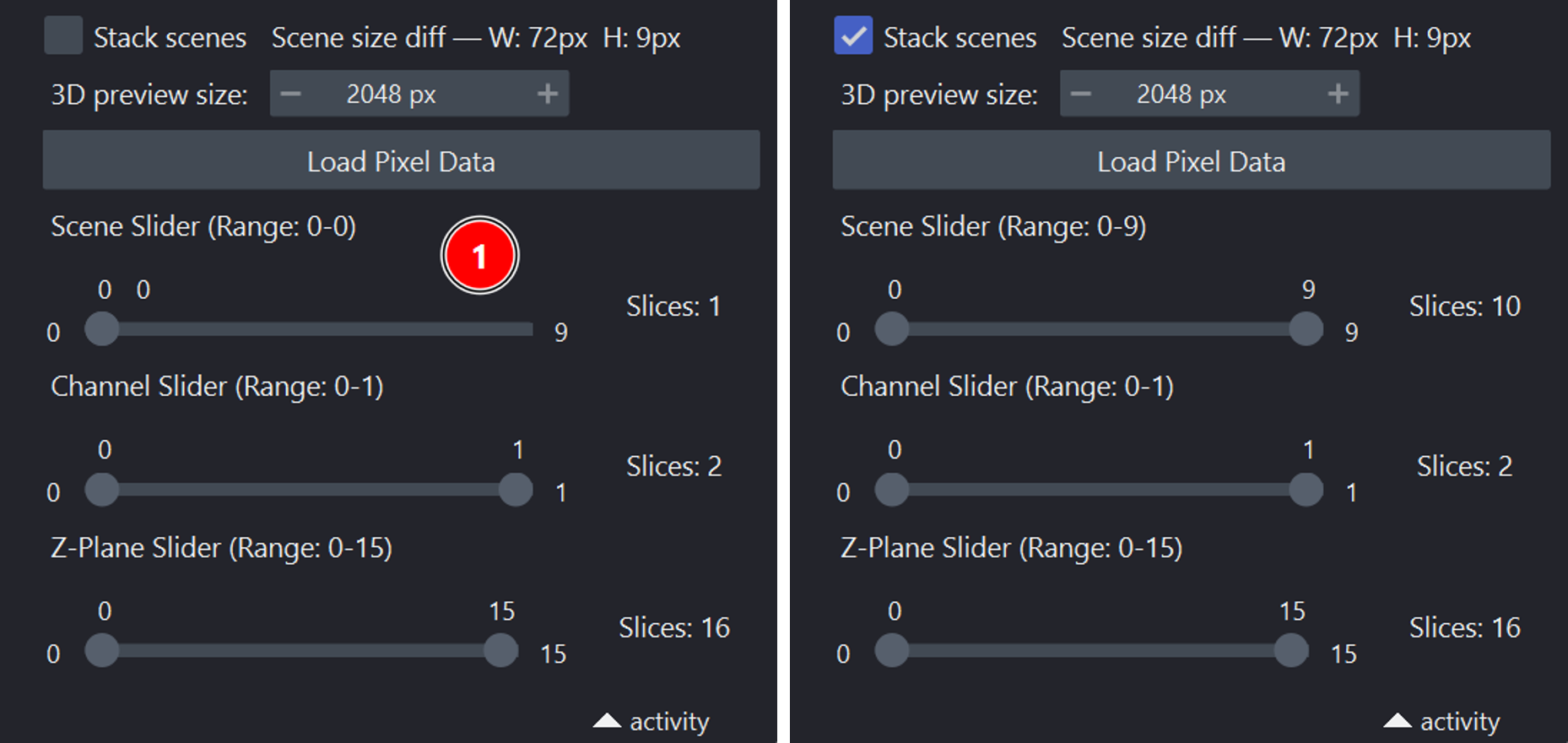
- Unlocks the scene slider so you can select any range of scenes.
- Crops all scenes to the smallest common W×H shape when pixel data is loaded — no zero-padding is introduced.
When the checkbox is unchecked (default), scenes must be pixel-identical to be stacked; files where scene sizes differ are limited to one scene at a time.
This is particularly useful for HCS plate CZIs where each scene is a multi-tile mosaic covering one well: the per-well tile grids are assembled from stage coordinates independently, so the total pixel extent of each well can differ by tens of pixels even when the acquisition settings are identical.
Gigapixel CZIs (whole-slide, large 2D scans)
For files whose individual 2D planes are larger than about 256 MB uncompressed
(for example a 93,555 × 138,996 uint16 plane ≈ 24 GB), czitools
automatically switches to spatial Y/X tiling: each Dask chunk becomes one
ROI-based read via pylibCZIrw, so napari only fetches the tiles that
intersect the current viewport instead of full planes. Small planes keep the
faster whole-plane path.
On top of tiling, lazy mode also enables multiscale rendering. The plugin
calls czitools.read_tools.read_stacks_multiscale to detect the CZI's stored
pyramid levels (via pylibCZIrw subblock enumeration) and hands napari one
lazy Dask array per level as viewer.add_image(..., multiscale=True). This
lets napari render the coarsest level immediately from a single GPU texture
and stream finer tiles on zoom. If the coarsest stored level is still larger
than DEFAULT_MAX_COARSE_EDGE (2048 px), extra synthetic coarser levels are
added on the fly using libCZI's C++ resampler. The conservative default fits
the minimum broadly supported OpenGL 3D texture size; 2D texture limits are
often much larger. Files without an on-disk pyramid are passed to napari as
single-scale images when no additional level is needed.
To keep opening these files usable, the plugin also passes an explicit
contrast_limits argument to viewer.add_image (derived from the CZI's
embedded display settings). Without this, napari would auto-scan every chunk
of the Dask array to determine the display range and materialize the entire
plane in RAM before the first pixel is shown.
Advanced Python usage
The Python reader API forwards the same lazy behaviour:
from napari_czitools._io import DEFAULT_MAX_COARSE_EDGE from napari_czitools._reader import reader_function_adv
reader_function_adv( "image.czi", use_lazy=True, # read pixel data only when requested use_dask=True, # required for on-demand reads use_multiscale=True, # napari renders coarse-level tiles first max_coarse_edge=DEFAULT_MAX_COARSE_EDGE, )
max_coarse_edge is the Python equivalent of 3D preview size. Keep the
default for portable 3D rendering, lower it to reduce GPU memory use, or raise
it when the GPU supports larger textures.
With use_lazy=True, czitools reads the CZI metadata and builds Dask task
graphs first — individual pixel planes are not loaded at that point. When
use_multiscale=True (the default) the plugin also constructs a per-level
pyramid so napari can render gigapixel planes without materialising layer 0.
Disabling use_lazy, even with use_dask=True, still reads all pixels
eagerly before wrapping the result in a Dask array.
Current Limitations
The sample-data commands add image layers directly and do not open the Advanced CZI Reader metadata panel.
Future plans
- Evaluate interoperability with bioio-czi.
- Add metadata-table export.
Feedback is always welcome!
Contributing
Contributions are welcome. Tests can be run with tox; please ensure coverage does not decrease when submitting a pull request.
Running Tests
Install test dependencies first (recommended for full local coverage):
pip install -e ".[testing]"
This installs pytest-qt, which provides the qtbot fixture used by
napari/Qt tests.
Windows/macOS:
pytest
Linux (recommended - use tox):
tox -e py312-linux
(Replace py312 with your Python version: py312 or py313)
Linux (direct pytest):
pytest -v --forked --color=yes
Note: The --forked flag is required on Linux to prevent CZI + Qt crashes by running each test in its own process. This flag is not available on Windows.
Recent Compatibility Notes
czitools>=0.22.1is required.read_tools.read_stacksreturns(arrays_or_list, dims, num_stacks, metadata). The plugin handles both a single stacked xarray object and a list containing one xarray stack per scene.- Channel extraction uses positional indexing to support channel coordinates
represented by names (for example
"DAPI","EGFP") instead of numeric labels. - URL metadata tests can be affected by transient remote read failures (for example GitHub/network hiccups). The test suite retries and skips these network-dependent checks if remote headers cannot be read reliably.
- The custom dual-handle
DoubleRangeSliderhas been replaced with wrappers around superqt'sQLabeledRangeSliderandQRangeSlider, reducing custom painting/mouse handling code and using a well-tested community component. The public slider API (low(),high(),setLow(),setHigh(), single-value mode) is unchanged. - A small internal patch (
_allow_handle_overlap) is applied to every superqt range slider so that both handles can sit on the same value, enabling single-frame extraction (e.g. T=4-4 to read one timepoint).
License
Distributed under the terms of the MIT license, napari-czitools is free and
open-source software.
Issues
If you encounter any problems, please file an issue along with a detailed description.
Disclaimer
The software and scripts are free to use. The author provides no warranty for their use. Use them at your own risk.
By using this plugin you agree to this disclaimer.
1 maintainer

Download files
Download the file for your platform. If you're not sure which to choose, learn more about installing packages.
Source Distribution
Built Distribution
Filter files by name, interpreter, ABI, and platform.
If you're not sure about the file name format, learn more about wheel file names.
Copy a direct link to the current filters
File details
Details for the file napari_czitools-0.12.4.tar.gz.
File metadata
- Download URL: napari_czitools-0.12.4.tar.gz
- Upload date:
- Size: 13.0 MB
- Tags: Source
- Uploaded using Trusted Publishing? Yes
- Uploaded via:
twine/7.0.0 CPython/3.13.14
File hashes
| Algorithm | Hash digest | |
|---|---|---|
| SHA256 |
d476da5aff8bbacc31b0bfc3932ca21091dcd976f4c5f683fac066b018e99aef
|
|
| MD5 |
29be29fa255c5c4cd892016eb3e7dd3c
|
|
| BLAKE2b-256 |
d4bc34778c372271a4de4a29b1a4afa76be7e9ea5162383193f970c99f4dcc6a
|
File details
Details for the file napari_czitools-0.12.4-py3-none-any.whl.
File metadata
- Download URL: napari_czitools-0.12.4-py3-none-any.whl
- Upload date:
- Size: 67.2 kB
- Tags: Python 3
- Uploaded using Trusted Publishing? Yes
- Uploaded via:
twine/7.0.0 CPython/3.13.14
File hashes
| Algorithm | Hash digest | |
|---|---|---|
| SHA256 |
e9409e4c69107b67d6c61b04fac96e711a820405ce0811b06007586606d3bff2
|
|
| MD5 |
415dad669fec4bea6af883fc4da634a1
|
|
| BLAKE2b-256 |
2dd1afc038a2ed02a269bb471e7fbf3c1e193b375d8d8dd6c0e3f91a7d5e9ae6
|














