
Plugin to read CZI image files and their metadata

Project description
napari-czitools








Plugin to read CZI image file and metadata
This napari plugin was generated with copier using the napari-plugin-template.
Installation
You can install napari-czitools via pip:
pip install napari-czitools
To install latest development version :
pip install git+https://github.com/sebi06/napari-czitools.git
Supported Operating Systems
Currently this only tested on:
- Linux
- Windows
MacOS is not supported yet out of the box yet, but czitools uses pylibCZIrw. But it should be possible to install it manually: MaxOS wheels for pylibCZIrw (read and write CZI files on MacOS).
Usage - Core Functionalities
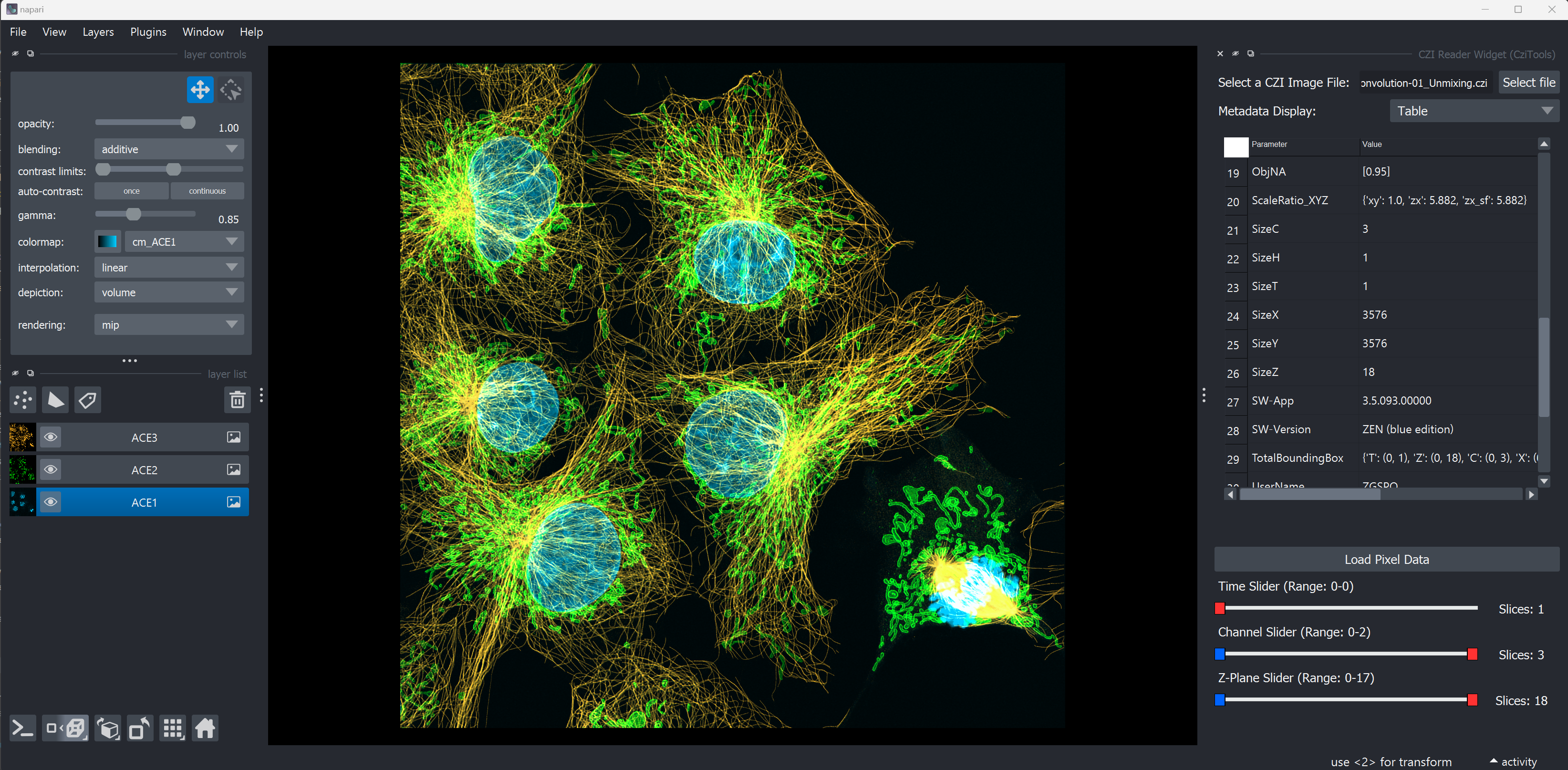
The plugin provides a reader for CZI files and allows to load the image data into napari. It also reads the metadata from the CZI file and displays it in the metadata panel of napari.
Open Complete CZI Files
- Open complete CZI Files and display the metadata in Napari using the czitools package

- Open different CZI Image sample data
- if not found locally in current directory
../src/napari_czitools/sample_datait will be opened from remote repository (might be slow)
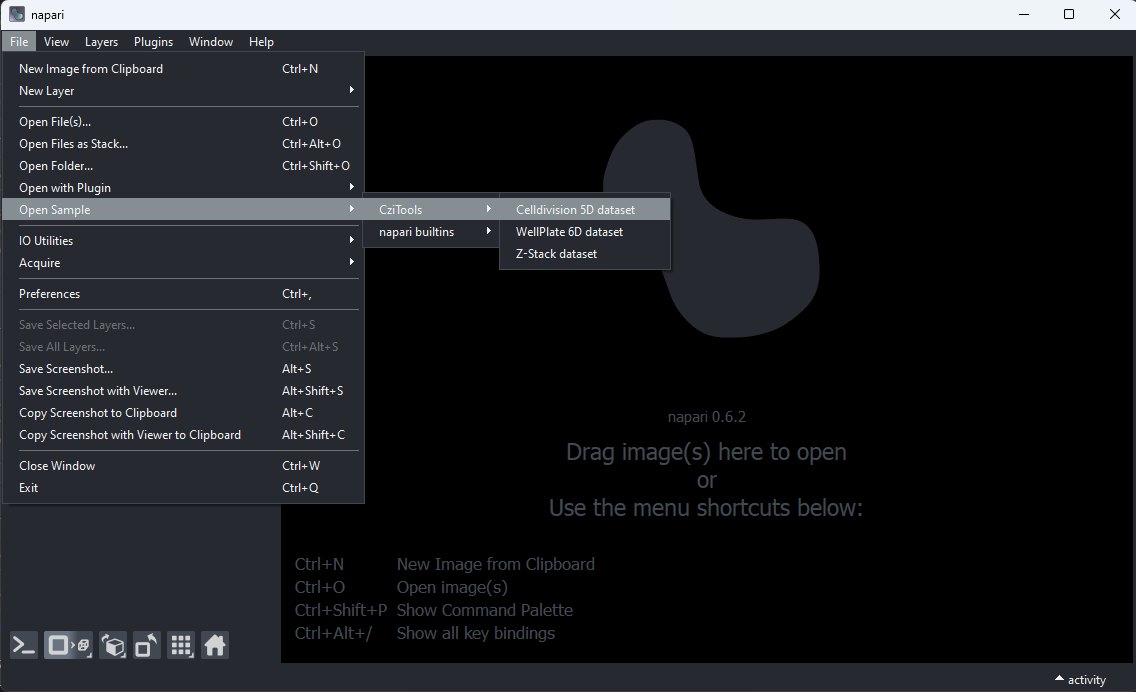
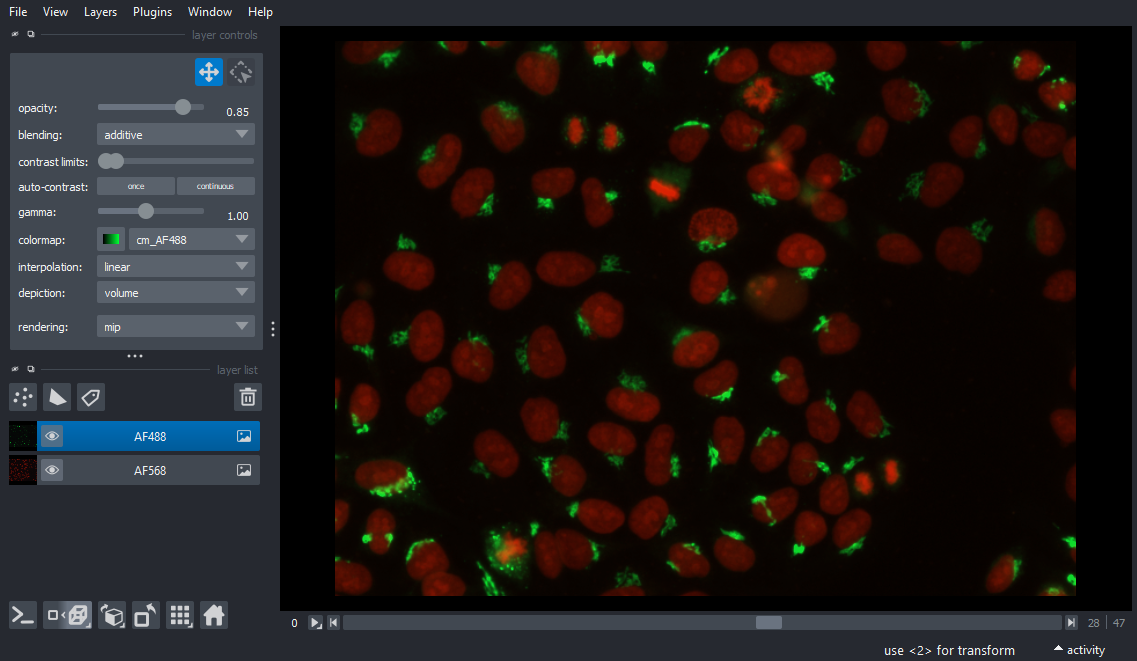
Open CZI Sample Data
CellDivision 5D Stack
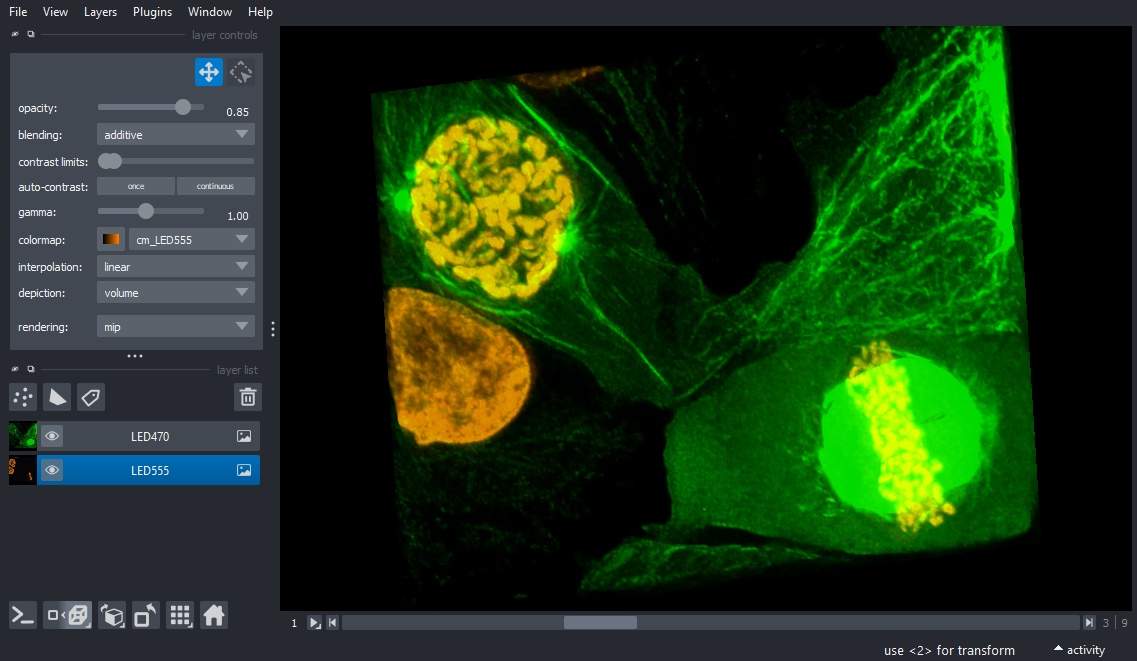
Neurons 3D Stack
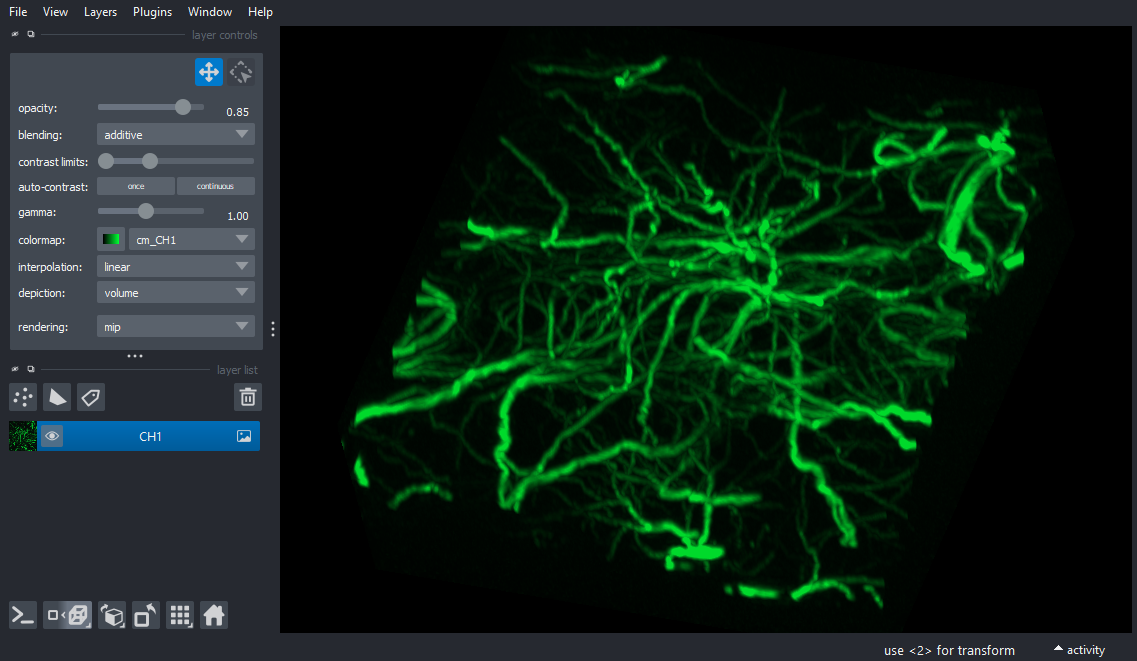
AiryScan 3D Stack
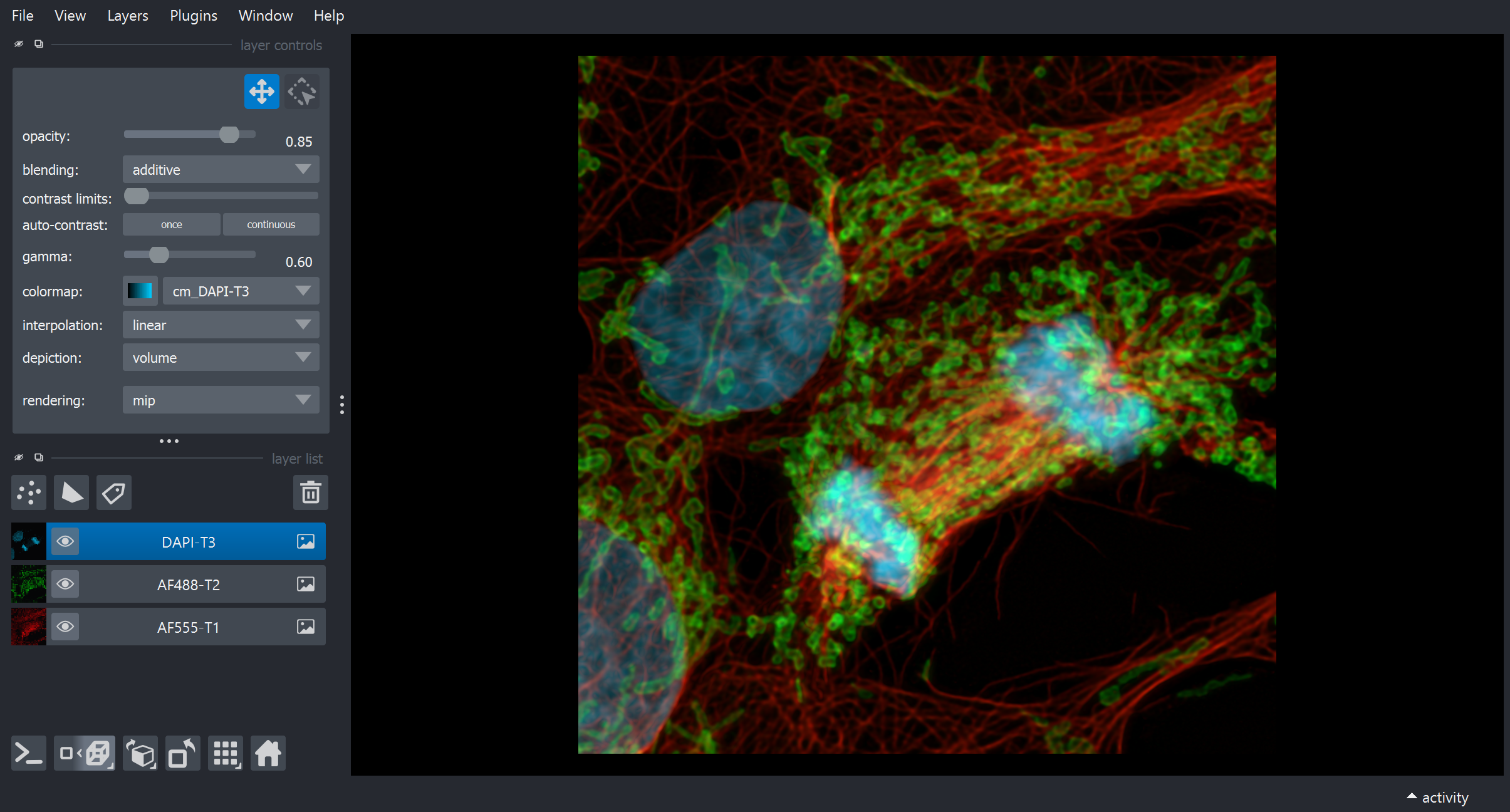
Wellplate Data
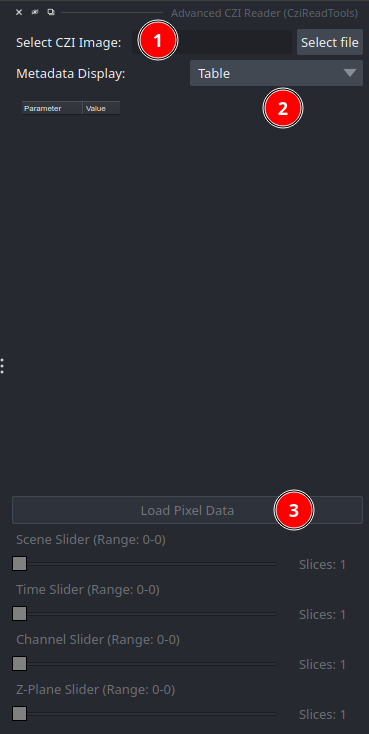
Advanced CZI Reader (CziReadTools) plugin
Select the plugin to show the UI in the right panel of the Napari UI via "Plugins > Advanced CZI Reader (CziReadTools)"
- Select the CZI file to read its metadata
- Once the metadata are read the display can be toggled between a table and a tree view
- The metadata will update the dimension double-range sliders and enable reading the pixel data
- Metadata will be shown as a table or as a tree view
- The Load Pixel Data button will be enabled once the metadata is read
- The Dimension Sliders will be enabled and allow to select an range to be read for all available dimensions
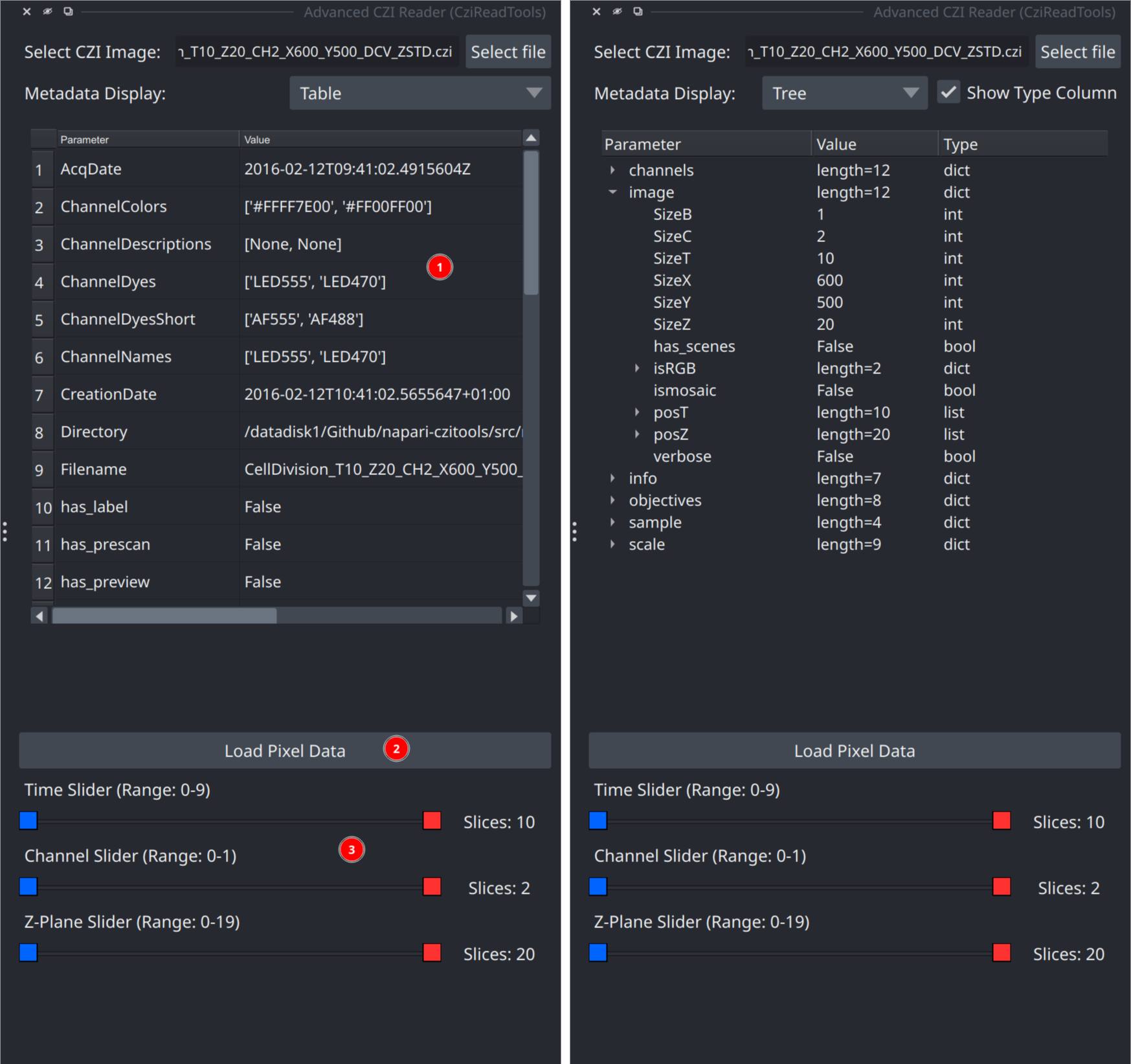
- The dimensions slider allow to define size of CZI subset to be read
- This allows to read parts of a CZI image dataset
- Important - when reading a subset the metadata will still reflects the size of the complete CZI

- Example for reading a subset
- Timepoints (4-7): 4 slices or T=4
- Channels (0-0): 1 slice or CH=1
- Z-Plane (7-10): 4 slices or Z=4

Current Limitations
The plugin is still in its very early stage, therefor expect bugs and breaking changes
- reading CZI with multiple scenes only works when the scenes have equal size
- opening the sample CZI files will not display the CZI metadata right now
Future plans
- allow reading individual scenes when scenes have different sizes
- upgrade pylibCZIrw to allow use bioio-czi for even better reading
- export of metadata table
Feedback is always welcome!
Contributing
Contributions are very welcome. Tests can be run with tox, please ensure the coverage at least stays the same before you submit a pull request.
Running Tests
Install test dependencies first (recommended for full local coverage):
pip install -e ".[testing]"
This installs pytest-qt, which provides the qtbot fixture used by
napari/Qt tests.
Windows/macOS:
pytest
Linux (recommended - use tox):
tox -e py311-linux
(Replace py311 with your Python version: py310, py312, or py313)
Linux (direct pytest):
pytest -v --forked --color=yes
Note: The --forked flag is required on Linux to prevent CZI + Qt crashes by running each test in its own process. This flag is not available on Windows.
Recent Compatibility Notes
czitools>=0.14.0is supported.- Newer
czitoolsmay return scene data as a list of xarray stacks when lazy reading is enabled. The plugin now handles both single-stack and scene-list outputs when creating channel layers. - Channel extraction uses positional indexing to support channel coordinates
represented by names (for example
"DAPI","EGFP") instead of numeric labels. - URL metadata tests can be affected by transient remote read failures (for example GitHub/network hiccups). The test suite retries and skips these network-dependent checks if remote headers cannot be read reliably.
License
Distributed under the terms of the MIT license, "napari-czitools" is free and open source software
Issues
If you encounter any problems, please file an issue along with a detailed description.
Disclaimer
The software & scripts are free to use for everybody. The author undertakes no warranty concerning the use of this plugins and scripts. Use them on your own risk.
By using this plugin you agree to this disclaimer.
Version: 2025.08.20
Release history Release notifications | RSS feed


Download files
Download the file for your platform. If you're not sure which to choose, learn more about installing packages.
Source Distribution
Built Distribution
Filter files by name, interpreter, ABI, and platform.
If you're not sure about the file name format, learn more about wheel file names.
Copy a direct link to the current filters
File details
Details for the file napari_czitools-0.0.8.tar.gz.
File metadata
- Download URL: napari_czitools-0.0.8.tar.gz
- Upload date:
- Size: 10.6 MB
- Tags: Source
- Uploaded using Trusted Publishing? No
- Uploaded via: twine/6.2.0 CPython/3.11.14
File hashes
| Algorithm | Hash digest | |
|---|---|---|
| SHA256 |
d6b801bf01a6d2d0276a3461b45bbd0601bedaf6168a1ba2a48a37b496f61a7d
|
|
| MD5 |
5b10d908861f4fe98d14ff9ead51ff76
|
|
| BLAKE2b-256 |
038f5c4ad037ddb7b6b5dcd72155d0af2fd63c7c65a6bdc4f7137b422acd397f
|
File details
Details for the file napari_czitools-0.0.8-py3-none-any.whl.
File metadata
- Download URL: napari_czitools-0.0.8-py3-none-any.whl
- Upload date:
- Size: 61.2 kB
- Tags: Python 3
- Uploaded using Trusted Publishing? No
- Uploaded via: twine/6.2.0 CPython/3.11.14
File hashes
| Algorithm | Hash digest | |
|---|---|---|
| SHA256 |
6f17c80220e1846ceff05baa59001906fa08e00d3dca79b4d3c810f511594933
|
|
| MD5 |
0ad2636524ba9ac146f30ca3d93b204c
|
|
| BLAKE2b-256 |
61b9160c6720088e6e3a49eda0255a483485d05114f2de87a23fdf20f9a9c237
|






