
An interactive classifier plugin to use with label images and feature measurements

Project description
napari-feature-classifier






An interactive classifier plugin for napari that lets you annotate objects in a label image and train a random forest classifier to generalize those annotations across all objects — without leaving the viewer.

When to use this
This plugin is designed for tasks where visual inspection defines the ground truth:
- Classifying cell types (e.g. mitotic vs. interphase cells)
- Quality control (flagging mis-segmented objects)
- Any labeling task where you can recognize the classes by eye but want to scale it to thousands of objects automatically
You need: a label image and a feature table — measurements per object (area, intensity, shape descriptors, etc.) stored in layer.features. The classifier learns from your manual annotations and applies those patterns to every object.
Usage
1. Prepare your label layer
Load your label image into napari and attach feature measurements to layer.features of that layer. You can have multiple label layers open at once — the classifier handles them all.
Your feature table must have:
- A
labelcolumn matching the integer labels in the image - A
roi_idcolumn identifying which image each row belongs to (used when training on multiple images)
Ways to load features:
- From an OME-Zarr file: use napari-ome-zarr-navigator, which handles correct loading of both the label image and the feature table and populates the
roi_idcolumn automatically. - From a CSV file:
Plugins → napari-feature-classifier → CSV Feature Loader, then select the label layer and point to the CSV. - Programmatically:
label_layer.features = your_dataframe
2. Initialize a classifier
Go to Plugins → napari-feature-classifier → Initialize a Classifier.
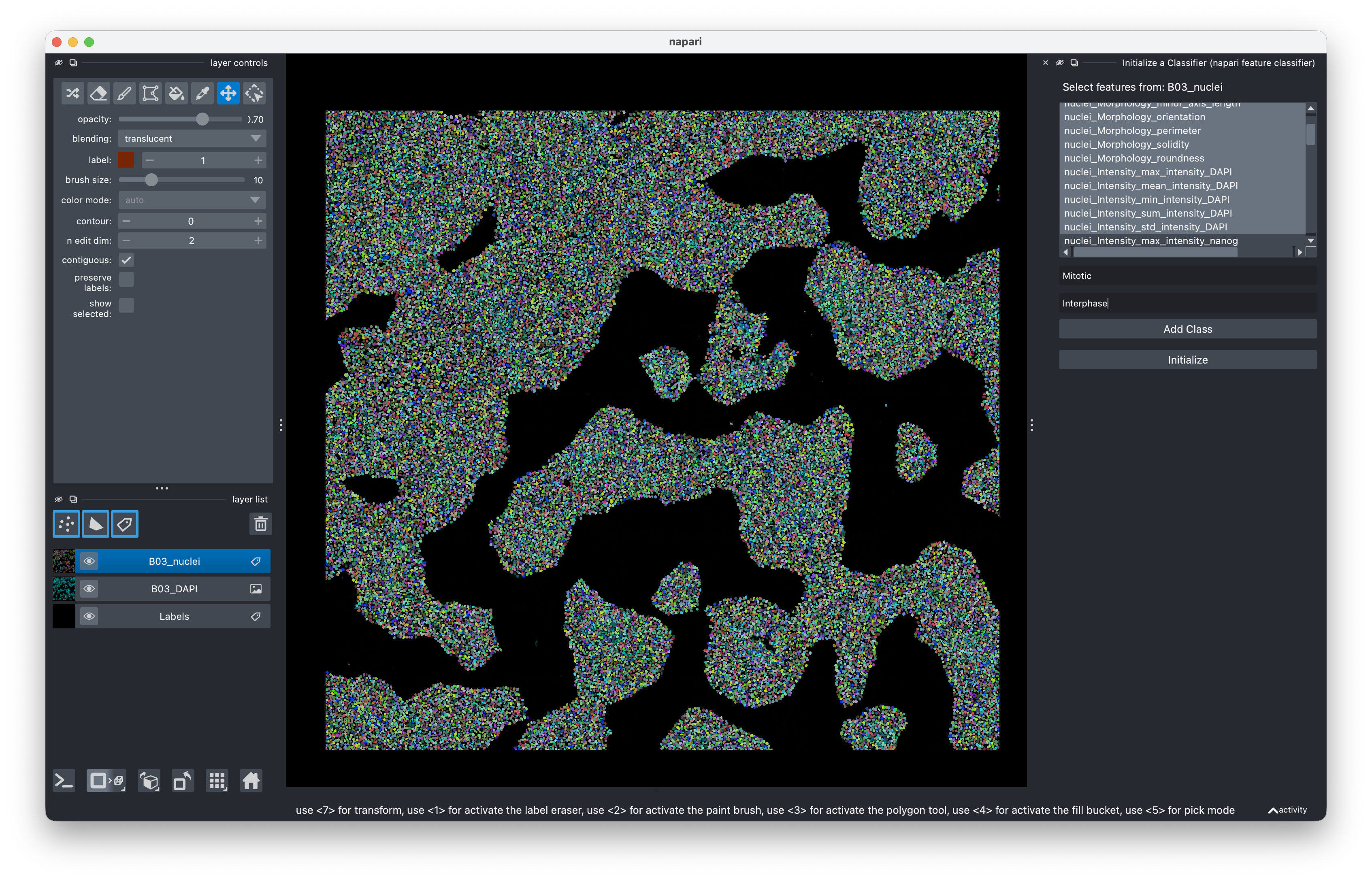
- Select the features to use for training. Hold Cmd/Ctrl to select multiple. The feature list reflects the currently selected label layer.
- Name your classes (e.g. "Mitotic", "Interphase"). Classes without a name won't be created.
- Click Initialize.
Feature selection is fixed after initialization. If you want different features, start a new classifier.
3. Annotate and train
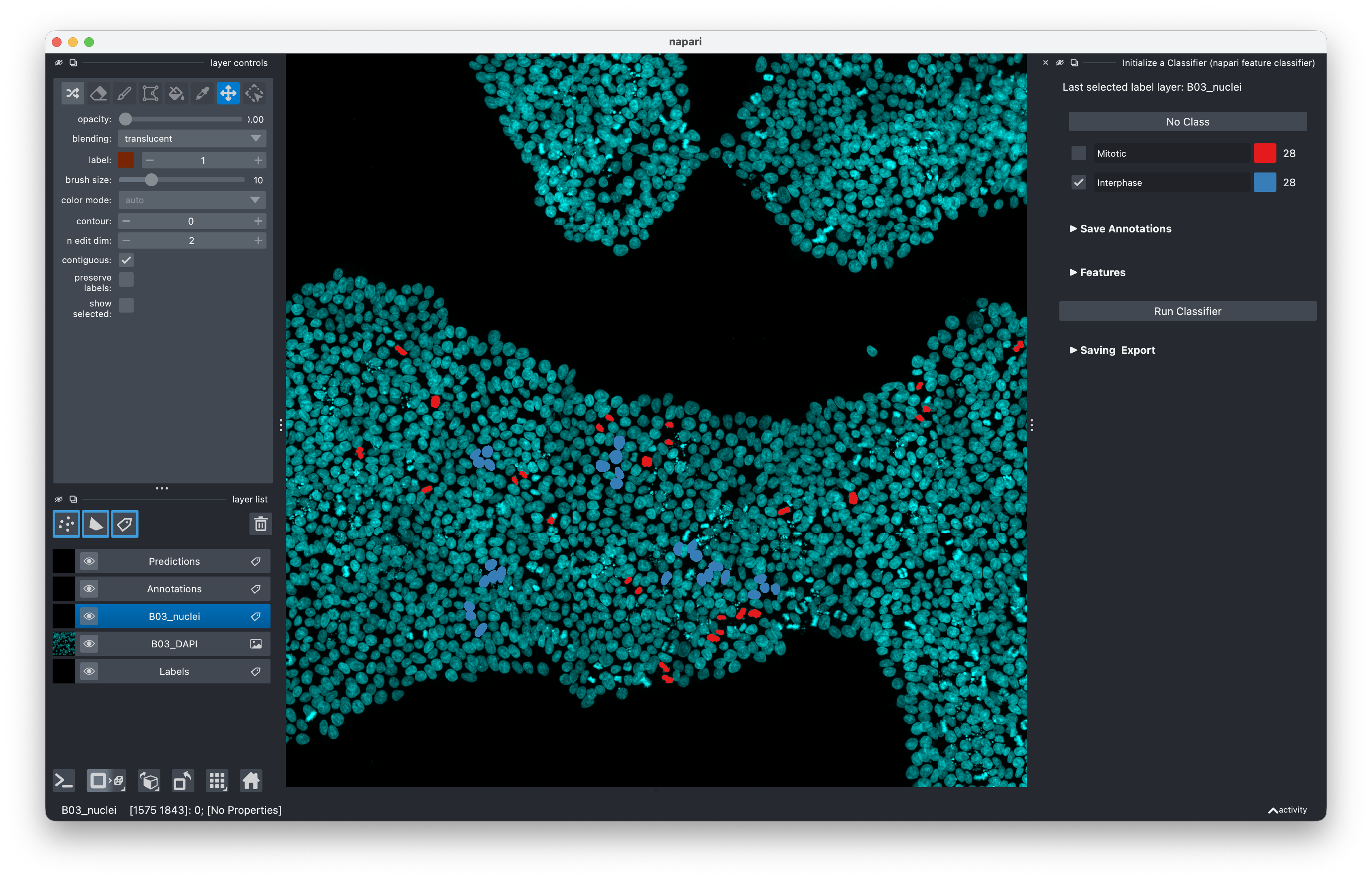
- Select your label layer in the napari layer list.
- Pick a class using the panel buttons or keyboard shortcuts (keys 1–9 for classes, 0 to deselect).
- Click on label objects in the viewer to annotate them.
- The live count display shows how many objects you've annotated per class across all open images.
- Once you have at least a handful of examples per class (aim for 10+), click Run Classifier.
The classifier splits your annotations 80/20 into training and test sets, trains a random forest, and applies it to all objects. Predictions appear as a color-coded Predictions layer.
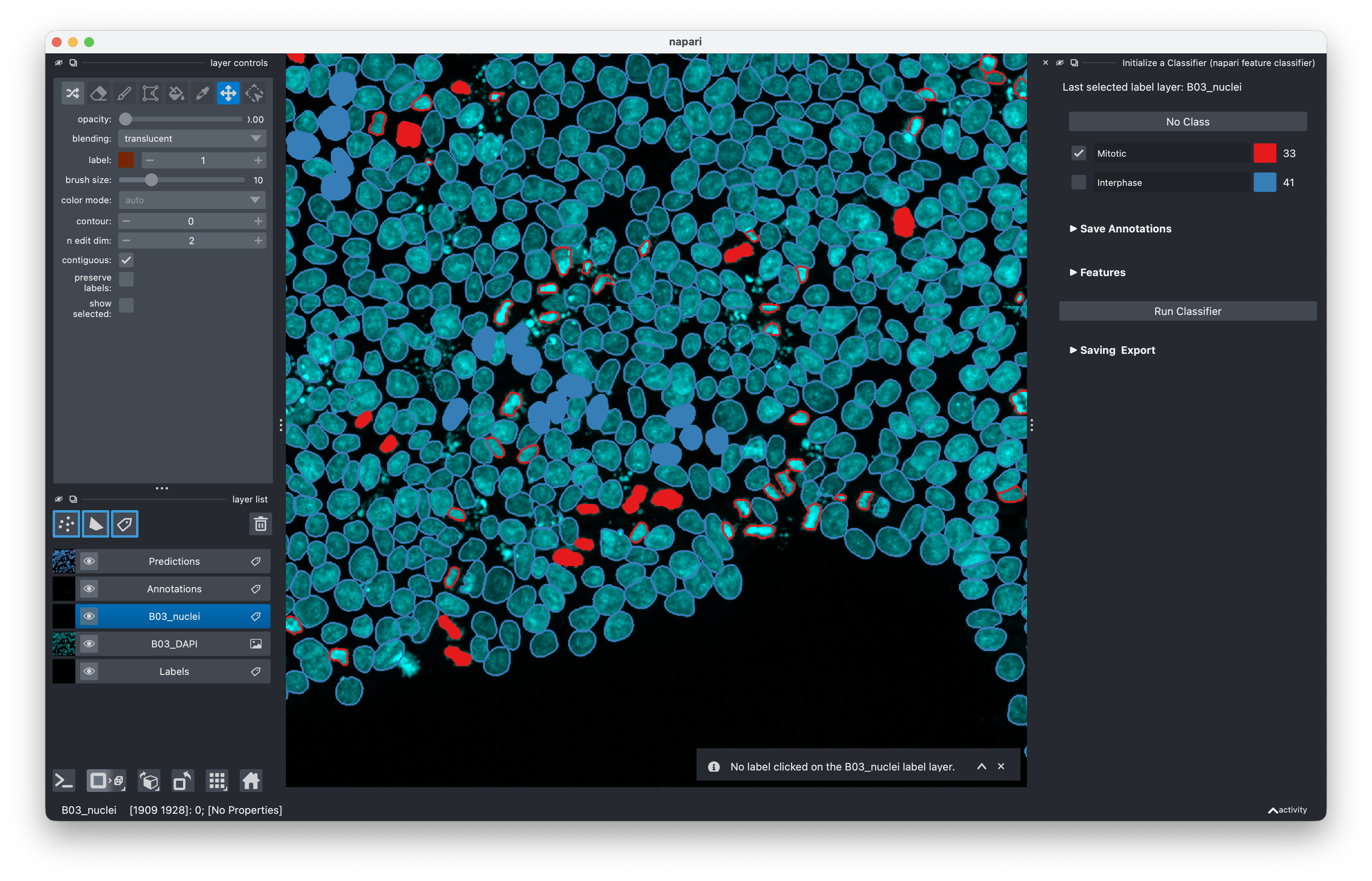
Correct mistakes the classifier made and click Run Classifier again to improve it. Iterative annotation is the intended workflow.
4. Save and reload
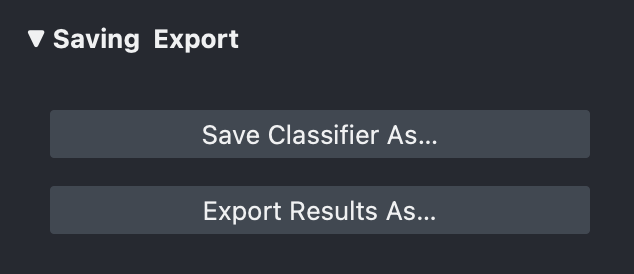
After each run, the classifier auto-saves to a .clf file named after the label layer (in the current working directory). To save to a different location: expand ▶ Saving & Export and click Save Classifier As….
To resume work or apply a trained classifier to new images:
Plugins → napari-feature-classifier → Load Classifier
Select the .clf file, make sure your label layers with features are already open, and click Load Classifier.
5. Export results
Expand ▶ Saving & Export and click Export Results As… to save predictions for the currently selected layer as a CSV file.
The exported CSV contains:
label— integer object IDprediction— classifier prediction (1–N for each class; NaN for objects with missing features)annotations— your manual annotations (NaN = not annotated, −1 = explicitly deselected, 1–N = class)- One column per annotation class name
6. Standalone annotator
You can use the annotation tool independently from the classifier:
Plugins → napari-feature-classifier → Annotator
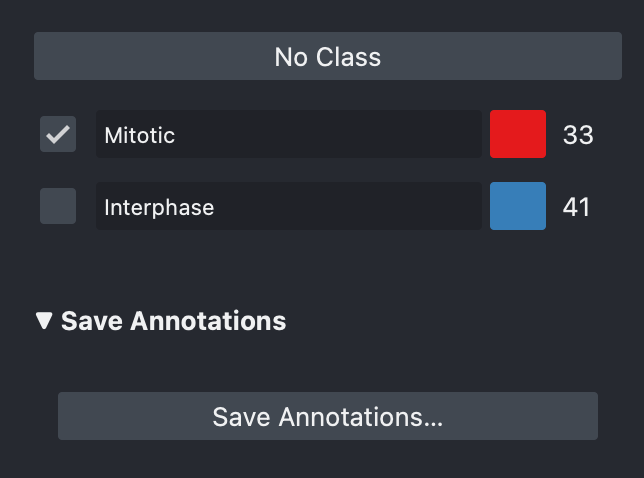
Name up to 9 classes, click Initialize, then annotate as above. Annotations are stored in layer.features["annotations"] and can be saved to CSV via ▶ Save Annotations.
Batch / scripted use
Classifiers can be applied programmatically without the napari UI. See examples/simple_classifier_example.ipynb for a worked example.
Installation
Requires Python ≥ 3.10 and napari ≥ 0.6.0.
We recommend installing into a dedicated environment to avoid dependency conflicts:
# With conda
conda create -n napari-feature-classifier -c conda-forge napari python=3.12 -y
conda activate napari-feature-classifier
pip install napari-feature-classifier
Or with pixi:
pixi init my-project
pixi add napari napari-feature-classifier
pixi run napari
Or into an existing environment:
pip install napari-feature-classifier
Similar napari plugins
- napari-convpaint — deep feature-based pixel and object classifier by Guillaume Witz
- napari-accelerated-pixel-and-object-classification (APOC) — pixel and object classifier by Robert Haase
- napari-svetlana — deep learning based classifier by Clément Cazorla
Release process
- Tag a release on GitHub with the new version number (e.g.
v0.3.2). The version is set automatically from the git tag viahatch-vcs. - Once CI tests pass, the package is automatically deployed to PyPI.
- A conda-forge PR will be opened automatically within 1–2 days — review and merge it at napari-feature-classifier-feedstock.
Contributing
Contributions are very welcome. Please open an issue to discuss significant changes before starting work.
License
Distributed under the terms of the BSD-3-Clause license.
Issues
If you encounter any problems, please file an issue along with a detailed description.
Contributors
Release history Release notifications | RSS feed


Download files
Download the file for your platform. If you're not sure which to choose, learn more about installing packages.
Source Distribution
Built Distribution
Filter files by name, interpreter, ABI, and platform.
If you're not sure about the file name format, learn more about wheel file names.
Copy a direct link to the current filters
File details
Details for the file napari_feature_classifier-0.4.1.tar.gz.
File metadata
- Download URL: napari_feature_classifier-0.4.1.tar.gz
- Upload date:
- Size: 237.1 kB
- Tags: Source
- Uploaded using Trusted Publishing? No
- Uploaded via: twine/6.2.0 CPython/3.14.3
File hashes
| Algorithm | Hash digest | |
|---|---|---|
| SHA256 |
58264b4cb1999ff5a60fb074749c7883163271d6b32dcb9eaecc385219e367b7
|
|
| MD5 |
0dd42cef62f991c772481f9f40e045f1
|
|
| BLAKE2b-256 |
b869281653740c52958df724addf417ee85c935bad03b9e2311f20c915c891be
|
File details
Details for the file napari_feature_classifier-0.4.1-py3-none-any.whl.
File metadata
- Download URL: napari_feature_classifier-0.4.1-py3-none-any.whl
- Upload date:
- Size: 49.6 kB
- Tags: Python 3
- Uploaded using Trusted Publishing? No
- Uploaded via: twine/6.2.0 CPython/3.14.3
File hashes
| Algorithm | Hash digest | |
|---|---|---|
| SHA256 |
facaa8c77a8587476fd0ba55a323e9225f46fa17e31aa8753dd77107c5deb6b3
|
|
| MD5 |
faa8fc6e39bf830db5f4231cd421f847
|
|
| BLAKE2b-256 |
93d5532aa956f9116db4eb7095d2638921a0abb6808d6436d3cf024124a1b082
|






