
napari-metroid






This napari plugin is an adaptation of metroid. It creates several regions of interest of similar area over cells in a fluorescence video (2D+time). It then gets ROIs means over time and performs signal denoising: fixes photobleaching and separates signal from noise by means of blind source separation (with or without wavelet filtering).
This napari plugin was generated with Cookiecutter using @napari's cookiecutter-napari-plugin template.
A Picture (to boil down a thousand words)
Below is the graphical abstract of the Metroid software. This napari plugin works very similarly.

Table of Contents
Quick Walkthrough
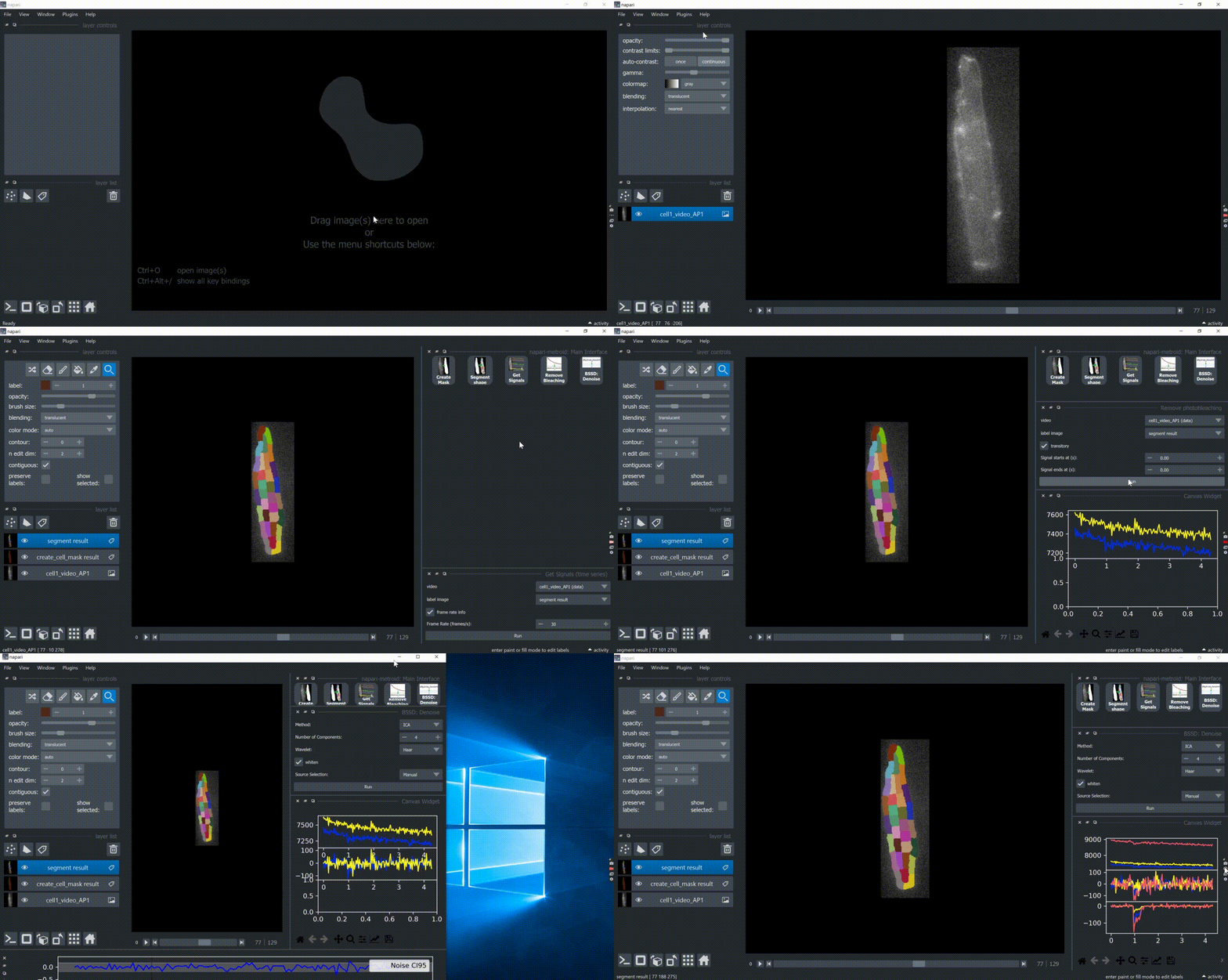
Below is a full demonstration of using napari-metroid. It shows the following:
- Open sample data;
- Create cell mask;
- Split mask into ROIs of similar area;
- Get ROIs signals over time and plots two of them;
- Remove photobleaching;
- Remove noise:
- Use ICA to decompose ROIs signals into independent components;
- Plot 4 components;
- Manually select the component of interest (source);
- Perform inverse transformation with selected source;
Installation
Download and install Anaconda or Miniconda.
Create a new conda environment:
conda create -n metroid-env python=3.8
Install napari, e.g. via pip:
pip install "napari[all]"
Install napari-metroid via pip:
pip install napari-metroid
To install latest development version :
pip install git+https://github.com/zoccoler/napari-metroid.git
Usage
Open Sample Data
This plugin comes with two sample videos:
- Cell1 Video Action Potential: 2D + time fluorescence video of a rat isolated cardiomyocyte labeled with a membrane potential dye upon which an external electrical field pulse is applied.
- Cell1 Video Electroporation: Same cell, but submitted to a strong external electrical field pulse.
You can open them under "File -> Open Sample -> napari-metroid", as shown below. Both videos are loaded from the metroid main repository. To know more about the experimental conditions, please refer to the original publication.
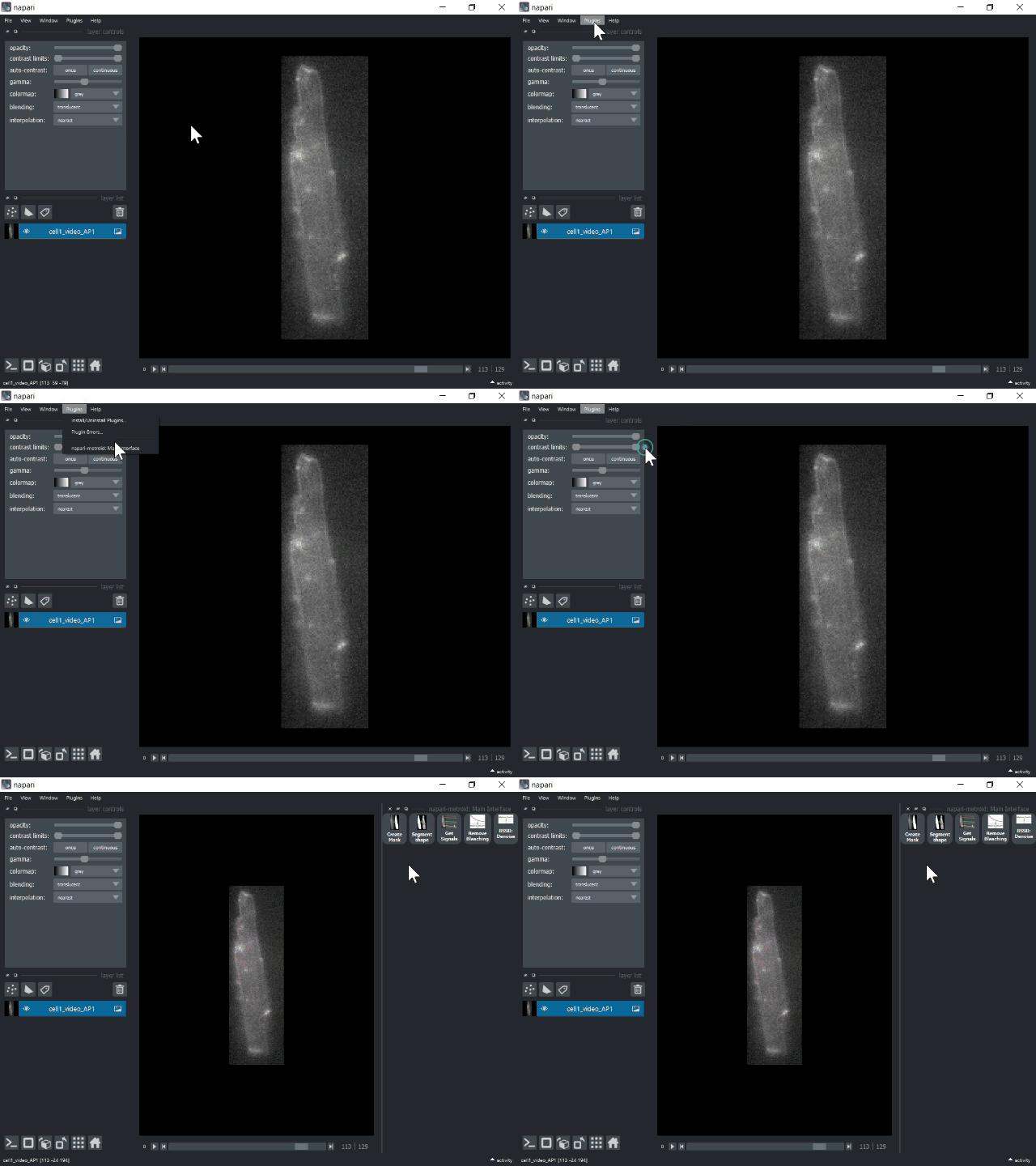
Open Plugin Main Interface
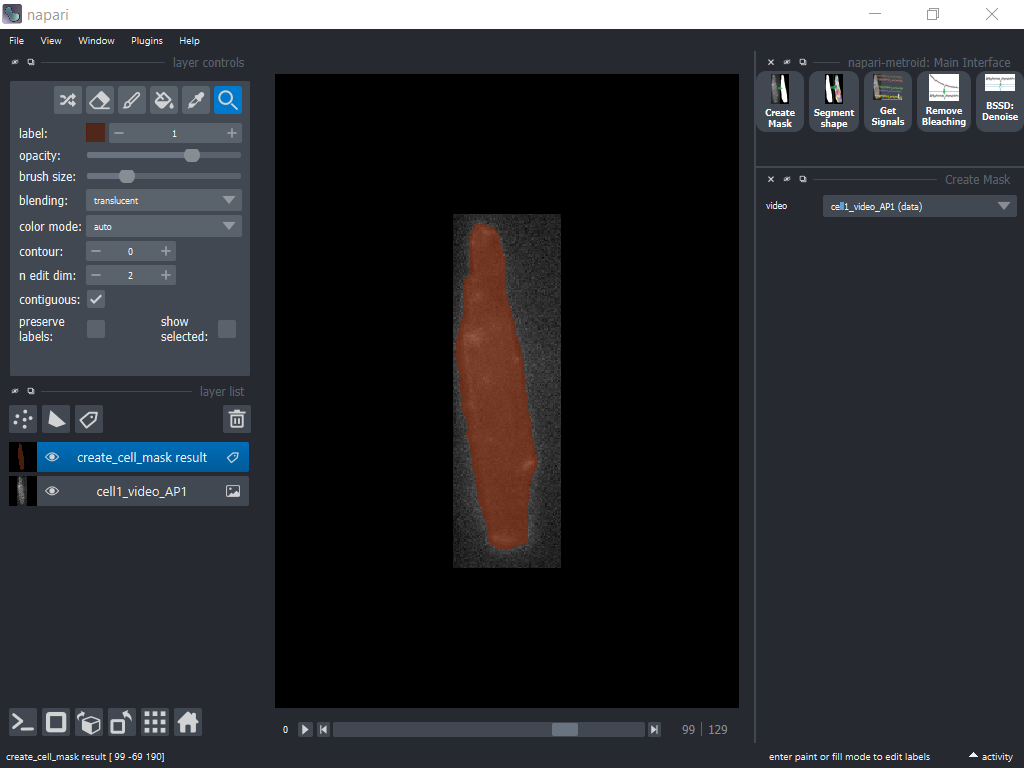
Auto-generate Cell Mask
Metroid can generate cell binary masks automatically by cumulative sum of images until any pixel saturation happens. It then applies Otsu thresholding and removes small objects.
Split Mask into ROIs
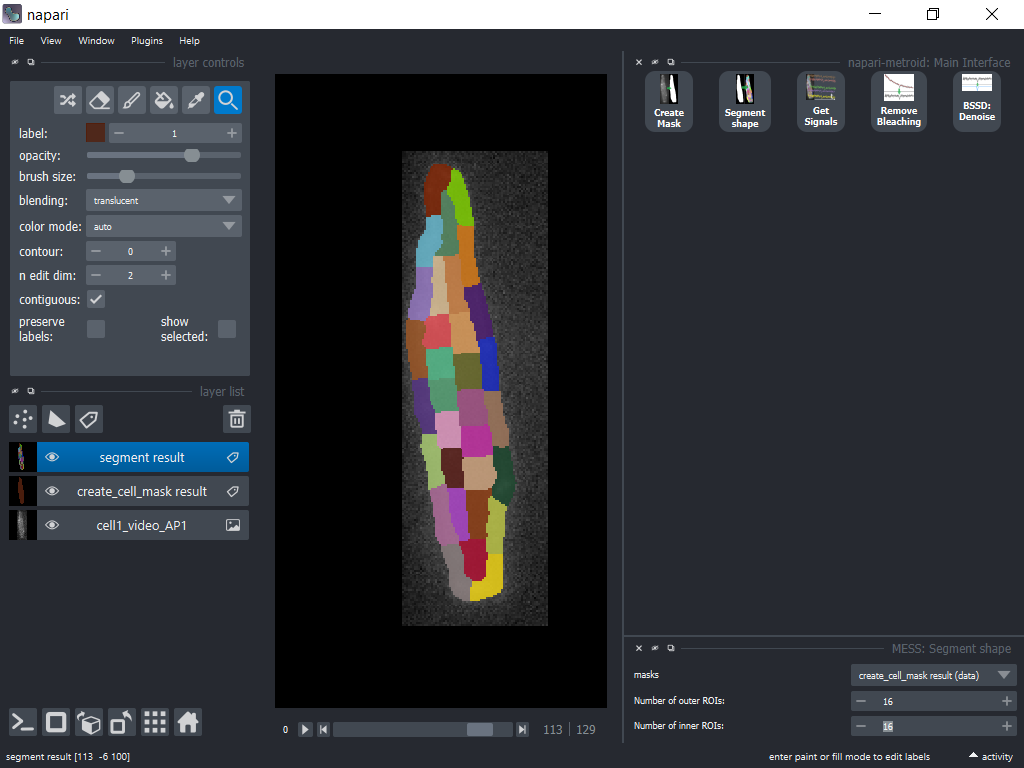
By default, a cell mask is split into 32 regions of interest (ROIs) in a double-layer fashion: An outer layer of ROIs and an inner layer. The method is solely based on the shape of the cell mask and the main criteria is that ROIs must have similar areas. The number of ROIs in each layer can be editted.
Get ROI Means over Time
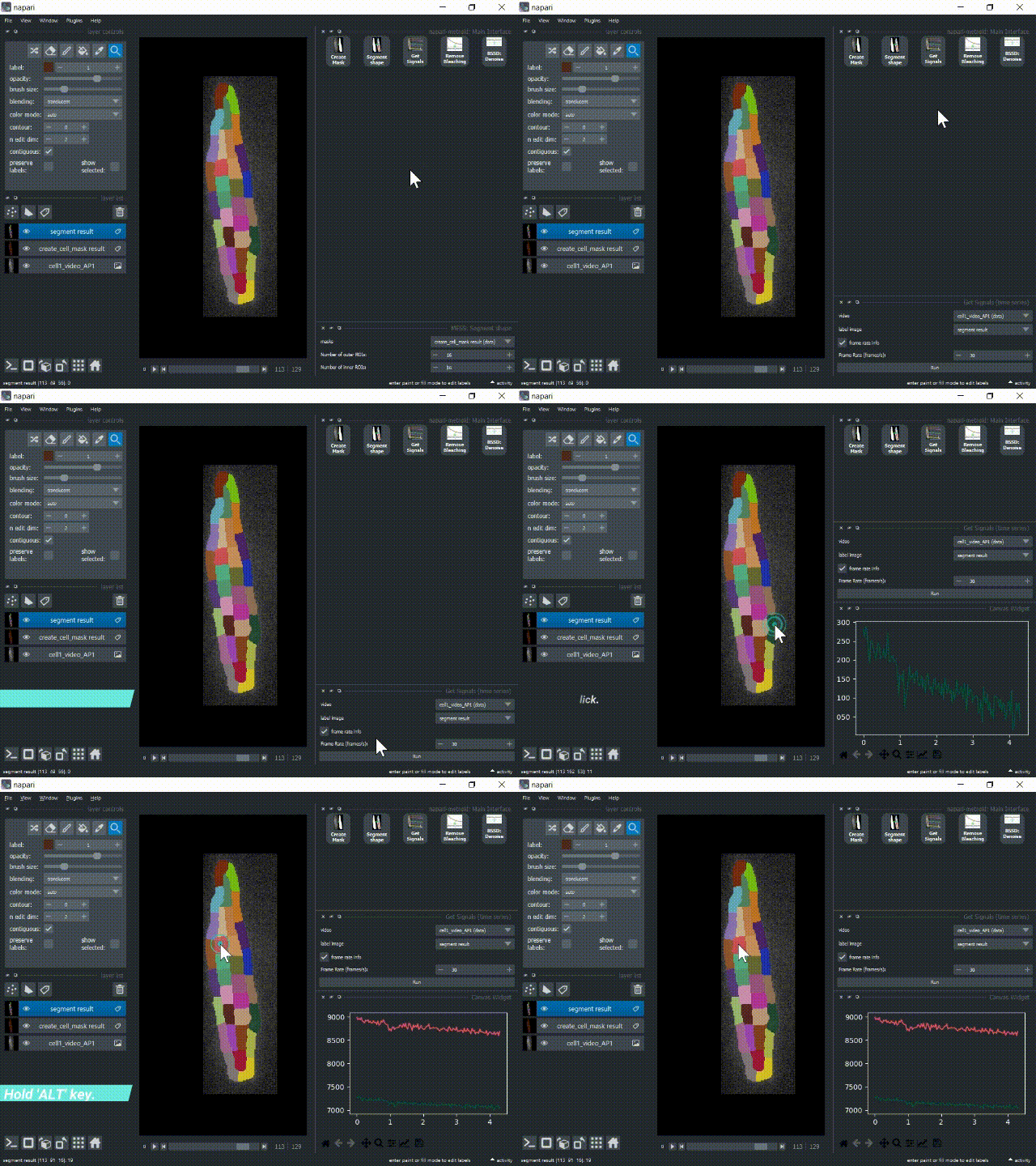
The 'Get Signals' button serves to collect each ROI mean fluorescence over time and enable plotting. There, you can optionally provide the frame rate so that the time axis is properly displayed. Double click over a ROI to have its signal plotted. Hold the 'ALT' key to plot multiple signals together.
Remove Photobleaching
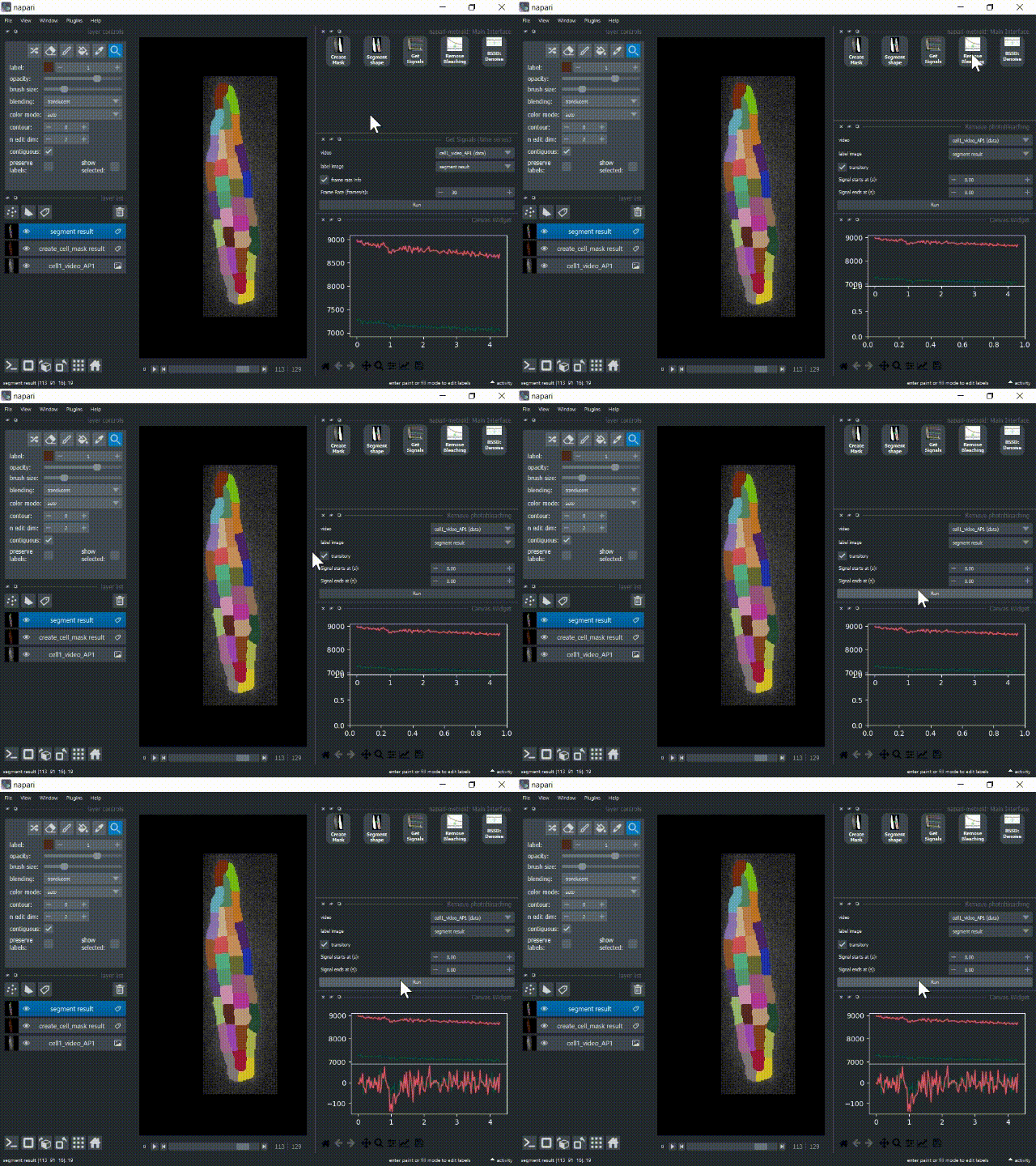
Metroid removes photobleaching by curve fitting over time periods that lack the cellular signal (which can be an action potential or an electroporation signal). That is why the 'Transitory' parameter is important. Action potentials are transitory signals whereas electroporation (at least for the duration of this experiment) are not, and the algorithm must be informed about that for proper trend removal.
Filter Signals
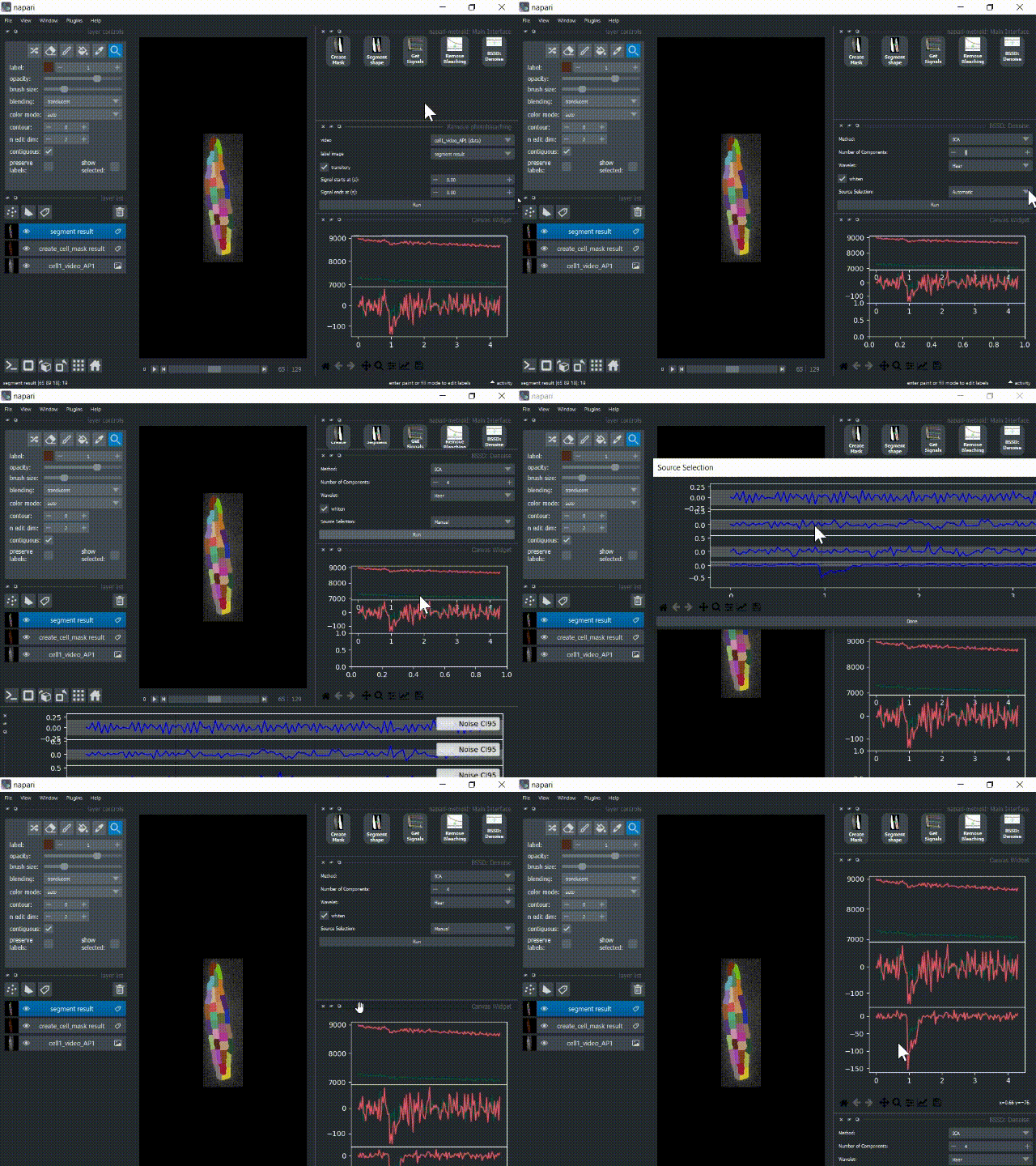
Cellular signals are filtered by separating signal components with either PCA or ICA (plus optional wavelet filtering). It then chooses one (or several) components and it applies the inverse transform using only the selected components. Metroid can do this component/source selection automatically based on estimations of signal power. Instead, we show below the manual selection procedure, where 4 components are plotted and the user selects one of them.
Save Outputs
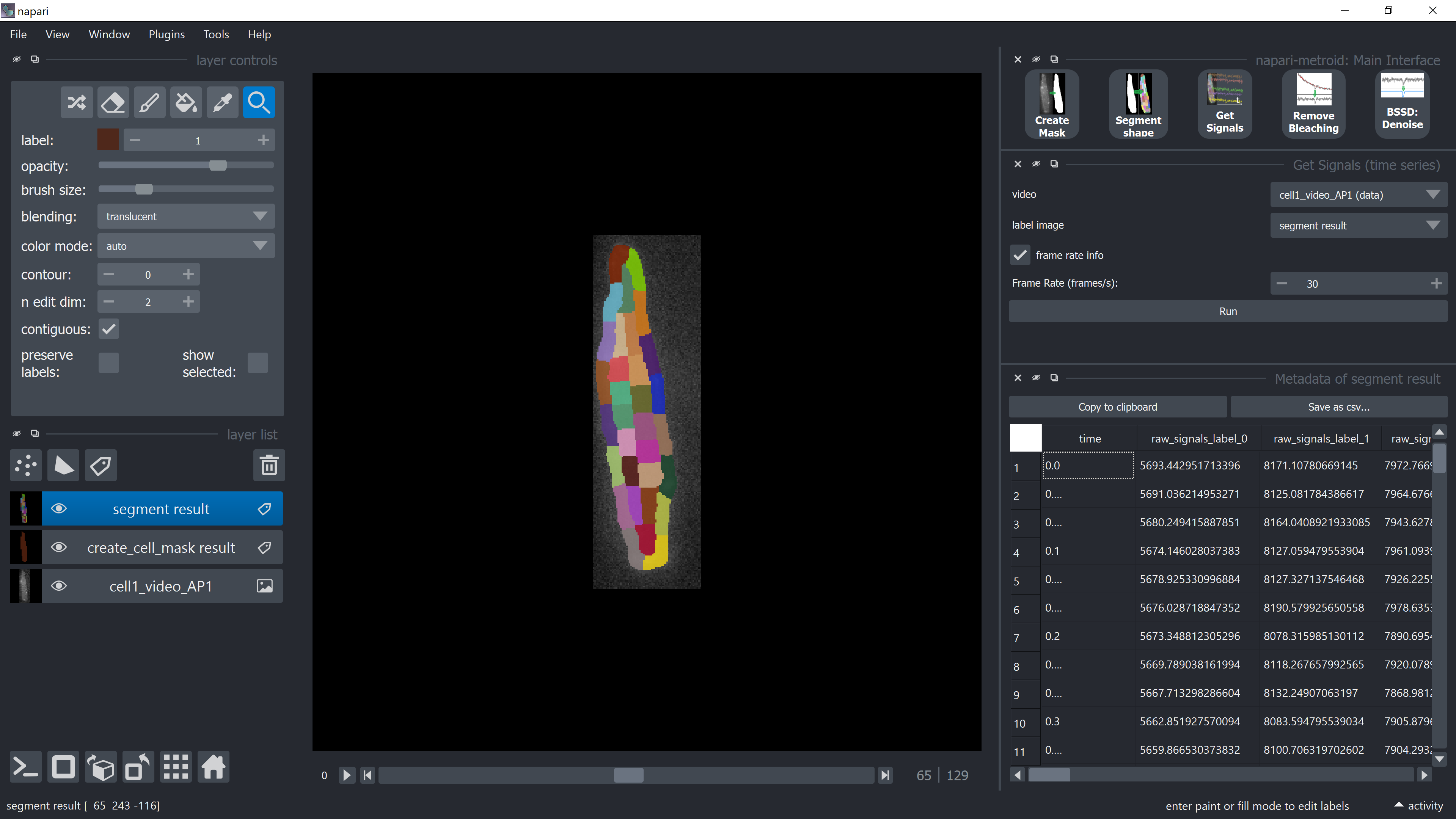
Raw, corrected and filtered signals, as well as time and components, are arranged in a table with values for each time point. The table is displayed as a widget after each Run button click. Estimated signal-to-noise (SNR) in dB for each label/ROI are also provided (in this case, each line corresponds to a ROI, not a time point). The user can save these data by clicking on the buttons "Copy to clipboard" or "Save as csv...".
Contributing
Contributions are very welcome. Tests can be run with tox, please ensure the coverage at least stays the same before you submit a pull request.
Citing napari-metroid
If you use this plugin in your research, please be kind to cite the original paper below:
Zoccoler, M., de Oliveira, P.X. METROID: an automated method for robust quantification of subcellular fluorescence events at low SNR. BMC Bioinformatics 21, 332 (2020). https://doi.org/10.1186/s12859-020-03661-9
License
Distributed under the terms of the BSD-3 license, "napari-metroid" is free and open source software
Issues
If you encounter any problems, please file an issue along with a detailed description.
1 maintainer

Metadata
1 maintainer
Release files for napari-metroid 0.0.5
For a detailed explanation of source distributions (sdists) and built distributions (wheels), please see the package formats documentation.
Source distribution (sdist)
| File | Size | Uploaded | |
|---|---|---|---|
| napari-metroid-0.0.5.tar.gz | 442.3 kB | Details |
Built distribution (wheel)
| File | Interpreter | ABI | Platform | Reset |
|---|---|---|---|---|
| napari_metroid-0.0.5-py3-none-any.whl | Python 3 | none | any | Details |
Total release size: 884.3 kB
Release files / napari-metroid-0.0.5.tar.gz
| Download URL | napari-metroid-0.0.5.tar.gz |
|---|---|
| Size | 442.3 kB |
| Tags | Source |
|
SHA-256 checksum How to use checksums |
7d5b1dadbf71f6ce522625422ec09d71dc9f287b89841c5a5ca46c48891e8c7a
|
|
BLAKE2b-256 checksum How to use checksums |
abb1d8852851508673d4f189b3f97fba23676e1f5b695d81273ef1ce4fb3d7d4
|
| Upload date | |
|
Uploaded using Trusted Publishing? What is trusted publishing? |
No |
| Uploaded via |
twine/4.0.1 CPython/3.10.2
|
Release files / napari_metroid-0.0.5-py3-none-any.whl
| Download URL | napari_metroid-0.0.5-py3-none-any.whl |
|---|---|
| Size | 442.0 kB |
| Tags | Python 3 |
|
SHA-256 checksum How to use checksums |
575a34d609d89bc128d6e0e888c57e19aa5abb7d7d7b64bf3a9e33818e5c5d5d
|
|
BLAKE2b-256 checksum How to use checksums |
51d7287e7f1489ebb8060e34afa73b4f3ee178cb8ba3f0c404fbec6688aca593
|
| Upload date | |
|
Uploaded using Trusted Publishing? What is trusted publishing? |
No |
| Uploaded via |
twine/4.0.1 CPython/3.10.2
|














