
napari-stl-exporter





This plugin allows to import and export surface data in Napari to common file formats. The generated file formats can be read by other common applications, and - in particular - allow 3D-printing.
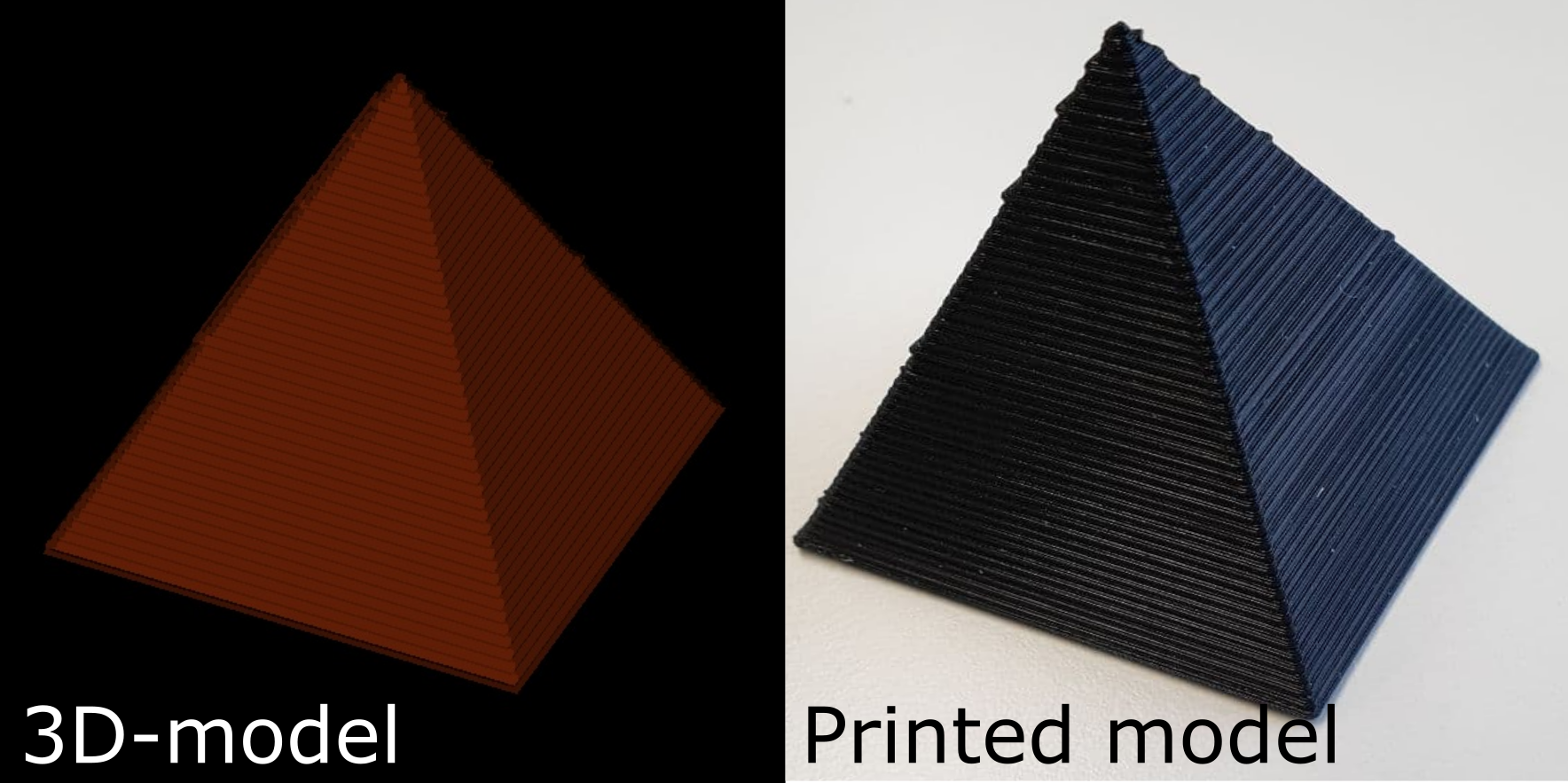
Supported file formats:
Currently supported file formats for export include and rely on the vedo io API.
- .stl: Standard triangle language
- .ply: Polygon file format
- .obj: Wavefront object
Supported Napari layers:
Currently supported Napari layer types are:
- Surface layers
- Label layers: The label data is converted to surface data under the hood using the marching cubes algorithm implemented in scikit-image and is then exported using Vedo. Warning: This can be slow for large image data!
Import/export
Interactively: To export the data, simply save the selected layer with File > Save Selected Layer(s) and specify the file ending to be some_file.[file_ending], for supported file types, see above. Similarly, supported file types can be imported into Napari with File >
From code: A Napari Label layer can be added to the viewer as described in the napari reference with this code snippet:
import napari
import numpy as np

# Load and binarize image
label_image = np.zeros((100, 100, 100), dtype=int)
label_image[25:75, 25:75, 25:75] = 1

# Add data to viewer
viewer = napari.Viewer()
label_layer = viewer.add_labels(data, name='3D object')

# save the layer as 3D printable file to disc
napari.save_layers(r'/some/path/test.stl', [label_layer])
Sample data
You can create sample label/surface data for export using the built-in functions as shown here:
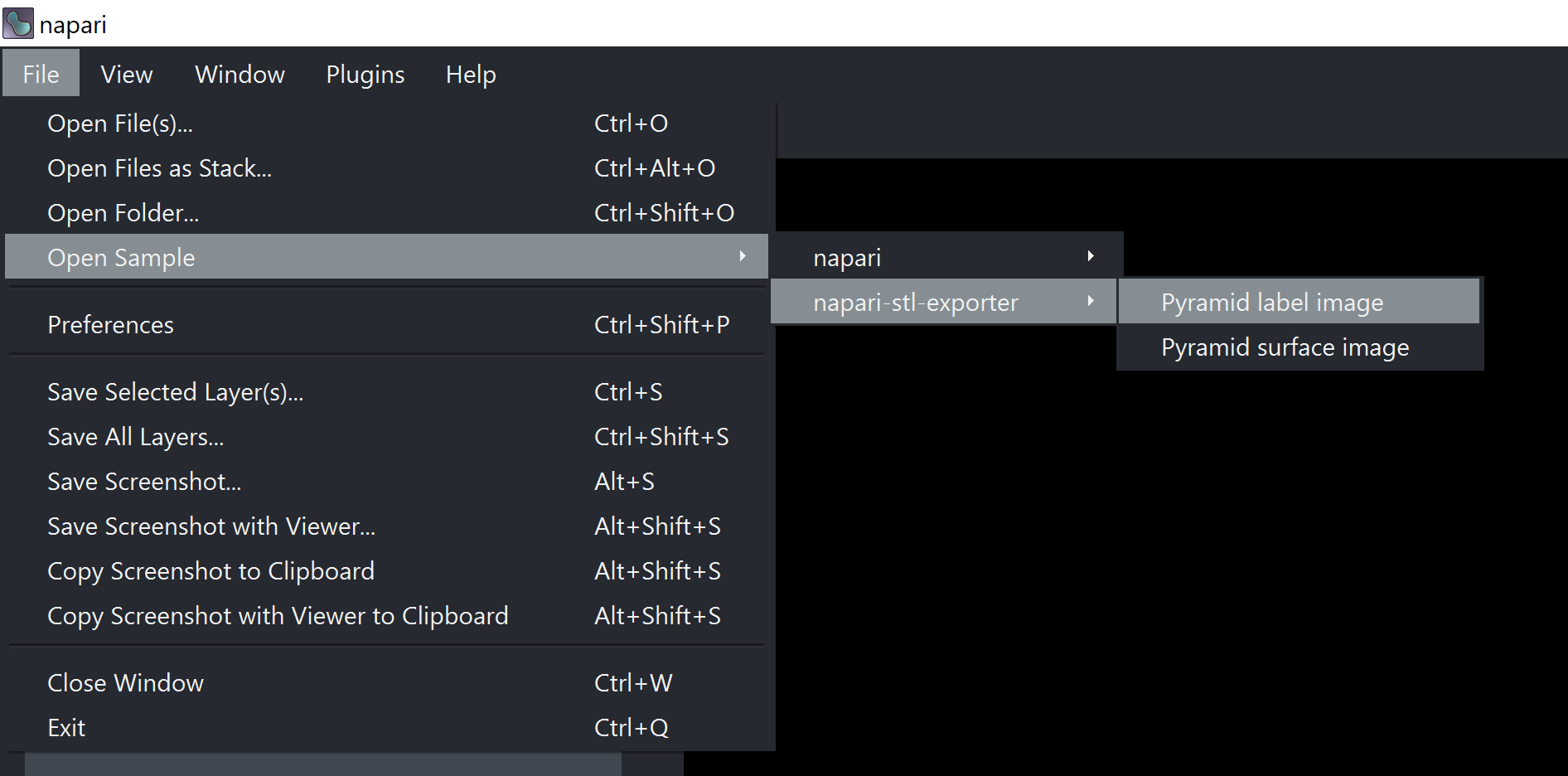
...or from code with
import napari_stl_exporter

pyramid = napari_stl_exporter.make_pyramid_surface()
3D-printing
To actually send your object to a 3D-printer, it has to be further converted to the .gcode format with a Slicer program. The latter convert the 3D object to machine-relevant parameters (printing detail, motor trajectories, etc). Popular slicers are:
- Slic3r: Documentation here
- Prusa Slicer: Tutorial here
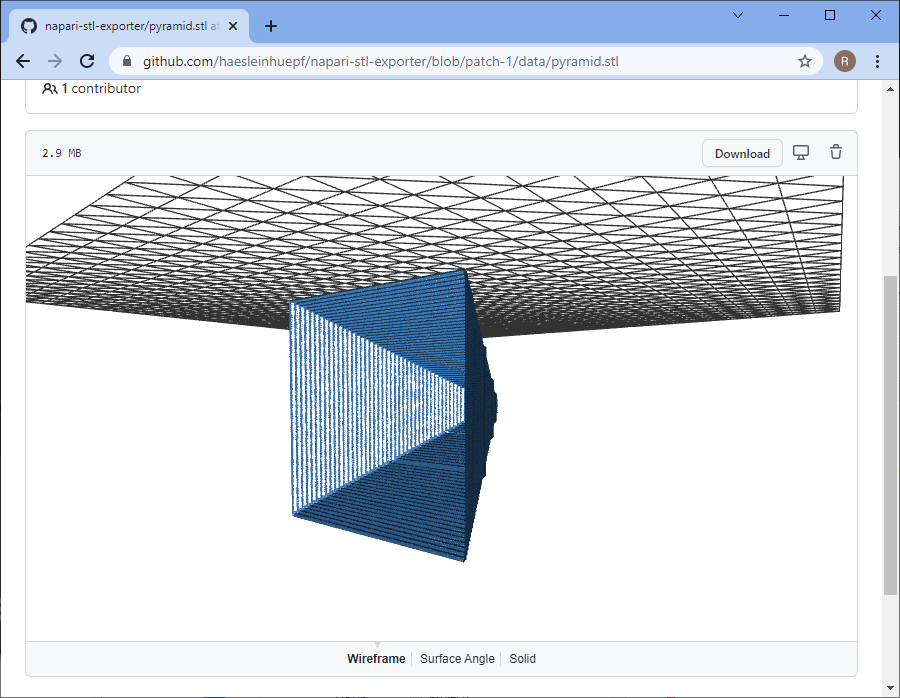
Note: You can also upload the STL file to github.com and interact with it in the browser:
Digital elevation models
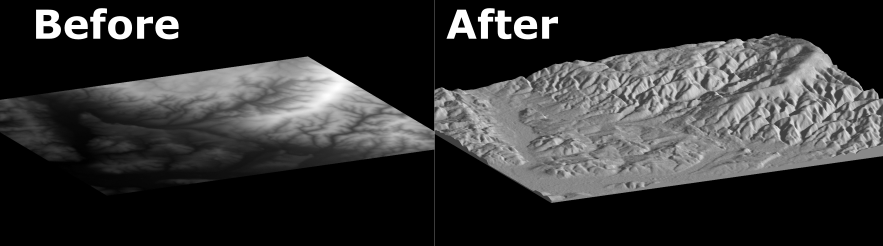
DIgital elevation models (DEMs) can be printed with the napari-stl-exporter following these steps:
- Go to the open topography repository and select a region of your choice, then download it as a GeoTiff file (
.tif, intensity encodes elevation) - Open the downloaded tif image use the image conversion plugin (´Plugins > napari-stl-exporter > 2D image to surface´) to convert the downloaded image to a surface. CHeck the
solidifyoption to make it readily 3D-printable.
- Export the created surface layer as
.stlor.plyfile. Open it in your Slicer of choice (you may have to scale it according to the size limitations of your printer) and off you go!
This napari plugin was generated with Cookiecutter using with @napari's cookiecutter-napari-plugin template.
Installation
You can install napari-stl-exporter via pip:
pip install napari-stl-exporter
Contributing
Contributions are very welcome. Tests can be run with tox, please ensure the coverage at least stays the same before you submit a pull request.
License
Distributed under the terms of the BSD-3 license, "napari-stl-exporter" is free and open source software
Issues
If you encounter any problems, please file an issue along with a detailed description or post to image.sc and tag El_Pollo_Diablo
1 maintainer

Metadata
1 maintainer
Release files for napari-stl-exporter 0.1.5
For a detailed explanation of source distributions (sdists) and built distributions (wheels), please see the package formats documentation.
Source distribution (sdist)
| File | Size | Uploaded | |
|---|---|---|---|
| napari-stl-exporter-0.1.5.tar.gz | 367.0 kB | Details |
Built distribution (wheel)
| File | Interpreter | ABI | Platform | Reset |
|---|---|---|---|---|
| napari_stl_exporter-0.1.5-py3-none-any.whl | Python 3 | none | any | Details |
Total release size: 734.9 kB
Release files / napari-stl-exporter-0.1.5.tar.gz
| Download URL | napari-stl-exporter-0.1.5.tar.gz |
|---|---|
| Size | 367.0 kB |
| Tags | Source |
|
SHA-256 checksum How to use checksums |
207b80d42aeadd14c26b12c0f4b47c965f540ac301a59c15cf00df28a1125d96
|
|
BLAKE2b-256 checksum How to use checksums |
3c99badde0066375f6ab4b8bc903bfb59c557e80fd29cf519739e57afc7bb287
|
| Upload date | |
|
Uploaded using Trusted Publishing? What is trusted publishing? |
No |
| Uploaded via |
twine/4.0.2 CPython/3.11.4
|
Release files / napari_stl_exporter-0.1.5-py3-none-any.whl
| Download URL | napari_stl_exporter-0.1.5-py3-none-any.whl |
|---|---|
| Size | 367.9 kB |
| Tags | Python 3 |
|
SHA-256 checksum How to use checksums |
86f4f85c8eaee223308bdf194c2f5aaca7a688cbb6b71f14fe7f0c08808d079c
|
|
BLAKE2b-256 checksum How to use checksums |
e961d08f82644c190d094b1961cd452fb17859ac2dd2f79272c70744f088da83
|
| Upload date | |
|
Uploaded using Trusted Publishing? What is trusted publishing? |
No |
| Uploaded via |
twine/4.0.2 CPython/3.11.4
|














