
Nautobot plugin to model firewall objects.

Project description
Nautobot Firewall Models Plugin
A plugin for Nautobot that is meant to model layer 4 firewall policies and/or extended access control lists.
Future development will include the ability to onboard an existing access list from a device and the ability to generate device configuration.
Installation
The plugin is available as a Python package in PyPI and can be installed with pip:
pip install nautobot-firewall-models
The plugin is compatible with Nautobot 1.4.0 and higher
To ensure Nautobot Firewall Models Plugin is automatically re-installed during future upgrades, create a file named local_requirements.txt (if not already existing) in the Nautobot root directory (alongside requirements.txt) and list the nautobot-firewall-models package:
# echo nautobot-firewall-models >> local_requirements.txt
Once installed, the plugin needs to be enabled in your nautobot_config.py
# In your nautobot_config.py
PLUGINS = ["nautobot_firewall_models"]
Optional Settings
Models provided by this plugin have a status attribute and the default status is set to use active. This corresponds to the pre-built Nautobot Active Status object.
Use the default_status plugin configuration setting to change the default value for the status attribute.
PLUGINS_CONFIG = {
    "nautobot_firewall_models": {
        "default_status": "active"
        "allowed_status": ["active"], # default shown, `[]` allows all
        "capirca_remark_pass": True,
        "capirca_os_map": {
            "cisco_ios": "cisco",
            "arista_eos": "arista",
        },
        # "custom_capirca": "my.custom.func", # provides ability to overide capirca logic
    }
}
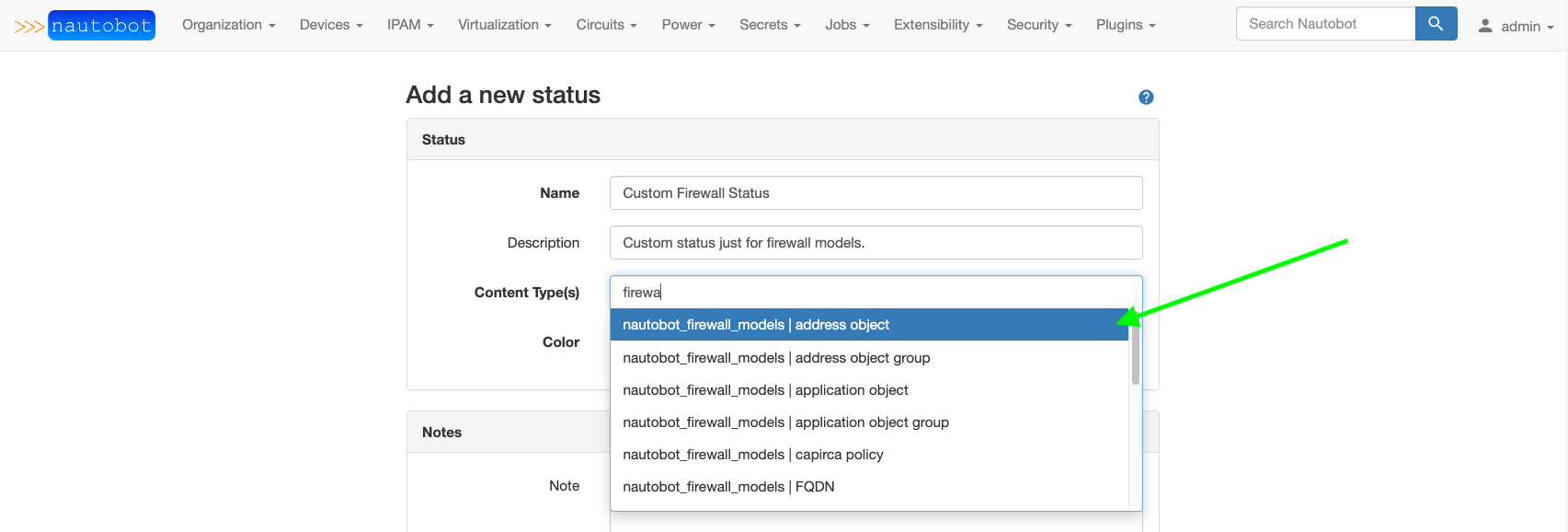
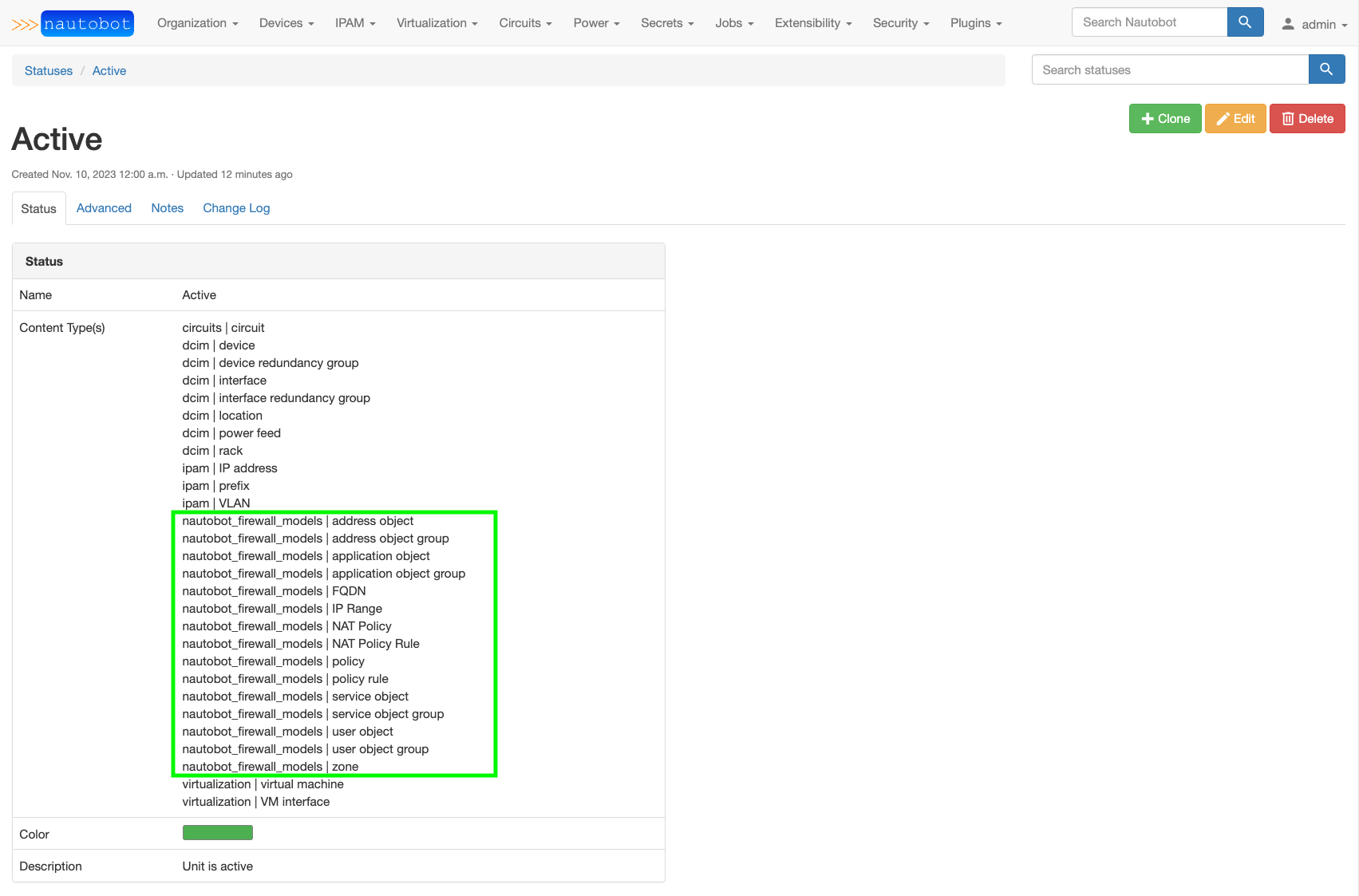
The value assigned to default_status must match the slug of an existing Nautobot Status object. That Status object must have all of the Firewall Models listed in the Content Type associations. See examples below on selecting the Content Type(s) when creating/editing a Status object and the pre-built Active Status with firewall content types added.
Screenshots
Documentation
Documentation is hosted on ReadTheDocs at Nautobot Firewall Models Plugin.
Contributing
Pull requests are welcomed and automatically built and tested against multiple version of Python and multiple version of Nautobot through TravisCI.
The project is packaged with a light development environment based on docker-compose to help with the local development of the project and to run the tests within TravisCI.
The project is following Network to Code software development guideline and is leveraging:
- Black, Pylint, Bandit and pydocstyle for Python linting and formatting.
- Django unit test to ensure the plugin is working properly.
Questions
For any questions or comments, please check the FAQ first and feel free to swing by the Network to Code slack channel (channel #networktocode). Sign up here
Release history Release notifications | RSS feed


Download files
Download the file for your platform. If you're not sure which to choose, learn more about installing packages.
Source Distribution
Built Distribution
Filter files by name, interpreter, ABI, and platform.
If you're not sure about the file name format, learn more about wheel file names.
Copy a direct link to the current filters
File details
Details for the file nautobot_firewall_models-1.2.0a2.tar.gz.
File metadata
- Download URL: nautobot_firewall_models-1.2.0a2.tar.gz
- Upload date:
- Size: 4.4 MB
- Tags: Source
- Uploaded using Trusted Publishing? No
- Uploaded via: twine/4.0.1 CPython/3.11.0
File hashes
| Algorithm | Hash digest | |
|---|---|---|
| SHA256 |
920e52ef1d57a54f11fd0ef02450cb08087ea6301a4e94784548f6355c768072
|
|
| MD5 |
ddc0b7bde70728e5d4126be506dc8d5b
|
|
| BLAKE2b-256 |
008daac8c5874b28b12f2077e45c6df03cbe21e0aaad5888927428510d30cae4
|
File details
Details for the file nautobot_firewall_models-1.2.0a2-py3-none-any.whl.
File metadata
- Download URL: nautobot_firewall_models-1.2.0a2-py3-none-any.whl
- Upload date:
- Size: 4.5 MB
- Tags: Python 3
- Uploaded using Trusted Publishing? No
- Uploaded via: twine/4.0.1 CPython/3.11.0
File hashes
| Algorithm | Hash digest | |
|---|---|---|
| SHA256 |
6eb2a6123b500a37351a0d3031736ec6ab9d3d13075afb8c939bee470243a111
|
|
| MD5 |
418f899303d88f450057c809c73bdd00
|
|
| BLAKE2b-256 |
3de2d36fa8ffcd0f954011b2c0896cf14c8c22a478eb4dd23a65f8cd82965b55
|






