
NetBox Ping





A NetBox plugin for pinging, discovering, and monitoring IP addresses directly from your NetBox instance.
Other plugins: NetBox Map | Website | Demo

Features
Scanning and Discovery
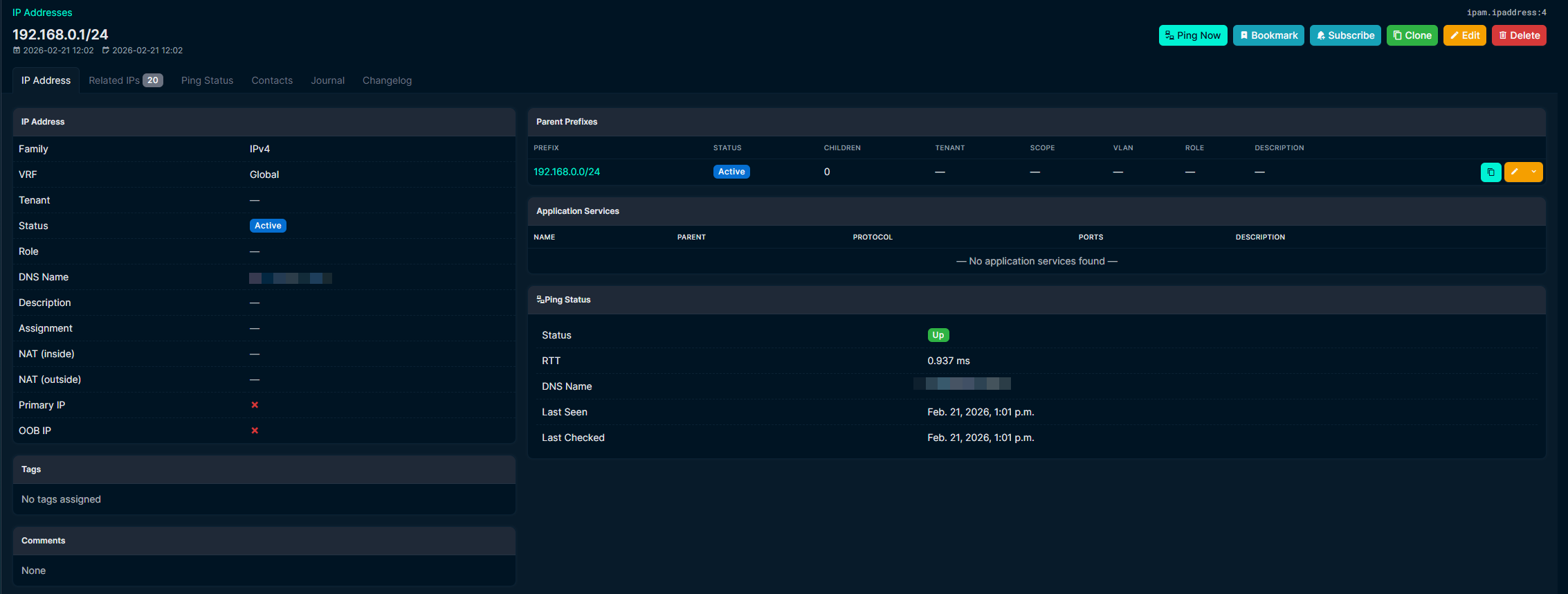
- Ping individual IPs with one click from any IP address page
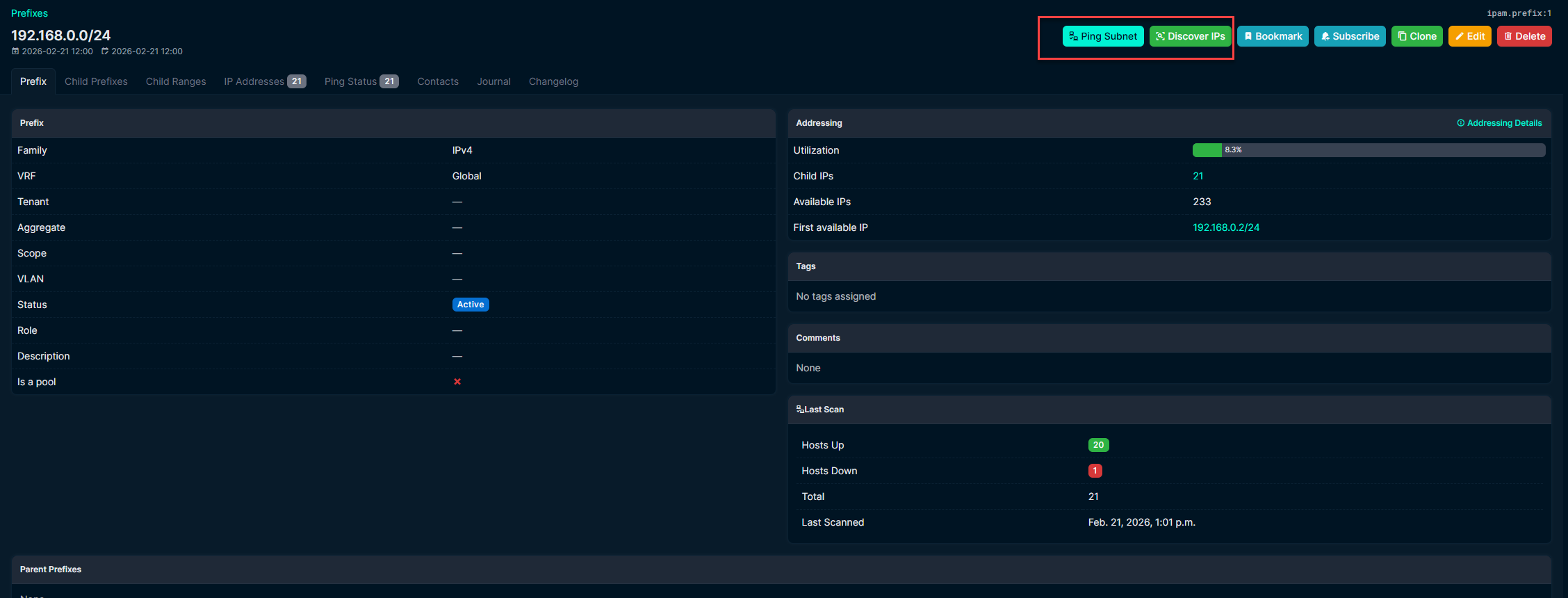
- Scan all existing IPs in a prefix, or discover new hosts across entire subnets
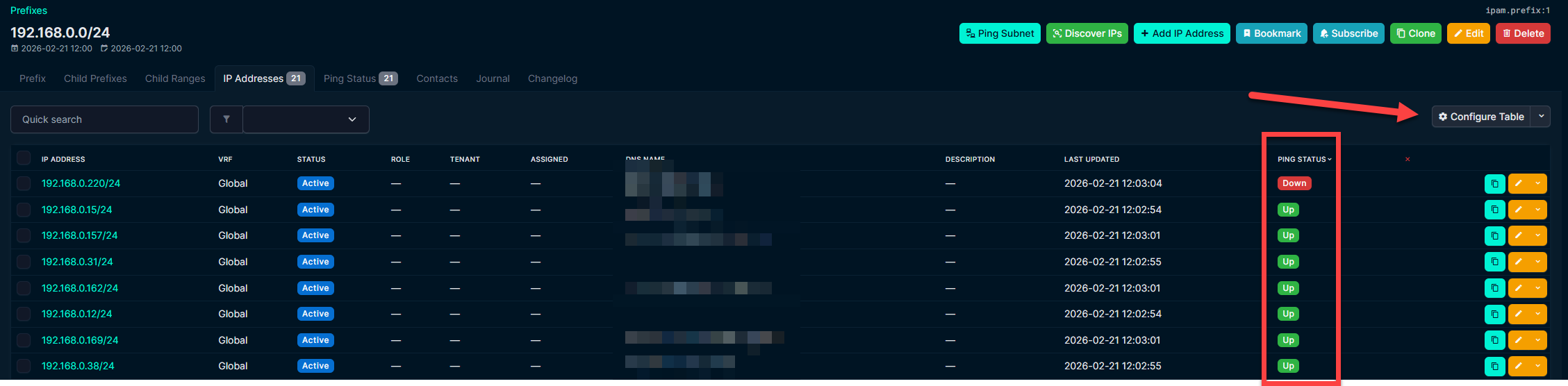
- Bulk scan/discover from the prefix list view
- Auto-scan scheduling with per-prefix overrides (Follow Global / Custom On / Custom Off)
- Skip reserved IPs during scans
Monitoring
- Stale IP detection -- tag IPs as stale after X failed scans or X days offline
- Auto-remove stale IPs from NetBox after a configurable threshold
- Per-prefix exclusion from stale detection for critical infrastructure
- Ping history with full audit trail per IP
- Quick filter tabs on the Ping Results page (All / Up / Down / Stale / Skipped)
DNS
- Automatic reverse DNS lookups with up to 3 configurable servers
- Sync resolved names back to NetBox IPAddress records
- DNS change history tracked per IP
Notifications
- Email digest with IP state transition badges (Up -> Down, Down -> Stale, etc.)
- High utilization prefix alerts
- Configurable intervals (5 min to weekly), send on change only option
Integration
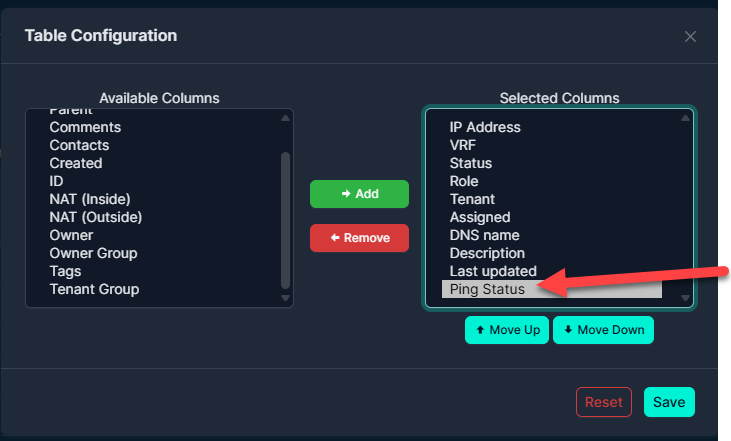
- Ping Status columns on core IP Address and Prefix tables
- Status tabs on IP Address and Prefix detail pages
- All operations run as background jobs
- REST API for ping results, history, and scan results
- Dark mode compatible
Screenshots
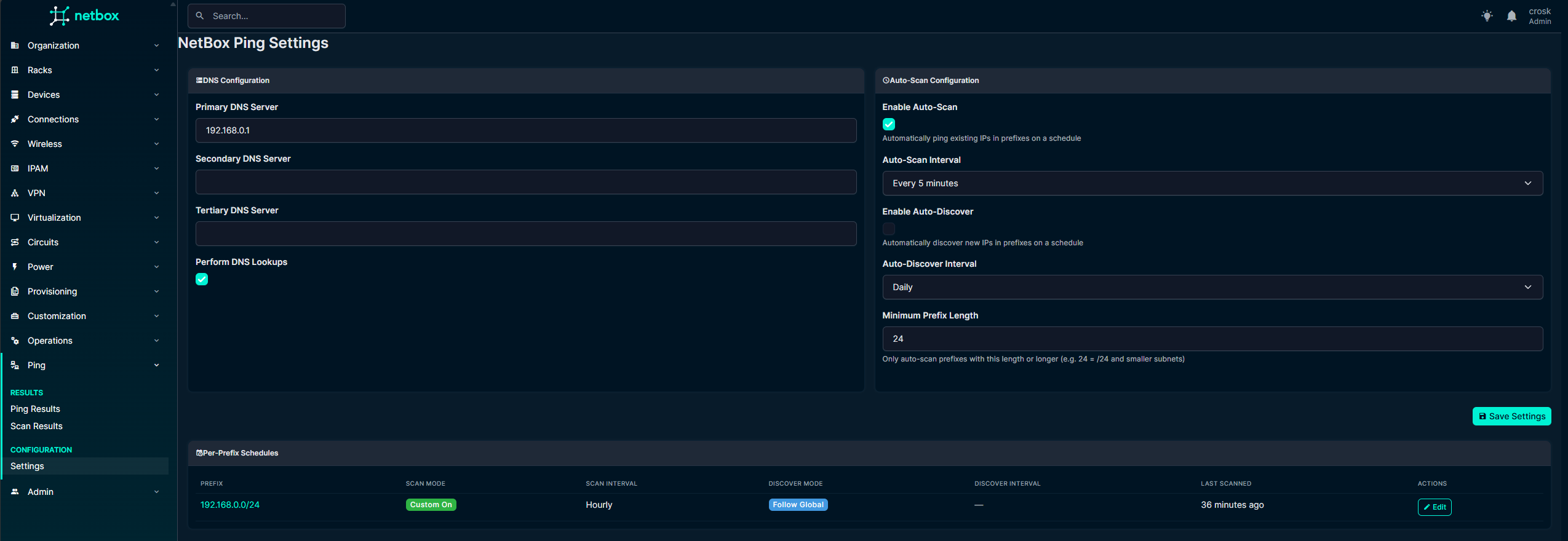
Settings
IP Address Ping Tab
Prefix Ping Tab
Bulk Operations

Status Badges on Core Tables
Installation
source /opt/netbox/venv/bin/activate
pip install netbox-ping
Or from source:
source /opt/netbox/venv/bin/activate
pip install git+https://github.com/DenDanskeMine/netbox-ping.git
Add to configuration.py:
PLUGINS = [
    'netbox_ping',
]
Apply migrations and restart:
cd /opt/netbox/netbox
python3 manage.py migrate
sudo systemctl restart netbox netbox-rq
Upgrading from v1
If you get migration errors when upgrading from v1, reset the migration state:
sudo -u postgres psql netbox -c "DELETE FROM django_migrations WHERE app = 'netbox_ping';"
sudo /opt/netbox/venv/bin/python manage.py migrate netbox_ping
Configuration
All settings are in Plugins > Ping > Settings.
DNS
| Setting | Description |
|---|---|
| DNS Servers (1-3) | Custom nameservers for reverse lookups |
| Sync DNS to NetBox | Write resolved names back to IPAddress.dns_name |
| Clear DNS on Missing | Clear DNS field when lookup returns empty |
| Preserve DNS if Alive | Keep existing DNS if host is up but lookup fails |
Auto-Scan
| Setting | Description |
|---|---|
| Auto-Scan / Auto-Discover | Enable recurring scans with configurable interval |
| Min Prefix Length | Only scan prefixes of this size or smaller (default: /24) |
| Per-Prefix Overrides | Follow Global, Custom On, or Custom Off per prefix |
Available intervals: 5 min, 15 min, 30 min, hourly, 6h, 12h, daily, weekly.
Stale IP Detection
| Setting | Description |
|---|---|
| Enable Stale Tagging | Tag IPs as stale when thresholds are met |
| Scans Threshold | Consecutive failed scans before tagging (0 = ignore) |
| Days Threshold | Days since last seen before tagging (0 = ignore) |
| Enable Auto-Remove | Delete stale IPs after a separate days threshold |
| Remove After Days | Days since last seen before deletion |
Per-prefix exclusion is available on each prefix's Ping Status tab.
Email Notifications
Uses NetBox's existing EMAIL settings from configuration.py.
| Setting | Description |
|---|---|
| Recipients | Comma-separated email addresses |
| Digest Interval | How often to send (5 min to weekly) |
| Include Details | Show per-IP state transitions grouped by prefix |
| Utilization Threshold | Alert on prefixes at or above this % (0 = disabled) |
| Send on Change Only | Skip sending if nothing happened |
Emails show state transitions per IP (e.g. Up -> Down, Down -> Stale, Stale -> Deleted) so you can see the current state at a glance.
Navigation
| Menu Item | Description |
|---|---|
| Plugins > Ping > Ping Results | Current state of all tracked IPs with quick filter tabs |
| Plugins > Ping > Ping History | Full audit trail of all ping checks |
| Plugins > Ping > Scan Results | Per-prefix scan summaries with utilization |
| Plugins > Ping > Settings | All plugin configuration |
Performance
Concurrent pings per job defaults to 100 threads. To go higher (~240+), raise the file descriptor limit:
# /etc/systemd/system/netbox-rq.service
[Service]
LimitNOFILE=65535
sudo systemctl daemon-reload
sudo systemctl restart netbox-rq
Requirements
- NetBox 4.5.0+
- Python 3.12+
pingcommand on the servernetbox-rqworker running
Development
git clone https://github.com/DenDanskeMine/netbox-ping.git
cd netbox-ping
pip install -e .
License
Apache License 2.0 -- see LICENSE.
Support
Open an issue on GitHub.
1 maintainer

Metadata
1 maintainer
Release files for netbox-ping 2.7.0
For a detailed explanation of source distributions (sdists) and built distributions (wheels), please see the package formats documentation.
Source distribution (sdist)
| File | Size | Uploaded | |
|---|---|---|---|
| netbox_ping-2.7.0.tar.gz | 70.4 kB | Details |
Built distribution (wheel)
| File | Interpreter | ABI | Platform | Reset |
|---|---|---|---|---|
| netbox_ping-2.7.0-py3-none-any.whl | Python 3 | none | any | Details |
Total release size: 161.1 kB
Release files / netbox_ping-2.7.0.tar.gz
| Download URL | netbox_ping-2.7.0.tar.gz |
|---|---|
| Size | 70.4 kB |
| Tags | Source |
|
SHA-256 checksum How to use checksums |
d7b8e2e78318547dbc910e33f1c6bf23955a9407f145524c4b34a2c29bb40886
|
|
BLAKE2b-256 checksum How to use checksums |
52a61a3e2497077508654f4af499505103ceb704e674bb786667038f61c4b5ed
|
| Upload date | |
|
Uploaded using Trusted Publishing? What is trusted publishing? |
No |
| Uploaded via |
twine/6.2.0 CPython/3.12.13
|
Release files / netbox_ping-2.7.0-py3-none-any.whl
| Download URL | netbox_ping-2.7.0-py3-none-any.whl |
|---|---|
| Size | 90.8 kB |
| Tags | Python 3 |
|
SHA-256 checksum How to use checksums |
304c50cd4f604e887b359450ac057756cb3391ee52703daf377d78904e0dbab4
|
|
BLAKE2b-256 checksum How to use checksums |
bc2937c418b65b71e1fecb4c14af1582e87038ac86e81144a1e25d18eef9d7db
|
| Upload date | |
|
Uploaded using Trusted Publishing? What is trusted publishing? |
No |
| Uploaded via |
twine/6.2.0 CPython/3.12.13
|














