
A NetBox plugin for pinging and discovering IPs

Project description
NetBox Ping





A NetBox plugin for pinging, discovering, and monitoring IP addresses directly from your NetBox instance.
Other plugins: NetBox Map | Website | Demo

Features
Scanning and Discovery
- Ping individual IPs with one click from any IP address page
- Scan all existing IPs in a prefix, or discover new hosts across entire subnets
- Bulk scan/discover from the prefix list view
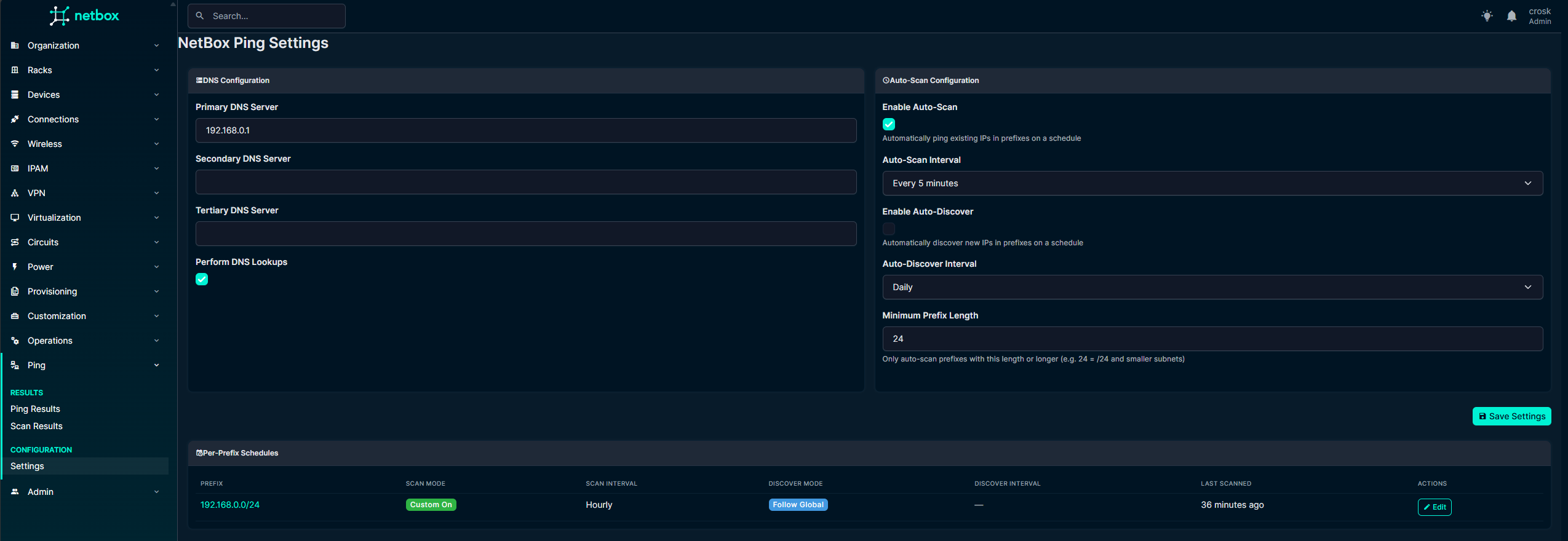
- Auto-scan scheduling with per-prefix overrides (Follow Global / Custom On / Custom Off)
- Skip reserved IPs during scans
Monitoring
- Stale IP detection -- tag IPs as stale after X failed scans or X days offline
- Auto-remove stale IPs from NetBox after a configurable threshold
- Per-prefix exclusion from stale detection for critical infrastructure
- Ping history with full audit trail per IP
- Quick filter tabs on the Ping Results page (All / Up / Down / Stale / Skipped)
DNS
- Automatic reverse DNS lookups with up to 3 configurable servers
- Sync resolved names back to NetBox IPAddress records
- DNS change history tracked per IP
Notifications
- Email digest with IP state transition badges (Up -> Down, Down -> Stale, etc.)
- High utilization prefix alerts
- Configurable intervals (5 min to weekly), send on change only option
Integration
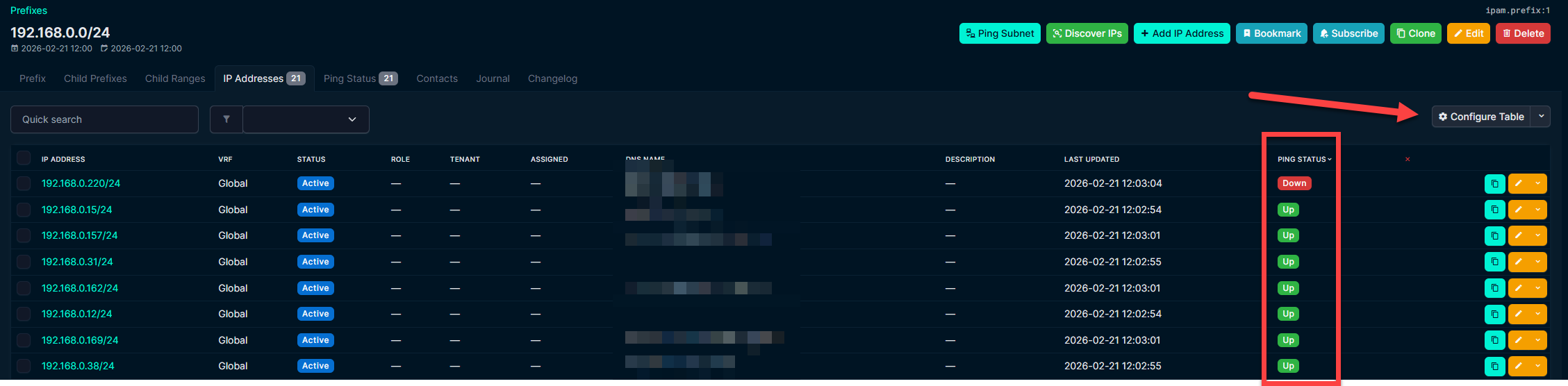
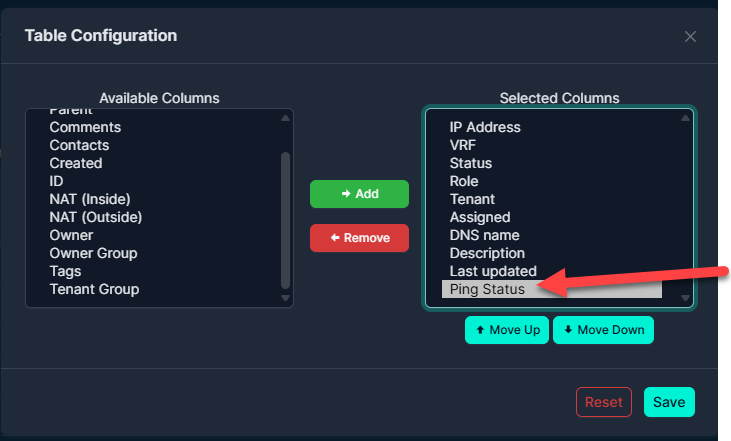
- Ping Status columns on core IP Address and Prefix tables
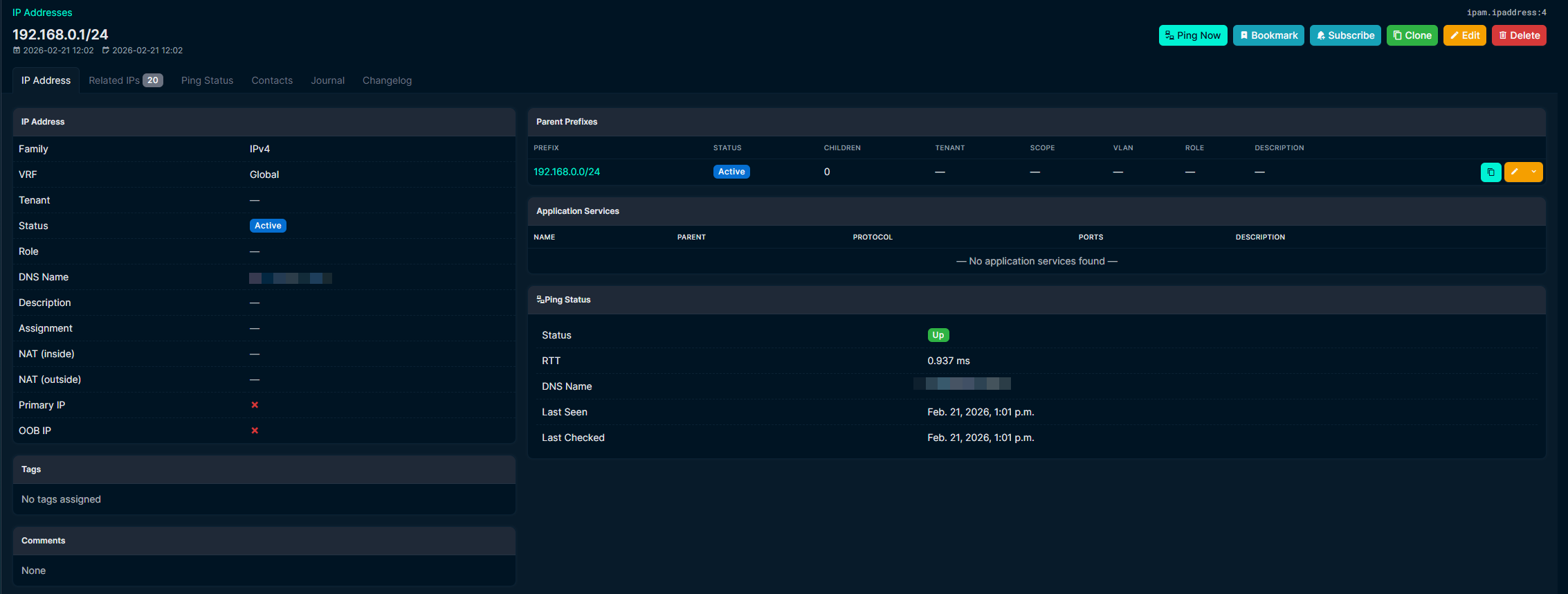
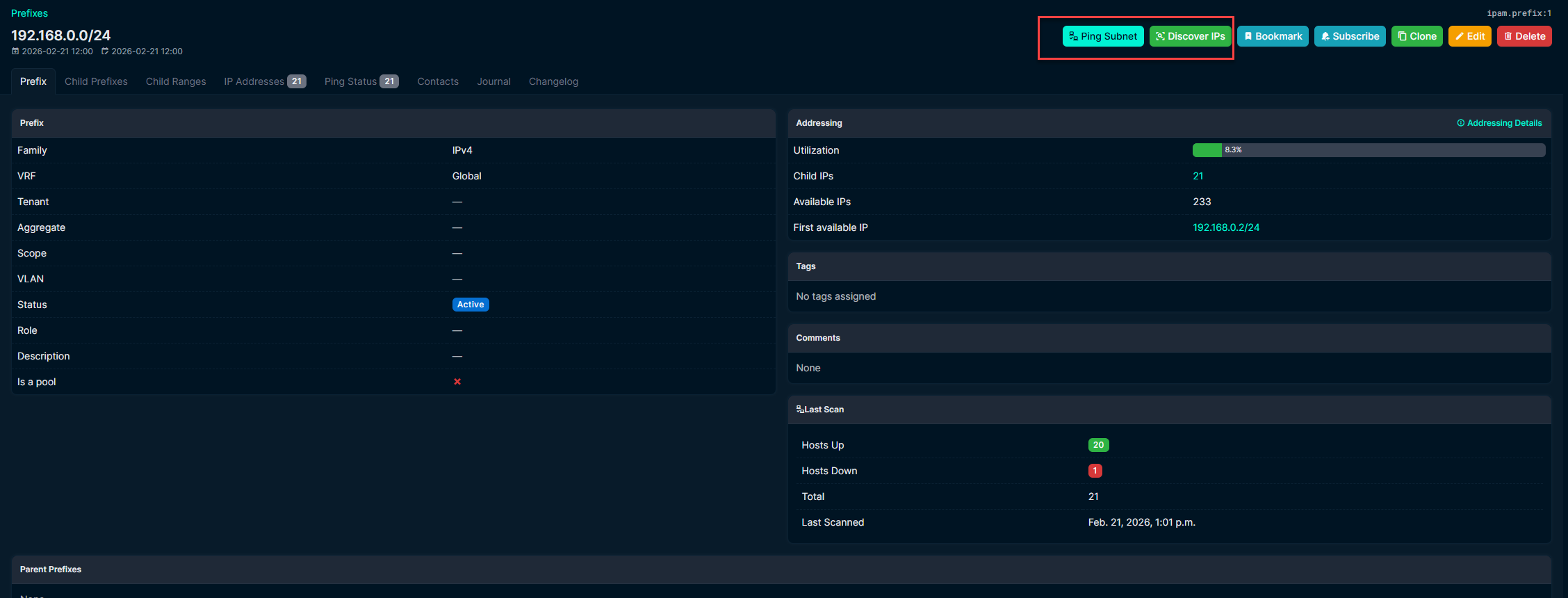
- Status tabs on IP Address and Prefix detail pages
- All operations run as background jobs
- REST API for ping results, history, and scan results
- Dark mode compatible
Screenshots
Settings
IP Address Ping Tab
Prefix Ping Tab
Bulk Operations

Status Badges on Core Tables
Installation
source /opt/netbox/venv/bin/activate
pip install netbox-ping
Or from source:
source /opt/netbox/venv/bin/activate
pip install git+https://github.com/DenDanskeMine/netbox-ping.git
Add to configuration.py:
PLUGINS = [
    'netbox_ping',
]
Apply migrations and restart:
cd /opt/netbox/netbox
python3 manage.py migrate
sudo systemctl restart netbox netbox-rq
Upgrading from v1
If you get migration errors when upgrading from v1, reset the migration state:
sudo -u postgres psql netbox -c "DELETE FROM django_migrations WHERE app = 'netbox_ping';"
sudo /opt/netbox/venv/bin/python manage.py migrate netbox_ping
Configuration
All settings are in Plugins > Ping > Settings.
DNS
| Setting | Description |
|---|---|
| DNS Servers (1-3) | Custom nameservers for reverse lookups |
| Sync DNS to NetBox | Write resolved names back to IPAddress.dns_name |
| Clear DNS on Missing | Clear DNS field when lookup returns empty |
| Preserve DNS if Alive | Keep existing DNS if host is up but lookup fails |
Auto-Scan
| Setting | Description |
|---|---|
| Auto-Scan / Auto-Discover | Enable recurring scans with configurable interval |
| Min Prefix Length | Only scan prefixes of this size or smaller (default: /24) |
| Per-Prefix Overrides | Follow Global, Custom On, or Custom Off per prefix |
Available intervals: 5 min, 15 min, 30 min, hourly, 6h, 12h, daily, weekly.
Stale IP Detection
| Setting | Description |
|---|---|
| Enable Stale Tagging | Tag IPs as stale when thresholds are met |
| Scans Threshold | Consecutive failed scans before tagging (0 = ignore) |
| Days Threshold | Days since last seen before tagging (0 = ignore) |
| Enable Auto-Remove | Delete stale IPs after a separate days threshold |
| Remove After Days | Days since last seen before deletion |
Per-prefix exclusion is available on each prefix's Ping Status tab.
Email Notifications
Uses NetBox's existing EMAIL settings from configuration.py.
| Setting | Description |
|---|---|
| Recipients | Comma-separated email addresses |
| Digest Interval | How often to send (5 min to weekly) |
| Include Details | Show per-IP state transitions grouped by prefix |
| Utilization Threshold | Alert on prefixes at or above this % (0 = disabled) |
| Send on Change Only | Skip sending if nothing happened |
Emails show state transitions per IP (e.g. Up -> Down, Down -> Stale, Stale -> Deleted) so you can see the current state at a glance.
Navigation
| Menu Item | Description |
|---|---|
| Plugins > Ping > Ping Results | Current state of all tracked IPs with quick filter tabs |
| Plugins > Ping > Ping History | Full audit trail of all ping checks |
| Plugins > Ping > Scan Results | Per-prefix scan summaries with utilization |
| Plugins > Ping > Settings | All plugin configuration |
Performance
Concurrent pings per job defaults to 100 threads. To go higher (~240+), raise the file descriptor limit:
# /etc/systemd/system/netbox-rq.service
[Service]
LimitNOFILE=65535
sudo systemctl daemon-reload
sudo systemctl restart netbox-rq
Requirements
- NetBox 4.5.0+
- Python 3.12+
pingcommand on the servernetbox-rqworker running
Development
git clone https://github.com/DenDanskeMine/netbox-ping.git
cd netbox-ping
pip install -e .
License
Apache License 2.0 -- see LICENSE.
Support
Open an issue on GitHub.
Release history Release notifications | RSS feed


Download files
Download the file for your platform. If you're not sure which to choose, learn more about installing packages.
Source Distribution
Built Distribution
Filter files by name, interpreter, ABI, and platform.
If you're not sure about the file name format, learn more about wheel file names.
Copy a direct link to the current filters
File details
Details for the file netbox_ping-2.6.1.tar.gz.
File metadata
- Download URL: netbox_ping-2.6.1.tar.gz
- Upload date:
- Size: 69.0 kB
- Tags: Source
- Uploaded using Trusted Publishing? No
- Uploaded via: twine/6.2.0 CPython/3.12.13
File hashes
| Algorithm | Hash digest | |
|---|---|---|
| SHA256 |
833e8cdb2ecdb67ea6876da2aa93da7c21c281e2aca223d73bd8da1650d7e087
|
|
| MD5 |
892241c8817fc268830c024d3035ab45
|
|
| BLAKE2b-256 |
c8eb45fac2420d175cad9bf6a8dcc4cee31ebe8e49e5248d1f4f5ad79f39f58d
|
File details
Details for the file netbox_ping-2.6.1-py3-none-any.whl.
File metadata
- Download URL: netbox_ping-2.6.1-py3-none-any.whl
- Upload date:
- Size: 89.0 kB
- Tags: Python 3
- Uploaded using Trusted Publishing? No
- Uploaded via: twine/6.2.0 CPython/3.12.13
File hashes
| Algorithm | Hash digest | |
|---|---|---|
| SHA256 |
d3e125dba6e9dbb7d0877bcdc508d18762329d5efc49970f06c9e4586fa16ac6
|
|
| MD5 |
e15aa1d00c5369c765dbd740c7b7b441
|
|
| BLAKE2b-256 |
6cd4884f6d02efaa337b3d5a408392b0ab838a80204a5ded8dd038e89eee5238
|






