
NOAA JetStream — Cloud Data Management Transfer System
A comprehensive web-based application for managing Google Cloud Storage uploads and Google Drive transfers, with features including job queuing, real-time analytics, and batch processing capabilities.
Features
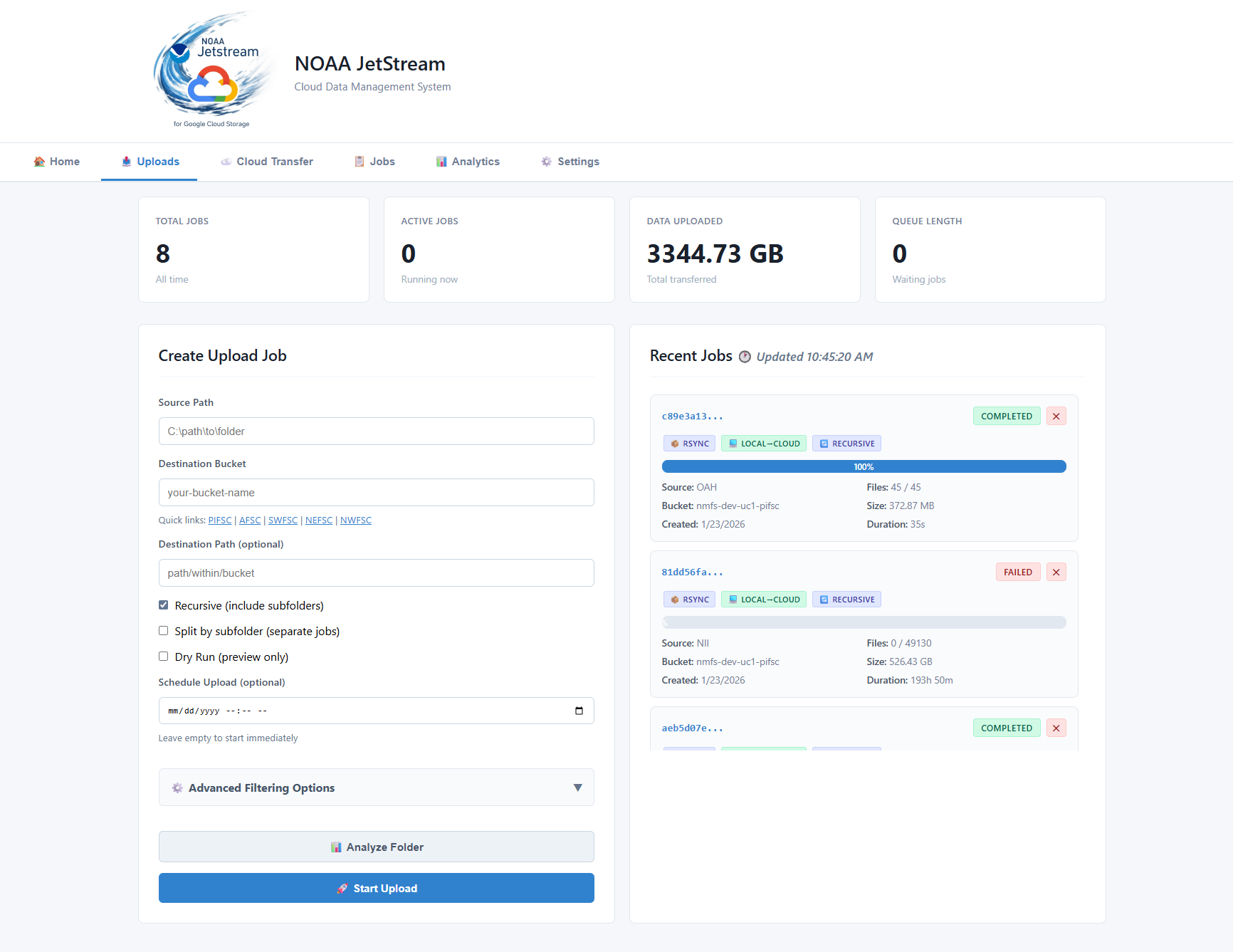
- Upload Management — queue-backed GCS uploads with retry, scheduling, and no-clobber support
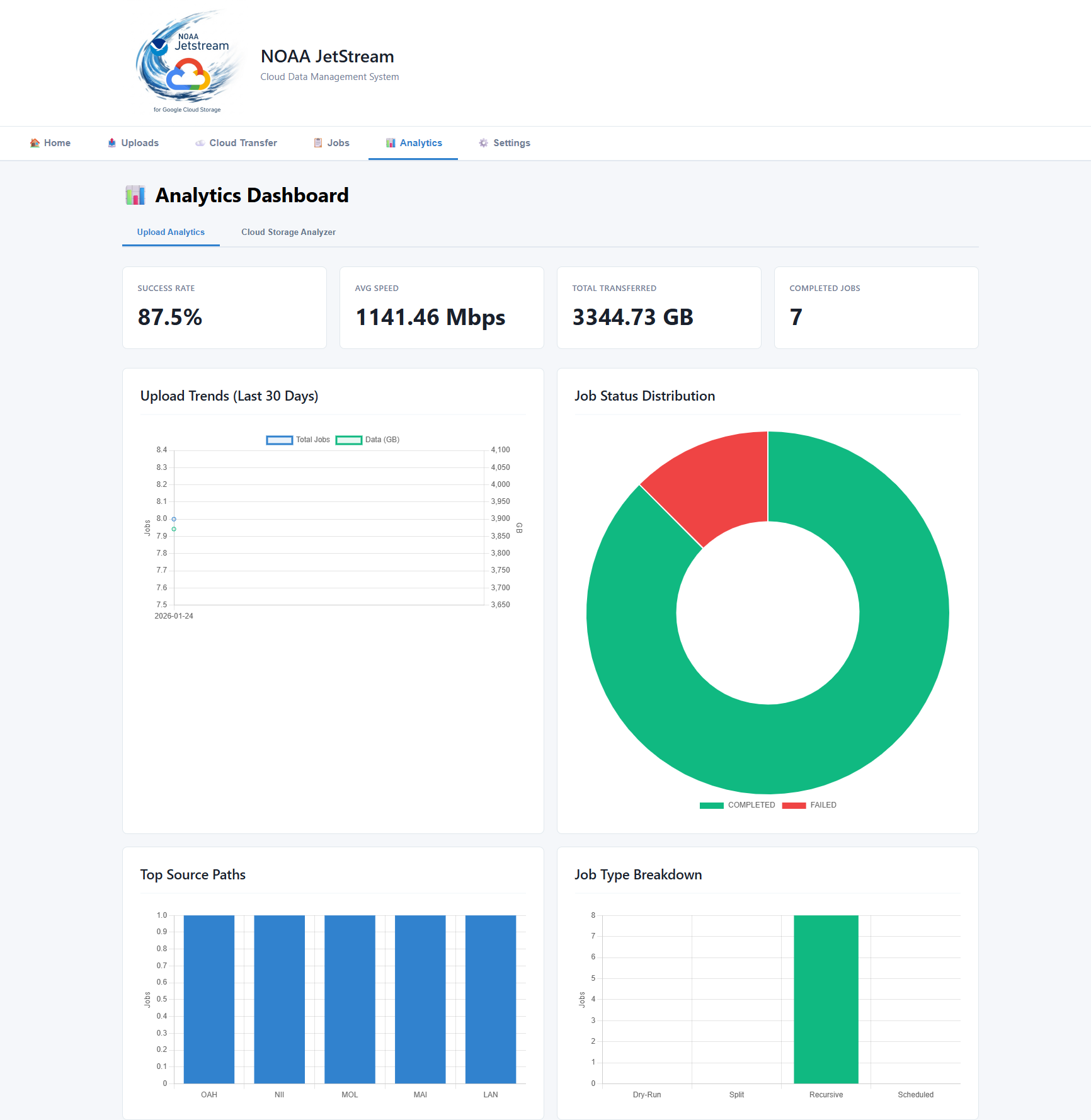
- Analytics & Monitoring — real-time job stats, file-type breakdown, activity timeline
- Cloud Bucket Analysis — browse and analyze GCS bucket contents
- Native Google Drive Upload — OAuth-authenticated upload and folder sync to Google Drive
- File Filtering — include/exclude patterns for uploads
- Web Dashboard — browser-based UI at
http://localhost:8000 - Terminal UI (TUI) — full-featured htop-style dashboard for terminals and remote sessions
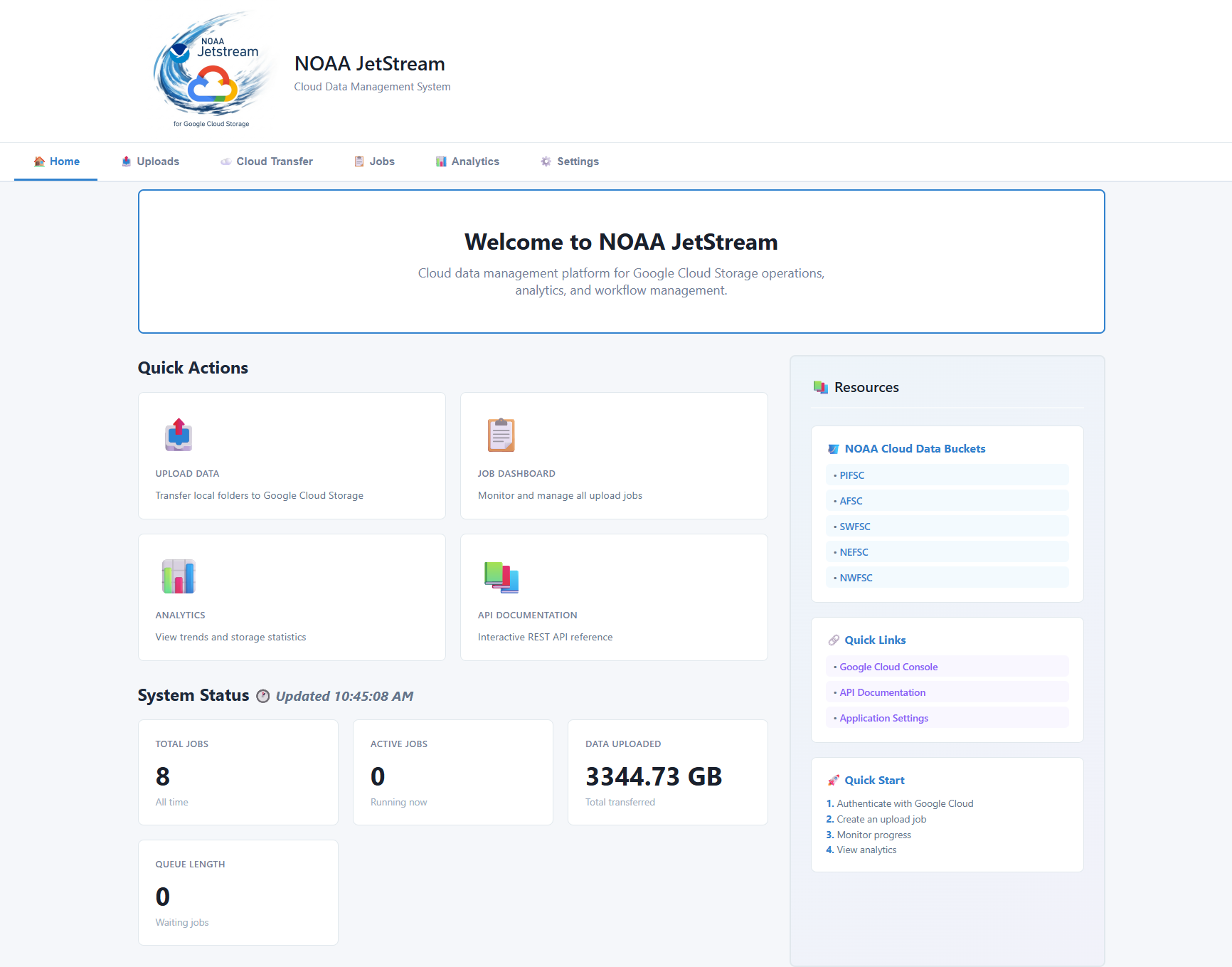
Screenshots
| Dashboard | Upload Jobs | Analytics |
|---|---|---|
 |
 |
 |
Prerequisites
- Python 3.9+ -
- Google Cloud SDK (includes gsutil) — for GCS upload features
- Permissions to target GCS buckets
Google Cloud Setup
In a terminal window run the following command:
# Install Google Cloud SDK
# Download from: https://cloud.google.com/sdk/docs/install

# Authenticate
gcloud auth login
⚠️ Important: If you encounter a
Reauthentication required.error, Google requires rotating or re-authenticating credentials at unspecified times. (~ every 16hrs)To fix this, simply login again
Installation
In a python, conda promt window run the following command:
pip install noaa-jetstream
Upgrade/Update Jetstream
In a python, conda promt window run the following command:
pip install --no-cache --upgrade noaa-jetstream
Starting the Application
If Installed via pip
# Start the server (opens browser automatically)
jetstream
Install Jetstream Desktop Shortcut
Desktop and Start Menu shortcuts are included with the default install. The shortcut will automatically use the JetStream icon (icon.ico) when created.
# Create desktop + Start Menu shortcut (uses JetStream icon automatically)
jetstream-create-shortcuts

# Remove shortcuts
jetstream-remove-shortcuts
Shortcuts launch JetStream directly using the current Python environment and open a terminal window. On Windows a .lnk shortcut is created on the desktop and in the Start Menu. On macOS/Linux a .app/.desktop shortcut is created in Applications.
Troubleshooting Startup Issues
If the server appears to start but you can't connect:
-
Run diagnostics:
python diagnose.py -
Run with debug logging:
jetstream --log-level debug
# or from source:
python -m uvicorn jetstream.main:app --reload --log-level debug
Troubleshooting
Cannot connect to GCS:
- Verify authentication:
gcloud auth list - Check bucket permissions
- Ensure Application Default Credentials are set
Jobs stuck in queue:
- Check queue status in dashboard
- Verify no jobs are blocking the queue
- Restart the application if needed
Database errors:
- Delete
jetstream.dbto reset (loses history) - Check file permissions in application directory
API not responding:
- Check if port 8000 is already in use
- View logs in terminal for error messages
- Ensure all dependencies are installed
Terminal UI (TUI)
JetStream ships a full terminal dashboard — think htop + ranger + gsutil — that runs in any terminal or SSH session without a browser.
Screenshots
| Dashboard | Upload Jobs | Analytics |
|---|---|---|
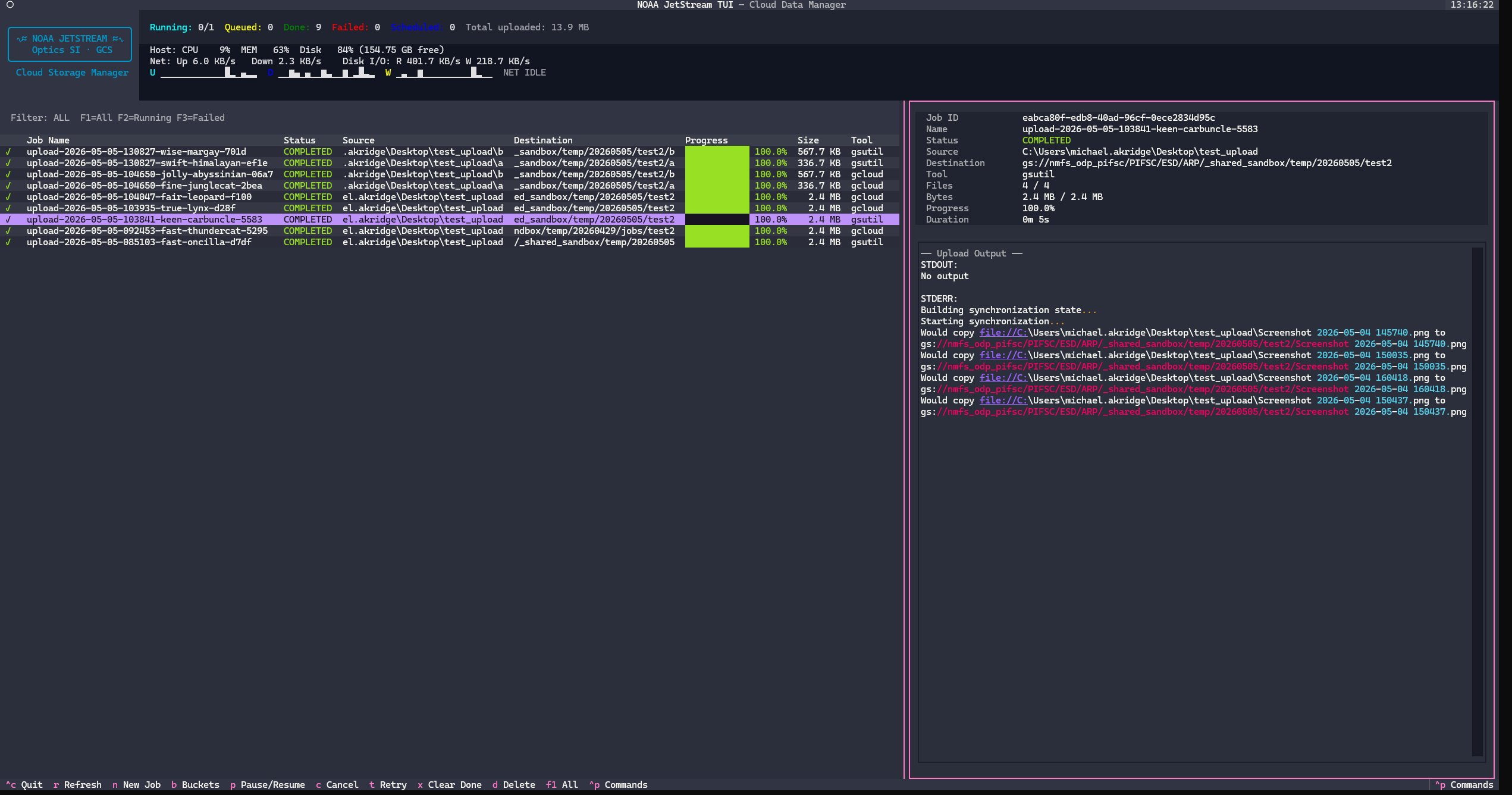 |
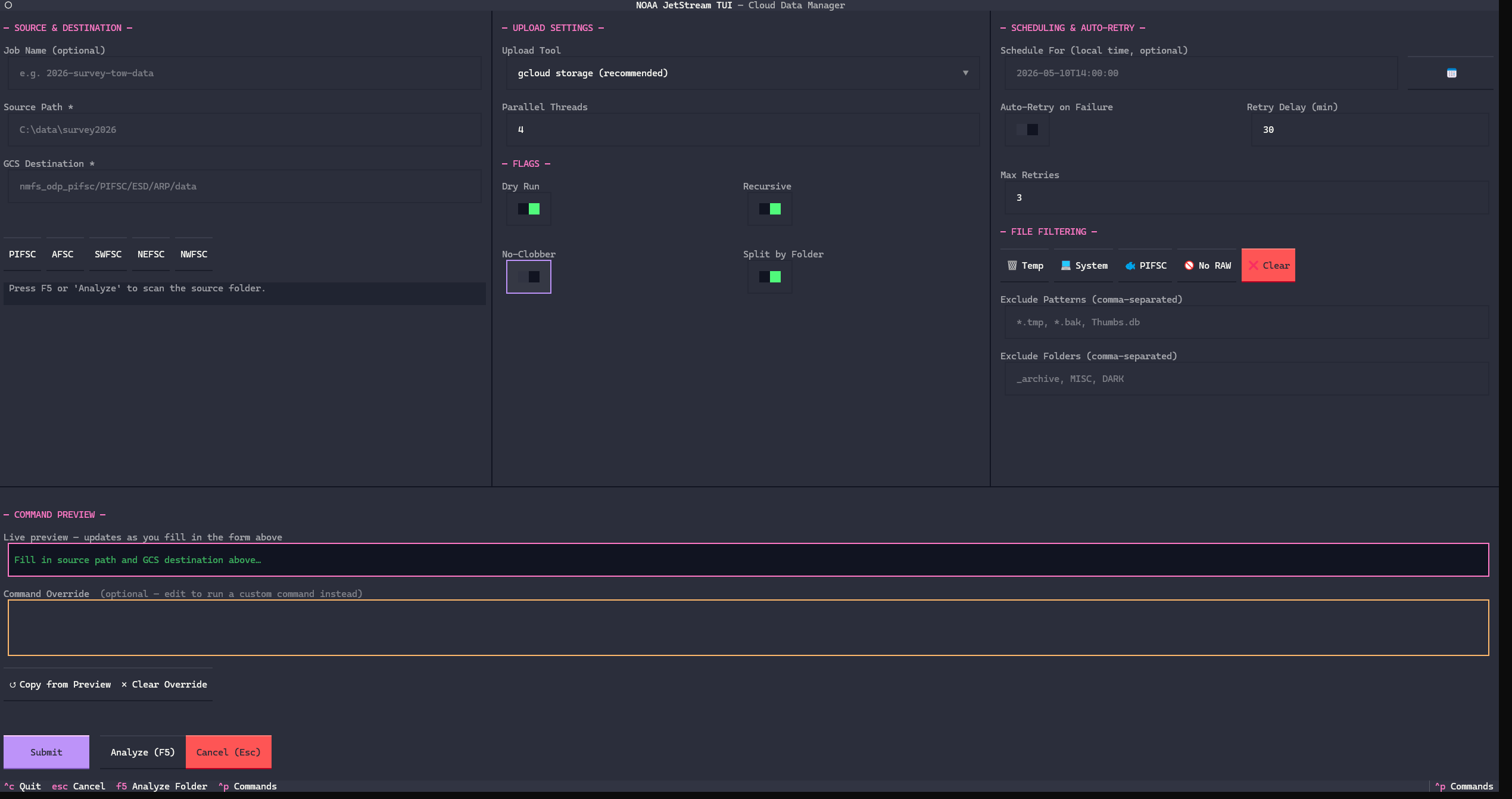 |
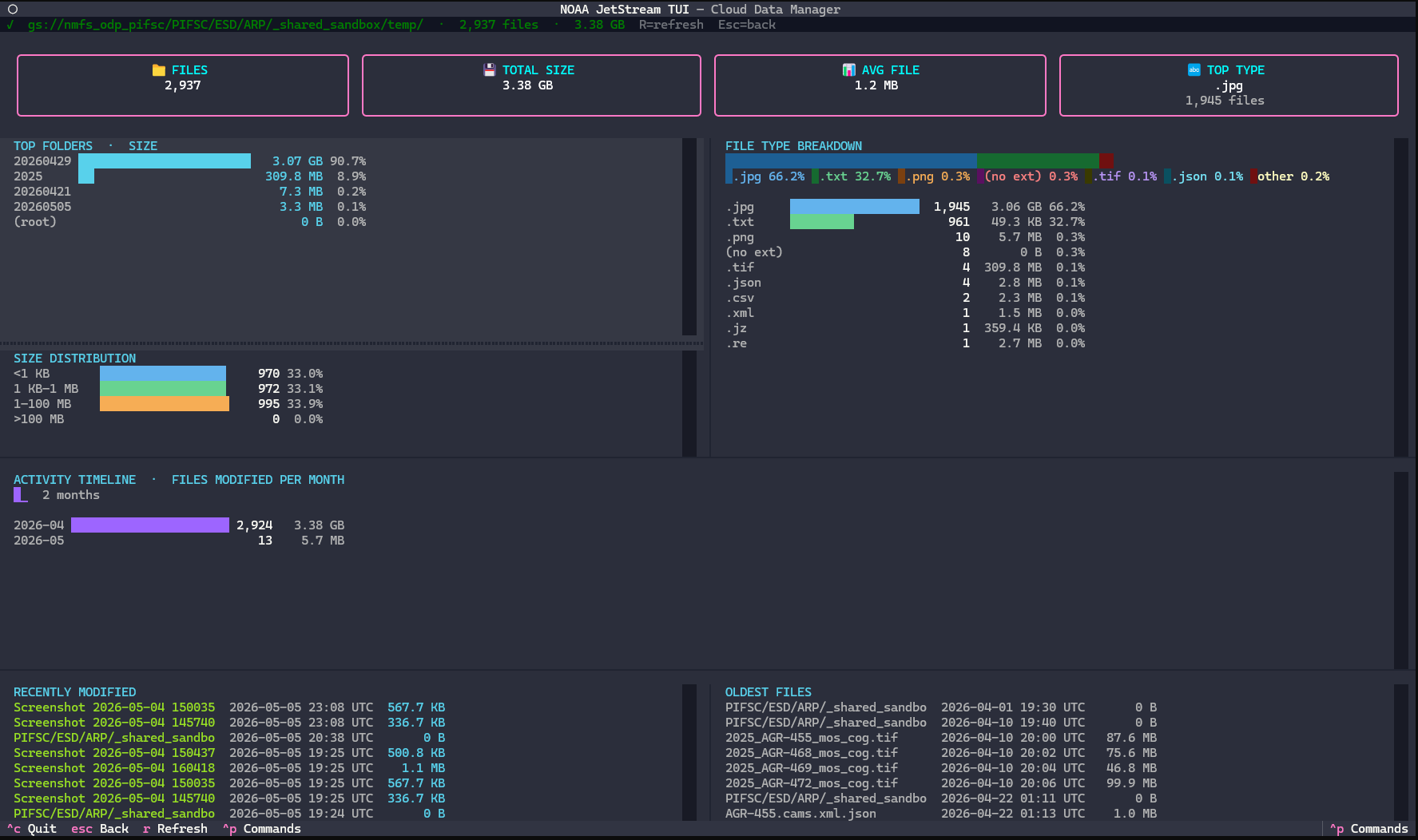 |

Launch
# If installed via pip
jetstream-tui
Disclaimer
This repository is a scientific product and is not official communication of the National Oceanic and Atmospheric Administration, or the United States Department of Commerce. All NOAA GitHub project content is provided on an 'as is' basis and the user assumes responsibility for its use. Any claims against the Department of Commerce or Department of Commerce bureaus stemming from the use of this GitHub project will be governed by all applicable Federal law. Any reference to specific commercial products, processes, or services by service mark, trademark, manufacturer, or otherwise, does not constitute or imply their endorsement, recommendation or favoring by the Department of Commerce. The Department of Commerce seal and logo, or the seal and logo of a DOC bureau, shall not be used in any manner to imply endorsement of any commercial product or activity by DOC or the United States Government.
License
See the LICENSE.md for details
1 maintainer

Metadata
1 maintainer
Release files for noaa-jetstream 0.1.25
For a detailed explanation of source distributions (sdists) and built distributions (wheels), please see the package formats documentation.
Source distribution (sdist)
| File | Size | Uploaded | |
|---|---|---|---|
| noaa_jetstream-0.1.25.tar.gz | 3.0 MB | Details |
Built distribution (wheel)
| File | Interpreter | ABI | Platform | Reset |
|---|---|---|---|---|
| noaa_jetstream-0.1.25-py3-none-any.whl | Python 3 | none | any | Details |
Total release size: 6.0 MB
Release files / noaa_jetstream-0.1.25.tar.gz
| Download URL | noaa_jetstream-0.1.25.tar.gz |
|---|---|
| Size | 3.0 MB |
| Tags | Source |
|
SHA-256 checksum How to use checksums |
dedb2637bb3f4e2f773c77cf541ee5c064a8a4aba3054a36c5ecc7b3b1d3b00a
|
|
BLAKE2b-256 checksum How to use checksums |
95f765d2ebb567940a292e1ca41d2da606ff2765b3a268448771c18d4b70e628
|
| Upload date | |
|
Uploaded using Trusted Publishing? What is trusted publishing? |
Yes |
| Uploaded via |
twine/7.0.0 CPython/3.13.14
|
Provenance
Provenance describes where a file came from. On PyPI, provenance is shared via attestations, which provide a verifiable record of the build or publishing details. View details, limitations and caveats.


PyPI Publish Attestation
PyPI verified that this artifact, at this checksum, originated from the publisher listed below.
Signed by GitHub Actions, verified by PyPI on Sep 16, 2026.
Transparency logRelease files / noaa_jetstream-0.1.25-py3-none-any.whl
| Download URL | noaa_jetstream-0.1.25-py3-none-any.whl |
|---|---|
| Size | 3.0 MB |
| Tags | Python 3 |
|
SHA-256 checksum How to use checksums |
1828aa2f71a3fde11310bcf40726d110d617e7de511a5fd5f8a659a21d007a2f
|
|
BLAKE2b-256 checksum How to use checksums |
1f6dfaa7eaf98593dc264a82682de5936baab05854dff690557627bbf473c942
|
| Upload date | |
|
Uploaded using Trusted Publishing? What is trusted publishing? |
Yes |
| Uploaded via |
twine/7.0.0 CPython/3.13.14
|
Provenance
Provenance describes where a file came from. On PyPI, provenance is shared via attestations, which provide a verifiable record of the build or publishing details. View details, limitations and caveats.
PyPI Publish Attestation
PyPI verified that this artifact, at this checksum, originated from the publisher listed below.
Signed by GitHub Actions, verified by PyPI on Sep 16, 2026.
Transparency log













