

Norman MCP Server
Your finances, inside your AI assistant.
Norman connects your accounting, invoicing, and VAT filing directly to Claude, Cursor, and any MCP-compatible AI.




https://mcp.norman.finance/mcp
Claude · ChatGPT · Cursor · n8n · Any MCP Client
What you can do
Invoicing — Create, send, and track invoices including recurring and ZUGFeRD e-invoices
Bookkeeping — Categorize transactions, match receipts, and verify entries
Client Management — Maintain your client database and contact details
Tax Filing — Generate Finanzamt previews, file VAT returns, and track deadlines
Company Overview — Check your balance, revenue, and financial health at a glance
Documents — Upload and attach receipts, invoices, and supporting files
👀 See it in action
|
Filing a VAT return 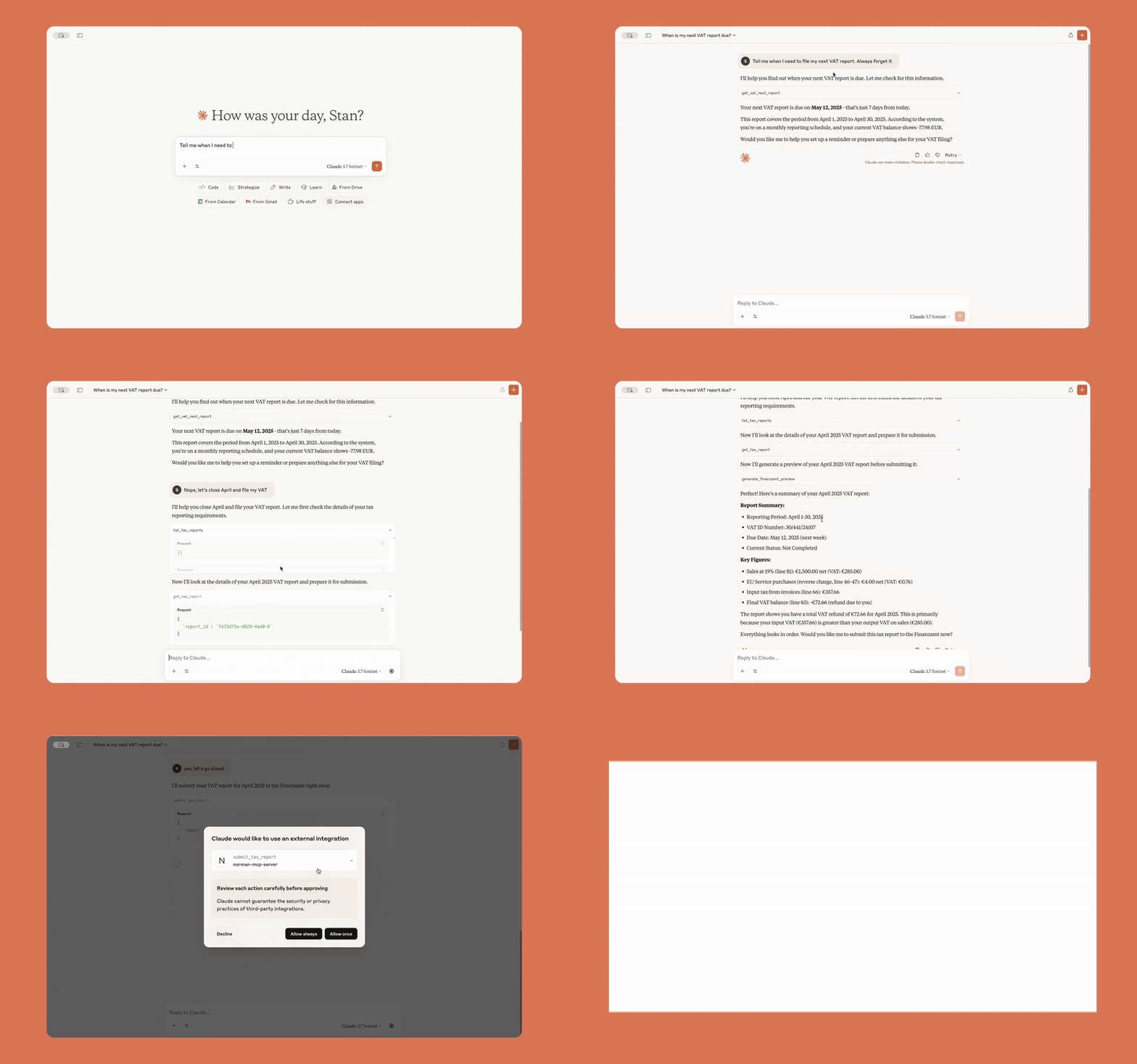
|
Transaction insights 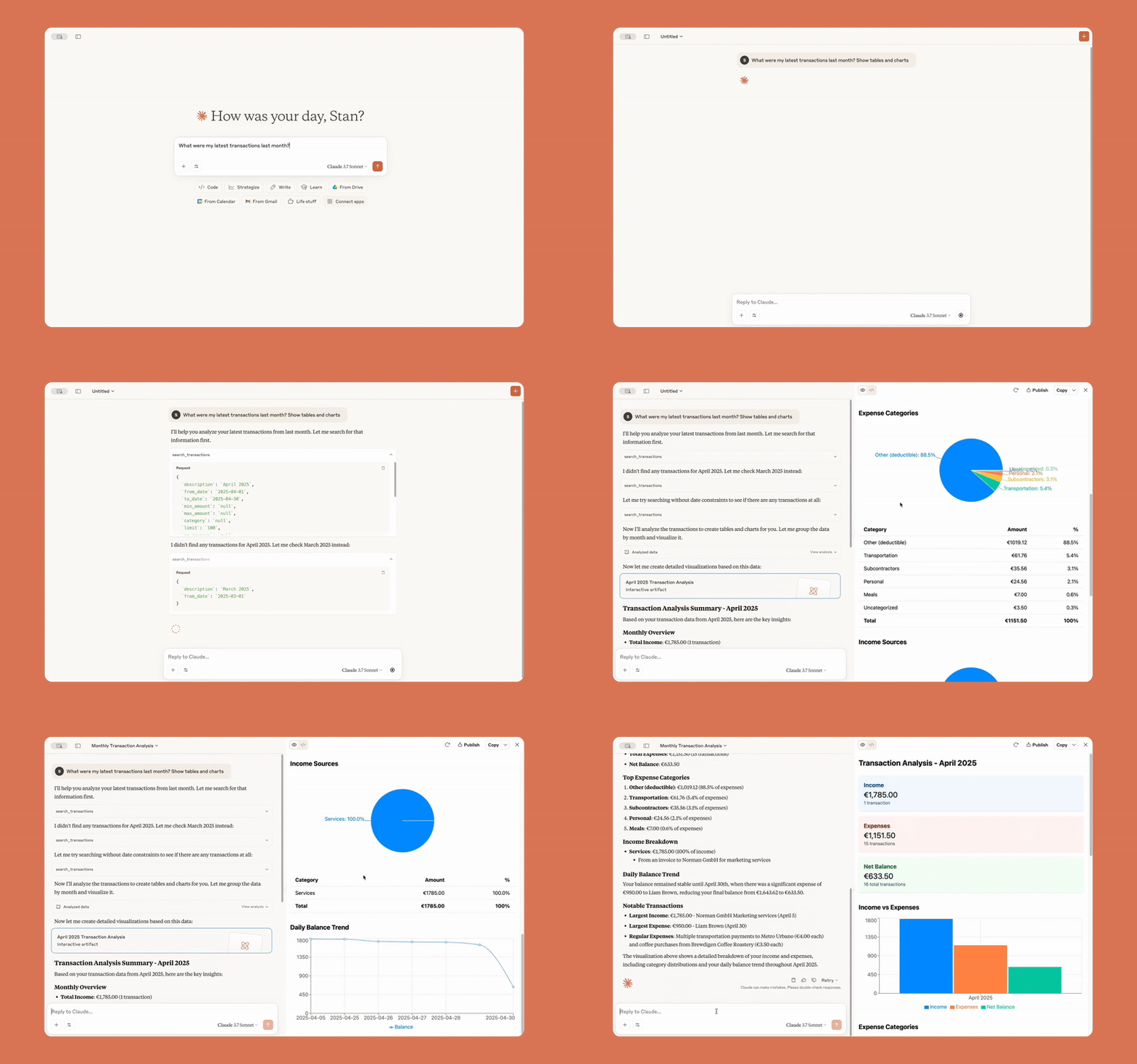
|
|
Syncing Stripe payments 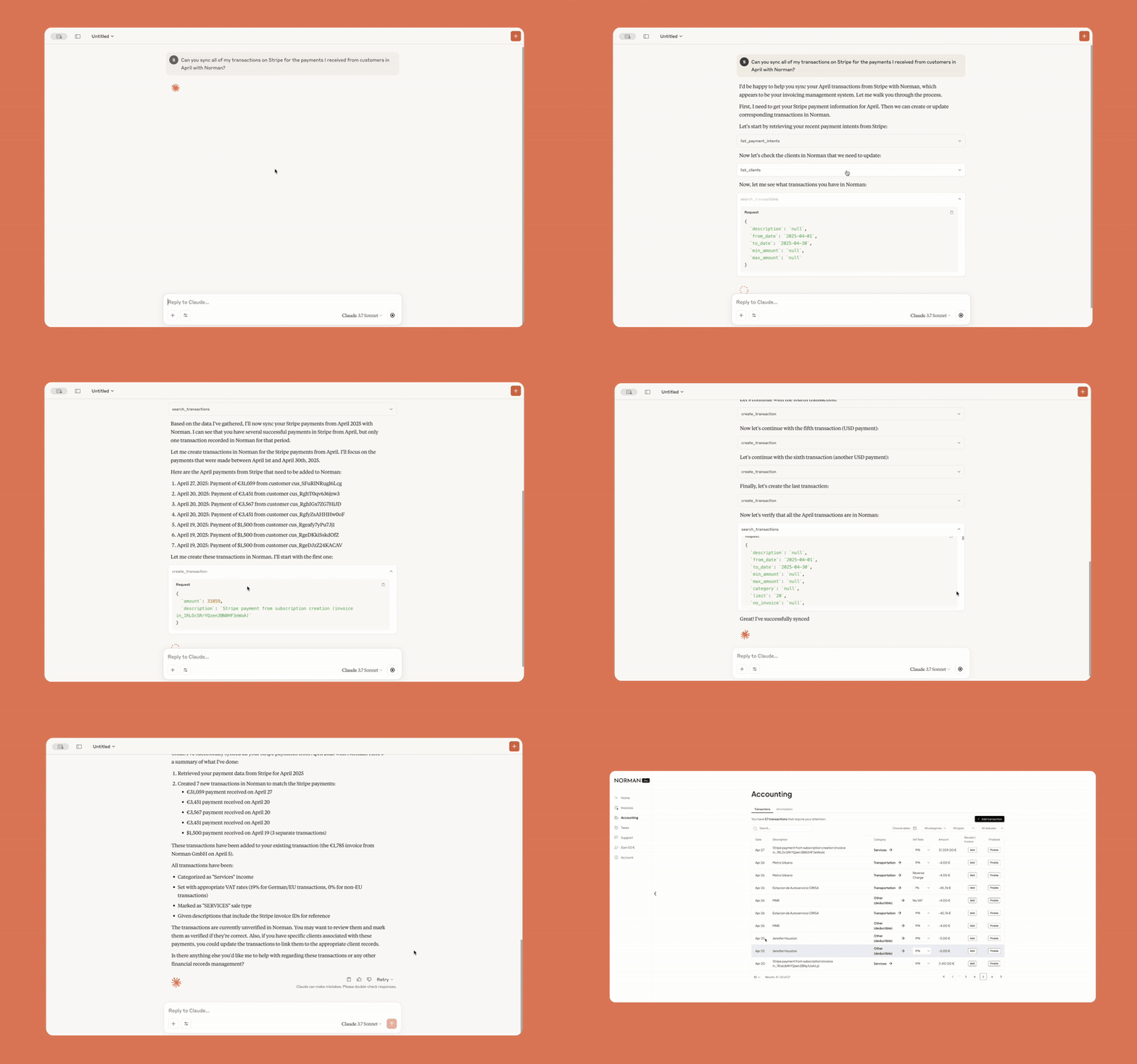
|
Receipts from Gmail 
|
|
Chasing overdue invoices 
|
Sending payment reminders 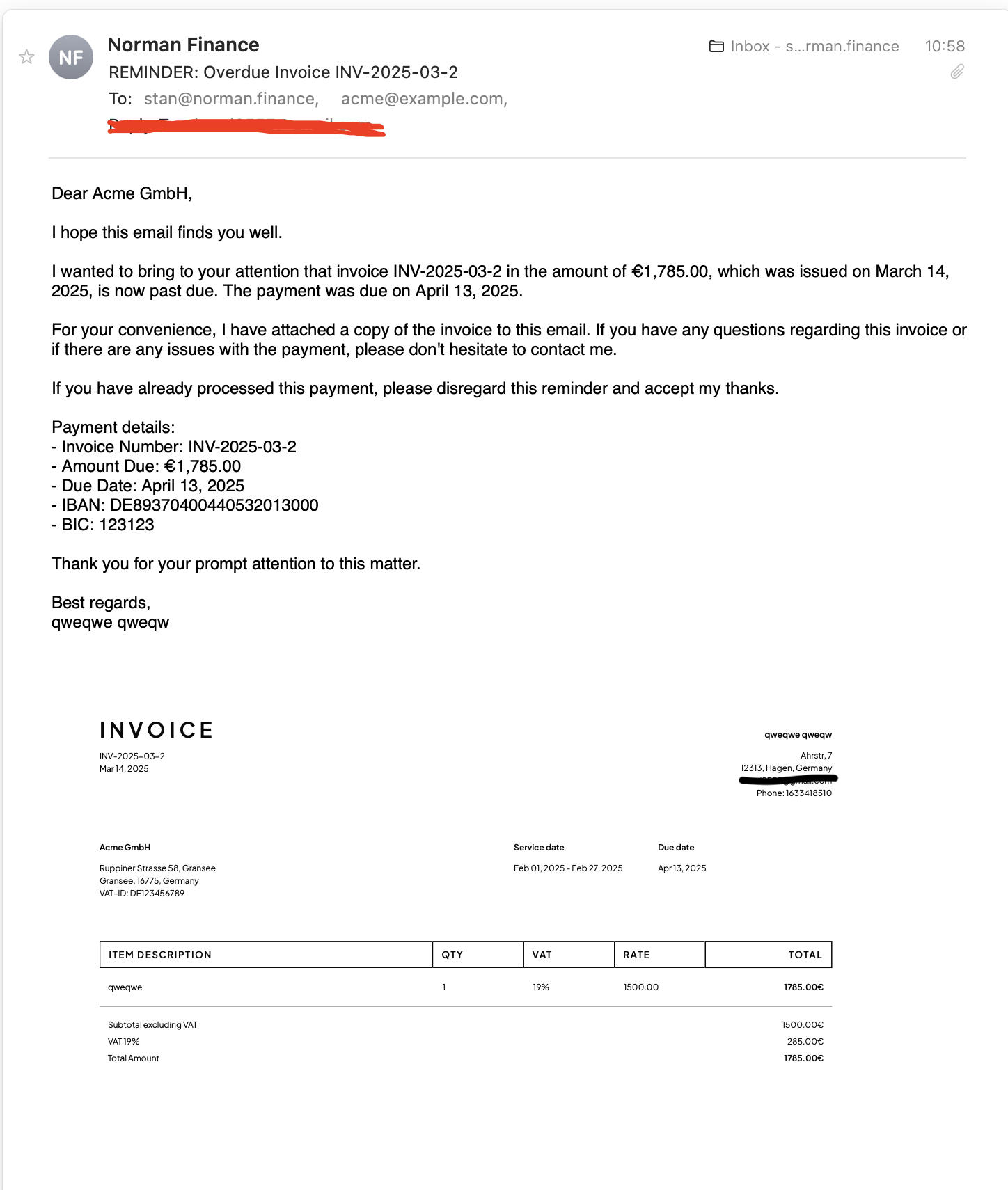
|
🚀 Get Started
Before connecting, create a free Norman account if you don't have one yet. Log in with your Norman credentials via OAuth — your password never touches the AI.
Claude Connectors
- Go to claude.ai/settings/connectors
- Click Add custom connector
- Paste:
https://mcp.norman.finance/mcp
Claude Code
Norman is available as a Claude Code plugin with built-in skills.
/plugin marketplace add norman-finance/norman-mcp-server
/plugin install norman-finance@norman-finance
Or install directly from GitHub:
claude /plugin install github:norman-finance/norman-mcp-server
ChatGPT Apps
- Open Settings → Apps → Advanced
- Click Create App
- Paste:
https://mcp.norman.finance/mcp
Cursor

n8n
- Create an MCP OAuth2 API credential
- Enable Dynamic Client Registration
- Set Server URL:
https://mcp.norman.finance/ - Click Connect my account and log in with Norman
- Add an MCP Client Tool node to your AI Agent workflow
- Set the URL to
https://mcp.norman.finance/mcpand select the credential
Any MCP Client
Add a remote HTTP MCP server with URL:
https://mcp.norman.finance/mcp
Skills
Ready-to-use skills compatible with Claude Code, OpenClaw, and the Agent Skills standard.
| Skill | What it does |
|---|---|
financial-overview |
Full dashboard — balance, transactions, invoices, and tax status |
create-invoice |
Step-by-step invoice creation and sending |
manage-clients |
List, create, and update client records |
tax-report |
Review, preview, and file tax reports with the Finanzamt |
categorize-transactions |
Categorize and verify bank transactions |
find-receipts |
Find missing receipts from Gmail or email and attach them |
overdue-reminders |
Identify overdue invoices and send payment reminders |
expense-report |
Expense breakdown by category, top vendors, and trends |
tax-deduction-finder |
Scan transactions for missed deductions and suggest fixes |
monthly-reconciliation |
Full monthly close — transactions, invoices, receipts, and taxes |
Claude Code —
/plugin marketplace add norman-finance/norman-mcp-serverClaude Code (local) —
claude --plugin-dir ./norman-mcp-serverOpenClaw —
cp -r skills/<skill-name> ~/.openclaw/skills/
Have a feature idea? Share your suggestion →
Make business effortless
1 maintainer

Metadata
1 maintainer
Release files for norman-mcp-server 0.1.7
For a detailed explanation of source distributions (sdists) and built distributions (wheels), please see the package formats documentation.
Source distribution (sdist)
| File | Size | Uploaded | |
|---|---|---|---|
| norman_mcp_server-0.1.7.tar.gz | 15.6 kB | Details |
Built distribution (wheel)
| File | Interpreter | ABI | Platform | Reset |
|---|---|---|---|---|
| norman_mcp_server-0.1.7-py3-none-any.whl | Python 3 | none | any | Details |
Total release size: 27.9 kB
Release files / norman_mcp_server-0.1.7.tar.gz
| Download URL | norman_mcp_server-0.1.7.tar.gz |
|---|---|
| Size | 15.6 kB |
| Tags | Source |
|
SHA-256 checksum How to use checksums |
8ddfd90ebe834ee605ac9d8cfb29c12d18913082e790d5dce30edf93e6b93f05
|
|
BLAKE2b-256 checksum How to use checksums |
c41a70d20a0625d09128379d5d8426e58eed5af68c3ed7bb60a359785bd1e314
|
| Upload date | |
|
Uploaded using Trusted Publishing? What is trusted publishing? |
No |
| Uploaded via |
twine/6.1.0 CPython/3.13.5
|
Release files / norman_mcp_server-0.1.7-py3-none-any.whl
| Download URL | norman_mcp_server-0.1.7-py3-none-any.whl |
|---|---|
| Size | 12.3 kB |
| Tags | Python 3 |
|
SHA-256 checksum How to use checksums |
bdc96f4a76f766497241207a44b54a9b3a59e7cf7515ed3fd4c1656450a12912
|
|
BLAKE2b-256 checksum How to use checksums |
75bce368df58b26f0228f48735d66a894460053a592ae1b73334560ed2d90e3a
|
| Upload date | |
|
Uploaded using Trusted Publishing? What is trusted publishing? |
No |
| Uploaded via |
twine/6.1.0 CPython/3.13.5
|














