
A TUI paging application with enhanced support for tabular data and real-time streaming

Project description
Nothing-less (nless)

Nless is a TUI paging application (based on the awesome Textual library) with vi-like keybindings. Nless has enhanced functionality for parsing tabular data:
- inferring file delimiters
- delimiter swapping on the fly
- regex-based parsing of raw logs into tabular data using Python's regex engine
- filtering
- sorting
- searching
- real-time event parsing.
Getting started
Dependencies
- python>=3.13
Installation
pip install nothing-less
Usage
- pipe the output of a command to nless to parse the output
$COMMAND | nless - read a file with nless
nless $FILE_NAME - redirect a file into nless
nless < $FILE_NAME - Once output is loaded, press
?to view the keybindings
Demos
Basic functionality
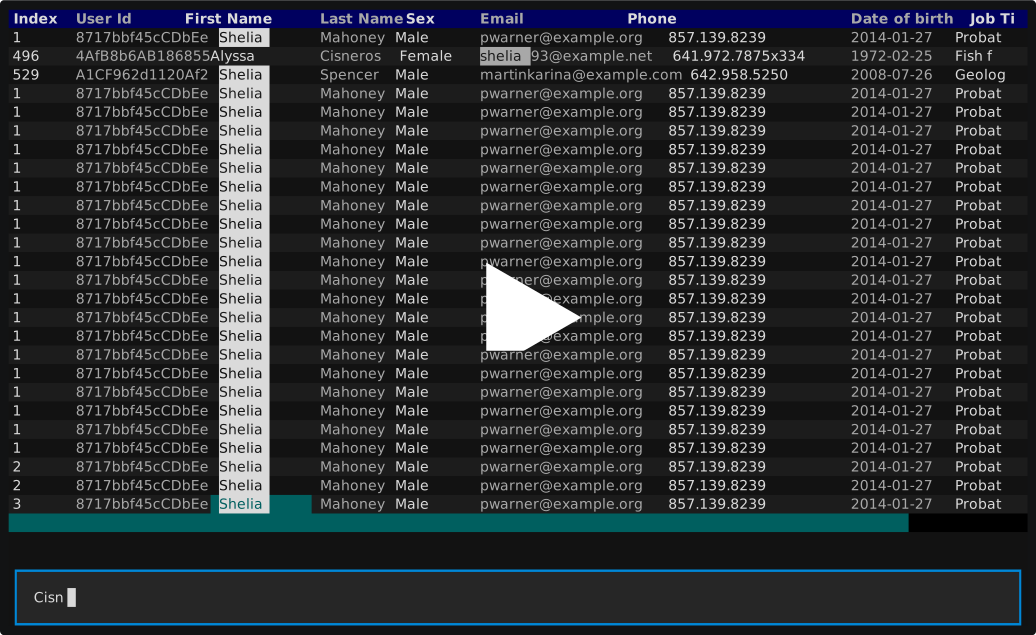
The below demo shows basic functionality:
- starting with a search
/ - applying that search
& - filtering the selected column by the value within the selected cell
F - swapping the delimiter
D(rawand,)
Streaming functionality
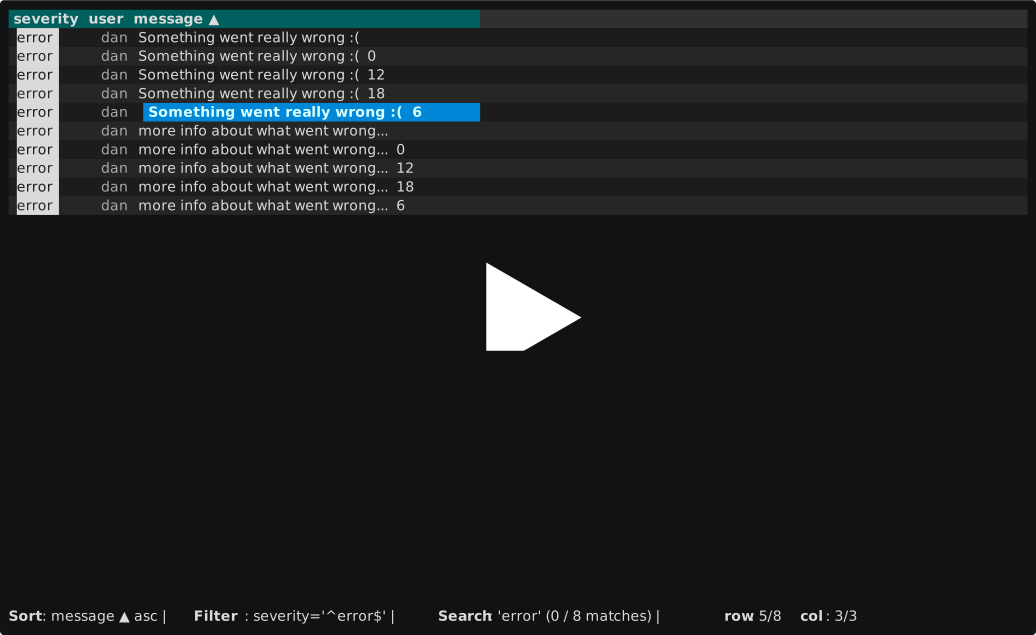
The below demo showcases some of nless's features for handling streaming input, and interacting with unknown delimitation:
- The nless view stays up-to-date as new log lines arrive on stdin (allows pipeline commands, or redirecting a file into nless)
- Showcases using a custom (Python engine) regex, example -
{(?P<severity>.*)}\((?P<user>.*)\) - (?P<message>.*)- to parse raw logs into tabular fields. - Sorts, filters, and searches on those fields.
- Flips the delimiter back to raw, sorts, searches, and filters on the raw logs
Features & Functionality
Navigation:
h- move cursor leftl- move cursor rightj- move cursor downk- move cursor up0- jump to first column$- jump to final columng- jump to first rowG- jump to final roww- move cursor rightb- move cursor left
Filtering:
f- will filter the current column and prompt for a filterF- will filter the current column by the highlighted cell|- will filter ALL columns and prompt for a filter&- applies the current search as a filter across all columns
Searching:
/- will prompt for a search value and jump to the first match*- will search all columns for the current highglighted cell valuen- jump to the next matchN- jump to previous matchp- jump to previous match
Sorting:
s- toggles ascending/descending sort on the current column
Delimiter/file parsing:
- By default,
nlesswill attempt to infer a file delimiter from the first few rows sent through stdin. It uses common delimiters to start -,,|,\t, etc. D- you can useDto explicitly swap the delimiter on the fly. Just type in one of the common delimiters above, and the rows will be re-parsed into a tabular format.D- alternatively, you can pass in a regex with named capture groups. Those named groups will become the tabular columns, and each row will be parsed and split across those groups. Example{(?P<severity>.*)}\((?P<user>.*)\) - (?P<message>.*)D- additionally you can just pass the wordrawto see the raw lines behind the data. You can still sort, filter, and sarch the raw lines.D- last, you can pass a delimiter value ofkubectl get pods -w), for example.
Release history Release notifications | RSS feed


Download files
Download the file for your platform. If you're not sure which to choose, learn more about installing packages.
Source Distribution
Built Distribution
Filter files by name, interpreter, ABI, and platform.
If you're not sure about the file name format, learn more about wheel file names.
Copy a direct link to the current filters
File details
Details for the file nothing_less-0.1.6.tar.gz.
File metadata
- Download URL: nothing_less-0.1.6.tar.gz
- Upload date:
- Size: 20.4 kB
- Tags: Source
- Uploaded using Trusted Publishing? No
- Uploaded via: twine/6.2.0 CPython/3.13.6
File hashes
| Algorithm | Hash digest | |
|---|---|---|
| SHA256 |
59a8384b1d989bdbe6db0598d3cef37a25afd65bf31f7916b62d47896c90f9f8
|
|
| MD5 |
77d65e9cbaff82aea232a88aedb97ff8
|
|
| BLAKE2b-256 |
9b8ff70a83ea653443fa1b436cbeda1b19b7c791125e8364a0c7536806fb89f3
|
File details
Details for the file nothing_less-0.1.6-py3-none-any.whl.
File metadata
- Download URL: nothing_less-0.1.6-py3-none-any.whl
- Upload date:
- Size: 21.2 kB
- Tags: Python 3
- Uploaded using Trusted Publishing? No
- Uploaded via: twine/6.2.0 CPython/3.13.6
File hashes
| Algorithm | Hash digest | |
|---|---|---|
| SHA256 |
da87eded0b192a14c3fdd8e858301ebb82f476aacf76608ae69a8319553cefde
|
|
| MD5 |
5eb297e7e84315debf1ccfdcdfd7af07
|
|
| BLAKE2b-256 |
3c3db2a29e449f4afa14f837373087f0b1763d747ae42290f81d697c4142b4ad
|






