
npmctl-digitalocean
DigitalOcean DNS provider plugin for npmctl
Extend npmctl with DigitalOcean-backed DNS record management for declarative workflows, provider discovery, and DNS-aware automation.







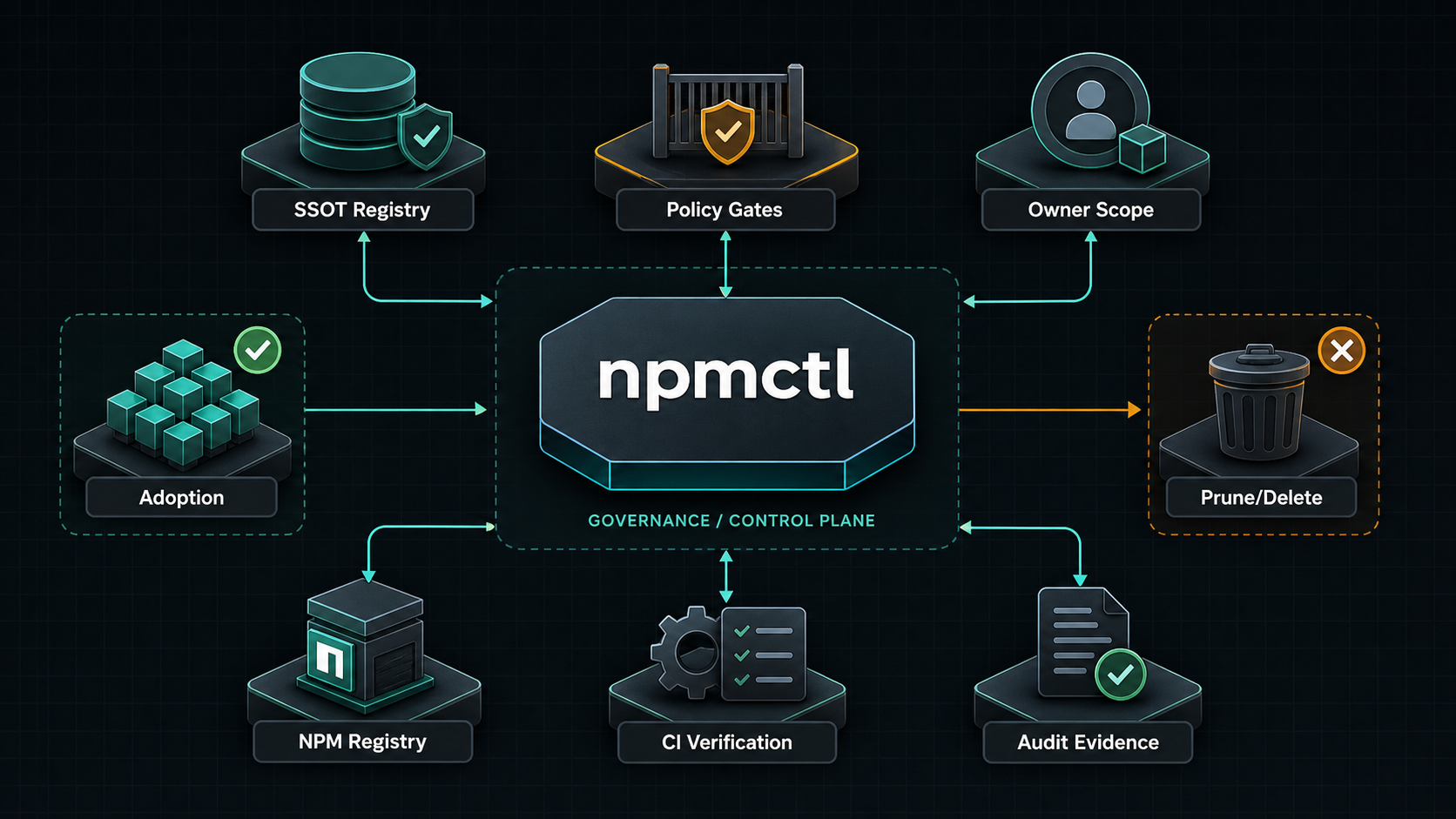
npmctl-digitalocean is the DigitalOcean DNS provider package for npmctl. Install it when you want desired-state DNS records or DNS diagnostics to resolve through DigitalOcean instead of using only the base npmctl package.
Supported Python Versions
npmctl-digitalocean supports Python 3.10, 3.11, 3.12, 3.13, and 3.14.
Why npmctl-digitalocean
- Adds DigitalOcean DNS provider discovery to
npmctl - Lets DNS workflows live beside proxy and certificate desired state
- Keeps DigitalOcean tokens out of the core CLI package
- Supports operator diagnostics through
npmctl dns doctor - Provides client helpers for DigitalOcean DNS record workflows
FAQ
What is npmctl-digitalocean?
Answer: npmctl-digitalocean is a plugin package that teaches npmctl how to talk to the DigitalOcean Domain Records API for DNS record operations and DNS provider diagnostics.
When do I need npmctl-digitalocean?
Answer: You need npmctl-digitalocean when your npmctl workflow includes DigitalOcean-managed DNS records or when you want npmctl to validate DigitalOcean DNS connectivity and credentials.
Does npmctl-digitalocean work without npmctl?
Answer: No. npmctl-digitalocean is an extension package for npmctl, not a standalone CLI.
Can npmctl-digitalocean set DNS records?
Answer: Yes. The DigitalOcean provider supports declarative A, AAAA, CNAME, TXT, MX, SRV, and CAA writes. MX records require priority.
What credentials are required?
Answer: DigitalOcean API access requires DIGITALOCEAN_TOKEN. For diagnostics, the token needs domain read permissions. For record changes, it needs write access to target domain records.
Install
Install the base CLI and the DigitalOcean provider package together:
pipx install npmctl
pipx inject npmctl npmctl-digitalocean
npmctl plugins list
With uv:
uv tool install npmctl
uv tool install npmctl-digitalocean
npmctl plugins list
Inside a virtual environment:
python -m venv .venv
. .venv/bin/activate
python -m pip install npmctl npmctl-digitalocean
npmctl plugins list
Configure DigitalOcean
Set the required environment variable:
export DIGITALOCEAN_TOKEN=your-digitalocean-token
Optional for tests or alternate endpoints:
export DIGITALOCEAN_API_BASE_URL=https://api.digitalocean.com
Verify Plugin Discovery
Check that npmctl can discover the provider:
npmctl plugins list
npmctl dns doctor --provider digitalocean
Minimal DNS Workflow
Once the provider is installed and configured, npmctl can validate, plan, apply, or diagnose DigitalOcean-backed DNS behavior through the base CLI:
npmctl validate desired-state/dns.yaml
npmctl plan desired-state/dns.yaml --owner site-a
npmctl apply desired-state/dns.yaml --owner site-a
npmctl dns providers
npmctl dns zones --provider digitalocean
npmctl dns records --provider digitalocean --zone example.com
DigitalOcean API Surface
The provider follows the DigitalOcean Domains and Domain Records API:
GET /v2/domains: discover domains managed in the account.GET /v2/domains/{domain_name}/records: list DNS records for one domain.POST /v2/domains/{domain_name}/records: create supported DNS records.PUT /v2/domains/{domain_name}/records/{domain_record_id}: update a record.DELETE /v2/domains/{domain_name}/records/{domain_record_id}: delete a record.
Programmatic Record Operations
from npmctl_digitalocean import DigitalOceanClient, DigitalOceanConfig

client = DigitalOceanClient(DigitalOceanConfig.from_env())
record = client.create_record("example.com", type="A", name="www", value="192.0.2.10", ttl=300)
client.update_record("example.com", int(record.record_id), type="A", name="www", value="192.0.2.11", ttl=300)
client.delete_record("example.com", int(record.record_id))
CNAME and other supported record types use the same type, name, value,
and ttl shape. MX records pass priority.
Safety Notes
- DigitalOcean record
nameis relative to the zone; use@for the root where applicable. - Keep
DIGITALOCEAN_TOKENout of desired-state files and logs. - Use account and token scoping to avoid mutating foreign-owned DNS.
- Use npmctl owner metadata for desired DNS records so apply remains owner-scoped.
More Documentation
- Related PyPI package: https://pypi.org/project/npmctl/
- Repository: https://github.com/groupsum/npmctl
- DNS provider docs: https://github.com/groupsum/npmctl/tree/master/docs/dns-providers.md
1 maintainer

Metadata
1 maintainer
Release files for npmctl-digitalocean 0.4.1
For a detailed explanation of source distributions (sdists) and built distributions (wheels), please see the package formats documentation.
Source distribution (sdist)
| File | Size | Uploaded | |
|---|---|---|---|
| npmctl_digitalocean-0.4.1.tar.gz | 3.9 kB | Details |
Built distribution (wheel)
| File | Interpreter | ABI | Platform | Reset |
|---|---|---|---|---|
| npmctl_digitalocean-0.4.1-py3-none-any.whl | Python 3 | none | any | Details |
Total release size: 10.2 kB
Release files / npmctl_digitalocean-0.4.1.tar.gz
| Download URL | npmctl_digitalocean-0.4.1.tar.gz |
|---|---|
| Size | 3.9 kB |
| Tags | Source |
|
SHA-256 checksum How to use checksums |
d11c69f90bd0095f604bf346d634fbf03a385bdd71f3638457ef605fc0f1a461
|
|
BLAKE2b-256 checksum How to use checksums |
45af58637c51f92ede76165d35df7fb5632dea9fc26485407c54c66562858f50
|
| Upload date | |
|
Uploaded using Trusted Publishing? What is trusted publishing? |
Yes |
| Uploaded via |
uv/0.12.1 {"installer":{"name":"uv","version":"0.12.1","subcommand":["publish"]},"python":null,"implementation":{"name":null,"version":null},"distro":{"name":"Ubuntu","version":"24.04","id":"noble","libc":null},"system":{"name":null,"release":null},"cpu":null,"openssl_version":null,"setuptools_version":null,"rustc_version":null,"ci":true}
|
Release files / npmctl_digitalocean-0.4.1-py3-none-any.whl
| Download URL | npmctl_digitalocean-0.4.1-py3-none-any.whl |
|---|---|
| Size | 6.3 kB |
| Tags | Python 3 |
|
SHA-256 checksum How to use checksums |
558157a6a80c1e29b31d7b4206ae8448e1440a45a63d3ae1d3f17491369d6627
|
|
BLAKE2b-256 checksum How to use checksums |
410d9c2a51833269213bfb44144963915dc419c07b1e058d4ed3cd7408d106e5
|
| Upload date | |
|
Uploaded using Trusted Publishing? What is trusted publishing? |
Yes |
| Uploaded via |
uv/0.12.1 {"installer":{"name":"uv","version":"0.12.1","subcommand":["publish"]},"python":null,"implementation":{"name":null,"version":null},"distro":{"name":"Ubuntu","version":"24.04","id":"noble","libc":null},"system":{"name":null,"release":null},"cpu":null,"openssl_version":null,"setuptools_version":null,"rustc_version":null,"ci":true}
|














