
DigitalOcean DNS provider extension for npmctl.
Verified details
These details have been verified by PyPIProject links
GitHub Statistics
Maintainers

Project description
npmctl-digitalocean
DigitalOcean DNS provider plugin for npmctl
Extend npmctl with DigitalOcean-backed DNS record management for declarative workflows, provider discovery, and DNS-aware automation.






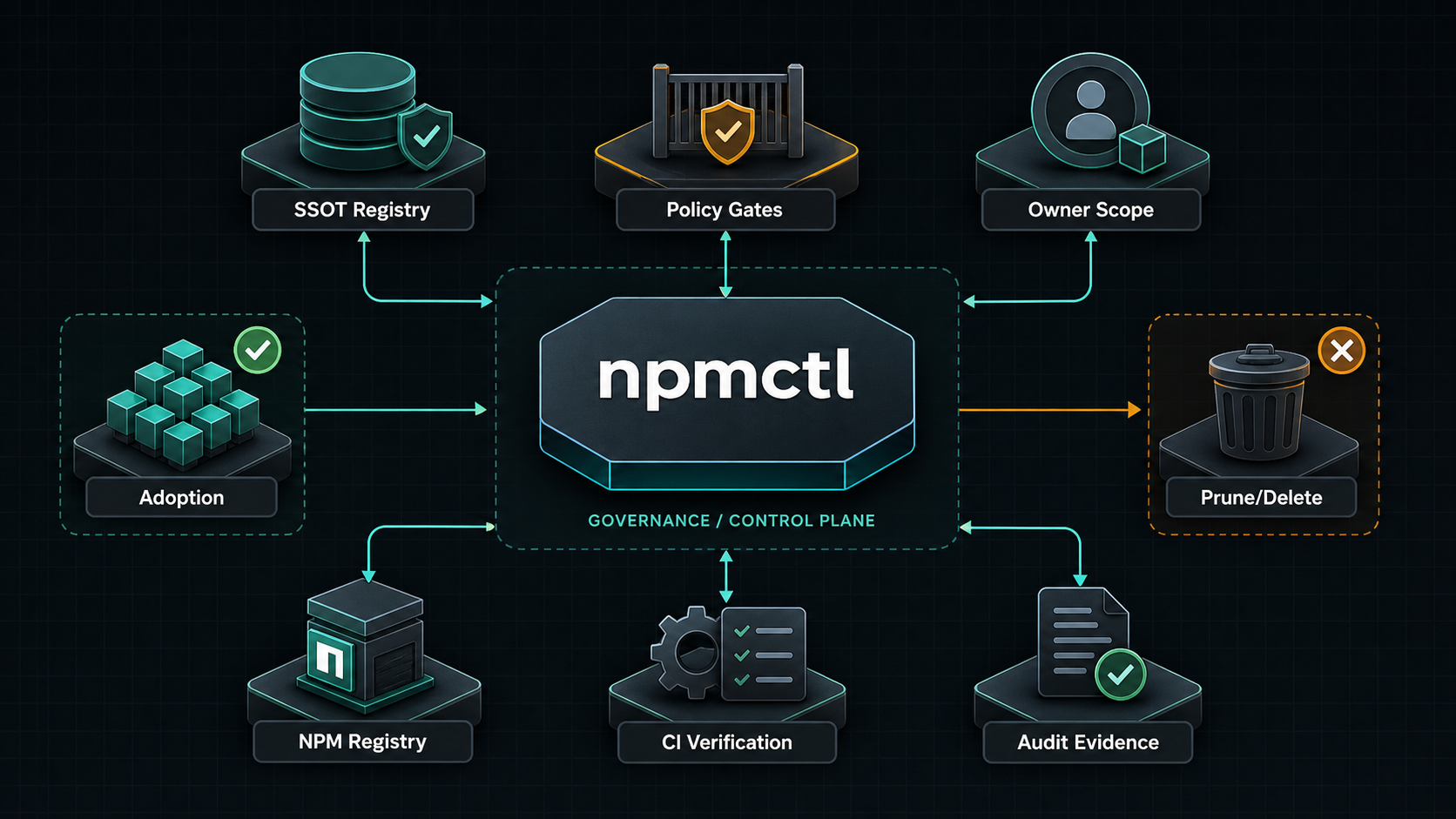
npmctl-digitalocean is the DigitalOcean DNS provider package for npmctl. Install it when you want desired-state DNS records or DNS diagnostics to resolve through DigitalOcean instead of using only the base npmctl package.
Supported Python Versions
npmctl-digitalocean supports Python 3.10, 3.11, 3.12, 3.13, and 3.14.
Why npmctl-digitalocean
- Adds DigitalOcean DNS provider discovery to
npmctl - Lets DNS workflows live beside proxy and certificate desired state
- Keeps DigitalOcean tokens out of the core CLI package
- Supports operator diagnostics through
npmctl dns doctor - Provides client helpers for DigitalOcean A and CNAME record workflows
FAQ
What is npmctl-digitalocean?
Answer: npmctl-digitalocean is a plugin package that teaches npmctl how to talk to the DigitalOcean Domain Records API for DNS record operations and DNS provider diagnostics.
When do I need npmctl-digitalocean?
Answer: You need npmctl-digitalocean when your npmctl workflow includes DigitalOcean-managed DNS records or when you want npmctl to validate DigitalOcean DNS connectivity and credentials.
Does npmctl-digitalocean work without npmctl?
Answer: No. npmctl-digitalocean is an extension package for npmctl, not a standalone CLI.
Can npmctl-digitalocean set A and CNAME records?
Answer: Yes. DigitalOcean's Domain Records API supports A and CNAME records, and this package exposes helpers for create, update, and delete operations.
What credentials are required?
Answer: DigitalOcean API access requires DIGITALOCEAN_TOKEN. For diagnostics, the token needs domain read permissions. For record changes, it needs write access to target domain records.
Install
Install the base CLI and the DigitalOcean provider package together:
pipx install npmctl
pipx inject npmctl npmctl-digitalocean
npmctl plugins list
With uv:
uv tool install npmctl
uv tool install npmctl-digitalocean
npmctl plugins list
Inside a virtual environment:
python -m venv .venv
. .venv/bin/activate
python -m pip install npmctl npmctl-digitalocean
npmctl plugins list
Configure DigitalOcean
Set the required environment variable:
export DIGITALOCEAN_TOKEN=your-digitalocean-token
Optional for tests or alternate endpoints:
export DIGITALOCEAN_API_BASE_URL=https://api.digitalocean.com
Verify Plugin Discovery
Check that npmctl can discover the provider:
npmctl plugins list
npmctl dns doctor --provider digitalocean
Minimal DNS Workflow
Once the provider is installed and configured, npmctl can validate or diagnose DigitalOcean-backed DNS behavior through the base CLI:
npmctl dns providers
npmctl dns zones --provider digitalocean
npmctl dns records --provider digitalocean --zone example.com
DigitalOcean API Surface
The provider follows the DigitalOcean Domains and Domain Records API:
GET /v2/domains: discover domains managed in the account.GET /v2/domains/{domain_name}/records: list DNS records for one domain.POST /v2/domains/{domain_name}/records: create A, CNAME, and other supported records.PUT /v2/domains/{domain_name}/records/{domain_record_id}: update a record.DELETE /v2/domains/{domain_name}/records/{domain_record_id}: delete a record.
Programmatic Record Operations
from npmctl_digitalocean import DigitalOceanClient, DigitalOceanConfig

client = DigitalOceanClient(DigitalOceanConfig.from_env())
record = client.create_record("example.com", type="A", name="www", value="192.0.2.10", ttl=300)
client.update_record("example.com", int(record.record_id), type="A", name="www", value="192.0.2.11", ttl=300)
client.delete_record("example.com", int(record.record_id))
CNAME records use type="CNAME" and place the target host in value.
Safety Notes
- DigitalOcean record
nameis relative to the zone; use@for the root where applicable. - Keep
DIGITALOCEAN_TOKENout of desired-state files and logs. - Use account and token scoping to avoid mutating foreign-owned DNS.
- Use npmctl owner metadata for desired DNS records so future apply support can remain owner-scoped.
More Documentation
- Related PyPI package: https://pypi.org/project/npmctl/
- Repository: https://github.com/groupsum/npmctl
- DNS provider docs: https://github.com/groupsum/npmctl/tree/master/docs/dns-providers.md
Project details
Verified details
These details have been verified by PyPIProject links
GitHub Statistics
Maintainers


Download files
Download the file for your platform. If you're not sure which to choose, learn more about installing packages.
Source Distribution
Built Distribution
Filter files by name, interpreter, ABI, and platform.
If you're not sure about the file name format, learn more about wheel file names.
Copy a direct link to the current filters
File details
Details for the file npmctl_digitalocean-0.3.7.tar.gz.
File metadata
- Download URL: npmctl_digitalocean-0.3.7.tar.gz
- Upload date:
- Size: 5.1 kB
- Tags: Source
- Uploaded using Trusted Publishing? Yes
- Uploaded via: twine/6.1.0 CPython/3.13.12
File hashes
| Algorithm | Hash digest | |
|---|---|---|
| SHA256 |
ad4318e7900127b20105ab1a92f4d277a9002627e5cedc2104e8de0c8e334a9c
|
|
| MD5 |
79b872b445d5b65bcee43781f19a233f
|
|
| BLAKE2b-256 |
6e0a03ab2cf26eb98284f281df875b4024c9c96c3797c61e1d6134ae6b012111
|
Provenance
The following attestation bundles were made for npmctl_digitalocean-0.3.7.tar.gz:
Publisher:
release.yml on groupsum/npmctl
-
Statement:
-
Statement type:
https://in-toto.io/Statement/v1 -
Predicate type:
https://docs.pypi.org/attestations/publish/v1 -
Subject name:
npmctl_digitalocean-0.3.7.tar.gz -
Subject digest:
ad4318e7900127b20105ab1a92f4d277a9002627e5cedc2104e8de0c8e334a9c - Sigstore transparency entry: 1566594938
- Sigstore integration time:
-
Permalink:
groupsum/npmctl@1ca828cfb24d75b192e3d78a893813e0536b1d0a -
Branch / Tag:
refs/heads/master - Owner: https://github.com/groupsum
-
Access:
private
-
Token Issuer:
https://token.actions.githubusercontent.com -
Runner Environment:
github-hosted -
Publication workflow:
release.yml@1ca828cfb24d75b192e3d78a893813e0536b1d0a -
Trigger Event:
workflow_dispatch
-
Statement type:
File details
Details for the file npmctl_digitalocean-0.3.7-py3-none-any.whl.
File metadata
- Download URL: npmctl_digitalocean-0.3.7-py3-none-any.whl
- Upload date:
- Size: 8.0 kB
- Tags: Python 3
- Uploaded using Trusted Publishing? Yes
- Uploaded via: twine/6.1.0 CPython/3.13.12
File hashes
| Algorithm | Hash digest | |
|---|---|---|
| SHA256 |
bd7ac21c00a2e500060d6d9cc398480cb11022b8d0826d8caaa35440f98723de
|
|
| MD5 |
f64100b15588eba5f1853b7a4d52058b
|
|
| BLAKE2b-256 |
e2ef9966d9d29f0612c3a9ccdcffbb80fce0b9fb4c132a1c1684658688d473f2
|
Provenance
The following attestation bundles were made for npmctl_digitalocean-0.3.7-py3-none-any.whl:
Publisher:
release.yml on groupsum/npmctl
-
Statement:
-
Statement type:
https://in-toto.io/Statement/v1 -
Predicate type:
https://docs.pypi.org/attestations/publish/v1 -
Subject name:
npmctl_digitalocean-0.3.7-py3-none-any.whl -
Subject digest:
bd7ac21c00a2e500060d6d9cc398480cb11022b8d0826d8caaa35440f98723de - Sigstore transparency entry: 1566594980
- Sigstore integration time:
-
Permalink:
groupsum/npmctl@1ca828cfb24d75b192e3d78a893813e0536b1d0a -
Branch / Tag:
refs/heads/master - Owner: https://github.com/groupsum
-
Access:
private
-
Token Issuer:
https://token.actions.githubusercontent.com -
Runner Environment:
github-hosted -
Publication workflow:
release.yml@1ca828cfb24d75b192e3d78a893813e0536b1d0a -
Trigger Event:
workflow_dispatch
-
Statement type:






