
oterm


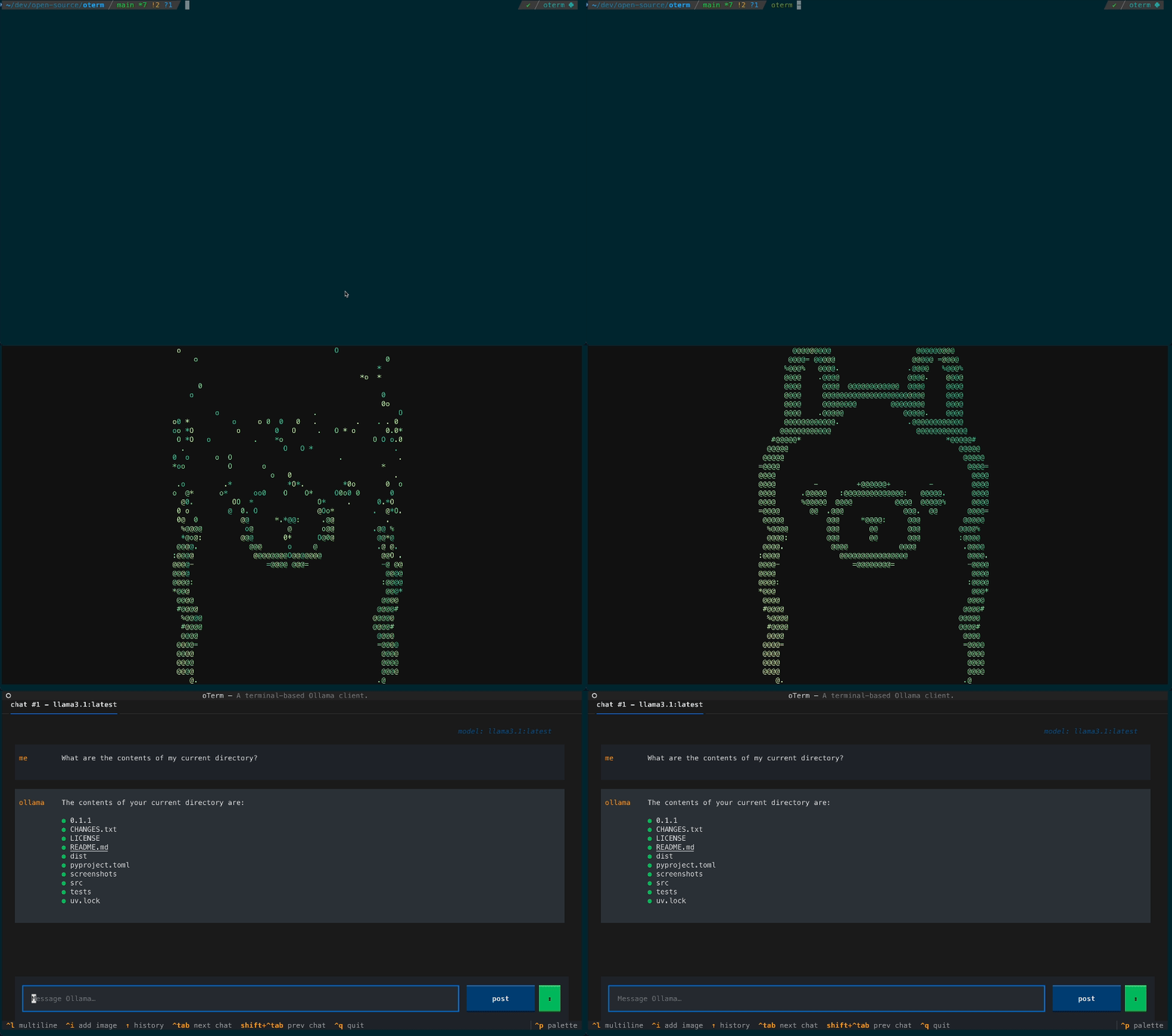
The terminal client for Ollama, OpenAI, Anthropic, and any pydantic-ai-supported provider.
Install
uvx oterm
Full install methods, configuration, and usage: oterm Documentation.
What's new
- Multi-provider, via pydantic-ai (breaking).
otermis no longer Ollama-only — it drives any pydantic-ai-supported provider: OpenAI, Anthropic, Google (AI / Vertex), Groq, Mistral, Cohere, AWS Bedrock, DeepSeek, Cerebras, Grok, Hugging Face, OpenAI-compatible endpoints (vLLM, LM Studio, llama.cpp, OpenRouter, LiteLLM, …), and Ollama. Set the matching API key and the provider appears in the new-chat dropdown. - Refreshed chat UI. Borderless accent-driven layout, auto-growing prompt, inline
[Image #N]attachment tokens, a collapsing thinking section, and a live token-usage footer in place of the spinner. - Faster streaming. Markdown is now updated as deltas arrive instead of being re-rendered on every token, so long responses don't slow the terminal as they grow.
- MCP rewrite (breaking). The
mcpServersconfig block adopts pydantic-ai's standard schema (compatible with Claude Desktop / Cursor). See docs/mcp for the full migration notes.
License
1 maintainer

Download files
Download the file for your platform. If you're not sure which to choose, learn more about installing packages.
Source Distribution
oterm-0.23.1.tar.gz
(5.8 MB
view details)
Built Distribution
Filter files by name, interpreter, ABI, and platform.
If you're not sure about the file name format, learn more about wheel file names.
Copy a direct link to the current filters
oterm-0.23.1-py3-none-any.whl
(57.4 kB
view details)
File details
Details for the file oterm-0.23.1.tar.gz.
File metadata
- Download URL: oterm-0.23.1.tar.gz
- Upload date:
- Size: 5.8 MB
- Tags: Source
- Uploaded using Trusted Publishing? No
- Uploaded via:
twine/7.0.0 CPython/3.14.6
File hashes
| Algorithm | Hash digest | |
|---|---|---|
| SHA256 |
ccda82a0614fa9c926bec59d21e3a4f7e6e9164c773e2ea274f982083ca14b6b
|
|
| MD5 |
67c0c9afdd1ccadd189de17853574828
|
|
| BLAKE2b-256 |
8b9ead36f0b1d2a7b2850da70d357551d307ea4d4ede20abe5ce0832fc32a50a
|
File details
Details for the file oterm-0.23.1-py3-none-any.whl.
File metadata
- Download URL: oterm-0.23.1-py3-none-any.whl
- Upload date:
- Size: 57.4 kB
- Tags: Python 3
- Uploaded using Trusted Publishing? No
- Uploaded via:
twine/7.0.0 CPython/3.14.6
File hashes
| Algorithm | Hash digest | |
|---|---|---|
| SHA256 |
e25e41223e7d066b14404976abb94603b818b885fee59e2bb1365a2935521bc0
|
|
| MD5 |
5c22918f379e2f0ab69603367e957223
|
|
| BLAKE2b-256 |
1e890a15d81e5c103c2977f80a1074ed1696348c0bd473deb1d59cb2bb282ee0
|







