
The terminal client for Ollama, OpenAI, Anthropic, and any pydantic-ai-supported provider.

Project description
oterm


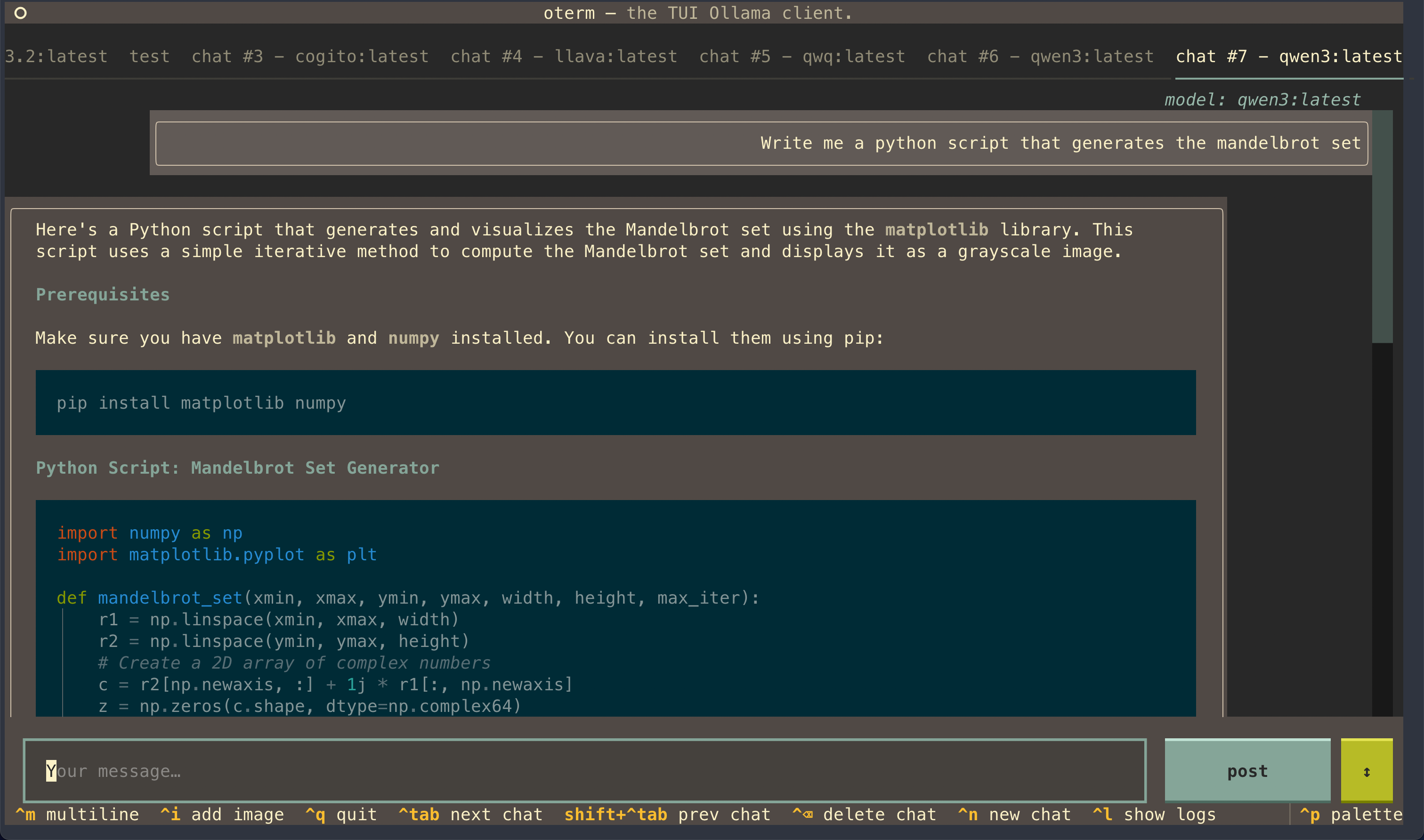
the terminal client for Ollama, OpenAI, Anthropic, and any pydantic-ai-supported provider.
🚀 oterm is now multi-provider! Alongside Ollama, oterm drives OpenAI, Anthropic, Google (AI / Vertex), Groq, Mistral, Cohere, AWS Bedrock, DeepSeek, Cerebras, Grok, Hugging Face, and any OpenAI-compatible endpoint (vLLM, LM Studio, llama.cpp, OpenRouter, LiteLLM, …). See What's new below for the full set of changes.
Features
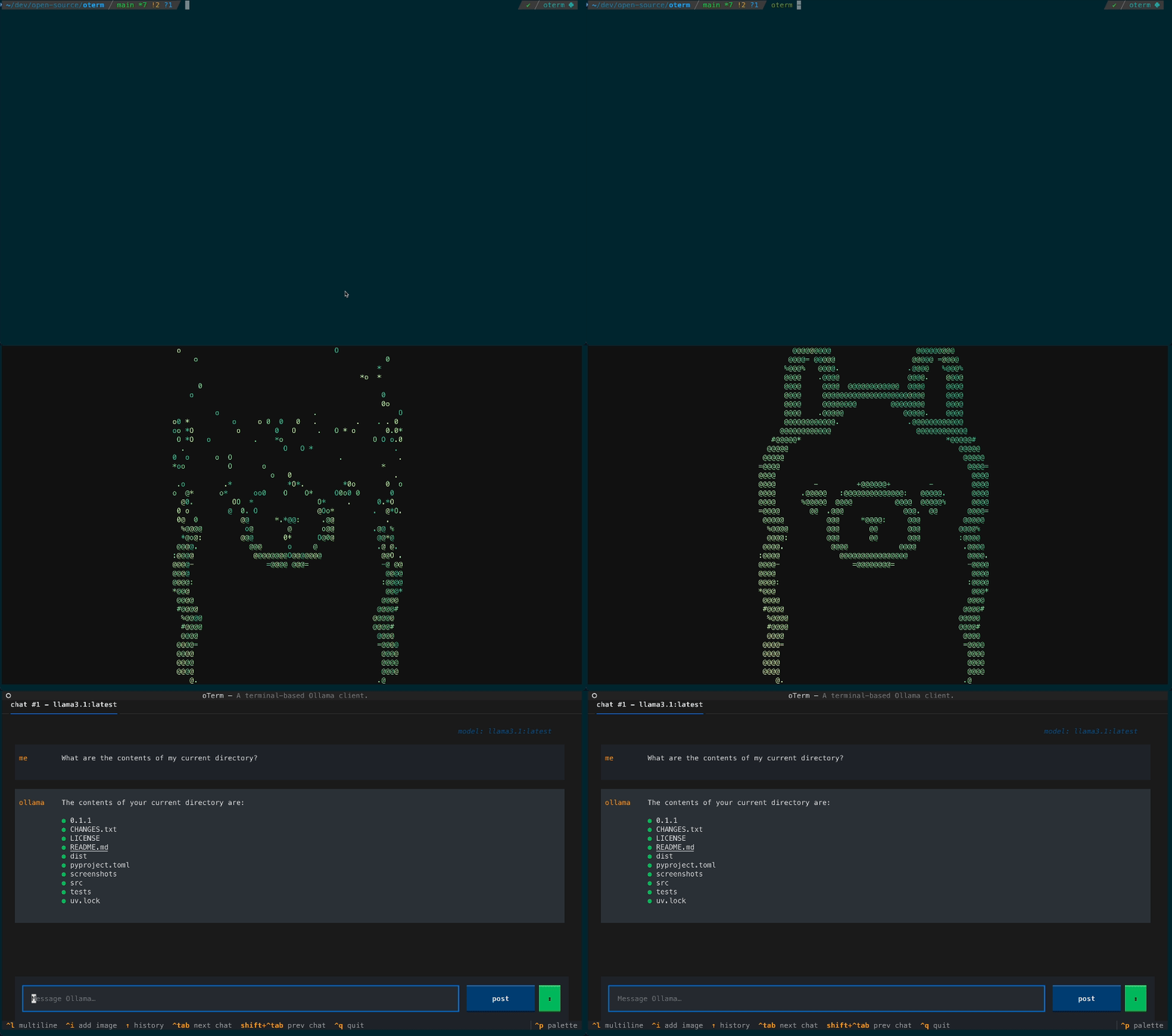
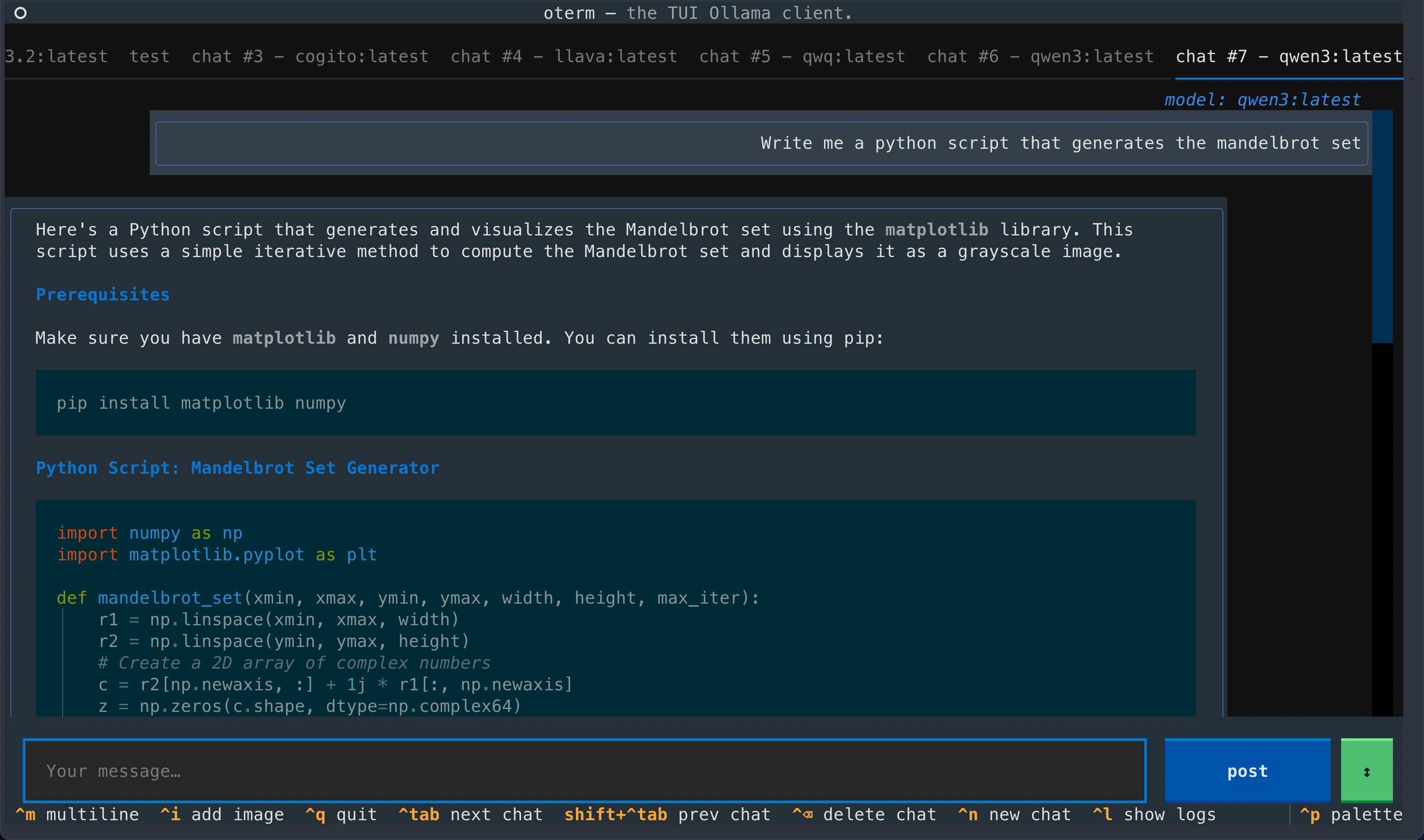
- intuitive and simple terminal UI, no need to run servers, frontends, just type
otermin your terminal. - supports Linux, MacOS, and Windows and most terminal emulators.
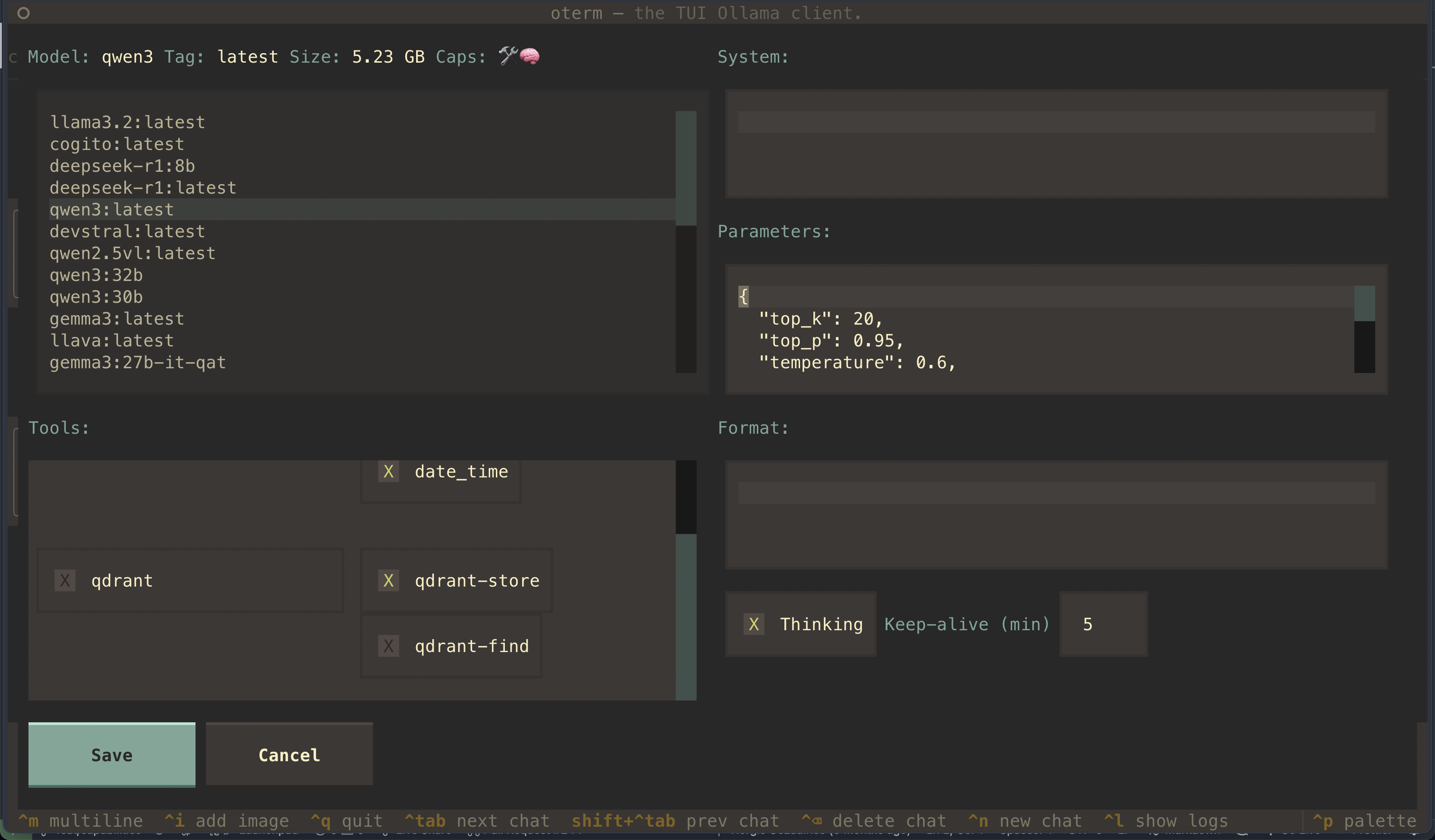
- multiple persistent chat sessions, stored together with system prompt & parameter customizations in sqlite.
- talks to Ollama, OpenAI, Anthropic, Google (AI / Vertex), Groq, Mistral, Cohere, AWS Bedrock, DeepSeek, Cerebras, Grok, Hugging Face, and any OpenAI-compatible endpoint — local (vLLM, LM Studio, llama.cpp, …) or hosted (OpenRouter, LiteLLM, …).
- tools — built-in (
shell,date_time,think), custom Python plugins via entry points, and any Model Context Protocol (MCP) server. - allows for easy customization of the model's system prompt and parameters.
Quick install
uvx oterm
See Installation for more details.
Documentation
What's new
- Multi-provider, via pydantic-ai (breaking).
otermis no longer Ollama-only — it drives any pydantic-ai-supported provider: OpenAI, Anthropic, Google (AI / Vertex), Groq, Mistral, Cohere, AWS Bedrock, DeepSeek, Cerebras, Grok, Hugging Face, OpenAI-compatible endpoints (vLLM, LM Studio, llama.cpp, OpenRouter, LiteLLM, …), and Ollama. Set the matching API key and the provider appears in the new-chat dropdown. - Refreshed chat UI. Borderless accent-driven layout, auto-growing prompt, inline
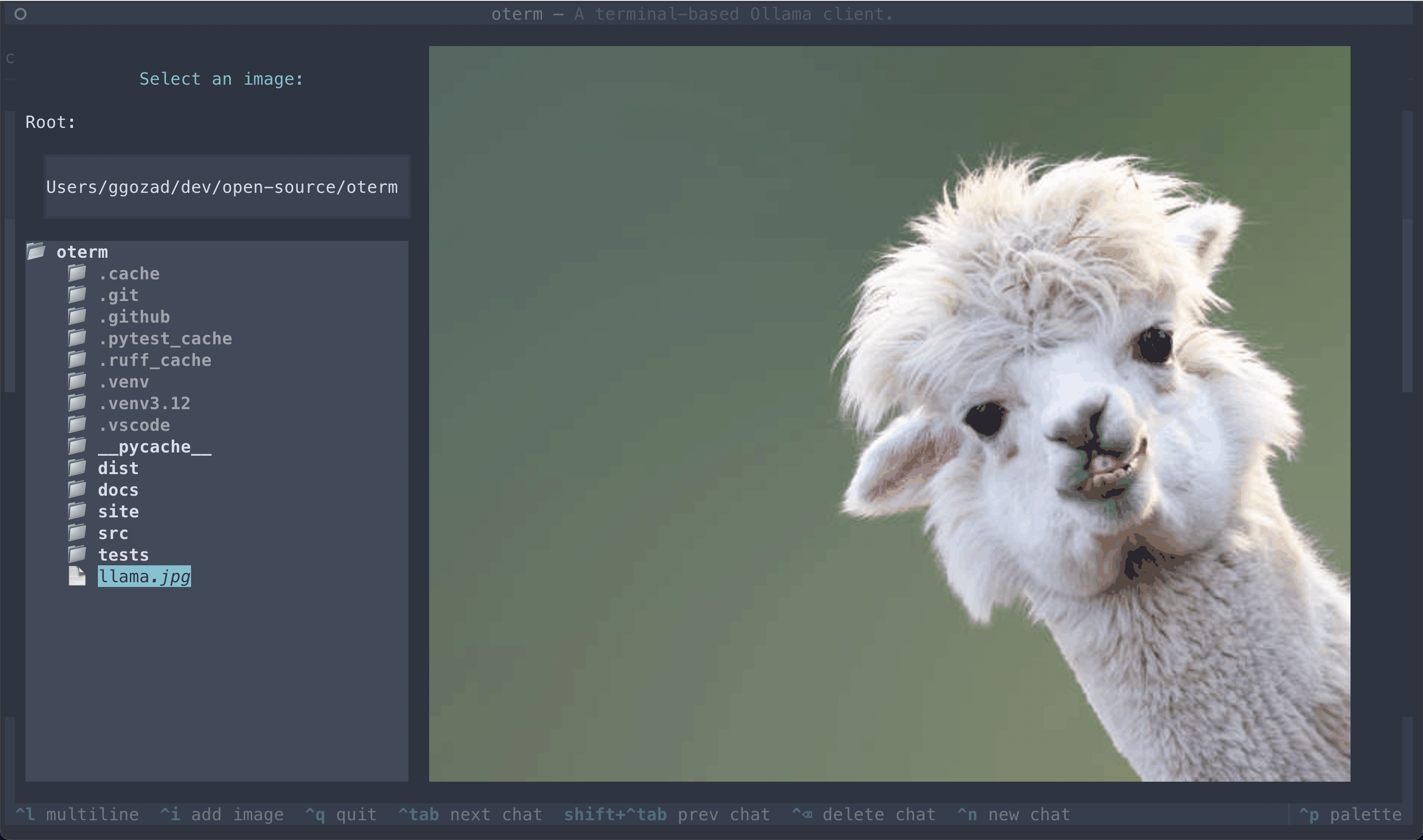
[Image #N]attachment tokens, a collapsing thinking section, and a live token-usage footer in place of the spinner. - Faster streaming. Markdown is now updated as deltas arrive instead of being re-rendered on every token, so long responses don't slow the terminal as they grow.
- MCP rewrite (breaking). The
mcpServersconfig block adopts pydantic-ai's standard schema (compatible with Claude Desktop / Cursor). See docs/mcp for the full migration notes.
Screenshots
License
This project is licensed under the MIT License.
Release history Release notifications | RSS feed


Download files
Download the file for your platform. If you're not sure which to choose, learn more about installing packages.
Source Distribution
Built Distribution
Filter files by name, interpreter, ABI, and platform.
If you're not sure about the file name format, learn more about wheel file names.
Copy a direct link to the current filters
File details
Details for the file oterm-0.15.0.tar.gz.
File metadata
- Download URL: oterm-0.15.0.tar.gz
- Upload date:
- Size: 8.4 MB
- Tags: Source
- Uploaded using Trusted Publishing? No
- Uploaded via: twine/6.2.0 CPython/3.14.4
File hashes
| Algorithm | Hash digest | |
|---|---|---|
| SHA256 |
b148cdeaae82893b76007e7fe9e8454508b284e38d0e297509a97b7d8f821e41
|
|
| MD5 |
b4ce1c059cd9c0d8cdcbd36a727299a9
|
|
| BLAKE2b-256 |
943ead6c0040237518281f76ec712e67de08d4f0b68f14a24d6c4c92d315bc55
|
File details
Details for the file oterm-0.15.0-py3-none-any.whl.
File metadata
- Download URL: oterm-0.15.0-py3-none-any.whl
- Upload date:
- Size: 48.9 kB
- Tags: Python 3
- Uploaded using Trusted Publishing? No
- Uploaded via: twine/6.2.0 CPython/3.14.4
File hashes
| Algorithm | Hash digest | |
|---|---|---|
| SHA256 |
b8ea275df32b0e7fd7dd51672381feb37fab942cbcd85f6680ec55b9c54e2e5b
|
|
| MD5 |
42fda46cde1bd1b92dd191e61a0b7d2c
|
|
| BLAKE2b-256 |
5f58e16e2e59d692fa739bd0c9cbd95aef7f040f8bd81c61a10a91b366f3ff58
|






