
Phylustrator
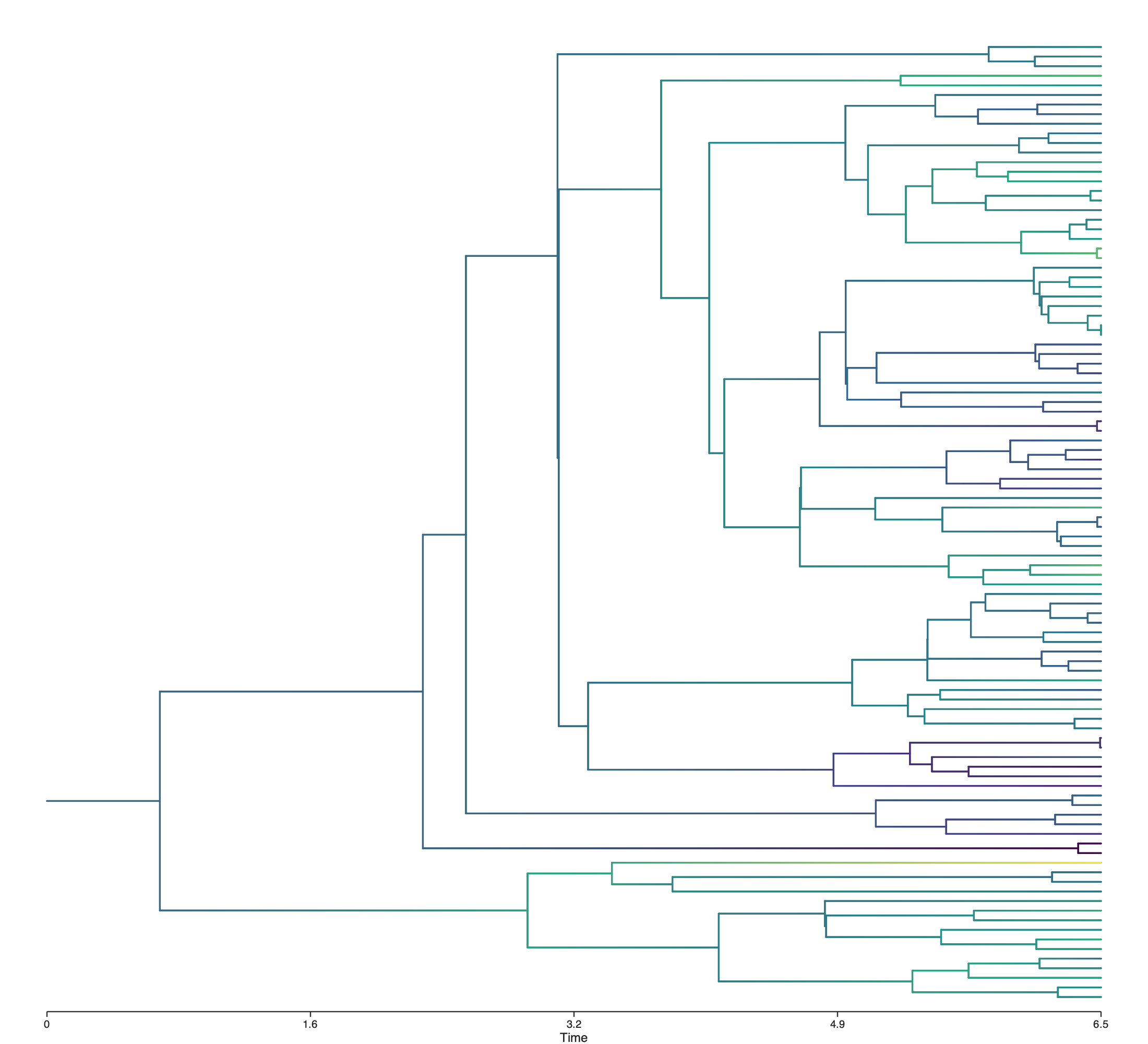
A small, composable plotter for evolutionary figures. Two domains share one grammar: ph.trees
plots phylogenetic trees and ph.genomes plots genomes, synteny and alignments. Start a figure,
add layers with +, and save it to SVG, PDF, or PNG.
Install
pip install git+https://github.com/AADavin/Phylustrator
SVG output needs nothing else; for PDF/PNG also install cairosvg (pip install cairosvg).
Trees
import phylustrator as ph

tree = ph.trees.loads("((((Human:6,Chimp:6)a:2,Gorilla:8)b:3,Orang:11)c:5,Gibbon:16)root;")
brain = {"Human": 1350, "Chimp": 400, "Gorilla": 500, "Orang": 400, "Gibbon": 100,
         "a": 650, "b": 560, "c": 500, "root": 470}

(ph.trees.plot(tree)
 + ph.trees.color_branches(brain)
 + ph.trees.tip_labels()
 + ph.trees.colorbar("brain size (cc)")
 + ph.trees.time_axis("million years")).save("tree.png")
That is the whole idea: plot(tree) starts a figure and each + layer adds one decoration.
- Layouts —
rectangular(default),radial,unrooted,diagonal. The diagonal layout joins each parent to its child with one straight slanted segment, the shape of a textbook diagram, and is the one that turns:plot(tree, layout="diagonal", orientation="down")puts the root at the top with the tips along the bottom, names upright. - Styles —
ph.styles.tikz()is a whole figure's look in one call: serif text, fine black lines, squared-off branch ends, a white page — a small figure that sits in a LaTeX document without looking like it came from somewhere else. Every field is an ordinaryStylefield, sotikz(branch_width=1.4)is yours to set. With Computer Modern installed,ph.styles.tikz_math()plustip_labels(values={n: ph.styles.maths(n) for n in names})matches a LaTeX document exactly: the title in cmr, the taxon names in cmmi, the face$a$is set in. - Layers —
color_branches,color_history,tip_labels,node_labels,tip_track,branch_events,branch_markers,branch_spindles,node_halves,colorbar,legend,time_axis,time_marker,scale_bar,note,title,highlight_clade,highlight_lineage,node_intervals,node_dots,tubeandgene_path(a species tree as a tube with a gene's history inside it).legendandnotetake a corner, orloc="right"/loc="below"to sit outside the panel where no tree shape can cover them;titleis centred over the panel.branch_spindlesmarks a branch with a lens that fades into the branch's own colour, andnode_halvesputs a two-colour disc on a node. An event given tobranch_eventscan carry aweight, so arcs and marks scale with the count they stand for. - Panels —
node_pointsandband, placed under a rectangular tree withph.below(tree, panel). The panel shares the tree's time axis, so a value measured at a node sits directly under that node;node_points(intervals=…)adds its uncertainty as a whisker, andbandshades between a low and a high series for a quantity sampled along the tree.
One page, several figures
ph.page nests whole figures as vectors — two trees side by side, a tree beside a panel, a small
inset — with one title centred over the lot and optional panel letters:
ph.page([[ph.trees.plot(t1) + ph.trees.tip_labels(),
          ph.trees.plot(t2) + ph.trees.tip_labels()]],
        width=482, units="pt", title="The same tree under two analyses",
        letters=True).save("figure1.pdf")
units gives the page a physical size, so it hits a journal's column width exactly. ph.beside
and ph.below still pair one tree with one companion panel, lined up on the tips or on the time
axis; a composite from either can itself go on a page.
Genomes
The same grammar, for genome maps. Plot a genome as a line or a ring, colour genes by family or strand, link two genomes with synteny ribbons, or set a copy-number heatmap / alignment beside a tree.
import phylustrator as ph

G = ph.genomes.read_gff("genome.gff")           # {name: Genome}
genome = next(iter(G.values()))
(ph.genomes.plot(genome, layout="circular", coordinates="nucleotide")
 + ph.genomes.genes(by="strand")
 + ph.genomes.position_axis()).save("ring.png")
- Layouts —
linear,circular, andstack(one genome per row, for synteny). - Layers —
genes,synteny,highlight,position_axis. - Panels —
heatmap,alignment, placed next to a tree withph.beside(tree, panel).
ZOMBI2 I/O
ph.zombi reads the output of the ZOMBI2 genome-evolution
simulator into the data models above — kept in one clearly-separated layer so the core stays
format-agnostic:
import phylustrator as ph

G = ph.zombi.read_genomes("run/genomes")        # {lineage: Genome}
M = ph.zombi.read_profiles("run")               # family x genome copy-number Matrix
aln = ph.zombi.read_alignment("run", family=0)  # Alignment keyed by genome
tree = ph.zombi.read_species_tree("run")        # a Tree
Command line
phyl is a one-shot tree viewer — hand it a Newick file:
phyl tree.nwk                 # render to a temporary PDF and open it
phyl tree.nwk -o fig.svg      # save instead (format from the extension: .svg / .pdf / .png)
phyl tree.nwk --radial --no-labels
Flags: --layout {rectangular,radial,unrooted,diagonal} (or --radial / --unrooted),
--orientation {right,down,left,up} for a diagonal tree, --tikz, --no-labels,
--node-labels, --no-stem, --no-open. Colouring and everything else live in the Python API.
Dependencies
Only drawsvg (plus cairosvg for PDF/PNG). No ete3, no matplotlib.
License
MIT — see LICENSE.
1 maintainer

Metadata
1 maintainer
Release files for phylustrator 0.18.0
For a detailed explanation of source distributions (sdists) and built distributions (wheels), please see the package formats documentation.
Source distribution (sdist)
| File | Size | Uploaded | Provenance | Actions |
|---|---|---|---|---|
| phylustrator-0.18.0.tar.gz | 154.2 kB | With provenance | Details for phylustrator-0.18.0.tar.gz |
Built distribution (wheel)
| File | Interpreter | ABI | Platform | Actions Reset |
|---|---|---|---|---|
| phylustrator-0.18.0-py3-none-any.whl | Python 3 | none | any | Details for phylustrator-0.18.0-py3-none-any.whl |
Total release size: 279.1 kB
Release files / phylustrator-0.18.0.tar.gz
| Download URL | phylustrator-0.18.0.tar.gz |
|---|---|
| Size | 154.2 kB |
| Tags | Source |
|
SHA-256 checksum How to use checksums |
123cf2fde9988235e09563f7905a7d3e884e19e6bd3c291c1c3efa158e7332c1
|
|
BLAKE2b-256 checksum How to use checksums |
2f831dfebb037dd39250c785fa634b6eb706d0fde708ed82621894c818144d06
|
| Upload date | |
|
Uploaded using Trusted Publishing? What is trusted publishing? |
Yes |
| Uploaded via |
twine/7.0.0 CPython/3.13.16
|
Provenance
Provenance describes where a file came from. On PyPI, provenance is shared via attestations, which provide a verifiable record of the build or publishing details. View details, limitations and caveats.


PyPI Publish Attestation
PyPI verified that this artifact, at this checksum, originated from the publisher listed below.
Signed by GitHub Actions, verified by PyPI on Oct 25, 2026.
Transparency logRelease files / phylustrator-0.18.0-py3-none-any.whl
| Download URL | phylustrator-0.18.0-py3-none-any.whl |
|---|---|
| Size | 124.9 kB |
| Tags | Python 3 |
|
SHA-256 checksum How to use checksums |
9684b156a234787c61c0d46d1ce8403d564cf8add64a94f64a6199ec25e273a3
|
|
BLAKE2b-256 checksum How to use checksums |
0b4b949794ae34d876e97e2630aae506bcf3eef449fc12ab6a3dfb1209111162
|
| Upload date | |
|
Uploaded using Trusted Publishing? What is trusted publishing? |
Yes |
| Uploaded via |
twine/7.0.0 CPython/3.13.16
|
Provenance
Provenance describes where a file came from. On PyPI, provenance is shared via attestations, which provide a verifiable record of the build or publishing details. View details, limitations and caveats.
PyPI Publish Attestation
PyPI verified that this artifact, at this checksum, originated from the publisher listed below.
Signed by GitHub Actions, verified by PyPI on Oct 25, 2026.
Transparency logSecurity for phylustrator 0.18.0
Provenance
Provenance describes where a file came from. On PyPI, provenance is shared via attestations, which provide a verifiable record of the build or publishing details. View details, limitations and caveats.
Full provenance
Both files in this release have been uploaded with provenance metadata.
Attestation for phylustrator-0.18.0.tar.gz
PyPI Publish Attestation
PyPI verified that this artifact, at this checksum, originated from the publisher listed below.
Signed by GitHub Actions, verified by PyPI on Oct 25, 2026.
Transparency logA note on package security
PyPI is a repository for distributing packages, not a service for auditing them. While third-party security researchers and our staff do their best to detect and remove malicious packages, PyPI cannot guarantee the quality, security or suitability of any given package.
To learn more about protecting yourself from malicious actors, visit our package security documentation.














