
Simple Pygame wrap for small kids

Project description
Простая обёртка pygame для детей
Blank. Empty window
from pioneergame import Window

my_window = Window(1200, 700, 'my black window')  # создаём главное окно

while True:  # бесконечный цикл игры
    my_window.fill('black')  # заполнение экрана чёрным

    my_window.update(60)  # обновление экрана с частотой 60 кадров в секунду
Drawing simple objects
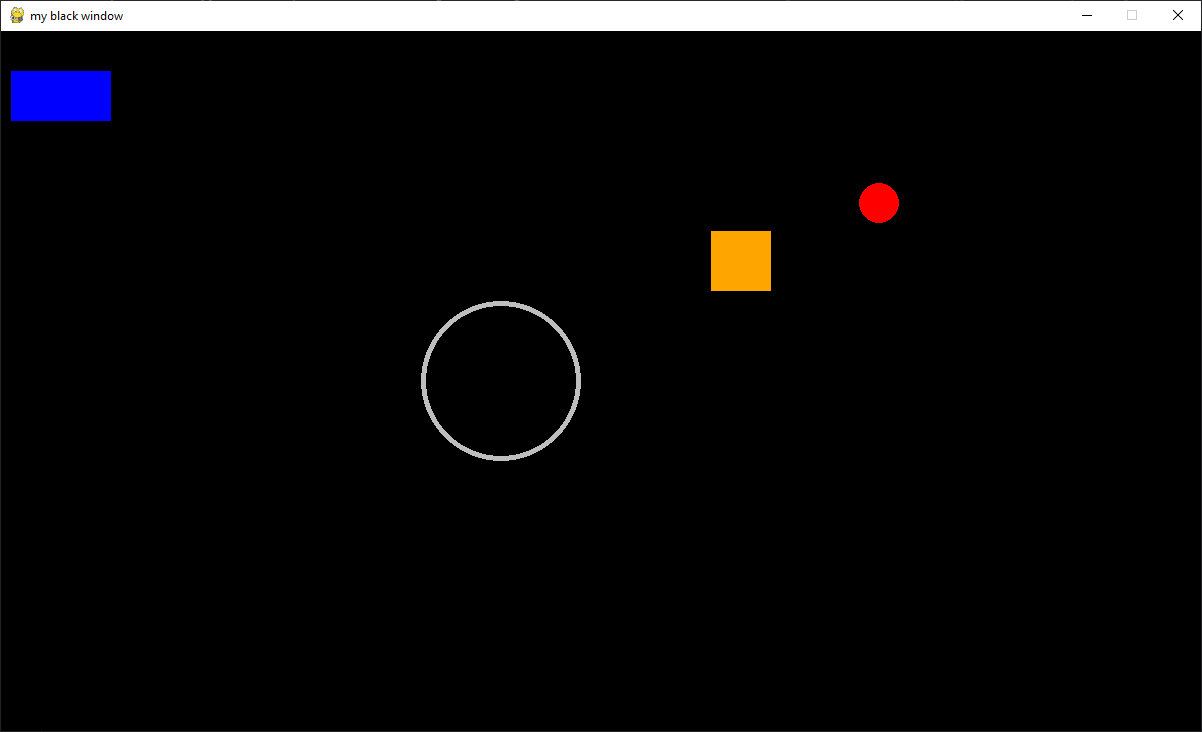
from pioneergame import Window, Rect, Circle

my_window = Window(1200, 700, 'my black window')  # создаём главное окно

# создание синего прямоугольника с шириной 100 и высотой 50
block = Rect(my_window, x=10, y=40, width=100, height=50, color='blue')

# создание оранжевого квадрата размером 60 на 60, который потом будем двигать
moving_square = Rect(my_window, x=100, y=200, width=60, height=60, color='orange')

# создание красного круга с радиусом 20, который тоже будем двигать
moving_circle = Circle(my_window, x=1000, y=50, radius=20, color='red')

# создание серого кольца с радиусом 80 и толщиной стенки 5
bublik = Circle(my_window, x=500, y=350, radius=80, color='grey', thickness=5)

while True:  # бесконечный цикл игры
    my_window.fill('black')  # заполнение экрана чёрным

    block.draw()  # отрисовка прямоугольника
    moving_square.draw()  # отрисовка квадрата
    moving_circle.draw()  # отрисовка круга
    bublik.draw()

    # если правая сторона квадрата находится левее чем правая граница экрана, то мы двигаем квадрат вправо
    if moving_square.right < my_window.right:
        moving_square.x += 5  # движение квадрата вправо на 1 пиксель

    moving_circle.x -= 1  # движение круга в лево
    moving_circle.y += 1  # движение круга вниз

    my_window.update(60)  # обновление экрана с частотой 60 кадров в секунду
Keyboard and text
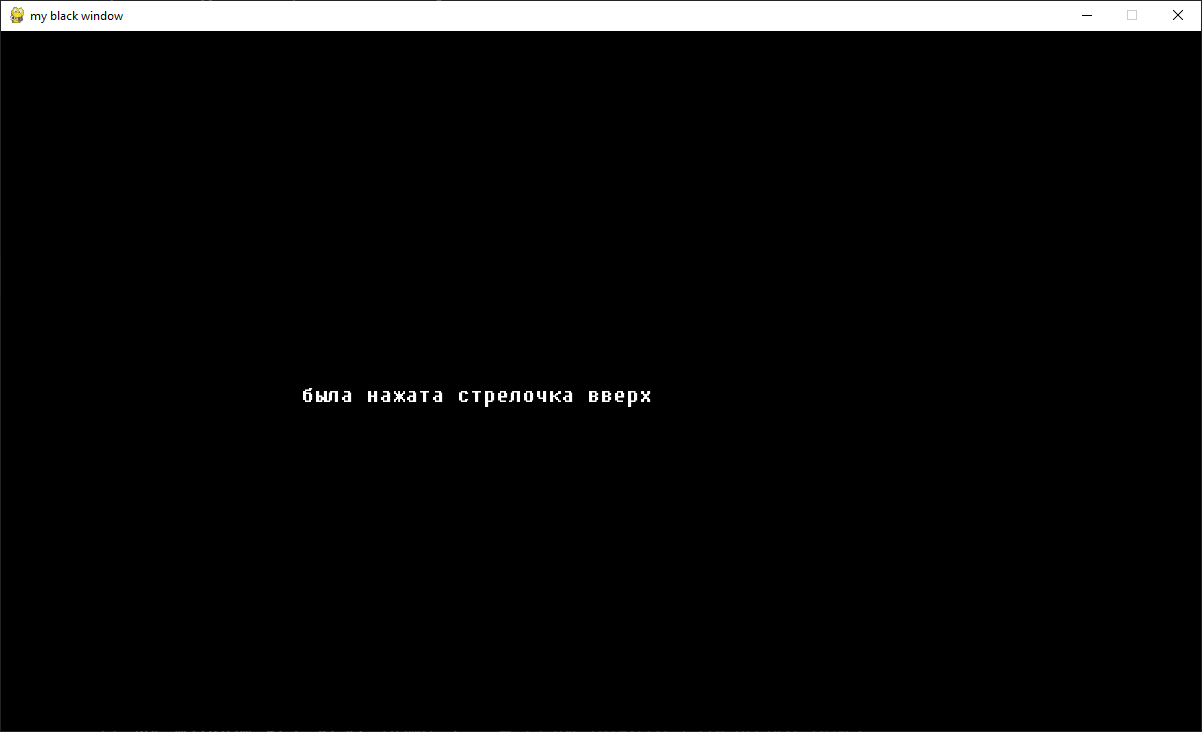
from pioneergame import Window, Label

my_window = Window(1200, 700, 'my black window')  # создаём главное окно

# создание текста белого цвета
my_text = Label(my_window, x=300, y=350, text='Нажми стрелочку вправо, влево, вверх или вниз', color='white')

while True:  # бесконечный цикл игры
    my_window.fill('black')  # заполнение экрана чёрным

    my_text.draw()  # отрисовка текста

    if my_window.get_key('left'):  # если нажата стрелочка влево
        my_text.set_text('была нажата стрелочка влево')  # установка нового текста
    if my_window.get_key('right'):  # если нажата стрелочка вправо
        my_text.set_text('была нажата стрелочка вправо')
    if my_window.get_key('up'):  # если нажата стрелочка вверх
        my_text.set_text('была нажата стрелочка вверх')
    if my_window.get_key('down'):  # если нажата стрелочка вниз
        my_text.set_text('была нажата стрелочка вниз')

    my_window.update(60)  # обновление экрана с частотой 60 кадров в секунду
Fireworks
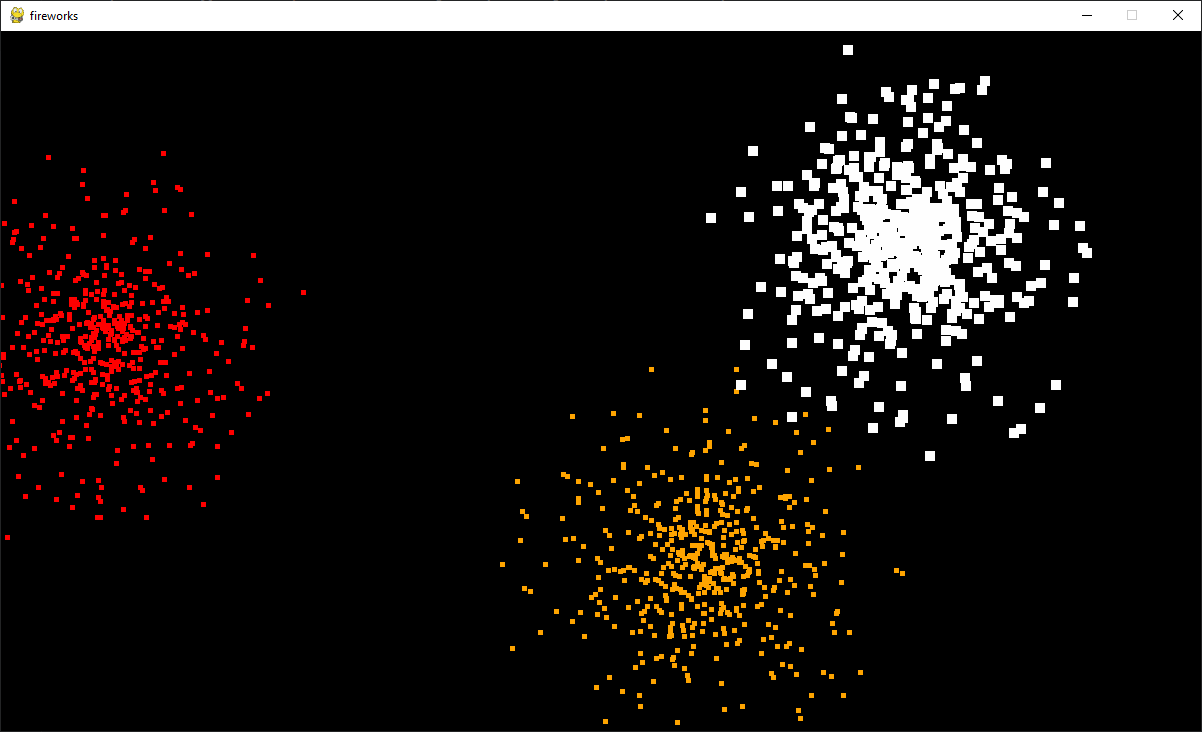
from pioneergame import Window, explode, explosion_update

my_window = Window(1200, 700, 'my black window')  # создаём главное окно

while True:  # бесконечный цикл игры
    my_window.fill('black')  # заполнение экрана чёрным

    if my_window.get_mouse_button('left'):  # если была нажата левая кнопка мыши
        explode(my_window, pos=my_window.mouse_position(), size=5, color='orange')

    explosion_update()  # обработка всех взрывов

    my_window.update(60)  # обновление экрана с частотой 60 кадров в секунду
Example. DVD screen
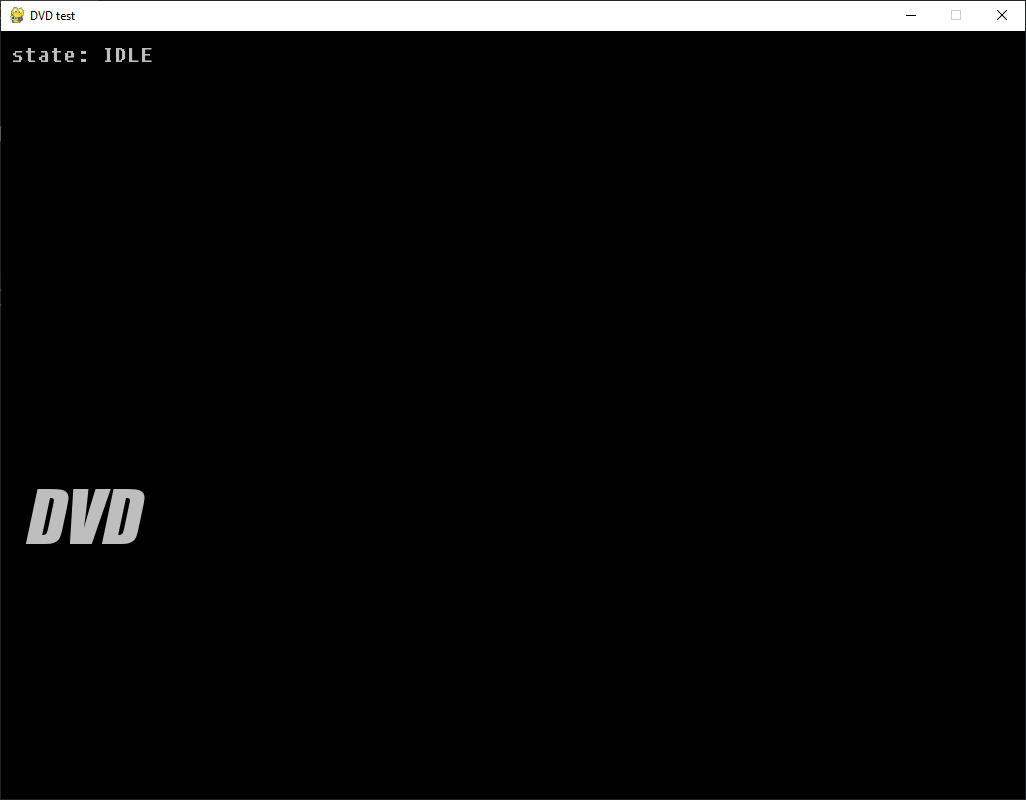
from pioneergame import Window, Label

window = Window(1024, 768, 'DVD test')

dvd = Label(window, 10, 10, 'DVD', 'grey', font='Impact', size=70, italic=True)
state = Label(window, 10, 10, 'state: IDLE', 'grey', italic=True)

dx, dy = 3, 3

while True:
    window.fill('black')
    dvd.draw()
    state.draw()

    dvd.x += dx
    dvd.y += dy

    if dvd.left < window.left or dvd.right > window.right:
        dx *= -1
    if dvd.top < window.top or dvd.bottom > window.bottom:
        dy *= -1

    window.update(80)
Ping Pong
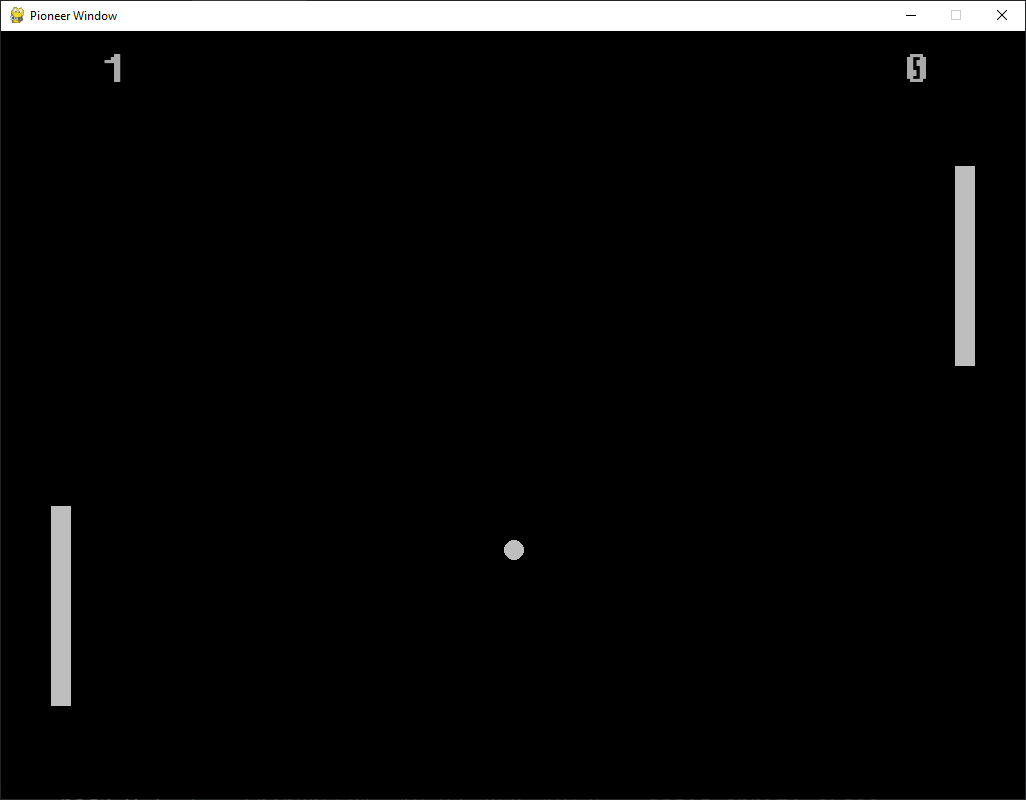
from pioneergame import Window, Circle, Rect, Label

window = Window(1024, 768)
fps = 80

pad1 = Rect(window, 50, 20, 20, 200, color='grey')
text1 = Label(window, 100, 10, text='0', color='darkgray', size=50)
score1 = 0

pad2 = Rect(window, 954, 20, 20, 200, color='grey')
text2 = Label(window, 900, 10, color='darkgray', size=50)
score2 = 0

ball = Circle(window, 100, 100, radius=10, color='grey')
ball_speed = 3

dx = ball_speed
dy = ball_speed

while True:
    window.fill('black')

    pad1.draw()
    text1.draw()
    text1.set_text(score1)

    pad2.draw()
    text2.draw()
    text2.set_text(score2)

    ball.draw()

    ball.x += dx
    ball.y += dy

    if ball.bottom > window.bottom:
        dy = -dy
    if ball.top < window.top:
        dy = -dy

    if ball.right > window.right:
        score1 = score1 + 1
        ball.x = 512
        ball.y = 344
    if ball.left < window.left:
        score2 = score2 + 1
        ball.x = 512
        ball.y = 344

    if window.get_key('w') and pad1.top > window.top:
        pad1.y -= 5
    if window.get_key('s') and pad1.bottom < window.bottom:
        pad1.y += 5

    if window.get_key('up') and pad2.top > window.top:
        pad2.y -= 5
    if window.get_key('down') and pad2.bottom < window.bottom:
        pad2.y += 5

    if ball.colliderect(pad1):
        dx = ball_speed
    if ball.colliderect(pad2):
        dx = -ball_speed

    window.update(fps)
Release history Release notifications | RSS feed


Download files
Download the file for your platform. If you're not sure which to choose, learn more about installing packages.
Source Distribution
pioneergame-0.0.20.tar.gz
(191.3 kB
view details)
Built Distribution
Filter files by name, interpreter, ABI, and platform.
If you're not sure about the file name format, learn more about wheel file names.
Copy a direct link to the current filters
pioneergame-0.0.20-py3-none-any.whl
(190.9 kB
view details)
File details
Details for the file pioneergame-0.0.20.tar.gz.
File metadata
- Download URL: pioneergame-0.0.20.tar.gz
- Upload date:
- Size: 191.3 kB
- Tags: Source
- Uploaded using Trusted Publishing? No
- Uploaded via: twine/6.1.0 CPython/3.12.2
File hashes
| Algorithm | Hash digest | |
|---|---|---|
| SHA256 |
fb85f286592c1583c7aef2edcb24b249ed242abfbc0c50a41d56c270dbe79a0e
|
|
| MD5 |
d75225ed842c539f88427a024e419ff7
|
|
| BLAKE2b-256 |
7a5accd64fd9607978940c0d364c00dad03e83a44219432142a56a3575b37237
|
File details
Details for the file pioneergame-0.0.20-py3-none-any.whl.
File metadata
- Download URL: pioneergame-0.0.20-py3-none-any.whl
- Upload date:
- Size: 190.9 kB
- Tags: Python 3
- Uploaded using Trusted Publishing? No
- Uploaded via: twine/6.1.0 CPython/3.12.2
File hashes
| Algorithm | Hash digest | |
|---|---|---|
| SHA256 |
02137018fd3a61e418bfa313b71d0f0a667f6e07542181294e0600b6510d2d7c
|
|
| MD5 |
5483b3dc70ff00da7dba51ea7e0dcdb3
|
|
| BLAKE2b-256 |
dd2824d692f87f7504f0e64bfd54b724715c3b83b73bd5ef4b12fa7ef3ba76d2
|






