
pycohortflow






Lightweight cohort flow diagrams built on Matplotlib.
Turn a plain Python list of cohort steps into a publication-ready vertical flow chart with a single function call. Colours, fonts, spacing, and box geometry are fully customisable via TOML configuration files.
About
pycohortflow is a Python library for programmatically generating cohort flow diagrams — vertical flowcharts that document participant progression through clinical studies, randomised controlled trials and systematic reviews, with explicit exclusion counts and reasons at each step.
The library targets the reproducibility and reporting-standard requirements of medical research. Cohort flow diagrams in this form are required by CONSORT (Consolidated Standards of Reporting Trials) for randomised trials and PRISMA 2020 (Preferred Reporting Items for Systematic Reviews and Meta-Analyses) for systematic reviews and meta-analyses. pycohortflow produces the structural elements those standards expect — a vertical main column with side panels for exclusions, automatic participant-count tracking and customisable per-step labels — without prescribing a single fixed template.
Diagrams are defined as data: a Python list of cohort steps drives the layout, exclusion counts are computed automatically with non-decreasing-N validation, and visual style is controlled by version-controllable TOML files held separately from the data. The same input renders the same diagram across machines and over time, eliminating the manual vector-editor adjustments that typically break reproducibility between manuscript revisions. Output formats include PNG, SVG, PDF and EPS, ready for journal submission.
No Python installed?
Use the Interactive Generator to build diagrams directly in your browser and export them as SVG, PNG or PDF.
Installation
pip install pycohortflow
Quick Start
from pycohortflow import plot_cfd
import matplotlib.pyplot as plt

data = [
    {"heading": "Registered Patients", "N": 350,
     "description": "Total patients registered in database"},
    {"heading": "Screening", "N": 150,
     "exclusion_description": "Did not meet inclusion criteria"},
    {"heading": "Eligible", "N": 120,
     "exclusion_description": "Declined / Lost to follow-up"},
    {"heading": "Final Analysis", "N": 115,
     "exclusion_description": "Data incomplete"},
]

fig, ax = plot_cfd(
    data,
    figure_title="Clinical Cohort Flow Diagram",
)
plt.show()
Built-in Styles
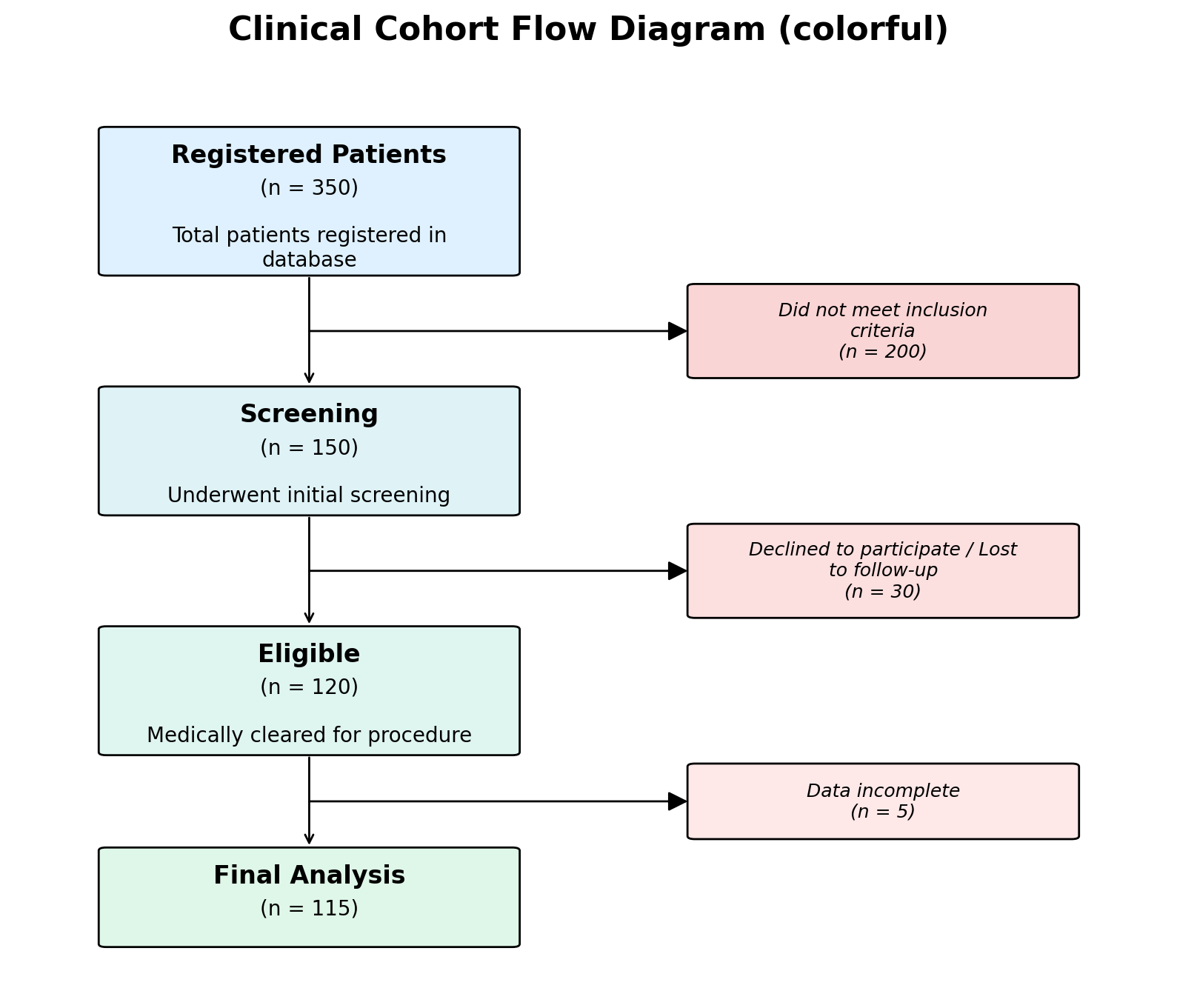
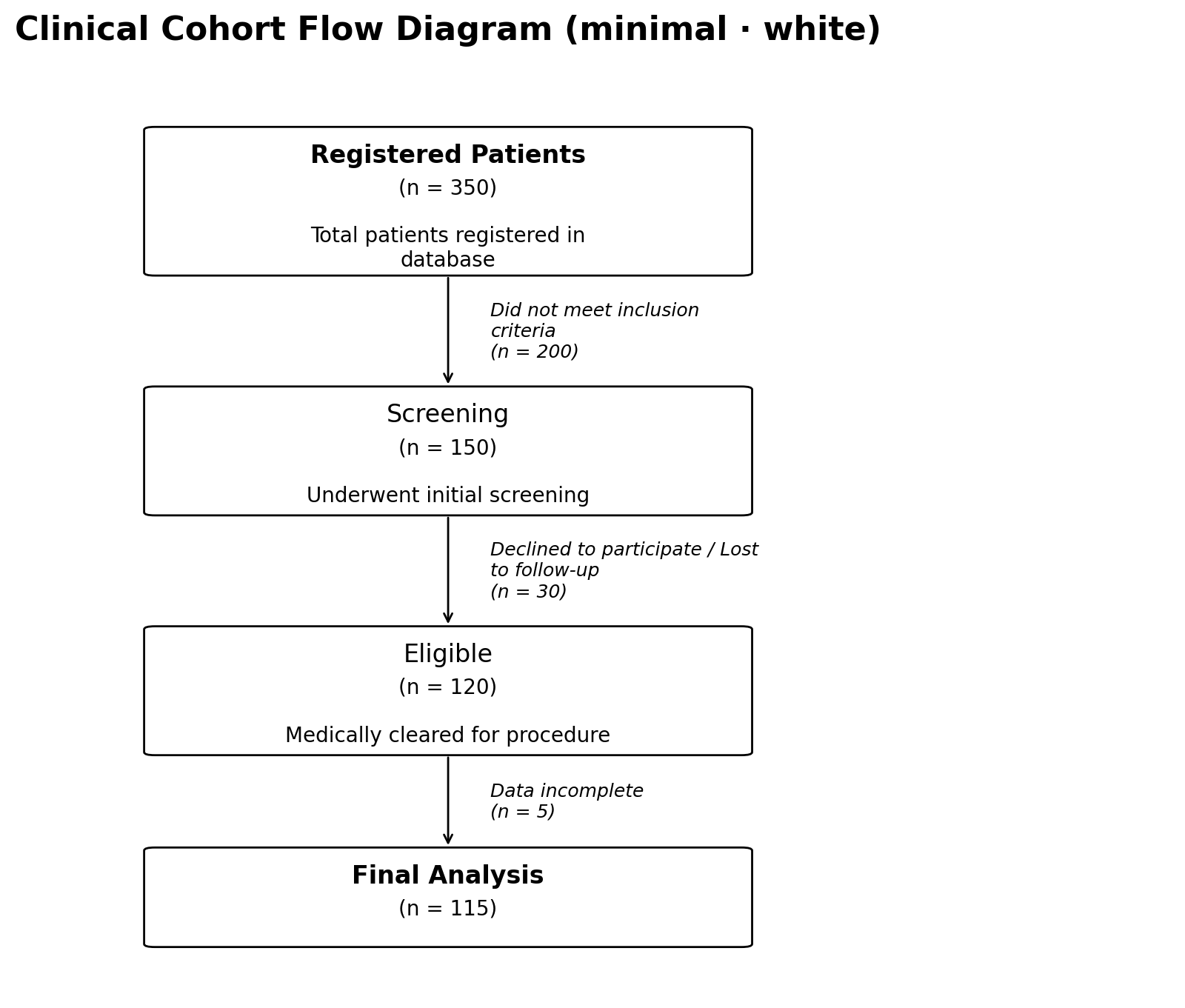
Three styles ship with the package:
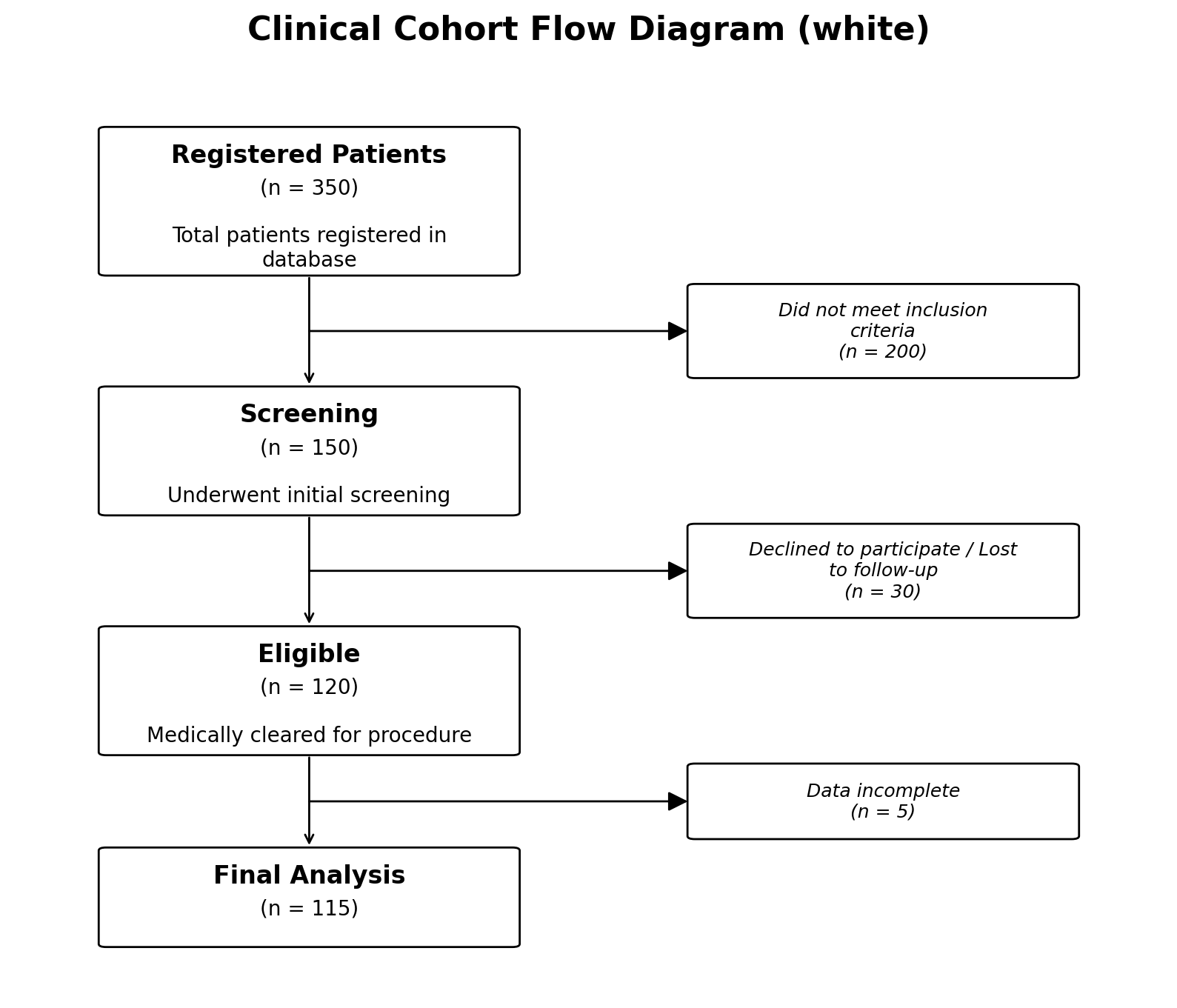
# Clean white boxes (default)
fig, ax = plot_cfd(data, style="white")

# Pastel gradient backgrounds
fig, ax = plot_cfd(data, style="colorful")

# Notebook-style: white boxes, normal-weight headings, italic side
# text instead of an exclusion box
fig, ax = plot_cfd(data, style="minimal")

# Transparent figure background (for slides / posters)
fig, ax = plot_cfd(data, transparent=True)
Customisation
Create a TOML file with only the values you want to override:
[figure]
dpi = 300

[colors]
main_start = "#cce5ff"
main_end   = "#d4edda"
Then pass it when plotting:
fig, ax = plot_cfd(data, style_config_path="my_style.toml")
See the full documentation for all available options.
Saving Figures
fig, ax = plot_cfd(
    data,
    save_dir="output",
    img_name="flow_chart",
    save_format=["png", "svg", "pdf"],
)
Sharing a figure with a non-Python user
Use plot_and_export to render the figure and write a paste-ready
.cohort.json + .style.toml pair that reproduces the same diagram in
the Interactive Generator:
from pycohortflow import plot_and_export

fig, ax, exp = plot_and_export(
    data,
    out_dir="export",
    name="study",
    style="colorful",
    figure_title="My Study",
    save_format=["png", "pdf"],
)
# export/study.png             (figure)
# export/study.cohort.json     → paste into "Cohort data (JSON)"
# export/study.style.toml      → paste into "TOML overrides"
Full details in the docs.
Requirements
- Python >= 3.9
- Matplotlib >= 3.5
License
EUPL-1.2 (European Union Public Licence v1.2) — see LICENSE for the full text.
Roadmap
The list below is auto-generated from docs/roadmap.rst;
edit that file (and run python scripts/sync_roadmap.py) to update it.
- Add: Small Diagram version (delivered as the
minimalstyle in v0.1.3) - Add: Verbose option for communication of saving options (delivered as
verbose=Falsein v0.1.3) - Add: Export Python data + resolved style as a paste-ready
.cohort.json+.style.tomlpair for the Interactive Generator (delivered asexport()andplot_and_export()in v0.1.4) - Add: "Load Bundle" button in the Interactive Generator that reads a single combined JSON file (data + style + meta) and auto-populates all inputs, removing the two-textarea paste step
- Add: Python-based PRISMA2020 style generation, if necessary
- Add: Diagrams for multiple Arms (e.g. something like CONSORT style)
- Add: Multi-source / multi-center patient recruitment — support several parallel input streams (e.g. one box per recruiting site or registry) that merge into a single downstream cohort flow, including aggregated participant counts and per-source labelling
- Add: Full test coverage — assert per-node
colorandexclusion_coloroverrides actually change renderedfacecolor; assert[exclusion] modecan be overridden via a custom TOML file; cover theverbose=Trueprint path; consider an image-comparison regression test - Consider: switch the
verbose=Trueprint path to standard Pythonloggingso callers can control level, destination and handlers without per-call flags
Citing pycohortflow
If you use pycohortflow in your research, please cite both the
descriptive paper and the specific software version you used. The
Zenodo link is the concept DOI, which always resolves to the latest
archived version; from there, pick the version DOI matching the release
you actually used so readers can reproduce your analysis.
-
Paper (methodology and design): Schwarz, F. (2026). pycohortflow: Lightweight, customisable cohort flow diagrams in Python and JavaScript. MetaArXiv. https://doi.org/10.31222/osf.io/ncya2
-
Software version (for reproducibility): Schwarz, Friedrich. Pycohortflow. Zenodo, 2026. https://doi.org/10.5281/zenodo.20052730
A CITATION.cff file is included in the repository; GitHub's "Cite this
repository" button and Zotero's importer will produce these citations
automatically.
1 maintainer

Metadata
1 maintainer
Release files for pycohortflow 0.1.4
For a detailed explanation of source distributions (sdists) and built distributions (wheels), please see the package formats documentation.
Source distribution (sdist)
| File | Size | Uploaded | Provenance | |
|---|---|---|---|---|
| pycohortflow-0.1.4.tar.gz | 54.3 kB | Without provenance | Details |
Built distribution (wheel)
| File | Interpreter | ABI | Platform | Reset |
|---|---|---|---|---|
| pycohortflow-0.1.4-py3-none-any.whl | Python 3 | none | any | Details |
Total release size: 83.1 kB
Release files / pycohortflow-0.1.4.tar.gz
| Download URL | pycohortflow-0.1.4.tar.gz |
|---|---|
| Size | 54.3 kB |
| Tags | Source |
|
SHA-256 checksum How to use checksums |
c97909247a3070430744af133b491428c60a1307945531210f235ee1e39a2663
|
|
BLAKE2b-256 checksum How to use checksums |
1f16d2a173ac5f061601dd55ab1b2227b98c89981444b4d1039c32542e8b26f1
|
| Upload date | |
|
Uploaded using Trusted Publishing? What is trusted publishing? |
No |
| Uploaded via |
twine/6.2.0 CPython/3.12.9
|
Release files / pycohortflow-0.1.4-py3-none-any.whl
| Download URL | pycohortflow-0.1.4-py3-none-any.whl |
|---|---|
| Size | 28.8 kB |
| Tags | Python 3 |
|
SHA-256 checksum How to use checksums |
20e98dbd996d4617640b1fb247ef8ea04f1e52c3fabbc817e55f2e1e5ba0626d
|
|
BLAKE2b-256 checksum How to use checksums |
5e0092498dd6c28805f7daa05ee0751e0611c51236bf6790600bc58809e9437a
|
| Upload date | |
|
Uploaded using Trusted Publishing? What is trusted publishing? |
No |
| Uploaded via |
twine/6.2.0 CPython/3.12.9
|
Security for pycohortflow 0.1.4
Provenance
Provenance describes where a file came from. On PyPI, provenance is shared via attestations, which provide a verifiable record of the build or publishing details. View details, limitations and caveats.
No provenance found
None of the files in this release were uploaded with provenance metadata.
A note on package security
PyPI is a repository for distributing packages, not a service for auditing them. While third-party security researchers and our staff do their best to detect and remove malicious packages, PyPI cannot guarantee the quality, security or suitability of any given package.
To learn more about protecting yourself from malicious actors, visit our package security documentation.














