
PyCropPDF
PyCropPDF is a desktop PDF editor for cropping pages, adding visual masks, and redacting selected content.
Install
PyCropPDF requires Python 3.10 or later.
pip install pycroppdf
For development:
git clone https://github.com/lukaszliniewicz/PyCropPDF.git
cd PyCropPDF
pip install -e ".[dev]"
Run
pycroppdf
pycroppdf --input /path/to/document.pdf
Optional arguments:
--save-to DIRECTORYsaves to that directory instead of opening a Save dialog.--save-as NAME.pdfsets the output name when used with--save-to; otherwise the default is<input>_modified.pdf.--manifest-out PATHsets the JSON provenance-manifest path. By default it is saved next to the PDF as<output>.pycroppdf.json.
Edit a PDF
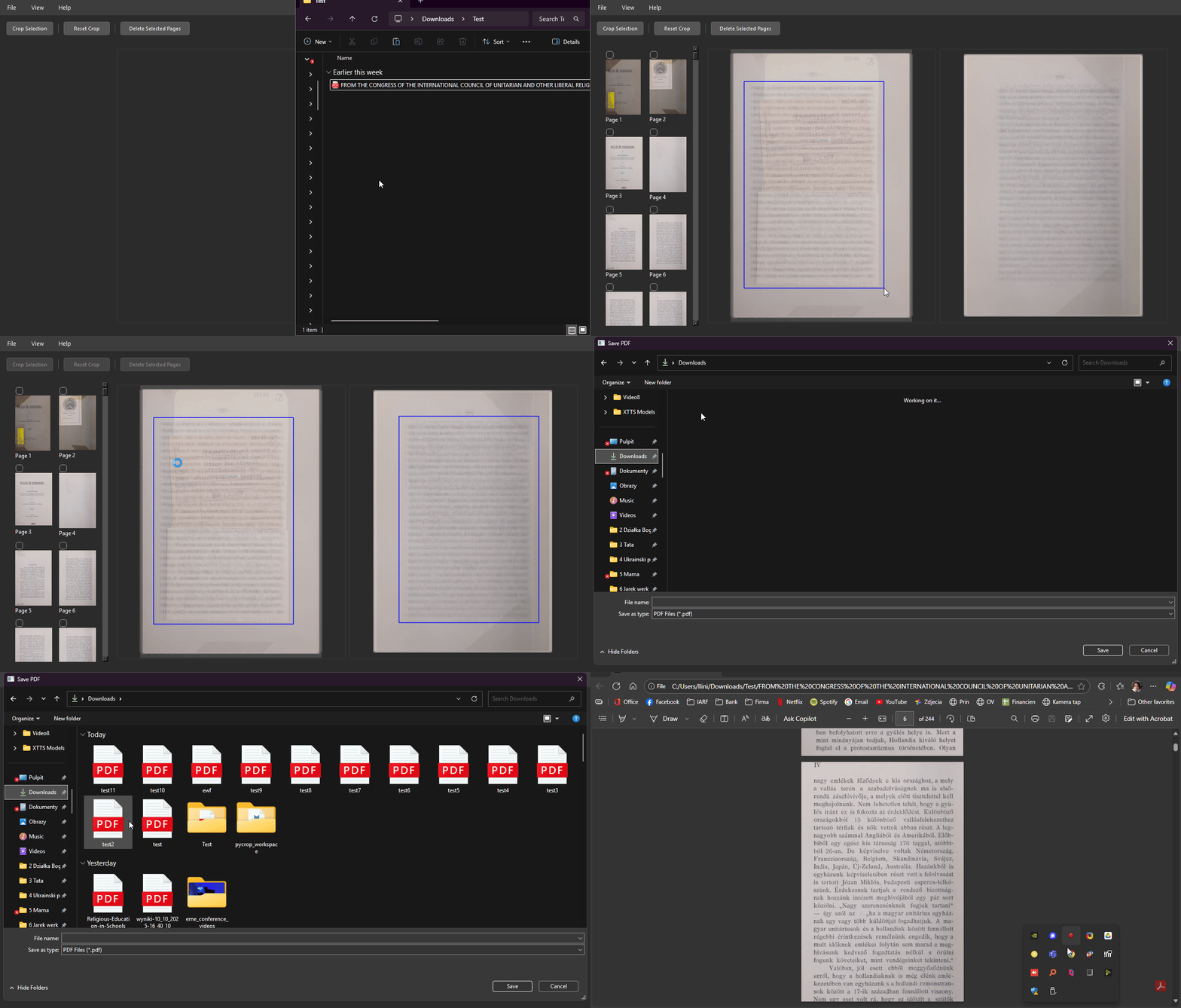
- Open a PDF with File > Open PDF... or drag it into the window.
- Choose an overlay view for all pages, separate odd/even pages, or a single page from the thumbnail list.
- Select thumbnails to limit an operation to specific pages. Use
Ctrl/Cmd-click to toggle pages andShift-click to select a range. - Draw visual masks or redactions first. To make further masks or redactions after cropping, click Reset Crop.
- Select Crop Box, draw a rectangle, then click Apply Crop. Odd/even view supports separate rectangles for each group.
- Use Undo or
Ctrl+Zto revert an edit, then click Save PDF.
Tools
| Tool | Effect |
|---|---|
| Crop Box | Changes the PDF CropBox. The content outside the visible area remains in the file. |
| Visual Mask | Draws a colored rectangle over page content. The covered content remains in the file. |
| Redact | Removes text and overlapping images or graphics in the selected rectangle. It does not remove metadata, attachments, or copies of the same information elsewhere in the document. |
Use Redact when the content itself must be removed. Crop boxes and visual masks only change presentation.
Provenance manifest
Each save writes a JSON sidecar manifest unless a different path is supplied with --manifest-out. It records source and output SHA-256 hashes, page mapping and deletions, plus the crop, mask, and redaction rectangles applied.
Development
pytest
ruff check .
Build a standalone executable with PyInstaller:
pyinstaller --onefile --noconsole --name PyCropPDF run.py
License
1 maintainer

Download files
Download the file for your platform. If you're not sure which to choose, learn more about installing packages.
Source Distribution
Built Distribution
Filter files by name, interpreter, ABI, and platform.
If you're not sure about the file name format, learn more about wheel file names.
Copy a direct link to the current filters
File details
Details for the file pycroppdf-0.3.0.tar.gz.
File metadata
- Download URL: pycroppdf-0.3.0.tar.gz
- Upload date:
- Size: 28.4 kB
- Tags: Source
- Uploaded using Trusted Publishing? No
- Uploaded via:
twine/6.2.0 CPython/3.11.15
File hashes
| Algorithm | Hash digest | |
|---|---|---|
| SHA256 |
aac4062ff65aa3337693688dc5a99cf1c7e37ea229054af1b2af864248aa4422
|
|
| MD5 |
bbd764c265d7784b8a8c6360b6055981
|
|
| BLAKE2b-256 |
14ebf1d6dc5b623f1d317810dc9d0805cd6ccba18a768b0a2f80fa548c2f5795
|
File details
Details for the file pycroppdf-0.3.0-py3-none-any.whl.
File metadata
- Download URL: pycroppdf-0.3.0-py3-none-any.whl
- Upload date:
- Size: 24.2 kB
- Tags: Python 3
- Uploaded using Trusted Publishing? No
- Uploaded via:
twine/6.2.0 CPython/3.11.15
File hashes
| Algorithm | Hash digest | |
|---|---|---|
| SHA256 |
270e1bb000889e31249e78a1cf807b2ad4b1e18da7b389e413d47f9c61c8ea47
|
|
| MD5 |
88a9c6d564c8f4614a972ccce54282e7
|
|
| BLAKE2b-256 |
4e1e8ce4e9cd62cfdd4b7b1fd721e9b566562f14508f231f2663fc551924d2f3
|














