
PyCropPDF
PyCropPDF is a desktop PDF editor for cropping, rotating, and visually covering PDF pages.
Install
Standalone builds
The latest release provides
x86_64 builds for Windows (.exe) and Linux (.AppImage). Both include Auto deskew.
On Linux:
chmod +x PyCropPDF-*-x86_64.AppImage
./PyCropPDF-*-x86_64.AppImage
AppImage normally uses FUSE 2. If FUSE is unavailable, run it without mounting:
APPIMAGE_EXTRACT_AND_RUN=1 ./PyCropPDF-*-x86_64.AppImage
PyPI
PyCropPDF requires Python 3.11 or later.
python -m pip install pycroppdf
Auto deskew is optional because it adds NumPy and scikit-image:
python -m pip install "pycroppdf[deskew]"
Run
pycroppdf
pycroppdf --input /path/to/document.pdf
Optional arguments:
--save-to DIRECTORYsaves to that directory instead of opening a Save dialog.--save-as NAME.pdfsets the output name when used with--save-to. Without it,--save-towrites<input>_modified.pdf.--manifest-out PATHsets the JSON provenance-manifest path. By default it is saved next to the PDF as<output>.pycroppdf.json.
Edit a PDF
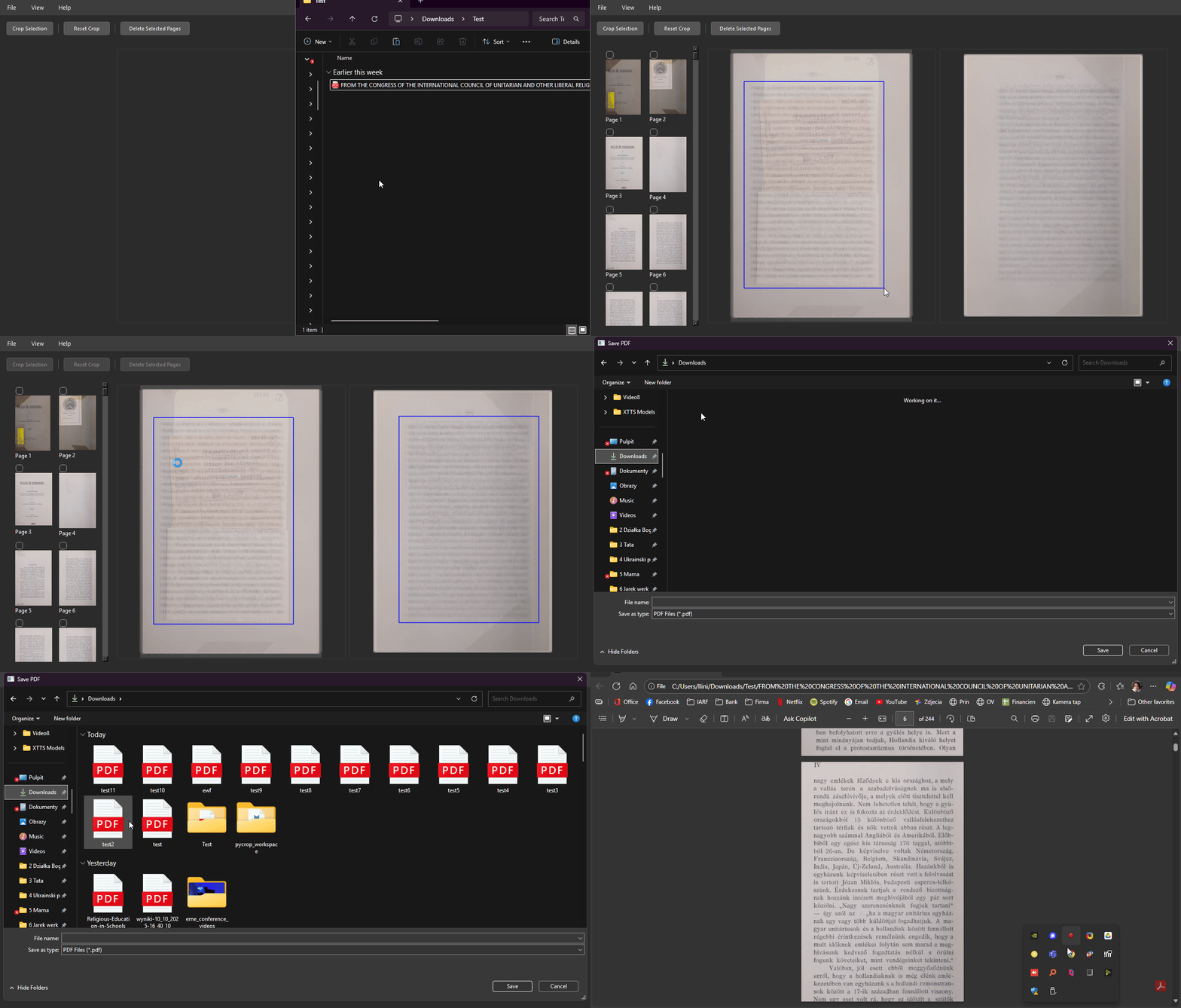
- Open a PDF with File > Open PDF... or drag it into the window.
- Use View to choose one overlay for all pages or separate odd/even overlays.
- Click a thumbnail image to preview that page. Click it again or use Stack to return. Thumbnail checkboxes select pages for deletion;
Ctrl/Cmdtoggles andShiftselects a range. - Open Rotate, choose all, odd, even, or the previewed page, and enter an angle. Click Preview to inspect a fine rotation, Discard to clear it, or Apply to change the PDF. The 90-degree buttons apply immediately; Auto deskew detects and corrects small angles per page.
- Click Cover to open its toolbar. Choose a color or pick one from the page, then draw the cover. It is applied to every page and does not remove the underlying PDF content.
- Click Crop, draw a crop box, then click Apply Crop. Odd/even positions are independent and their sizes stay uniform. To override one page, preview it, enable This page, draw its crop box, and apply the crop again.
- Use Undo or
Ctrl+Zto revert an edit, then click Save.
Crop and Cover apply to all pages. A per-page crop override replaces the stack crop only for that page.
Rotate and add covers before cropping. If a crop preview is active, reset it before using those tools. For pages with links, annotations, or form fields, the app warns before a fine-angle rotation because some appearances or destinations cannot be transformed exactly.
Tools
| Tool | Effect |
|---|---|
| Crop Box | Changes the PDF CropBox. The content outside the visible area remains in the file. |
| Cover | Draws a rectangle in the selected color. The covered content remains in the file. |
| Rotation | Rotates page content without rasterizing it. Exact 90-degree turns use PDF rotation metadata. |
| Auto deskew | Detects a small text-line angle independently for each target page. Requires pycroppdf[deskew]. |
Crop boxes and covers change presentation; they do not securely remove content. Larger Auto deskew jobs use one fewer worker than the detected CPU count. Two-core systems use both cores. Small jobs stay in one process to avoid startup overhead.
Provenance manifest
Each save writes a JSON sidecar manifest unless a different path is supplied with --manifest-out. It records source and output SHA-256 hashes, page mapping and deletions, rotations, and crop and cover rectangles.
Development
git clone https://github.com/lukaszliniewicz/PyCropPDF.git
cd PyCropPDF
python -m pip install -e ".[dev,deskew]"
pytest
ruff check .
ruff format --check .
Build a standalone Windows executable with PyInstaller:
python -m pip install -e ".[build,deskew]"
powershell -NoProfile -ExecutionPolicy Bypass -File .\scripts\build_windows.ps1
Install pycroppdf[deskew] in the build environment to include Auto deskew. The build script supplies the PyInstaller hook needed by scikit-image's runtime package checks. Deskew roughly doubles the executable size.
License
1 maintainer

Download files
Download the file for your platform. If you're not sure which to choose, learn more about installing packages.
Source Distribution
Built Distribution
Filter files by name, interpreter, ABI, and platform.
If you're not sure about the file name format, learn more about wheel file names.
Copy a direct link to the current filters
File details
Details for the file pycroppdf-0.4.0.tar.gz.
File metadata
- Download URL: pycroppdf-0.4.0.tar.gz
- Upload date:
- Size: 47.8 kB
- Tags: Source
- Uploaded using Trusted Publishing? No
- Uploaded via:
twine/6.2.0 CPython/3.11.15
File hashes
| Algorithm | Hash digest | |
|---|---|---|
| SHA256 |
dd185215e5107238cee6fa24b772cee66bd9cc821b9bcfd5c1651ce809acfc3b
|
|
| MD5 |
24b21a3d7bfaf744c187c14a361fdfd9
|
|
| BLAKE2b-256 |
dddbdd3d1bd7b05864c232cb41ec4507675b87cd8e7caf8eab864d00b0b3b8a4
|
File details
Details for the file pycroppdf-0.4.0-py3-none-any.whl.
File metadata
- Download URL: pycroppdf-0.4.0-py3-none-any.whl
- Upload date:
- Size: 38.8 kB
- Tags: Python 3
- Uploaded using Trusted Publishing? No
- Uploaded via:
twine/6.2.0 CPython/3.11.15
File hashes
| Algorithm | Hash digest | |
|---|---|---|
| SHA256 |
3075724ed913c5a0d3463f4b5694e8321f4558bb6ce232d2c8b30139c7fca589
|
|
| MD5 |
65e4de28b6b768d37b340fb2d5d34db3
|
|
| BLAKE2b-256 |
1f449653cdfd73a71f9b62f49fee5dea968fff59b547d8bc6c2f5113f5e36cd2
|














