
Matplotlib sixel backend

Project description
Matplotlib sixel backend.
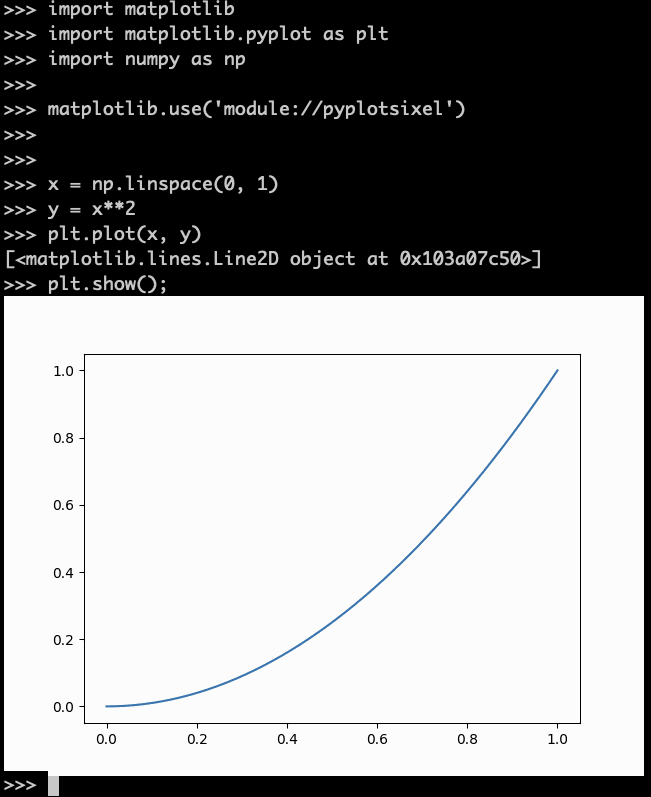
It can draw matplotlib figures in SIXEL available terminal.
Install
pip install matplotlib
pip install pyplotsixel
Example
Add a matplotlib.use() line as follows.
import matplotlib
import matplotlib.pyplot as plt
import numpy as np

matplotlib.use('module://pyplotsixel')


x = np.linspace(0, 1)
y = x**2
plt.plot(x, y)
plt.show();
Configuration
In the matplotlibrc , if you wrote backend configuration
backend: module://pyplotsixel
you can omit additional matplotlib.use() line.


Download files
Download the file for your platform. If you're not sure which to choose, learn more about installing packages.
Source Distribution
pyplotsixel-0.3.1.tar.gz
(4.2 kB
view details)
File details
Details for the file pyplotsixel-0.3.1.tar.gz.
File metadata
- Download URL: pyplotsixel-0.3.1.tar.gz
- Upload date:
- Size: 4.2 kB
- Tags: Source
- Uploaded using Trusted Publishing? No
- Uploaded via: twine/6.2.0 CPython/3.14.3
File hashes
| Algorithm | Hash digest | |
|---|---|---|
| SHA256 |
5d3e3ac095f75cc59839c4e7b1f227d84ef30986819e2f720daf4801971fdf8e
|
|
| MD5 |
9d3e49686b5ca2eac0365a40f8b73f6c
|
|
| BLAKE2b-256 |
d5b2b585d9cb57e54bf13c33214ad64036ce193b3f5239bece67bcb0a41d6df8
|






