
 Pyroquad Game Engine
This is a Python game engine based on macroquad.
- Install via
pip install pyroquad(in the browser:micropip.install("pyroquad")) - Requires Python >= 3.9
- Supported Platforms: windows, linux, mac, and WASM via Piodide.
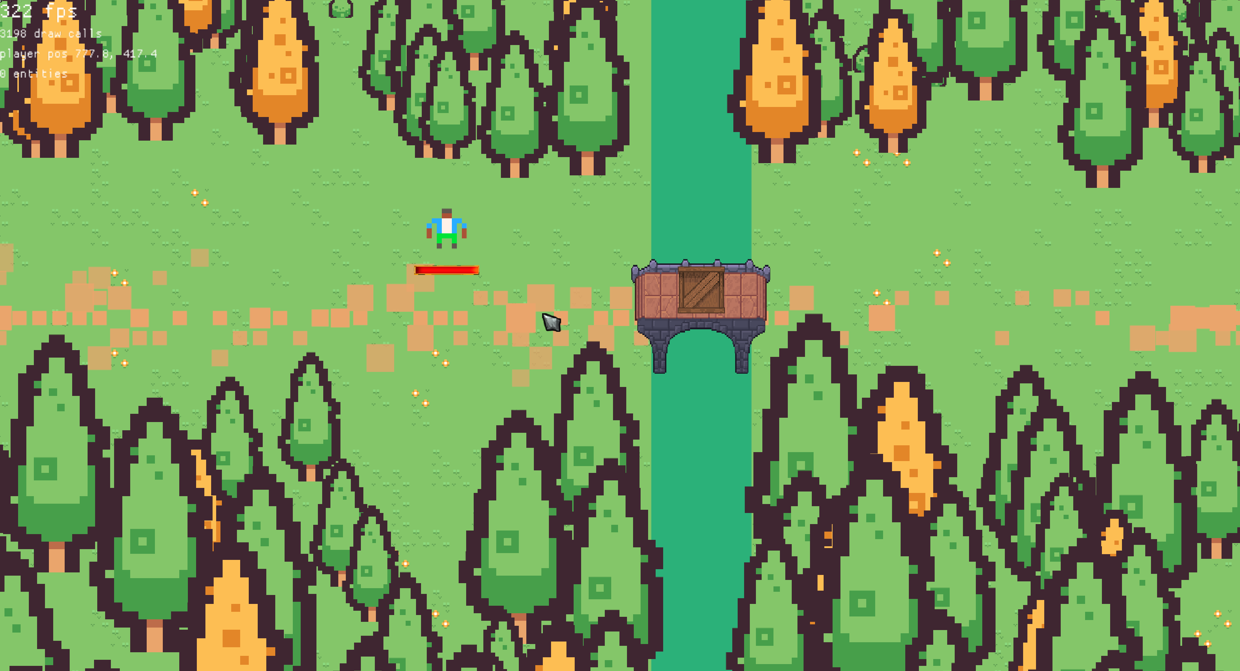
Featuring 2D:
view the demo here
and 3D:
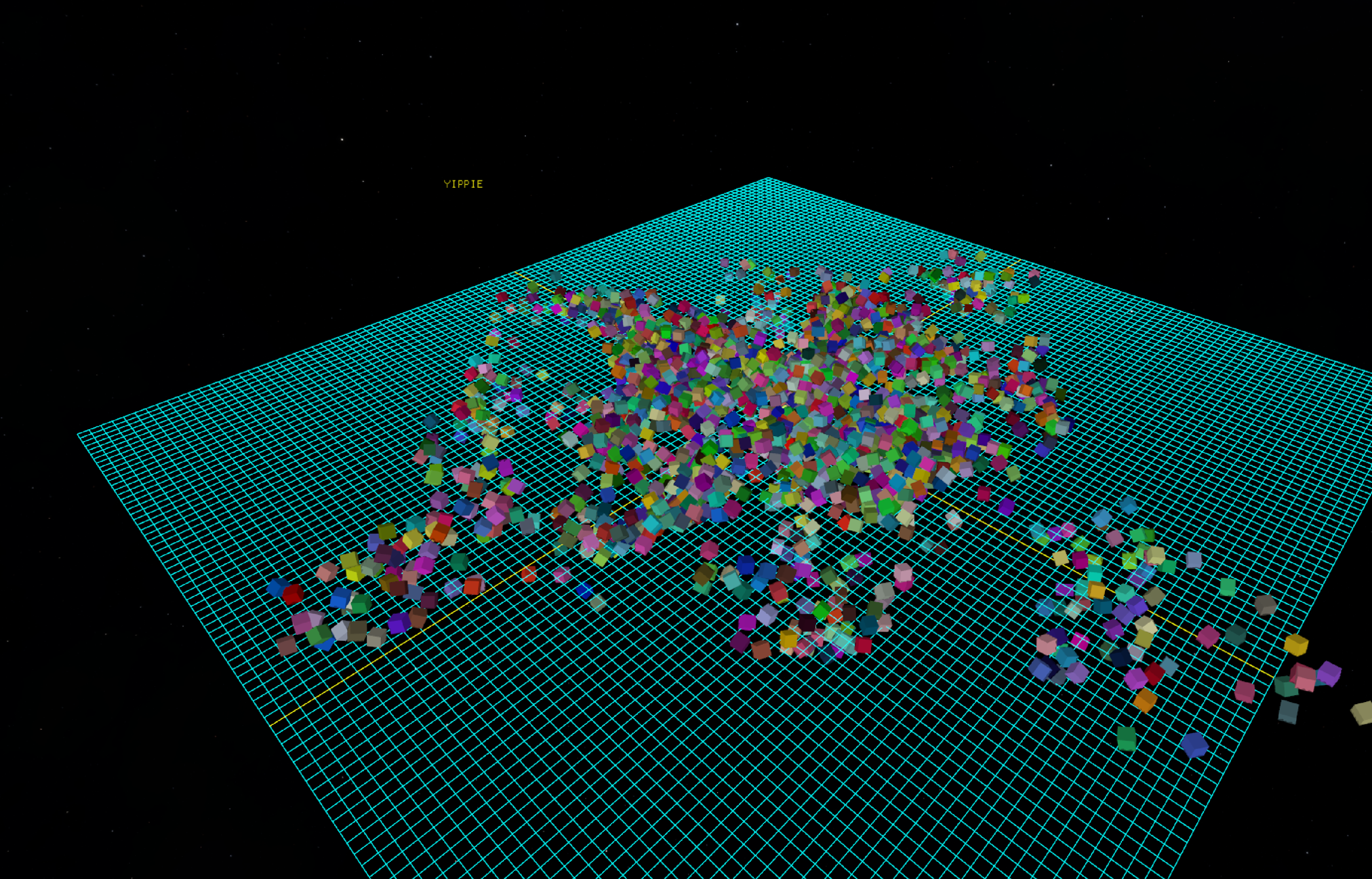
How to run in the browser:
place this code inside a
.htmlfile and open in the browser.<style>#glcanvas { width: 800px !important; height: 600px !important; display: block; } <style> <canvas id="glcanvas" width="800" height="600"></canvas> <pre id="out"></pre> <script type="module"> import { loadPyodide } from "https://cdn.jsdelivr.net/pyodide/v314.0.3/full/pyodide.mjs"; const out = document.getElementById("out"); const print = t => out.textContent += t + "\n"; const pyodide = await loadPyodide({ stdout: print, stderr: print }); await pyodide.loadPackage("micropip"); const micropip = pyodide.pyimport("micropip"); await micropip.install("pyroquad"); await pyodide.runPythonAsync(` from pyroquad import * activate_engine() while True: draw_rectangle(x=100, y=100, w=600, h=300, color=Color.GREEN) draw_text(text="Hello rectangle", x=200, y=200, font_size=50, color=Color.RED) next_frame() examples.limit_fps(60) `).catch(e => print(e)); </script>
How to build:
Prerequesites:
Python >= 3.9 ( python >= 3.14 is recommended)
Rust Compiler >= 1.85.0 (Required for the Rust 2024 Edition)
System libraries if using Linux (required for X11, OpenGL, and audio bindings):
Ubuntu / Debian:
sudo apt-get install -y libasound2-dev libx11-dev libxi-dev libgl1-mesa-dev libxcursor-dev libxinerama-dev libxrandr-devFedora:
sudo dnf install alsa-lib-devel libX11-devel libXi-devel mesa-libGL-devel libXcursor-devel libXinerama-devel libXrandr-develArch Linux:
sudo pacman -S alsa-lib libx11 libxi mesa libxcursor libxinerama libxrandrCreate and activate a Python virtual environment:
macOS / Linux:
python3 -m venv .venv
source .venv/bin/activateWindows:
python -m venv .venv
.venv\Scripts\activateInstall the maturin build tool using
pip install maturinCompilation:
run
maturin build --release --features abi_39 --generate-stubsfor python >= 3.9run
maturin build --release --features abi_310 --generate-stubsfor python >= 3.10run
maturin build --release --features abi_314 --generate-stubsfor python >= 3.14(Note: Older ABIs offer better backward compatibility, but newer versions yield performance improvements)
Installation:
- The generated package can be found at:
/target/wheels/- Install the package:
pip install \path\to\your\file.whl --force-reinstall
How to build for the browser (WebAssembly):
In addition to the prerequisites above:
- the
wasm32-unknown-emscriptentarget:rustup target add wasm32-unknown-emscriptenpip install "pyodide-build>=0.39" "maturin>=1.13.2"—pyodide-builddoes not run natively on Windows, so build the wheel on Linux, macOS or WSL- the Emscripten SDK, at the version
pyodide config get emscripten_versionreports. Noemsdk_envactivation needed:emccis looked up via$EMCC,$EMSDK, the project-localemsdk/, thenPATH.- a browser with JSPI (JavaScript Promise Integration) — Chrome 137+. That is what lets synchronous Python (
while True: ... next_frame()) hand the page back between frames.pyodide xbuildenv install 314.0.7 # the Pyodide that --features abi_314 targets python web/get_pyodide.py # fetch that runtime into web/pyodide/ (once) CARGO_TARGET_WASM32_UNKNOWN_EMSCRIPTEN_RUSTFLAGS="$(pyodide config get rustflags)" \ MATURIN_PYEMSCRIPTEN_PLATFORM_VERSION="$(pyodide config get pyodide_abi_version)" \ PYO3_CROSS_PYTHON_VERSION=3.14 \ maturin build --release --target wasm32-unknown-emscripten --out dist --features abi_314 python web/build_web.py # stage dist/*wasm32.whl for the test page python web/serve.py # http://127.0.0.1:8000/web/index.html?script=tests/test_rec.pyThe flags go in
CARGO_TARGET_<TARGET>_RUSTFLAGS, never a bareRUSTFLAGS: this crate has abuild.rs, which is compiled for the host.
For any Agents reading this:
Please refer to AI.md for best practice and an entrypoint into the engine.
Example Code:
Hello rectangle
from pyroquad import *

activate_engine()

while True:
    draw_rectangle(x=100, y=100, w=600, h=300, color=Color.GREEN)
    draw_text(text="Hello rectangle", x=200, y=200, font_size=50, color=Color.RED)
    next_frame()
    examples.limit_fps(60)
Textures
from pyroquad import *

activate_engine()

texture =  Loading.download_file(
    "https://raw.githubusercontent.com/Ludwig-000/pyroquad/main/docs/PyroquadLogo.png"
).to_Texture2D()

while True:
    draw_texture(texture)
    next_frame()
    examples.limit_fps(60)
Cube
from pyroquad import *

activate_engine()

cube = Cube(
    position=Vec3.ZERO,
    rotation=Vec3.ZERO,
    scale=Vec3.ONE,
    color=Color.RED)

cam = Camera3D(position=Vec3.splat(2), target=Vec3.ZERO)

while True:
    cam.set_camera()
    cube.rot += get_delta_time()
    draw_all_objects()
    next_frame()
    examples.limit_fps(60)
Skybox
from pyroquad import *

activate_engine()


skybox_tex = examples.loading_screen_future(
    lambda a: download_file_future(a),
    ["https://raw.githubusercontent.com/Ludwig-000/pyroquad/main/tests/HDR_blue_nebulae_2.png"],
    show_rotating_square=True
)[0].to_Texture2D()

player = examples.PlayerCamera(position=Vec3.ONE)

while True:
    if KeyCode.Escape in get_keys_pressed():
        break

    player.update()
    draw_skybox(skybox_tex)
    draw_grid(
        slices=1_000,
        spacing=1.0,
        axes_color=Color.YELLOW,
        other_color=Color.GREEN)

    next_frame()
    examples.limit_fps(60)
Multiple windows
import multiprocessing
from pyroquad import *

def task(message, color_name):
    activate_engine()
    prevent_quit()
    color = getattr(Color, color_name)

    while not is_quit_requested():
        clear_background(color)
        draw_text(message, 200, 200, Color.GREEN, 60)
        next_frame()
        examples.limit_fps(60)

if __name__ == "__main__":
    seq_data = [("multiple", "YELLOW"), ("windows", "BRICK"), ("using", "ORANGE")]
    for msg, color in seq_data:
        p = multiprocessing.Process(target=task, args=(msg, color))
        p.start()
        p.join()

    procs = [multiprocessing.Process(target=task, args=("multiprocessing", "BLUE")) for _ in range(5)]
    for p in procs: p.start()
    for p in procs: p.join()
Rectangle deletes itself (heartbreaking)
from pyroquad import *

activate_engine()

re = Rectangle(Vec2.splat(200), 0, Vec2.splat(100), Color.WHITE)

timer  = 120
def t(rec: Rectangle):
    global timer, re
    timer-= 1
    if timer == 0:
        del(re)
    rec.draw()

re.tick(t)

while True:
    next_frame()
    examples.limit_fps(60)
1 maintainer

Metadata
1 maintainer
Release files for pyroquad 0.1.8
For a detailed explanation of source distributions (sdists) and built distributions (wheels), please see the package formats documentation.
Built distributions (wheels)
Total release size: 51.4 MB
Release files / pyroquad-0.1.8-cp314-abi3-win_amd64.whl
| Download URL | pyroquad-0.1.8-cp314-abi3-win_amd64.whl |
|---|---|
| Size | 5.0 MB |
| Tags | CPython 3.14 Windows x86-64 abi3 |
|
SHA-256 checksum How to use checksums |
d4003040d90d70b8acd1db7c7492b10fd819c56f27a92bc3d87736aa1e181add
|
|
BLAKE2b-256 checksum How to use checksums |
a40af8f12943584d4663cb4917f6bfa630c7f70e292d0a41eec2f32c9c86ecc5
|
| Upload date | |
|
Uploaded using Trusted Publishing? What is trusted publishing? |
Yes |
| Uploaded via |
maturin/1.15.0
|
Release files / pyroquad-0.1.8-cp314-abi3-pyemscripten_2026_0_wasm32.whl
| Download URL | pyroquad-0.1.8-cp314-abi3-pyemscripten_2026_0_wasm32.whl |
|---|---|
| Size | 2.2 MB |
| Tags | CPython 3.14 PyEmscripten 2026.0+ WebAssembly abi3 |
|
SHA-256 checksum How to use checksums |
84fb7eadca14c71b17d9dd702cc7555e16a106ee67cbc1f1ebb3d770a242f40d
|
|
BLAKE2b-256 checksum How to use checksums |
7dc80e03514def830ceffbbeda49ff747c9e6a9e23fe3c83fb1e47e8eabc0609
|
| Upload date | |
|
Uploaded using Trusted Publishing? What is trusted publishing? |
Yes |
| Uploaded via |
maturin/1.15.0
|
Release files / pyroquad-0.1.8-cp314-abi3-manylinux_2_38_x86_64.whl
| Download URL | pyroquad-0.1.8-cp314-abi3-manylinux_2_38_x86_64.whl |
|---|---|
| Size | 6.2 MB |
| Tags | CPython 3.14 Linux glibc 2.38+ x86-64 abi3 |
|
SHA-256 checksum How to use checksums |
026c5d81311552512ec342c087015514dfc9b1869b4906282682f18d3777d9fb
|
|
BLAKE2b-256 checksum How to use checksums |
00defe213ea750ff16b7e5bdb65156efe4a48fac7d2b6fb35cd888ff1fa5cb87
|
| Upload date | |
|
Uploaded using Trusted Publishing? What is trusted publishing? |
Yes |
| Uploaded via |
maturin/1.15.0
|
Release files / pyroquad-0.1.8-cp314-abi3-macosx_11_0_arm64.whl
| Download URL | pyroquad-0.1.8-cp314-abi3-macosx_11_0_arm64.whl |
|---|---|
| Size | 5.2 MB |
| Tags | CPython 3.14 abi3 macOS 11.0+ ARM64 |
|
SHA-256 checksum How to use checksums |
690429c5bb033e980320f23757a9cbaa8b441b249ab3d0952ee6a9d812935d58
|
|
BLAKE2b-256 checksum How to use checksums |
ad04dc9ac73ce0fa2540505f47fb41e0431e482428e376a9174a375ea76f7c66
|
| Upload date | |
|
Uploaded using Trusted Publishing? What is trusted publishing? |
Yes |
| Uploaded via |
maturin/1.15.0
|
Release files / pyroquad-0.1.8-cp310-abi3-win_amd64.whl
| Download URL | pyroquad-0.1.8-cp310-abi3-win_amd64.whl |
|---|---|
| Size | 5.0 MB |
| Tags | CPython 3.10 Windows x86-64 abi3 |
|
SHA-256 checksum How to use checksums |
d31cbeaecedd7baf95453c71f49da9c64eef78cfa56c0326a3d0624787b8a4c7
|
|
BLAKE2b-256 checksum How to use checksums |
ca85801bd089107998c8ae155792bbfa2996d1958ad691afc66d73eeeea62bed
|
| Upload date | |
|
Uploaded using Trusted Publishing? What is trusted publishing? |
Yes |
| Uploaded via |
maturin/1.15.0
|
Release files / pyroquad-0.1.8-cp310-abi3-manylinux_2_38_x86_64.whl
| Download URL | pyroquad-0.1.8-cp310-abi3-manylinux_2_38_x86_64.whl |
|---|---|
| Size | 6.2 MB |
| Tags | CPython 3.10 Linux glibc 2.38+ x86-64 abi3 |
|
SHA-256 checksum How to use checksums |
95e02bb90d28b996598ead9b7a4d1c5a3b8ade099b9ff0671b380c0bee3aa761
|
|
BLAKE2b-256 checksum How to use checksums |
4fdd585b0ff88b295f0a0dec04ecfca4eef5b0fcf653212e0f4b386db2ef84b6
|
| Upload date | |
|
Uploaded using Trusted Publishing? What is trusted publishing? |
Yes |
| Uploaded via |
maturin/1.15.0
|
Release files / pyroquad-0.1.8-cp310-abi3-macosx_11_0_arm64.whl
| Download URL | pyroquad-0.1.8-cp310-abi3-macosx_11_0_arm64.whl |
|---|---|
| Size | 5.2 MB |
| Tags | CPython 3.10 abi3 macOS 11.0+ ARM64 |
|
SHA-256 checksum How to use checksums |
1bff633ba164ec19d7a5abe552939d609ac1ba995f799c735397ad546aa23e36
|
|
BLAKE2b-256 checksum How to use checksums |
708c70e2b3b41b6083044f6f40e4200952fcc6ac73d480ce04d88929c5b78493
|
| Upload date | |
|
Uploaded using Trusted Publishing? What is trusted publishing? |
Yes |
| Uploaded via |
maturin/1.15.0
|
Release files / pyroquad-0.1.8-cp39-abi3-win_amd64.whl
| Download URL | pyroquad-0.1.8-cp39-abi3-win_amd64.whl |
|---|---|
| Size | 5.0 MB |
| Tags | CPython 3.9 Windows x86-64 abi3 |
|
SHA-256 checksum How to use checksums |
5c0356760d9c23b535cc65e8008d13ec4de77a7c639ead38545d0ee915f6f1e8
|
|
BLAKE2b-256 checksum How to use checksums |
5c42e2f52aa82df180b5e492a83e0b35622d9eb4f5f6f5bf4f3523f702e595fa
|
| Upload date | |
|
Uploaded using Trusted Publishing? What is trusted publishing? |
Yes |
| Uploaded via |
maturin/1.15.0
|
Release files / pyroquad-0.1.8-cp39-abi3-manylinux_2_38_x86_64.whl
| Download URL | pyroquad-0.1.8-cp39-abi3-manylinux_2_38_x86_64.whl |
|---|---|
| Size | 6.2 MB |
| Tags | CPython 3.9 Linux glibc 2.38+ x86-64 abi3 |
|
SHA-256 checksum How to use checksums |
58f1b8c67deb5158a1361e7ebc9900f531929f83477f6d425e54c36438332222
|
|
BLAKE2b-256 checksum How to use checksums |
7aec706c0f841e7bf719ef22f4c830d6e2a55d3a8fd7b71d9ead6da087d9ceb3
|
| Upload date | |
|
Uploaded using Trusted Publishing? What is trusted publishing? |
Yes |
| Uploaded via |
maturin/1.15.0
|
Release files / pyroquad-0.1.8-cp39-abi3-macosx_11_0_arm64.whl
| Download URL | pyroquad-0.1.8-cp39-abi3-macosx_11_0_arm64.whl |
|---|---|
| Size | 5.2 MB |
| Tags | CPython 3.9 abi3 macOS 11.0+ ARM64 |
|
SHA-256 checksum How to use checksums |
a9285d77efde844fcb2afcb7a2ace945ff431cf9942cb578dde14ab3b10f5ccc
|
|
BLAKE2b-256 checksum How to use checksums |
6611d8a36b1dbc2852ef1f0e7afb7a84e2e5d89a3dbb0fb949ff55fb13a1caa0
|
| Upload date | |
|
Uploaded using Trusted Publishing? What is trusted publishing? |
Yes |
| Uploaded via |
maturin/1.15.0
|














