
serial-mcp
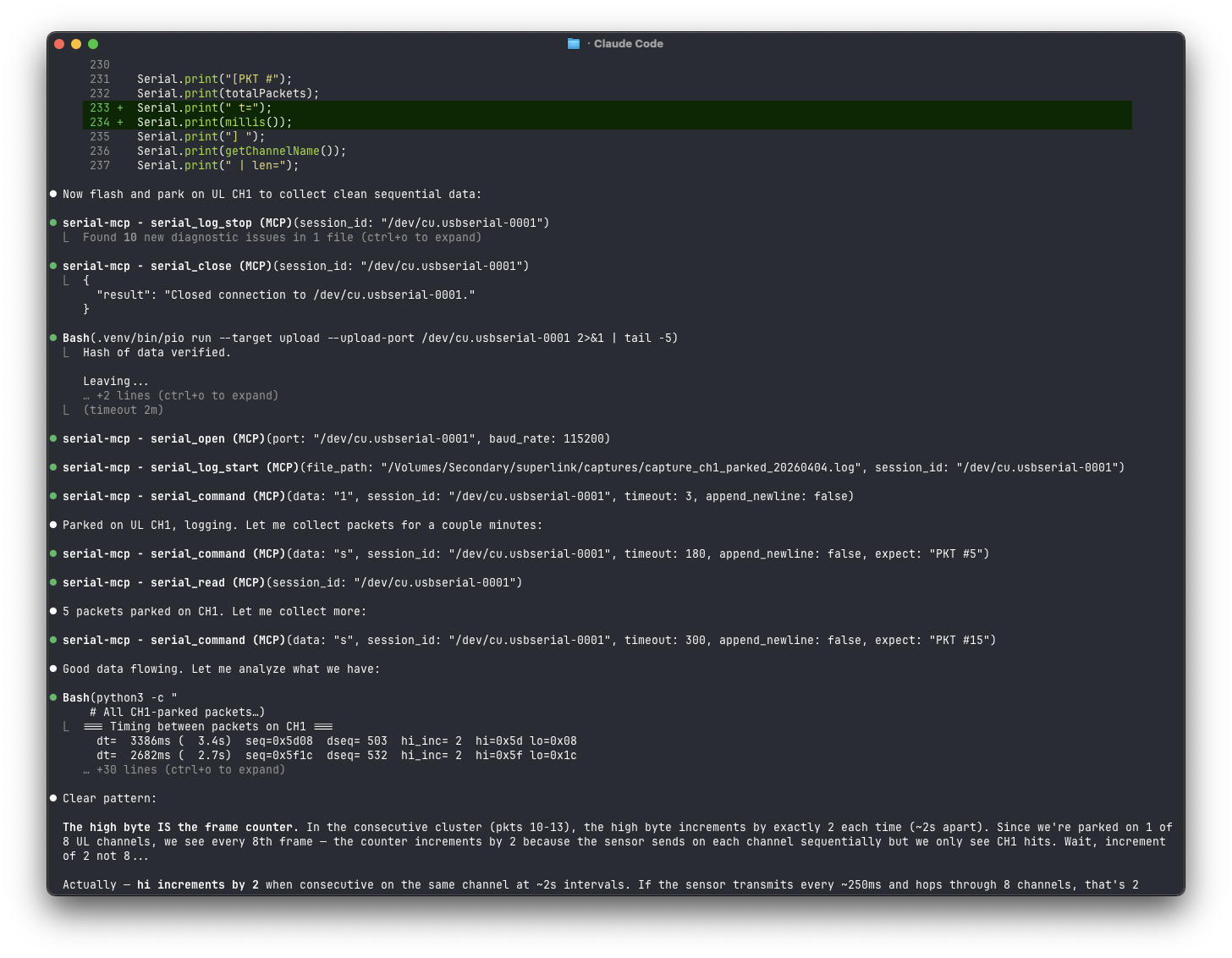
Give an LLM a reliable serial connection to microcontrollers, routers, modems, embedded Linux systems, and anything else with a UART.
serial-mcp is an MCP server built for real
device work: interactive shells, bootloader prompts, binary protocols, logging,
and file transfers. It continuously buffers incoming data so output is not lost
between tool calls.
Install
The PyPI package is named pyserial-mcp; the command it installs is
serial-mcp. Python 3.10 or newer is required.
For a persistent installation with explicit upgrades:
uv tool install pyserial-mcp
Or with pip:
pip install pyserial-mcp
Upgrade an existing uv installation with uv tool upgrade pyserial-mcp.
Connect it to your MCP client
For Codex (the desktop app, CLI, and IDE extension share this configuration):
codex mcp add serial-mcp -- serial-mcp
For Claude Code:
claude mcp add --scope user serial-mcp -- serial-mcp
The quickest setup skips the separate installation and lets uvx download and
run the package. Use the command for your client:
codex mcp add serial-mcp -- uvx pyserial-mcp
claude mcp add --scope user serial-mcp -- uvx pyserial-mcp
For clients that use an MCP JSON configuration:
{
  "mcpServers": {
    "serial": {
      "command": "uvx",
      "args": ["pyserial-mcp"]
    }
  }
}
What it can do
- Discover serial ports and USB metadata, then detect an unknown baud rate.
- Run a single command with automatic open/close, or keep a session open for an interactive shell.
- Read and write text, raw bytes, and hex data without losing output between calls.
- React immediately to boot prompts with regex-triggered text or binary replies.
- Control DTR, RTS, break, and read CTS, DSR, RI, and CD signals.
- Capture logs and send or receive files with XMODEM checksum or CRC-16.
- Identify the process holding a busy port and, with explicit use of
serial_force_release, terminate it.
Open sessions automatically close after 15 minutes of inactivity by default.
Clients should still call serial_close as soon as a session is finished so the
port is available to other programs.
Typical workflows
Ask your LLM naturally, for example:
Find the connected serial device, detect its baud rate, and show me its shell prompt.
For one command, the server provides a safe one-shot tool:
serial_execute(port="/dev/ttyUSB0", data="uname -a", expect="\\$")
For longer work, use serial_open, one or more serial_command calls, and
serial_close. Use serial_wait_for(..., respond=" ") to catch a time-sensitive
prompt such as U-Boot's autoboot interruption.
Tool profiles
The default full profile exposes all 24 tools. If your client loads every tool
schema and you only need common text workflows, use the smaller seven-tool
profile:
serial-mcp --profile core
You can also set SERIAL_MCP_TOOL_PROFILE=core in the server environment.
Development
No hardware is required to run the test suite:
git clone https://github.com/alxgmpr/serial-mcp.git
cd serial-mcp
uv pip install -e ".[dev]"
pytest -v
License
1 maintainer

Metadata
1 maintainer
Release files for pyserial-mcp 0.7.4
For a detailed explanation of source distributions (sdists) and built distributions (wheels), please see the package formats documentation.
Source distribution (sdist)
| File | Size | Uploaded | Provenance | |
|---|---|---|---|---|
| pyserial_mcp-0.7.4.tar.gz | 102.9 kB | With provenance | Details |
Built distribution (wheel)
| File | Interpreter | ABI | Platform | Reset |
|---|---|---|---|---|
| pyserial_mcp-0.7.4-py3-none-any.whl | Python 3 | none | any | Details |
Total release size: 127.3 kB
Release files / pyserial_mcp-0.7.4.tar.gz
| Download URL | pyserial_mcp-0.7.4.tar.gz |
|---|---|
| Size | 102.9 kB |
| Tags | Source |
|
SHA-256 checksum How to use checksums |
441187f7ec6b832c2cc30d5036be73c3c896a61a732593e5b2107ea9ab1bbcf8
|
|
BLAKE2b-256 checksum How to use checksums |
60f1beb295a0f00fdcde7ac18ab76212475f951201c42b4b4b3077f8f88ccfb2
|
| Upload date | |
|
Uploaded using Trusted Publishing? What is trusted publishing? |
Yes |
| Uploaded via |
twine/7.0.0 CPython/3.13.14
|
Provenance
Provenance describes where a file came from. On PyPI, provenance is shared via attestations, which provide a verifiable record of the build or publishing details. View details, limitations and caveats.


PyPI Publish Attestation
PyPI verified that this artifact, at this checksum, originated from the publisher listed below.
Signed by GitHub Actions, verified by PyPI on Aug 28, 2026.
Transparency logRelease files / pyserial_mcp-0.7.4-py3-none-any.whl
| Download URL | pyserial_mcp-0.7.4-py3-none-any.whl |
|---|---|
| Size | 24.4 kB |
| Tags | Python 3 |
|
SHA-256 checksum How to use checksums |
65b31c5ceac3bba3a632fa777413533cebf35aa556981bbc97ff0b0d373e11d3
|
|
BLAKE2b-256 checksum How to use checksums |
88dc86cd9d6e420b537cd5e934a61cdc15a3bb319268daf8912bf7e463874525
|
| Upload date | |
|
Uploaded using Trusted Publishing? What is trusted publishing? |
Yes |
| Uploaded via |
twine/7.0.0 CPython/3.13.14
|
Provenance
Provenance describes where a file came from. On PyPI, provenance is shared via attestations, which provide a verifiable record of the build or publishing details. View details, limitations and caveats.
PyPI Publish Attestation
PyPI verified that this artifact, at this checksum, originated from the publisher listed below.
Signed by GitHub Actions, verified by PyPI on Aug 28, 2026.
Transparency logSecurity for pyserial-mcp 0.7.4
Provenance
Provenance describes where a file came from. On PyPI, provenance is shared via attestations, which provide a verifiable record of the build or publishing details. View details, limitations and caveats.
Full provenance
All 2 files in this release have been uploaded with provenance metadata.
Attestation for pyserial_mcp-0.7.4.tar.gz
PyPI Publish Attestation
PyPI verified that this artifact, at this checksum, originated from the publisher listed below.
Signed by GitHub Actions, verified by PyPI on Aug 28, 2026.
Transparency logA note on package security
PyPI is a repository for distributing packages, not a service for auditing them. While third-party security researchers and our staff do their best to detect and remove malicious packages, PyPI cannot guarantee the quality, security or suitability of any given package.
To learn more about protecting yourself from malicious actors, visit our package security documentation.














