





Generates a static html report based on pytest framework

Features
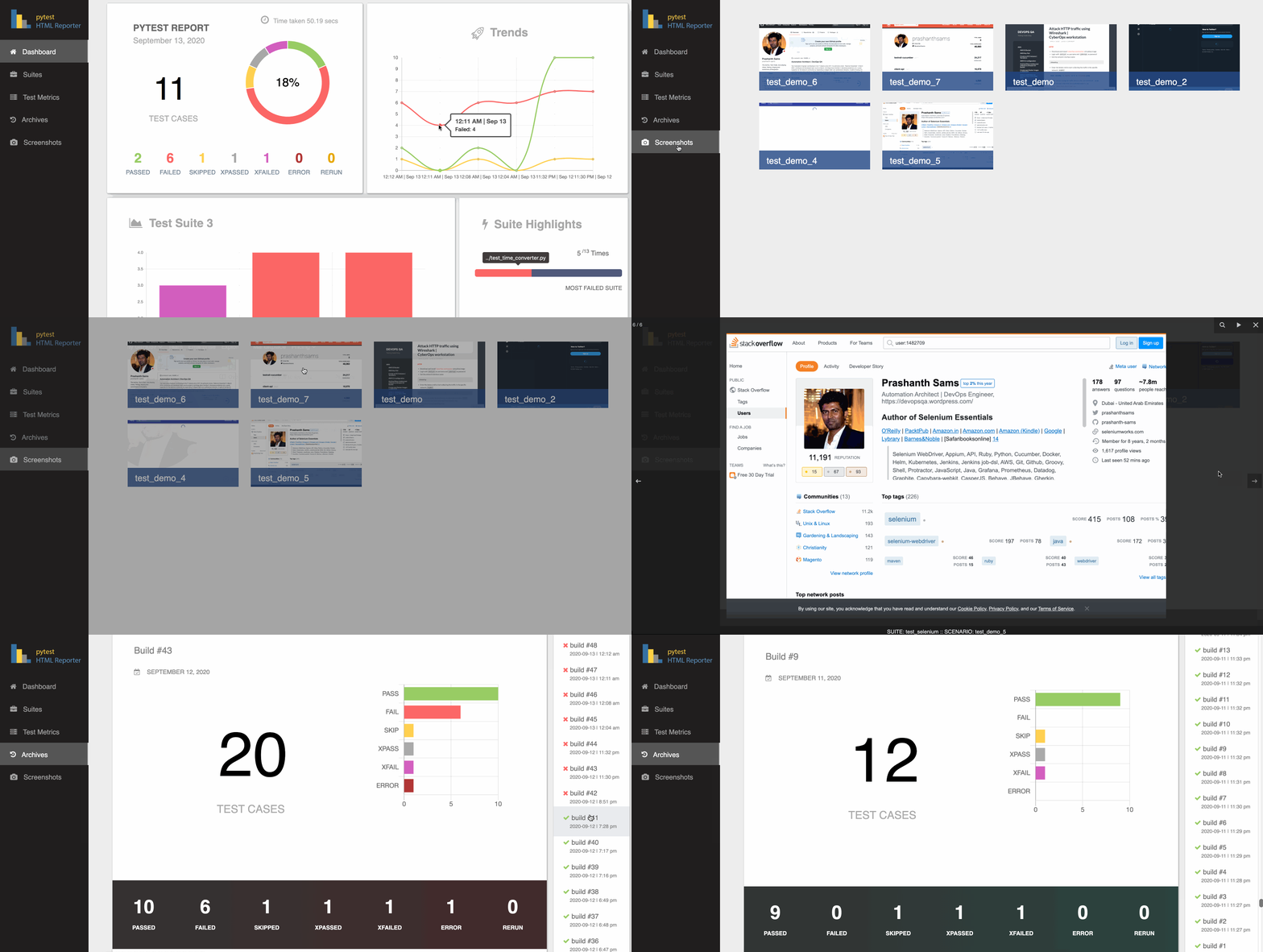
- Generic information
Overview
Trends
Suite Highlights
Test suite details
Archives / History
Screenshots on failure
Test Rerun support
Installation
$ pip install pytest-html-reporterUsage
By default, the filename used is pytest_html_reporter.html and path chosen is report; you can skip both or either one of them if not needed:
$ pytest tests/
Custom path and filename
Add --html-report tag followed by path location and filename to customize the report location and filename:
$ pytest tests/ --html-report=./report
$ pytest tests/ --html-report=./report/report.html
pytest.ini
Alternate option is to add this snippet in the pytest.ini file:
[pytest]
addopts = -vs -rf --html-report=./report
Note: If you fail to provide --html-report tag, it consider your project’s home directory as the base
screenshots on failure
Import attach from the library and call it with the selenium command as given below:
from pytest_html_reporter import attach

...
attach(data=self.driver.get_screenshot_as_png())
Is there a demo available for this gem?
Yes, you can use this demo as an example, https://github.com/prashanth-sams/pytest-html-reporter:
$ pytest tests/functional/
1 maintainer

Download files
Download the file for your platform. If you're not sure which to choose, learn more about installing packages.
Source Distribution
File details
Details for the file pytest-html-reporter-0.2.3.tar.gz.
File metadata
- Download URL: pytest-html-reporter-0.2.3.tar.gz
- Upload date:
- Size: 22.5 kB
- Tags: Source
- Uploaded using Trusted Publishing? No
- Uploaded via:
twine/3.2.0 pkginfo/1.5.0.1 requests/2.24.0 setuptools/50.3.0 requests-toolbelt/0.9.1 tqdm/4.50.0 CPython/3.8.2
File hashes
| Algorithm | Hash digest | |
|---|---|---|
| SHA256 |
b7502c09e6934f0ef17392c1a36046da475e0f3bd5099cf292ff483eed314543
|
|
| MD5 |
96ab6fd83595328f4e2479e589c51da5
|
|
| BLAKE2b-256 |
cacb3064f17d49adf6a71ae03711f4722dbc2e12677f58eb8b017ff566219ea4
|














