





pywebfs
Simple Python HTTP(S) File Server
Install
$ pip install pywebfs
Quick start
- start http server sharing current directory listening on 0.0.0.0 port 8080
$ pywebfs
-
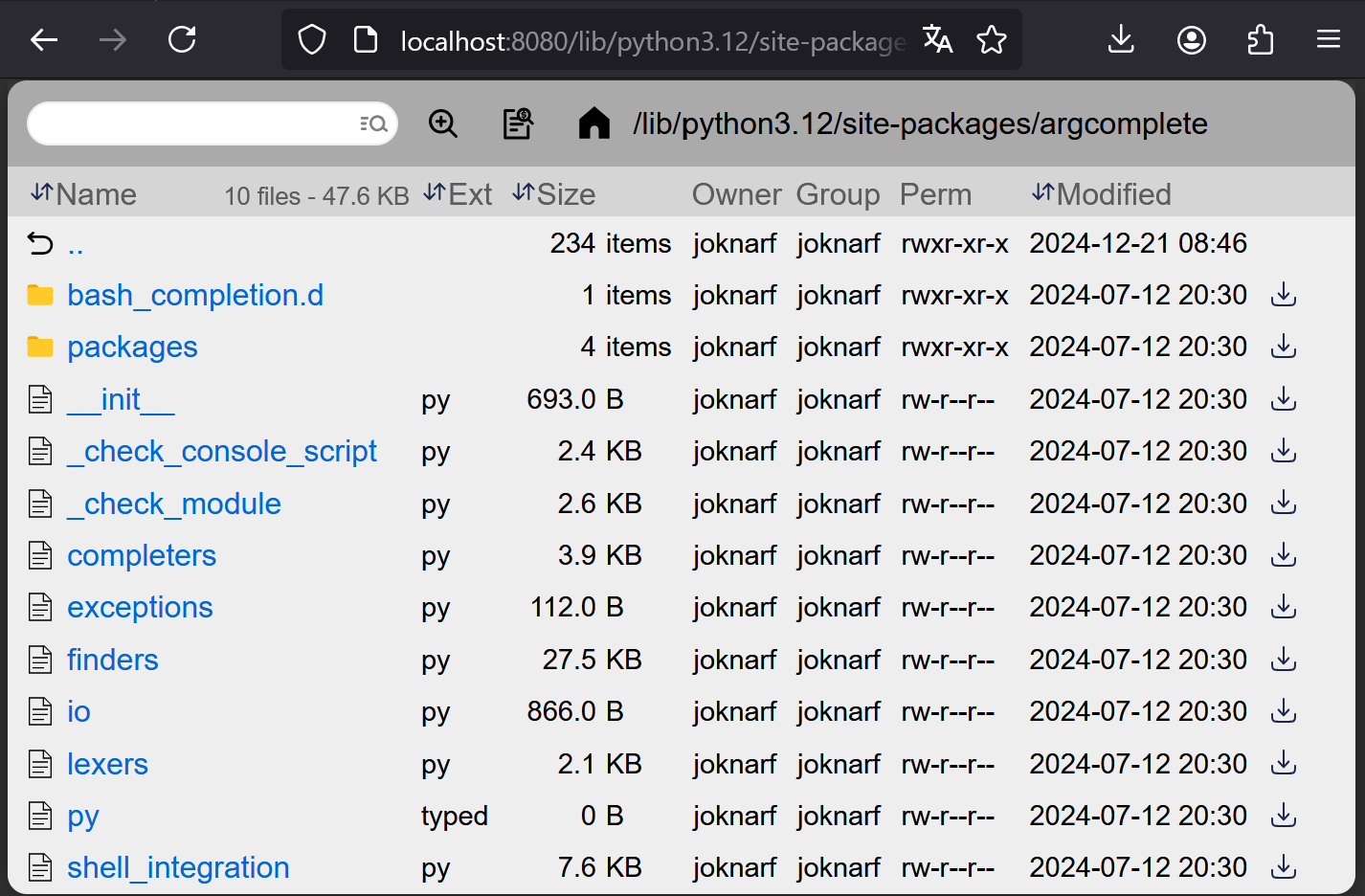
Browse/Download/Search files using browser
http://<yourserver>:8080 -
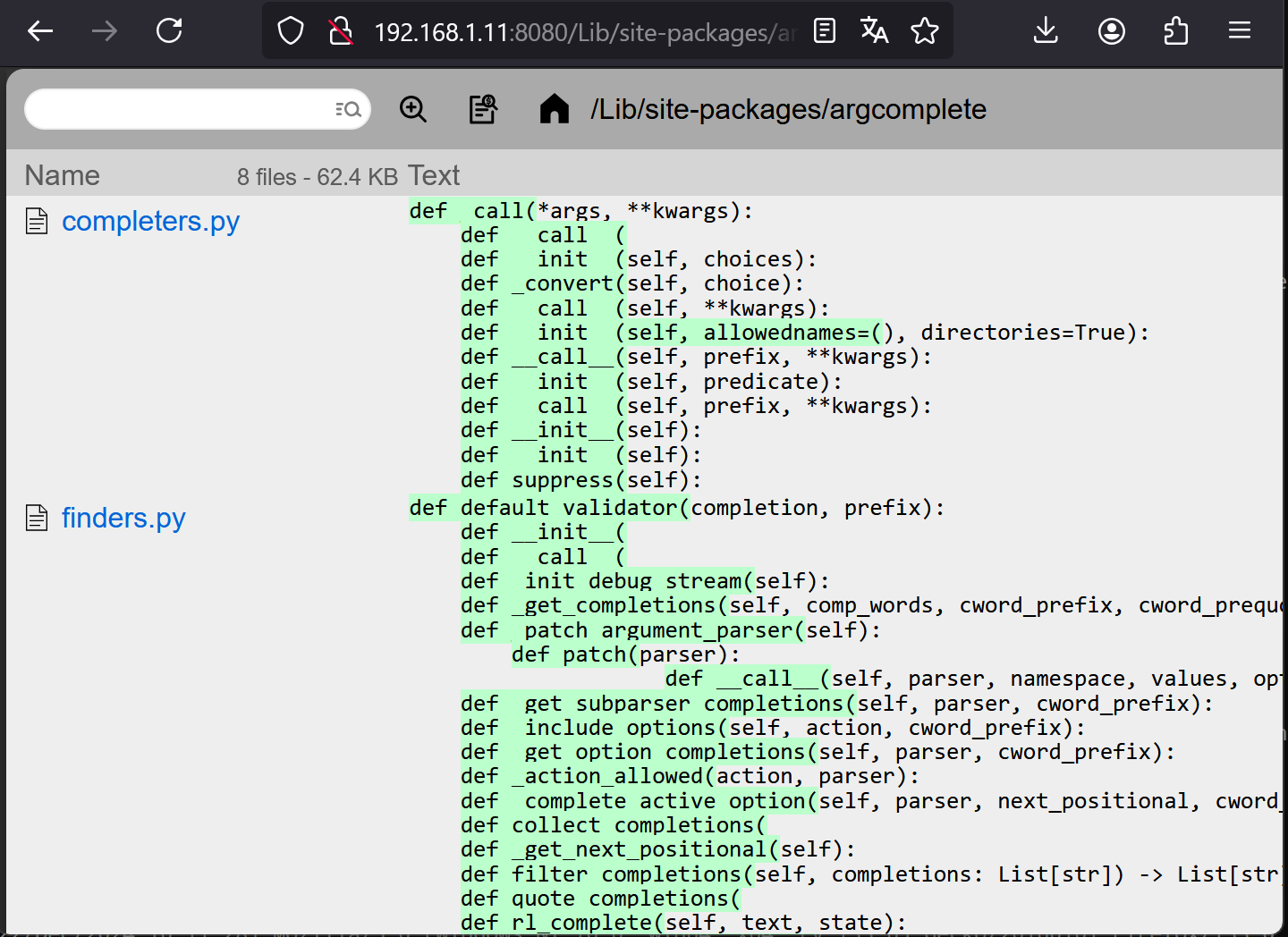
search text in files (like grep -ri)
features
- Serve static files
- Download folder as zip file
- Quick filter files
- Keyboard navigation using arrows
- Search files by name recursively with multiple word any order
- Search text in files recursively (disable feature with --nosearch)
- Basic Auth support (single user)
- Safe url token Auth
- HTTPS support
- HTTPS self-signed certificate generator
- Display owner/group/permissions (POSIX) (disable feature with --noperm)
- Can be started as a daemon (POSIX)
Customize server
$ pywebfs --dir /mydir --title "my fileserver" --listen 0.0.0.0 --port 8080
$ pywebfs -d /mydir -t "my fileserver" -l 0.0.0.0 -p 8080
Basic auth user/password
$ pywebfs --dir /mydir --user myuser [--password mypass]
$ pywebfs -d /mydir -u myuser [-P mypass]
Generated password is given if no --pasword option
Safe url token auth
$ pywebfs --dir /mydir --tokenurl
$ pywebfs --d /mydir --T
A Token is generated, unless PYWEBFS_TOKEN environment variable is set
HTTPS server
- Generate auto-signed certificate and start https server
$ pywebfs --dir /mydir --gencert
$ pywebfs -d /mydir --g
- Start https server using existing certificate
$ pywebfs --dir /mydir --cert /pathto/host.cert --key /pathto/host.key
$ pywebfs -d /mydir -c /pathto/host.cert -k /pathto/host.key
Launch server as a daemon (Linux)
$ pywebfs start
$ pywebfs status
$ pywebfs stop
- log of server are stored in
~/.pywebfs/pwfs_<listen>:<port>.log
Disclaimer
As built on python http.server, read in the python3 documentation:
Warning http.server is not recommended for production. It only implements basic security checks.
1 maintainer

Metadata
1 maintainer
Release files for pywebfs 1.1.24
For a detailed explanation of source distributions (sdists) and built distributions (wheels), please see the package formats documentation.
Source distribution (sdist)
| File | Size | Uploaded | |
|---|---|---|---|
| pywebfs-1.1.24.tar.gz | 26.7 kB | Details |
Built distribution (wheel)
| File | Interpreter | ABI | Platform | Reset |
|---|---|---|---|---|
| pywebfs-1.1.24-py3-none-any.whl | Python 3 | none | any | Details |
Total release size: 48.5 kB
Release files / pywebfs-1.1.24.tar.gz
| Download URL | pywebfs-1.1.24.tar.gz |
|---|---|
| Size | 26.7 kB |
| Tags | Source |
|
SHA-256 checksum How to use checksums |
5b2c484927778f0d6ad54b1d3365f1b1a538e5dbb45f124fb086a9d56688da21
|
|
BLAKE2b-256 checksum How to use checksums |
ada9b212f2d94b97e3d806533f09bea7b2d96a79d2e62b425eba9fbb5cb0321e
|
| Upload date | |
|
Uploaded using Trusted Publishing? What is trusted publishing? |
No |
| Uploaded via |
twine/6.2.0 CPython/3.9.25
|
Release files / pywebfs-1.1.24-py3-none-any.whl
| Download URL | pywebfs-1.1.24-py3-none-any.whl |
|---|---|
| Size | 21.7 kB |
| Tags | Python 3 |
|
SHA-256 checksum How to use checksums |
a4a8baa1620e97892585566bae6eda85e8685664ae9128d39fa624ccc4f80569
|
|
BLAKE2b-256 checksum How to use checksums |
7b3aff17beae5d8abb5fb2c16ce9ce5c627bd5c16a025f36a08dec60ec5c9e29
|
| Upload date | |
|
Uploaded using Trusted Publishing? What is trusted publishing? |
No |
| Uploaded via |
twine/6.2.0 CPython/3.9.25
|














