
Simple Python HTTP File Server

Project description




pywebfs
Simple Python HTTP(S) File Server
Install
$ pip install pywebfs
Quick start
- start http server sharing current directory listening on 0.0.0.0 port 8080
$ pywebfs
-
Browse/Download/Search files using browser
http://<yourserver>:8080 -
search text in files (grep)
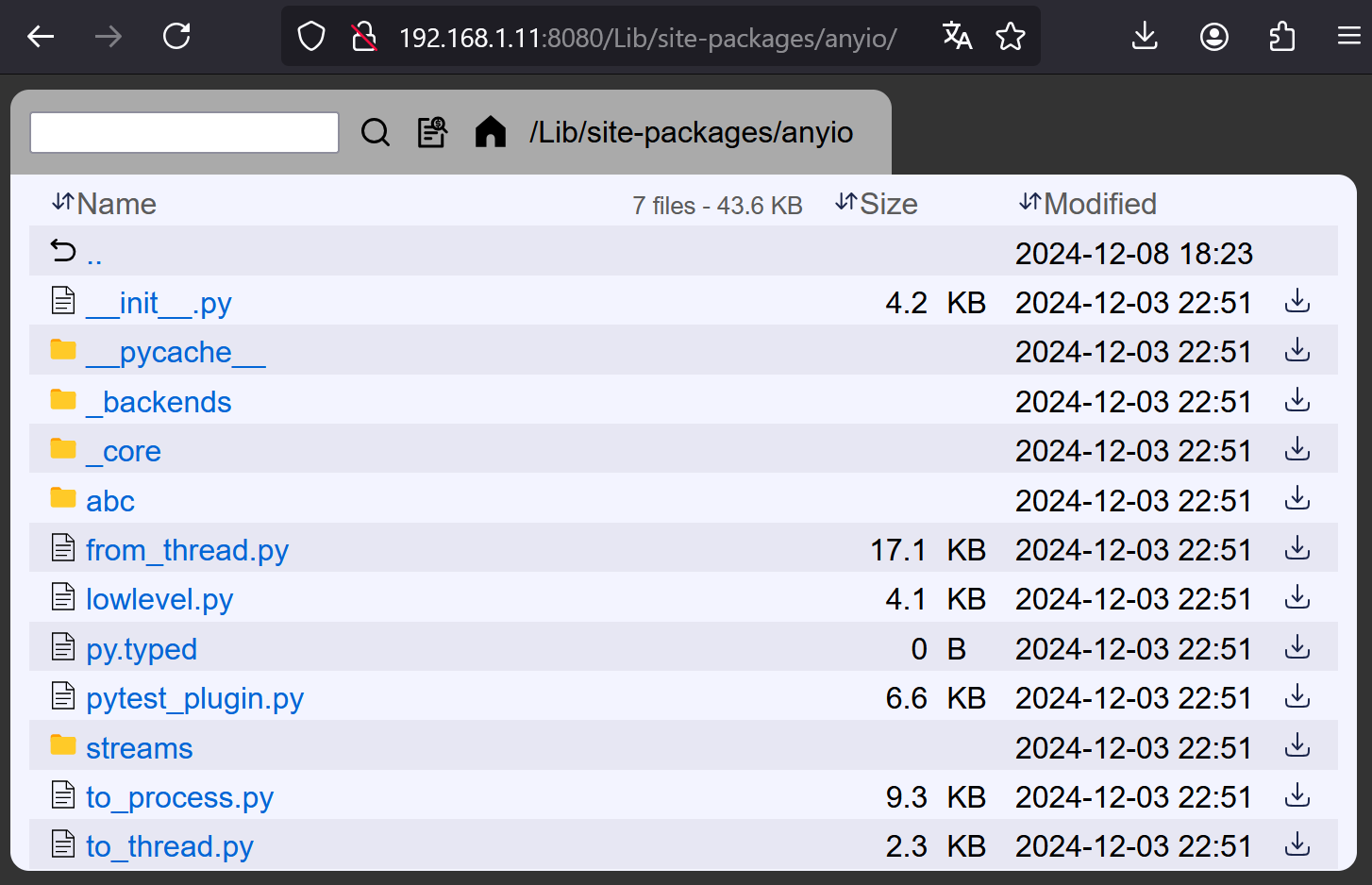
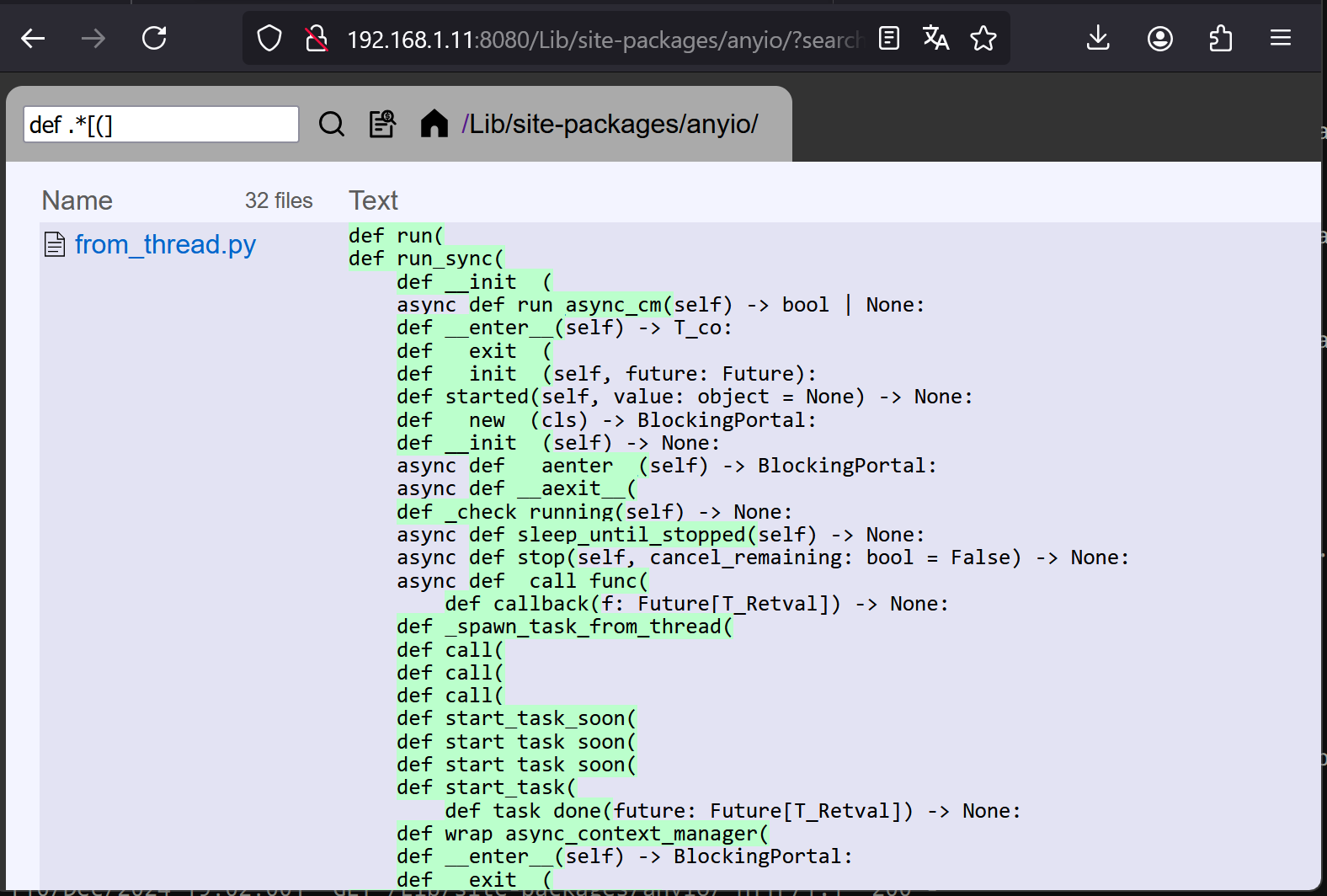
features
- Serve static files
- Download folder as zip file
- Filter files
- Search files recursively multiple word any order
- Search text in files recursively
- Basic Auth support (single user)
- HTTPS support
- HTTPS self-signed certificate generator
- Can be started as a daemon (POSIX)
Customize server
$ pywebfs --dir /mydir --title "my fileserver" --listen 0.0.0.0 --port 8080
$ pywebfs -d /mydir -t "my fileserver" -l 0.0.0.0 -p 8080
Basic auth user/password
$ pywebfs --dir /mydir --user myuser [--password mypass]
$ pywebfs -d /mydir -u myuser [-P mypass]
Generated password is given if no --pasword option
HTTPS server
- Generate auto-signed certificate and start https server
$ pywebfs --dir /mydir --gencert
$ pywebfs -d /mydir --g
- Start https server using existing certificate
$ pywebfs --dir /mydir --cert /pathto/host.cert --key /pathto/host.key
$ pywebfs -d /mydir -c /pathto/host.cert -k /pathto/host.key
Launch server as a daemon (Linux)
$ pywebfs start
$ pywebfs status
$ pywebfs stop
- log of server are stored in
~/.pywebfs/pwfs_<listen>:<port>.log
Release history Release notifications | RSS feed


Download files
Download the file for your platform. If you're not sure which to choose, learn more about installing packages.
Source Distribution
pywebfs-0.7.1.tar.gz
(20.7 kB
view details)
Built Distribution
Filter files by name, interpreter, ABI, and platform.
If you're not sure about the file name format, learn more about wheel file names.
Copy a direct link to the current filters
pywebfs-0.7.1-py3-none-any.whl
(17.5 kB
view details)
File details
Details for the file pywebfs-0.7.1.tar.gz.
File metadata
- Download URL: pywebfs-0.7.1.tar.gz
- Upload date:
- Size: 20.7 kB
- Tags: Source
- Uploaded using Trusted Publishing? No
- Uploaded via: twine/6.0.1 CPython/3.9.21
File hashes
| Algorithm | Hash digest | |
|---|---|---|
| SHA256 |
2f91671f6563cb02ae69b691e34d2a3611388031c22214f688f9a28f069d6c62
|
|
| MD5 |
69d718b55f785911450f3885686088ac
|
|
| BLAKE2b-256 |
f827c6a07a0cdcad62f1923a68266321a8fd82661232bbd71d489d528ef05985
|
File details
Details for the file pywebfs-0.7.1-py3-none-any.whl.
File metadata
- Download URL: pywebfs-0.7.1-py3-none-any.whl
- Upload date:
- Size: 17.5 kB
- Tags: Python 3
- Uploaded using Trusted Publishing? No
- Uploaded via: twine/6.0.1 CPython/3.9.21
File hashes
| Algorithm | Hash digest | |
|---|---|---|
| SHA256 |
927c68ce491c8c216c6626cd1934523314906f737be5ebe0b90c3568e26bc431
|
|
| MD5 |
a2d8de579544ea8ba2867a42bd08a62a
|
|
| BLAKE2b-256 |
342fbfd3514c01580f6d87826974dc6370a3a52fd82d8b601728a2bfc9e3d761
|






