
Simple Python HTTP File Server

Project description





pywebfs
Simple Python HTTP(S) File Server
Install
$ pip install pywebfs
Quick start
- start http server sharing current directory listening on 0.0.0.0 port 8080
$ pywebfs
-
Browse/Download/Search files using browser
http://<yourserver>:8080 -
search text in files (like grep -ri)
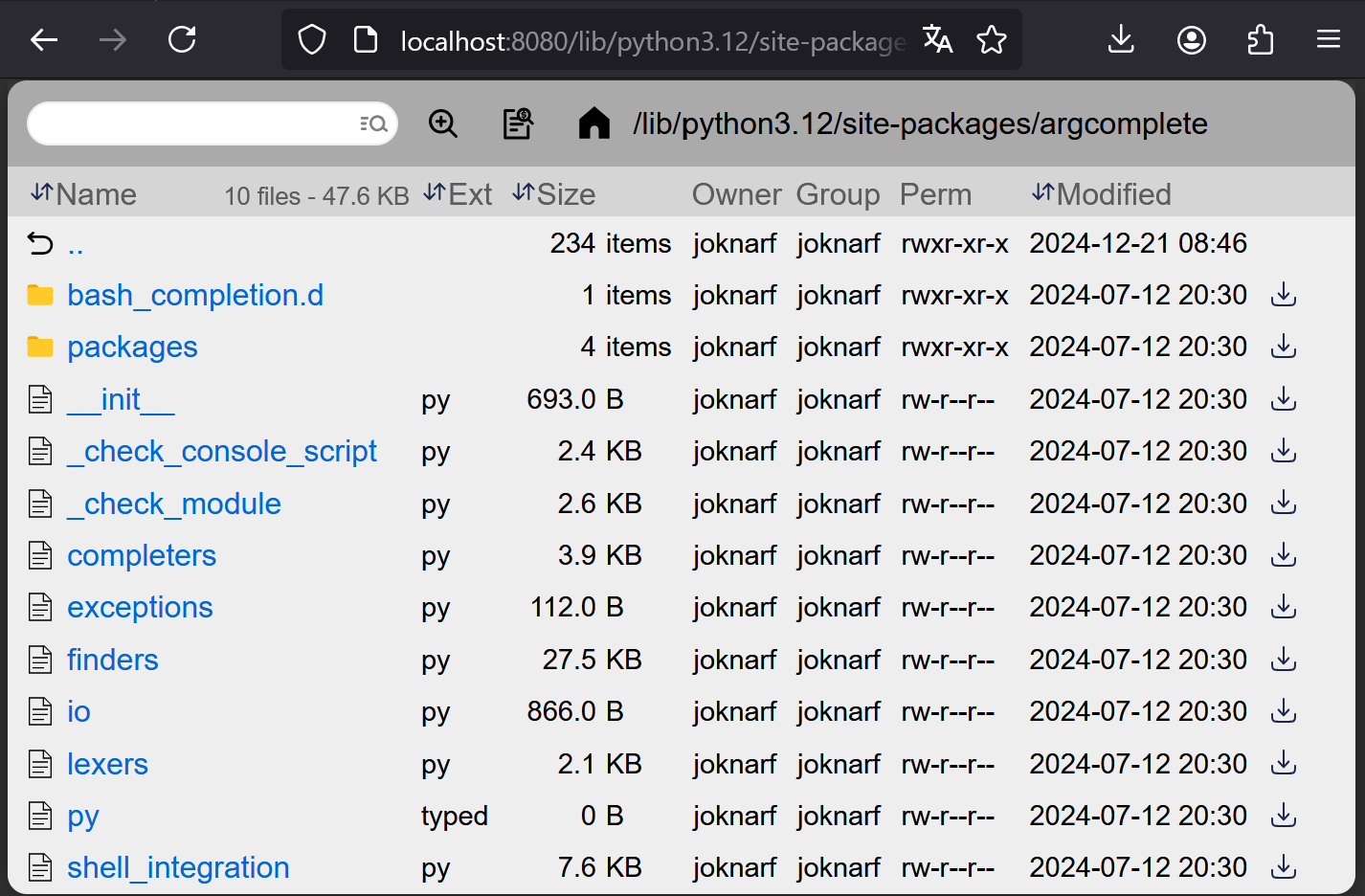
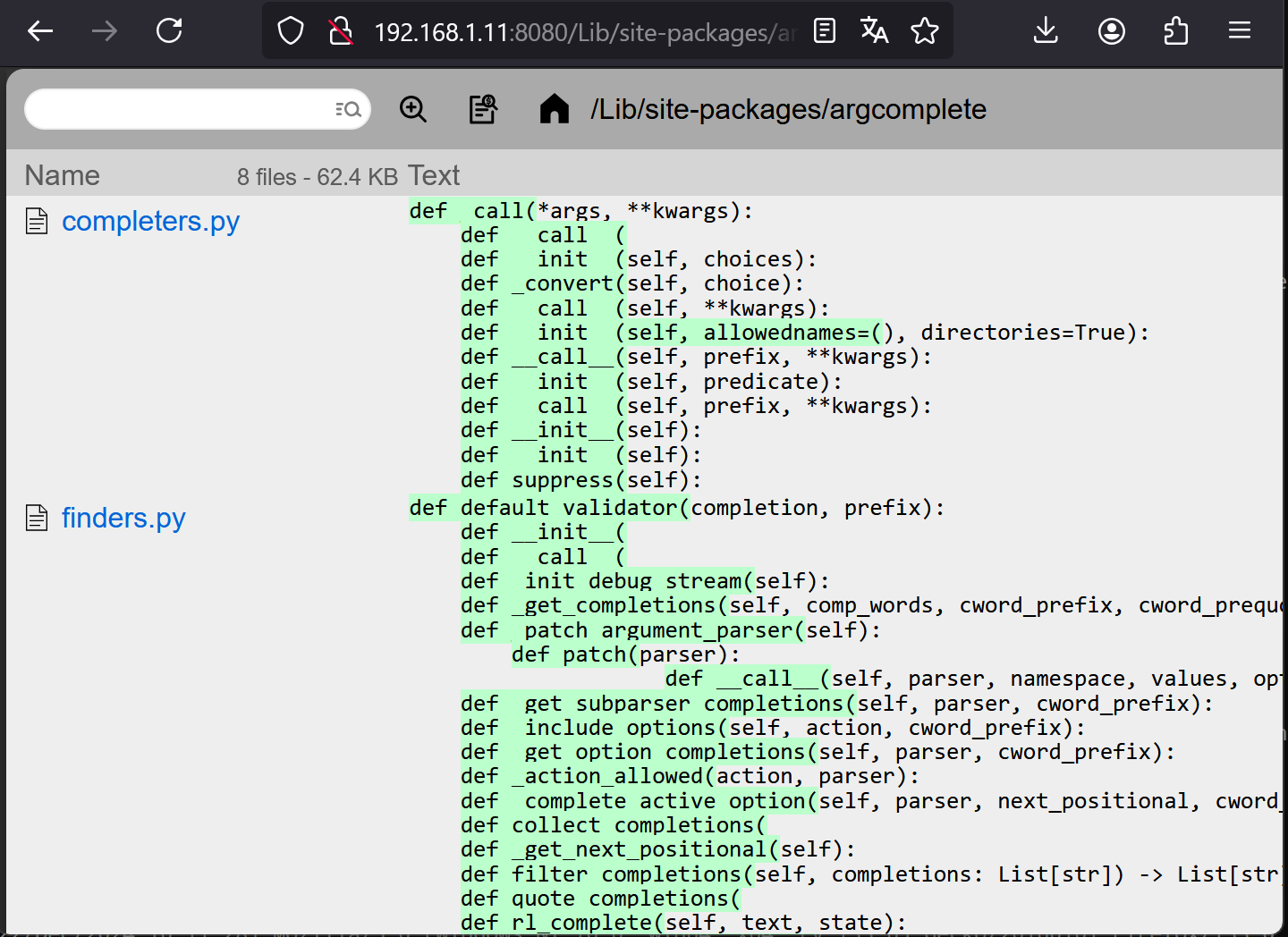
features
- Serve static files
- Download folder as zip file
- Quick filter files
- Keyboard navigation using arrows
- Search files by name recursively with multiple word any order
- Search text in files recursively (disable feature with --nosearch)
- Basic Auth support (single user)
- Safe url token Auth
- HTTPS support
- HTTPS self-signed certificate generator
- Display owner/group/permissions (POSIX) (disable feature with --noperm)
- Can be started as a daemon (POSIX)
Customize server
$ pywebfs --dir /mydir --title "my fileserver" --listen 0.0.0.0 --port 8080
$ pywebfs -d /mydir -t "my fileserver" -l 0.0.0.0 -p 8080
Basic auth user/password
$ pywebfs --dir /mydir --user myuser [--password mypass]
$ pywebfs -d /mydir -u myuser [-P mypass]
Generated password is given if no --pasword option
Safe url token auth
$ pywebfs --dir /mydir --tokenurl
$ pywebfs --d /mydir --T
A Token is generated, unless PYWEBFS_TOKEN environment variable is set
HTTPS server
- Generate auto-signed certificate and start https server
$ pywebfs --dir /mydir --gencert
$ pywebfs -d /mydir --g
- Start https server using existing certificate
$ pywebfs --dir /mydir --cert /pathto/host.cert --key /pathto/host.key
$ pywebfs -d /mydir -c /pathto/host.cert -k /pathto/host.key
Launch server as a daemon (Linux)
$ pywebfs start
$ pywebfs status
$ pywebfs stop
- log of server are stored in
~/.pywebfs/pwfs_<listen>:<port>.log
Disclaimer
As built on python http.server, read in the python3 documentation:
Warning http.server is not recommended for production. It only implements basic security checks.
Release history Release notifications | RSS feed


Download files
Download the file for your platform. If you're not sure which to choose, learn more about installing packages.
Source Distribution
Built Distribution
Filter files by name, interpreter, ABI, and platform.
If you're not sure about the file name format, learn more about wheel file names.
Copy a direct link to the current filters
File details
Details for the file pywebfs-1.1.22.tar.gz.
File metadata
- Download URL: pywebfs-1.1.22.tar.gz
- Upload date:
- Size: 26.7 kB
- Tags: Source
- Uploaded using Trusted Publishing? No
- Uploaded via: twine/6.2.0 CPython/3.9.25
File hashes
| Algorithm | Hash digest | |
|---|---|---|
| SHA256 |
f9dd82319dbbbdee430356d4c8bf927a2b694e1c91d761b9cb1e8e653694e351
|
|
| MD5 |
5bb574f1a1d6d2013873389b5e11d430
|
|
| BLAKE2b-256 |
e653b08d68f4e3105c2e22091b1aa1d48642b3eb25588fbed1f6bd0614c7ad74
|
File details
Details for the file pywebfs-1.1.22-py3-none-any.whl.
File metadata
- Download URL: pywebfs-1.1.22-py3-none-any.whl
- Upload date:
- Size: 21.7 kB
- Tags: Python 3
- Uploaded using Trusted Publishing? No
- Uploaded via: twine/6.2.0 CPython/3.9.25
File hashes
| Algorithm | Hash digest | |
|---|---|---|
| SHA256 |
ae38cc2cf774e2ed6fdddfed14df7101b792623ed4ec3545b3fe1056693f0a6a
|
|
| MD5 |
65c608df717270f91c8ffeecac5f66f5
|
|
| BLAKE2b-256 |
e346f07312803bb14dc7f97ee1462ee15e6040df7fa341b419b200656ff1a15b
|






