
qBittorrenTUI


Console UI for qBittorrent. Not feature-complete but is usable for low volume and everyday torrenting.
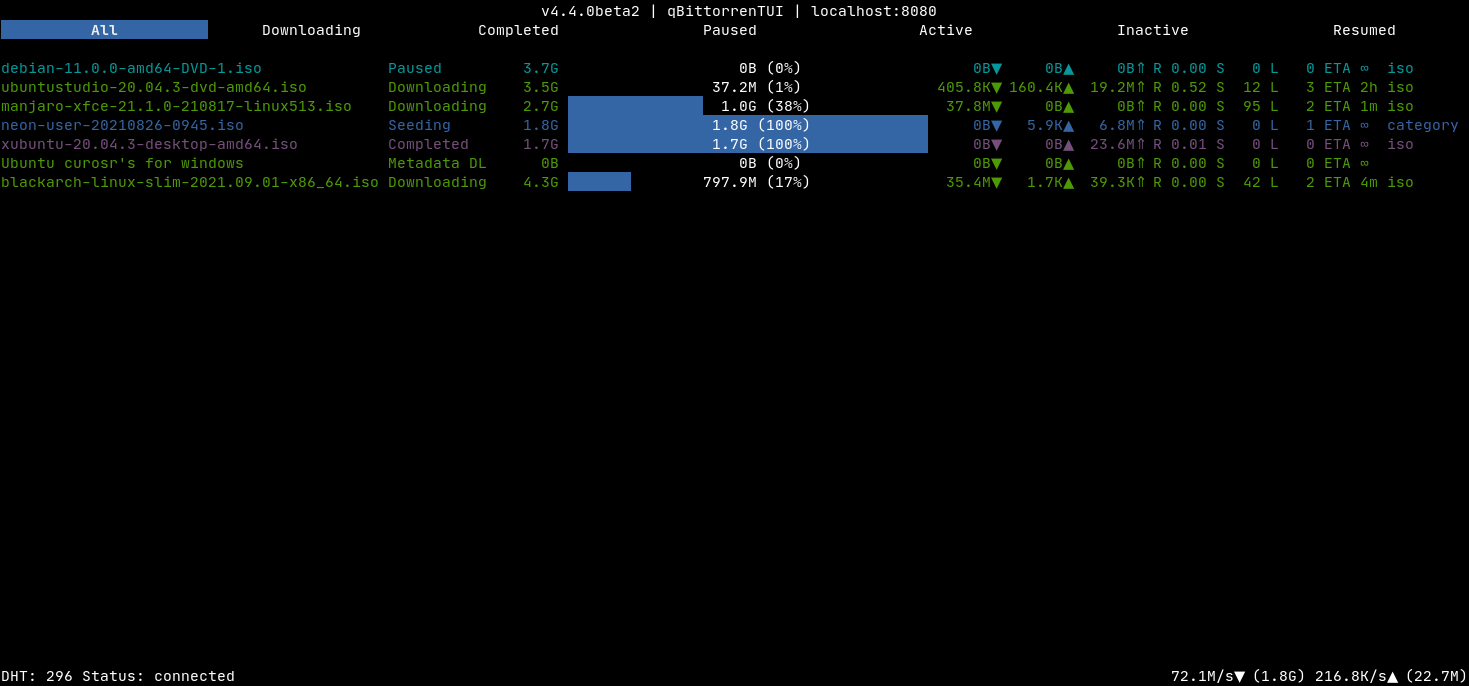
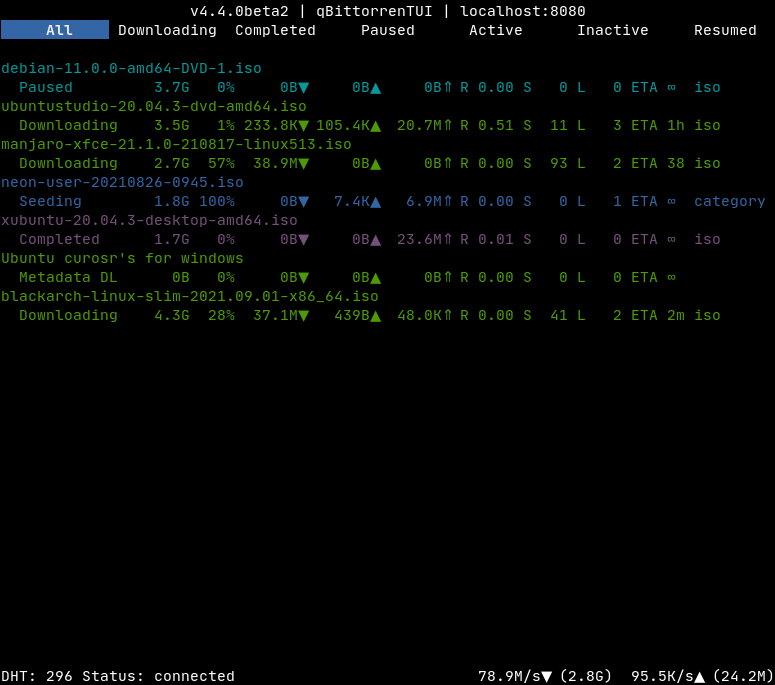
Key Map
Any Window
- q : exit
- n : open connection dialog
Torrent List Window
- a : open add torrent dialog
- enter : open context menu for selected torrent
- right arrow: open Torrent Window
Torrent Window
- left : return to Torrent List
- esc : return to Torrent List
- Content
- enter : bump priority
- space : bump priority
Installation
Install from pypi:
pip install qbittorrentui
In most cases, this should allow you to run the application simply with the qbittorrentui command. Alternatively, you can specify a specific python binary with ./venv/bin/python -m qbittorrentui or similar.
Configuration
Connections can be pre-defined within a configuration file (modeled after default.ini). Each section in the file is presented as a separate server to connect to.
Configuration file lookup order:
--config_file /path/to/config.ini(highest priority)- Platform default config directory (e.g.
~/.config/qbittorrentui/qbittorrentui.inion Linux,~/Library/Application Support/qbittorrentui/qbittorrentui.inion macOS)
Minimal configuration file section:
[localhost]
HOST = localhost
USERNAME = admin
PASSWORD = adminadmin
Sample configuration file section:
[localhost:8080]
HOST = localhost
PORT = 8080
USERNAME = admin
PASSWORD = adminadmin
CONNECT_AUTOMATICALLY = 1
TIME_AFTER_CONNECTION_FAILURE_THAT_CONNECTION_IS_CONSIDERED_LOST = 5
TORRENT_CONTENT_MAX_FILENAME_LENGTH = 75
TORRENT_LIST_MAX_TORRENT_NAME_LENGTH = 60
TORRENT_LIST_PROGRESS_BAR_LENGTH = 40
DO_NOT_VERIFY_WEBUI_CERTIFICATE = 1
Only HOST, USERNAME, and PASSWORD are required.
DO_NOT_VERIFY_WEBUI_CERTIFICATE is necessary if the certificate is untrusted (e.g. self-signed).
TODO/Wishlist
Application
- Figure out the theme(s)
- Configuration for connections
- Log/activity output (likely above status bar)
- Implement window for editing qBittorrent settings
Torrent List Window
- Torrent sorting
- Additional torrent filtering mechanisms
- Torrent searching
- Torrent status icon in torrent name
- Torrent name color coding
- Torrent list column configuration
Torrent Window
- Make focus more obvious when switching between tabs list and a display
- Scrollbar in the displays
- Speed graph display
Torrent Window Content Display
- Left key should return to tab list
MIT License
Copyright (c) Russell Martin
Permission is hereby granted, free of charge, to any person obtaining a copy of this software and associated documentation files (the "Software"), to deal in the Software without restriction, including without limitation the rights to use, copy, modify, merge, publish, distribute, sublicense, and/or sell copies of the Software, and to permit persons to whom the Software is furnished to do so, subject to the following conditions:
The above copyright notice and this permission notice shall be included in all copies or substantial portions of the Software.
THE SOFTWARE IS PROVIDED "AS IS", WITHOUT WARRANTY OF ANY KIND, EXPRESS OR IMPLIED, INCLUDING BUT NOT LIMITED TO THE WARRANTIES OF MERCHANTABILITY, FITNESS FOR A PARTICULAR PURPOSE AND NONINFRINGEMENT. IN NO EVENT SHALL THE AUTHORS OR COPYRIGHT HOLDERS BE LIABLE FOR ANY CLAIM, DAMAGES OR OTHER LIABILITY, WHETHER IN AN ACTION OF CONTRACT, TORT OR OTHERWISE, ARISING FROM, OUT OF OR IN CONNECTION WITH THE SOFTWARE OR THE USE OR OTHER DEALINGS IN THE SOFTWARE.
1 maintainer

Release files for qbittorrentui 0.3.11
For a detailed explanation of source distributions (sdists) and built distributions (wheels), please see the package formats documentation.
Source distribution (sdist)
| File | Size | Uploaded | |
|---|---|---|---|
| qbittorrentui-0.3.11.tar.gz | 42.9 kB | Details |
Built distribution (wheel)
| File | Interpreter | ABI | Platform | Reset |
|---|---|---|---|---|
| qbittorrentui-0.3.11-py3-none-any.whl | Python 3 | none | any | Details |
Total release size: 89.6 kB
Release files / qbittorrentui-0.3.11.tar.gz
| Download URL | qbittorrentui-0.3.11.tar.gz |
|---|---|
| Size | 42.9 kB |
| Tags | Source |
|
SHA-256 checksum How to use checksums |
584702be66c150107022017b197f842151e1dc6747a290bacf3e282d21e340b1
|
|
BLAKE2b-256 checksum How to use checksums |
4b419a63bed37fc9ecc2ae2eeff8b45878d23bddf9732f4a23d29cf1b324b88b
|
| Upload date | |
|
Uploaded using Trusted Publishing? What is trusted publishing? |
Yes |
| Uploaded via |
twine/7.0.0 CPython/3.13.14
|
Provenance
Provenance describes where a file came from. On PyPI, provenance is shared via attestations, which provide a verifiable record of the build or publishing details. View details, limitations and caveats.


PyPI Publish Attestation
PyPI verified that this artifact, at this checksum, originated from the publisher listed below.
Signed by GitHub Actions, verified by PyPI on Sep 9, 2026.
Transparency logRelease files / qbittorrentui-0.3.11-py3-none-any.whl
| Download URL | qbittorrentui-0.3.11-py3-none-any.whl |
|---|---|
| Size | 46.7 kB |
| Tags | Python 3 |
|
SHA-256 checksum How to use checksums |
5486ac074086f93a92cf984fe17158239895e158444d7ef0759c9e84aadb6f8e
|
|
BLAKE2b-256 checksum How to use checksums |
53195c1f01d484b0291ecb94932df5bfc48e214f5c4c0502009a1a647085926d
|
| Upload date | |
|
Uploaded using Trusted Publishing? What is trusted publishing? |
Yes |
| Uploaded via |
twine/7.0.0 CPython/3.13.14
|
Provenance
Provenance describes where a file came from. On PyPI, provenance is shared via attestations, which provide a verifiable record of the build or publishing details. View details, limitations and caveats.
PyPI Publish Attestation
PyPI verified that this artifact, at this checksum, originated from the publisher listed below.
Signed by GitHub Actions, verified by PyPI on Sep 9, 2026.
Transparency log













